
Product term
What Is iPhone Call Context and Does It Help Seniors?
Last verified 2026-07-26
The useful part of iPhone Call Context is easy to picture: an older adult is on the phone with an airline, pharmacy, insurance company, or utility, and the representative asks for a confirmation number. The number is somewhere in email. The call is still going. The speaker button may or may not be on. One wrong tap can turn a simple call into a small household emergency.
Call Context is Apple’s attempt to remove that scramble. In iOS 27, it can place relevant Mail details — such as confirmation codes, reservation numbers, and order information — directly on the Phone call screen when the user is calling a supported business. A July 2026 beta report from 9to5Mac showed the clearest example so far: during a call to Southwest Airlines, the iPhone displayed flight information from Mail, offered to read the confirmation number aloud, and could stack more than one relevant Mail result when several matches were available.[1]
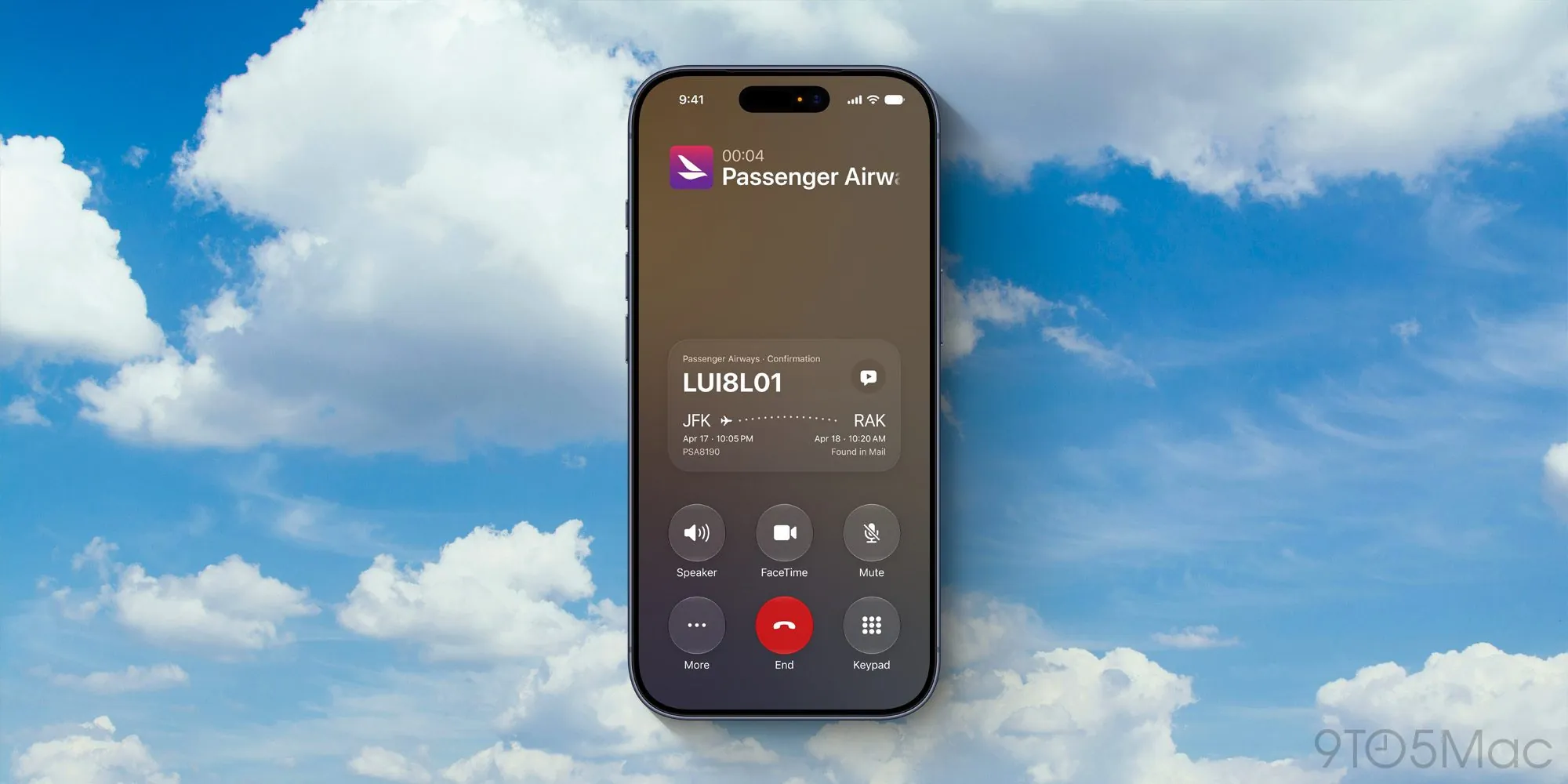
Apple announced Call Context at WWDC26 as part of its iOS 27 Apple Intelligence and Siri AI features.[2] That label matters for availability, but the feature itself is not hard to understand. It is not a general phone assistant listening to the call and deciding what to do. It is a call-screen helper that looks for relevant information in Mail and surfaces it at the moment a business call may need it.
What Call Context Actually Does
The plain-English version is this: if the iPhone recognizes that a call is connected to a supported business, Call Context can search Mail for matching information and show it inside the Phone app. In the Southwest example, the match was a flight reservation. In other service-call situations, the same idea could apply to an order number, appointment reminder, or confirmation code, as long as the needed detail is in Mail and the business call is supported.
That last condition is important. Apple has confirmed Mail as the sole data source for Call Context; Messages, Wallet, calendar invites, and third-party apps are not confirmed sources for the feature.[3] So this is not yet a universal “find the thing I need” button. It is narrower: find the likely relevant thing from Mail and make it available during the call.
| Call moment | What Call Context may help with | What still has to be true |
|---|---|---|
| Airline reservation call | Show a confirmation number or flight detail | The reservation email is in Mail and the business is supported |
| Online order or delivery call | Surface an order number or purchase detail | The receipt or shipping email is in Mail |
| Appointment or service call | Bring forward a reminder or reference detail | The useful information arrived by email, not only text, paper, or another person’s inbox |
For seniors, the appeal is not that the phone becomes “smarter” in some grand way. The appeal is that a specific mid-call step gets easier. The caller does not have to put the representative on hold, open Mail, search a company name, choose between three similar messages, and then return to the call screen without losing track of what was asked.
The Eligibility Catch Comes Early
Before getting too enthusiastic, check the phone model. Call Context requires an iPhone 15 Pro, iPhone 15 Pro Max, or any iPhone 16 model or later. The standard iPhone 15 is excluded, as are the iPhone SE and earlier models.[4]
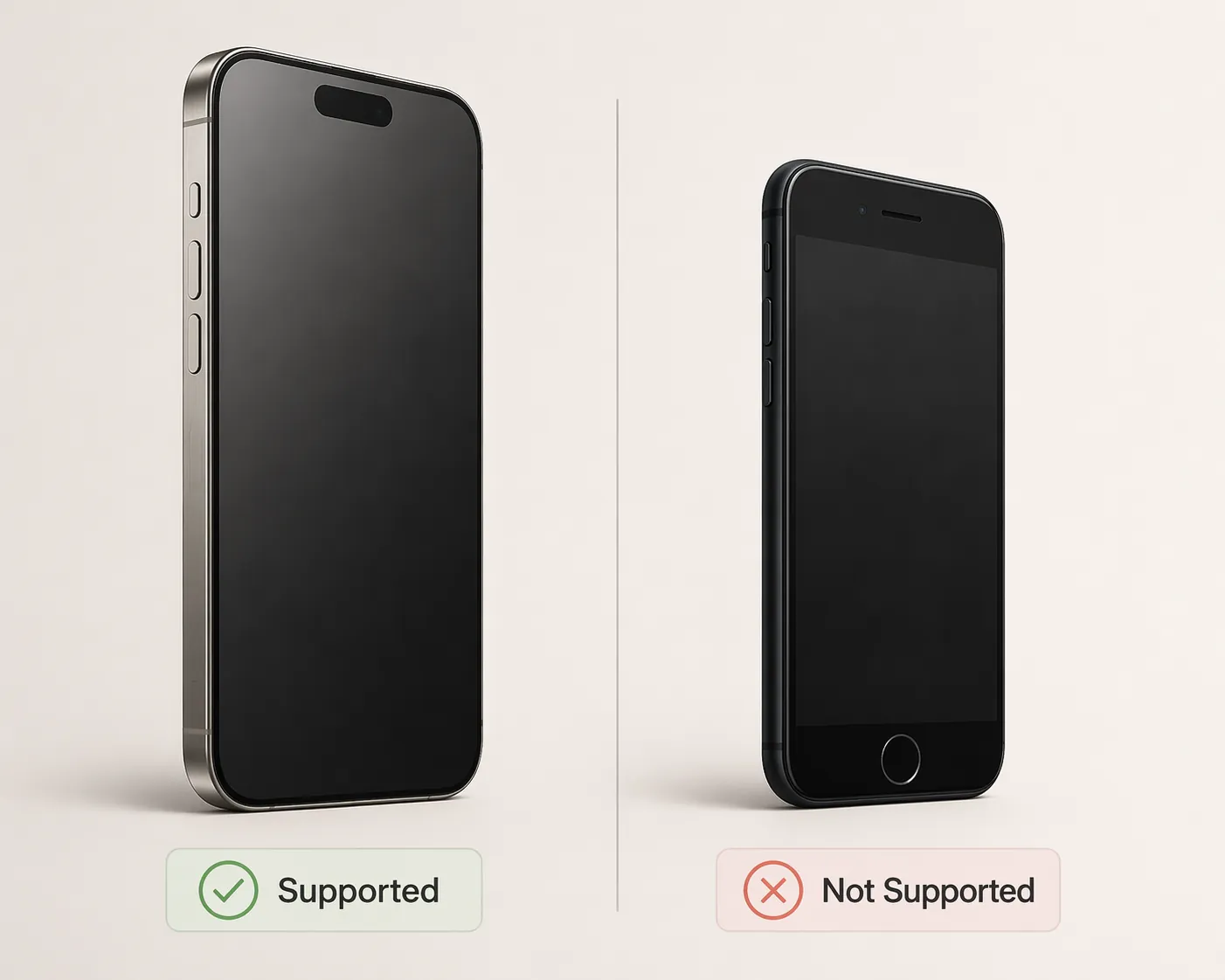
That requirement changes the usefulness calculation for many families. A feature can be well designed and still miss the people who would benefit from it most. Older adults often keep a working phone for years, especially if the battery is acceptable and the buttons, contacts, and routines are familiar. Someone using an iPhone SE, an iPhone 12, an iPhone 13, an iPhone 14, or even a standard iPhone 15 should not expect Call Context to appear just because iOS 27 exists.
There is also a timing catch. Call Context depends on the Siri AI beta, which is expected as an English-language beta later in 2026, not as a feature every iOS 27 user should assume will be present on launch day.[3] In Q3 2026, it is safest to treat Call Context as an emerging supported-device feature, not as a standard iPhone calling tool.
Where It Could Help Seniors Most
AARP has already framed Call Context as relevant to older adults, noting Apple’s large U.S. iOS presence and the feature’s possible value during service calls.[5] That is the right use case to watch. The hard part of these calls is often not hearing the representative. It is keeping the conversation moving while locating a number, date, address, prescription reference, reservation, or order detail.
Airline calls are the cleanest example because reservations often arrive by email and confirmation numbers are short enough to read aloud. Pharmacy and insurance calls are more complicated. Some reminders arrive by text. Some details are printed on paper. Medicare Advantage plan information may sit in a portal, a mailed packet, a card, or a caregiver’s inbox. Utility account numbers might be on a bill on the kitchen table, not in Mail.
That is why the Mail-only source is not a footnote for older users. It decides whether the feature meets the real-life mess. If the older adult already receives airline, store, pharmacy, and appointment emails on the same iPhone they use for calls, Call Context could reduce friction. If a daughter, son, spouse, or caregiver receives those messages instead, the iPhone may have nothing useful to surface.
The feature may also favor seniors who are already organized in Mail. A tech-comfortable older adult who keeps receipts, reservations, and confirmations in one inbox is a better match than someone whose important details are spread across text threads, paper folders, Wallet passes, and handwritten notes.
What It Does Not Do
Call Context does not appear to replace the need to understand the call, choose an option, verify identity, or decide whether a request is legitimate. It does not make an insurance appeal simpler. It does not guarantee that a pharmacy system will recognize the caller. It does not fix every automated phone menu.
It also should not be confused with call screening or scam protection. Call Context is about showing relevant information during a supported business call. It is not primarily an anti-scam feature, and it should not make callers less cautious about unexpected calls, payment demands, or requests for sensitive information.
Vendor research about phone menus and long hold times can help explain why service calls feel exhausting, but it should not be treated as neutral proof that Call Context solves the larger call-center problem. The supported claim is narrower: this feature can reduce one kind of scramble when the needed information is in Mail.
Privacy: Reassuring, With a Clear Boundary
The privacy reassurance is meaningful: Call Context runs on-device through Apple Intelligence and does not analyze the audio of the call.[3] For a senior handling medical, insurance, travel, or billing calls, that distinction matters. The phone is not listening to the representative and transcribing the conversation in order to decide what to show.
The boundary is just as important. The feature is still drawing from Mail. If a caller is uncomfortable with the Phone app surfacing email content during calls, or if multiple family members share access to the same device, that deserves attention. The safer way to explain it is not “AI understands your call,” but “the iPhone uses information already in Mail and tries to show the relevant item on the call screen.”
If Their iPhone Cannot Use Call Context
For many older iPhone owners in 2026, the more useful question is not whether Call Context is clever. It is what can help on the phone they already have.
- iOS 26 Call Screening can auto-answer unknown callers without ringing and display the caller’s name and reason as text, which makes it more relevant to scam avoidance and unwanted calls than Call Context.[6]
- Live Captions for phone calls can show real-time captions during calls; accessibility attorney Lainey Feingold documented it helping a 91-year-old use phone calls daily.[7]
- Assistive Access, sometimes described for seniors as a simplified iPhone mode, can make core apps such as Calls easier to navigate on iOS 17 and later.[8]
Those tools solve different problems. Call Screening helps before the call. Live Captions help with hearing and comprehension during the call. Assistive Access helps reduce interface clutter. Call Context helps when the caller needs a detail from Mail while already speaking to a business.
Bottom Line: A Narrow Feature That Could Matter
The most honest answer is measured. Call Context is promising because it targets a real, ordinary problem: the caller needs a confirmation number now, and the call cannot wait while everyone searches through email, paper, and screenshots.
But in 2026, it is mainly a feature to know about, not a reason most older iPhone users should assume their next service call will suddenly become easier. It requires newer hardware, depends on the Siri AI beta, works from Mail, and only helps when the needed information is actually there. For the right person with the right iPhone and the right inbox habits, it may remove one of the most stressful moments in a service call. For everyone else, the older tools may still matter more.
References
- iOS 27 adds new Phone app feature that's an instant favorite, 9to5Mac, July 24, 2026
- Apple Intelligence Gains Contextual Call and Messages Features, MacRumors, June 8, 2026
- iOS 27 Call Context Explained: Features, Privacy, and Eligibility, Gadget Hacks
- How to Use the Phone App's Call Context in iOS 27, The Mac Observer
- Apple’s Siri for iPhone Is Getting Smarter, AARP, June 2026
- iOS 26: Your iPhone Will Soon Screen Calls And Save Your Place On Hold, Forbes, June 2025
- Accessibility for Elders: The Importance of Technology for Aging in Place, Lainey Feingold, 2024
- How to Set Up Assistive Access on iPhone, The Senior List
Browse more in the Glossary.