
Product term
Should Seniors Upgrade to iPhone 18 Pro?
Last verified 2026-07-30
For most older adults aging in place, the iPhone 18 Pro is not the sensible default. If the choice is between an estimated $1,099+ iPhone 18 Pro, a $599 iPhone 17e, and a $799 iPhone 17, the cheaper phones already cover the safety tools families usually mean when they ask whether a parent will be safer with a newer iPhone: Emergency SOS, Crash Detection, Medical ID, and a simplified Assistive Access layout. The iPhone 18 Pro starts to make sense only when the senior has a specific accessibility need tied to iOS 27’s new Apple Intelligence features, or when the larger 6.9-inch Pro Max screen would materially improve readability.
So the practical answer is usually no, unless the premium feature solves a named daily problem. A vague hope that “Pro” means safer is where families overspend.
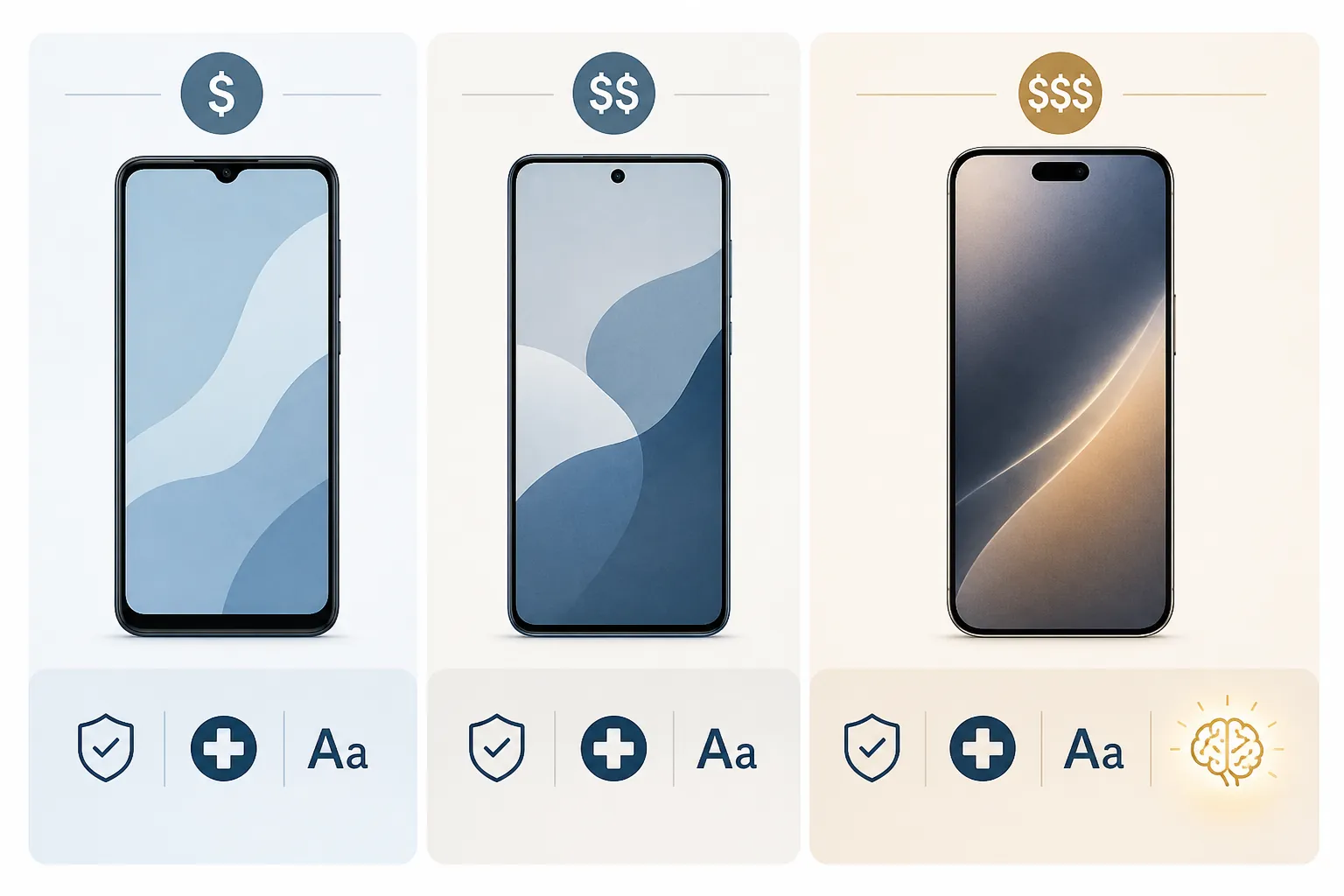
The Quick Decision
| Choose | When it makes sense | What not to assume |
|---|---|---|
| iPhone 17e, about $599 | Best budget choice when the main goals are calling, texting, Emergency SOS, Medical ID, Crash Detection, and a simplified phone layout. | Do not assume it is missing the core senior-safety tools just because it is not a Pro model. |
| iPhone 17, about $799 | Better fit when the senior wants a more comfortable current iPhone without jumping to Pro pricing. | Do not buy it only because it sounds more reassuring than the 17e. |
| iPhone 18 Pro, about $1,099+ | Worth considering if iOS 27’s AI accessibility features truly matter and the reported 12 GB RAM requirement holds. | Do not treat beta-based reporting as final shipped-product confirmation. |
| iPhone 18 Pro Max | Worth considering when the 6.9-inch display is the deciding factor for vision support. | Do not confuse a larger screen with automatic ease of use; setup still matters. |
The price difference is not small. A $1,099 iPhone 18 Pro would cost roughly 83 percent more than a $599 iPhone 17e, while senior-focused phone guides place the useful safety and accessibility basics on less expensive current iPhones too.[1][2] Nearly 80 percent of adults 65 and older now use a smartphone, so the harder question is no longer whether a smartphone belongs in the picture. It is which phone avoids creating a bigger bill and a bigger setup job than the problem requires.[1]
Safety Features Are Mostly Settled Before You Get to Pro
The most common buying mistake is treating the Pro label as if it unlocks emergency protection. It does not, at least not for the core iPhone safety features families usually ask about.
Emergency SOS via satellite, Crash Detection, and Medical ID are not exclusive to the iPhone 18 Pro. AARP’s 2025 iPhone buying coverage notes that Emergency SOS via satellite and Crash Detection are available on iPhone 14 and later, which means a senior does not need the newest Pro phone just to get those protections.[3] Medical ID is also part of the broader iPhone emergency setup, not a premium-model reward.
The more important work happens after the box is opened. Someone has to enter emergency contacts, add medications and conditions where appropriate, confirm who receives SOS alerts, and practice what the button sequence actually does. A phone can have Emergency SOS and still be poorly prepared if nobody finishes that setup.
There is another point worth separating cleanly: fall detection is not an iPhone feature. It is an Apple Watch feature on Apple Watch SE, Series 4 and later, and Ultra models; buying an iPhone 18 Pro instead of an iPhone 17e does not add fall detection by itself.[4] If fall detection is the safety concern driving the purchase, the phone conversation may be secondary to whether the senior will wear, charge, and tolerate a compatible Apple Watch.
Crash Detection also should not be stretched into something it is not. It is aimed at severe car crashes, not kitchen falls, dizziness, missed medication, or a person who needs help getting out of a chair. That does not make it useless. It just means it should not carry a $500 upgrade decision on its own.
Assistive Access May Matter More Than the Model Name
For many seniors, the most helpful “upgrade” is not the processor. It is a phone that stops presenting twenty tiny choices when the person only wants to call a daughter, read a message, check photos, or answer FaceTime.
Assistive Access, sometimes described in senior-phone guides as a simplified or “senior mode” experience, works on iPhones running iOS 17 or later; it is not limited to Pro hardware.[1][2] That matters because it changes the purchase logic. If the problem is clutter, tiny app grids, accidental taps, or too many confusing screens, an iPhone 17e with Assistive Access may be more useful than an iPhone 18 Pro left in its default layout.
The setup is still not magic. Someone has to choose which apps appear, simplify calls and messages, decide whether photos should be easy to browse, and make sure the senior can get back to the home screen without panic. But once it is set up well, it can reduce the number of small help requests that turn into weekend tech-support visits.
- If the senior mainly needs fewer icons, larger touch targets, and a calmer phone, start with Assistive Access before paying for Pro hardware.
- If the senior already uses a regular iPhone comfortably, Assistive Access may be unnecessary or even feel limiting.
- If the senior has progressive cognitive changes, test the simplified layout with the person, not just for the person.
- If the caregiver cannot maintain the setup, a more expensive phone will not fix the maintenance burden.
The Real Pro Exception: iOS 27 AI Accessibility
There is one reason not to dismiss the iPhone 18 Pro too quickly: Apple’s next wave of AI accessibility features could be genuinely useful for people with vision, hearing, speech, or motor-control needs.
Apple previewed new accessibility features on May 19, 2026, including VoiceOver Image Explorer, Magnifier features with AI descriptions, more natural Voice Control, and Generated Subtitles.[5] These are not the usual “slightly better camera” upgrades. If they work well in daily use, they could help someone understand images on screen, get more useful descriptions of the environment through Magnifier, control the phone with less rigid command wording, or follow spoken content more easily.
The catch is that the hardware cutoff is not fully settled in public. Forbes reported on July 28, 2026, that the iOS 27 beta indicates 12 GB of RAM as the minimum for the full Apple Intelligence suite, which would make the iPhone 18 Pro and Pro Max the current models positioned to run the complete set of those AI accessibility tools.[6] As of July 30, 2026, that is still based on beta interpretation and pre-launch reporting, not Apple’s final shipped-hardware confirmation.
That uncertainty changes how a family should buy. If a senior has low vision and is already relying on VoiceOver or Magnifier every day, waiting to see the final iOS 27 and iPhone 18 Pro details may be reasonable. If the senior does not use those tools now and the purchase is mainly about general reassurance, the AI promise is too speculative to justify a premium by itself.
Who might actually benefit from the Pro
- A person with low vision who already uses VoiceOver and would benefit from richer image exploration.
- A person who uses Magnifier as a daily tool for labels, mail, appliance panels, or printed instructions.
- A person with motor-control limitations who may do better with more natural voice commands.
- A person with hearing loss who would use Generated Subtitles often enough for the feature to affect independence.
That is a narrower case than “seniors should get the best iPhone.” It is also the case where spending more may be defensible. Accessibility that lets someone read a medication label, operate the phone without precise tapping, or follow a conversation without waiting for another person is not a luxury in the same way a nicer finish or faster chip is.
Screen Size Helps, but It Is Not the Whole Answer
The iPhone 18 Pro Max deserves a separate mention because of its expected 6.9-inch display. For some older adults, a larger screen really does reduce friction: bigger text feels less cramped, buttons are easier to hit, and video calls are more comfortable when the phone is propped on a table.

But larger is not automatically easier. A Pro Max can be heavier, harder to hold one-handed, and more awkward in a pocket or small purse. If the senior has arthritis, tremor, or weak grip, the best screen in the house may also be the phone most likely to be left on the table.
Before paying Pro Max prices for readability, adjust the cheaper phone first: increase text size, turn on bold text, raise contrast, simplify the home screen, reduce motion if needed, and test whether the person can read messages and answer calls without squinting. FOX Rehabilitation’s accessibility guidance for older adults points to settings such as larger text, display adjustments, and other built-in iPhone accessibility controls that can make an existing phone easier to use before hardware becomes the deciding factor.[7]
If those settings still are not enough, then a larger display becomes a practical need rather than a showroom preference.
Budget Is Part of Safety Too
A phone recommendation for an older adult should include the bill that arrives after the excitement. A high monthly payment can quietly become its own stressor, especially when a promotional credit expires or a trade-in deal depends on staying with a carrier plan the family would not otherwise choose.
Trade-ins help, but they do not erase the gap. TheSeniorList’s 2026 iPhone guidance describes Apple trade-in values ranging from about $150 for an iPhone 13 to about $695 for an iPhone 16 Pro Max, which may lower the purchase price but does not make a $1,099+ Pro model the same kind of budget decision as a $599 iPhone 17e.[1] Carrier senior plans and discounts, including options such as T-Mobile 55+ and Consumer Cellular’s AARP discount, can reduce monthly costs, but the fine print still matters.[1]
The budget question is not about being cheap. It is about matching the purchase to the actual risk. If the senior needs emergency contacts configured, larger text, a simplified call screen, and a reliable way to reach family, the extra money may be better spent on a phone setup session, a protective case, an Apple Watch if fall detection is needed, or a less expensive plan that the senior can keep without anxiety.
What to Ignore Unless It Affects Independence
Most iPhone upgrade coverage spends a lot of time on cameras, processors, titanium finishes, and performance headroom. Those things may matter to some seniors. They just should not be allowed to masquerade as safety features.
A better camera is relevant if the person frequently photographs medication labels, insurance cards, mail, skin changes, or household problems to share with family or a clinician. A faster phone is relevant if the current one freezes, drops calls, or can no longer run the needed software. A premium model is relevant if owning the newest phone gives the senior confidence and they can comfortably afford it. Those are valid reasons, but they are different from saying the iPhone 18 Pro is required for aging in place.
The same caution applies to affiliate-backed recommendation lists. Senior-focused phone guides can be useful for comparing models and prices, but TheSeniorList and SeniorLiving.org disclose commercial relationships around recommendations, so their conclusions should be read as buying guidance rather than independent clinical evidence.[1][2]
A Practical Buying Rule
Choose the iPhone 17e if the goal is core safety on a budget: emergency calling, Crash Detection, Medical ID, family communication, and a simplified interface. Choose the iPhone 17 if the senior wants a more comfortable current iPhone and the extra cost over the 17e does not strain the plan.
Choose the iPhone 18 Pro only when the senior’s needs point directly to the reported iOS 27 AI accessibility features and the final hardware requirements confirm that the Pro is necessary. Choose the iPhone 18 Pro Max only when the 6.9-inch screen is important enough to outweigh cost, size, and handling.
Do not buy the iPhone 18 Pro because “safer” sounds like it should come with the most expensive phone. Buy it only when it solves the senior’s specific access problem better than the $599 or $799 option.
References
- Best iPhones for Seniors, TheSeniorList, 2026, link; Assistive Access Guide, TheSeniorList, link
- Best iPhones for Seniors, SeniorLiving.org, 2026, link
- Apple Event 2025: New iPhones, AARP, September 2025, link
- Apple Watch as Medical Alert System: What to Know, NCOA, link
- Apple unveils new accessibility features and updates with Apple Intelligence, Apple Newsroom, May 19, 2026, link
- iPhone 18 Release Date, Spring Delay, iPhone 18 Pro Sales, Siri AI, Forbes, July 28, 2026, link
- 9 iPhone Accessibility Settings Seniors, FOX Rehabilitation, link
Browse more in the Glossary.