
How to Use Social Security's New Online Disability Appeal Tools
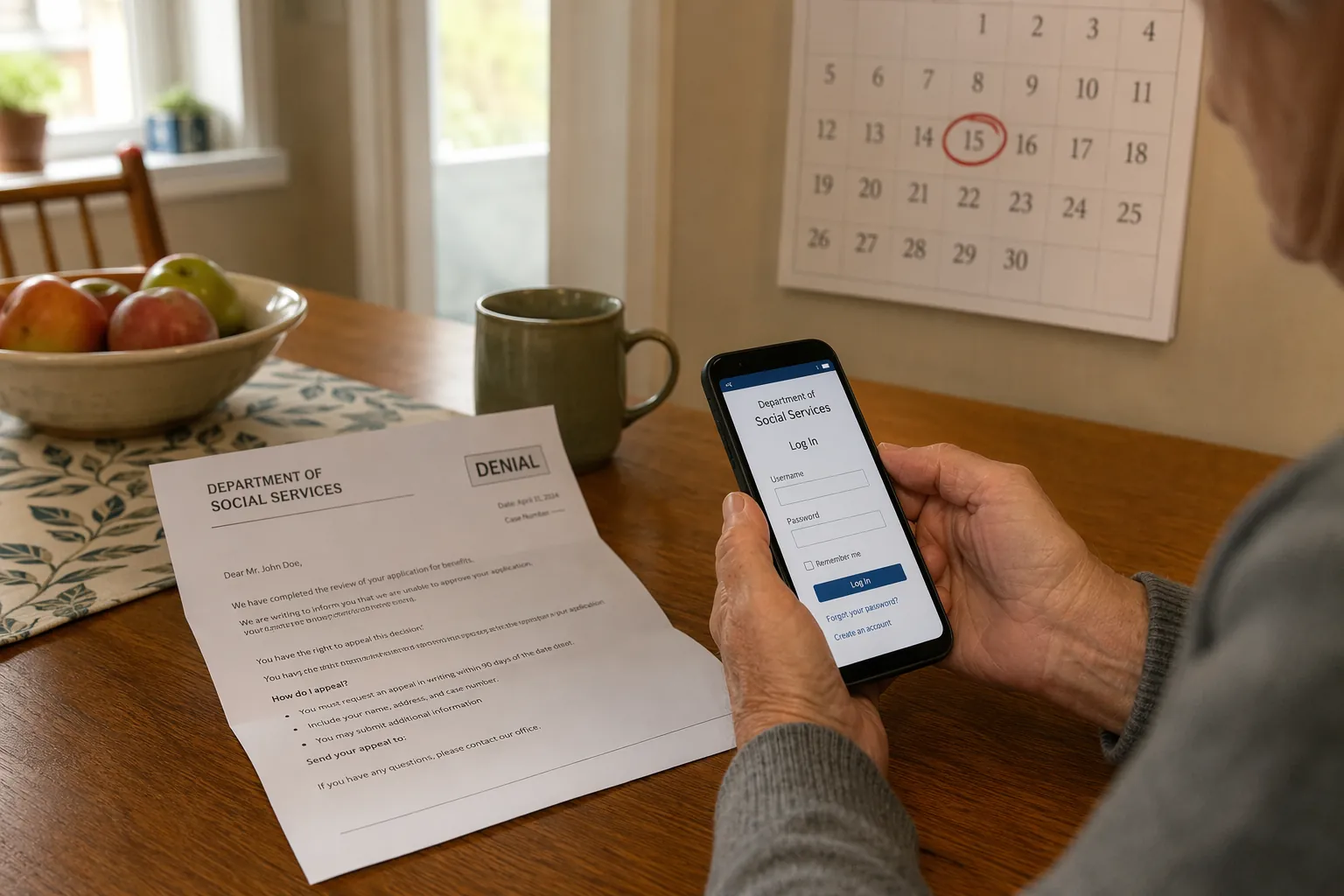
The denial letter is still the document that matters first. If Social Security denied a disability claim, the 60-day appeal clock starts from that notice, not from the day a family figures out the website, finds the right password, or gets through by phone. The new online tools seniors can now use for Social Security appeals are helpful precisely because they give families more to see and submit online while that clock is running.
On July 21, 2026, the Social Security Administration announced several disability-appeal updates: a Claim Status Tracker, digital submission for three hearing-related forms, more notices in the online Message Center, proffer letters available online, and email or text alerts for certain updates through a my Social Security account.[1] That is real progress. It does not turn an appeal into a quick process, and it does not replace the denial letter, medical evidence, paper records, or legal judgment.
What Social Security Added in July 2026
The most useful change for many families is the Claim Status Tracker. Instead of waiting for mail or calling repeatedly to ask whether an appeal is moving, users can check status information online through my Social Security. For an older adult who has already waited through an initial claim and then received a denial, even a limited status view can reduce one specific kind of panic: the fear that nothing arrived, no one touched the file, or the appeal disappeared into a back room.
Social Security also expanded its Message Center by adding 26 more notices for disability applicants and beneficiaries. The agency says this includes proffer letters, which are notices that give a claimant or representative a chance to review and comment on evidence before a decision. Users can also receive email or text alerts when certain notices are available online.[1]
The alert is not the same as the notice. Families should treat email and text messages as backup signals, not as the official record. Keep every mailed notice, save or print important online notices, and calendar deadlines from the actual SSA letter.
| New tool | What it helps with | What it does not change |
|---|---|---|
| Claim Status Tracker | Lets a claimant or helper check appeal status online through my Social Security | Does not shorten the legal deadline or guarantee faster review |
| Expanded Message Center | Adds 26 more digital notices, including proffer letters | Does not make paper mail irrelevant |
| Email and text alerts | Signals that certain online notices or updates may be available | Does not replace reading the full notice |
| Online HA-4631, HA-4632, and HA-4633 | Allows digital submission of three hearing-related forms | Does not replace medical evidence or hearing preparation |
The three digital forms matter because they sit close to the part of the process where families often start juggling names, dates, medications, appointments, and daily limitations. SSA’s July release says users can now submit Form HA-4631, Claimant’s Recent Medical Treatment; Form HA-4632, Claimant’s Medications; and Form HA-4633, Claimant’s Work Background, online.[1] Those are not small housekeeping details. They are the kinds of forms that can sit half-finished on a kitchen table because someone needs to find the cardiologist’s address, remember when a medication changed, or explain why a job ended.
If your family already keeps notes on bathing, dressing, transfers, meals, falls, pain flares, or stamina, those notes may help when describing functional limits. A practical ADL checklist can make those conversations less vague, though it should supplement medical records rather than replace them.
Where to Find the Tools
The access point is a my Social Security account. AARP’s guide to tracking Social Security cases says more than 100 million Americans already have these accounts and describes the portal as the place to view application or appeal status once signed in.[2] SSA’s own my Social Security page is the starting point for creating or accessing an account.[3]
For a family member helping an older adult, the practical sequence is simple: find the denial notice first, confirm the appeal deadline, then sign in to the claimant’s my Social Security account or help them create one if appropriate. Do not spend the whole afternoon on account recovery before marking the deadline somewhere visible.
- Use the name, Social Security number, and identity information exactly as SSA expects it.
- Check the Message Center after signing in, but keep watching postal mail.
- Turn on email or text alerts if the claimant is comfortable with them.
- Download, print, or save key notices so the family is not relying on memory.
- If the online tool is not showing what you expect, call SSA, contact the hearing office, or speak with a representative rather than assuming the appeal is safe.
Because the July 2026 announcement is still new, availability may not feel perfectly uniform in every situation right away. SSA announced the tools nationally, and news coverage framed the rollout as a major change for disability claimants, but a family using the portal should still verify what is available for the individual case in front of them.[1][4]
How the Tools Fit Into the Appeal Stages
A disability appeal can move through four stages: reconsideration, hearing before an administrative law judge, Appeals Council review, and federal court. Many people never go through all four, but knowing the sequence helps families understand why a status tracker is useful without mistaking it for a decision-maker.
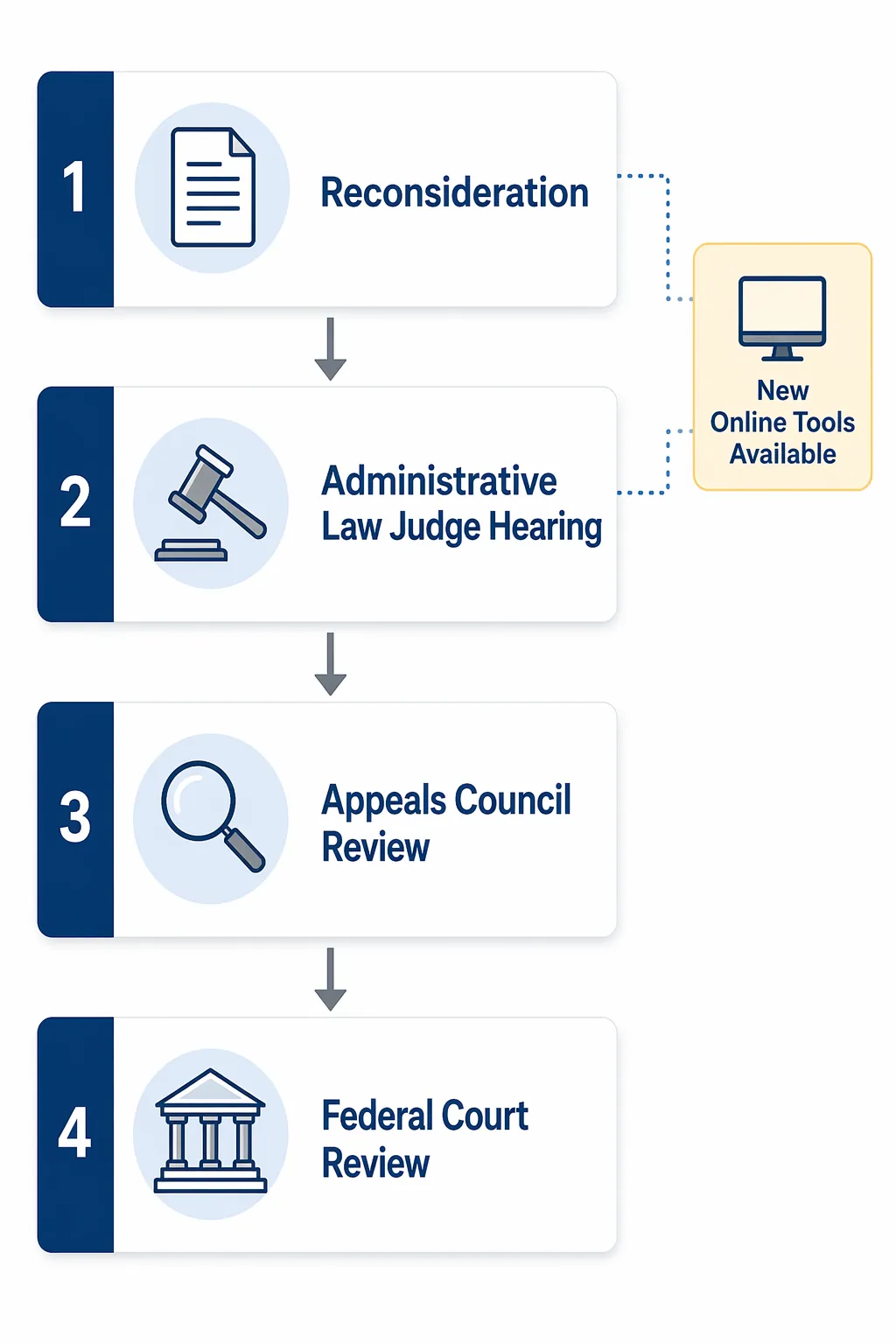
At reconsideration, the main job is to appeal on time and strengthen the record. AARP reports that nearly one-third of SSDI awardees from 2013 through 2022 received benefits only after appealing, and it cites mid-2025 SSA data showing reconsideration took about 241 days on average, with about a 16% reversal rate.[5] Those figures are useful for expectations, not promises. A 2026 case may move differently.
At the hearing stage, the new digital forms become more visibly useful. HA-4631 asks for recent medical treatment, HA-4632 covers medications, and HA-4633 addresses work background.[1] Submitting these online can spare a trip to the office or the uncertainty of mailing paper close to a deadline. It also gives an adult child helping after work a more realistic path than trying to get everything copied, signed, and mailed before a post office closes.
This is also the stage where representation often deserves a serious look. AARP’s appeal FAQ cites a roughly 50% approval rate at the administrative law judge hearing level, while noting that outcomes vary.[5] That national average should not be read as a personal forecast. A qualified disability attorney, eligible non-attorney representative, legal aid office, or other appeal-support service may help evaluate evidence, deadlines, hearing preparation, and whether the record actually supports the claim.
Older applicants should be especially careful not to turn general online reading into do-it-yourself legal strategy. ElderLawAnswers explains that Social Security’s medical-vocational “grid” rules can sometimes help applicants over 50, and especially over 55, depending on work history, education, exertional limits, and transferable skills.[6] That can be important, but it is not automatic. The facts have to fit.
Why Online Visibility Matters More When Offices Are Strained
Online tools do not become important just because they are new. They become important when the old ways are harder to use. PLANSPONSOR reported that SSA staffing was at its lowest level since 1967 and had fallen 17.1% between January 2024 and January 2026.[7] That context helps explain why a tracker, online notices, and digital forms are more than convenience features.
Still, staffing strain should not quietly become a transfer of work to seniors and caregivers without anyone saying so. A portal can save a phone call. It can also require a password, a working phone, enough vision to read a screen, enough stamina to finish a form, and someone calm enough to know when an alert is informational rather than urgent.
For caregivers already in crisis mode after a fall, hospitalization, or sudden change in function, the appeal may become one more urgent administrative task. A stage-based new caregiver guide can help separate what must be handled immediately from what can be organized over the next few weeks. If lost work hours, reduced income, or retirement trade-offs are already showing up, the financial toll of caregiving is worth naming early rather than treating it as a private failure.
A Practical Way to Use the New Tools After a Denial
Start with the denial letter. Put the appeal deadline on a calendar, on paper, and in the phone of whichever family member is most likely to follow through. If several people are helping, decide who owns the deadline. Shared worry is not the same as assigned responsibility.
Then use my Social Security as the control panel. Check whether the Claim Status Tracker appears for the case. Review the Message Center. Turn on alerts if they help. If the appeal has reached the hearing stage and SSA requests HA-4631, HA-4632, or HA-4633, see whether online submission is available before defaulting to mail or an office visit.
- Keep the original denial letter and every later SSA notice.
- Save confirmation screens or submission receipts when forms are filed online.
- Use digital notices as backup, not as a reason to ignore the mailbox.
- Update medical treatment, medications, and work-history details before the hearing record closes.
- Consider qualified representation before a hearing, especially if the medical record is complicated or age-based vocational rules may matter.
If the appeal succeeds and the family is also planning care at home, the benefits decision is only one part of the next phase. A guide to choosing care for an elderly person at home can help turn income and eligibility questions into a workable support plan.
The fair expectation is this: Social Security’s July 2026 tools make it easier to see more, receive more, and submit more online. They do not stop the 60-day clock, erase waiting time, or make a weak record strong. Use them, but do not let the screen become the only place the appeal lives.
References
- Social Security Expands Digital Access to Disability Forms, Notices, and Status Information, Social Security Administration, July 21, 2026.
- How can I check the status of my Social Security disability application?, AARP.
- my Social Security, Social Security Administration.
- Major Social Security change will help millions who need answers on disability benefits, AL.com, July 2026.
- How do I appeal a decision on Social Security disability benefits?, AARP.
- A Guide to the SSI and SSDI Appeals Process for Older Adults, ElderLawAnswers.
- Social Security Administration Adds Online Tools, Notices for Disability Claims, PLANSPONSOR.