
Caregiver decision guide
How to Check a Senior's Toaster for Recalls
Learn how to check if your senior parent's toaster or small appliance is under a current CPSC recall using model numbers and official recall notices. This guide provides a repeatable 10-minute workflow for caregivers.
Start at the counter, with the actual appliance in front of you. A toaster recall check for seniors is not a broad internet search and it is not a judgment about whether an older appliance “seems fine.” It is an identification task: find the model number, serial number, and date code if there is one; search the official recall source; then compare every identifier in the notice with the appliance in the kitchen.
That narrowness is what makes the job manageable. A tired caregiver can usually do one appliance in 10 to 15 minutes if the label is readable and the appliance is easy to move. The part that causes mistakes is the same part that sounds too simple: “It’s an Oster” or “It’s a Panasonic” is not a recall match. Brand is only the first clue.
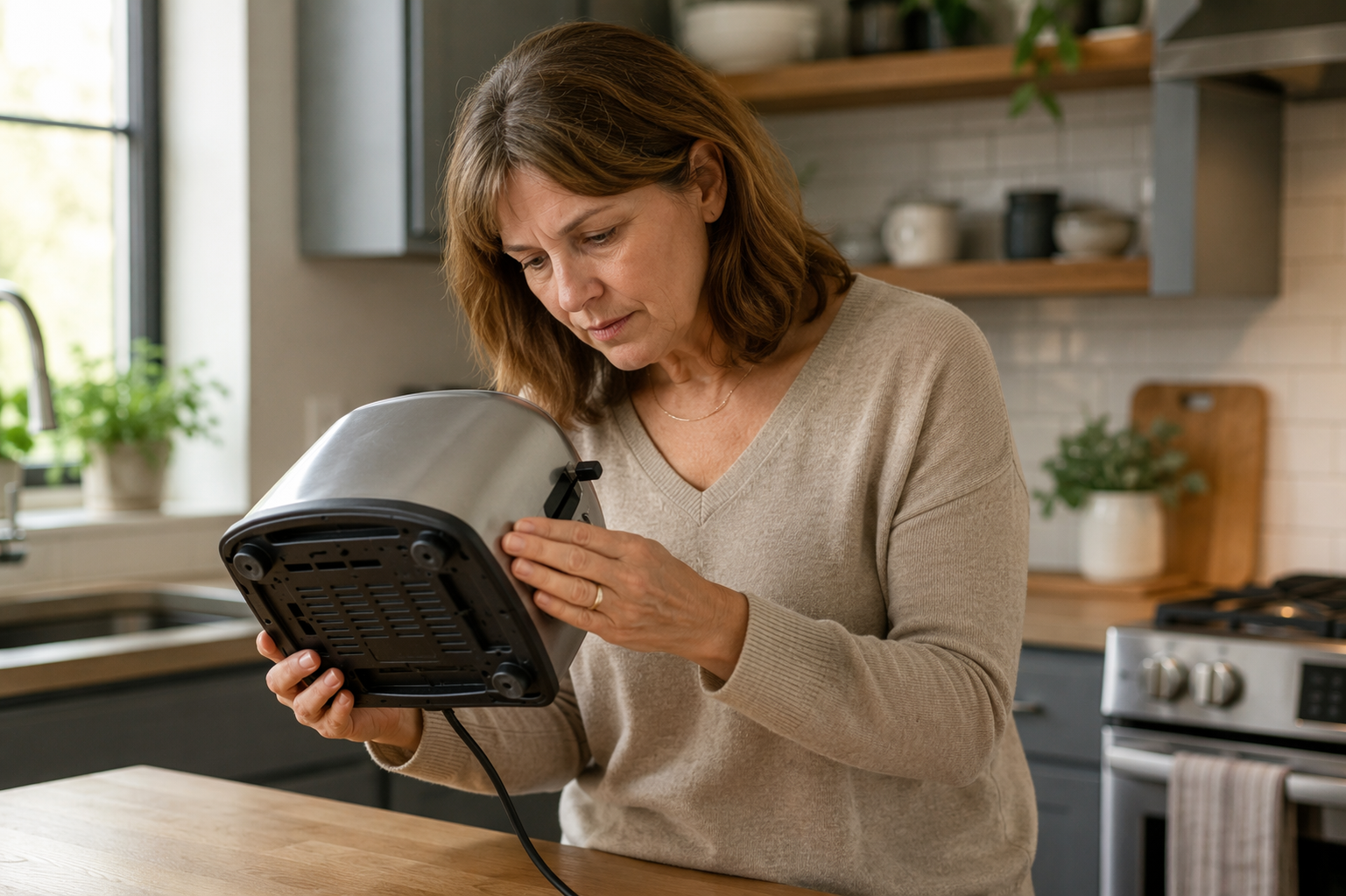
The 10-Minute Recall Check
Use this flow for a toaster, toaster oven, countertop oven, or similar small appliance. If you are helping from another city, ask someone in the home to do only the physical part: unplug, move, photograph. You can do the searching and matching yourself.
- Make the appliance safe to handle. Turn it off, unplug it, and let it cool before anyone tilts or moves it.
- Find the rating label. Check the back panel, bottom/base, side panel, door frame, or underside near the feet.
- Photograph the label clearly. Capture the model number, serial number, date code, electrical rating, and any manufacturing code that appears.
- Search CPSC.gov/Recalls using the brand plus model number. Avoid starting with sponsored results, retailer pages, or family-text links.
- Open the official recall notice and compare all identifiers, not just the brand or product photo.
- Record the decision as match, no match, or unsure, with the date checked and the source you used.
This is worth doing even for ordinary kitchen items. The Consumer Product Safety Commission’s 2024 senior report says consumer products are associated with more than 41,000 deaths and more than 3 million emergency-room visits among older adults each year.[1] That does not mean the toaster on your parent’s counter is dangerous. It means small household products deserve a real check instead of a shrug.
Find the Label Before You Search
The rating label is the little plate or sticker most people never look at until there is a problem. It may be silver, white, black, or clear. On a toaster it is often on the bottom. On a toaster oven or countertop oven, it may be on the back, underside, side panel, or near the door opening. If the appliance is heavy, hot, greasy, or awkwardly wedged under a cabinet, wait until it can be moved safely.
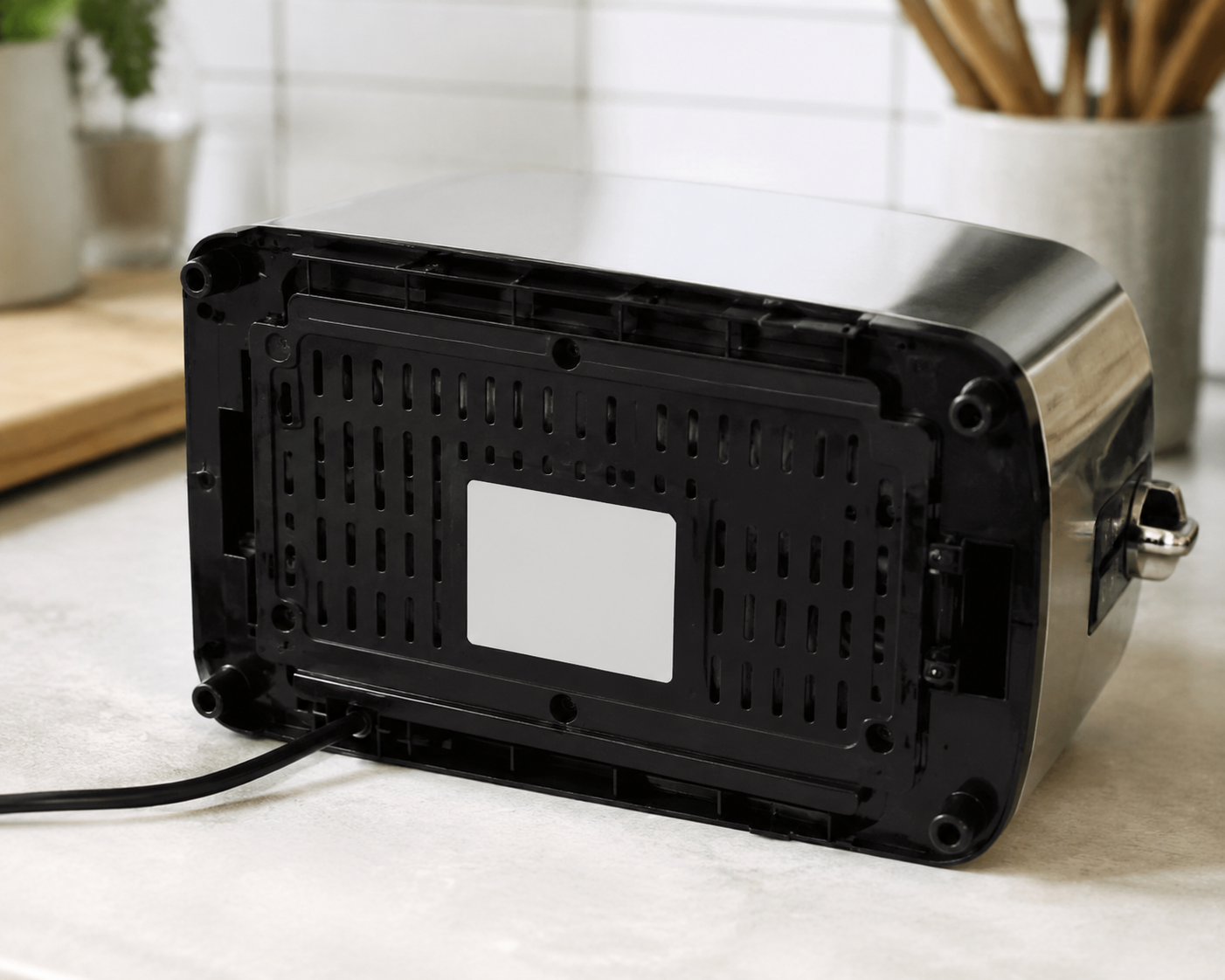
Ask for a photo, not a read-aloud, whenever possible. Letters and numbers are easy to mishear over the phone: O and zero, S and 5, B and 8. A photo also gives you a record if another sibling asks later whether that appliance was checked.
If the label is faded, take several photos from different angles, then zoom in. A flashlight held at a shallow angle can make stamped or worn text easier to see. Do not scrape the label or use cleaners that might remove ink. If the label cannot be read, treat the result as unsure rather than trying to make the product fit a recall from appearance alone.
| What to capture | Why it matters |
|---|---|
| Brand name | Helps start the search, but does not prove a recall match. |
| Model number | Usually the main identifier in the recall notice. |
| Serial number | May narrow which units are included. |
| Date code or manufacture date | May separate recalled units from similar non-recalled units. |
| Photo of the full rating label | Prevents later confusion about what was checked. |
| Photo of the appliance front | Helps confirm which item in the home the label belongs to. |
Use the Official Recall Notice, Not the Familiar Brand Name
Once you have the identifiers, go to CPSC.gov/Recalls and search the brand plus the model number. The CPSC posts recalls regularly, typically weekly on Thursdays, so a search you did months ago is not a permanent answer.
The reason for using the official notice is practical, not bureaucratic. Retailer pages, search summaries, and forwarded messages often leave out the fields that decide the question. A recall may cover one model family, one production range, or one date-code window. Two appliances can look alike on a counter and still have different recall status.
The Oster French Door Countertop Oven recall is a good example of why this work is specific. In September 2025, Sunbeam Products recalled more than 1.29 million Oster French Door Countertop Ovens because the doors could unexpectedly close, creating a burn hazard; the CPSC notice reported 95 burn incidents.[2] That is a familiar countertop-appliance category, and the number is large enough that “we would have heard about it” is not a good checking method.
But even with a large recall, the decision still comes back to the label. A household might own an Oster countertop oven that is not part of that specific notice. Another household might have the right product family but need to check the exact model information before taking the next step. The official notice is where those boundaries are stated.
How to Compare the Appliance Against the Notice
Open the recall notice and slow down at the product-identification section. Do not stop at the headline, the photo, or the brand. Work line by line against your label photo.
| Field in the notice | How to judge it |
|---|---|
| Brand | Must be consistent, but brand alone is not enough. |
| Product type | Confirm the notice is for a toaster, toaster oven, countertop oven, or the exact appliance category you are checking. |
| Model number | Match every letter, number, dash, and suffix shown in the notice. |
| Serial number range | If the notice gives a range, confirm the appliance falls inside it. |
| Date code or manufacture window | If the notice limits the recall by date code, match that field before deciding. |
| Remedy instructions | Follow the official instructions only after the unit is identified as included. |
Model numbers deserve patience. A suffix can matter. A dash can matter. A label that reads “NB-G200” should not be treated as the same thing as a nearby-looking model unless the notice says both are included. If a recall notice lists several models, match yours to one of the listed models exactly or keep looking.
Date codes are where many family checks get sloppy. If a notice says only certain production dates are included, a matching brand and model may still not be enough. Write down the date code exactly as it appears. If you cannot find it, record that you could not find it; do not invent a match from the appliance’s age or from a parent’s memory of when it was bought.
There is also a small modern nuisance: the official route may not always look as tidy as expected. The Panasonic NB-G200/205 toaster oven recall, listed in July 2026, uses a Panasonic recall page that may send the user to a third-party FAQ portal.[3] That does not automatically make it wrong, but it does mean you should verify the destination at the time you are checking and make sure you are still following the manufacturer’s recall path, not a look-alike page.
Record One of Three Decisions
A recall check should end with a written decision, even if the decision is boring. This is especially useful when more than one adult child is helping, or when you are checking several appliances in the same visit.
| Decision | Use it when | What to do next |
|---|---|---|
| Match | Brand, product type, model number, and any serial/date-code limits match the official recall notice. | Stop using the appliance and follow the remedy instructions in the official notice. |
| No match | The official notice does not include this model, serial range, or date code. | Keep the label photo and note the date checked. |
| Unsure | The label is unreadable, the model is close but not exact, the date code cannot be found, or the recall page is unclear. | Do not force a yes/no answer. Contact the manufacturer or CPSC using the official contact information. |
For a match, the caregiver’s job is not to negotiate with the appliance. Follow the recall notice. That may mean stopping use, registering for a repair, requesting a replacement, or following disposal instructions. Let the official remedy drive the action.
For a no match, do not turn the note into a lifetime certificate. It means the appliance did not match the recall notice you checked on that date. Keep the photo and the source link so the family can see what was compared.
For unsure, resist the urge to solve the uncertainty with a guess. This is the category for labels that are damaged, appliances that are too heavy to move safely, model numbers that are almost but not quite the same, and recall pages that do not clearly explain the included units. A caregiver can decide to pause use while asking the manufacturer for help, especially when the appliance is used often or the older adult has thin skin, reduced grip strength, vision changes, or slower reaction time.
A Simple Record Keeps the Family From Rechecking the Same Toaster
The record does not need to be elegant. A note in a shared document, a photo album, or a paper folder is enough. What matters is that it ties the appliance in the kitchen to the identifiers you checked.
- Appliance: toaster, toaster oven, countertop oven, or other small appliance
- Location: kitchen counter, pantry shelf, basement kitchenette, or other spot
- Brand and model number
- Serial number and date code, if present
- Photo of the rating label
- Recall source checked and date checked
- Decision: match, no match, or unsure
If you want a compact format, use one line per appliance: “Kitchen toaster oven — Oster — model/photo saved — CPSC checked July 18, 2026 — no match.” The point is not to create paperwork for its own sake. The point is to prevent the next person from starting over with “Mom says it’s fine.”
What Not to Rely On
A brand search is a starting point, not a decision. So is a product photo. So is a retailer listing. The appliance in your parent’s home has to match the recall notice’s identifiers.
Third-party recall tools can be useful as a reminder or second pass, but they should not replace CPSC.gov for the recall decision. If a third-party checker finds a possible match, use it as a prompt to open the official notice and compare the label yourself.
Family texts are even weaker evidence. A forwarded message may be well meant and still omit the affected model range. It may also circulate long after a recall has changed remedy pages or contact instructions. Treat it as a reason to check, not as the check.
Make It Part of a Quarterly Home Check
After the first pass, the habit can be light. Subscribe to CPSC email alerts, and when you do a quarterly senior home safety check, look again at the small appliances that get hot: toaster, toaster oven, countertop oven, air fryer, coffee maker, space heater if one is used, and any appliance that was added since the last visit.
SaferProducts.gov can also be searched for complaints about a product, but complaints are not the same as recalls. Use that database for added context, not as a substitute for matching the appliance against an official recall notice.
The safest answer does not come from recognizing a familiar brand or from deciding that an old toaster has “always worked.” It comes from the label, the official notice, and a written match decision that someone else in the family can understand later.
References
- Senior Injuries and Deaths Associated with Consumer Products: 2024 Report, CPSC.gov
- Sunbeam Products Recalls More than One Million Oster French Door Countertop Ovens Due to Burn Hazard, CPSC.gov, September 2025
- Panasonic Toaster Oven Recall, Panasonic, July 2026
Questions to bring to a clinician or OT
This is not medical, legal, or a family's final decision — only a framework. Bring these questions to a clinician, occupational therapist, or your local Area Agency on Aging.
Find Local HelpRelated reading
Noticed something outdated or inaccurate on this page? Flag a correction. We review every report against CDC, NIA, and AARP HomeFit guidance before updating a page.