
Caregiver decision guide
Helping Elderly Parents with Technology: A Caregiver's Guide to Building Confidence
A practical, evidence-based guide for adult children who want to help their aging parents use technology with confidence. Learn why 'doing it for them' backfires and how to shift to a teaching approach that respects autonomy, addresses fear, and builds lasting skills.
Why 'Just Doing It for Them' Backfires
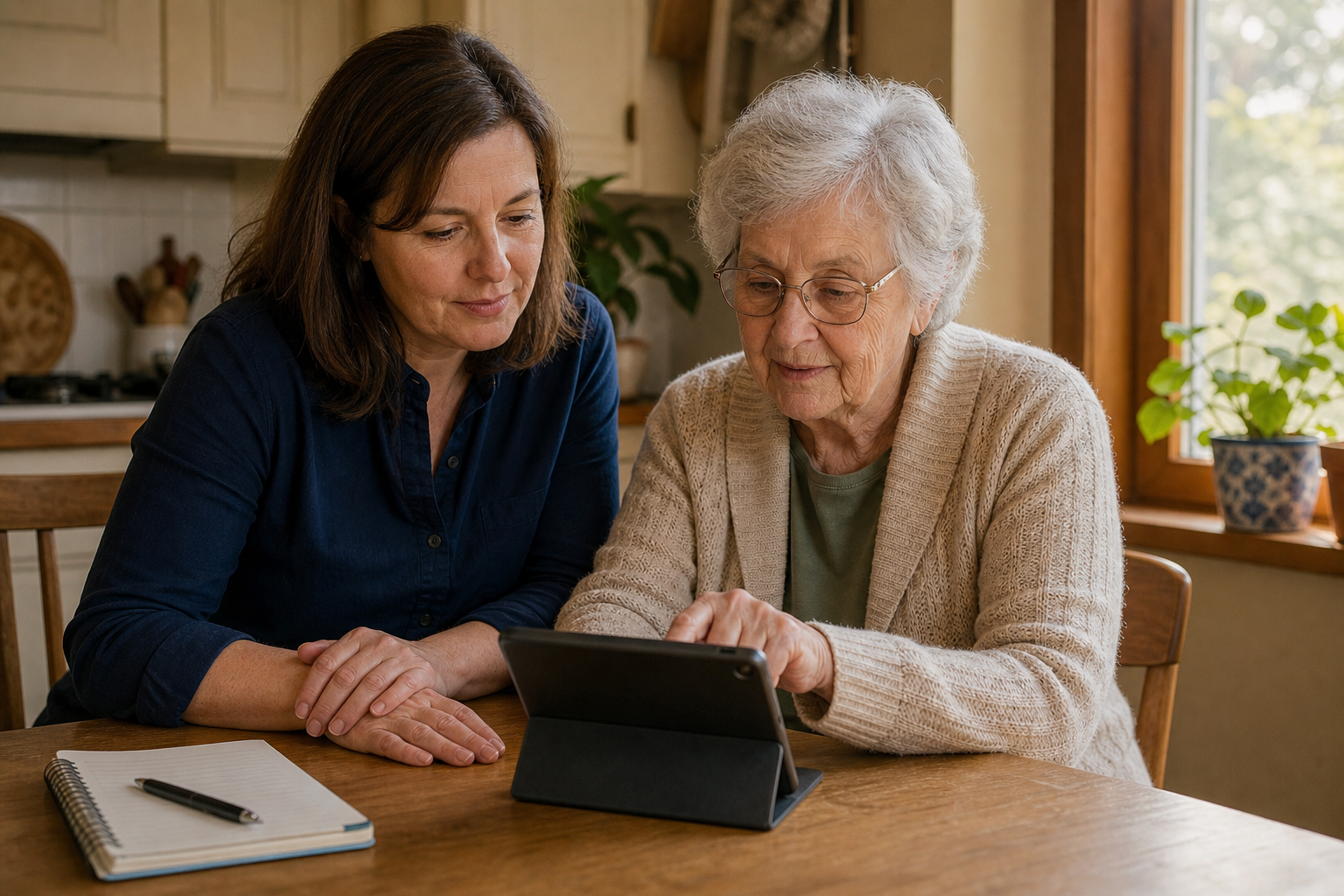
It is a scene that plays out in kitchens and living rooms across the country: an adult child sits down with a parent to solve a technology problem, and within sixty seconds the child has taken the device, navigated through three screens, fixed the issue, and handed it back. The parent nods, thanks them, and has no idea what just happened. The next time the same problem arises, the cycle repeats.
This dynamic is so common that researchers have a name for it. In a focus group study of older adults learning to use tablet computers, participants described a phenomenon the researchers called the “daughter-who-does-it-too-fast” problem. One participant explained: “My daughter comes and helps me, but she does [quick noise]. There you are mother. And I'm going… and say, what did your fingers do?” Another said simply: “My son is just too fast… They just have no patience.”
The problem is not the intention. The problem is that completing the task for the older adult removes the learning opportunity entirely. Adult learning theory holds that adults must be actively involved in the process of acquiring new skills. When a caregiver takes over, the older adult loses the chance to build the mental model of how the device works. The result is not help — it is dependency. And dependency, over time, erodes the very confidence that makes independent technology use possible.
The data bears this out. According to Pew Research Center data cited by the National Council on Aging, approximately 90% of people aged 65 and older used the internet in 2025, up from 75% in 2021. That is a remarkable adoption curve. Yet a separate Pew survey found that 73% of seniors aged 65 and older say they need help using new devices. The desire to connect is there. The devices are there. What is missing is a teaching approach that respects the older adult's intelligence and autonomy.
The Four Real Barriers to Tech Adoption
When a parent resists learning a new piece of technology, it is easy to interpret that resistance as stubbornness or disinterest. The research tells a different story. The same focus group study identified four distinct barriers that prevent older adults from adopting technology — and none of them is a lack of intelligence.
- Lack of instructions and guidance. Participants reported that manuals were too complex, that instructions assumed prior knowledge, and that when they asked for help, family members either moved too fast or used jargon they did not understand.
- Lack of knowledge and confidence. Many older adults described feeling “stupid” or “left behind.” This emotional barrier is often the hardest to overcome because it compounds with every failed attempt.
- Health-related barriers. Vision changes make small text unreadable. Arthritis makes tapping small buttons painful. Hearing loss makes video calls frustrating. These are not excuses — they are genuine physical obstacles that require specific accommodations.
- Cost. Devices, data plans, and software subscriptions represent a significant expense for older adults on fixed incomes. The fear of making an expensive mistake adds another layer of hesitation.
Beyond these four barriers, a fifth factor looms large: privacy and security concerns. According to AARP's 2026 Tech Trends report, data privacy and security remain the number one barrier to technology adoption among adults aged 50 and older. This is not irrational. Older adults are disproportionately targeted by scams, and many have learned through hard experience that clicking the wrong link can have serious consequences. Addressing these fears directly — rather than dismissing them — is a prerequisite for any successful teaching effort.
Understanding these barriers reframes the problem. Your parent is not being difficult. They are responding to real obstacles — physical, emotional, financial, and informational. The teaching approach that follows is designed to address each of these barriers directly.
A Teaching Framework That Works: Guide, Don't Take Over
The research from the Stanford Center on Longevity offers a clear finding: older adults will learn a new technology skill when they see a clear purpose for it. The motivation is already there — AARP's 2026 data shows that two-thirds of adults aged 50 and older agree that technology enriches their lives. The gap is not in desire. The gap is in the teaching method.
The following framework is built on adult learning principles and the specific findings from the Stanford Center on Longevity's research on purpose-driven learning and blended workshops. It is designed to be repeated, adapted, and applied to any device or application.
| Step | What to Do | Why It Works |
|---|---|---|
| Start with a single, meaningful purpose | Choose one task the person genuinely wants to do — video call a grandchild, check the weather, look up a recipe. Teach only that task. | Purpose-driven learning increases motivation and retention. The Stanford Center on Longevity found that older adults learn best when they see a clear reason to learn. |
| Write it down in large print | Create a step-by-step guide using 16-point or larger font. Use simple language. Include screenshots if possible. Print it and keep it near the device. | Well-written sets of steps are crucial for reminding older adults how to use a new skill between sessions. The blended workshop approach — class plus take-home materials — produces better retention than classes alone. |
| Let them touch the device | Resist the urge to take over. Instead, narrate what you are doing, then ask them to repeat each step while you watch. Let them make mistakes. | Adult learning theory requires active involvement. Completing the task for the person removes the learning opportunity. Letting them practice builds muscle memory and confidence. |
| Repeat without judgment | Schedule short, low-pressure practice sessions. Praise effort, not speed. If they forget a step, refer them back to the written guide rather than taking over. | Repetition without judgment reduces the fear of failure — one of the primary emotional barriers identified in the PMC focus group study. |
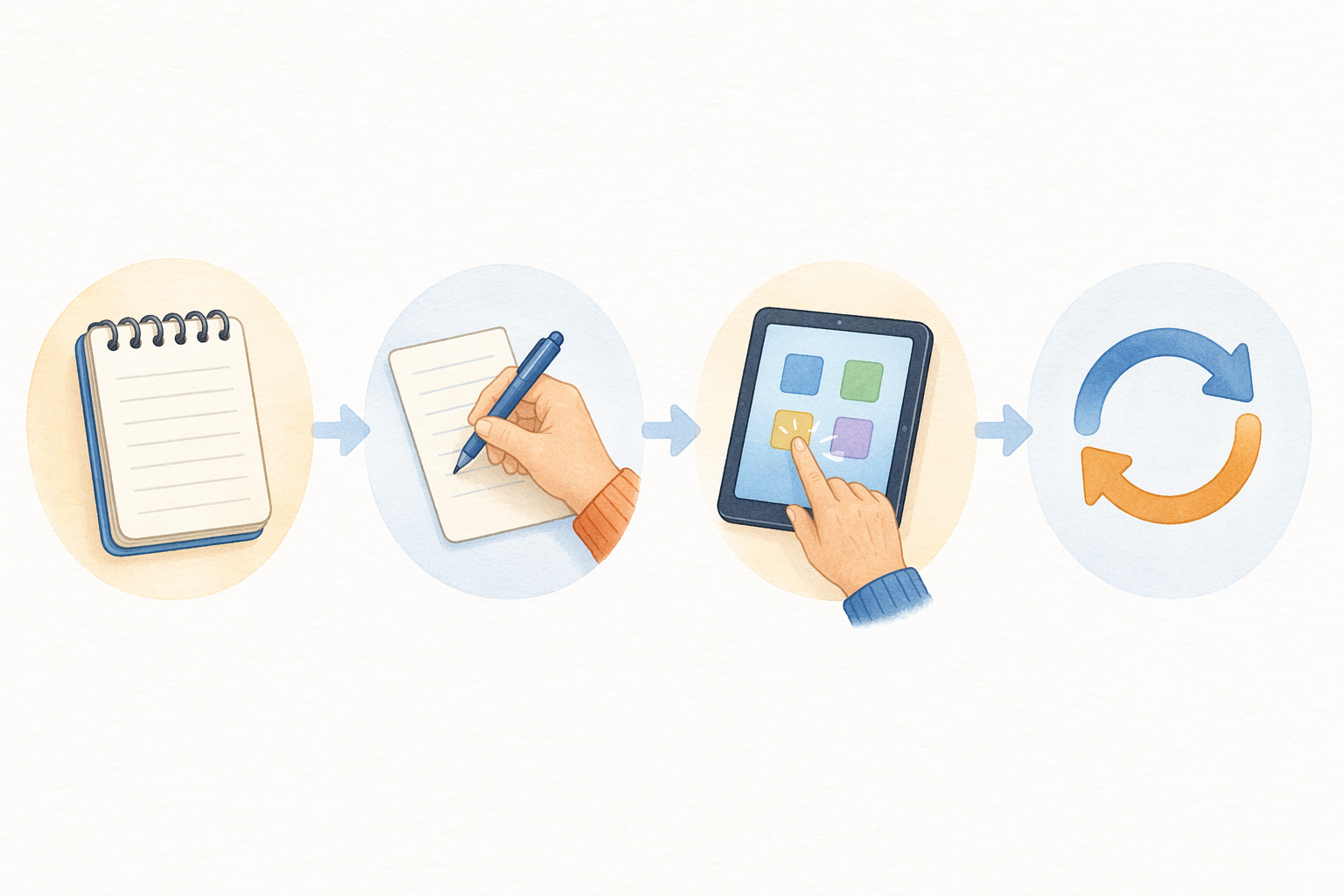
The Stanford Center on Longevity's research also emphasizes that time, patience, and practice are the essential ingredients. A single session will not produce mastery. But a series of short, focused sessions — each building on the last — will produce something more valuable: enough confidence to try again without help.
Accessibility Features That Make a Difference
Many of the health-related barriers that make technology frustrating for older adults can be addressed with built-in accessibility features. These are not workarounds or compromises. They are legitimate tools designed to make devices usable for people with a wide range of abilities. Using them is not cheating — it is the point.
| Barrier | Accessibility Feature | How to Enable It |
|---|---|---|
| Small text is hard to read | Larger text / display zoom | Settings > Display & Brightness > Larger Text (iOS) or Settings > Accessibility > Font Size (Android) |
| Tapping small buttons is painful due to arthritis | Voice commands / dictation | Enable "Hey Siri" or "OK Google" for hands-free control. Use dictation for typing messages. |
| Too many icons are confusing | Simplified home screen | iOS: Settings > Accessibility > Display & Text Size > Button Shapes. Android: Use a third-party launcher like Big Launcher or simply move essential apps to the first screen. |
| Screen glare makes reading difficult | Contrast adjustments / dark mode | Settings > Display & Brightness > Dark Mode. Increase contrast in Accessibility settings. |
| Difficulty hearing calls or videos | Captions / hearing aid compatibility | Enable closed captions in video apps. Use a Bluetooth streamer for hearing aids. |
Setting up these features should be the first step in any teaching process. Once the device is physically comfortable to use, the cognitive and emotional barriers become much easier to address. The Cleveland Clinic defines technophobia as an extreme fear of technology that is most common in older adults, noting that refusing to adapt to technology can reduce quality of life, mental health, and independence. Accessibility features are a direct countermeasure to this cycle of avoidance.
When to Call in Reinforcements
There will be times when your patience runs thin, your expertise runs out, or your parent simply learns better from someone who is not their child. The role reversal inherent in teaching a parent can be emotionally charged for both sides. Recognizing this is not a failure — it is a sign that you care enough to find the best solution.
Several organizations exist specifically to fill this gap. They offer free or low-cost technology training designed for older adults, taught by people who are trained to work with this population.
- Cyber-Seniors. A nonprofit that provides free technology support and training for older adults via a toll-free number (1-844-217-3057). They also offer free webinars on topics like phishing scams, privacy settings, and website safety. The program is run by trained student volunteers, which can feel less intimidating for some older adults.
- Senior Planet from AARP. Offers free technology classes for older adults, both online and in person at locations across the country. The curriculum is designed specifically for older learners and covers everything from smartphone basics to online safety.
- Candoo Tech. A paid service that provides personalized, one-on-one technology coaching for older adults. A coach works with the same person over multiple sessions, building a relationship and adapting to their specific needs and pace.
- Local libraries. Many public libraries offer free technology classes and one-on-one tech help. The setting is familiar, neutral, and low-pressure. Call your local branch to ask about their offerings.
The Real Goal: Enough Confidence to Stay Connected
It is worth pausing to ask what success actually looks like. It is not mastery. It is not the ability to troubleshoot every error message or to keep up with every software update. The goal is more modest and more meaningful: enough confidence to use technology for the things that matter.
For most older adults, those things are connection and independence. A video call with a grandchild. A text message to a friend. The ability to look up a bus schedule or order a prescription refill online. These are not trivial tasks. They are the threads that keep a person woven into the fabric of their community and their own life.
The stakes are real. Social isolation is a known risk factor for cognitive decline, depression, and premature mortality. Technology that enables connection is not a luxury — it is a tool for maintaining health and quality of life. And the ability to use that tool independently, even in a limited way, restores a sense of agency that caregiving can inadvertently erode.
The approach outlined in this guide — start small, write it down, let them practice, repeat without judgment — is not a quick fix. It is a slower path, but it is the one that leads to genuine independence. And in the end, that independence is the point. Not because your parent needs to be a power user. But because they deserve to feel capable, connected, and in control of their own life.
Questions to bring to a clinician or OT
This is not medical, legal, or a family's final decision — only a framework. Bring these questions to a clinician, occupational therapist, or your local Area Agency on Aging.
Find Local HelpRelated reading
Noticed something outdated or inaccurate on this page? Flag a correction. We review every report against CDC, NIA, and AARP HomeFit guidance before updating a page.