
Caregiver decision guide
How to protect your aging parent from Social Security email scams
Learn the concrete steps you can take today to protect your aging parent from increasingly sophisticated Social Security email scams, plus what to do if they've already been targeted. This caregiver guide provides a prevention protocol, conversation scripts, and a family reporting plan.
The scariest part of a Social Security email scam targeting seniors is not that the message looks strange. It is that it may look familiar enough to open before anyone else in the family sees it.
On February 20, 2026, the Social Security Administration Office of the Inspector General warned about a “significant increase” in fraudulent emails that appear to offer downloadable Social Security statements.[1] That detail matters. A statement is exactly the kind of document many older adults have been trained to take seriously. It sounds official. It sounds routine. It may even sound responsible to click.
So the family plan cannot be “Mom, be careful.” Careful depends on eyesight, timing, fear, fatigue, and whether the email uses the right government-looking colors. A better plan gives the suspicious message a place to go, gives your parent one simple rule to follow, and gives one family member the job of checking it before money, identity information, or account access is at risk.

What makes the current Social Security email scam harder to brush off
A fake Social Security email does not need to fool a cybersecurity expert. It only needs to arrive on a busy afternoon, use official language, and make an older adult think delaying the response could cause a benefits problem.
The SSA’s own scam guidance tells the public to watch for four common signs: Pretend, Problem or Prize, Pressure, and Payment.[2] In plain household terms: someone pretends to be from Social Security, claims there is a benefit problem or special document, pressures the person to act now, and then pushes for money or information in a way the real agency would not.
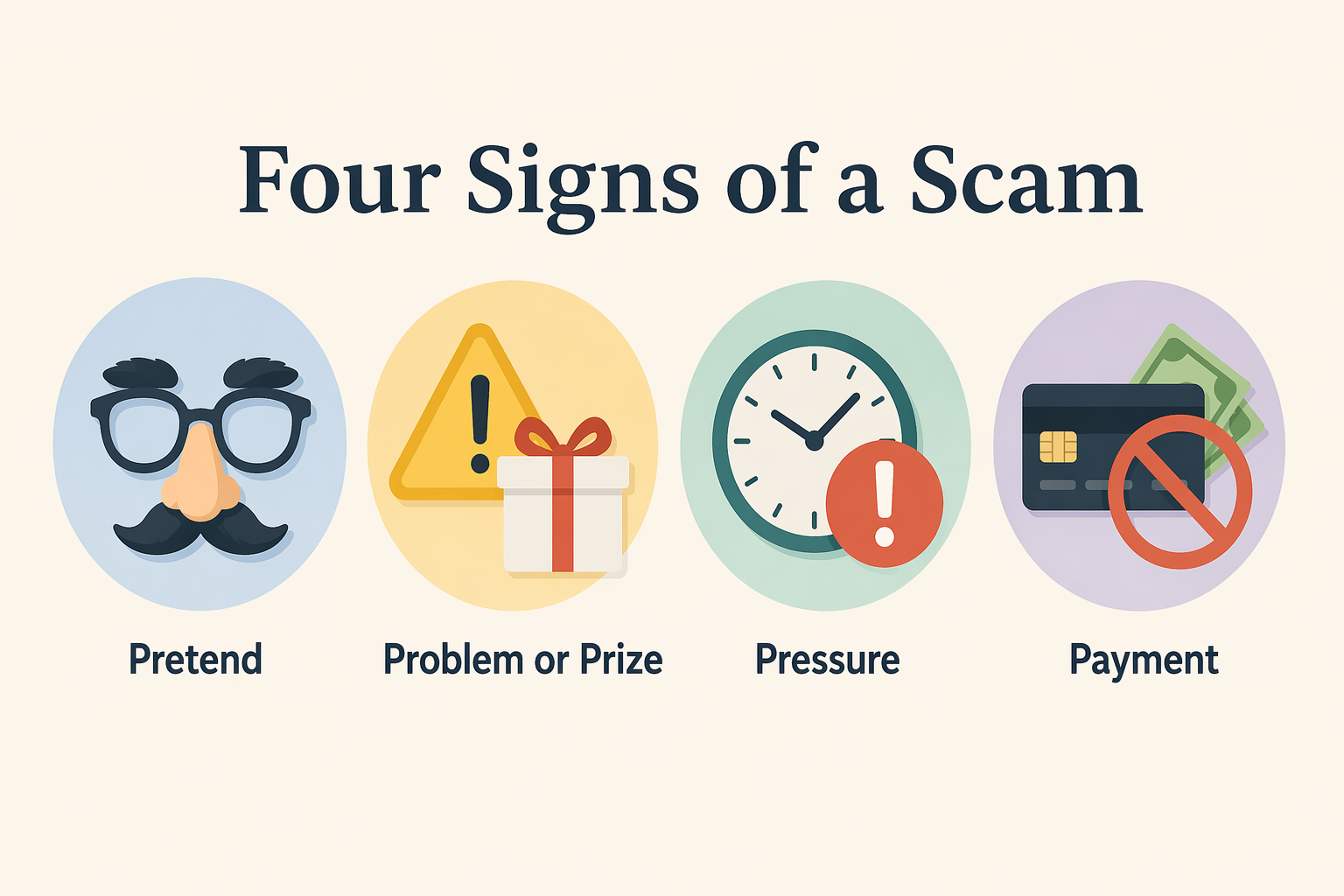
The real SSA says it does not send unsolicited attachments and will not demand payment by gift card, cryptocurrency, wire transfer, internet currency, or mailed cash.[2] That is useful to teach, but it is still not enough as the only defense. Some scam emails are built to look like administrative housekeeping, not a dramatic threat.
The scale is large enough to justify taking this out of the “maybe someday” pile. The FTC reported that people lost $3.5 billion to imposter scams in 2025, including about $920 million to government impersonators.[3] The FTC also reported that government imposter scam reports jumped 40% in 2025.[4] For older adults, the consequences can be especially hard to absorb: adults over 60 lost nearly $5 billion to cybercrime in 2024, with an average reported loss of $32,000 per victim, according to NCOA’s summary of FBI IC3 data.[5]
The prevention protocol to set up today
You do not need to turn your parent’s inbox into a monitored workplace. You do need a few agreed-upon rules that reduce the chance that one convincing email becomes a financial cleanup project.
| Household job | Who owns it | What “done” looks like |
|---|---|---|
| Secure the email account | Caregiver with parent present | Password updated, two-step sign-in enabled if available, recovery options current |
| Create the Social Security email rule | Parent and caregiver together | Parent does not click links, open attachments, or call numbers inside a Social Security email |
| Choose the checker | One named family member | Suspicious messages are forwarded or shown to that person before anyone responds |
| Set the reporting plan | Checker or backup checker | Scam emails are preserved and reported through official channels |
| Prepare for a mistake | Caregiver and parent | Everyone knows what to do if a link was clicked, information was entered, or money was sent |
1. Secure the email account before you talk about scams
Start with the inbox because every warning has to pass through it. Sit beside your parent if possible. This is not a secret audit; it is basic household maintenance, like making sure the spare key is not under the mat.
- Update the email password if it is old, reused, written in too many places, or known by people who no longer need access.
- Turn on two-step sign-in if the email provider offers it, using a method your parent can realistically use or that you have agreed to help manage.
- Check the recovery phone number and recovery email so a scammer cannot use outdated information to take over the account.
- Remove forwarding rules or filters your parent does not recognize. A hidden forwarding rule can quietly send copies of messages elsewhere.
- Create a folder named something plain, such as “Check with family,” so your parent has a place to put suspicious messages without deciding alone.
If your parent uses a password manager already, use it. If not, do not make the first evening about adopting a whole new system unless they are ready. The immediate goal is to stop easy account takeover and make suspicious Social Security emails easier to isolate.
2. Set one parent-facing rule for Social Security emails
Older adults are often given too many warning signs to remember. Look for misspellings. Check the sender. Hover over the link. Notice the tone. Compare the logo. Some of that is useful, but it still puts the whole burden on the person who is being pressured.
Use a simpler household rule:
Any email about Social Security that asks you to click, download, call, log in, verify, pay, or act quickly gets checked by family first.
That rule is broad on purpose. It catches the fake statement-download email, the fake benefit-suspension warning, the fake overpayment notice, and the fake “secure your account” message without asking your parent to classify the scam in real time.
Then add the official boundary: if something truly needs to be checked, you will go to the official SSA website or call an official number you already have saved, not a number or link inside the email. The SSA’s scam page points people to official channels and warns against unsolicited attachments and unusual payment demands.[2]
3. Make suspicious emails easy to hand off
A rule that requires six steps will fail when someone is anxious. Give your parent the easiest possible handoff.
- If they are comfortable forwarding: have them forward suspicious Social Security emails to one named person.
- If forwarding is confusing: have them leave the message unopened or move it to the “Check with family” folder.
- If they use a phone more than a computer: have them take a screenshot and text it to the checker, without tapping links in the message.
- If they panic after opening it: have them stop there, close the message, and call the family checker using a saved contact.
The family checker should be one person, not “someone in the group chat.” If everyone is responsible, the message may sit there while each person assumes another sibling answered.
4. Save the official destinations before there is a scare
Do this while no one is upset. Bookmark the official SSA website in your parent’s browser. Save the official SSA and SSA OIG scam-reporting pages where the family checker can find them. If your parent uses a contacts list, save a contact named something unmistakable, such as “Social Security - official number,” using a number verified from an official government source rather than an email.
This matters because scam emails often win by controlling the next step. They provide the button, the phone number, the attachment, and the deadline. Your household plan should break that chain. The next step should come from a saved official source, not from the message.
5. Use filters as a guardrail, not the whole plan
Email filters can help, but they should not become the only line of defense. A filter may miss a polished message, and an overly aggressive filter may hide legitimate mail your parent wants to see. Set them up as guardrails.
- Mark obvious scam messages as spam or phishing using the email provider’s reporting button.
- Create a rule that moves messages containing suspicious phrases, such as urgent payment demands or benefit suspension threats, into the “Check with family” folder if your email system supports it.
- Do not automatically delete Social Security-related messages unless you are sure your parent will not lose legitimate notices they need.
- Review the spam and “Check with family” folders with your parent on a predictable schedule, especially after a new scam alert.
If you are tempted to route every questionable email away from your parent without telling them, pause. The cleaner setup is consent: “Let’s make these messages come to a folder we both know about, so you are not forced to decide alone.” That protects the relationship as well as the account.
The conversation that keeps dignity intact
The hard part is rarely explaining that scams exist. Most parents know scams exist. The hard part is asking to be included in a decision that touches money, benefits, and independence.
Lead with the scammer’s behavior, not your parent’s vulnerability.
Try this:
“Social Security’s inspector general just warned about fake emails that look like statement downloads. I do not want either of us making a rushed decision from an email. Can we make a rule that anything about Social Security comes to me first before anyone clicks or calls?”
If your parent says they can tell what is real, do not argue the whole internet with them. Narrow it:
“I know you are careful. This rule is not because you are careless. It is because these emails imitate government messages on purpose, and I would rather be the annoying second set of eyes than have you deal with a benefits scare alone.”
If they worry you are taking over:
“You still decide what happens with your account. My job is only to check whether the message is really from the agency before either of us responds.”
If siblings need to be involved, keep the wording practical rather than dramatic:
“Let’s make this easy. I will be the first checker for Social Security emails. If I am traveling or unavailable, Alex is backup. Mom does not have to decide whether a message is real while someone is pressuring her.”
What the family checker actually checks
When the email lands in your hands, do not start by clicking around to investigate. Treat the message as evidence first.
- Do not click links, open attachments, call numbers, or reply to the message.
- Look at what the message is asking for: a login, a download, a payment, a phone call, a benefit verification, or urgent action.
- Compare the request with the SSA’s warning signs: Pretend, Problem or Prize, Pressure, and Payment.
- Go separately to the official SSA website or use a verified official phone number if the account truly needs to be checked.
- Preserve the email for reporting instead of deleting it immediately.
Some fake Social Security messages use more than a sloppy logo. Investopedia’s summary of Q1 2024 data said one-third of reported SSA scams featured official-looking images or documents, and it noted that scammers may use real names of government employees or spoof official SSA phone numbers.[6] That does not mean every official-looking message is fake. It means “it looked official” cannot be the family’s proof that it is safe.
If your parent already clicked, replied, or sent money
The first response should be calm enough that your parent tells you the truth. Shame makes people hide details. Details are what you need.
Start with one sentence:
“I am glad you told me. We are going to handle the steps, and I need to know exactly what happened so we can protect you.”
If they only opened the email
- Do not click anything else in the message.
- Do not call the number in the email.
- Preserve the email so it can be reported.
- Use the email provider’s phishing or spam report option after you have the information needed for official reporting.
If they clicked a link or opened an attachment
- Close the page or attachment without entering more information.
- If they entered an email password, change that password from a clean browser window or another trusted device.
- Turn on two-step sign-in if it was not already enabled.
- Check the email account for unfamiliar forwarding rules, recovery changes, or sent messages.
- Run the device’s security update and scan tools if an attachment was opened.
If they entered Social Security, Medicare, bank, or credit card information
Now the response becomes account protection, not just scam reporting.
- Change passwords for any account whose login information was entered.
- Contact the bank or card issuer using the number on the card or official website, not a number from the email.
- Review recent transactions and set account alerts where available.
- Consider credit freezes or fraud alerts if identity information was exposed.
- Check the official Social Security account separately if there is concern that login credentials or benefit information may have been compromised.
If they sent money
Speed matters most here. The SSA says scammers may demand payment through gift cards, wire transfers, cryptocurrency, internet currency, or mailed cash, and that these are not legitimate SSA payment methods.[2]
- Call the bank, card issuer, wire service, gift card company, or cryptocurrency platform immediately using an official number.
- Ask whether the transaction can be stopped, reversed, frozen, or flagged as fraud.
- Keep receipts, screenshots, card numbers, wallet addresses, tracking numbers, and emails.
- Report the scam to the SSA OIG and the FTC through official reporting channels.
Where to report a Social Security email scam
For a suspected Social Security impersonation scam, report it to the SSA Office of the Inspector General through its official fraud reporting process. The February 2026 OIG alert specifically directs people who receive one of these fraudulent statement emails to report it and to avoid clicking links or opening attachments in the message.[1]
You can also report impersonation scams to the FTC. Reporting may not undo the damage in your household, but it gives enforcement agencies information about the message, sender, payment route, and script being used.
Keep the reporting job with the family checker or backup checker. Your parent’s job is to stop interacting with the message and tell the checker what happened. That division is kinder and more reliable than expecting someone who has just been scared by a fake government email to navigate reporting sites alone.
A simple family rule that actually holds under pressure
Write the rule down and put it somewhere boring: by the computer, inside a notebook, or in the notes app your parent already uses.
Social Security email rule: We do not click, download, call, verify, pay, or log in from an email. We check it with family first, then use the official SSA website or an official saved phone number.
Add the names:
- First checker: ____________________
- Backup checker: ____________________
- Where suspicious emails go: ____________________
- Official SSA bookmark saved: Yes / No
- Email recovery information checked: Yes / No
This is the part that protects both people: the parent who wants to stay independent and the family member who would otherwise be trying to reconstruct what happened after one bad click. A polished Social Security email scam should not get a private audience with your parent. It should run into a household system.
References
- Fraudsters Targeting Social Security Recipients with Fake Statement Emails, Social Security Administration Office of the Inspector General, February 20, 2026
- Social Security: Protect Yourself from Scams, Social Security Administration
- FTC Data Show People Reported Losing $3.5 Billion to Imposter Scams in 2025, Federal Trade Commission, June 15, 2026
- New trends in reports of imposter scams, Federal Trade Commission, May 2026
- What Are Common Social Security Scams? A Guide for Older Adults, National Council on Aging
- What Are the Top Social Security Scams Targeted at the Elderly?, Investopedia
Questions to bring to a clinician or OT
This is not medical, legal, or a family's final decision — only a framework. Bring these questions to a clinician, occupational therapist, or your local Area Agency on Aging.
Find Local HelpRelated reading
Noticed something outdated or inaccurate on this page? Flag a correction. We review every report against CDC, NIA, and AARP HomeFit guidance before updating a page.