
Caregiver decision guide
Privacy vs. Safety: How to Choose Smart Home Monitoring for Aging in Place
Family caregivers often face resistance when introducing home monitoring. This guide explores the privacy-safety trade-off, presents research on older adults' preferences, and provides a framework for choosing a system your loved one will actually accept.
The Privacy-Safety Paradox in Smart Home Monitoring
Every family caregiver eventually faces a version of this conversation: “I don’t want cameras watching me in my own home.” It’s a reasonable objection — and it points to the central tension in smart home monitoring for aging in place. The technologies designed to keep an older adult safe can also feel like an invasion of privacy, eroding the very independence they’re meant to protect.
That tension is real, but it’s often misunderstood. The real struggle isn’t between safety and independence; it’s between safety and perceived privacy intrusion. When older adults understand exactly what data a system collects, who sees it, and how it helps them stay in their own home longer, acceptance rises dramatically. Research from the University of Illinois found that after older adults with mobility disabilities received education about privacy risks and protective strategies, they rated the benefits of digital home assistants as outweighing the risks.
This article provides a research-backed framework for choosing a monitoring approach that respects privacy, preserves dignity, and actually gets used. The guiding principle: start with the least intrusive option and add only what’s needed.
What Research Says About Older Adults’ Views on Monitoring
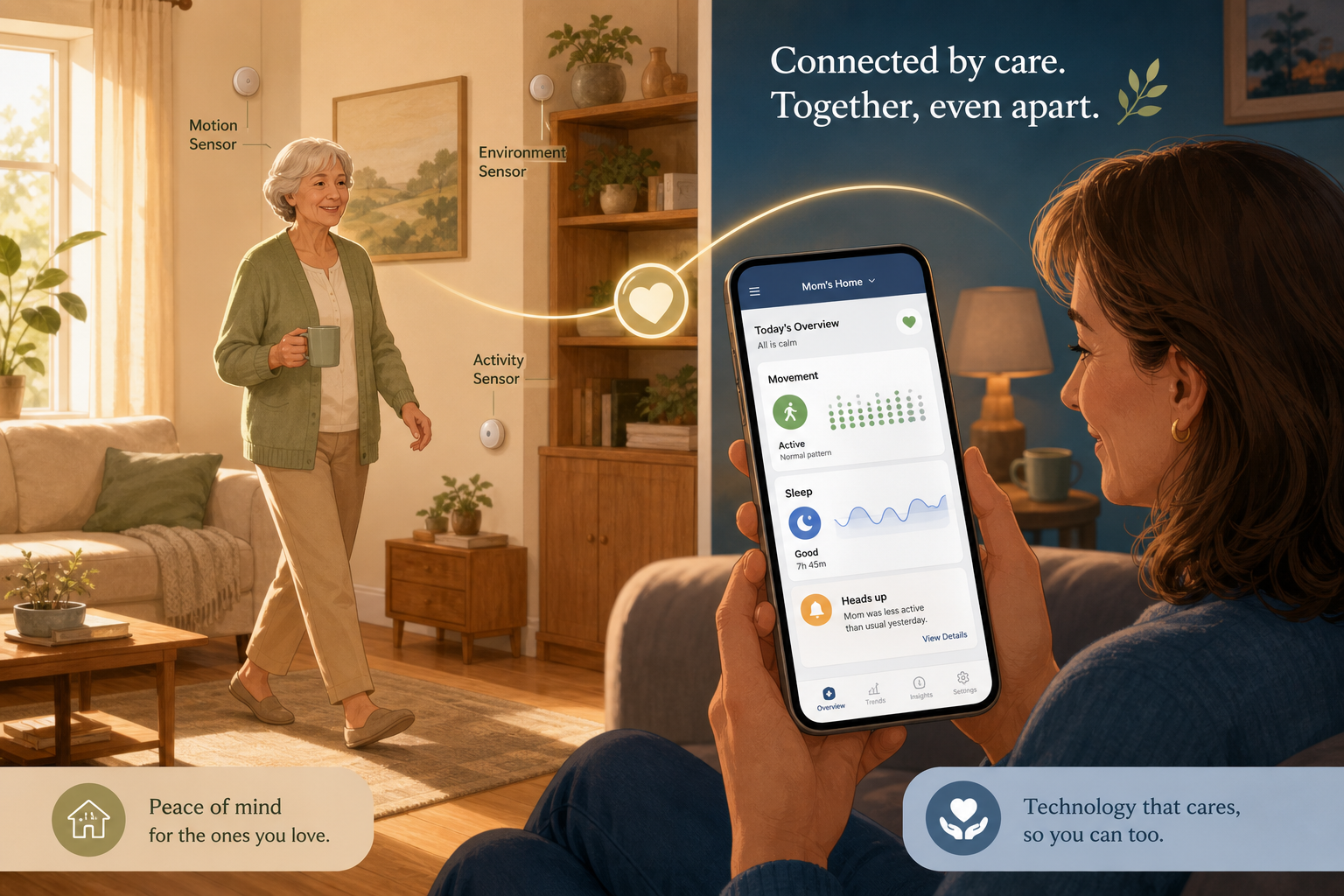
Older adults are not reflexively opposed to monitoring technology. A 2022 AARP survey found that the top barriers to adopting smart home devices among people age 50 and older are data privacy concerns and not understanding the true value of a purchase — not an outright rejection of the technology itself. When they see a clear, personal benefit, willingness to accept monitoring increases.
The AgeTech Collaborative, citing that same AARP survey, notes that the primary motivations for using technology are staying connected, managing day-to-day living, and maintaining independence — not being watched. Andy Miller, senior vice president of AARP Innovation, puts it this way:
“You're really empowering someone to live ways that they've never been able to live before based on their chronic conditions.”
A 2025 study from the University of Illinois tested exactly this dynamic. Researchers gave 24 older adults with mobility disabilities a “Digital Assistant in a Box” — an Amazon Echo Show 8, smart bulbs, a smart plug, and a custom manual — and tracked how they used it. After receiving training on privacy risks and protective strategies, participants reported that the benefits (leisure, health monitoring, emergency response) clearly outweighed the risks. The study concluded that “with increased education and training about privacy risks and protective strategies, older adults can experience the benefits of this assistant technology.”
The Intrusiveness Spectrum: Cameras, Wearables, and Passive Sensors
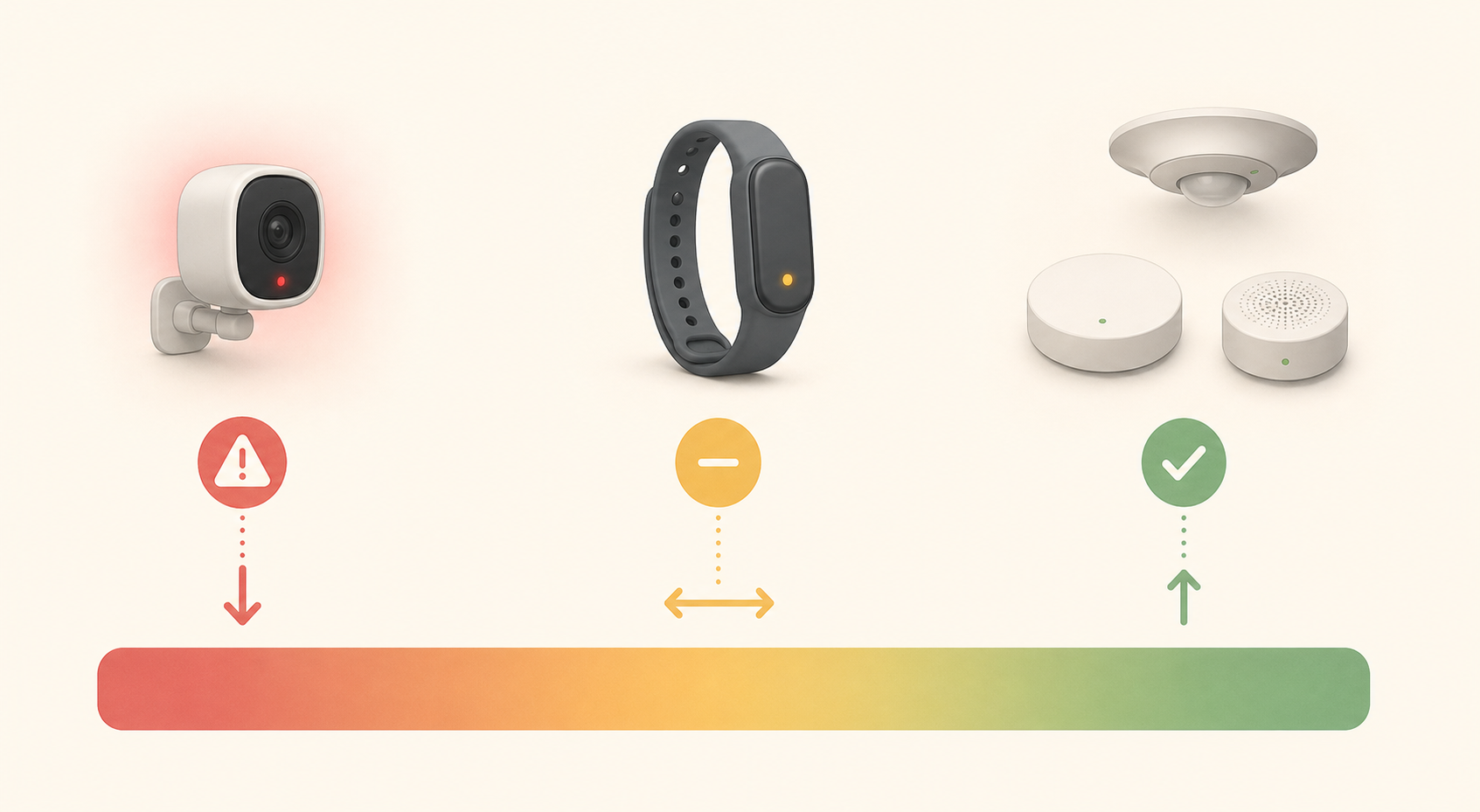
Not all monitoring is created equal. A 2021 systematic review of 31 smart-home studies by Gochoo et al. found that only 35.4% of studies used privacy-preserving or unobtrusive methodologies — meaning the majority of existing research has focused on technologies that may feel invasive. The review also noted that camera-based monitoring consistently has the lowest acceptance among older adults, especially when placed in bathrooms and bedrooms.
To help you evaluate options, here is how the three main categories compare across key dimensions:
| Category | How It Works | Acceptance Level | Key Privacy Concern | Fall Detection Accuracy (Research) |
|---|---|---|---|---|
| Camera-based (e.g., video cameras, smart cams) | Continuous video feed; AI analyzes images for falls or unusual activity | Low – especially in private spaces | Captures identifiable images; feels like surveillance | >96% accuracy (but raises privacy concerns) |
| Wearables (e.g., medical alert pendants, smartwatches, GPS trackers) | Device worn on body detects falls via accelerometer; may include GPS | Moderate – some users forget or refuse to wear | Tracks location and vitals; data shared with monitoring centers | Varies by device; some have high false-alarm rates |
| Passive ambient sensors (e.g., PIR motion, radar, contact sensors, smart carpets) | Sensors placed around the home detect motion, pressure, or heat changes; no camera | Highest – no wearable required, no identifiable data | Minimal – no images, no continuous video | >96% accuracy (radar-based); no privacy trade-off |
The scoping review by Kim et al. (Iowa State University, 2022) confirms that the most common sensors used in aging-in-place studies are passive infrared motion sensors (21 of 30 studies) and contact sensors (19 of 30 studies) — precisely the kinds that don’t capture images or require the user to wear anything. These devices achieve high detection accuracy while preserving dignity.
What Data Do Monitoring Systems Collect — and Who Sees It?
Transparency about data collection is non-negotiable for building trust. Here’s a breakdown of what different systems capture and who can access that information:
- Camera systems: Record continuous video or periodic images. Data is typically stored in the cloud or on a local hub. Access may be shared with a monitoring center (in a medical alert plan), the caregiver via app, or a third-party cloud provider. Video feeds can include identifiable faces, daily routines, and private moments.
- Wearable devices: Collect location, movement, heart rate, and fall events. Data is transmitted to a monitoring center (for PERS) or to the user’s smartphone and caregiver app. GPS trackers share location history. Some wearables sync with electronic health records if integrated with telehealth.
- Passive ambient sensors: Detect changes in the environment — motion, door open/close, pressure, heat patterns. They do not capture images or sound. Data is typically sent to a hub or cloud dashboard showing activity patterns (e.g., “in the kitchen,” “asleep”). No monitoring center sees identifiable information unless a fall alert is triggered.
Conversation Strategies for Overcoming Resistance
Approaching the topic of monitoring with a parent or spouse requires care. The dynamics are similar to those faced when suggesting home safety modifications — a parallel that is explored in more depth in our guide on overcoming stigma around stair safety changes. Here are evidence-based approaches for monitoring specifically:
- Lead with independence, not safety. Frame the conversation around staying at home longer and maintaining routines. “This system helps you keep doing what you love without me worrying.”
- Be specific about what data is collected and who sees it. Avoid vague terms like “monitoring.” Say “this sensor will know if you move around the house, but it doesn’t have a camera — it just shows a pattern on my phone.”
- Start with the least intrusive option. Propose a single motion sensor in the living room, not a full system. Once accepted, add additional pieces only as needed.
- Emphasize that they are in control. “You can decide when it’s on and off. I’ll only get an alert if you want me to.”
- Acknowledge their concerns directly. “I understand that it feels weird to have something watching. How about we try a small setup for two weeks and see how it feels?”
The Wirecutter guide recommends that older adults and caregivers make the decision together, with full disclosure about data and access. That collaborative approach — rather than a top-down recommendation — is the strongest predictor of long-term acceptance.
Privacy-Preserving Technologies: Invisible Sensors That Protect Dignity
A new generation of monitoring technology is designed specifically to respect privacy while delivering reliable safety alerts. These systems trade the “big brother” feel for subtle, ambient sensing that tracks only what’s needed and nothing more.
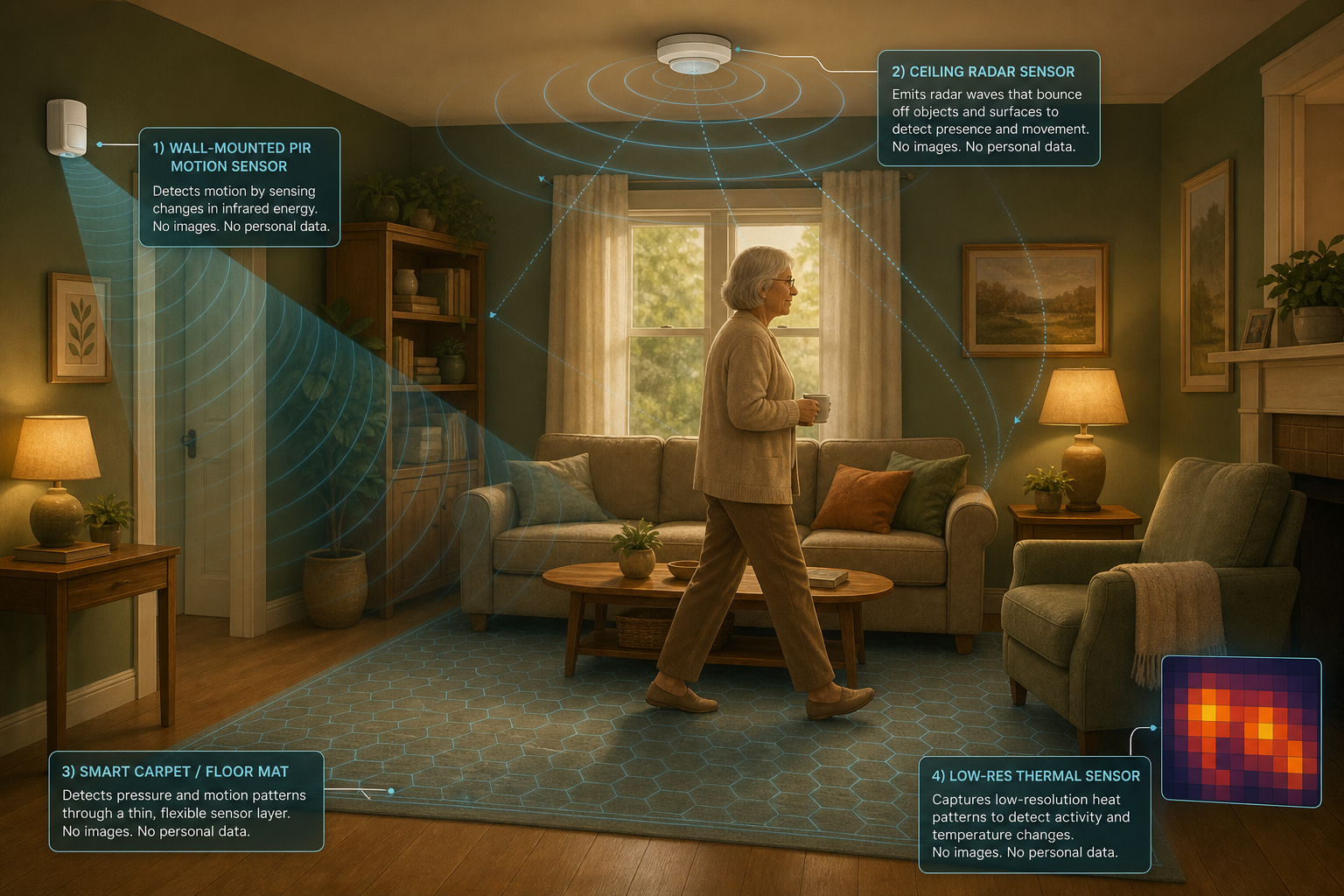
- Passive infrared (PIR) motion sensors: These detect body heat and movement, commonly used in motion-triggered lights. In a monitoring system, they log when someone enters a room or has been still for an unusually long time. They are small and can be placed above eye level. The PMC scoping review found PIR sensors were used in 70% of the 30 studies reviewed.
- Millimeter-wave radar: Ceiling- or wall-mounted radar sensors can detect falls with up to 98.74% accuracy and a prediction time of 51.4 milliseconds — without capturing any images or requiring the user to wear a device (Wang et al., IEEE Sensors, 2020). This technology is increasingly available in commercial fall-detection systems.
- Smart carpets and pressure mats: Thin mats embedded with pressure sensors can detect footsteps, falls, and even gait changes over time. They are invisible to the user and require no interaction. They provide continuous data without any privacy intrusion.
- Low-resolution thermal sensors: These sensors capture only a blocky heat signature — enough to detect a person falling but insufficient to identify who they are. A 2021 systematic review recommended minimizing use of cameras and instead using thermal arrays in sensitive areas like bathrooms.
How to Build an Acceptable Monitoring System: Start with the Least Intrusive Option
The most effective monitoring system is the one that actually gets used. A system that sits in a box because the user finds it creepy or intrusive provides zero safety benefit. The evidence supports a simple principle: start minimal, prove value, then expand.
Here is a step‑by‑step approach:
- Begin with one or two passive sensors. Place a motion sensor in the most‑trafficked room (kitchen, living room) and a contact sensor on the front door. This gives you daily activity patterns without any cameras or wearables.
- Let the older adult experience the system before adding more. After a week, review the dashboard together. Show how it works — not as surveillance, but as a tool that reassures both of you.
- Introduce a wearable only if needed. If the user is willing and the situation calls for fall detection or location tracking, consider a pendant or smartwatch with automatic fall detection. When discussing wearables, refer to our GPS tracker explainer for seniors to understand the options and limitations.
- Consider professional installation for hardwired sensors. A Certified Aging‑in‑Place Specialist (CAPS) can integrate sensors seamlessly into the home, wire them to a central hub, and ensure they blend into the décor — reducing the “hospital room” feel. You can learn more about finding a qualified contractor in our CAPS contractor FAQ.
- Regularly review and adjust the system. As needs change — after a fall, a new diagnosis, or a change in living situation — revisit what’s in place. The best systems are flexible enough to grow (or shrink) with the user.
The University of Illinois study demonstrated this lesson powerfully. When participants received the “Digital Assistant in a Box” with proper education, they not only accepted the technology — they actively used it for leisure, health checks, and emergency support. Education and transparency turned a potential privacy invasion into a tool of empowerment.
Finding the right monitoring balance is a journey, not a one‑time decision. By respecting the older adult’s preferences, starting small, and being transparent about data, you can build a system that both of you trust — and that truly supports aging in place.
Questions to bring to a clinician or OT
This is not medical, legal, or a family's final decision — only a framework. Bring these questions to a clinician, occupational therapist, or your local Area Agency on Aging.
Find Local HelpRelated reading
- Passive Home Sensors for Senior Monitoring: How Motion, Door, and Stove Sensors Work
- The Monitoring Conversation: How to Talk to an Aging Parent About Safety Technology Without Damaging Trust or Autonomy
- When Is 24/7 Care Actually Necessary? A Decision Framework for Using Monitoring Technology as a Safe Alternative
Noticed something outdated or inaccurate on this page? Flag a correction. We review every report against CDC, NIA, and AARP HomeFit guidance before updating a page.