
Glossary entry
Are Home Monitoring Cameras Legal for Elderly Parents? A Privacy and Consent Guide
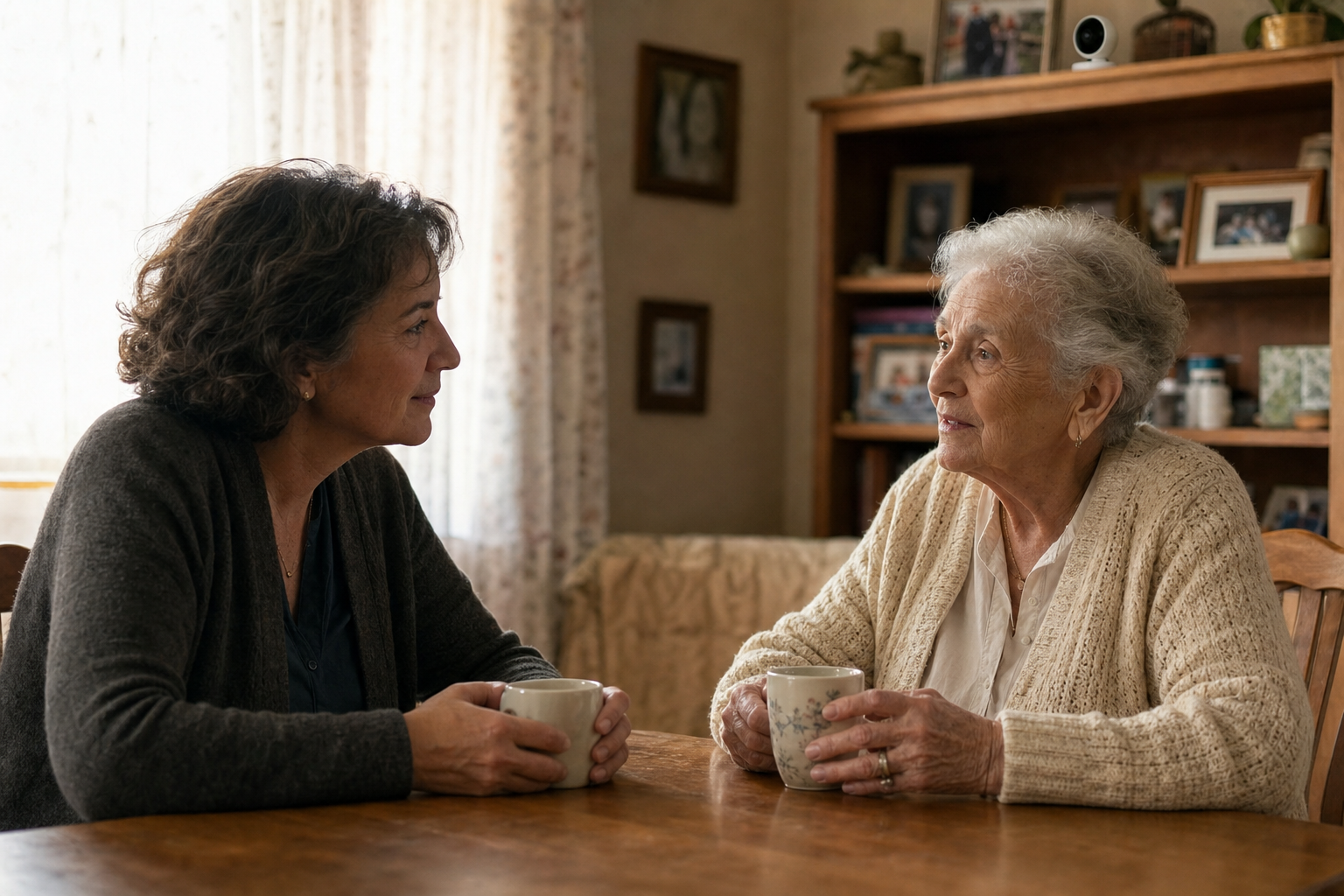
Quick Answer: Is It Legal to Monitor an Elderly Parent at Home with a Camera?
For most caregivers asking this question, the short answer is: video-only cameras placed in common areas of a parent's private home are generally lawful under US federal law. There is no federal statute that prohibits a family member from placing a camera in a living room, kitchen, or entryway of a home they share or help manage for safety purposes.
That said, "generally lawful" is not the same as "always lawful and always ethical." Four factors add significant legal and ethical layers to this question:
- Whether the camera captures audio (which triggers federal wiretapping law and stricter state rules)
- Where the camera is placed (bathrooms and bedrooms are off-limits regardless of intent)
- Whether your parent has cognitive capacity to consent — and whether they have consented
- Which state you are in (roughly a dozen states require all-party consent for audio recording)
Video vs. Audio: Why the Rules Are Different
Video recording and audio recording are treated very differently under US law, and this distinction is the single most important thing to understand before installing any home monitoring camera.
Video-only recording in common areas of a private home is broadly permissible under federal law. There is no federal statute specifically prohibiting it, and courts have consistently held that people in common living spaces do not have the same expectation of privacy they would have in a bedroom or bathroom.
Audio recording is a different matter entirely. The federal Wiretap Act (18 U.S.C. § 2511) makes it illegal to intercept oral communications without the consent of at least one party to the conversation. In practical terms, this means that if you — as the caregiver — are present and aware the camera is recording, you may satisfy the "one-party consent" requirement at the federal level. But if the camera is recording conversations your parent has with others while you are not present, the legal picture becomes murkier.
As attorney Roy Kaufmann has noted in published legal commentary, audio is "where things get trickier" — the federal one-party consent rule is the national minimum, but it is not the ceiling. Approximately 12 states impose stricter all-party (two-party) consent requirements, which can make camera audio recording without your parent's knowledge illegal even if you are technically the camera's owner.
Does My Parent Need to Consent If They Have Full Cognitive Capacity?
Yes — and framing this as merely a legal question misses the point. When your parent retains full decision-making capacity, their voluntary, informed consent is both a legal safeguard and an ethical obligation.
Installing a camera in a competent adult's home without their knowledge — even a parent's home, even with good safety intentions — violates their autonomy and constitutes a serious breach of trust. It does not matter that you pay part of the bills, visit regularly, or hold a financial power of attorney. A person with intact cognitive capacity has the right to decide what monitoring occurs in their own living space.
What If My Parent Has Dementia or Lacks Decision-Making Capacity?
This is the most legally and ethically complex scenario, and it is where many families make consequential mistakes. The most important thing to understand upfront: holding a durable power of attorney does not automatically grant you the right to install cameras in your parent's home.
A power of attorney authorizes you to make decisions on your parent's behalf — but those decisions must still meet a "best interests" standard and, where possible, reflect the least restrictive alternative in terms of your parent's rights and basic freedoms. Installing a camera is not automatically in someone's best interests simply because a caregiver believes it would improve safety.
Research examining caregiver perspectives on home surveillance for people living with dementia identifies four ethical principles that should guide any monitoring decision: autonomy (respecting the person's prior wishes and remaining preferences), beneficence (acting in their genuine interest), non-maleficence (avoiding harm, including the harm of privacy violation), and justice (treating the person with dignity). These principles apply even when a person can no longer articulate their preferences.
The gold standard for navigating this scenario is an advance directive or living will made while your parent had full capacity. If your parent documented their preferences about monitoring technology while they were able to do so, that document is the clearest guide to what they would have wanted. If no such document exists, the family's decision-making process should be guided by what the person would have chosen — not merely what is convenient for caregivers.
It is also worth noting that research on the lived experience of people with dementia consistently finds that many dislike remote monitoring and surveillance, even when their caregivers view it as pragmatic and safety-focused. Acknowledging this tension honestly is part of making a genuinely ethical decision.
If your parent is currently in the moderate or later stages of cognitive decline, the Middle-Stage Alzheimer's Care planning guide covers broader decision-making frameworks for this stage, including safety planning and the balance between protection and autonomy.
- Ask whether a less privacy-invasive alternative (passive sensors, wearable alert devices) would adequately address the safety concern before considering a camera.
- Review any advance directive, living will, or documented preferences your parent expressed while they had capacity.
- If family members disagree about whether monitoring is appropriate, treat that disagreement as a signal to consult a licensed elder law attorney rather than proceeding unilaterally.
- Document the reasoning behind your decision — what safety concern it addresses, what alternatives were considered, and why this approach was chosen.
Where Can Cameras Legally and Ethically Go — and Where Can't They?
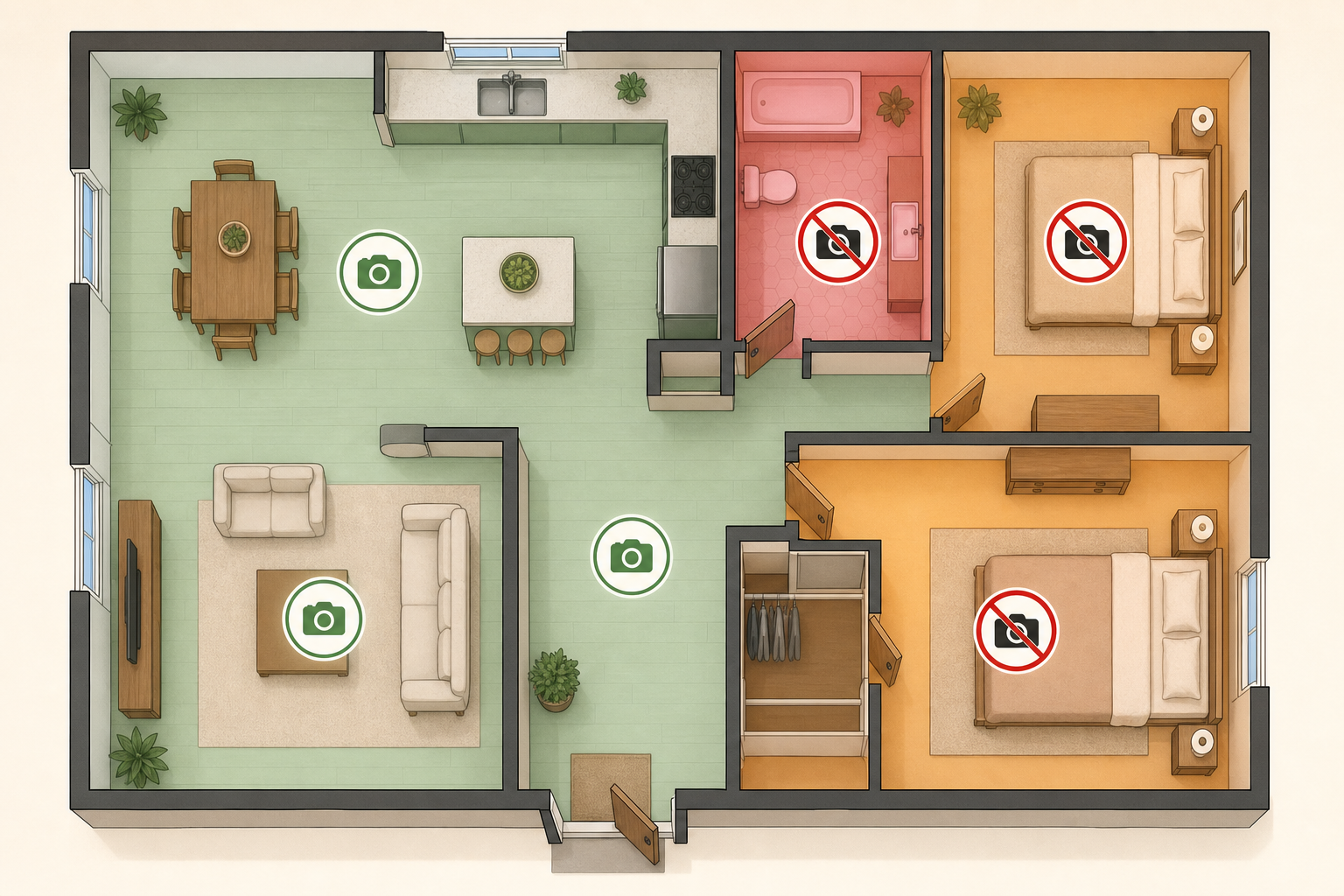
Placement is not a matter of preference — it is a matter of law. The Video Voyeurism Prevention Act of 2004 makes it a federal crime to secretly record people in private areas where they have a reasonable expectation of privacy. Bathrooms and bedrooms are the clearest examples. This prohibition applies regardless of your parent's cognitive capacity, your caregiving role, or your intent.
| Home Area | Camera Permissibility | Notes |
|---|---|---|
| Living room | Generally permissible | Common area; no reasonable expectation of privacy from household members |
| Kitchen | Generally permissible | Common area; one of the most useful locations for activity monitoring |
| Entryway / front door area | Generally permissible | Useful for monitoring arrivals and exits |
| Hallways | Generally permissible | Hallway placement can capture movement without intruding on private rooms |
| Bedroom | Not permissible | Strong reasonable expectation of privacy; prohibited under federal law |
| Bathroom | Not permissible | Prohibited under federal law; Video Voyeurism Prevention Act applies |
| Home caregiver's private area | Not permissible without caregiver consent | A paid caregiver has privacy rights in any space designated for their personal use |
Do State Laws Change Anything? Key States with Stricter Audio Consent Rules
Federal law sets a national floor: at minimum, one party to a recorded conversation must consent to audio recording. But federal law is not the ceiling. Approximately 12 states have enacted all-party (two-party) consent laws for audio recording, meaning every person being recorded must consent — not just the person operating the recording device.
In these states, enabling audio on a home camera without your parent's knowledge — even in a common area, even for safety purposes — may violate state wiretapping law and expose you to civil or criminal liability.
States currently classified as all-party consent jurisdictions for audio recording include:
- California
- Delaware
- Florida
- Illinois
- Maryland
- Massachusetts
- Montana
- New Hampshire
- Pennsylvania
- Washington
The simplest way to avoid audio consent issues entirely is to disable audio recording on the camera system. As one legal and security analysis notes, video alone is usually sufficient for safety monitoring, fall detection review, and caregiver oversight purposes — and many organizations working in this space disable audio by default specifically to avoid wiretapping exposure.
How Do I Have the Consent Conversation with My Parent?
The monitoring conversation is almost always easier — and more productive — before a crisis than after one. If your parent is still in the early stages of cognitive change or fully cognitively intact, this is the right time to discuss monitoring preferences, not after a fall or a wandering episode when emotions are high and options feel more urgent.
The Early-Stage Alzheimer's Care Guide for Family Caregivers includes guidance on having proactive planning conversations while your parent can still participate meaningfully in decisions about their own care — including technology and monitoring preferences.
Approaching the conversation as a collaborative safety discussion — rather than announcing a decision you have already made — changes the dynamic significantly. Some practical framing:
- Start with the safety concern, not the solution: "I've been worried about what would happen if you fell when I'm not here. Can we talk about what would make you feel safer?"
- Present monitoring as one option among several, not as a foregone conclusion — passive sensors, wearable alert devices, and more frequent check-in calls are all part of the same conversation.
- Ask about placement together: "If we did try a camera, where would you be comfortable having it — and where would feel like too much?"
- Discuss what the footage would be used for and who would have access to it.
- If your parent agrees, document that agreement — a simple written note or email exchange is better than nothing.
- If your parent says no, take that answer seriously. Revisit the underlying safety concern with alternatives rather than proceeding covertly.
Adult children often find this conversation emotionally difficult because it surfaces the role-reversal dynamic — the shift from being parented to making decisions that feel parental. If you are struggling with that weight, the guide on navigating role reversal with an aging parent addresses the emotional complexity of these decisions directly.
Privacy-Preserving Alternatives to Video Cameras
Video cameras are one tool in a broader safety toolkit — not the default first resort. For most of the safety concerns that lead families to consider cameras, there are less privacy-invasive alternatives that address the underlying need without the legal complexity or the dignity cost of continuous video surveillance.
Passive sensor systems in particular are worth serious consideration. These devices detect activity patterns — movement, door use, stove operation — without capturing images or audio. They can alert family members to meaningful changes (a parent who has not moved from the bedroom by mid-morning, a stove left on, a front door opened at an unusual hour) without recording footage of the person's daily life.
- PIR motion sensors: Detect movement in key areas (bedroom doorway, bathroom entry, kitchen) and can generate alerts if expected activity does not occur within a set window. No image capture.
- Door and window contact sensors: Alert caregivers when exterior doors are opened, which is particularly useful for families concerned about wandering. No audio or video.
- Stove sensors: Detect prolonged stove use and can automatically shut off burners or send alerts — addressing one of the most common home safety concerns without any surveillance of the person.
- Wearable alert devices (PERS): Allow a parent to summon help independently, which preserves their agency and addresses fall response without monitoring their movements continuously.
For a detailed explanation of how these technologies work and what to look for when evaluating options, the guide to passive home sensors for senior monitoring covers motion, door, and stove sensors in depth.
Before You Install: A Quick-Reference Checklist
Before installing any camera in a parent's home, work through each of these steps. This checklist is designed to be printable and used as a reference alongside any installation decision.
- Confirm placement is in common areas only. Living room, kitchen, entryway, and hallways are generally permissible. Bedrooms and bathrooms are never permissible.
- Check whether audio is enabled on the camera system. If you are in California, Delaware, Florida, Illinois, Maryland, Massachusetts, Montana, New Hampshire, Pennsylvania, or Washington — or are unsure of your state's rule — disable audio or obtain explicit consent before enabling it.
- Determine your parent's current cognitive capacity. If they retain decision-making capacity, their voluntary informed consent is required. If capacity is in question, apply the "least restrictive alternative" and "best interests" standards before proceeding.
- Review any existing advance directive or documented preferences. If your parent expressed preferences about monitoring technology while they had capacity, those preferences should guide your decision.
- Ask whether a less privacy-invasive alternative would meet the safety need. Passive sensors, wearable devices, and regular check-in calls address most common safety concerns without video surveillance.
- Document the decision. Note the safety concern being addressed, the alternatives considered, the consent obtained (or the capacity analysis applied), and the placement chosen.
- Tell your parent the camera is there. Even in situations where legal consent may not be strictly required, transparency preserves trust and respects dignity.
When to Consult an Attorney
Most straightforward situations — a cognitively intact parent who has agreed to a video-only camera in the living room — do not require legal counsel. But several scenarios do warrant professional legal advice before you act:
- Your parent has dementia or another condition affecting decision-making capacity, and you are considering camera installation on their behalf.
- You live in or your parent lives in an all-party consent state and you are unsure whether your planned setup complies with state law.
- Your parent has previously objected to monitoring and you are weighing whether to proceed anyway.
- Family members disagree about whether camera monitoring is appropriate, and the disagreement is not resolving through conversation.
- You hold a power of attorney and want to understand what that document does and does not authorize in terms of monitoring decisions.
- You are considering cameras in any area beyond standard common rooms, or you are unsure whether a particular space qualifies as a common area under your state's law.
An elder law attorney can review your specific situation, your state's current consent requirements, and the scope of any legal authority you hold — and help you make a decision that is both legally sound and defensible if it is ever questioned.
Browse more in the Glossary.