
Product term
Fitness Bands for Seniors That Detect Falls and Call 911
Last verified 2026-07-24
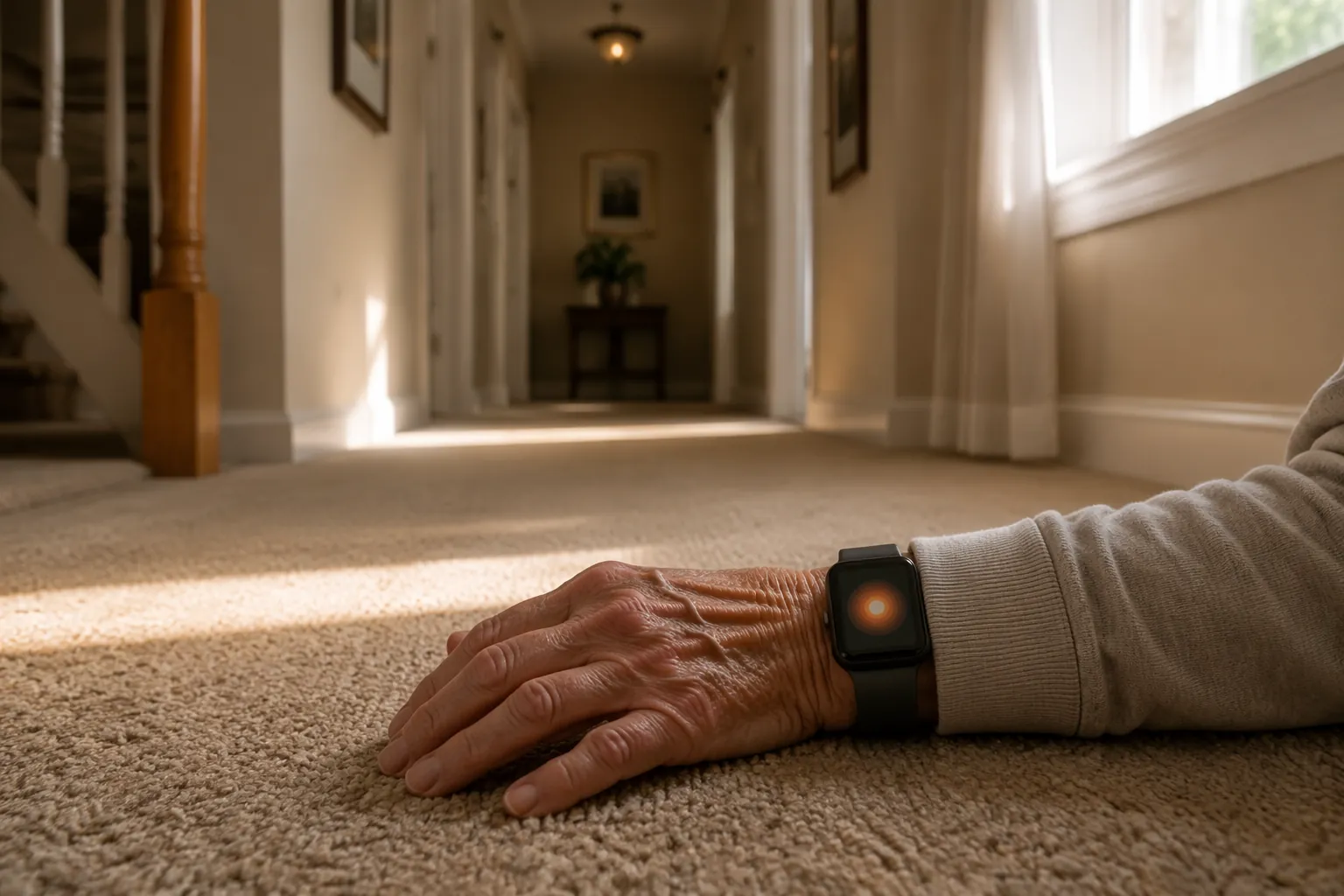
The meaningful question is not whether a box says “fall detection.” It is what happens after the fall, when your parent may be on the hallway floor, in the garden, or beside the bed and cannot press a button. Some wearables can call emergency services automatically. Some reach a professional monitoring center that talks to the wearer and escalates. Some only send a phone alert to family. And some well-known fitness watches do not watch for everyday falls at all unless an activity is already being tracked.
That distinction matters because falls are common and the wait after a fall can become its own medical problem. The CDC reports that more than one in four older adults falls each year.[1] AARP has also warned, through geriatrician Dr. Warren Wong, that lying motionless on the floor for as little as one hour can contribute to rhabdomyolysis, a potentially life-threatening breakdown of muscle tissue.[2] So the best fitness bands for seniors are not simply the ones with the cleanest app or the most wellness metrics. For fall risk, the device has to be judged by the response chain.
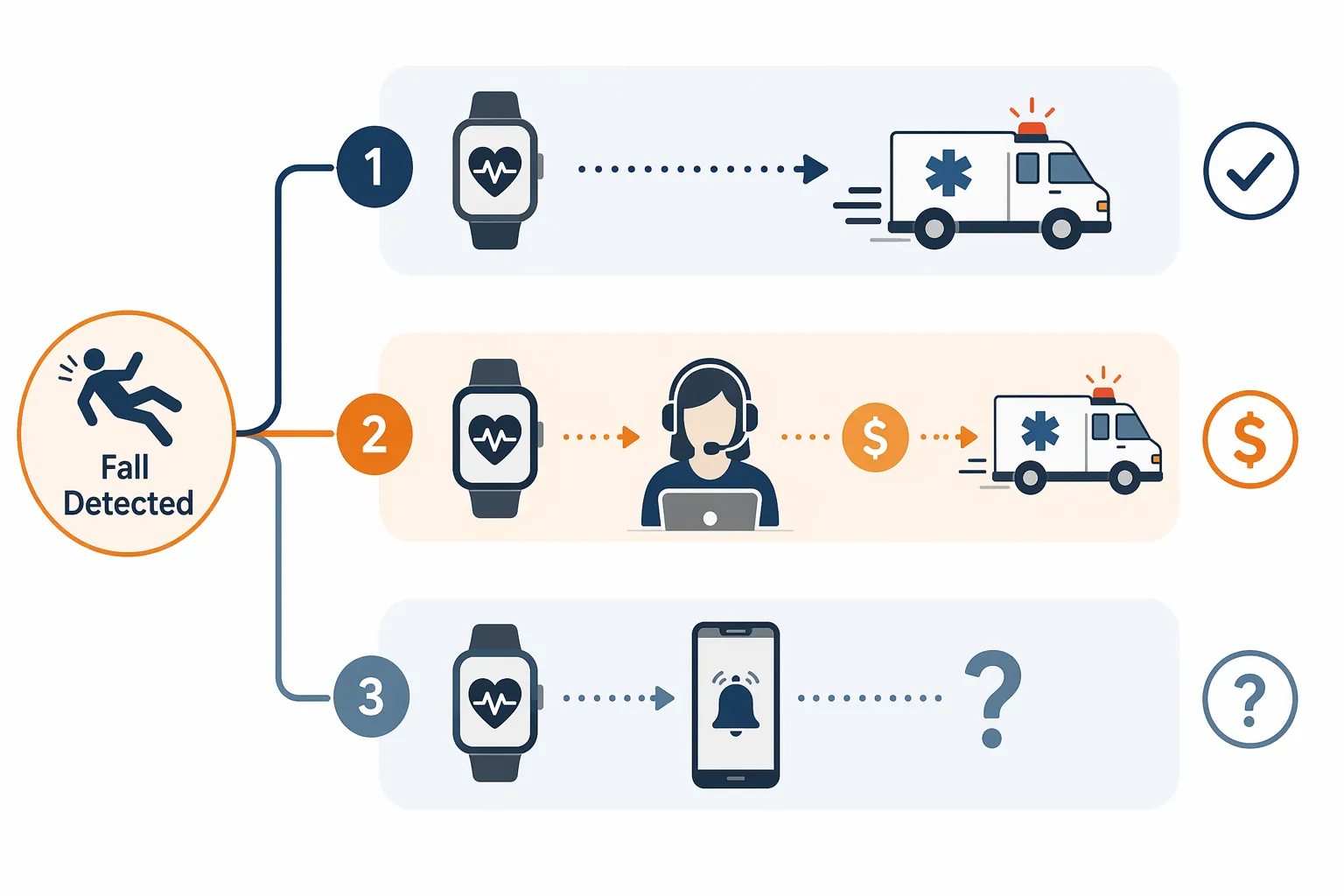
The three response tiers
For fall detection, the cleanest way to compare devices is to separate them by who is contacted when the wearer does not respond. The hardware may look similar on the wrist, but the emergency pathway is not the same.
| Response tier | What happens after a detected fall | Examples | Best fit |
|---|---|---|---|
| Auto-911 smartwatch | The watch detects a hard fall, prompts the wearer, then can call emergency services if the wearer does not respond. | Apple Watch Series 10, Apple Watch SE 3, Samsung Galaxy Watch 6/7/8 | Older adults who can manage charging and want emergency calling without a monthly monitoring fee |
| Professionally monitored medical alert watch | The watch connects to a monitoring center, where an operator can assess the situation and escalate to emergency services or contacts. | Medical Guardian MGMove, LifeFone Safe Watch, Bay Alarm SOS Smartwatch | Seniors living alone when a human response center matters more than avoiding a subscription |
| Family/app or activity-based alert | The device may notify chosen contacts through an app or during a tracked activity, but it does not provide 24/7 professional emergency response. | Fitbit Sense 2, Garmin Venu 3 | Lower-risk users who mainly want fitness tracking and have reliable nearby responders |
Tier 1: smartwatches that can call emergency services
Apple Watch is the clearest example in this tier. Its fall detection is designed around a hard fall followed by a lack of response. If the watch detects that kind of fall, it displays an alert. If the wearer does not move or respond within the device’s alert window, the watch can contact emergency services and share location information where supported. SeniorLiving.org reports that Apple used more than 2,500 days of real-world fall data from 2,500 participants to refine the algorithm, and that fall detection is automatically enabled for Apple Watch users age 55 and older.[3]
That default setting is not a small detail. Many safety features fail because someone had to know they existed, find the right menu, and turn them on. A watch that quietly enables fall detection for older users removes one fragile setup step. It does not remove every fragile step. The watch still has to be worn, charged, connected appropriately for emergency calling, and close enough to the person when the fall happens.
Samsung Galaxy Watch models, including the Galaxy Watch 6, 7, and 8 lines, also sit in the auto-emergency-response category when fall detection and emergency SOS features are configured. The practical appeal is similar: no professional monitoring subscription is required, and the watch can be part of an ordinary smartphone ecosystem rather than a visible medical device. The practical weakness is also similar: setup, phone or cellular connectivity, emergency-contact configuration, and battery habits become part of the safety system.
Battery life deserves more respect than it usually gets in product comparisons. Apple Watch battery life is listed at about 18 hours, which is enough for many active users but not enough to ignore overnight charging routines.[3] A watch sitting on the charger at 2 a.m. is not fall protection. A parent who showers, sleeps, or gardens without it is also outside the response chain, no matter how advanced the accelerometer is.
Tier 2: watches backed by a monitoring center
Medical alert watches such as Medical Guardian MGMove, LifeFone Safe Watch, and Bay Alarm SOS Smartwatch are not trying to win a fitness-tracker beauty contest. Their advantage is the person behind the system. When an alert goes through, it is routed to a monitoring center rather than only to a daughter’s phone during a meeting or a neighbor who has gone to the grocery store.
That human layer costs money. SafeWise and SeniorLiving.org describe fall detection on medical alert watches as a common paid add-on, often around $5 to $10 per month, and device plans can run much higher depending on provider and package.[4][3] Medical Guardian MGMove is specifically listed at $42.95 per month plus a $199 device cost. That is not a casual expense for many families. It is also not equivalent to paying for step counts. The fee buys 24/7 professional monitoring, escalation procedures, and a response center that does not depend on one family member noticing a push notification.
The tested response-time data is the strongest argument for this tier. SeniorLiving.org found that Medical Guardian MGMove connected to a monitoring center in about 10 seconds, while Alert1 connected in about 30 seconds in its testing.[3] Those numbers do not prove that every future emergency will follow the same timing, and they are not fall-detection accuracy rates. They do show the operational difference between “an app told someone” and “a monitoring center answered.”
This is the tier to take seriously when a parent lives alone, has a history of falls, has a medical condition that could lead to collapse, or has family members who cannot reliably answer alerts at all hours. A monitoring center does not make the fall disappear. It reduces the chance that the next step depends on a silent phone in another room.
Tier 3: fitness watches that may alert family but should not be treated as 24/7 fall protection
Fitbit Sense 2 and Garmin Venu 3 are useful fitness watches for many older adults, but their incident or fall-related alert features are not the same as around-the-clock fall detection with emergency escalation. The important boundary is that Fitbit and Garmin incident detection is activity-based rather than 24/7. If a senior falls while getting out of bed at night, walking to the bathroom, or standing up from a chair, these devices should not be assumed to detect it and initiate help.
That does not make them useless. For an older adult who regularly walks outdoors with a phone, uses tracked workouts, and has nearby family who respond quickly, an activity-based alert may still add some safety. But it is a mistake to list these beside Apple Watch or a monitored medical alert watch under the same simple label, “has fall detection.” The boundary is where the fall occurs and whether the device is in the right mode when it happens.
General fitness features can help with daily wear compliance. A comfortable watch that a parent likes wearing is better than a technically stronger device left on the dresser. Still, sleep scores, step goals, and workout dashboards do not answer the emergency question by themselves. If the fall is most likely to happen during ordinary movement at home, activity-based incident detection is a thin safety net.
Match the device to the fall risk, not the product category
A hard fall and a gradual collapse are different detection problems. A trip on a sidewalk creates a sudden motion pattern. A slow slide from dizziness, dehydration, medication effects, or a cardiac event may be harder for a wrist device to classify. The available sources do not provide comparable head-to-head accuracy rates across Apple, Samsung, Fitbit, Garmin, and medical alert watches, so any ranking that pretends to know a universal detection winner is overreaching.
The safer question is who will respond when the system does detect something. If your parent lives with a spouse who is usually home, a family-alert device may be enough as a backup. If your parent lives alone, spends time outside, or has already had a serious fall, the response chain needs to be stronger. Public Health Agency of Canada data, cited through Ember Fitness, identifies falls as the leading cause of injury-related hospitalizations among seniors, which is why this decision should not be treated like a normal gadget upgrade.[5]
Phone dependence also changes the answer. Some watches need a paired phone nearby for full emergency functions unless the watch has its own cellular service. That is fine for a parent who always carries a phone on walks. It is less fine for someone who leaves the phone charging in the kitchen while going to the bathroom, taking out trash, or stepping into the yard. The failure point is not dramatic. It is ordinary behavior.
- Choose an auto-911 smartwatch when the senior can keep it charged, wear it consistently, manage basic prompts, and wants emergency calling without a monitoring subscription.
- Choose a professionally monitored medical alert watch when the senior lives alone, has meaningful fall risk, or needs a human operator involved even when family misses an alert.
- Use Fitbit or Garmin-style incident alerts as supplemental protection for active seniors, not as the main emergency system for someone at high risk indoors or overnight.
- Treat battery routines, shower habits, sleeping habits, and phone-carrying habits as part of the safety decision, not as afterthoughts.
What families give up when they avoid a monthly fee
Avoiding a $40-plus monthly plan can be completely reasonable. Families have budgets, and many older adults resist anything that feels like a medical label. A mainstream smartwatch can preserve independence, look normal, and still provide automatic emergency calling in the right setup. For many households, that is the right compromise.
But the compromise should be named. Without professional monitoring, there is no response-center operator waiting for the alert. If the device calls 911 directly, the emergency system is contacted, but family coordination may still happen separately. If the device only notifies family, the response depends on someone seeing the alert, understanding it, being available, and knowing what to do. That may be enough. It may also be the weak link.
For the broader category decision, it can help to compare a smartwatch and a medical alert watch before comparing individual models. The related guide Should you get your parent a smartwatch or a medical alert watch? is the more direct place to weigh identity, cost, emergency response, and daily wear. If the fall-risk conversation has opened up bigger home-safety questions, the Fall Prevention FAQ and Fall Prevention Handout can help move beyond the wearable itself.
A practical shortlist by response model
Apple Watch Series 10 or Apple Watch SE 3
Best fit: a parent who will wear a mainstream smartwatch, can keep up with charging, and needs automatic emergency calling without a monthly monitoring plan. Apple’s fall-detection defaults for users 55 and older and its large real-world fall-data refinement make it one of the strongest mainstream options, while the shorter battery life keeps it from being a set-and-forget safety device.[3]
Samsung Galaxy Watch 6, 7, or 8
Best fit: a Samsung or Android-leaning household that wants smartwatch fall features and emergency SOS without professional monitoring. The same cautions apply: confirm setup, emergency contacts, cellular or phone requirements, and charging routines before treating it as protection for someone living alone.
Medical Guardian MGMove
Best fit: a higher-risk senior living alone where fast connection to a monitoring center is worth the recurring cost. The tested connection time of about 10 seconds is the operational fact that matters here, along with the tradeoff of a $199 device and $42.95 monthly service.[3]
LifeFone Safe Watch and Bay Alarm SOS Smartwatch
Best fit: families who want a watch-style medical alert system with professional monitoring but want to compare pricing, contracts, add-on fall detection fees, and caregiver features. These belong in the monitored tier, not in the same bucket as ordinary fitness bands.
Fitbit Sense 2 and Garmin Venu 3
Best fit: active older adults who want a fitness watch first and have a lower-risk profile. Their activity-based incident features can add a layer of notification during certain tracked activities, but they should not be the primary fall-response plan for a senior who is likely to fall at home, overnight, or while not recording a workout.
The right device is the one whose weakest assumption still fits your parent’s real day. If the assumption is “Dad will charge it every night and put it back on before walking to the bathroom,” check that honestly. If the assumption is “one of us will always see the app alert,” check that honestly too. For a senior living alone with serious fall risk, professional monitoring is expensive, but it removes a failure point that family-only alerts cannot.
References
- Facts About Falls, Centers for Disease Control and Prevention.
- How to Choose a Medical Alert System, AARP.
- Best Smartwatches for Seniors, SeniorLiving.org.
- Best Medical Alert Watches, SafeWise.
- Fall Detection Watch: Technology, Benefits, and Top Devices, Ember Fitness.
Browse more in the Glossary.