
Product term
Protecting Elderly Parents From Malware and Phishing Scams
Last verified 2026-08-25
If you are trying to figure out how to protect elderly parents from malware and phishing scams, start at the moment the scam arrives. Not with antivirus settings. Not with a lecture about being careful online. Start with the exact second a pop-up says the computer is infected, an invoice claims a charge is pending, an email says an account was compromised, or a caller insists a grandchild is in trouble.
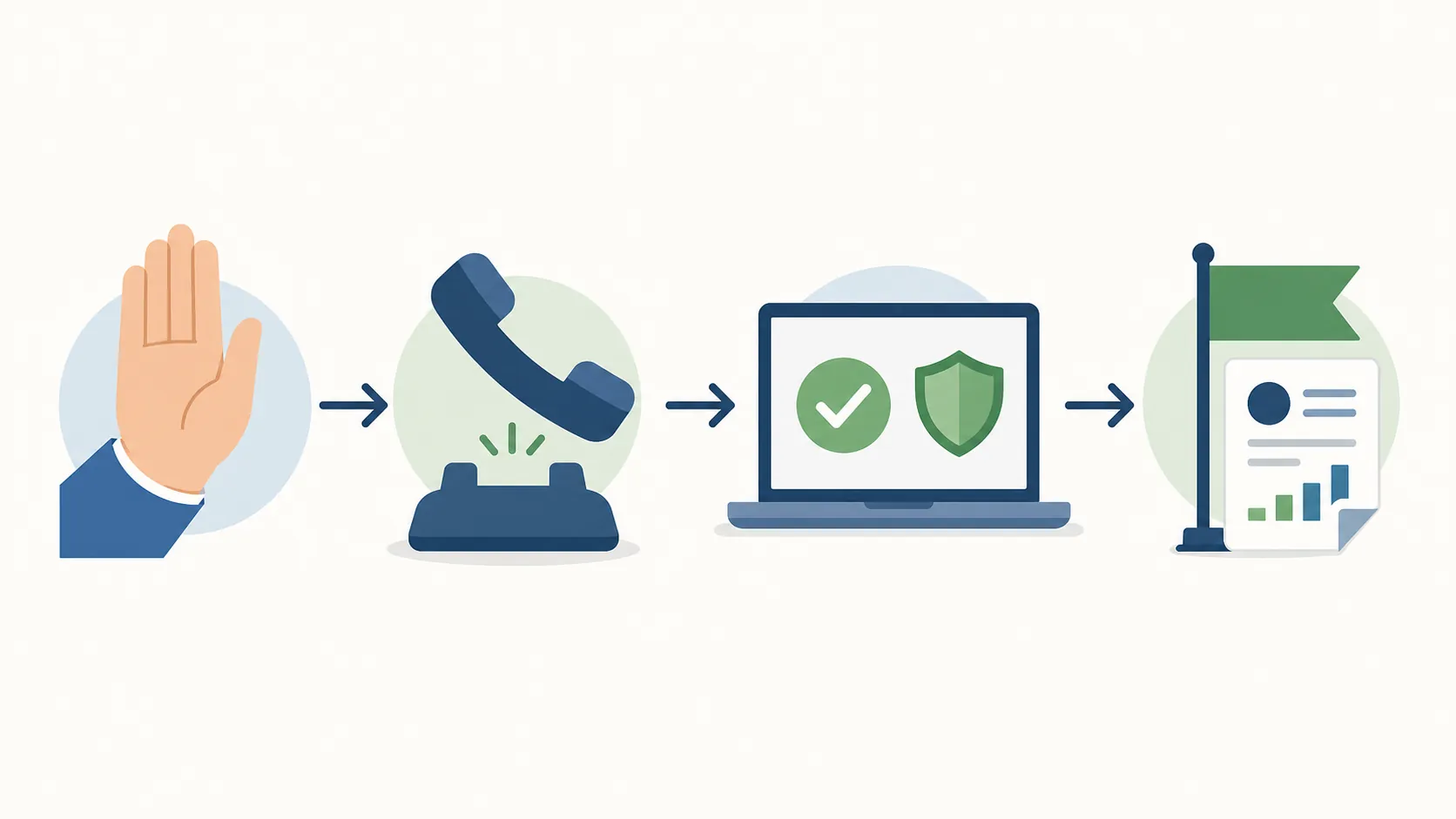
That is the moment when smart people get rushed. The screen looks official. The caller sounds calm. The message uses the right logo. The pressure is the trap. A family plan helps most when it gives everyone one fixed move before panic has room to take over: pause, close or hang up, ignore the phone number or link inside the message, and verify through a channel you already know is real.

This guide is the recognition half of the job. For account alerts, credit freezes, password-manager setup, and what to do after money is lost, use the companion family plan for protecting aging parents from online scams. Keep this one closer to the computer or phone.
The fixed response: pause, leave, verify, report
The safest answer to a suspicious message is not to become a better detective in the moment. It is to leave the conversation and restart it somewhere trustworthy.
| If this appears | Do this instead |
|---|---|
| A pop-up says the computer has a virus and gives a support number | Do not call the number. Close the browser or shut down the device if needed. Call a trusted family member or use a known support channel later. |
| An invoice says a subscription renewed or a large charge is pending | Do not call the number on the invoice. Check the account by opening the company’s app or website yourself. |
| An email says an account was compromised and asks you to sign in | Do not use the link. Type the website address yourself, use the official app, or call the number on the card or statement. |
| A caller claims to be from the government, police, bank, or a fraud department | Hang up. Call back using an official number you find independently. |
| A child or grandchild says there is an emergency and asks for secrecy or money | Hang up or pause the chat. Call that person or another family member using a saved number. |
This is not overreacting. In a 2025 FTC data spotlight about older adults who reported imposter losses of $10,000 or more, the FTC said that 41% reported the scam began with a phone call, 15% with an online ad or pop-up, and 13% with an email. The recurring lies included someone using the person’s accounts, the person’s information being linked to crimes, and a security problem with the person’s computer.[1]
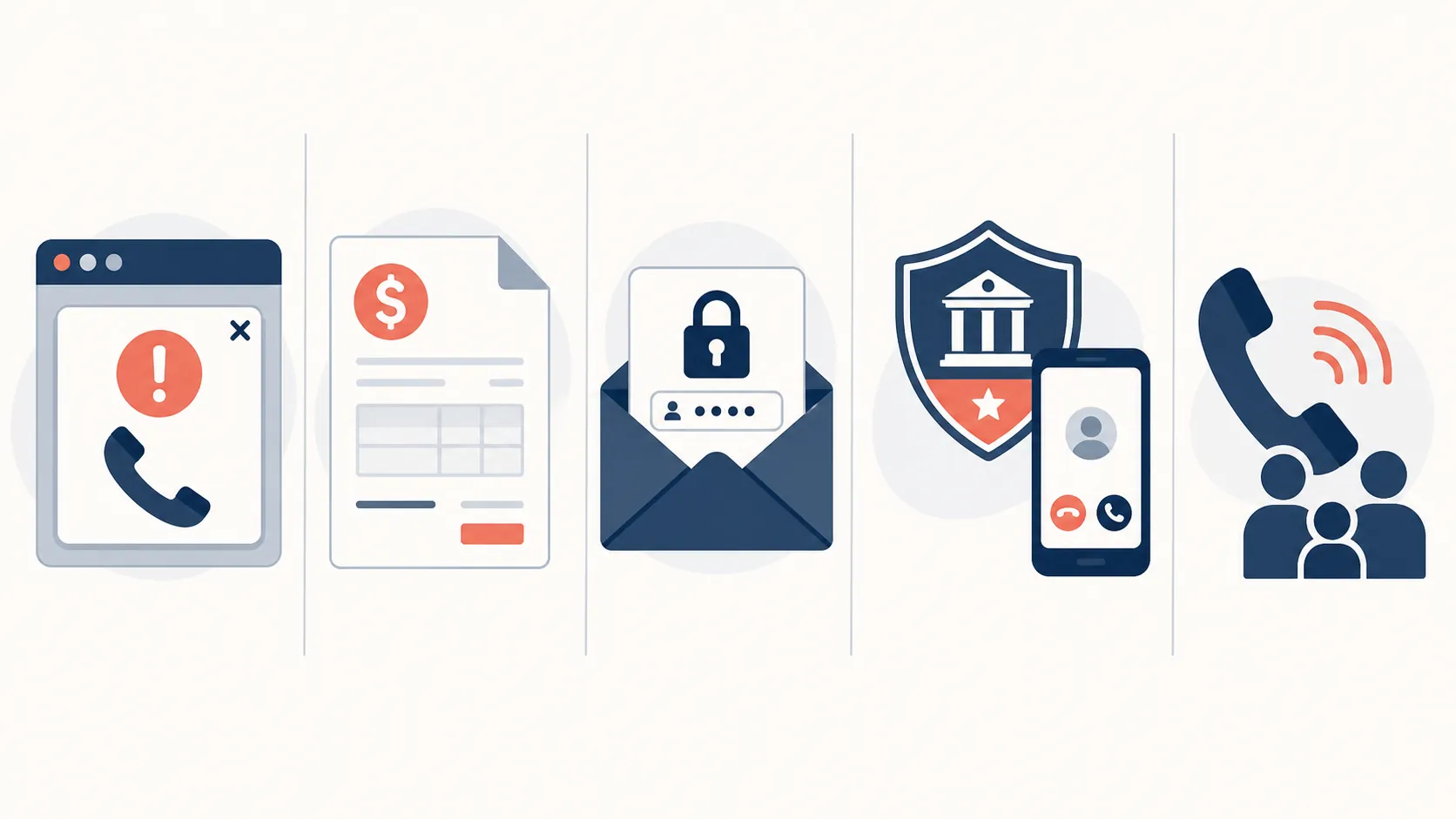
Five scripts worth recognizing
The details change, but the pressure pattern stays familiar: fake authority, urgency, embarrassment, and isolation. The message wants the older adult to act before talking to anyone else.
1. The fake virus pop-up with a phone number
This one often arrives as a full-screen warning. It may say the computer is infected, frozen, locked, or at risk. It may use a logo that looks like a familiar technology company. The most important clue is not the logo; it is the instruction to call a number displayed inside the warning.
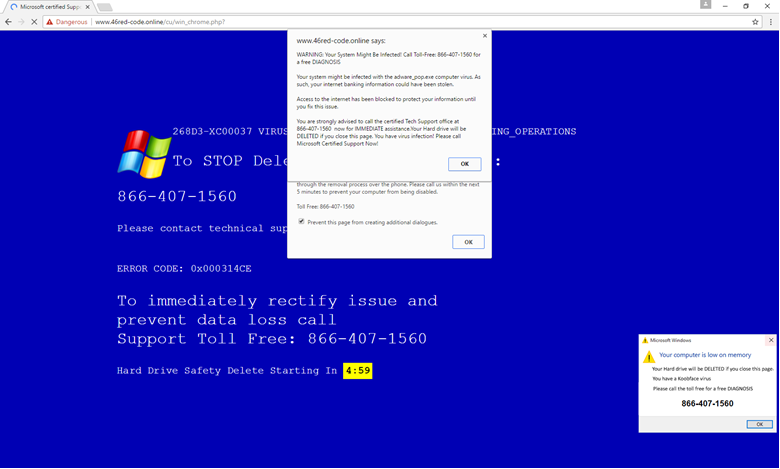
The FTC warns that tech support scammers may claim to find malware and then demand payment through gift cards, wire transfers, cryptocurrency, or payment apps. In some versions, the fake tech support call is handed off to a fake government helper who invents a “federal safety locker” for the victim’s money; the FTC is blunt that no government agency does this.[2]
The safe move is plain: do not call the number in the pop-up. Do not let the person on the phone guide the next step. If the browser will not close, step away from the device and ask for help from someone already trusted. If the computer truly needs service, arrange it later through a known store, manufacturer support page, or family-approved technician—not through the emergency number that appeared on the screen.
For a parent who freezes when a warning fills the screen, write the rule in large print: “A real warning will not require me to call the number inside the warning.” That sentence is easier to remember than a lesson about malware.
2. The refund-trap invoice
This script looks less dramatic. An email or attachment says a subscription renewed, a security product was purchased, or a large charge is about to post. The amount is high enough to upset the recipient but ordinary enough to seem possible. The message usually offers relief: call this number if you did not authorize the charge.
That “refund” number is the door. Once the victim calls, the scammer can move the conversation from confusion to obedience: confirm your identity, open your banking app, accept a refund, fix an overpayment, or move money to keep it safe. The message may not need to contain malware at all. It only needs to get the person onto the phone.
The safe move is to treat the invoice as untrusted until checked somewhere else. Do not call the number on the invoice. Do not reply to the email. Open the company’s app yourself, type the company’s website address yourself, or check the credit card or bank account through the usual login path. If nothing appears there, the invoice can be deleted or reported.
A useful practice line is: “I never fix a billing problem from the phone number inside the bill.” It sounds rigid because it should be rigid. Scams do not deserve flexible customer service.
3. The compromised-account email with a fake login
This message says an account was locked, a password was changed, a suspicious sign-in was detected, or a package or bank account needs verification. It often includes a button: Review activity, secure your account, update payment, confirm now.
The button is the problem. A fake login page can look close enough to the real one, especially on a phone. The person may enter a username, password, one-time code, or card number because the page feels like the normal account recovery process. The scammer is counting on the victim to think, “I’m being responsible by acting quickly.”
CISA’s phishing guidance tells people to look for urgency, requests for personal information, and incorrect email addresses or links. It also warns that in an AI era, polished spelling and grammar are no longer proof that a message is legitimate.[3]
The safe move is to avoid the link completely. Open the account through the app already on the device, a saved bookmark, or a web address typed by hand. For a bank or credit card, use the phone number on the card or statement. If the account really has a problem, it will still be there when reached through the real entrance.
This is a place where adult children can accidentally make the rule too complicated. A parent does not need to inspect every sender address under pressure. The simpler habit is safer: no account login begins from an alarming email.
4. The government, bank, or fraud-department impersonation
This script borrows authority. The caller may claim to be from Social Security, Medicare, the IRS, local police, a bank fraud department, a technology company, or a federal agency. The accusation may be frightening: your Social Security number is linked to a crime, your bank account is being used, your computer is compromised, or your money must be moved before criminals take it.
The details are designed to make asking for help feel dangerous. The caller may say not to tell family, not to contact the bank branch, or not to hang up. That secrecy is not a side detail. It is part of the machinery.
In the FTC’s 2025 older-adult loss data spotlight, major imposter losses often began with claims that someone was using the victim’s accounts, that the victim’s information was connected to crimes, or that there was a security problem with the victim’s computer.[1]
The safe move is to hang up and call back through a known-good number. That might be the number on the back of a bank card, the number on a government letter already received in the mail, or an official website typed in manually. If the caller says hanging up will cause arrest, account closure, or loss of benefits, that is more reason to hang up.
Families can write a call-back card and tape it near the phone: “I do not handle bank, police, tax, Medicare, or computer-security emergencies on an incoming call. I hang up and call back from my own number list.”
5. The grandchild emergency, including voice cloning
The family-emergency script works because it uses love instead of logos. A caller, text, or message says a child or grandchild has been in an accident, arrested, stranded, robbed, or hospitalized. The request may be for bail, a lawyer, travel money, gift cards, a payment app transfer, cryptocurrency, or secrecy from the rest of the family.
The most painful part is that the person receiving it is trying to be helpful. A grandparent who acts fast is not being foolish; they are being cornered through affection. Newer versions may also use AI-generated voices or references scraped from public information. NCOA, citing IC3 2025 figures, reported that AI-related scam complaints exceeded 22,000 and involved more than $893 million in reported losses.[4]
The safe move is to break contact and verify through family numbers already saved. Call the grandchild directly. If they do not answer, call their parent, sibling, spouse, roommate, or another trusted relative. Do not use a number the caller provides. Do not accept “please don’t tell Mom” as proof of privacy; in this script, secrecy is the payment path.
Some families use a simple code word. That can help, but it should not become another thing a parent has to manage perfectly. The stronger rule is still call-back verification: leave the incoming conversation and reach the person through a number the family already trusts.
Why old red flags are not enough
For years, families told older adults to look for bad spelling, strange grammar, or crude formatting. Those signs can still matter, but they are no longer enough. CISA now warns that perfect grammar and spelling do not prove a message is safe, especially as AI tools make polished messages easier to produce.[3]
The better test is behavioral. Is the message trying to make the person act immediately? Is it asking for personal information, login details, one-time codes, payment, or secrecy? Is it giving a phone number, button, or link that must be used right now? Those are the clues that matter when the message looks professional.
The scale is large enough to justify practicing this before there is a crisis. NCOA, citing IC3 2025 data, reported that phishing and spoofing was the top complaint category, with 191,561 complaints and $215.8 million in reported losses.[4] The FBI has also described phishing and spoofing as the most-reported scam type among seniors, while noting that investment schemes caused the largest dollar losses among older victims.[5]
Those numbers do not mean every pop-up or email is a scam. They mean the scripts are common enough that a family should not be improvising its first response while a parent is staring at a flashing warning box.
How to practice without making it a test
A caregiver can make scam practice feel respectful by rehearsing the move, not quizzing the person. The goal is not to prove that a parent can identify every fake logo. The goal is for the next action to be automatic.
Try this at the kitchen table, away from a real crisis. Read one example out loud: “A warning says your computer has a virus and gives a number to call.” Then say the response together: “I do not call that number. I close it and call my safe helper.” Do the same for the invoice, the account email, the government call, and the grandchild emergency.
The most useful family rule is the call-back rule: hang up and call back using the number on the card, statement, saved contact, official website, or family contact list. It is the same idea that makes a printed emergency checklist useful during a storm or evacuation: the decision was made before the room got noisy. If your family already keeps printed safety plans, this scam-response sheet belongs with them, alongside tools like a senior emergency kit checklist or an emergency evacuation plan checklist.
- Keep a printed “safe numbers” list near the phone and computer: bank, credit card, Medicare or insurance, trusted tech helper, adult children, and one nearby neighbor or relative.
- Use plain labels: “Call this number for the bank,” not “possible fraud verification resource.”
- Agree that no one gets in trouble for hanging up, deleting a message, or asking for help.
- Practice the words: “I don’t handle emergencies on incoming calls. I’ll call back through my own number.”
- Decide ahead of time who will help if a pop-up will not close or a message feels frightening.
One phrase is worth avoiding: “You should have known.” In the moment, the scammer’s job is to make suspicion feel irresponsible. A calmer family script is: “You did the right thing by stopping.” That gives the older adult a way to call for help early, before embarrassment becomes another tool the scammer can use.
If someone already clicked, called, or replied
Stop the interaction first. Hang up. Close the message. Do not argue with the caller, explain, or try to catch them in a lie. If login information, payment information, remote access, or money was involved, move to the broader recovery plan rather than trying to solve it from this field guide.
That is where the companion online-scam family plan takes over: account alerts, bank calls, credit freezes, password changes, and post-loss reporting. This page stays earlier in the chain, at the point where a parent can still leave the scam before it becomes a recovery problem.
Report it after everyone is safe
Reporting is cleanup. It is not a confession, and it is not a test of whether the older adult “fell for it.” A report can help carriers, email providers, law enforcement, and consumer-protection agencies see the pattern.
- Forward suspicious text messages to 7726.
- Forward phishing emails to [email protected].
- Report fraud to the FTC at ReportFraud.ftc.gov.
- Report internet crime to the FBI Internet Crime Complaint Center at ic3.gov.
- For older-adult fraud help, contact the National Elder Fraud Hotline at 833-372-8311.
CISA includes 7726 and [email protected] in its phishing reporting guidance; the FTC directs fraud reports to ReportFraud.ftc.gov; and IC3 lists both ic3.gov and the National Elder Fraud Hotline for elder fraud concerns.[3][2][6]
Print the response rule and put it where the scam is most likely to arrive: near the computer, next to the landline, or inside the front cover of the tablet case. The point is not to make anyone afraid of every message. It is to make the first safe move easy to find when a message is trying to make thinking feel impossible.
Educational disclaimer
This article is general educational information, not legal, financial, or individualized cybersecurity advice. If money has been sent, accounts were accessed, or identity information was shared, contact the relevant financial institution, law enforcement, and a qualified professional.
References
- False alarm, real scam: how scammers are stealing older adults' life savings, Federal Trade Commission, August 2025
- How To Spot, Avoid, and Report Tech Support Scams, Federal Trade Commission
- Recognize and Report Phishing, Cybersecurity and Infrastructure Security Agency
- How to Prevent Phishing Scams: A Guide for Seniors, National Council on Aging
- Scammers Target Older Adult Victims, Federal Bureau of Investigation
- Elder Fraud, Internet Crime Complaint Center
Browse more in the Glossary.