Choosing Elderly Home Safety Products: A Category-Based Guide for Caregivers
PERSPrivacy & Consent CoveredReviewed: 2026-06-28
Choosing Elderly Home Safety Products: A Category-Based Guide for Caregivers
This article helps caregivers compare the main types of home safety products for seniors — wearable PERS, ambient sensors, smart home devices, and environmental supports — and match the right category to their parent's cognitive status, mobility level, and living situation.
Features Covered in This Explainer
fall detection, battery life
By Editorial Team
PERS
medical alert system
fall detection
GPS tracker
passive sensors
motion monitoring
wearable monitor
telehealth
smart home
privacy and consent
Medicare coverage
battery life
two-way communication
automatic fall detection
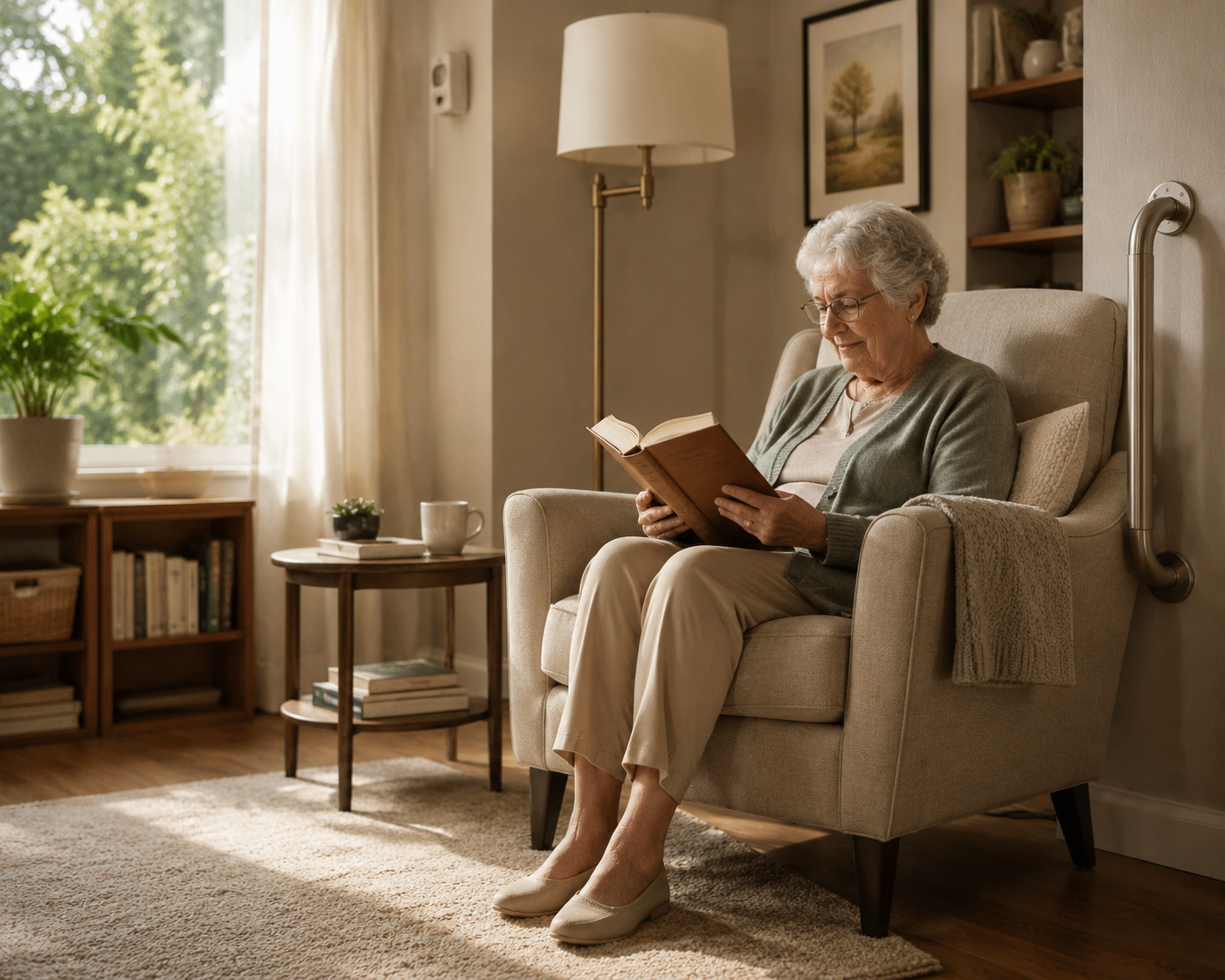
After a fall, a missed medication, or one frightening unanswered phone call, it is tempting to search for the best elderly home safety products and buy whatever looks most protective. That is usually too fast. The better first question is: what kind of support will your parent actually live with every day?
Falls explain much of the urgency. More than one in four adults age 65 and older fall each year, and falls are the leading cause of injury-related death in that age group.[1] At the same time, most older adults say they want to remain at home as they age, while far fewer households have seriously planned for home safety changes before a crisis forces the issue.[2] That mismatch is where many families end up shopping under pressure.
The Four Categories Worth Separating
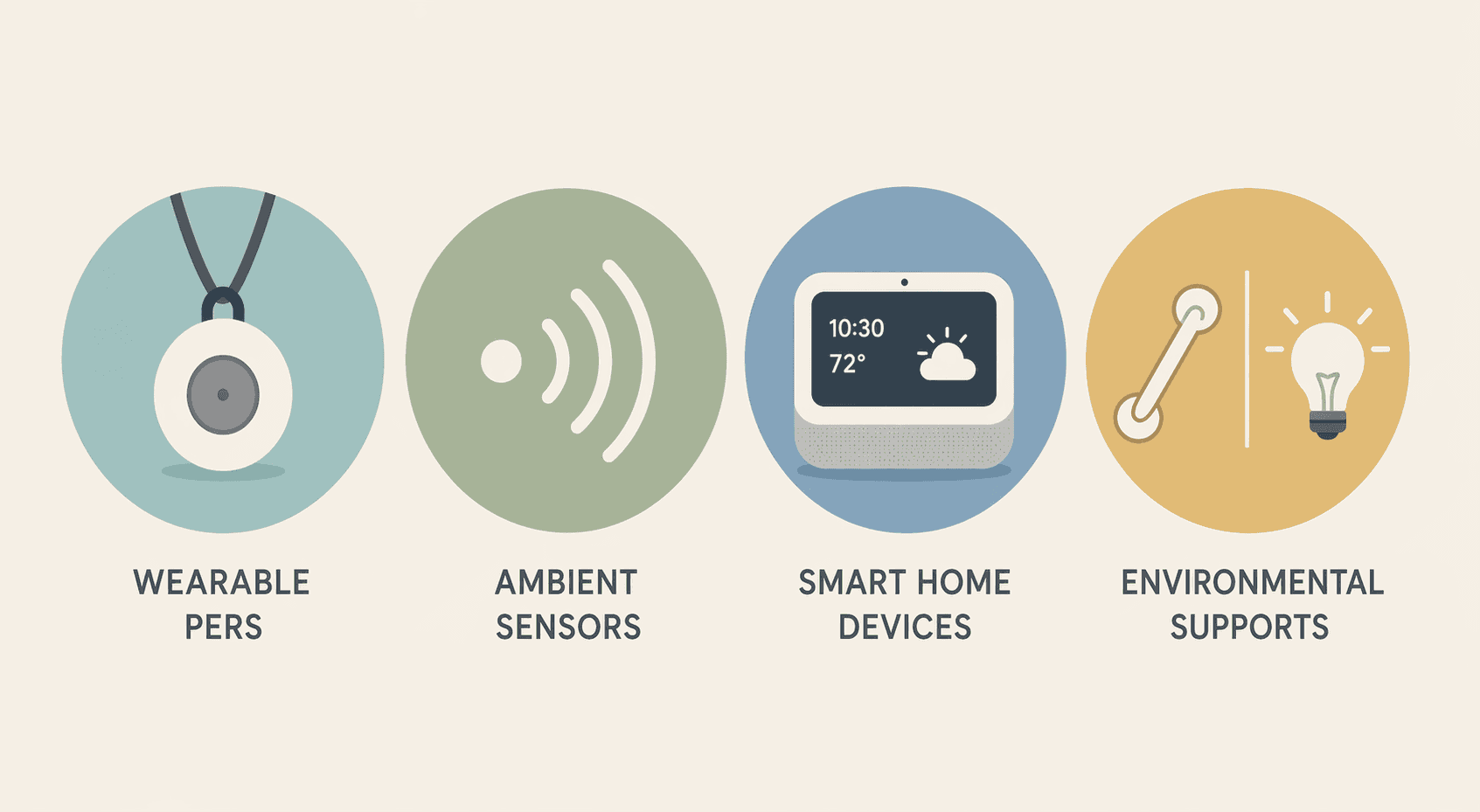
Before comparing brands, separate the product categories. A pendant, a motion sensor, a smart speaker, and a grab bar do not solve the same problem. They also ask very different things from the older adult.
Category
What it is best at
What it requires from the parent
Where it often fails
Wearable PERS and medical alert devices
Calling for help after a fall, sudden weakness, chest pain, or emergency away from the phone
Wearing the device, keeping it charged, and sometimes pressing a button
The parent leaves it on the nightstand, forgets to charge it, dislikes the stigma, or cannot activate it after an event
Ambient home sensors
Noticing changes in movement, door use, room activity, or daily patterns without a wearable
Tolerating small sensors in the home and agreeing to passive alerts
Alerts are misunderstood, the service is too expensive, or the family expects sensors to prevent emergencies rather than flag possible concern
Comfort with voice commands, apps, Wi-Fi, and occasional troubleshooting
The parent does not remember the command, the internet goes down, settings drift, or the family overbuilds a system no one maintains
Environmental supports
Reducing everyday fall risk through grab bars, lighting, non-slip surfaces, railings, and safer room layouts
Permission to modify the home and, often, installation help
The family skips them because they are less exciting than technology, or installs them only after another fall
Medical alert systems are familiar for a reason. Third-party reviewers continue to test them because they can provide a direct emergency path, and typical monthly monitoring often falls in the range of about $25 to $60, with automatic fall detection commonly adding another monthly fee.[3][4] But familiarity should not be mistaken for fit. A device that depends on being worn is only as reliable as the person’s willingness and ability to wear it.
A Decision Matrix Before Brand Research
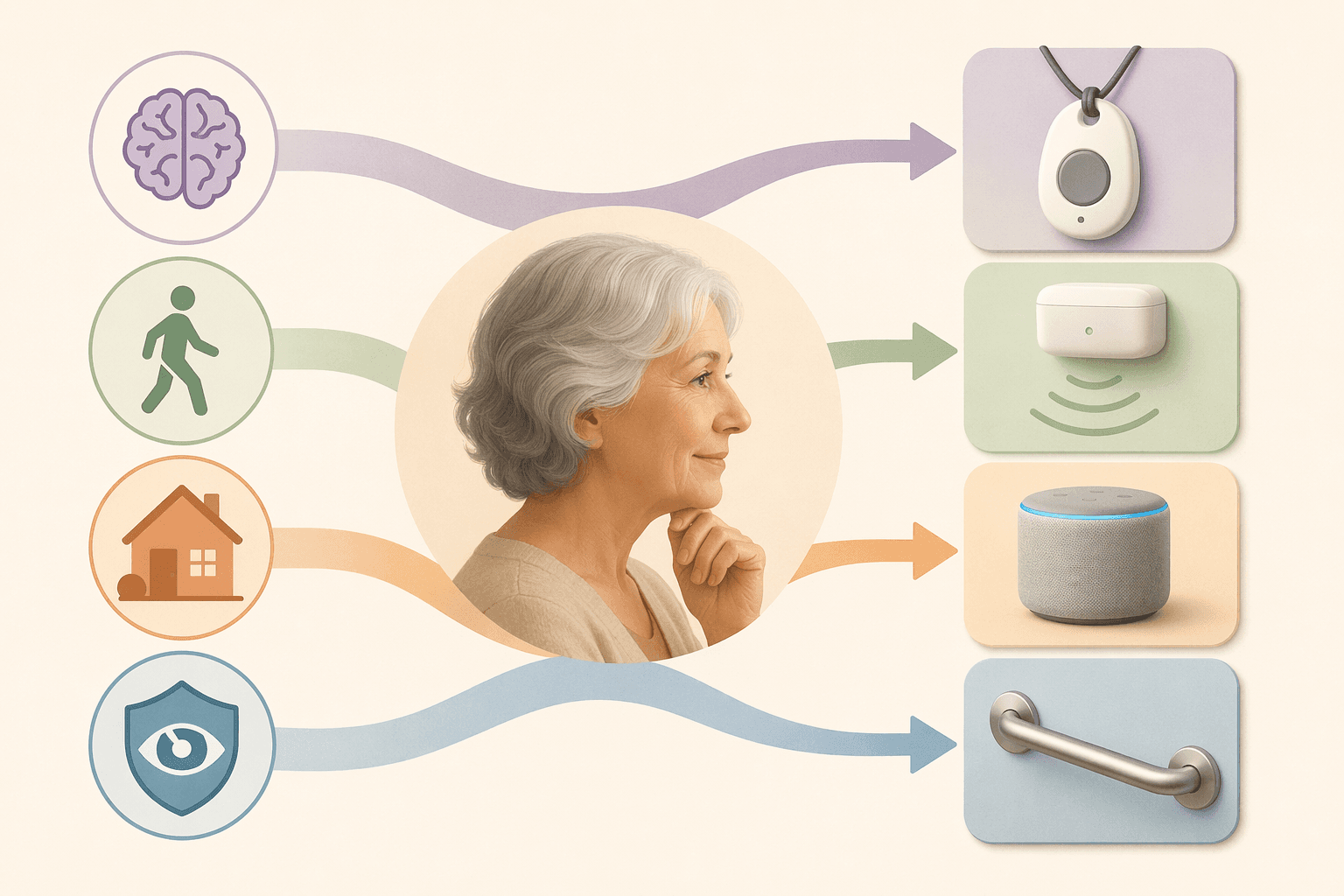
This is the decision point that deserves the most time. The matrix below is not a final prescription; it is a way to narrow the field before you read product reviews, compare monthly fees, or sit through a sales call.
Parent profile
Usually stronger fit
Use caution with
Why it matters
Cognitively sharp, accepts devices, lives alone
Wearable PERS plus environmental supports; smart speaker or emergency voice assist as a secondary layer
Relying only on smart home features
A parent who can remember and tolerate a wearable can benefit from a direct help button, but fall risk still starts with the physical home.
Mild cognitive impairment or increasing forgetfulness
Ambient sensors, environmental supports, and carefully chosen caregiver alerts
Wearables that must be worn, charged, or pressed consistently
Research on in-home monitoring notes that older adults with mild cognitive impairment may not reliably use wearable sensors, which changes the value of passive options.[5]
Moderate cognitive impairment, wandering risk, or unsafe cooking patterns
Door/contact sensors, motion pattern alerts, stove shutoff evaluation, environmental changes, and professional care assessment
Any product sold as a stand-alone solution
The issue is no longer just emergency response. Someone must decide who receives alerts, who can act on them, and whether living alone is still safe.
High fall risk but refuses visible monitoring
Grab bars, lighting, non-slip flooring, bed and bathroom pathway changes, and possibly non-camera ambient sensors
Cameras, obvious pendants, and systems that feel like surveillance
Privacy resistance is not a side issue. If a parent covers, disables, or avoids the device, the product has already failed.
Wearable emergency buttons work best when the older adult accepts the device as part of daily life. That sounds simple until the parent takes it off to shower, refuses to wear it to lunch, forgets it after charging, or cannot find the button after falling. Some fall detection features reduce dependence on pressing a button, but they do not remove the need to wear and maintain the device.
The cognitive line is especially important. A parent with intact memory may be able to build a pendant or watch into routine. A parent with mild cognitive impairment may agree during a calm conversation and still leave the device behind the next morning. The in-home monitoring scoping review explicitly notes the reliability problem of wearable use among older adults with mild cognitive impairment.[5]
That does not make wearables useless. It means the family should test the assumption. Does your parent wear it during meals, naps, errands, showers, and overnight bathroom trips? Does the charging routine happen without prompting? If the answer is no, a wearable can still be part of the plan, but it should not be the only layer.
The Case for Ambient Sensors
Ambient sensors are often the category families discover late. They do not ask the parent to press a button. They may track motion, door openings, room activity, appliance use, or other patterns, depending on the system. In the scoping review of in-home monitoring technology for aging in place, researchers identified 30 studies covering 16 sensor types; passive infrared motion sensors appeared in 21 of the 30 studies, and contact sensors appeared in 19.[5]
That breadth matters because it separates ambient monitoring from vague smart-home optimism. A motion sensor in the hallway, a contact sensor on an exterior door, and a sensor that notices bathroom activity are not the same as a camera pointed into the living room. For many families, passive sensing sits between doing nothing and installing visual surveillance.
The tradeoff is interpretation. A sensor can show that the refrigerator did not open, the front door opened at an unusual hour, or movement changed from the parent’s normal pattern. It does not know, by itself, whether the parent is sleeping late, visiting a neighbor, avoiding food, or lying on the floor. Someone still has to receive the alert, understand its limits, and act.
Cost also changes the decision. A 2026 caregiver guide from one commercial provider lists remote sensor monitoring at about $99 per month, which is useful as a real market example but should not be treated as an independent industry average.[6] That price may be defensible for a parent living alone with early cognitive change and adult children out of town. It may be unnecessary for a parent who has nearby daily support and mainly needs bathroom safety changes.
Fall Detection Claims Need Careful Reading
Fall detection is one of the easiest features to oversell. The research is interesting, and some results are strong. NCOA’s medical alert review notes that neck-worn sensors may be more accurate than wrist-worn sensors, citing research on sensor placement.[3] Studies cited in the in-home monitoring review include radar-based fall detection with 98.74% accuracy, Wi-Fi-based fall detection with a 95% detection rate, and camera-based fall detection above 96% in controlled study settings.[5]
Those numbers should not be read as a promise that a retail product will perform the same way in your parent’s home. Lab conditions are cleaner than real life. Homes have pets, clutter, unusual furniture placement, Wi-Fi gaps, poor lighting, and bodies that do not fall neatly. A fall detection feature can be worth paying for, but it should be treated as a backup, not as permission to leave obvious hazards in place.
Privacy Is a Functional Requirement
A product that violates the parent’s sense of dignity will not stay useful for long. AARP has reported on families using newer caregiving devices and described an older adult covering a camera with a dish towel, which is a small scene with a large lesson.[7] If the parent experiences the system as surveillance, the family may end up managing resistance instead of risk.
This is where sensor choice matters. Some families need visual confirmation, especially when safety risks are severe. But for many households, non-camera sensors are a better first negotiation: motion in the kitchen, entry door activity, or a lack of morning movement may provide enough signal without asking the parent to be watched.
The conversation should happen before installation, not after a box arrives. Explain what will be monitored, what will not be monitored, who receives alerts, and when someone will come over. For help with that discussion, use How to Talk to an Aging Parent About Elderly Monitoring Systems. Consent is not just an ethical nicety; it affects whether the device remains plugged in, charged, uncovered, and trusted.
Smart Home Devices Are Helpful When the Parent Can Use Them
Smart speakers, smart bulbs, smart locks, video doorbells, stove-related devices, and voice assistants can make a home easier to manage. Wirecutter’s 2026 guide to smart home devices for aging in place includes tools for communication, lighting, security, and emergency help, including Alexa Emergency Assist at $6 per month or $59 per year at the time of its review.[8]
That kind of low monthly cost can be appealing, especially when a family is not ready for full monitoring. But smart home products are not the same as supervised care. Voice systems require the parent to remember a phrase and be close enough to be heard. App-based controls require someone to maintain accounts, Wi-Fi, permissions, and updates. A smart lock is useful only if the right people have access and the parent understands what it does.
Use smart home devices for specific friction points: turning on lights before walking to the bathroom, calling a trusted contact by voice, letting a neighbor in during a concern, or reminding someone about a routine. They are weaker when the real problem is repeated falls, unsafe wandering, worsening judgment, or no one nearby to respond.
The Physical Home Is the First Safety Product
Many families shop for monitoring because it feels urgent and visible. The quieter work is walking through the home and asking where the next fall is most likely to happen. Bathroom transfers, loose rugs, poor nighttime lighting, cluttered pathways, missing railings, slippery steps, and unstable furniture usually deserve attention before any subscription.
The National Institute on Aging recommends practical aging-in-place planning that includes making the home safer and easier to use, while SeniorLiving.org’s senior safety guidance lists common supports such as grab bars, lighting, non-slip surfaces, shower chairs, raised toilet seats, and stair or entryway changes.[9][10] These products rarely make a caregiver feel as reassured as a live alert dashboard. They may still be the most broadly useful layer.
Cost works differently here. A grab bar, brighter lighting, or non-slip surface is usually a one-time expense, but installation quality matters. A poorly anchored bar can create new risk. For larger changes, families may need to look for local assistance, grants, loans, or aging-in-place programs; Where to Find Money for an Aging-in-Place Remodel: Grants, Loans, and Assistance Programs (2026) is the better next step for that question.
How to Choose Without Turning It Into a Gadget Hunt
A practical selection process starts with the parent, not the product page.
List the actual incidents: fall in the bathroom, nighttime wandering, missed meals, stove left on, difficulty reaching the phone, or fear when alone.
Mark what depends on behavior: wearing a pendant, pressing a button, remembering a voice command, charging a device, accepting a camera, or allowing installation.
Fix the physical hazards that are obvious and modifiable before assuming monitoring will compensate for them.
Choose monitoring only after deciding who receives alerts, who can respond locally, and what counts as an emergency.
Test the plan for a week or two under ordinary conditions, not just during setup.
Third-party review sites can still be useful once the category is clear. NCOA and SeniorLiving.org publish medical alert cost and product comparisons, while Wirecutter tests smart home devices for aging in place.[3][4][8] Read those reviews for service reliability, contracts, equipment fees, cancellation terms, battery life, water resistance, fall detection charges, and customer support. Do not let a high rating override a poor match with your parent’s daily behavior.
Some situations are beyond a shopping decision. Repeated falls, unsafe wandering, medication mistakes with serious consequences, leaving burners on, frequent confusion, or long periods when no one can respond may mean the family needs more than devices. Monitoring can reveal risk; it cannot lift someone from the floor, supervise judgment, or replace hands-on care.
The sequence is simple, even when the family situation is not: make the home physically safer where possible, choose monitoring that matches what the parent can and will actually do, treat privacy and consent as requirements, and decide in advance who responds. The best elderly home safety product is not the device with the longest feature list. It is the category your parent can live with consistently.
For individualized recommendations:An occupational therapist or your primary care provider can assess your specific situation and recommend the monitoring category and feature set that best fits the person's functional level, living environment, and caregiver availability. This explainer provides educational context, not a personalized recommendation.

Comments
Join the discussion with an anonymous comment.