
Caregiver decision guide
Medication Management Technology for Family Caregivers: From Simple Apps to Smart Dispensers
Family caregivers managing a loved one's medications now have technology options beyond the pill organizer—from pharmacy blister packs and mobile apps to smart dispensers that alert you to missed doses. This guide helps you choose the right tool based on your situation, with evidence on adherence and cost.
Why Medication Management Technology Matters
If you are one of the millions of family caregivers managing a parent’s or spouse’s daily medications, you already know the weight of that responsibility. Research led by Look and colleagues found that 78% of informal caregivers handle medication tasks, and more than half manage five or more different prescriptions each day — with close to 20% managing ten or more. The cognitive load is immense: ordering refills, filling pill boxes, tracking timing, and watching for side effects, all while nearly half of caregivers receive no formal medication training.
The stakes are high. According to a CDC expert interviewed by the Alliance for Aging Research, adults 65 or older are three times more likely than younger patients to visit emergency departments for adverse drug events (ADEs) and seven times more likely to be hospitalized after an emergency visit for an ADE. Each year more than one million people in the U.S. are treated in EDs for medication-related problems, with blood thinners and diabetes drugs among the most common culprits.
Technology can dramatically reduce this burden. From simple pharmacy pre‑sorted pouches to smart pill dispensers that alert you when a dose is missed, the options have expanded well beyond the traditional weekly pill organizer. The key is matching the tool to the specific challenge you and your loved one face — whether that’s forgetfulness, a complex regimen, physical dexterity issues, or the need to monitor from hundreds of miles away.
Low‑Tech Upgrades: Starting Simple
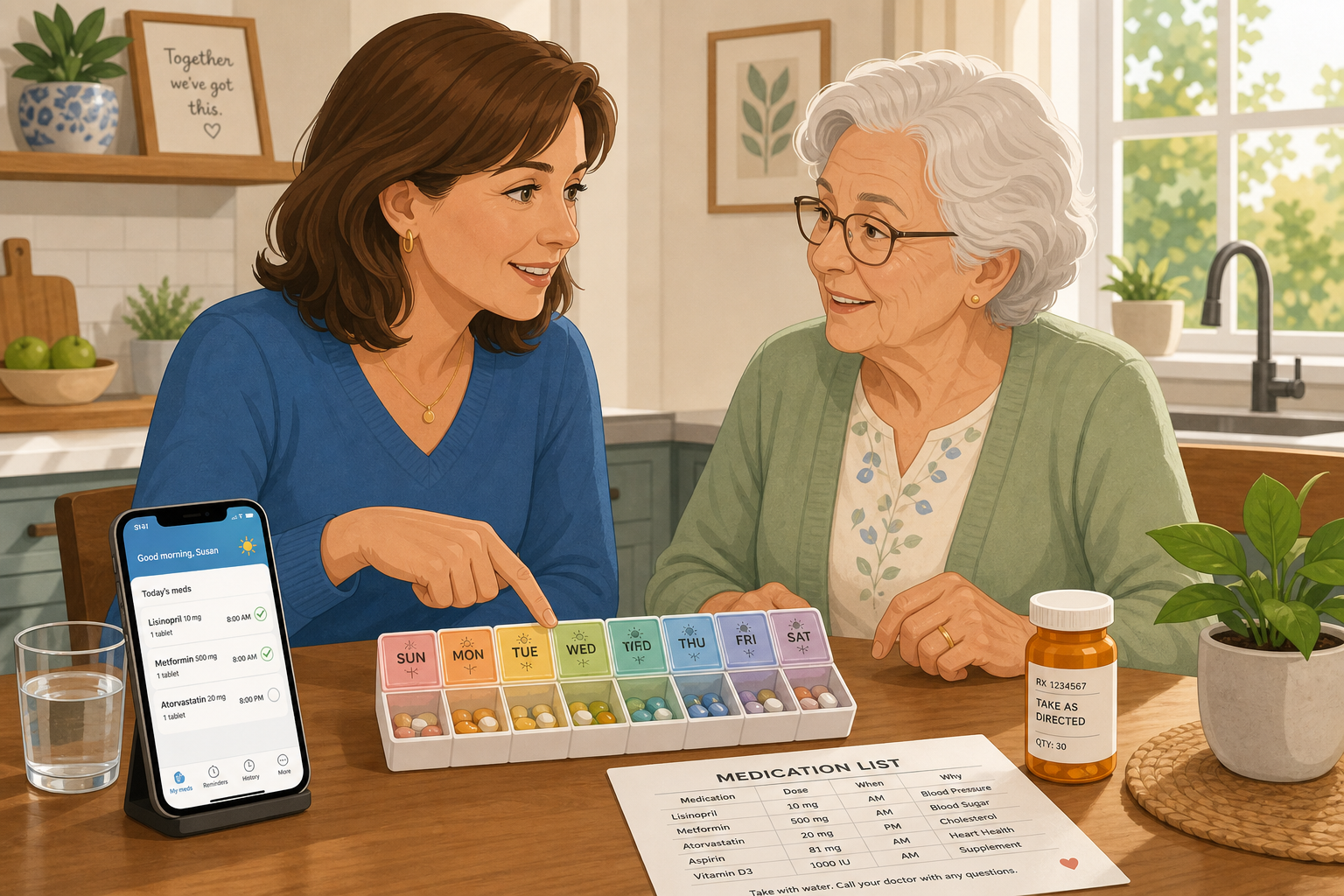
Before investing in electronics and monthly subscriptions, consider whether a low‑technology upgrade could solve the problem. These options are inexpensive, require no learning curve, and can be implemented immediately.
- Pre‑sorted pharmacy blister packs (multi‑dose pouches): Some pharmacies prepare daily or weekly pouches with each dose sealed in a labeled packet. According to the AARP, these may be offered free of charge. They eliminate manual pill‑box filling and reduce the chance of mixing up pills.
- Large‑compartment pill organizers: For caregivers who prefer a manual system, a weekly organizer with clearly marked morning/noon/evening/night compartments for each day of the week provides a clear visual check. Look for organizers designed for small hands or reduced dexterity.
- Color‑coded labeling: Assign a distinct color to each medication (using colored stickers or permanent marker on the bottle caps) and match those colors to the organizer compartments. This reduces the cognitive effort of matching pill names to doses.
- Refrigerator magnet checklist: Post a simple chart showing each medication name, dose, time, and who gave it. The act of checking it off builds a habit and makes it easy for a visiting aide or family member to see what has been given.
These low‑tech solutions work well for caregivers who are comfortable with a manual system or who want a fallback even after adopting digital tools. They also serve as a simple starting point for anyone new to medication management. For a complete step‑by‑step walkthrough of building a medication list and organizing without technology, see our Medication Management for Older Adults: A Caregiver’s Practical Guide.
Mobile Apps for Medication Tracking
Mobile apps bring medication management into the digital realm, offering reminders, refill alerts, and drug‑interaction checks. CU Anschutz pharmacologist Joseph Saseen notes that apps can track usage, provide drug interaction alerts, set refill reminders, and share medication lists across family members. For caregivers who are comfortable with smartphones, apps are inexpensive — ranging from free to about $5 per month — and can be set up in minutes.
Key features to look for when evaluating a medication app:
- Push notifications for scheduled doses and missed doses
- Drug‑interaction checker that scans your full list when adding a new medication
- Cloud‑shared medication list accessible by multiple caregivers and providers
- Refill reminders tied to pharmacy or prescription number
- Ability to log symptoms or side effects (helpful when reporting to a doctor)
| App Category | Cost Range | Key Capabilities |
|---|---|---|
| Simple reminder app | Free – $3/month | Scheduled alarms, basic medication list, no interaction checks |
| Comprehensive medication manager | $0 – $5/month | Drug interaction alerts, cloud sync, multi‑caregiver sharing, side‑effect tracking |
| Pharmacy‑branded app | Free (with pharmacy account) | Refill automation, prescription transfer, some include interaction checking |
| Polypharmacy‑focused app | $3 – $5/month | Beers Criteria screening, deprescribing suggestions, clinical notes (check with pharmacist) |
Apps are especially valuable for long‑distance caregivers because shared lists and real‑time notifications let someone hundreds of miles away see whether a dose was taken. However, apps require the care recipient to have a smartphone and be able to use it reliably, or the caregiver must be present to administer the dose while using the app.
Smart Pill Dispensers: Automated Adherence
For caregivers dealing with forgetfulness or the need for remote assurance, smart pill dispensers are the most powerful current option. These devices are preloaded with a week’s worth of medications (typically in individual‑dose cups), then lock and release the correct dose at each scheduled time. If a dose is not taken within a preset window, the dispenser sends an alert to the caregiver’s smartphone.
The evidence is compelling. A prospective pilot study by Patel et al. (2022) followed 58 community‑dwelling adults (mean age 66) using a smart medication dispenser for six months. The average monthly adherence was 98% (SD 3.1%). The System Usability Scale score averaged 85.74, and 93% of respondents rated the product as easy and simple to use. Perhaps most important for family caregivers, the reported caregiver burden dropped from a mean of 7 out of 10 at baseline to 3 out of 10 after six months — a statistically significant reduction (P < .001).
Smart dispenser costs range from $80 to $300 upfront, with monthly service fees of $30 to $45. The device refill process typically takes about 15 to 30 minutes every week or two. Key capabilities to evaluate:
- Number of dose compartments per day (e.g., 4 vs. 6) – match to the medication schedule
- Alert method: app notification, text message, phone call, or all three
- Locking mechanism – prevents accidental double‑dosing or misuse
- Battery backup and cellular connectivity (for caregivers without reliable home Wi‑Fi)
- Ease of refill loading – some devices use pre‑filled cups, others allow manual loading of loose pills
Smart dispensers are particularly well‑suited to long‑distance caregiving because they provide real‑time confirmation that doses are taken, without requiring a daily check‑in call.
Advanced Options: Smart Bottles, Wearables, and Bioingestible Sensors
A handful of emerging technologies are pushing medication monitoring further, though most remain niche due to cost or clinical scope.
- Smart pill bottles: Caps that record each opening and time‑stamp it. Some sync with a smartphone app to maintain an adherence log. Useful for tracking whether the bottle was opened, but they cannot confirm the pill was actually taken.
- Wearable monitoring patches: A small patch worn on the skin that detects physiological markers associated with medication ingestion (e.g., a rise in the drug’s concentration in sweat). Still largely in research settings for routine adherence.
- Bioingestible sensors: A tiny digestible sensor embedded in a pill that sends a signal to a wearable patch or phone when it reaches the stomach. Currently approved for some medications, e.g., for antipsychotics. Requires a prescription and a specific medication formulation.
These advanced options are generally not covered by insurance and can be expensive. They are most relevant for clinical trials, high‑risk medications (e.g., blood thinners), or situations where confirming that a pill was swallowed is medically critical. For most family caregivers, the simpler tools covered above will meet the need.
How to Choose the Right Tool for Your Situation
The best tool depends on five factors: the complexity of the medication regimen, the cognitive and physical abilities of the care recipient, the caregiver’s proximity, comfort with technology, and budget. Use the table below to match your situation to the most appropriate tool category.
| Your Situation | Recommended Tool Category | Why |
|---|---|---|
| Care recipient is cognitively sharp but physically forgets to take pills | Smart pill dispenser with alerts | Dispenser locks and reminds; caregiver receives confirmation |
| Care recipient has dexterity issues (arthritis, tremor) | Pre‑sorted blister packs or large‑compartment organizer | No fine motor manipulation needed; pouches can be torn open with minimal effort |
| Caregiver is long‑distance (50+ miles away) | Smart dispenser + shared mobile app | Remote monitoring, real‑time alerts, cloud‑shared medication list |
| Multiple caregivers are involved (siblings, home aide) | Mobile app with multi‑user cloud sync | Everyone sees the same list and log; reduces communication errors |
| Simple regimen (1–3 meds, no split dosing) | Large‑compartment pill organizer or free reminder app | Minimal complexity; low cost; easy to start |
| Complex regimen (10+ meds, multiple times per day, split doses) | Smart dispenser + comprehensive app with drug‑interaction check | Reduces manual errors; interaction alerts are critical; reduces caregiver mental load |
| Low tech comfort (caregiver or care recipient not comfortable with apps) | Pre‑sorted pharmacy pouches + color‑coded organizer | No digital learning curve; pharmacist handles prep |
There is no “best” tool for everyone. The device that goes unused because it is too complex is not a solution. Start with the simplest option that addresses the primary problem and upgrade only if needed.
Reality Check: Insurance Coverage and Costs
A critical caveat: most medication management technology — including smart dispensers, apps, and sensors — is not covered by Original Medicare, Medicare Advantage, or commercial insurance. A CU Anschutz pharmacist explains that these devices are generally considered consumer products, not medical devices, and thus fall outside standard coverage. There are a few partial exceptions:
- Some Medicare Advantage plans include a benefit for pre‑sorted blister packs (multi‑dose packaging). Check with your plan directly.
- Flexible spending accounts (FSAs) and health savings accounts (HSAs) can often be used to purchase smart pill dispensers and some apps, because they are considered medical supplies or equipment.
- The Department of Veterans Affairs (VA) may provide medication management devices for eligible veterans. Contact your local VA pharmacy.
- Area Agencies on Aging sometimes have small grants or loan programs for adaptive equipment. Search your local AAA directory.
Because these tools are typically out‑of‑pocket expenses, it’s worth weighing the cost against the potential savings from avoiding an adverse drug event — a hospitalization for a medication error can cost thousands of dollars. A smart dispenser at $300 upfront plus $45 per month is roughly $840 in the first year, compared with the emotional and financial toll of a single preventable ED visit.
Also remember that technology is not a substitute for clinical medication management. If you are concerned about polypharmacy or side effects, schedule a comprehensive medication review with a pharmacist. See our Polypharmacy Guide for best practices on when and how to deprescribe.
Start Simple, Scale Up as Needs Evolve
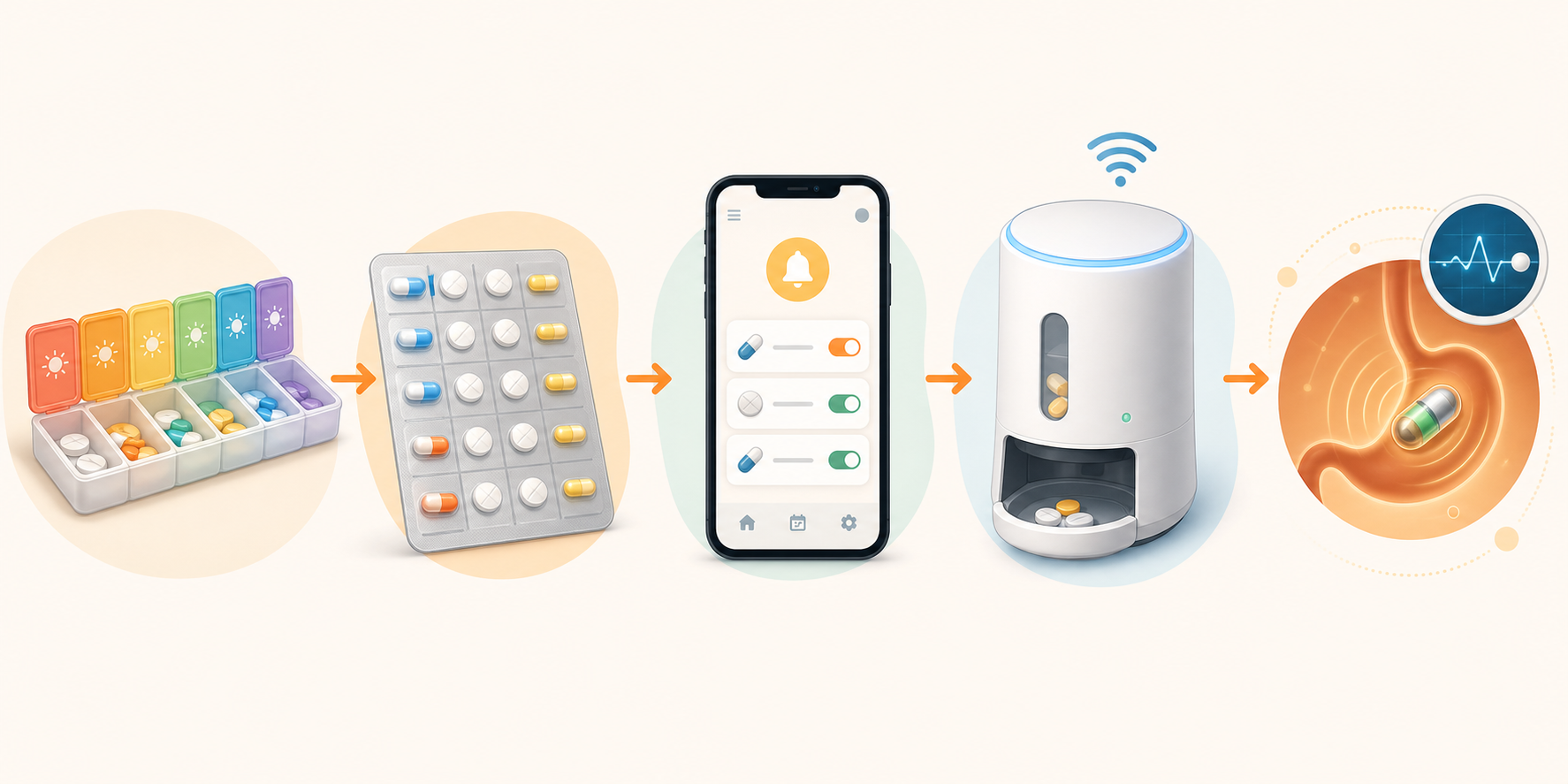
The technology marketplace for medication management is growing fast, but the goal remains the same: improve adherence and reduce caregiver burden — not buy the latest gadget. Many families do well starting with a large monthly pill organizer paired with a free smartphone app. If that proves insufficient, a pre‑sorted blister pack from the pharmacy may be the next step. Only when forgetfulness or mental load becomes unmanageable does the investment in a $300 smart dispenser begin to make sense.
If you are brand new to medication management, our Medication Management for Older Adults: A Caregiver’s Practical Guide walks through the foundational manual system — building a master medication list, understanding what each drug treats, and communicating with the pharmacist. The technology in this guide is a layer you add on top once the basic system is in place.
You are not expected to have all the answers on day one. Start with one change that makes the next dose a little easier. Over time, small steps add up to a safer, less stressful routine — for both of you.
Questions to bring to a clinician or OT
This is not medical, legal, or a family's final decision — only a framework. Bring these questions to a clinician, occupational therapist, or your local Area Agency on Aging.
Find Local HelpRelated reading
Noticed something outdated or inaccurate on this page? Flag a correction. We review every report against CDC, NIA, and AARP HomeFit guidance before updating a page.