Privacy-Friendly Elder Monitoring: How Camera-Free Sensors Work and What to Look For
For: adult childReviewed: 2026-07-05
Privacy-Friendly Elder Monitoring: How Camera-Free Sensors Work and What to Look For
A product-neutral guide to privacy-respecting monitoring technologies — including radar, passive ambient sensors, and motion detectors — that explains how each category works, what safety gaps remain, and how families can evaluate camera-free options for aging parents without compromising dignity or autonomy.
By Editorial Team
new caregiver
experienced caregiver
long-distance caregiving
spousal caregiver
working caregiver
daily routines
medication management
personal hygiene
care coordination
first steps
ADLs
IADLs
The first time a family talks seriously about monitoring an older parent, it usually is not because anyone wants another device in the house. It is because something happened: a fall, a missed medication, a stove left on, a door opened at the wrong hour, a phone that rang too long. After that, the question becomes uncomfortable fast. How do you know enough to help without making your parent feel watched in the place where they should feel most unobserved?
That is the real promise of privacy friendly elder monitoring technology. It is not simply a softer word for surveillance, and it is not a guarantee that every risk disappears. The better camera-free systems use radar, passive ambient sensors, motion detectors, contact sensors, bed sensors, temperature sensors, wearables, or some combination of these signals to answer narrower questions: Did someone fall? Did they get out of bed? Has the kitchen gone unused? Did the front door open overnight? Those are different questions from “Can I see what Mom is doing?” and the difference matters.
Privacy is not a small objection that families can wave away with good intentions. AARP survey data cited by IEEE Spectrum reported that 34% of adults over 50 named privacy as a primary barrier to adopting health monitoring technology.[1] A 2026 Cambridge scoping review of 34 studies found that activity sensors were consistently more acceptable to older adults than cameras, and that trust in who manages the data can matter more than the technology type itself.[2] That tracks with what many families discover at the kitchen table: the device is only part of the problem. The other part is who gets to know, who gets to decide, and whether the older adult still feels like the adult in their own home.
There is also no guarantee that privacy concerns fade once a system is installed. In a 2013 ORCATECH study of 119 older adults exposed to unobtrusive in-home monitoring, more than 72% accepted monitoring after experiencing it, but 60% still reported privacy concerns, and those concerns increased over time rather than decreased.[3] The technology has changed since then. The human reaction is still worth taking seriously.
Start With The Safety Signal, Not The Device
Before comparing radar sensors, ambient monitoring kits, or medical alert pendants, the family needs to name the signal it actually needs. A parent who has fallen in the bathroom needs a different kind of coverage from a parent who is beginning to wander, sleeping much more than usual, forgetting meals, or becoming isolated.
Family concern
Useful camera-free signal
What it usually cannot tell you
Fall in a bathroom or bedroom
Radar or passive fall detection
Whether the person is injured, conscious, or embarrassed unless someone calls or responds
Change in daily routine
Passive ambient sensors that learn patterns over time
The reason for the change, such as pain, depression, visitors, or a voluntary new routine
Possible wandering
Door contact sensors, motion patterns, bed-exit alerts
Intent, destination, or whether leaving was unsafe without context
Emergency while conscious
Wearable button, voice assistant, phone, or call device
Anything if the person is not wearing it, cannot reach it, or does not activate it
General reassurance from a distance
Hybrid setup with passive sensors and an emergency backup
The visual detail a camera would provide
This is where camera-free monitoring becomes both more respectful and more demanding. It asks families to be precise. “I want to know she is safe” is understandable, but it is too broad to evaluate a system. “I need an alert if she falls in the bathroom,” “I need to know if he does not get out of bed by late morning,” or “I need a backup if she cannot reach the phone” leads to a much better decision.
Radar And 4D Imaging: Fall Detection Without A Picture
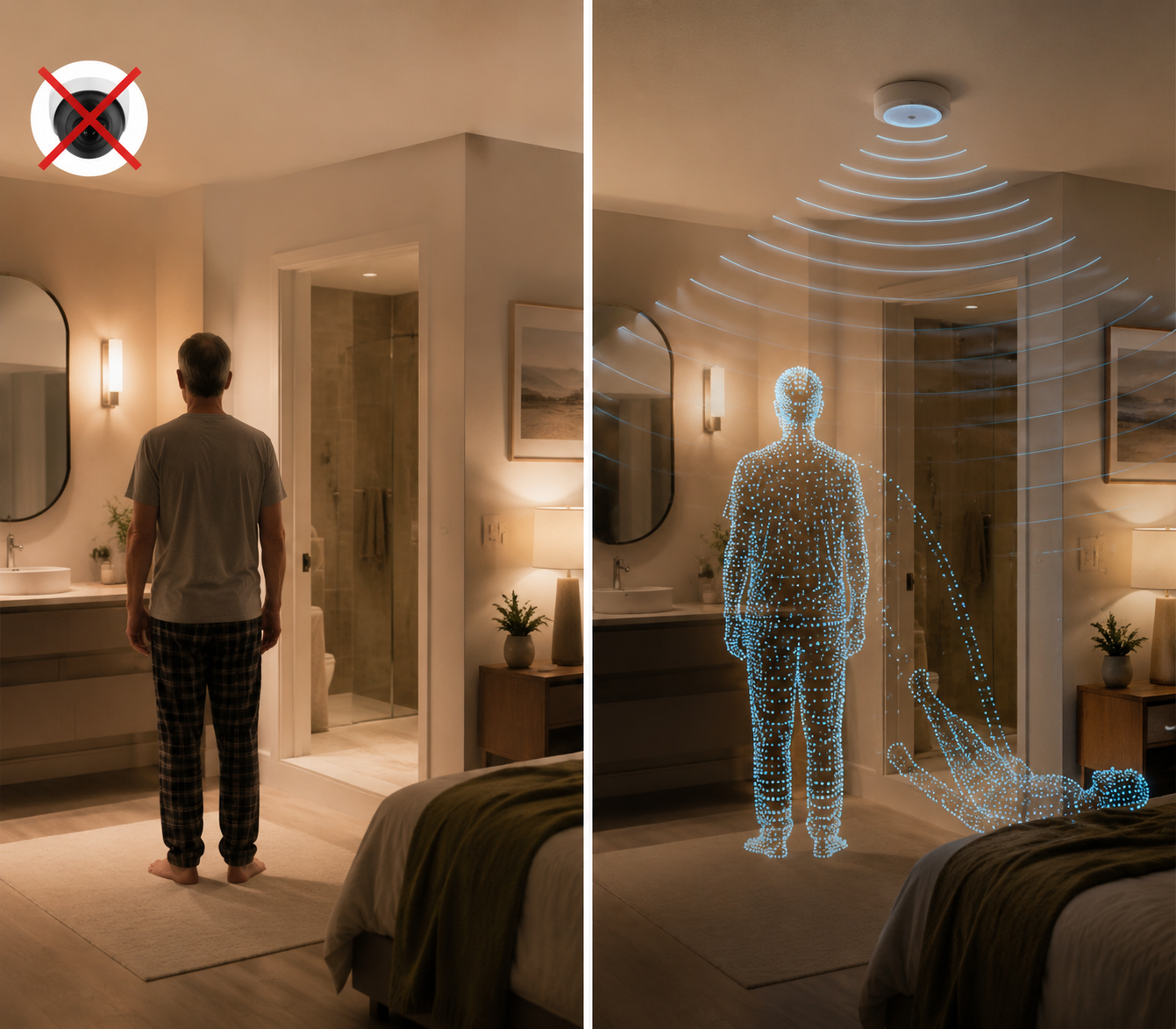
Radar-based monitoring is often the category that surprises families most. These systems do not need to photograph a room to detect motion, position, or a fall. Vendor descriptions of radar and 4D imaging systems explain that they use radio-frequency signals to create point-cloud or spatial movement data rather than identifiable images.[4] In practical terms, the system may detect that a human-sized body moved from standing to the floor and did not get up, without producing a view of a face, body, clothing, bedding, or bathroom scene.
That makes radar especially relevant in the rooms where cameras feel least acceptable: bathrooms and bedrooms. A camera over a shower, toilet, bed, or dressing area is not a small privacy compromise. For many older adults, it is the line. Radar can move the discussion away from “Let me watch you so I know you are safe” and toward “Let us detect a fall in the room where a fall is most dangerous.”
The trade-off is just as important. No camera-free radar system gives the family live video verification. If an alert arrives, the adult child, monitoring center, neighbor, or emergency responder still has to decide what to do without seeing the scene. The next step may be a phone call, a two-way voice check-in if the system supports it, a visit from a nearby contact, or an emergency call. Families should decide that workflow before installation, not at midnight while staring at an alert.
Radar is also not a substitute for every kind of observation. It may be well suited to detecting presence, movement, room occupancy, and fall-like events. It is not the best tool for noticing whether a parent looks pale, has stopped grooming, is eating poorly, seems unusually anxious, or is moving differently in a subtle way. Those clues still come from conversation, visits, clinical care, and sometimes other monitoring categories.
For families deciding between visual and non-visual fall detection, a deeper comparison belongs in a separate evaluation of radar vs. camera fall detection. The short version is this: radar may protect dignity in the rooms where falls are most private, but the family must be comfortable responding to an alert without seeing what happened.
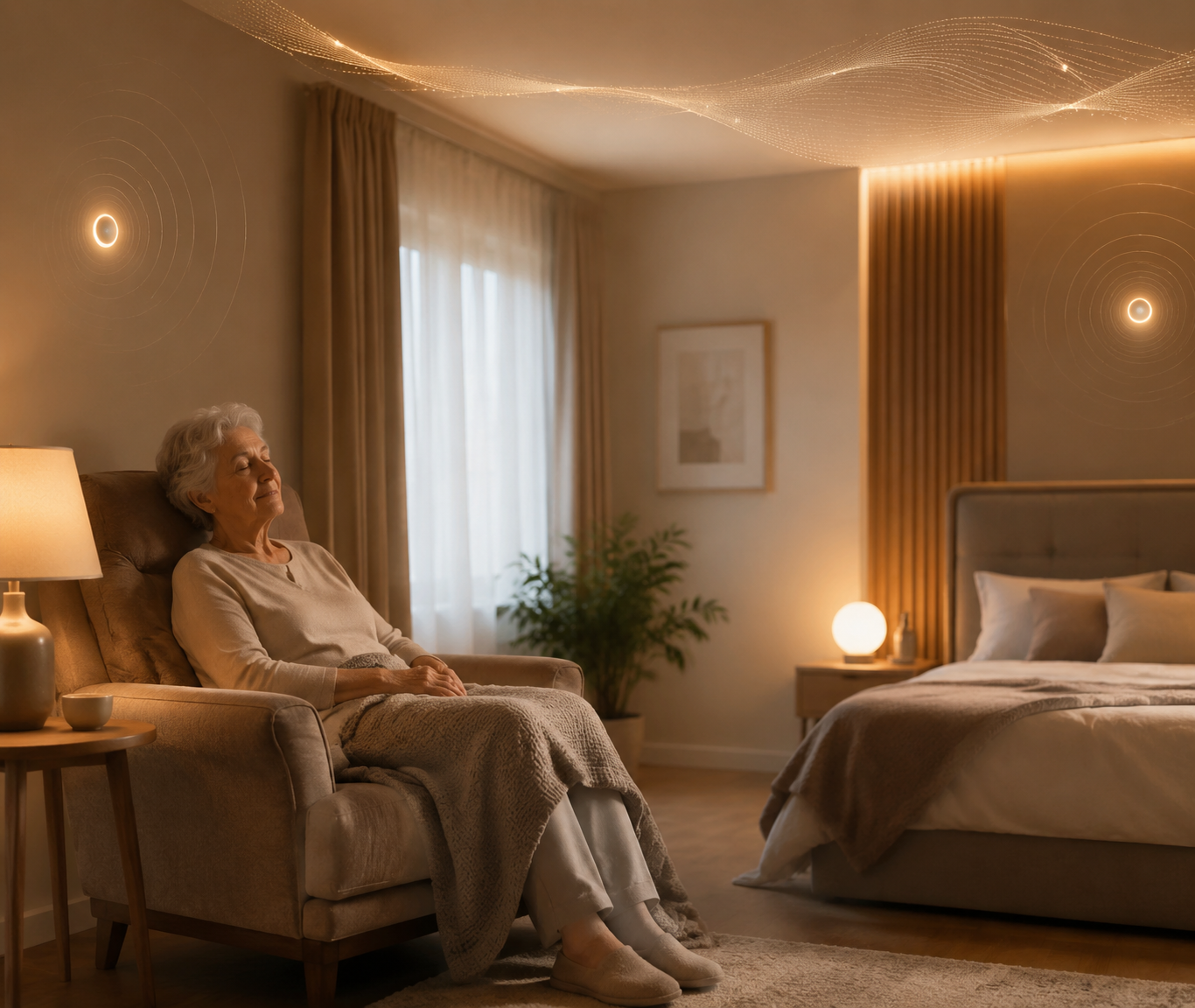
Passive Ambient Sensors: The Quiet Pattern Watchers
Passive ambient systems are less dramatic than radar, and for many long-distance caregivers they may be more useful day to day. These systems typically combine motion sensors, door sensors, bed sensors, temperature sensors, and sometimes appliance or activity signals. Vendor materials for camera-free home monitoring commonly describe a learning period of about one to two weeks, during which the system builds a baseline for ordinary routines before flagging departures from that pattern.[5]
The appeal is that the older adult does not have to press a button, carry a device from room to room, or remember to charge anything. A daughter two states away may not need a camera feed. She may need to know that the bedroom sensor showed movement this morning, the kitchen was used, the front door did not open at 2 a.m., and the house temperature has not dropped. None of that requires a picture.
This is also where the Cambridge review’s finding about acceptability becomes practical rather than academic. Activity sensors are generally easier to defend than cameras because they answer less invasive questions.[2] They can show that something is unusual without exposing the private details of bathing, dressing, resting, or moving through the house.
But “unusual” is not the same as “dangerous.” A missed kitchen visit could mean illness, poor appetite, a lunch out with a friend, or a sensor problem. A late wake-up could mean fatigue, a changed schedule, or an emergency. Passive ambient monitoring is best treated as an early-warning system, not a diagnosis. Its value depends on whether someone will check in thoughtfully when patterns change.
There is a second privacy issue here that families sometimes miss. Ambient sensors may not show images, but they can still reveal a great deal: sleep timing, bathroom frequency, visitors, outings, restlessness, and changes in routine. The Cambridge review notes that research often fails to separate horizontal privacy concerns, such as being monitored by family members, from vertical privacy concerns, such as data use by companies or third parties.[2] Families need to discuss both. A parent may trust a daughter with an alert about a fall but not want three adult children studying every bathroom visit.
Simple Motion, Door, Bed, And Temperature Sensors
Not every home needs a sophisticated pattern-learning platform. A few well-placed sensors may answer a specific concern. A contact sensor on an exterior door can alert a caregiver if a parent with wandering risk leaves overnight. A bed sensor can show whether someone got up and did not return. A motion sensor in a hallway can confirm movement between bedroom and bathroom. A temperature sensor can warn of unsafe indoor conditions.
The advantage is simplicity. These devices are often easier to explain: “This tells me if the door opens at night,” or “This tells me if the hallway has no movement by late morning.” The privacy boundary is also easier to see because each sensor has a narrow job.
The limitation is context. A door opening does not prove wandering. A lack of motion does not prove a fall. A bed-exit alert does not show whether someone is safely in the bathroom or lying on the floor. These sensors become more useful when the family has already agreed on the response: call first, check another signal, contact a neighbor, or escalate.
Wearables Still Have A Place, But They Ask Something Of The Parent
Wearable medical alert buttons, pendants, watches, and fall-detection devices can be the right tool when the main need is emergency calling. They are familiar, portable, and direct. If a parent is conscious and willing to press a button, a wearable may be faster and clearer than waiting for a pattern-based system to infer trouble.
The weakness is built into the design. The device has to be worn, charged if rechargeable, and sometimes activated by the person in distress. Automatic fall detection can help, but pendant accuracy varies by product and situation. A wearable left on the nightstand protects no one in the bathroom.
This is why wearables often work better as part of a hybrid plan than as the whole plan. Passive monitoring can watch for missing routine signals; a wearable or voice-activated device can give the parent a way to call for help when they know they need it. For families comparing the wider technology landscape, a broader guide to elderly monitoring systems can help separate emergency response tools from routine-sensing tools.
What Camera-Free Systems Miss
The most honest sentence in any discussion of privacy-friendly monitoring is this: no camera-free system provides live video verification. That does not make these systems weak. It defines what they are. They produce safety signals, alerts, trends, and exceptions. They do not let a family member visually inspect the room.
For many families, that is an acceptable and even necessary boundary. A parent should not have to trade all visual privacy for a safer bathroom. But the boundary has operational consequences. If a radar sensor reports a fall, someone needs to respond. If an ambient system reports no morning movement, someone needs to check whether the parent slept in, left early, forgot to tell anyone about an appointment, or needs help. If a door sensor alerts at night, the family needs a plan that does not begin with panic.
Who receives alerts first: one adult child, several family members, a professional monitoring center, or a local caregiver?
What happens if the first person misses the alert?
When should the responder call the parent before calling emergency services?
Who has a key or lockbox access if someone needs to enter the home?
Which alerts are urgent, and which are pattern changes to review later?
A system that detects the right event but sends the alert to someone who is asleep, overwhelmed, or unsure what to do is not a complete safety plan. The human workflow is part of the technology choice.
Consent And Data Handling Are Not Fine Print
Families often spend more time comparing device features than reading privacy policies. That is backwards. The Future of Privacy Forum reviewed 50 AgeTech products and found that many operate outside HIPAA coverage. It also reported that average privacy policies were written at a 12th-grade reading level, while older adults average an 8th-grade reading level, and that only 25% of health apps for older adults explicitly state HIPAA compliance.[6]
HIPAA is especially easy to misunderstand. A product can handle health-adjacent information and still not be covered by HIPAA, depending on who provides it, how it is used, and whether a covered health care entity is involved. Families should not assume that a sensor in an older adult’s home has medical-grade privacy protections just because it feels medical.
The privacy conversation should be concrete enough that the older adult can answer. Not “Are you comfortable with monitoring?” but “Would you be comfortable with a sensor that tells me if you fall in the bathroom, but does not show me an image?” Not “Can we install a system?” but “Who should receive alerts, and what should they be allowed to see?”
Ask what data is collected: images, point-cloud data, motion events, door openings, sleep patterns, temperature, audio, location, or health information.
Ask who can see it: family users, company staff, contractors, emergency responders, clinicians, insurers, advertisers, or analytics partners.
Ask how long it is kept and whether the family can delete it.
Ask whether the company sells, shares, or uses data to train algorithms.
Ask whether the product is covered by HIPAA or merely uses security language that sounds similar.
Ask what happens if the subscription ends, the internet goes down, or the company changes ownership.
A parent who refuses a camera may not be refusing safety. They may be refusing an undefined audience. Once the audience, data, and response rules are clear, some families find there is more room to negotiate.
A Practical Evaluation Path For Families
A careful choice usually starts with rooms and routines, not brands. Walk through the home on paper. Where did the last problem happen? Where would a fall be hardest to recover from? Which doors matter? What routine would the family notice if it changed? Which areas should remain visually private no matter what?
Name the main monitoring goal: fall detection, behavior change, wandering risk, emergency calling, environmental safety, or general reassurance.
Map the rooms involved: bathroom, bedroom, hallway, kitchen, entry doors, stairs, or the whole home.
Choose the least invasive signal that can answer the safety question reliably enough.
Decide who receives each alert and what they are expected to do.
Read the privacy policy before installation, with special attention to data sharing, retention, deletion, and HIPAA status.
Talk with the parent before installation whenever consent is possible, and revisit the agreement after they have lived with the system.
The “least invasive” choice is not always the cheapest or simplest device. For a bathroom fall risk, radar may be less invasive than a camera and more relevant than a door sensor. For a parent who is lonely but physically steady, monitoring may be the wrong first answer; scheduled calls, transportation help, or more human contact may matter more. For a parent with cognitive decline who leaves home at night, a door sensor without a response plan may create alerts without safety.
Camera-free monitoring can preserve dignity while covering many real safety needs. Radar can detect fall-like events in private rooms without creating pictures. Passive ambient sensors can notice routine changes without asking the older adult to wear anything. Simple contact and motion sensors can answer narrow questions clearly. Wearables can still be useful when a parent can and will call for help.
None of these systems removes the need for judgment. The family still has to match the tool to the parent’s home, risk profile, habits, and willingness to be monitored. And if the parent’s answer is still no, the next step is not to win the argument with a product brochure. It is to slow down and work through the conversation, perhaps with a guide to helping an older adult accept monitoring technology, before the next crisis makes the choice for everyone.
References
Privacy Concerns Lead Seniors to Unplug Vital Health Devices, IEEE Spectrum.
Older adults' privacy perceptions of passive in-home monitoring technologies: a comprehensive scoping review, Ageing & Society, Cambridge University Press, 2026.
Willingness of older adults to share data and privacy concerns after exposure to unobtrusive in-home monitoring, PubMed, 2013.
Senior Monitoring Systems: Why Cameras aren't the Answer, Vayyar.
Home Monitoring Systems for Elderly - without the Cameras, Nomo Smart Care.
Tech to Support Older Adults and Caregivers: Five Privacy Questions for Age Tech, Future of Privacy Forum.

Comments
Join the discussion with an anonymous comment.