
STEADI: intervene
Tornado preparedness for seniors with hearing loss
Outdoor tornado sirens are designed to be heard outdoors, not inside buildings. This article explains why most warning systems fail seniors with hearing loss and offers a multi-layered strategy combining an adapted NOAA Weather Radio, smartphone-based visual alerts, and a human backup check-in call to ensure warnings are actually received.
The first uncomfortable fact in tornado preparedness for seniors with hearing loss is that the loudest warning in town may not be meant for the person sitting in the living room or sleeping down the hall. The National Weather Service says outdoor tornado sirens are outdoor warning systems; they are not designed to be heard inside buildings.[1]
That one sentence changes the job. A siren may reassure the neighborhood, the adult children, and the local news audience, while still failing the older adult who needs to wake up, understand that the alert is urgent, stand safely, and move toward shelter. If hearing loss or low vision is part of daily life, the question is not whether a warning exists somewhere. The question is whether the warning reaches that person, in that room, at that hour, in a form they can actually notice.
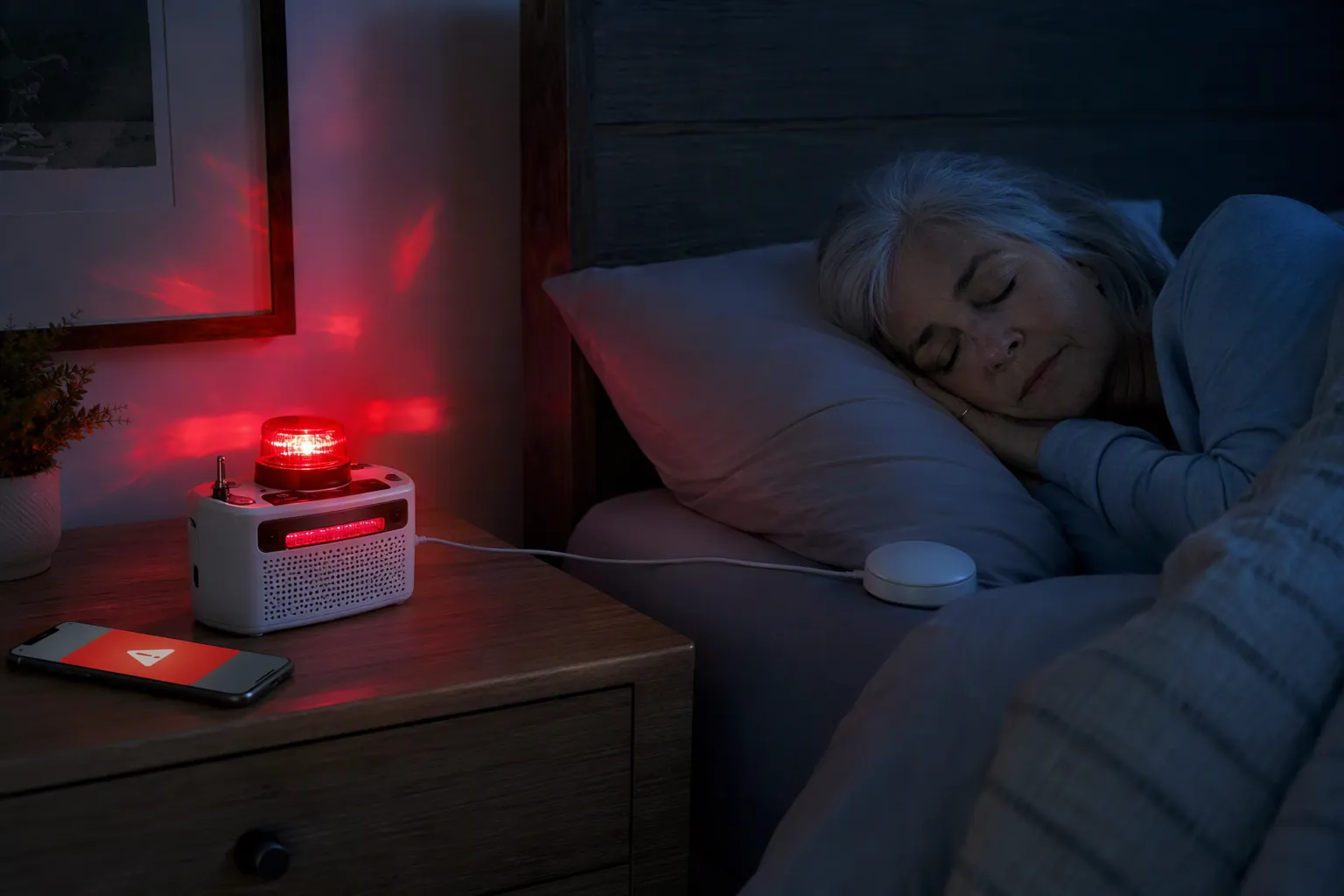
This is why a single alert device is too thin a plan. A phone can be muted, misplaced, uncharged, or set face-down. A weather radio can be installed in the wrong room or ignored because the sound is not usable. A family member can assume someone else called. A real plan has layers, and each layer has a different job.
Start With The Indoor Warning Problem
Older adults do not become vulnerable in a tornado only because the storm is strong. They become vulnerable when the warning chain breaks before they can act. The American Red Cross Scientific Advisory Council identified sensory impairment as one factor that increases older adults' vulnerability during disasters.[2] In a home safety walkthrough, that vulnerability is not abstract. It is the bedroom door closed at night, the television competing with a phone tone, the hearing aids on the nightstand, the hallway dark after the power flickers, and the person who does not want to be fussed over but still needs a warning that fits real life.
The practical goal is warning receipt. Before supplies, before the shelter room, before the checklist on the refrigerator, someone has to receive the warning soon enough to move. For seniors with hearing loss, the strongest setup usually starts with a dedicated NOAA Weather Radio adapted for non-audio output, then adds smartphone alerts and a human check-in routine.
| Layer | What It Solves | Common Failure |
|---|---|---|
| Adapted NOAA Weather Radio | A dedicated weather-warning device that can use strobe, bed-shaker, or text display adaptations | Placed where it cannot wake or be seen by the person who needs it |
| Smartphone visual and vibration alerts | A second alert path that may follow the person from room to room | Muted, uncharged, face-down, out of reach, or not configured accessibly |
| Human check-in call or text | Operational backup when devices are missed, misunderstood, or not working | No assigned caller, no schedule, or everyone assumes someone else checked |
The Weather Radio Is The Dedicated Layer, Not The Whole Plan
A NOAA Weather Radio belongs in this plan because it is not trying to be a social app, a news feed, a flashlight, and a calendar all at once. Its job is narrower: receive weather alerts. For many seniors with hearing loss, that narrowness is a strength, especially when the radio is adapted to produce a signal other than ordinary sound.
The National Weather Service documents off-the-shelf options for people who are deaf or hard of hearing, including strobe-light attachments, pillow or bed shakers, and liquid crystal text displays that can flash messages such as “Tornado Warning” or “Thunderstorm Warning.”[3][4] Those adaptations matter because they stop treating hearing as the only doorway into the warning system.
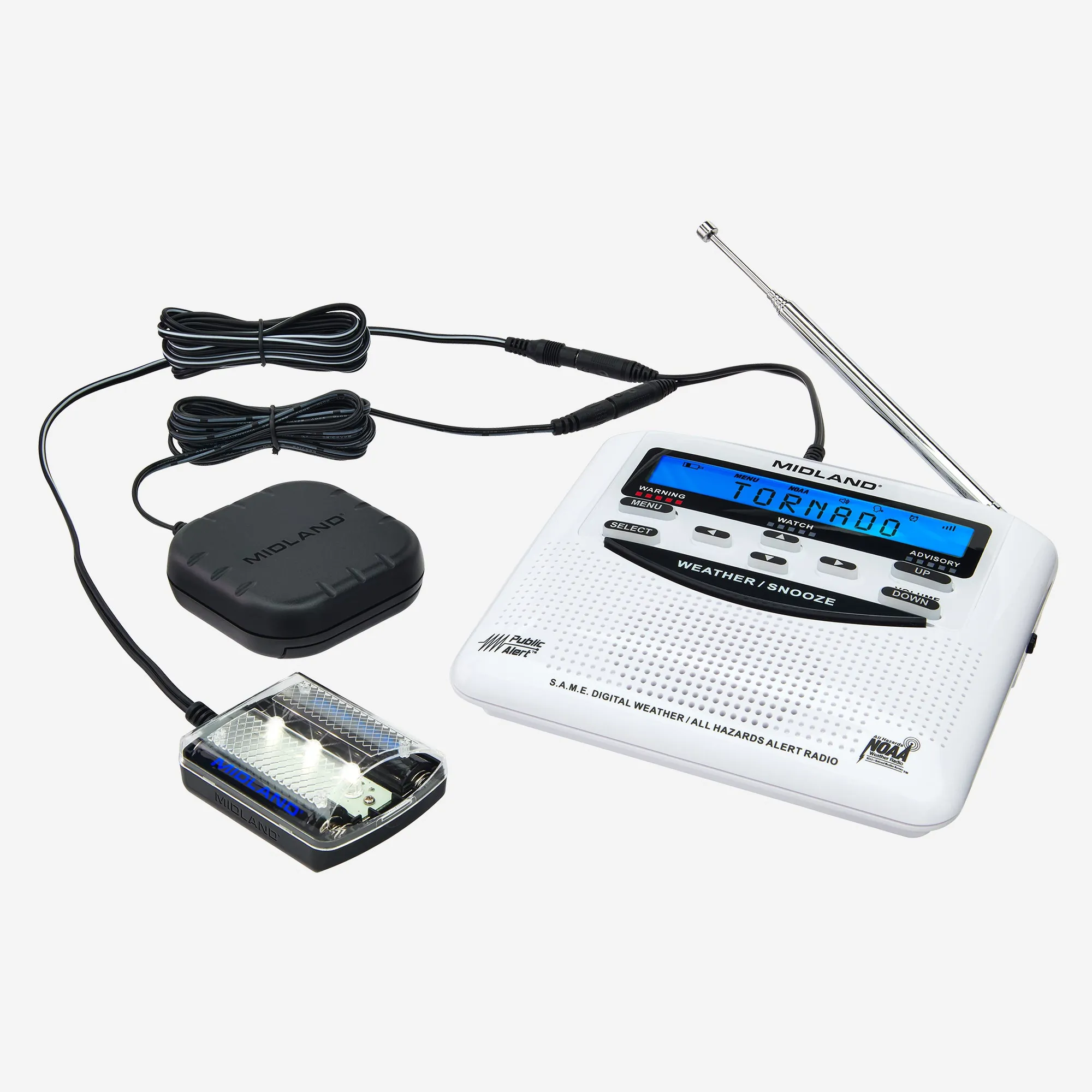
Placement is where many good devices become symbolic. A strobe that flashes in the kitchen is not much help to someone asleep in the bedroom. A bed shaker connected to the radio but left under a stack of blankets may not wake the person reliably. A text display is less useful if the person has low vision, wakes without glasses, or cannot see the screen from the bed.
Set the adapted weather radio up around the person’s hardest moment, not their easiest one. For many older adults living alone, that moment is overnight: hearing aids out, room dark, phone possibly charging across the room, and no one else in the house to say, “Did you hear that?” The radio and its attachments should be close enough, bright enough, strong enough, and simple enough to get attention under those conditions.
- Put the radio where it can receive alerts and where the adapted output can reach the senior, usually the bedroom first.
- Use a strobe when visual alerting is realistic for that person and that room.
- Use a pillow or bed shaker when the main risk is sleeping through sound.
- Use a text display only if the person can read it quickly from the place where they are likely to be.
- Keep the setup consistent; emergency equipment that gets moved around is harder to trust.
For low vision, the same thinking applies, but the evidence base in the available sources is thinner. A larger display, tactile controls, high-contrast labels, a clipped flashlight near the bed, or an audio alert with a clearly practiced response may all be practical extensions. They should be treated as fit-to-person choices, not as universally proven fixes.
The Phone Helps, But It Is Too Easy To Defeat By Accident
A smartphone is useful because it is often nearby and can provide visual and vibration cues. Weather apps, Wireless Emergency Alerts, and emergency notifications can add a second path into the home. For some seniors, the phone is also the device they already look at first when something feels wrong.
The trouble is that phones are built for convenience as much as safety. Convenience creates failure points. The phone may be on silent. It may be charging in another room. The battery may be low. Notifications may be turned off after one too many nuisance alerts. A lock screen message may be too small for a person with low vision to read quickly. A vibration pattern may not wake someone who sleeps deeply or does not keep the phone on the bed.
The phone layer should be configured as if it will be needed, but judged as if it might fail. Increase alert visibility, allow emergency alerts, keep the device charged, and decide where it lives overnight. If the senior uses hearing aids connected to the phone, make sure the alert is still noticeable when the hearing aids are not being worn. If the person depends on large text or screen magnification, check the actual emergency notification screen, not just the regular home screen.
Do not let the phone replace the weather radio. Let it catch the gaps: when the senior is away from the bedroom, when the radio is too far away to see, when a caregiver wants another signal path, or when the person responds better to a familiar device.
The Human Check-In Is A Backup System, Not A Courtesy
A call or text from a family member, neighbor, or nearby friend can sound old-fashioned next to a device bundle, but it fills a gap technology does not close cleanly. A person can miss a flash, misunderstand a message, silence a phone, or be too anxious to decide what to do next. A human check-in can confirm that the warning was received and that the next action has started.
This layer has to be assigned. “Someone will call Mom” is not a plan. On elevated-risk days, name the first caller and the backup caller. Decide whether the senior prefers a phone call, text, video call, or neighbor knock. Decide what happens if there is no answer. The point is not to create panic. The point is to remove guessing from the first few minutes.
- Before storms: confirm the radio is on, the phone is charged, and the senior knows where shoes, glasses, cane, walker, or hearing aids are.
- When a tornado watch or severe weather risk is elevated: start the agreed check-in schedule instead of waiting for confusion.
- When a tornado warning is issued: call or text with one clear message, such as “Go to your shelter spot now.”
- If there is no response: use the pre-agreed backup step, such as calling a neighbor or local contact.
This is not a guarantee, and it should not be dressed up as one. A caller may be unavailable. Cell service may be strained. A neighbor may be away. But a named human layer is still better than a family group chat full of assumptions.
Verify The Chain Before Storm Season
A seasonal drill is where the pretty plan either becomes useful or falls apart. It does not need to be dramatic. It needs to answer one question: when the alert starts, does the senior notice it and know what to do next?
Test the setup from the places where life actually happens. Start in the bedroom with the person lying down, because nighttime is often the hardest condition. Then test from a recliner, kitchen chair, bathroom doorway, or wherever the person spends time. If the weather radio flashes in one room and the senior cannot see it from another, that is not a character flaw. It is information.
- Trigger or simulate the weather radio alert according to the device instructions, and confirm the strobe, bed shaker, or display is noticed.
- Check whether the phone alert is visible or felt in its normal overnight location.
- Have the assigned caller send the agreed warning message and confirm the senior understands it.
- Ask the senior to begin the first movement toward the shelter path, without rushing, to reveal obstacles.
- Write down what failed, then change the setup immediately instead of trusting memory.
This drill also exposes the fall-prevention side of tornado preparedness. A warning that wakes someone but sends them stumbling through a dark hallway has not fully solved the problem. Once warning receipt is verified, the next safety question is whether the person can reach the shelter area without tripping, losing balance, or searching for glasses and mobility aids in the dark. That shelter-path work belongs with broader home safety planning, especially for anyone already managing low vision, balance changes, Parkinson’s symptoms, recent rehab, or nighttime bathroom falls.
Keep the drill plain. No one needs a lecture in meteorology. The senior needs to know what the alert looks like, feels like, or sounds like; what the family message will say; where to go; and what to take only if it is already within reach. If the person hesitates because two devices give different-looking messages, simplify the family instruction: when the adapted radio or phone says tornado warning, move to the shelter spot.
What To Fix When A Layer Fails
Failure during a drill is useful. It is much better to discover in March that the strobe cannot be seen from the bed than to discover it during a warning. Treat each failure as a setup problem first.
| What Happens In The Drill | Likely Fix |
|---|---|
| The radio alert sounds but is not noticed | Add or reposition a strobe, bed shaker, or text display; do not rely on volume alone |
| The strobe flashes but the senior does not wake | Add a bed shaker or move the visual alert into the bedroom line of sight |
| The bed shaker activates but feels too weak | Check placement, connection, and whether bedding is dampening the vibration |
| The phone alert is missed | Change overnight phone location, charging habits, notification settings, or vibration settings |
| The senior receives the alert but is unsure what to do | Use one agreed phrase for the human check-in and practice the first movement toward shelter |
| The caller cannot reach the senior | Add a backup caller or nearby contact and decide how long to wait before escalating |
The most common mistake is stopping after purchase. A weather radio still has to be placed, powered, programmed if required by the model, connected to its accessories, and tested where the senior sleeps. A phone still has to be configured. A caller still has to be assigned. Installed is not the same as usable.
A Checked Warning Plan
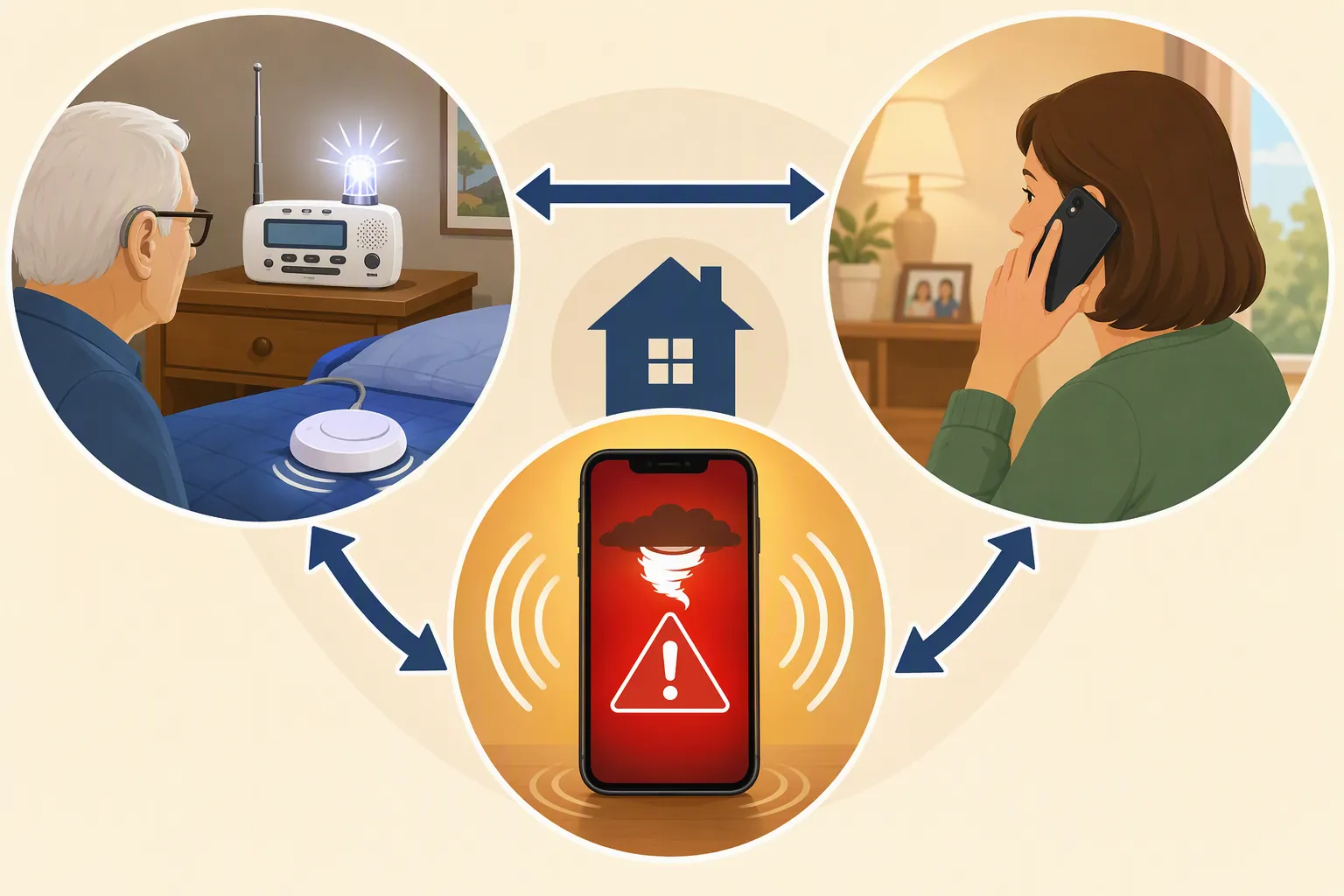
For a senior with hearing loss, a reasonable tornado warning plan has three working layers: an adapted NOAA Weather Radio that can alert through a strobe, bed shaker, or readable display; a smartphone set up for visual and vibration alerts; and a designated person who checks in when risk is elevated or a warning is issued. The plan is not finished until all three layers have been tested in the rooms and conditions where they will be needed.
That is the difference between assumed safety and checked safety. The siren may still sound outside. The phone may still buzz. The radio may still flash. But the standard is higher than noise in the distance. The warning has to reach the older adult in time, in a form they can notice, with a next step they have already practiced.
References
- Weather Safety Information for Deaf and Hard of Hearing, National Weather Service, link
- Emergency Preparedness for Older Adults, American Red Cross, 2020, link
- NWR Special Needs, National Weather Service, link
- Weather Safety Deaf and Hard of Hearing — NOAA Weather Radio Adaptors, National Weather Service, link
Related reading
Noticed something outdated or inaccurate on this page? Flag a correction. We review every report against CDC, NIA, and AARP HomeFit guidance before updating a page.
Part of the Fall Prevention section.