
Caregiver decision guide
How to Choose the Best Robot Vacuum When Mobility Is Limited
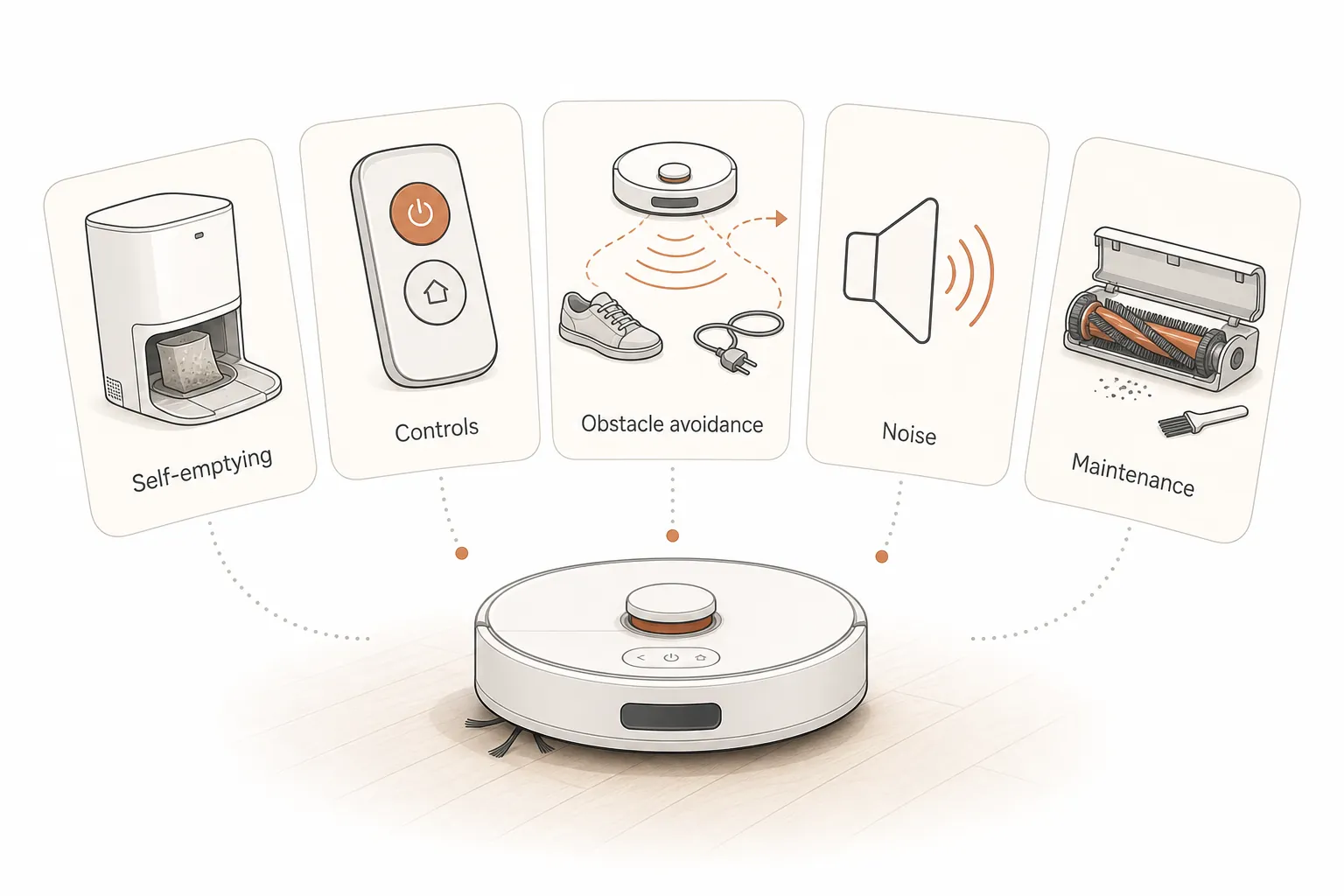
Choosing a robot vacuum for a senior with mobility issues comes down to five usability criteria — self-emptying, controls, obstacle avoidance, noise, and maintenance — not suction power or brand, because the same model can reduce strain in one home and add hazards in another. The right fit depends on the person's grip strength, home layout, and who will handle upkeep.
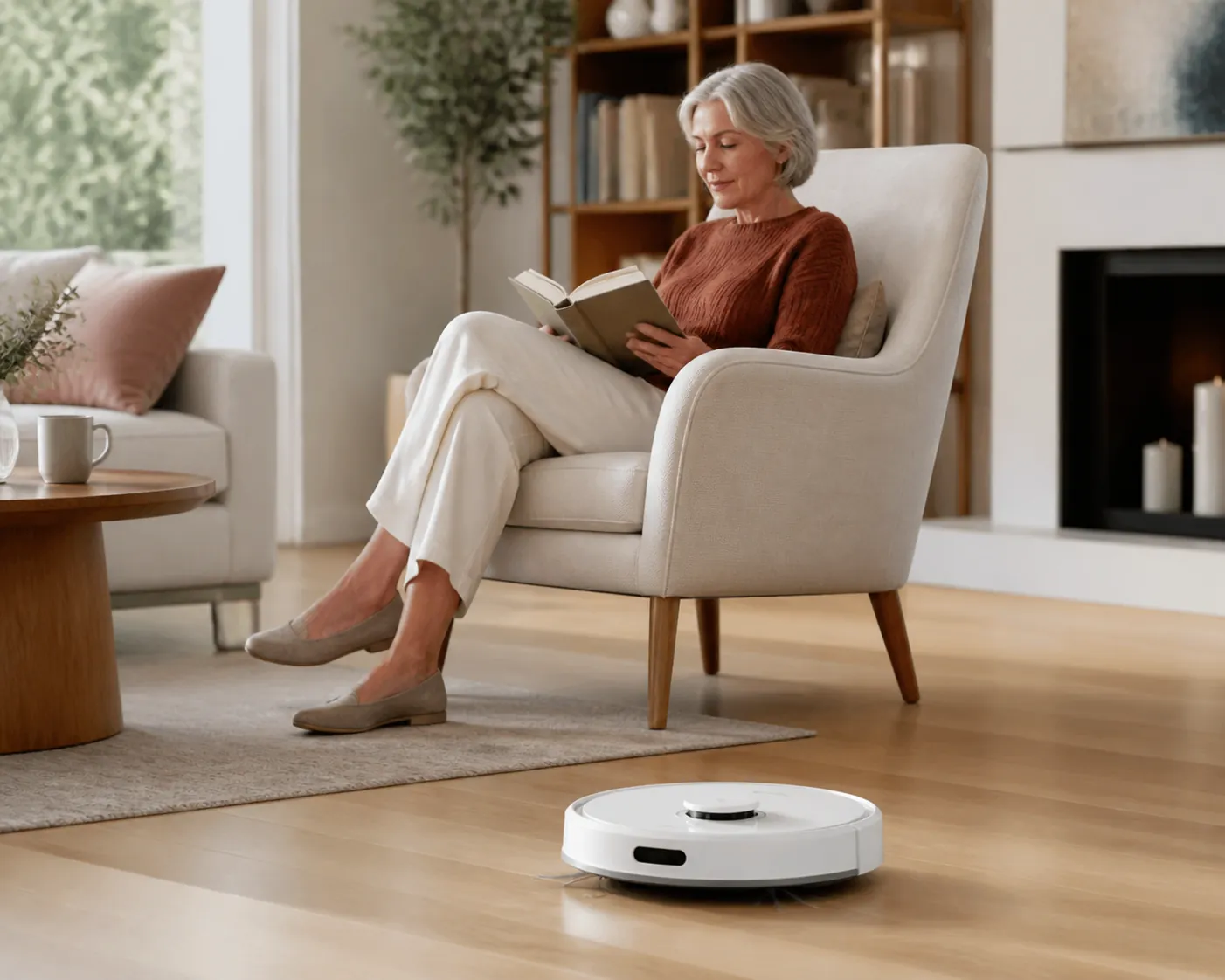
The old upright vacuum is often the first clue. It sits in a closet because it is too heavy to pull out, or it gets used only in the middle of a room because the cord has to be dragged around furniture. Sometimes the problem is smaller and more revealing: emptying a dustbin over the trash means bending, twisting, and tapping plastic with sore hands.
That is the right starting point for choosing the best robot vacuums for seniors with mobility issues. The best choice is not automatically the model with the strongest suction, the prettiest app, or the highest lab score. It is the one that removes a specific physical burden in a specific home without creating a new one in the hallway.
AARP frames robot vacuums as potentially useful for older adults who have trouble bending, reaching, or lifting, which is the practical benefit worth taking seriously here.[1] A robot vacuum can reduce how often someone pushes a heavy machine, manages a cord, bends to clean under furniture, or empties a bin. That is different from saying it prevents falls. A 2012 systematic review by Pearce and colleagues found only four studies testing robots in home settings, with low-to-moderate evidence; it does not give us a basis for claiming that buying a robot vacuum directly reduces fall risk.[2]
So the standard should stay modest and useful: choose a robot vacuum that reduces exposure to chore-related strain and avoids becoming another object someone has to step around, lift, troubleshoot, or maintain alone.
Start with usability, not suction
Suction still matters. If the home has pets, low-pile carpet, or crumbs tracked through a kitchen, weak cleaning is not helpful. But suction is not the first filter for a mobility-limited buyer because a powerful robot that needs frequent bin emptying, app troubleshooting, cord rescue, or brush cleaning may move the work rather than reduce it.
AARP gives a useful sense of scale: robot vacuums range roughly from $180 to more than $1,400, and around 3,000 Pa may be adequate for a small apartment with hard floors, low-pile carpet, and no pets, while premium models may advertise more than 10,000 Pa.[1] Those figures can help narrow a purchase, but they do not answer the senior-relevant question: who empties it, who controls it, who clears it when it stalls, and what happens if it stops in a walkway?
| Criterion | Why it matters when mobility is limited | What to check at home | Likely price trade-off |
|---|---|---|---|
| Self-emptying dock | Reduces bending over a small onboard dustbin and repeated trips to the trash | Can someone lift or move the dock if needed? Is there space near an outlet without creating a cord hazard? | Often found in midrange and premium models; replacement bags add ongoing cost |
| Controls | A robot is only helpful if the person can start, pause, and stop it without frustration | Smartphone comfort, button size, voice-assistant setup, Wi-Fi reliability, grip strength, eyesight | Cheaper models may have simpler buttons but fewer scheduling and mapping options; premium models may rely more heavily on apps |
| Obstacle avoidance and return-to-dock reliability | A stranded robot can become an obstacle, especially in narrow halls or near bathrooms and kitchens | Cords, shoes, pet toys, thresholds, rug edges, chair legs, and hallway width | Better avoidance usually costs more, but test results vary even among expensive models |
| Noise | A machine that startles, irritates, or disrupts rest is more likely to be turned off | Hearing sensitivity, nap schedule, shared walls, pets, and whether cleaning will run while someone is home | Quiet operation is available in several tiers, but self-emptying docks can be louder during emptying |
| Maintenance | Brush rolls, wheels, filters, sensors, bags, and base stations still need human attention | Who can clean hair from the brush, wipe sensors, replace filters, and check wheels? | Premium models can reduce some tasks but may add larger docks, more parts, and costlier supplies |
Self-emptying is the feature to take most seriously
If limited mobility is the reason for the purchase, self-emptying deserves more attention than most spec sheets give it. A basic robot vacuum may still require someone to bend down, remove a small dustbin, carry it to the trash, shake it out, and snap it back into place. For a person with arthritis, poor balance, low back pain, or weak grip strength, that can be the part of vacuuming they were trying to avoid.
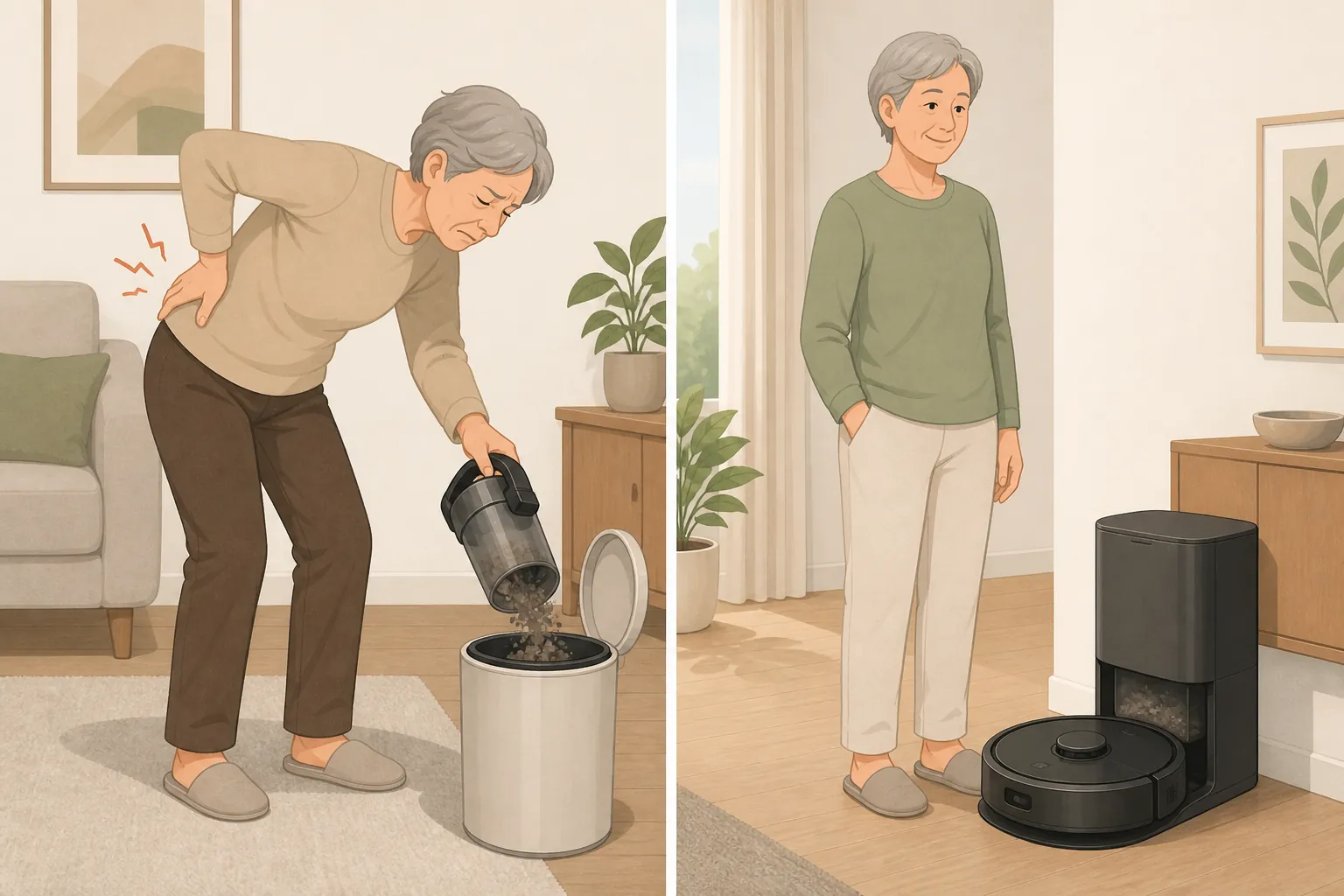
The better self-emptying systems move debris from the robot into a bag or container in the dock. Wirecutter’s 2026 testing describes one top pick that empties into a 2.7-liter bag changed about every six to seven weeks, and a runner-up with a 3-liter bag that lasts roughly two months.[3] Reviewed’s aging-in-place guide gives a similar design principle, noting that some self-sealing bags can hold 30 to 60 days of debris.[4] Those intervals are not promises for every home. Pets, shedding, tracked-in dirt, and carpet can fill bags faster. Still, the difference between bending every run and changing a bag every several weeks is meaningful.
The dock itself needs scrutiny. It has to sit where the robot can reach it, usually against a wall near an outlet, without placing a cord across a walking path. It also has to be physically manageable for the person who will maintain it. CNET’s 2026 testing notes one robot vacuum base station weighing 50 pounds, which is not a small detail if an older adult or a nearby family member may need to reposition it.[5]
For many homes, this is where the budget decision becomes clearest. If the choice is between a stronger non-emptying robot and a somewhat less glamorous self-emptying model, the self-emptying feature may do more to reduce the actual burden of cleaning.
Controls are an accessibility feature
Robot vacuum reviews often treat the app as a convenience layer. In a senior’s home, controls decide whether the machine gets used at all.
AARP cautions that most robot vacuums need a smartphone app, and its reporting includes a 68-year-old owner who had to upgrade from a flip phone to use one.[1] That is not a minor setup issue. If the person who lives with the robot does not use a smartphone comfortably, the buyer needs to know what can be done from physical buttons, a remote, voice commands, or a caregiver-managed app before the box is opened.
The control question should be practical, not abstract:
- Can the senior start and stop cleaning without unlocking a phone?
- Can they pause the robot quickly if it is approaching a pet bowl, oxygen tubing, a dropped tissue box, or a rug fringe?
- Are the buttons visible and easy to press with stiff fingers?
- If voice control is planned, who will connect it, maintain it, and fix it after a Wi-Fi change?
- If an adult child controls the schedule remotely, what happens when the parent wants the robot stopped immediately?
A caregiver can manage mapping, schedules, and software updates, but the person in the home still needs a simple way to interrupt the machine. That matters in homes with low vision, hearing sensitivity, pets, medical equipment, or narrow walkways.
Obstacle avoidance matters because real floors are not test floors
In a mobility-limited home, the robot’s job is not only to clean. It must also avoid becoming clutter.
Cords, shoes, dog toys, throw blankets, cane tips, rug edges, charging cables, and dropped mail are ordinary objects. They are also the kinds of things that can trap a robot. Wirecutter notes that users still need to tidy cords and small objects before each run, even with modern robot vacuums.[3] Reviewed makes the senior-specific point more directly: a robot that fails to return to its dock can be left in a walkway, and high-pile rugs are unsafe for unsteady walkers.[4]
The difference between good and poor obstacle handling is not theoretical. In CNET’s 2026 obstacle-avoidance testing, the best models avoided six out of six test objects, while some others avoided only one out of six.[5] That does not mean one lab course predicts every living room, but it does show why “has obstacle avoidance” is too vague. The question is how reliably it avoids the specific things in this home.
Before buying, walk the route the robot will travel. Look at the home from knee height. A robot vacuum is more likely to struggle where a person already has to be careful: a tight hallway, the turn into a bathroom, the edge of a thick rug, the nest of cords behind a recliner, the transition from kitchen tile to carpet.
For a senior who uses a walker, cane, wheelchair, or rollator, return-to-dock reliability deserves almost as much attention as cleaning performance. A robot that finishes under a sofa is inconvenient. A robot that dies in the path between the bedroom and bathroom is a household problem.
What to look for during a home trial
- Run it when someone is home the first several times, not overnight.
- Watch whether it catches cords, rug fringe, pet toys, or low furniture.
- Check whether it docks consistently from the farthest room.
- Notice where it pauses, spins, or blocks a path.
- Remove or reroute anything that repeatedly causes trouble; if the room has to be rebuilt before every run, the robot may not be the right fit.
Noise can decide whether the robot stays in use
Noise is not just a comfort issue. A startling machine may lead someone to rush, step around it awkwardly, or shut it off permanently. For a person who naps during the day, has hearing aids, startles easily, lives with a skittish pet, or shares walls with neighbors, volume belongs in the buying criteria.
AARP reported the quietest tested model in its coverage at about 53 dB, while CNET’s 2026 recommended models produced readings around 56 to 65 LAeq.[1][5] Those numbers are useful as a comparison range, not a guarantee of how tolerable the robot will feel in a particular room. Sound changes with flooring, furniture, room size, and whether the dock’s self-emptying cycle runs while someone is nearby.
If the robot has a self-emptying base, ask about both cleaning noise and dock-emptying noise. The robot may be tolerable as it moves across hardwood, then briefly much louder when the dock sucks debris from the onboard bin. That burst may be acceptable if it happens at a scheduled time and the dock is not beside a favorite chair.
Maintenance is still part of the purchase
No robot vacuum is maintenance-free in the ordinary sense of that phrase. The more honest question is whether maintenance happens monthly, weekly, or every run — and who is physically able to do it.
CNET’s maintenance guidance includes daily bin and wheel checks, weekly brush and wheel cleaning, and monthly cleaning of charging contacts and sensors.[5] A self-emptying dock may reduce bin-emptying, but it does not remove hair from a brush roll, wipe a sensor, replace a filter, lift a stuck robot, or notice when a wheel is packed with lint.
This is where many well-meant gifts fail. The adult child buys the premium model, sets it up on a weekend, and leaves. Two weeks later, the parent ignores an app alert, the brush is wrapped with hair, or the robot keeps stopping near the same rug edge. The machine has not failed exactly; the maintenance plan has.
Before choosing a model, assign the upkeep:
- The senior can do it: choose a model with easy-access parts, visible buttons, light components, and simple alerts.
- A nearby caregiver can do it: choose a model with predictable bag, filter, brush, and sensor routines that fit regular visits.
- A remote caregiver will manage the app: confirm that the senior still has physical stop/start control and that someone local can rescue or clean the robot.
- No one can maintain it reliably: reconsider the purchase, or choose a simpler cleaning arrangement.
Where price tiers usually change the decision
Price does not map neatly to senior suitability. CNET’s 2026 lab-tested models spanned from about $250 to $1,700, while AARP’s broader category range runs from roughly $180 to more than $1,400.[5][1] Paying more can buy self-emptying, better mapping, stronger suction, mopping, obstacle recognition, and more automation. It can also buy a larger dock, more consumables, and a more complicated app.
| General tier | Often useful when | Be careful when |
|---|---|---|
| Basic robot without self-emptying | The senior can bend and handle a small dustbin, the home is small, and floors are mostly hard or low-pile | The main problem is bin-emptying, arthritis, balance while bending, or frequent debris |
| Midrange self-emptying robot | The goal is to reduce bending and routine dustbin handling without paying for every premium feature | Obstacle avoidance is weak, the dock is hard to place, or app controls are too demanding |
| Premium robot with advanced mapping and avoidance | The home has pets, more rooms, more obstacles, or a caregiver who can maintain settings and supplies | The base station is heavy, the app is essential, the senior cannot interrupt it easily, or the price crowds out more urgent safety needs |
Deep rugs deserve their own caution. Wirecutter notes that even premium robot vacuums cannot replace a plug-in vacuum on deep rugs.[3] If the home has thick carpet, shag rugs, or heavy mats that are already difficult to walk across, a robot vacuum is not a complete cleaning solution and may expose a separate trip-hazard question.
A simple way to choose
Do not start with a brand list. Start with the person and the floor plan.
- Name the physical strain you are trying to remove: pushing, bending, lifting, cord management, reaching under furniture, or emptying a bin.
- Decide whether self-emptying is required. If bending and bin-emptying are central problems, it probably is.
- Choose controls the senior can actually use. If the app belongs to a caregiver, the senior still needs a simple stop/start option.
- Inspect the home for cords, rug edges, thresholds, pet items, narrow halls, and places where a stranded robot would matter.
- Check noise before committing, especially if the person is sensitive to sound or will be home during cleaning.
- Assign maintenance before buying: bags, filters, brushes, sensors, wheels, app updates, and rescue duty.
A robot vacuum can be a good piece of daily-living equipment when it removes repeated effort. It should not be treated as fall-prevention equipment, a substitute for broader home-safety work, a replacement for a plug-in vacuum on deep rugs, or medical advice about mobility. If balance, weakness, dizziness, vision changes, or repeated falls are part of the picture, the cleaning plan belongs alongside a larger safety conversation with appropriate health and home-safety professionals.
The right purchase is the robot vacuum the senior can live with: easy enough to control, reliable enough not to block paths, quiet enough to leave on, and simple enough for someone to maintain. Anything more impressive than that is optional.
References
- Should a Robovac Be Your Next Appliance? — AARP
- Pearce et al. systematic review of robots in home settings — PubMed Central, 2012
- The Best Robot Vacuums of 2026 — NYT Wirecutter
- 10 great robot vacuums for people who are aging in place — Reviewed, November 2021
- Best Robot Vacuums We've Tested in 2026 — CNET
Questions to bring to a clinician or OT
This is not medical, legal, or a family's final decision — only a framework. Bring these questions to a clinician, occupational therapist, or your local Area Agency on Aging.
Find Local HelpRelated reading
Noticed something outdated or inaccurate on this page? Flag a correction. We review every report against CDC, NIA, and AARP HomeFit guidance before updating a page.