
Caregiver decision guide
How to Check T-Mobile Outage for Your Elderly Parent's Phone
Learn how to remotely check if an elderly parent's T-Mobile phone is down due to a network outage. This guide walks through using free tools like Downdetector and GeoBlackout, asking key questions, and when to consider alternate communication methods like Wi-Fi Calling.
You call your parent, the call will not go through, and now you are trying to decide what kind of problem you have. T-Mobile may be down. The phone may be off. Your parent may have tapped Airplane Mode by accident. Or the battery may have died on the table while everyone else assumed it was still reachable.
That uncertainty is the hard part. On July 27, 2026, 9to5Mac reported a T-Mobile outage that pushed iPhones into SOS mode across the United States, which is exactly the kind of small screen detail that can turn a vague “my phone is not working” into a usable clue.[1] The goal is not to prove the whole network status from your kitchen table. It is to collect enough evidence, quickly, to decide whether to wait, try another contact method, walk your parent through a simple phone check, or ask someone to go over.

Start with the fastest remote check
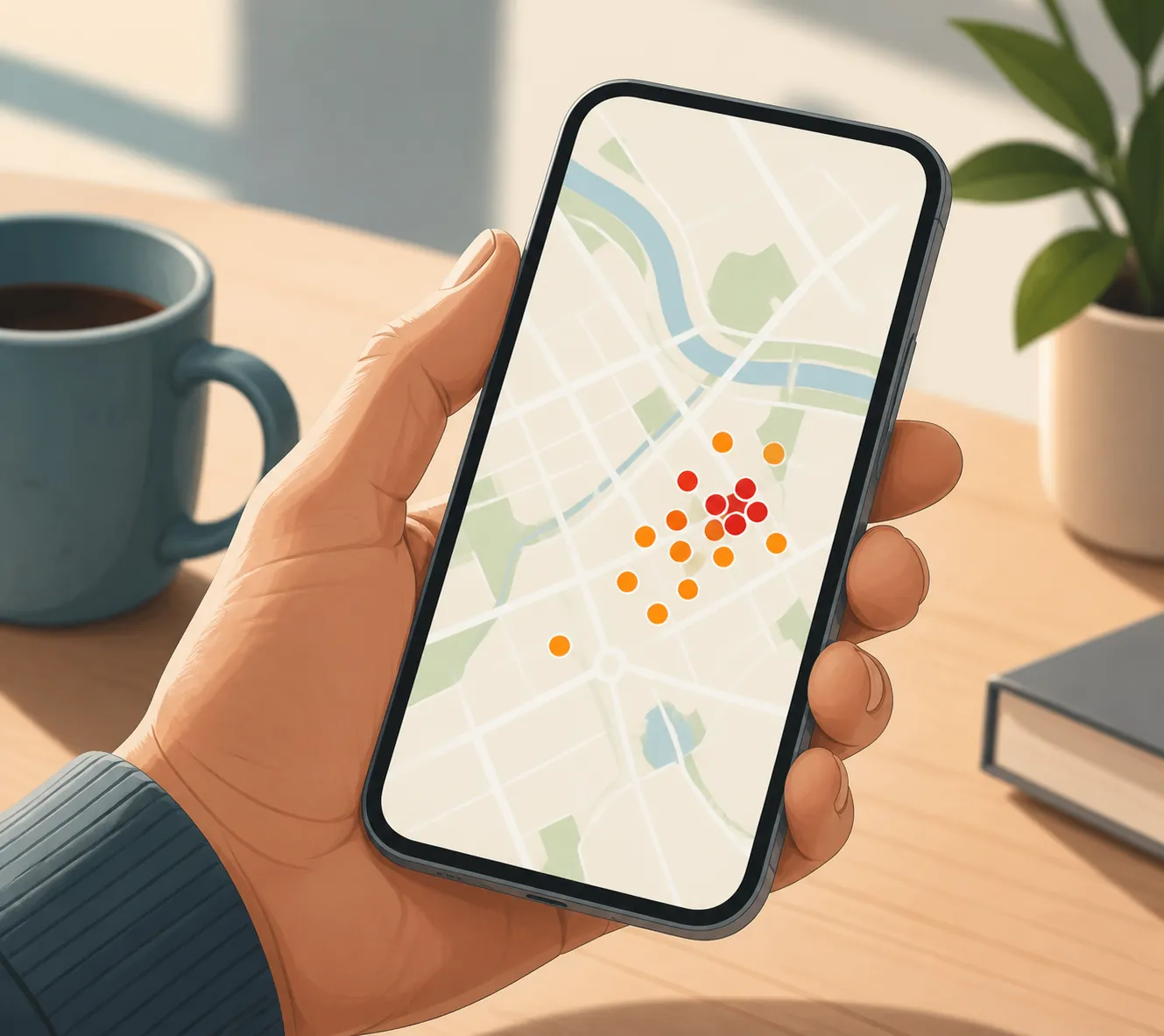
Before calling T-Mobile, logging into an account, or asking your parent to open settings they may not be able to see, check whether other people near them are reporting the same problem. T-Mobile has an official network outages support page, but it does not publish a real-time confirmed outage map that lets you type in a parent’s ZIP code and see a verified local failure. So the practical first pass is crowd-sourced evidence, not official proof.
Open Downdetector’s T-Mobile outage map on your own phone or computer. It is public and free to view, and shows reported problems by area, including city-level clusters.[2] Then open GeoBlackout’s T-Mobile outage page, which is also public and can be checked by area or ZIP code.[3] You are looking for a pattern near where your parent actually is, not just a scary national headline.
| What you see | What it probably means | What to do next |
|---|---|---|
| A clear cluster of reports near your parent’s city or ZIP code | A T-Mobile outage is plausible, especially if your parent also sees SOS or No Service | Use alternate contact methods and avoid making the parent change many settings |
| Reports elsewhere, but not near your parent | The headline may not explain your parent’s phone | Ask the two screen questions and then check simple phone settings |
| No meaningful reports on either map | An outage is less likely, but not impossible | Treat the phone itself, the home location, or the account as possible causes |
| One tool shows reports and the other is quiet | The evidence is mixed | Do not assume either map is definitive; combine it with what your parent sees |
Crowd-sourced maps are useful because they move faster than official explanations. They are also messy. A cluster can reflect many people noticing the same problem, but it can also be amplified by news, social posts, or one dense area with unusually active reporters. A quiet map does not guarantee service is fine at your parent’s address. It only tells you that widespread public reports are not obvious yet.
Ask two questions your parent can answer
If you can reach your parent by landline, Wi-Fi app, another household member, a smart speaker, or a neighbor’s phone, keep the script short. This is not the moment for “open Settings, tap Cellular, and read me everything.” Start with what they can see without moving far through the phone.
- “Is the phone turned on? Do you see the lock screen or home screen?”
- “Do you see SOS, No Service, or no bars at the top of the screen?”
Those two questions separate several common situations. If the phone is not on, you are not diagnosing T-Mobile yet. You are dealing with battery, charging, damage, or a frozen device. If the phone is on and says SOS, that is more outage-like, especially when the maps are lighting up near them.
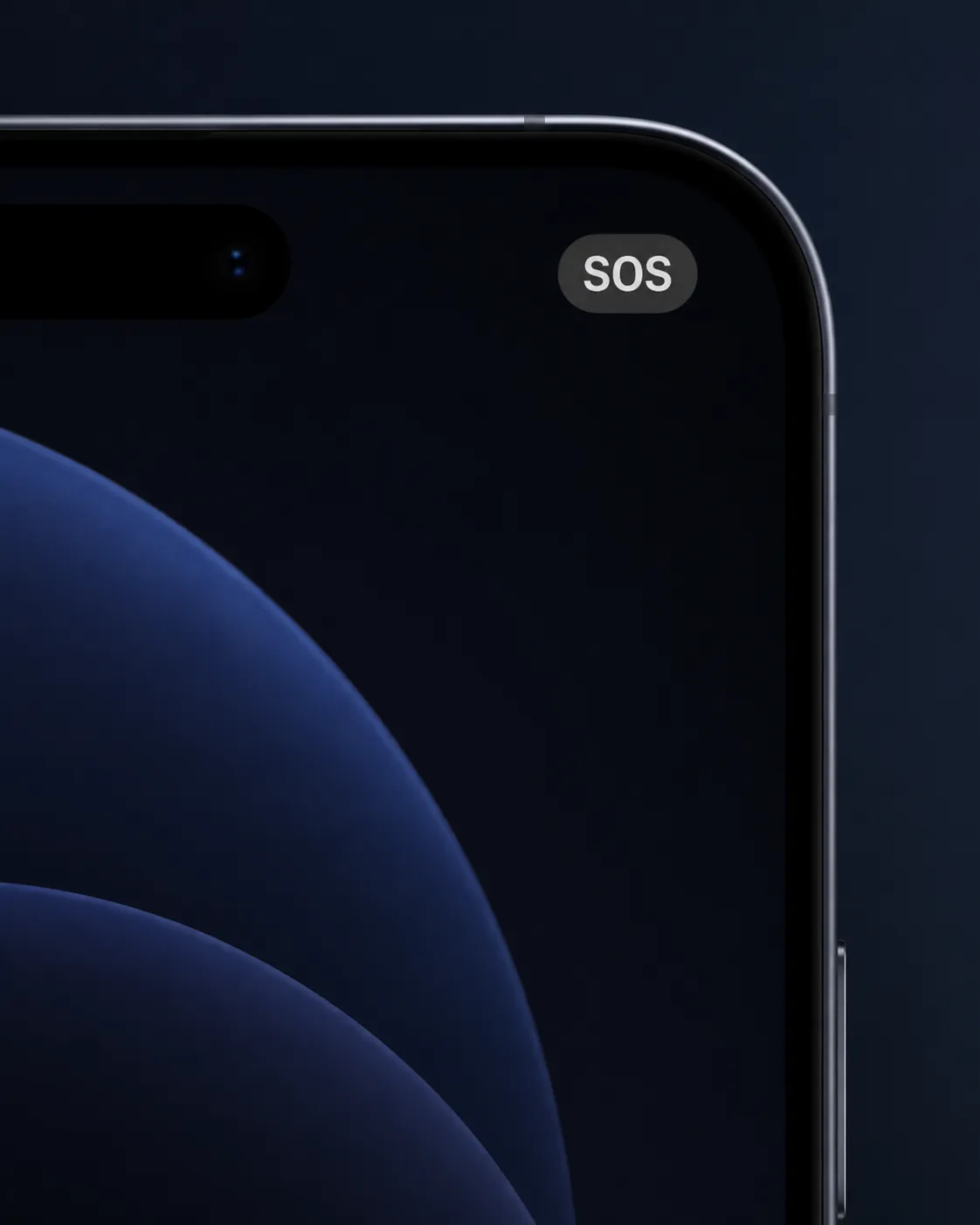
The SOS label is frightening if you do not know what it means. Apple’s support guidance says SOS or SOS only means the iPhone is not connected to its regular cellular network, but can still make emergency calls in supported regions.[4] In plain caregiver terms: regular calls and texts may fail, but the phone is not necessarily cut off from 911.
That distinction matters. If your parent says “SOS is in the corner,” you can stop asking them to explain the entire phone and focus on safety and backup contact. If they say “the screen is black,” “it will not turn on,” or “I cannot find the phone,” the outage maps may be a distraction.
If the maps show reports and the phone shows SOS
When both clues line up, treat a T-Mobile outage as likely, not proven. Do not make an anxious parent perform a long repair routine during a likely network event. First confirm immediate safety: are they okay, are they at home, and do they have another way to contact you if the phone stays unreliable?
Use whatever alternate channel is already familiar. That may be a landline, a Wi-Fi messaging app, a tablet, a computer, a caregiver device, a neighbor, or a family member nearby. If your parent has home Wi-Fi and their phone supports it, Wi-Fi Calling can route calls over Wi-Fi when cellular service is weak or unavailable; T-Mobile lists Wi-Fi Calling as a workaround on its network outages support page.[5]
Do not promise a resolution time. T-Mobile’s own outage guidance says most major outages are resolved within hours, while also giving approximately two days as an upper estimate for some outage resolution.[5] For a caregiver, that means the next decision is not “when will the network be fixed?” It is “can my parent safely wait with another working contact method?”
If the maps are quiet, check the simple phone problems
A quiet outage map does not clear T-Mobile completely, but it does move the phone itself higher on the list. This is where a calm, limited checklist helps. T-Mobile’s signal troubleshooting guidance includes basic checks such as Airplane Mode, restarting the device, and checking the SIM card condition.[6]
- Ask them to look for the airplane icon. If it is on and they know how to turn it off, have them do that.
- Ask them to restart the phone if they are comfortable doing it and the battery is not critically low.
- Ask whether the phone has recently been dropped, gotten wet, or shown a SIM message.
- Ask them to plug it in and leave it charging if the screen is black or the battery may be dead.
Keep the instructions small. “Look for the airplane picture” is better than “check Airplane Mode.” “Hold the side button until you see the power slider” is only useful if they know which side button you mean. If your parent is upset, has low vision, or cannot reliably describe the screen, remote troubleshooting loses value quickly.
Use T-Mobile’s coverage map for a different question
The T-Mobile coverage map can help if this is a recurring problem at the same address, especially after a move, a new assisted living placement, or a change in where your parent spends most of the day.[7] It is less helpful for deciding whether something broke in the last half hour.
Coverage maps describe expected service, not a live local outage. They are also sales-facing tools, so treat them as a broad signal rather than a guarantee that your parent’s bedroom, basement apartment, or back room should have usable reception. If the map claims coverage but the phone regularly fails indoors, the practical answer may still be Wi-Fi Calling, a different room for important calls, or a different backup device.
When to escalate instead of troubleshoot
The remote workflow is useful only while it is lowering uncertainty. If it starts producing more questions than answers, stop treating it like a puzzle. The safest next step depends on what you can confirm.
| What you can confirm | Reasonable next action |
|---|---|
| Maps show nearby reports, parent is safe, and another contact method works | Wait, monitor the maps, and keep the alternate channel open |
| Maps show nearby reports, but you cannot confirm your parent is safe | Call a neighbor, building desk, nearby relative, or local non-emergency line as appropriate |
| Maps are quiet, phone is on, and simple checks do not restore service | Contact T-Mobile support or ask someone to inspect the phone directly |
| Phone may be off, dead, damaged, lost, or unreachable, and no alternate contact responds | Arrange an in-person check rather than continuing remote diagnosis |
If you manage the account, account-side tools may help confirm whether the line is active or whether family safety features were previously set up. They are secondary here because they do not replace the urgent questions: is the parent safe, is the phone powered, and are other people in the same area reporting trouble?
After the immediate call problem is over
Once the phone is working again, make the next outage less frightening. Write down the parent’s Wi-Fi name, the best alternate number, a neighbor or front desk contact, and whether Wi-Fi Calling is enabled. If your parent uses an iPhone, also make sure everyone understands what SOS means before it appears during a real outage.
For a broader plan beyond one T-Mobile problem, see Beyond the Panic Button: A Caregiver's Guide to Technology Categories That Support Aging in Place. The immediate outage workflow is only one part of a sturdier communication setup.
Free crowd-sourced maps plus two short questions can often tell you whether a T-Mobile outage is likely near your elderly parent’s phone. They cannot guarantee what is happening inside the house. If you cannot confirm power, safety, or any working contact method, the responsible endpoint is not another map refresh. It is a human check.
References
- PSA: T-Mobile is down, iPhones forced into SOS mode, 9to5Mac, July 27, 2026.
- T-Mobile outage map, Downdetector.
- T-Mobile outage map, GeoBlackout.
- If you see No Service, Searching, or SOS on your iPhone or iPad, Apple Support.
- Network outages, T-Mobile.
- Signal issues / no service troubleshooting, T-Mobile.
- Coverage map, T-Mobile.
Questions to bring to a clinician or OT
This is not medical, legal, or a family's final decision — only a framework. Bring these questions to a clinician, occupational therapist, or your local Area Agency on Aging.
Find Local HelpRelated reading
Noticed something outdated or inaccurate on this page? Flag a correction. We review every report against CDC, NIA, and AARP HomeFit guidance before updating a page.