
Caregiver decision guide
Garmin Cirqa for Elderly: What It Tracks and What It Misses
The Garmin Cirqa offers comprehensive 24/7 health trend monitoring at a one-time cost of $199, but lacks fall detection, cellular SOS, and medical-grade alerts. This article explains what the device can and cannot do for an aging parent and who it is suitable for.
The first thing to know about Garmin Cirqa for elderly care is where the line is. Cirqa can be a useful 24/7 wellness trend monitor for a lower-risk older adult who reliably carries a smartphone. It cannot replace a medical alert system for someone who is at fall risk, lives alone without strong phone habits, or needs an emergency call to go out automatically.
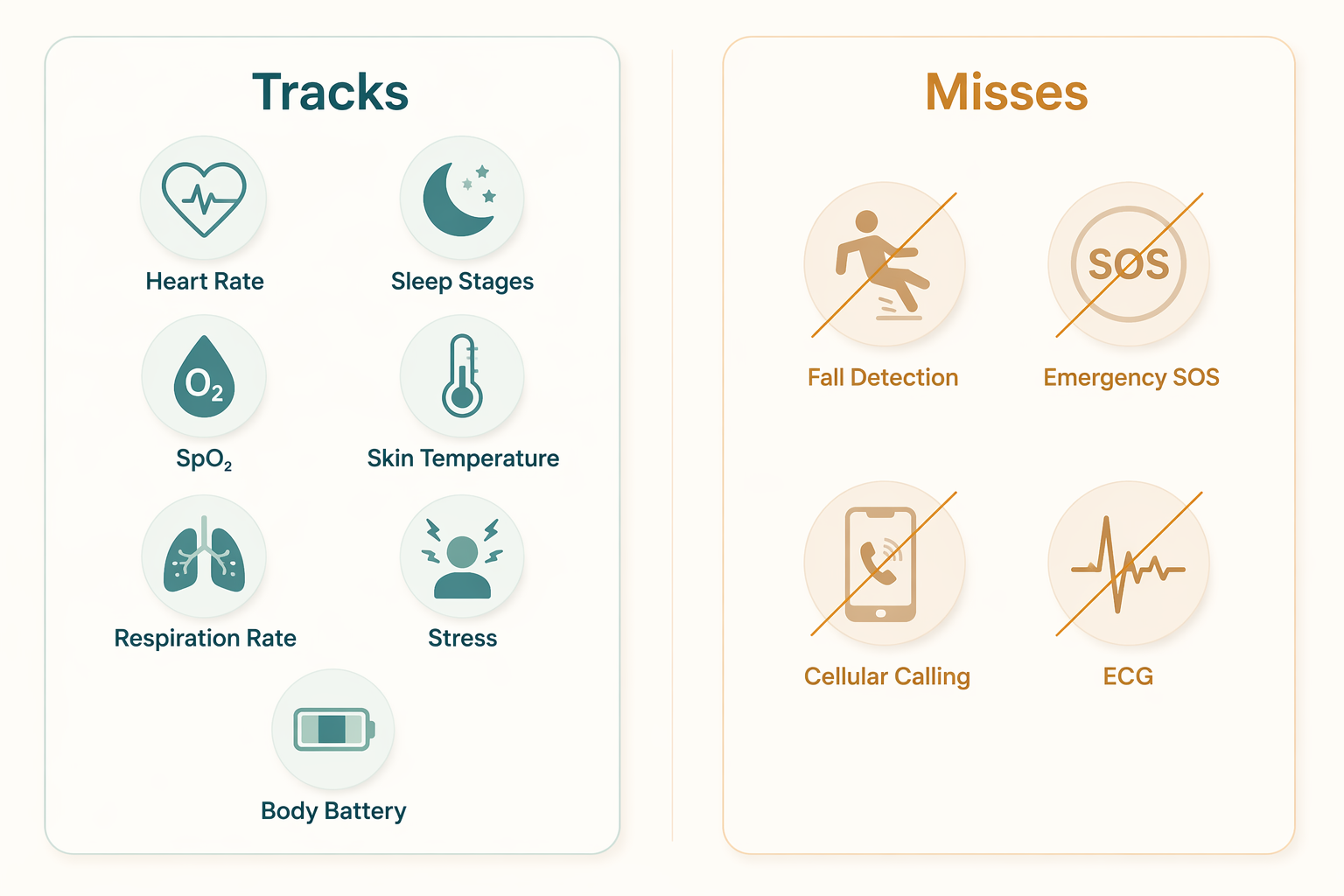
That distinction matters because the feature list looks reassuring at first glance. Cirqa tracks heart rate, heart rate variability, blood oxygen, skin temperature, respiration rate, sleep stages, stress, and Garmin’s Body Battery metric, with data available in Garmin Connect and no monthly subscription attached to the $199 device price.[1] Those are real conveniences. They are not the same thing as a safety net.
What Cirqa Actually Watches
Cirqa is closer to a screenless wellness band than to a senior emergency device. It uses Garmin’s Elevate Gen4 optical sensor and is designed for continuous background tracking rather than workout coaching on a watch face. In early hands-on coverage, DC Rainmaker reported that accuracy differences from Garmin’s newer Gen5 sensor are “totally negligible” for non-workout use, which is the use case most families would care about for an aging parent.[2]
| Caregiving Question | What Cirqa Offers | What That Means |
|---|---|---|
| Can I see daily wellness patterns? | Heart rate, HRV, SpO2, skin temperature, respiration rate, sleep, stress, and Body Battery in Garmin Connect | Useful for trends, routines, and conversations, not diagnosis |
| Can it alert someone if Dad falls? | No fall detection or incident detection | It should not be used as the only safety device for a fall-risk senior |
| Can it call for help by itself? | No cellular radio or independent SOS | The older adult still depends on a paired smartphone |
| Can a caregiver see anything remotely? | Garmin Connect sharing can be set up for authorized viewers | Possible, but less streamlined than a dedicated caregiver platform |
| Does it reduce subscription burden? | $199 one-time purchase, no subscription | Cost is attractive, but the protection category is different |
The useful caregiving value is pattern recognition. If an older adult’s sleep becomes more fragmented, resting heart rate changes, or overnight oxygen readings look different from their usual baseline, the family may have a reason to check in, ask better questions, or bring organized observations to a clinician. Cirqa can help notice change. It does not determine what the change means.
Garmin’s own limitation is important here: its Pulse Ox feature is not a medical device and is not intended to diagnose or monitor any medical condition.[1] That does not make the reading useless. It means families should treat it as consumer wellness information, especially if they are tempted to use SpO2 or heart-rate changes as a substitute for medical monitoring.
The Safety Gap Is Not a Fine-Print Detail
The biggest caregiving issue is not whether Cirqa tracks enough signals. It tracks plenty. The issue is what happens during the kind of event families fear most: an older adult falls, cannot reach the phone, and needs help before the next routine check-in.
Cirqa does not have fall detection or incident detection. Garmin offers incident detection on some GPS watches, such as models in the Forerunner, Fenix, and Venu lines, but those features are tied to supported tracked activities rather than general 24/7 fall monitoring.[3] Cirqa is not one of those GPS watch products, and its published specifications do not include fall detection.[2]
- No fall detection.
- No incident detection.
- No ECG.
- No cellular SOS.
- No independent emergency call without a paired smartphone.
The only passive alerting called out in early coverage is abnormal heart rate alerts. High and low thresholds can be configured in Garmin Connect so the paired phone receives the notification.[2] That can be useful, but it is narrow. A heart-rate alert is not a fall alert, not a dispatcher, and not a guarantee that a caregiver sees the problem in time.
This is the place to be blunt: if the purchase question is “Will someone be contacted if Mom is on the floor?” Cirqa is the wrong primary device. A long list of health metrics can create a feeling of coverage that the emergency chain does not actually support.
How to Read the Health Signals Without Overreading Them
For an older adult who likes seeing wellness data, Cirqa may be pleasant and low-friction. Heart rate can show resting patterns and daily variation. HRV can give a rough recovery signal. Sleep stages and respiration rate can help make poor nights visible. Skin temperature can show deviations from a personal baseline. Stress and Body Battery translate sensor data into Garmin’s own readiness-style language.[1]
The caregiver’s job is to keep those signals in their lane. A week of unusually poor sleep may explain why a parent is napping more. A changed resting heart-rate pattern may justify a check-in. Overnight SpO2 readings may be worth writing down if there are symptoms or a clinician has asked about sleep quality. None of that turns Cirqa into a diagnostic device.
Body Battery and related recovery metrics also need a little restraint for older adults who are less active. DC Rainmaker notes that some Garmin algorithms are tuned around active-user assumptions, which can make stress and recovery interpretations less straightforward for a sedentary older adult with age-appropriate low HRV.[2] In practice, the most useful comparison is usually the wearer against their own baseline, not against an imagined “normal” score.
If you are still deciding whether a wearable category makes sense at all, it helps to compare Cirqa against broader criteria in a fitness tracker for seniors guide rather than judging it only against other Garmin products. The right question is not “How many metrics are included?” but “Which decision will this information help the family make?”
The Phone Requirement May Decide the Whole Purchase
Cirqa depends on a paired smartphone and Garmin Connect. That is manageable for an older adult who already keeps a phone nearby, charges it, understands Bluetooth hiccups, and is comfortable with app-based information. It is a poor fit for someone whose phone is often in another room, powered off, misplaced, or treated as an emergency-only object.
This is not a minor usability complaint. If the phone is not nearby, Cirqa cannot make an independent emergency call because it has no cellular radio.[2] And if a caregiver is expected to review Garmin Connect data, someone has to set up sharing, permissions, notifications, and routine app maintenance. Garmin Connect can be powerful, but it is not designed with the same narrow caregiver workflow as a dedicated medical alert or remote care platform.
For families already struggling with phone use, the setup burden may matter more than the sensor list. A technology plan sometimes has to start with whether the older adult can use the phone consistently; a caregiver guide to helping an older adult with technology may be the more practical first stop.
Why the Price Is Tempting, and Why It Should Not Settle the Decision
The $199 one-time price is one of Cirqa’s most appealing details. Medical alert subscriptions can wear families down, especially when more than one parent needs support. For comparison, the Medical Guardian MGMove is listed at about $715 in the first year when combining $199.95 equipment cost with a $42.95 monthly service fee.[4]
That comparison explains the temptation, not the substitution. MGMove-style products are priced around a different job: emergency response and a monitored alert pathway. Cirqa is priced like a wellness wearable. Paying less is good only if the family is not silently dropping the function they needed most.
A fair buying decision separates two budgets: the wellness-data budget and the safety-response budget. Cirqa may reduce the first. It does not eliminate the second for a senior who needs fall detection, emergency calling, or professional monitoring.
Comfort and Battery Life Are Real Strengths
A wearable that lives in a drawer protects no one and tracks nothing. Cirqa’s small form helps here: it weighs 20 grams and carries a typical-use battery claim of up to 10 days.[1] For an older adult who dislikes bulky watches, a light screenless band may be easier to accept than something that feels like a medical device.
Battery life also reduces caregiver friction. Fewer charging sessions mean fewer missed nights of sleep data and fewer “I forgot to put it back on” gaps. There is one caveat: early hands-on reporting notes that continuous SpO2 use may shorten real-world battery life compared with Garmin’s typical-use claim.[2] If oxygen trend data is the feature that matters most, families should expect to watch charging habits more closely.
Remote Patient Monitoring Is Possible, But Not Through the Ordinary Family Setup
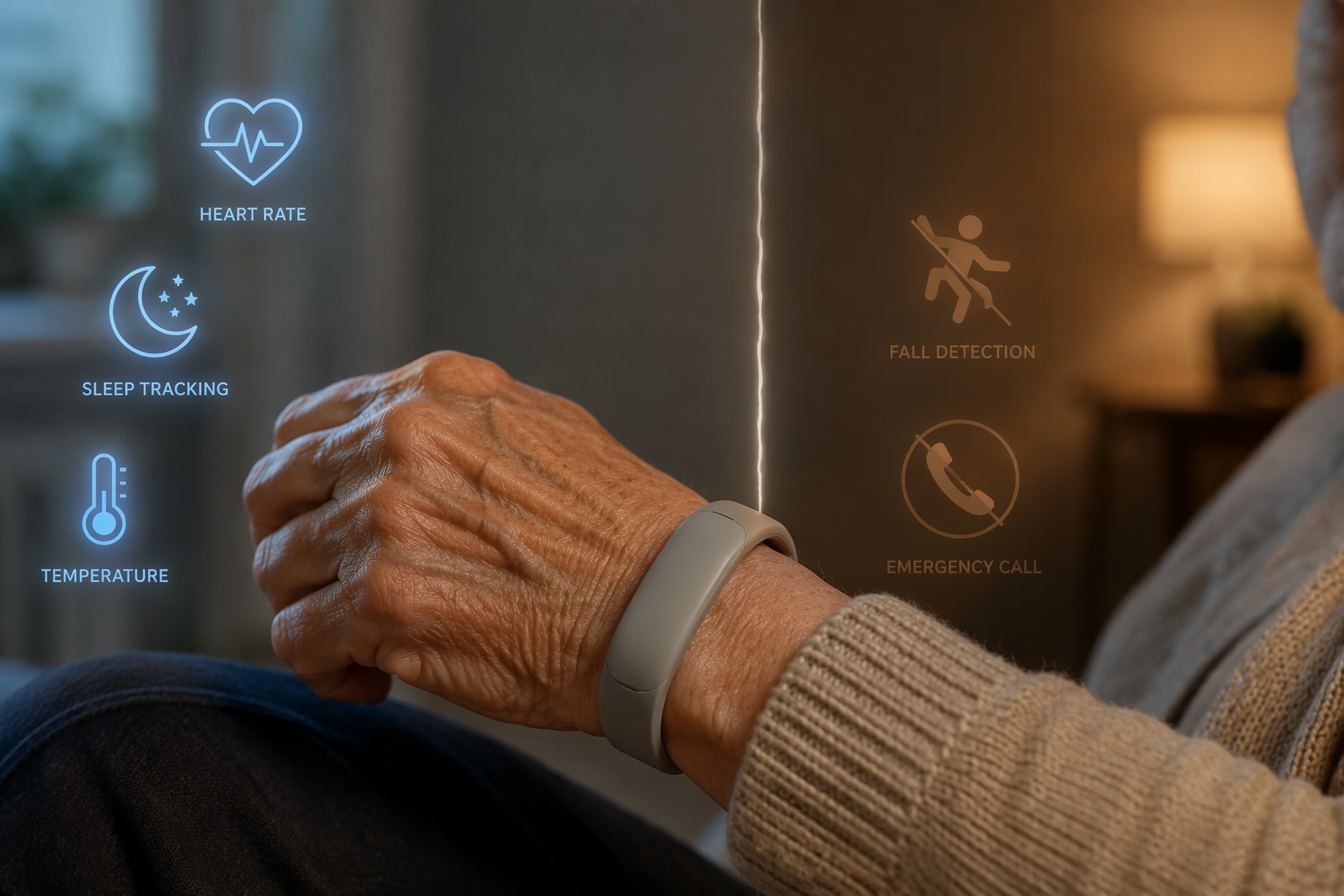
Garmin Health’s SDK can connect Garmin device data with third-party remote patient monitoring platforms, including FDA-cleared platforms such as Medixine, Qurasoft SaniQ, and vitalera.[5] That matters for clinics, care organizations, and platform-based programs that already know how they want to ingest and review wearable data.
Most families should not read that as “my doctor will automatically monitor Cirqa.” Consumer Garmin Connect use and a clinical RPM program are different arrangements. If a physician, home health provider, or care platform specifically supports Garmin data, that can change the usefulness of the device. Without that setup, the family is still the reviewer of the information.
Who Cirqa Fits Safely
Cirqa makes the most sense for an older adult who is relatively stable, not known to be at high fall risk, already carries a smartphone, and has some interest in wellness information. It may also fit a family that wants a low-profile way to notice changes in sleep, recovery, and daily physiological patterns without committing to another monthly bill.
- Better fit: an active or semi-active older adult who charges devices reliably and keeps a paired phone nearby.
- Better fit: a caregiver who wants trend information, not emergency dispatch.
- Better fit: a family already comfortable managing Garmin Connect permissions and notifications.
- Poor fit: a senior with recent falls, balance problems, or long periods alone without reliable phone access.
- Poor fit: a household that needs one button, one emergency pathway, and no app interpretation.
It is also worth noting how new the product is. Cirqa launched on July 21, 2026, so there is no independent long-term evidence yet on reliability or accuracy specifically for elderly care use.[1] The available facts support a cautious wellness-monitoring judgment, not a claim that Cirqa has been validated as a senior-care device.
What to Choose Instead or Alongside It
If the older adult needs emergency response, start with a medical alert system or a watch designed around SOS and monitoring. If they need broader awareness at home, consider environmental monitoring as well. Motion sensors, door sensors, stove sensors, and bed or room activity patterns can sometimes tell caregivers what a wristband cannot, especially when the wearer forgets devices or removes them at night. A guide to smart home sensors for elderly living alone can help frame that larger setup.
If the family specifically wants a smart band, compare models by the alert pathway before comparing wellness dashboards. Some bands emphasize activity and sleep. Others build more directly around fall detection or caregiver notification. A broader smart band for elderly activity monitoring comparison is useful because this is where similar-looking wearables can separate into very different categories.
The caregiver-ready verdict is narrow but clear: Cirqa is suitable as a wellness trend supplement for a lower-risk, phone-carrying older adult. It is not a replacement for a medical alert system when fall risk, emergency response, cellular calling, or simplified caregiver workflows are the real need.
References
- Garmin Cirqa press release, Garmin, July 21, 2026
- Garmin Cirqa hands-on review, DC Rainmaker, July 2026
- The best Garmin watches with fall detection, MakeUseOf
- Best Medical Alert Watches of 2026, National Council on Aging, 2026
- Garmin Health announces new integrations with remote patient monitoring platforms, Garmin Blog, July 22, 2024
Questions to bring to a clinician or OT
This is not medical, legal, or a family's final decision — only a framework. Bring these questions to a clinician, occupational therapist, or your local Area Agency on Aging.
Find Local HelpRelated reading
Noticed something outdated or inaccurate on this page? Flag a correction. We review every report against CDC, NIA, and AARP HomeFit guidance before updating a page.