Smart Home Sensors for Elderly Living Alone: The Five Main Types and What They Monitor
For: adult child15 minutesReviewed: 2026-07-05
Smart Home Sensors for Elderly Living Alone: The Five Main Types and What They Monitor
This guide explains the five functional categories of smart home sensors for monitoring an older adult living alone—motion, contact, pressure, environmental, and wearable—and helps caregivers understand what each type detects, where to place it, and how to choose the right combination based on their parent's specific risks and daily routines.
By Editorial Team
new caregiver
experienced caregiver
long-distance caregiving
spousal caregiver
working caregiver
daily routines
medication management
personal hygiene
care coordination
first steps
ADLs
IADLs
Smart home sensors for older adults living alone are not all watching for the same thing. Some notice movement in a hallway. Some notice a door opening at midnight. Some notice that a bed was exited and not re-entered. Some watch for smoke, water, temperature, or air quality. Some only work if the person wears the device, keeps it charged, and does not leave it on the dresser.
That distinction matters more than the brand name on the box. A family trying to support an older parent at home is usually not buying “smart home technology” in the abstract. They are trying to see one risk earlier: a fall, a missed morning routine, a door opened during confusion, unsafe heat near the stove, a long bathroom stay, or a post-hospital decline that is easy to miss from across town.
A 2022 scoping review of 30 aging-in-place monitoring studies found that passive infrared motion sensors appeared in 21 studies and contact sensors in 19, making them the most common sensor types in that research set.[1] That does not mean every home needs both. It does mean the basic landscape is less mysterious than the marketing makes it sound: most systems are built from a small set of sensor functions, arranged around the older adult’s daily routine.
The Five Main Sensor Types
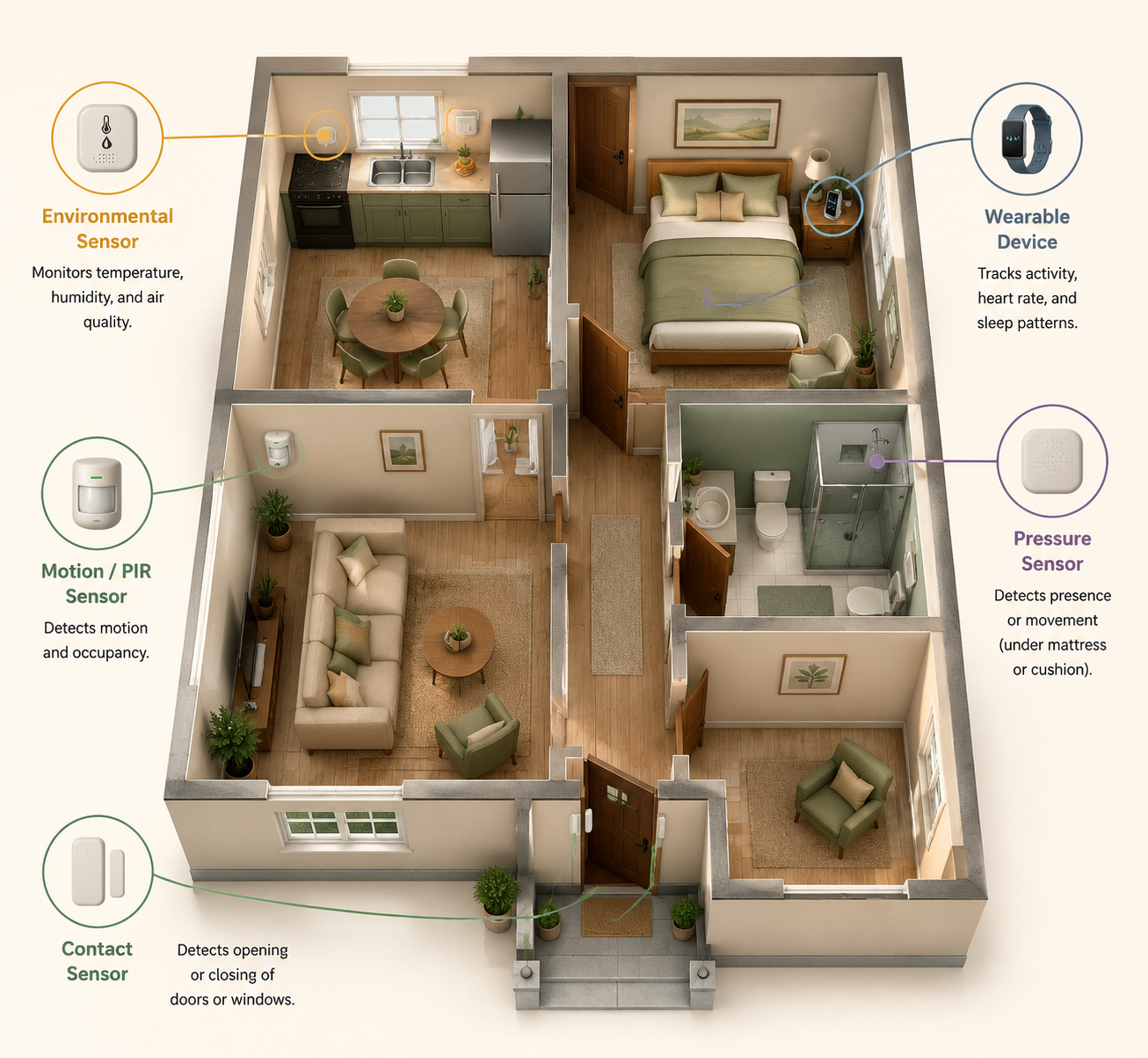
The cleanest way to compare sensors is by what they detect, not by the app they use. These five categories cover the main functions families run into when researching home monitoring.
Sensor type
What it detects
Common placement
Risks it can help monitor
Motion or presence
Movement or occupancy in an area
Hallways, bedroom entry, bathroom entry, kitchen, living room
Routine changes, inactivity, night wandering, possible room-to-room movement patterns
Contact or open-close
Whether something opens or closes
Front door, back door, refrigerator, medicine cabinet, window, closet
Wandering, missed meals, unusual exits, medication access, appliance or cabinet use
Pressure
Weight or pressure on a surface
Bed, chair, recliner, floor mat
Bed exits, chair occupancy, time out of bed, post-hospital mobility routines
Environmental
Conditions in the home
Kitchen, bathroom, utility room, hallway, near appliances
Smoke, carbon monoxide, water leaks, temperature extremes, humidity, stove-related concerns
Wearable
Body-worn movement, button press, location, or vital-sign-related signals depending on device
Emergency calls, some fall detection, location outside the home, direct body movement
The same home may use more than one category. A parent with mild forgetfulness and a history of leaving the house at night may need door contact sensors more than a mattress sensor. A parent recovering from surgery may need bed or chair pressure monitoring for a short period. A parent who still drives, walks outside, and agrees to wear a device may benefit from a wearable emergency button in addition to in-home sensors.
The point is not to cover every surface. It is to match the sensor to the thing that would actually change your response.
Motion Sensors: Useful for Routines, Weak for Explanations
Motion sensors, often passive infrared sensors, notice movement in a defined area. They are usually placed high on a wall or ceiling-facing corner where they can see a hallway, bedroom doorway, bathroom entry, kitchen path, or common sitting area. In the aging-in-place studies reviewed in 2022, passive infrared motion sensors were the most frequently used sensor type, appearing in 21 of 30 studies.[1]
What they do well is build a rough picture of rhythm. Did someone leave the bedroom this morning? Has there been kitchen activity by late morning? Is there repeated hallway movement at night? Has the bathroom been entered but not followed by expected movement elsewhere? These are not medical conclusions. They are pattern clues.
A motion sensor cannot tell whether a person is safe, happy, hydrated, or taking medication. It cannot reliably distinguish every normal variation from a problem. It may not see someone sitting still for a long time. It may be triggered by pets or blocked by furniture, depending on placement and product design. But for a caregiver who lives elsewhere, “no motion in the kitchen by 11 a.m.” can be more useful than a vague reassurance that “activity was detected” somewhere in the home.
Motion sensors are most relevant when the concern is routine disruption: living alone after a fall, sleeping late in an unusual way, pacing at night, long bathroom visits, or a gradual decline in movement around the house. The same 2022 review reported that sensor-based heatmap analysis could distinguish normal from abnormal days with 88% accuracy in one included approach, and that sensor data had been used to estimate loneliness or depression with up to 96% accuracy in reviewed work.[1] Those findings are promising, but they should not be read as a guarantee that a consumer system will understand your parent’s day. The useful takeaway is narrower: movement patterns can become meaningful when they are compared with that person’s own baseline.
Contact Sensors: Doors, Cabinets, Refrigerators, and the Details Motion Misses
Contact sensors are the small open-close sensors usually placed on a door, window, cabinet, drawer, refrigerator, or medicine box. They appeared in 19 of the 30 studies in the 2022 scoping review, just behind passive infrared motion sensors.[1] Their strength is that they answer a simple question cleanly: did this specific thing open or close?
That can be more important than it sounds. A front door opening at 2 a.m. is different from hallway motion at 2 a.m. A refrigerator that has not opened by afternoon may matter for a parent who often forgets to eat. A medicine cabinet opening three times in an hour may deserve attention if medication confusion is already a known problem.
Contact sensors are especially useful when the monitored risk is tied to an object or exit point. For nighttime wandering, a door sensor can alert a caregiver that the risk has already moved beyond “restless in the house.” For food routines, the refrigerator may be more informative than general kitchen motion. For a parent with memory changes, contact sensors can help distinguish “walked past the kitchen” from “opened the refrigerator.”
The weakness is context. A refrigerator opening does not prove a meal was eaten. A medicine cabinet opening does not prove the right dose was taken. A door opening does not prove danger; it may be a neighbor, a package, or a normal walk. Contact sensors are best when the alert rule is specific enough that someone knows what to do next: call Dad, check the camera-free activity log, ask a neighbor to look in, or escalate only if the door remains open or is followed by no indoor activity.
For families managing dementia-related wandering, contact sensors often belong in a broader safety plan rather than standing alone. A door alert is a warning, not supervision. If wandering is already happening at night, it is worth pairing technology decisions with a more complete sundowning and safety plan, such as a guide to what to do when a parent wanders at night.
Pressure Sensors: Bed, Chair, and Recovery Signals
Pressure sensors detect weight or pressure on a surface. They may go under a mattress, under a chair cushion, inside a floor mat, or near a bed. They are most useful when the question is not “is there motion somewhere?” but “is the person in or out of this specific place?”
A bed sensor can support alerts around bed exits, missed returns to bed, or unusual time spent in bed. A chair sensor can show whether a parent has been sitting for a long stretch. A floor pressure mat can indicate that someone stepped out of bed or entered a specific area, though placement must be thoughtful so it does not create a trip hazard.
This category becomes more relevant after a hospitalization, surgery, new medication, or a fall that changes the parent’s mobility. In those weeks, the important signal may be narrow: getting out of bed repeatedly at night, staying in bed far later than usual, or leaving the bed and not triggering expected movement afterward. If the monitoring is part of a post-discharge plan, it should sit alongside medication review, mobility instructions, follow-up appointments, and home safety tasks in a broader hospital discharge checklist for aging parents.
Pressure sensors also have limits. They may not identify who is on the bed or chair. They can miss the reason someone got up. They can create alerts that feel urgent but are normal for that person, especially if nighttime bathroom trips are common. Their value depends heavily on whether the alert threshold matches the routine: a bed exit at 7 a.m. may be normal; a bed exit at 1 a.m. followed by no hallway motion may be different.
Environmental Sensors: The Home Itself Can Become the Risk
Environmental sensors monitor conditions in the home rather than the older adult’s movement. This category includes smoke, carbon monoxide, water leak, temperature, humidity, air-quality, stove-related, and sometimes appliance-related sensors. They are not glamorous, but they may prevent the kind of problem no one wants to discover hours later.
These sensors are usually placed near the relevant hazard: smoke and carbon monoxide detectors according to safety guidance and building requirements, water sensors near sinks or appliances, temperature sensors in rooms vulnerable to heat or cold, and stove-related monitoring in or near the kitchen. For an older adult living alone, the risk may be less about a device being “smart” and more about whether the alert reaches someone who can respond.
Bathrooms deserve special caution. A water leak sensor may help catch an overflow. A motion sensor near, not inside, a bathroom may help identify unusually long occupancy. But technology does not replace physical changes that reduce the chance of injury. If bathroom falls are part of the concern, sensor placement should be considered alongside grab bars, lighting, non-slip surfaces, and bathing access decisions such as where to place bathroom grab bars or whether a walk-in shower or tub conversion makes more sense.
Wearable Sensors: Valuable When They Are Actually Worn
Wearable sensors include pendants, watches, wristbands, belt-worn devices, shoe sensors, and phone-based systems. Depending on the device, they may support emergency button presses, fall detection, location tracking, movement monitoring, or health-related readings. They are the most direct way to monitor the body, but they have the most obvious failure point: the person has to wear and maintain them.
The 2022 scoping review noted that wearables can fail in practice when older adults forget to wear or charge them, and that concern becomes sharper when cognitive decline is involved.[1] A 2026 remote-monitoring guide from envoyatHome makes the same practical point from a vendor perspective: ambient monitoring avoids the compliance problem because the older adult does not need to put anything on, press anything, or remember a charging routine.[6] Because envoyatHome is a provider source, that claim should be read as a product-positioning argument as well as a practical observation.
Still, wearables should not be dismissed. If the parent accepts the device, keeps it charged, and leaves the house regularly, a wearable may cover risks that fixed home sensors cannot. A door sensor cannot help during a walk around the block. A hallway motion sensor cannot detect an emergency in a grocery store parking lot. A wearable fall-detection or emergency-response device may be appropriate when the risk follows the person rather than the room.
The honest test is not whether the wearable looks simple to the adult child. It is whether the older adult will wear it on an ordinary Tuesday, after a bad night’s sleep, after a shower, when company visits, and when the charging light is blinking.
Ambient Versus Wearable Is the Real Decision
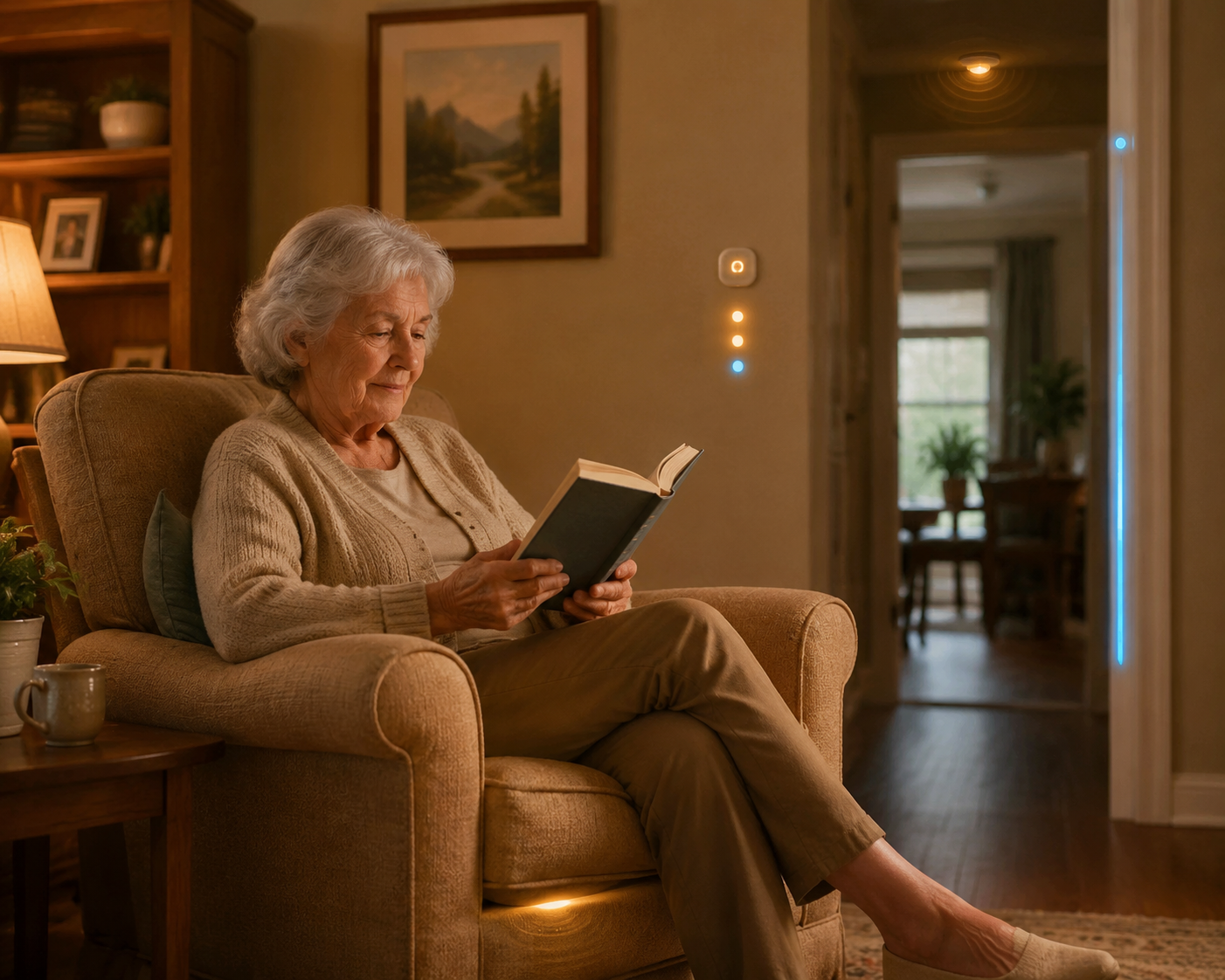
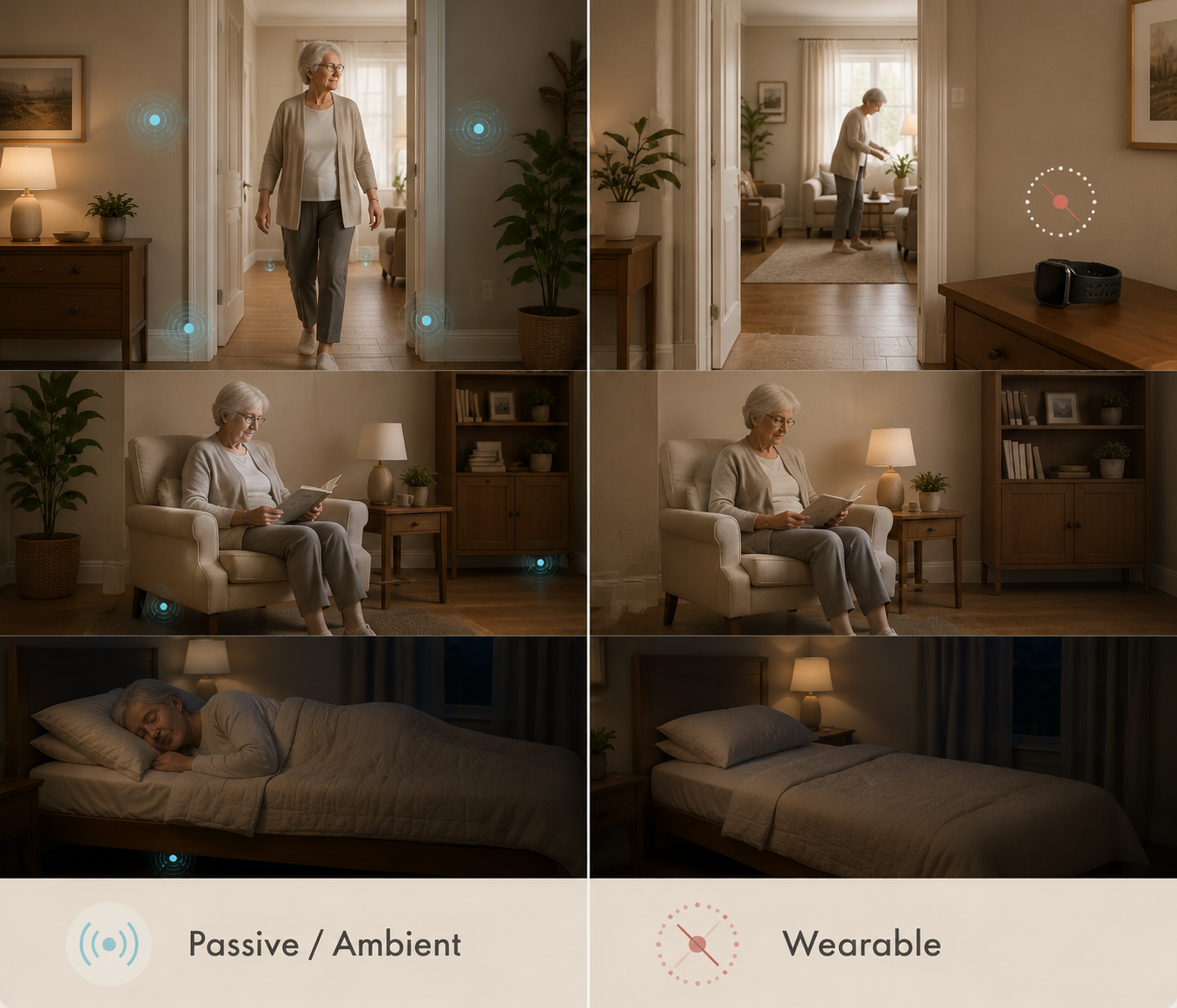
For long-term monitoring of an older adult living alone, ambient sensors often fit better because they do not depend on daily cooperation. Motion, contact, pressure, and environmental sensors sit in the home and do their job quietly. That is especially important when the parent has memory problems, low tolerance for gadgets, arthritis that makes small chargers annoying, or a habit of removing anything that feels medical.
Ambient does not mean automatically better. It means the burden shifts. The older adult may have less to remember, but the family has to decide what is monitored, who receives alerts, what data is shared, and when the system crosses from support into surveillance. A 2024 BMC Geriatrics review of smart home health technologies for older people identified privacy and data-sharing concerns as important barriers, and the 2022 scoping review noted that less noticeable passive infrared sensors placed high on walls may be more acceptable than more visible or intrusive options, while cameras carry a much higher privacy cost.[1][4]
That privacy difference matters in ordinary family life. A motion sensor outside the bathroom door may answer “has Mom been in there unusually long?” without filming her. A contact sensor on the front door may support wandering safety without recording conversations. A pressure sensor under a mattress may be useful after a hospital stay, but it still deserves an explanation and consent whenever possible. Passive sensing is less demanding; it is not ethically invisible.
Why Families Are Asking This in 2026
The interest is not hard to understand. More than one in four adults age 65 and older fall each year, and more than half of falls occur at home.[3] For a parent living alone, the fear is not only the fall itself. It is the time on the floor, the missed medication afterward, the confusion, the phone that is out of reach, and the fact that no one knows anything is wrong until the next call goes unanswered.
At the same time, smart-home devices are no longer rare. The University of Michigan National Poll on Healthy Aging data cited in 2026 aging-in-place statistics found that 49% of older adults owned a smart home device, while only 18% had made home modifications.[2] Those are different things. A voice assistant or smart thermostat is not a fall plan. A sensor alert is not a grab bar. For many homes, monitoring is one layer in a larger aging-in-place setup, alongside lighting, bathroom safety, entry changes, mobility equipment, and other home modification costs for aging in place.
False Alarms Are Not a Side Issue
Alerts create work. They wake someone up, ask for judgment, and sometimes force a decision with incomplete information. In NCOA’s 2026 discussion of fall-detection systems, it cites University of Missouri work by Skubic and colleagues in which 83 of 84 alarms from one commercial fall-detection system were false alarms.[5] That is one study of one system, not a universal false-alarm rate for every product. But it is enough to puncture the idea that more alerts always mean more safety.
A false alarm at 2 p.m. may be annoying. A false alarm at 2 a.m., repeated often enough, changes how the caregiver responds. People start delaying, muting, second-guessing, or assuming the system is wrong. The danger is not only inconvenience; it is alert fatigue.
When evaluating a sensor setup, ask what happens after an alert. Does the system show which sensor triggered? Does it combine signals, such as bed exit plus no hallway motion, before escalating? Can thresholds be adjusted to the parent’s routine? Can a neighbor, sibling, or monitoring center be part of the response chain? Is there a record that helps distinguish a one-time oddity from a new pattern?
The better question is not “does it alert?” The better question is “can we trust the alert enough to act, and do we know what action comes next?”
Choose by Risk, Routine, and Response Capacity
Start with the parent’s highest risk, not the sensor catalog. A parent with balance problems, stairs, and a recent fall has a different monitoring need than a parent with early dementia who is physically steady but leaves the house at night. A parent recovering from surgery has a different need again, and it may be temporary.
If the main concern is...
Sensors that may fit
What to watch carefully
No one knows whether the parent is up and moving
Motion sensors in bedroom path, hallway, kitchen, and main living area
Avoid vague alerts; look for routine-based patterns such as no morning activity
Night wandering or unsafe exits
Contact sensors on exterior doors, possibly paired with motion sensors
Plan the response before the first alert; door opening alone is not the whole story
Post-hospital bed exits or nighttime mobility
Pressure sensor under mattress or bed-adjacent sensor, plus hallway motion
Use for a defined recovery period if the risk is temporary
Kitchen, smoke, water, or temperature hazards
Environmental sensors near relevant hazards
Make sure alerts reach someone who can respond quickly
Risk outside the home
Wearable emergency-response or location-capable device
Only useful if the parent reliably wears and charges it
Falls related to balance or mobility
Combination of ambient sensors, possible wearable, and physical safety changes
Sensor choice should not delay mobility assessment or home modifications
For fall risk, sensor selection should sit beside the practical causes of falling. If the parent’s walker is wrong for the home, the hallway is dark, or the bathroom has no grab bars, monitoring only tells the family about trouble after it starts. Families comparing mobility aids may need to look at questions such as walker versus rollator for balance problems, while multi-level homes may require a separate look at stairs and stair lift alternatives.
A Practical Decision Framework
A workable setup usually begins small. Pick the risk that would most change your response, then choose the least intrusive sensor that can detect a useful signal for that risk.
If consistency matters more than direct body data, favor ambient sensors such as motion, contact, pressure, and environmental sensors.
If the risk follows the parent outside the home, consider a wearable only if the parent will reliably wear and charge it.
If cognitive decline is present, assume reminders and charging routines will become less reliable over time.
If privacy is a major concern, avoid cameras unless there is a clearly justified need and consent is addressed.
If alerts go to family, define who responds, when they call, when they escalate, and when the alert can wait.
Review the setup every 6 to 12 months, or sooner after a fall, hospitalization, new diagnosis, medication change, or move.
For many older adults living alone, the most sustainable monitoring plan is not the most elaborate one. It is a small combination of sensors tied to real routines: motion where morning activity matters, contact sensors where exits matter, pressure sensing where bed or chair use matters, environmental sensing where the home itself creates risk, and wearables only where the person will actually use them.

Comments
Join the discussion with an anonymous comment.