
Why Medical Alert Buttons Fail for Dementia — and What Actually Works
If your parent has Alzheimer’s or another dementia, a traditional medical alert pendant may be worse than useless. This article explains why devices that require cognition at the moment of crisis fail for memory loss, and how passive sensor-based monitoring — which requires zero action from the senior — offers a safer, more respectful alternative.
- Last Reviewed
- 2026-06-19
- dementia monitoring
- passive sensors
- wandering
- medical alert system
- PERS
- privacy and consent
The ‘Button Problem’: Why a 50-Year-Old Design Fails for Cognitive Decline
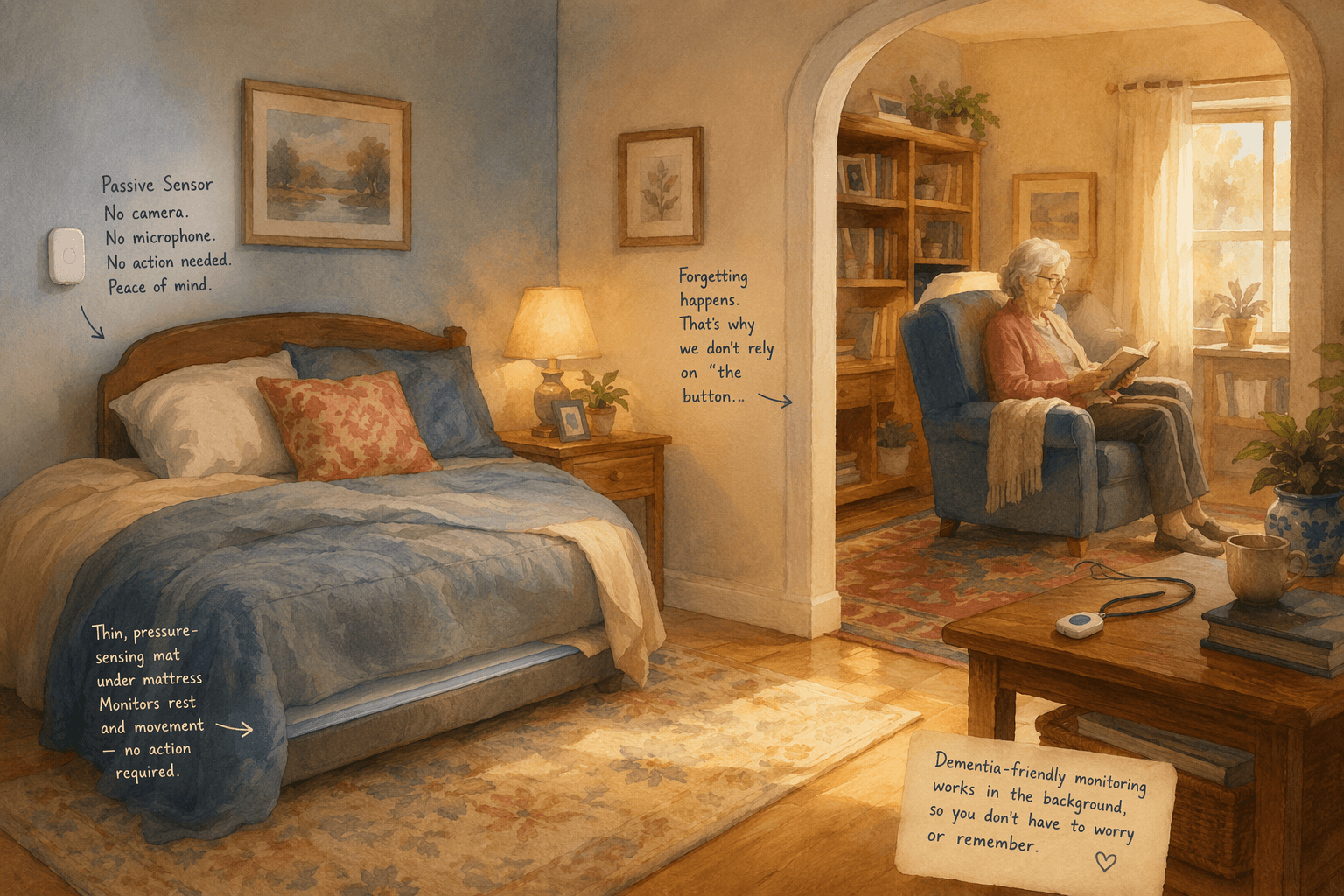
The classic medical alert pendant — a wearable button you press to call for help — was designed for a specific problem: physical frailty. If you fall and break a hip, you push the button. It works because the user understands the emergency, remembers they are wearing the device, and can physically press it. That chain of events collapses when the user has Alzheimer’s disease or another dementia.
Dementia introduces three distinct failure modes that a pendant cannot overcome:
- Forgetting to wear it. The person may not recognize the pendant as important, may find it uncomfortable, or may simply forget to put it on after bathing or changing clothes. A device left in a drawer provides zero protection.
- Forgetting to charge it. Battery-powered pendants require regular charging. A person with memory loss may not remember this task, and a dead battery means no emergency signal.
- Forgetting to press it. Even if the pendant is worn and charged, the person may not recognize a fall as an emergency, may not remember they have a button to press, or may be unable to coordinate the movement to press it during a disorienting event.
The consequences of these failures are serious. More than half of persons with dementia experience nighttime wandering, according to a 2020 pilot study by Ault et al., and wandering is a major predictor of caregiver burnout and early institutionalization. A pendant cannot help if the person is wandering at 2 a.m. and does not realize they are lost. The technology was designed for a different user — one with intact cognition and physical limitations — and it cannot bridge the gap when the limitation is cognitive.
How Passive Monitoring Works: Sensors That Watch, Not Wear
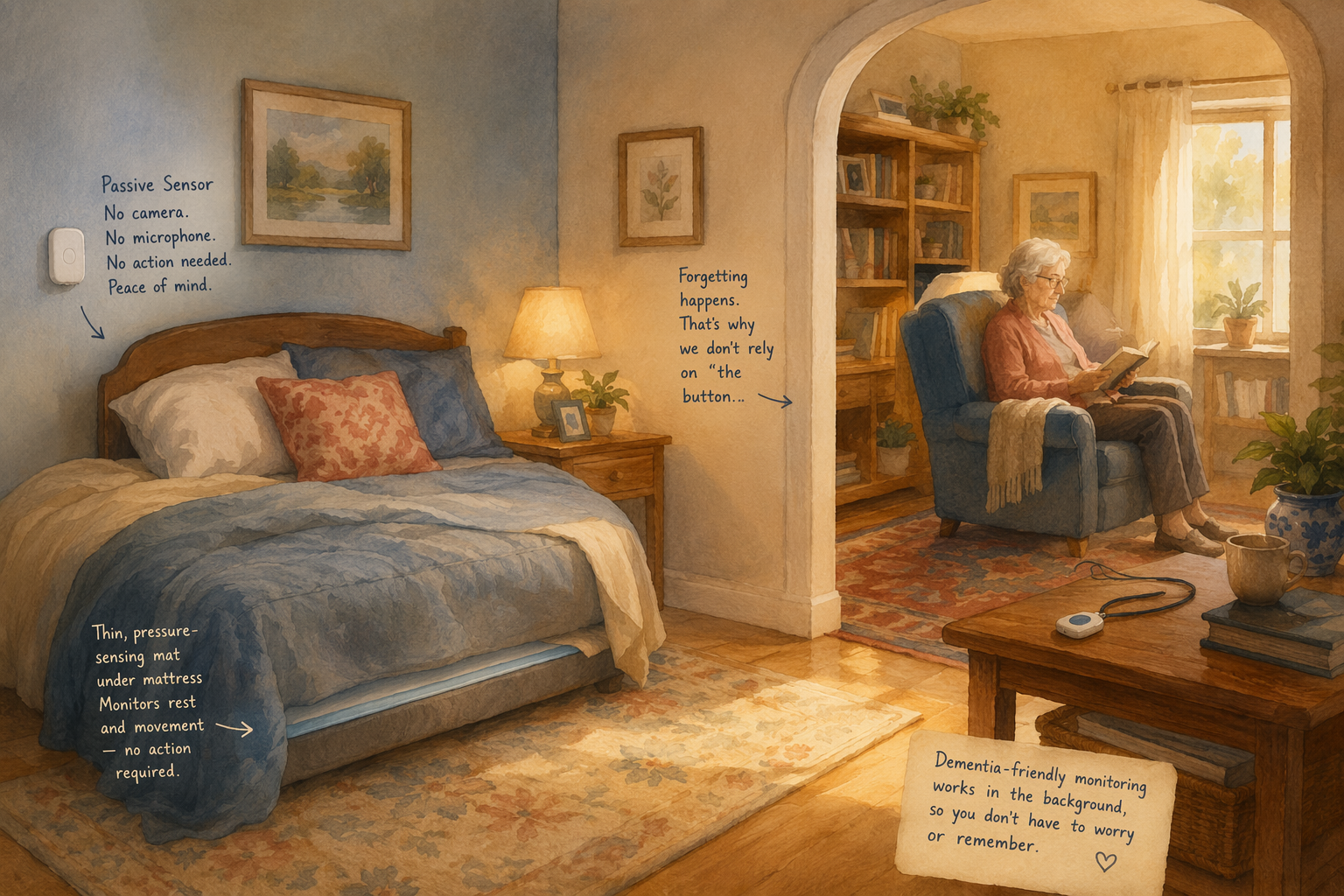
Passive monitoring systems take a fundamentally different approach: instead of requiring the senior to act, they use sensors placed throughout the home to detect activity — or the absence of it — and alert caregivers when something is wrong. The senior does not need to wear, charge, or interact with any device. The system does the watching, not the person.
A 2022 scoping review by Kim et al. of 30 studies on in-home monitoring technologies identified the most common sensor types used in these systems:
| Sensor Type | Location | What It Monitors |
|---|---|---|
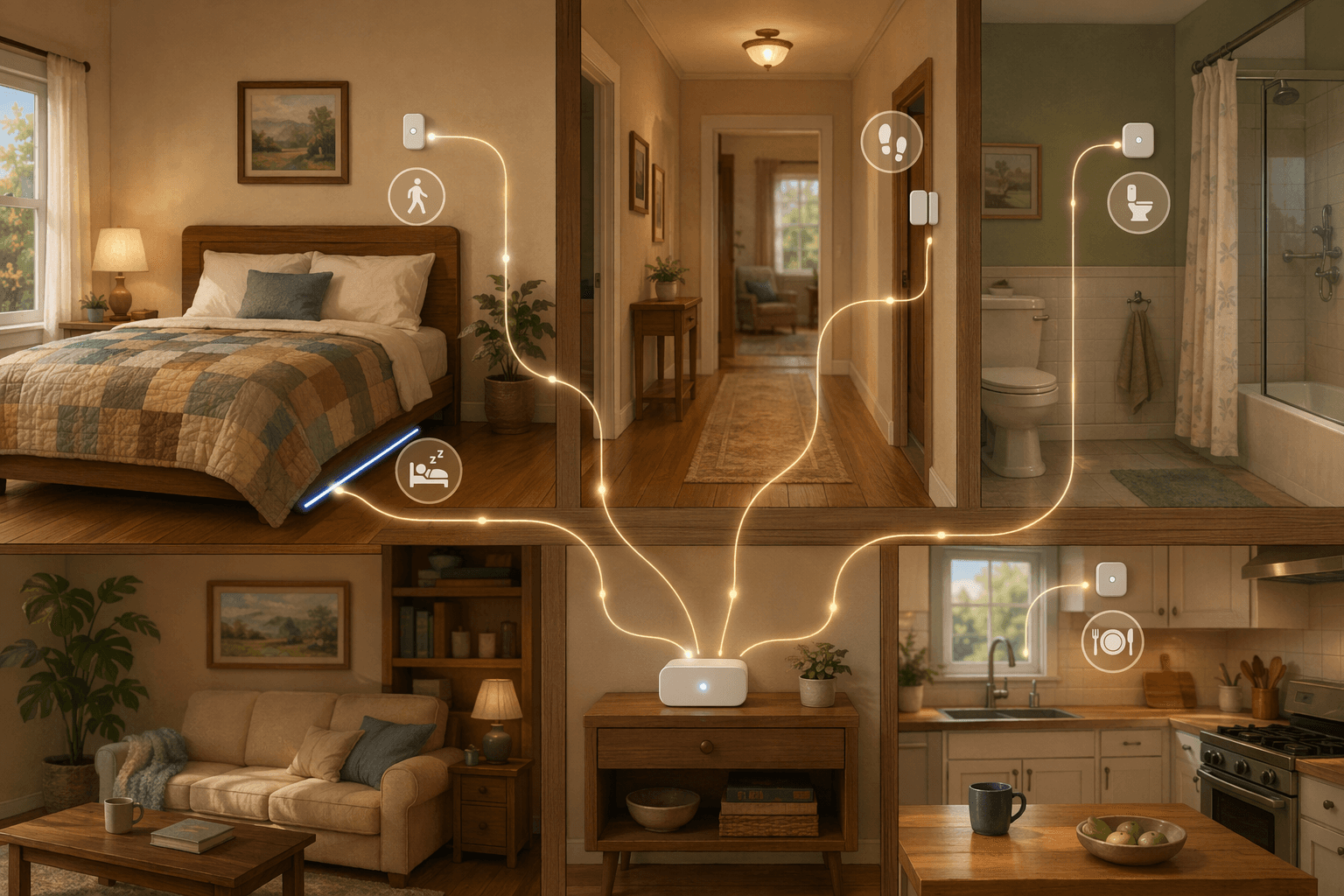
| Passive infrared (PIR) motion sensor | Ceilings or walls (range up to 30 feet) | Bodily presence, movement patterns, time spent in rooms |
| Contact sensor | Doors, cabinets, refrigerator | Room occupancy, door opening (e.g., exit door for wandering), item usage |
| Pressure sensor | Under bed mattress or chair cushion | Sleeping patterns, sitting time, bed exits |
These sensors connect to a central hub that transmits data — typically over cellular, not WiFi — to a cloud platform where artificial intelligence analyzes the patterns. The AI learns what is normal for that individual: when they usually wake up, how often they visit the bathroom, when they prepare meals, when they go to bed. When the system detects a deviation from that baseline — a bathroom visit at 3 a.m. when the person usually sleeps through the night, or no kitchen activity by 10 a.m. — it sends an alert to the designated caregiver.
Because the sensors are installed on walls, door frames, and under mattresses, there is nothing for the senior to manage. No charging, no pairing, no remembering. The system runs continuously in the background, and the caregiver receives notifications only when something needs attention. This zero-action requirement is what makes passive monitoring viable for dementia, where the person cannot reliably participate in their own safety system.
What Passive Monitoring Can Detect — Before It Becomes an Emergency
The real value of passive monitoring is not just fall detection — it is the ability to spot early warning signs of health decline days before a crisis occurs. A pendant can only report an emergency after it happens. A passive system can see the changes leading up to it.
Here are the specific, actionable things passive sensors can catch:
- Nighttime wandering. The Ault et al. (2020) pilot study found that more than half of persons with dementia experience nighttime wandering. A bed pressure mat combined with a door contact sensor can detect when the person gets out of bed and opens an exit door, sending an immediate text alert to the caregiver. Some systems also integrate smart lights and speakers to provide cue lighting and audio prompts to redirect the person back to bed.
- Increased bathroom frequency (nocturia). Two or more bathroom visits per night is associated with higher fall risk and can be an early sign of a urinary tract infection (UTI). UTIs are notoriously difficult to detect in dementia because the person may not be able to describe their symptoms. A change in bathroom patterns can alert the caregiver to investigate before the infection becomes severe.
- Missed meals or reduced kitchen activity. If the motion sensor in the kitchen does not detect activity during usual meal times, it may indicate the person has forgotten to eat or is unable to prepare food. This is an early warning for dehydration and malnutrition — both common in dementia and both preventable with early intervention.
- Unreported falls. A fall that the person cannot or will not report is a silent emergency. Passive systems can detect a fall through motion sensors that register a sudden impact followed by prolonged immobility in an unexpected location (e.g., the bathroom floor at 3 a.m.). The caregiver is alerted even though the senior never pressed a button.
- Changes in routine that signal health decline. A sudden decrease in daytime activity, a shift in sleep patterns, or a change in how long the person spends in the bathroom can all signal an underlying health issue — from a urinary tract infection to delirium to general functional decline. The AI baseline makes these deviations visible.
What the Evidence Shows: Clinical Results from Passive Monitoring Studies
The evidence base for passive monitoring in dementia care is growing, though it is still early. Two studies in particular provide concrete data on what these systems can achieve.
The Ottawa pilot study (Ault et al., 2020) tested a Night-time Wandering Detection and Diversion (NWDD) system in the homes of persons with dementia. The system used off-the-shelf motion sensors, a bed pressure mat, and contact sensors on doors, combined with smart lights and speakers. When the person got out of bed, the system provided cue lighting to guide them to the bathroom and used prerecorded audio prompts to redirect them back to bed. If the person opened an exit door, a text alert was sent to the caregiver. In the first five dyads, the average caregiver depression score decreased from 5.2 to 3.6 and anxiety from 6.8 to 5.8 after 12 weeks. Caregivers reported sleeping more peacefully.
Separately, the CarePredict @Home system has published clinical data showing a 40% reduction in hospitalizations and a 69% reduction in falls among users. The system uses AI behavior tracking with room-level accuracy and two-way communication.
Despite these caveats, the direction of the evidence is consistent: passive monitoring can detect health changes that pendants cannot, and it can reduce caregiver stress by providing peace of mind during the night — the most vulnerable time for both the person with dementia and the caregiver.
The Privacy Advantage: No Cameras, No Wearables, No Feeling of Being Watched
One of the most common concerns family caregivers raise about monitoring technology is privacy — both their parent’s dignity and their own discomfort with surveillance. Passive monitoring systems address this concern directly because they use no cameras and no wearables. They detect presence and motion, not images or sound.
A 2025 systematic review by Shaik et al. of 31 publications on remote monitoring for Alzheimer disease and related dementias emphasized the need for nonintrusive technologies that preserve patient dignity. The review proposed a framework integrating non-camera sensors with AI analytics — exactly the approach used by passive monitoring systems. Unlike a camera that records video of a person in their bedroom or bathroom, a PIR motion sensor simply registers that movement occurred. It cannot identify who is moving, what they look like, or what they are doing — only that activity is happening in a particular zone.
This distinction matters for two reasons. First, it preserves the senior’s dignity. A person with dementia may already feel a loss of control over their life; adding cameras can feel like an invasion. Passive sensors are small white discs on walls — they blend into the environment and do not signal that the person is being watched. Second, it reduces the emotional burden on the caregiver. Knowing that the system detects falls and wandering without recording video makes it easier to accept the technology as a safety tool rather than a surveillance device.
Cost Comparison: Passive Monitoring vs. the Cost of a Single Fall
Passive monitoring systems require an upfront equipment investment and a monthly subscription. The costs vary by vendor, number of sensors, and whether the service includes professional monitoring or just caregiver alerts. To put these costs in perspective, consider that more than 1 in 4 people aged 65 and older fall each year, according to the CDC Foundation, and a single fall-related hospitalization can cost tens of thousands of dollars.
| System | Monthly Cost | Equipment Cost | Key Features |
|---|---|---|---|
| envoyatHome | $99/month | $399 one-time | No-camera, no-wearable sensors; monitors nighttime wandering, bathroom frequency, missed meals, immobility; cellular connectivity |
| CarePredict @Home | $69.99/month | $499 upfront | AI behavior tracking; room-level accuracy; two-way communication; clinical studies show 40% reduction in hospitalizations and 69% reduction in falls |
| Caregiver Smart Solutions (Core Kit) | $59/month | $899 equipment | 14 sensors including motion, medicine cabinet, refrigerator, temperature, humidity, front and side door sensors, emergency buttons; no cameras |
When evaluating cost, consider the full picture. A passive monitoring system at $59–$99 per month plus equipment is a fraction of the cost of a single emergency room visit, let alone a hospitalization or a move to assisted living. For many families, the question is not whether they can afford the system — it is whether they can afford not to have it.
How to Introduce Passive Monitoring to a Parent with Dementia
One of the greatest advantages of passive monitoring is that it requires no coaching. Unlike a wearable pendant, which requires the person to remember to wear it, charge it, and press it, passive sensors are installed once and then forgotten. There is nothing to teach, no routine to establish, no behavior change to negotiate.
This makes the introduction conversation fundamentally different from what you might expect. You are not asking your parent to learn something new. You are installing small sensors in their home that will work silently in the background. The conversation, if you choose to have it, can focus on safety and independence rather than surveillance:
- Frame it around your peace of mind, not their limitations. “I worry about you at night, and this system will let me know if you need help so I can sleep better.” This positions the technology as a support for the caregiver, not a judgment on the senior.
- Emphasize that there are no cameras. “These small sensors just detect movement — they don’t record video or audio. You won’t even notice they’re there.” This addresses the privacy concern directly.
- Explain that nothing changes for them. “You don’t need to do anything differently. The sensors are already installed and working. If everything is fine, you won’t hear about it. I’ll only get an alert if something unusual happens.”
- If your parent is in the early stages and still has good insight, involve them in the decision. Show them the sensors, explain how they work, and ask for their input. This preserves their sense of agency.
For a broader framework on introducing technology to older adults — including strategies for wearables, smartphones, and other devices — see our Caregiver’s Tech Coaching Playbook. The key difference with passive monitoring is that you can skip most of the coaching steps — the sensors require no participation from the user.
Questions to Ask Before Choosing a Passive Monitoring System
Not all passive monitoring systems are created equal. Before committing to a vendor, ask these questions to ensure the system fits your parent’s specific needs and your family’s expectations:
- How is data handled and protected? Is the system HIPAA-compliant? What data does the vendor collect, how is it stored, and who has access to it? Can you delete the data if you cancel the service?
- What is the alert escalation path? When the system detects an anomaly, who gets notified — just the primary caregiver, or also backup contacts? Is there a professional monitoring center that can respond if the caregiver is unavailable?
- Does the system use cellular or WiFi connectivity? Cellular is significantly more reliable for seniors because it requires no network configuration, no password management, and no home WiFi that might go down. WiFi-based systems can fail if the router is rebooted or the password is changed.
- What happens during a power outage? Does the system have battery backup? How long will it continue to function without power?
- Can the system distinguish between a fall and normal movement? Some systems use AI to differentiate between a person lying down in bed and a person who has fallen and is immobile on the floor. Ask how the system handles this distinction to avoid false alarms.
- Does the service include professional monitoring, or is it just caregiver alerts? Some systems only send notifications to the family caregiver. Others have a professional monitoring center that can dispatch emergency services if the caregiver does not respond. The right choice depends on whether the caregiver lives nearby or is long-distance.
For a broader comparison of wearable and passive approaches across different caregiving scenarios — including situations where the senior does not have cognitive decline — see our companion article on Wearable vs. Passive Senior Monitoring. The key takeaway for dementia caregivers is this: if your parent cannot reliably wear, charge, and press a button, a passive system is not just a better option — it is the only option that actually works.
Related Guides
- Sundowning in Dementia: Causes, Triggers, and How to Respond
This guide explains why late-day confusion and agitation happen in dementia — the neurobiology behind sundowning, common triggers, and evidence-based strategies caregivers can use to reduce episodes and respond calmly.
- At What Point Does a Person With Dementia Need 24-Hour Care? A Stage-Based Guide
This guide helps adult children and spousal caregivers of someone with dementia determine when round-the-clock care becomes necessary. Organized by dementia stage progression, it covers key decision points like wandering onset, sundowning escalation, and caregiver health thresholds, and provides a framework for choosing between 24-hour in-home care and memory care.
- The Unspoken Transition: What Changes When Alzheimer's Moves From Early to Middle Stage
A practical roadmap for family caregivers navigating the shift from early to middle-stage Alzheimer's. Learn to recognize the five key inflection points—driving cessation, hygiene dependence, wandering risk, communication changes, and leaving alone—and get actionable checklists for each transition.
Comments
Join the discussion with an anonymous comment.