
Caregiver decision guide
How to Choose an Elderly Monitoring System: 7 Dimensions That Decide What Works
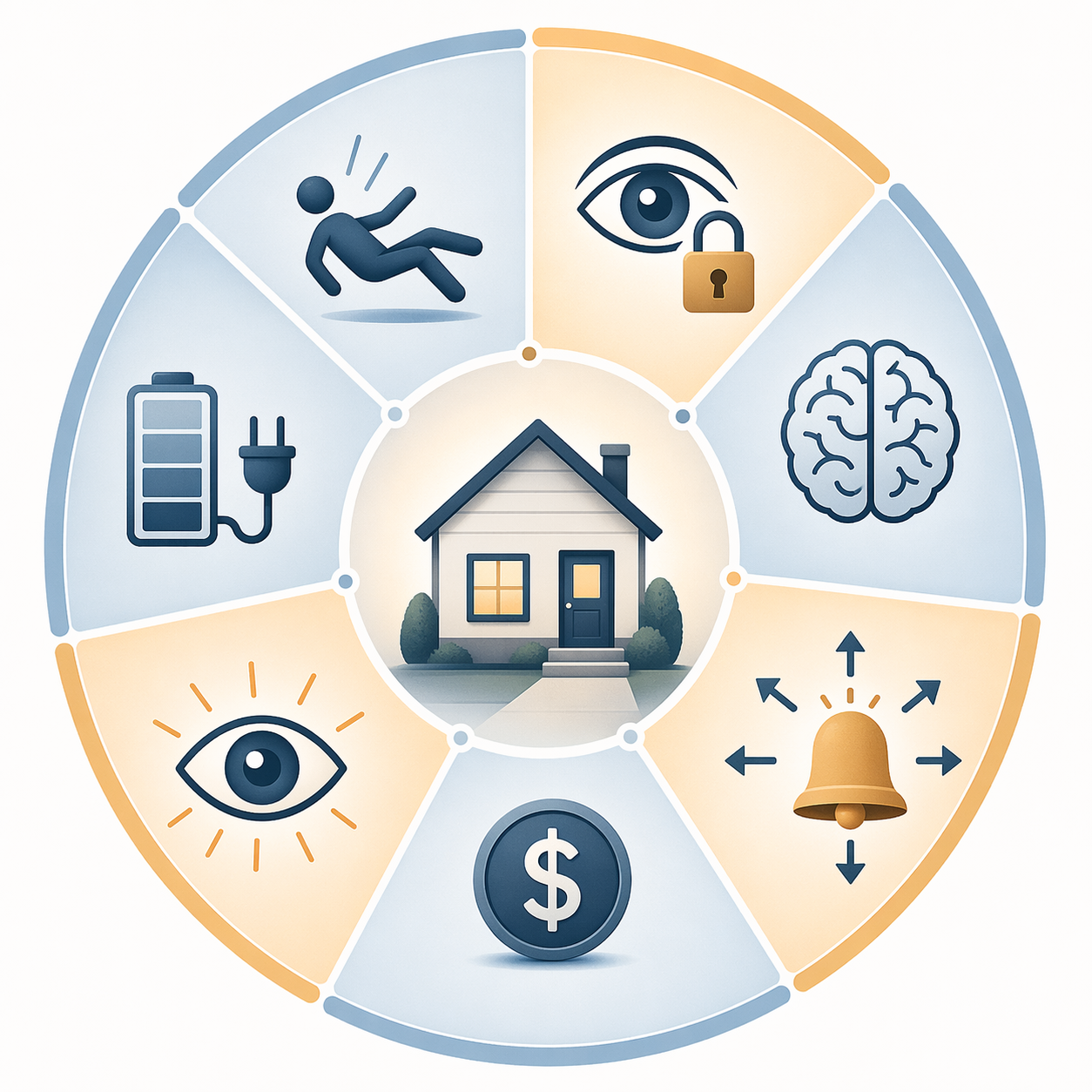
Choosing the right monitoring system for an aging parent means evaluating seven architectural dimensions — fall detection method, privacy model, cognitive suitability, response pathway, cost structure, caregiver visibility, and battery resilience — rather than comparing brand features.
Most families do not begin by saying, "We need to compare elderly monitoring systems across seven architectural dimensions." They begin with a browser tab full of top-rated devices, a parent who insists they are fine, and a nagging practical question: will this actually work in the house, on this person, on an ordinary Tuesday?
That question matters because the need is common and the consequences are not abstract. In a 2024 AARP survey, 79% of adults age 50 and older said they wanted to remain in their homes as they age, while the CDC reports that about 1 in 4 adults age 65 and older falls each year.[1][2] The market has noticed; one industry report places the elderly monitors market at $4.66 billion in 2026, though that figure should be treated as context rather than product-selection evidence unless checked against the original report.[3]
But market size does not answer the family question. A polished smartwatch can still fail in a home where nobody reliably charges it. A pendant can be the wrong answer for someone who no longer remembers to press a button. A passive sensor system can feel reassuring to one parent and invasive to another. The better starting point is not the brand list. It is fit.
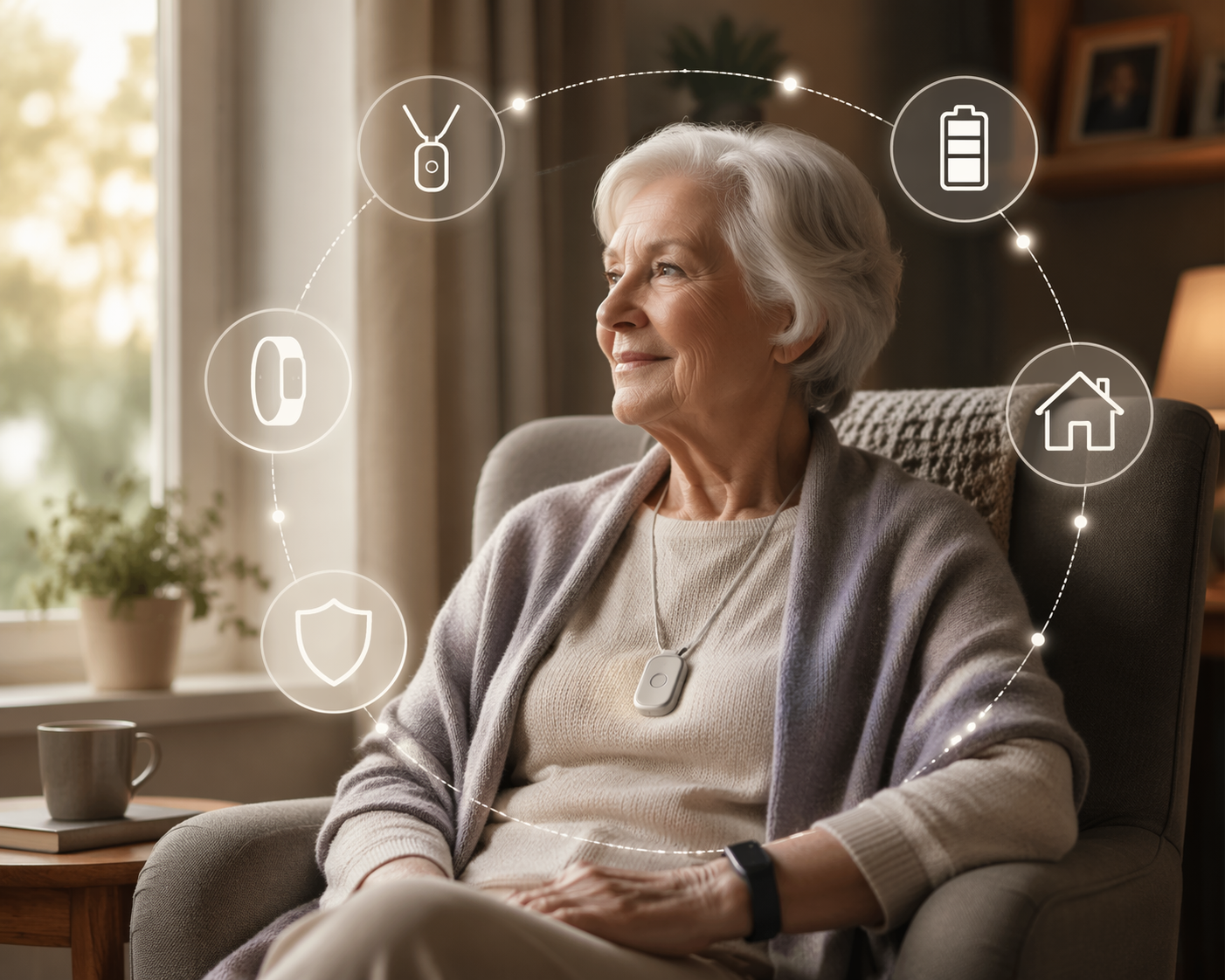
Start With The Seven Fit Dimensions
Before comparing product names, put the parent’s actual day in the center of the decision. Where do they spend time? Do they leave the house alone? Do they sleep in a room far from a phone? Do they remove jewelry, forget chargers, distrust cameras, or resist anything that makes them feel watched? Those details decide whether a system becomes part of the household or sits in a drawer.
| Dimension | What You Are Really Deciding | Questions To Score |
|---|---|---|
| Fall detection method | Whether help depends on a button, a wearable sensor, passive sensors, or some combination | Will the parent press a button? Wear the device? Accept sensors in the home? |
| Response pathway | Who receives the alert and what happens next | Is the alert going to a monitoring center, family members, emergency services, or only an app? |
| Privacy model | How much of daily life the system observes | Does it track location, movement patterns, audio, video, room activity, or only emergency events? |
| Cognitive suitability | How much remembering, interpreting, and cooperation the system requires | Can the parent understand, use, and tolerate the system over time? |
| Battery resilience | Whether the system survives ordinary lapses in charging or power | Who charges it? How often? What happens during an outage? |
| Caregiver visibility | How much information family members can see between emergencies | Do caregivers need real-time alerts, trend reports, location, or only emergency notification? |
| Cost structure | What the family pays upfront and over time | Is the plan affordable after equipment fees, subscriptions, add-ons, cancellation terms, and cellular costs? |
A simple scoring worksheet can make the conversation less emotional. For each dimension, rate the parent’s need from 1 to 5, then rate each system’s fit from 1 to 5. Multiply need by fit. A parent with mild balance problems, intact memory, and strong privacy boundaries may score very differently from a parent with repeated falls, wandering risk, and no reliable charging routine.
Fall Detection Is Not One Feature
In product comparisons, fall detection is often presented as a checkmark. In a home, it is a chain of assumptions. The system must notice the event, classify it correctly, send the alert, reach someone who can act, and do all of that while the parent is wearing or living near the technology that makes detection possible.
Button-based medical alert systems are the oldest version of this chain. They can work well when the parent is conscious, physically able to press the button, willing to wear it, and cognitively able to recognize the need for help. The weakness is also obvious: the system depends on the person in trouble doing the next correct thing.
Automatic fall detection changes that assumption, but it does not remove all uncertainty. NCOA’s 2026 medical alert testing notes research indicating that wrist-worn fall detection can be less accurate than pendant or neck-worn sensors because normal arm movement makes falls harder to distinguish.[4] That does not mean a wrist device is useless. It means a family should be careful about choosing a watch mainly because it looks less medical.
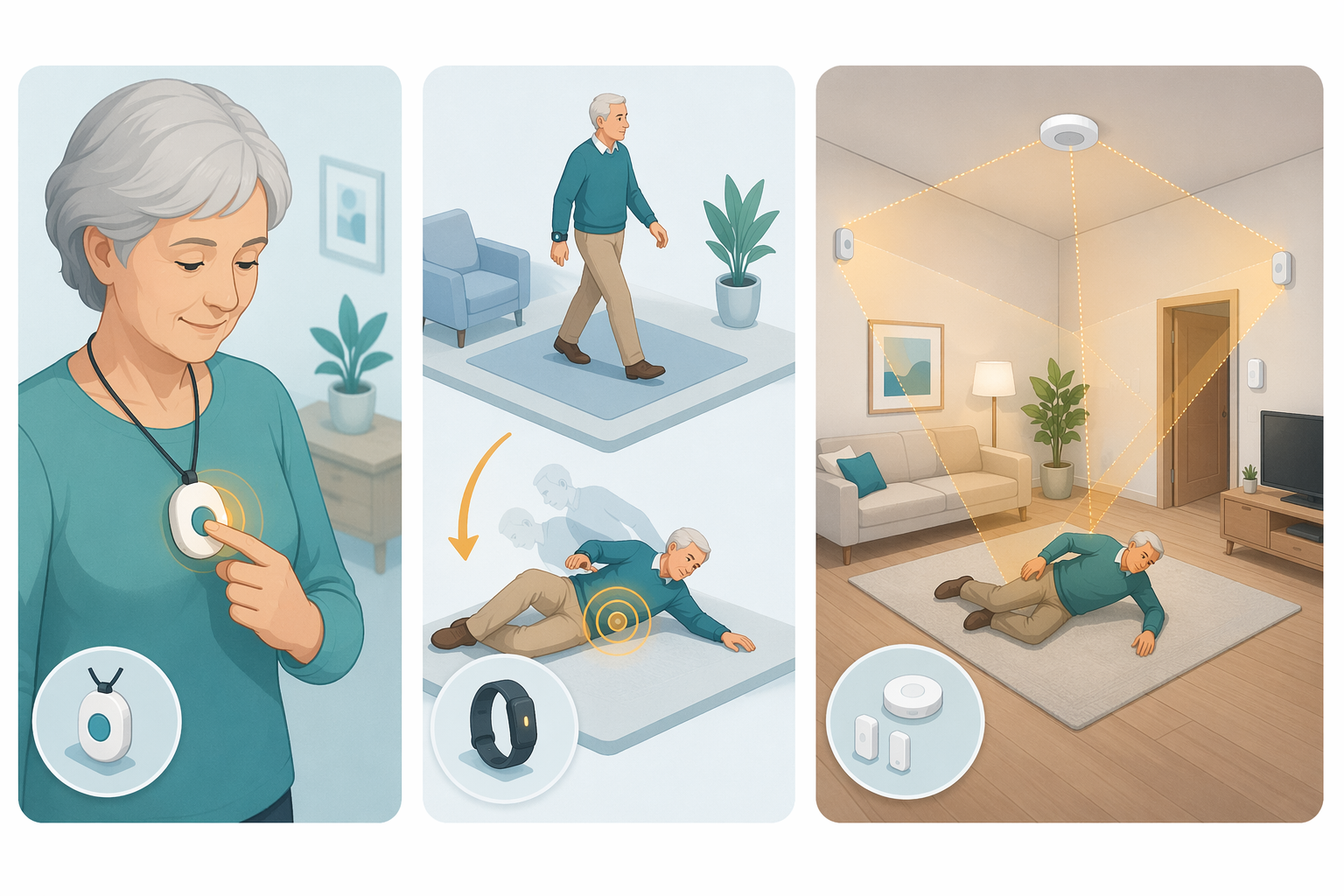
Passive systems take a different route. Instead of waiting for a button press or relying only on a wearable, they use sensors in the home to detect movement patterns, room activity, or possible emergencies. A scoping review of smart home monitoring research found passive sensor systems detecting behavioral deviations with 88% accuracy, depression detection up to 96% accuracy, and fall detection above 96% using vision systems.[5] Those figures are useful as a research baseline, not as a promise about any current product on a shelf. The review’s literature search ran through 2021, and consumer systems vary in hardware, placement, algorithms, and alert design.
For a parent who removes wearables, forgets to charge devices, or cannot reliably press a button, passive monitoring may deserve a closer look. For a parent who values privacy highly and would feel exposed by room-level tracking, a simpler wearable may be the more respectful fit even if it detects less.
The Alert Has To Go Somewhere Useful
A system can detect a problem and still leave the wrong person holding the responsibility. Family-only alerts sound simple until the alert goes to a daughter in a meeting, a son on a plane, or a spouse who sleeps through the phone. Professional monitoring sounds reassuring, but families still need to know what is being monitored, when the center responds, and who is called after that.
NCOA’s 2026 testing found professional monitoring center response times ranging from 22 to 51 seconds across top-rated medical alert brands.[4] That range is concrete enough to matter. It separates vague language like "24/7 support" from a measurable part of the emergency pathway.
Still, response time is only one part of the route. Ask what happens if the parent cannot speak. Ask whether the system has the home address, apartment access notes, medication risks, and emergency contact order. Ask whether family members receive a follow-up notification after the monitoring center acts. The best response pathway is the one that matches the household’s actual backup capacity.
| Response Model | Best Fit | Main Weakness |
|---|---|---|
| Professional monitoring center | Parent lives alone, family is not always reachable, or emergency escalation must be structured | Monthly cost and dependence on call-center workflow |
| Family-only app alerts | Several reliable caregivers share coverage and can respond quickly | Alerts can be missed, delayed, or unclear during busy hours |
| Direct emergency calling | High-risk parent with clear emergency protocols | False alarms may create stress or unnecessary dispatches |
| Hybrid monitoring | Family wants visibility plus professional backup | More settings, more permissions, and more people to coordinate |
Privacy Is A Design Choice, Not A Fine-Print Issue
Once a family understands what a system can detect, the next question is what it has to observe. This is where the conversation often gets too quiet. A parent may accept a button that sends an alert after a fall and reject a system that reports room activity. Another may welcome passive sensors because they reduce nagging phone calls. The same feature can feel like dignity to one person and intrusion to another.
Privacy models vary widely. Some systems collect only emergency signals. Some track GPS location. Some show caregivers movement patterns, missed routines, or changes in activity. Some use sensors that can infer behavior without showing video. Vision-based research may show strong fall-detection performance, but cameras or camera-like systems raise a different consent question than a pendant or motion sensor.[5]
The family should decide the privacy boundary before shopping gets serious. Which data is acceptable? Who sees it? Is it visible all day, only after an alert, or only as a trend? Can the parent turn anything off? If the parent has cognitive impairment, who has authority to consent, and how will the family avoid using monitoring as a substitute for presence, care, or needed supervision?
Cognitive Suitability Decides Whether The System Survives The First Month
A device that works beautifully in testing can fail quietly in a real home because it asks too much of the person using it. The parent has to remember to wear it, keep it charged, understand alerts, tolerate false alarms, and not remove it because it feels infantilizing. These are not minor usability details. They are the operating conditions.
One clinically advised framework from envoyatHome suggests asking whether a pendant-style personal emergency response system is still sufficient by focusing on three practical questions: whether the person can recognize an emergency, whether they can press the button, and whether they will actually wear the pendant.[6] That framework is useful, but it should be read with its source in mind. envoyatHome is a vendor site with a position favoring passive monitoring, and some broader claims about pendant failure rates could not be independently verified from a neutral source.
The three questions are still the right kind of questions. If the parent has memory loss, delayed reaction, aphasia, severe arthritis, or a habit of taking off anything worn around the neck, the family should not treat a button press as a dependable emergency step. If the parent is cognitively intact, dislikes ambient monitoring, and wants a clear way to summon help, a pendant or watch may preserve more control.
Battery Resilience Belongs In The Main Decision
Battery life looks like a technical specification until someone has to manage it. NCOA’s 2026 testing found battery life ranging from 1 day for smartwatch-style devices to 10 days for the LifeFone VIPx.[4] That difference changes the caregiving workflow.
A one-day device may be fine for a parent who already charges a phone nightly, notices low-battery warnings, and has a caregiver checking in often. It is a poor fit for a parent who forgets chargers, unplugs cords, travels between rooms without routine, or becomes anxious around alerts. A longer battery does not make a system perfect, but it gives the household more room for ordinary human lapses.
For home-based systems, also ask what happens during a power outage or internet failure. Does the base station have backup power? Does the system use cellular service? Will family members receive a notification if the device goes offline? A monitoring system that silently stops monitoring creates a false sense of coverage, which is worse than an honest gap.
Caregiver Visibility Should Match The Caregiver’s Actual Role
Some caregivers need only emergency notification. Others need to know whether a parent left the house, missed normal movement, or has not opened the refrigerator by late morning. More visibility can reduce uncertainty for a long-distance caregiver, but it can also create a new job: checking dashboards, interpreting ambiguous alerts, and deciding when to intervene.
Before choosing a system with a caregiver app, name the reviewer. Who looks at the alerts? Who covers weekends? Who calls the parent after a low-activity notification? Who decides whether a pattern is concerning? A dashboard is not a care plan. It is an input into one.
Cost Is More Than The Monthly Price
The cleanest comparison chart usually lists monthly monitoring fees, equipment costs, activation fees, fall-detection add-ons, GPS charges, and cancellation terms. Those details matter, especially for families who will carry the cost for years. But cost should be read alongside fit, not ahead of it.
A lower-cost button system may be sensible when the parent can use it reliably. It is not a bargain if the person cannot remember the button exists. A more expensive passive or hybrid system may be excessive for an independent parent with low risk and strong privacy concerns. It may be reasonable for a parent whose risk is high and whose family needs more structured backup.
A Printable Scoring Worksheet
Use this worksheet for one parent and one living situation. Do not score for an imaginary average older adult. If the parent lives alone during the week but stays with family on weekends, score the harder situation first.
| Dimension | Parent Need: 1 Low To 5 High | System Fit: 1 Poor To 5 Strong | Need x Fit | Notes |
|---|---|---|---|---|
| Fall detection method | Button, pendant, wrist, passive sensors, or hybrid | |||
| Response pathway | Monitoring center, family-only, emergency dispatch, or hybrid | |||
| Privacy model | Emergency-only, GPS, activity trends, room sensors, audio, or video | |||
| Cognitive suitability | Memory, comprehension, willingness, dexterity, and tolerance | |||
| Battery resilience | Charging frequency, backup power, outage behavior, offline alerts | |||
| Caregiver visibility | Who sees what, when, and what they are expected to do | |||
| Cost structure | Equipment, subscription, add-ons, cancellation, replacement costs |
A low score does not automatically eliminate a system. It tells the family where the support plan has to be stronger. If a parent strongly prefers a wrist device but the battery score is weak, the plan may need a visible charging station, a nightly reminder, or a caregiver check. If a passive system scores well for safety but poorly for privacy, the next step is not purchase; it is a consent conversation.
How Different Parent Profiles Change The Answer
For an independent parent who drives, gardens, and wants help only in an emergency, mobile coverage and a respectful privacy model may matter more than room-level activity data. A GPS-capable wearable or mobile medical alert device may be worth comparing, provided the charging routine is realistic.
For a parent with repeated falls who still understands and accepts a wearable, a professionally monitored pendant with automatic fall detection may be a practical middle ground. Sensor placement matters here; a neck-worn device may be a better match than a watch if fall detection is the main reason for purchase.[4]
For a parent with memory loss who removes devices or forgets what buttons are for, the family should be cautious about any system that depends on active use. Passive monitoring or a hybrid arrangement may fit better, but only if the privacy and consent questions are handled directly.
For a couple living together, do not assume one spouse can serve as the monitoring system. The spouse may be asleep, injured, confused, or physically unable to help. The response pathway should still name who is alerted outside the home and what they are expected to do.
Where To Go Before Buying
If the parent is resisting monitoring, pause the shopping process and use a conversation guide before purchase. The unresolved issue may not be technology. It may be fear of losing control, embarrassment, cost, privacy, or a family pattern where decisions arrive as instructions.
If the categories are still blurry, review explainers on personal emergency response systems, passive sensors, GPS tracking, and wearables before applying the worksheet. A family cannot make a fair choice if a pendant, a smartwatch, and a passive sensor system are all being judged as though they do the same job.
Once a likely system is chosen, the next question is whether monitoring is enough. Most homes still need non-technology supports around the device: fall-risk reduction, medication review, lighting, check-in routines, emergency access, transportation plans, and clear caregiver roles.
The right elderly monitoring system is the one whose detection method, response route, privacy assumptions, cognitive demands, visibility level, cost structure, and power requirements match the parent’s actual life.
References
- 2024 Home and Community Preferences Survey, AARP, 2024.
- Older Adult Fall Prevention, Centers for Disease Control and Prevention.
- Elderly Monitors - Global Strategic Business Report, Research and Markets, 2026.
- The Best Medical Alert Systems of 2026: Tested and Reviewed, National Council on Aging, 2026.
- Smart Home Sensors for Health Monitoring of the Elderly: A Systematic Review, PubMed Central.
- How to Know When a Medical Alert Pendant Is Not Enough, envoyatHome.
Questions to bring to a clinician or OT
This is not medical, legal, or a family's final decision — only a framework. Bring these questions to a clinician, occupational therapist, or your local Area Agency on Aging.
Find Local HelpRelated reading
Noticed something outdated or inaccurate on this page? Flag a correction. We review every report against CDC, NIA, and AARP HomeFit guidance before updating a page.