
Caregiver decision guide
Telehealth for Seniors: How It Works and What to Look For
Are you evaluating telehealth for an older parent? This caregiver-focused guide explains how telemedicine works for seniors and provides a five-dimension framework to assess technology fit, accessibility, cost, services, and support.
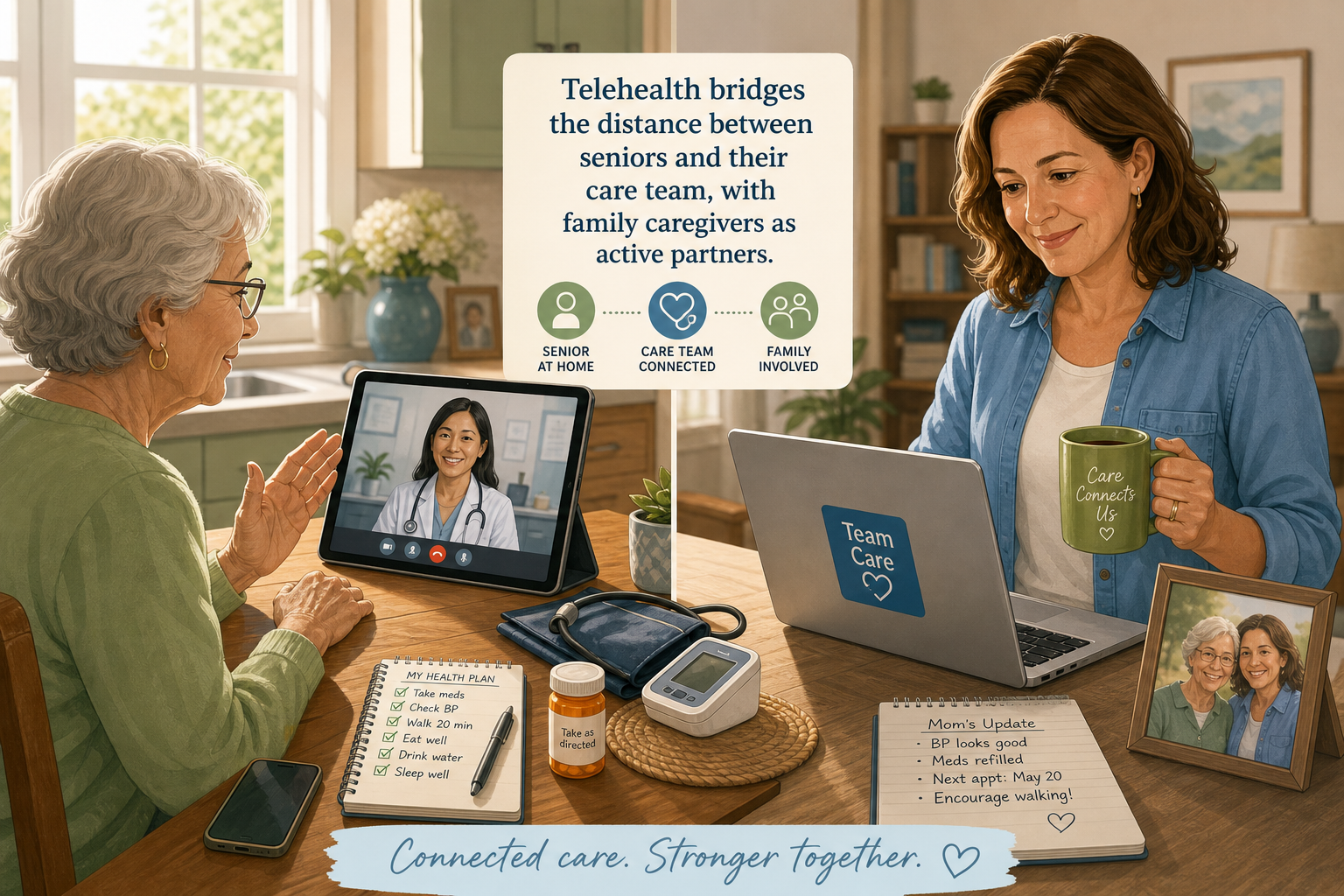
How Telehealth Works for Seniors — and Why One Size Doesn't Fit All
Telehealth — the use of video calls, phone calls, or secure messaging to consult with a healthcare provider — has become a standard care option for older adults. For a family caregiver evaluating this for a parent, the first thing to understand is that one-size-fits-all advice doesn't hold. A 2022 study in JMIR Aging (N=249, mean age 84.6) found that only 36.5% of older adults felt comfortable connecting via video visits — yet 53% were interested in trying. The barriers were practical: hearing difficulties (35.7%), unfamiliarity with technology (30.1%), and not knowing how to connect (29.7%). Importantly, age alone did not predict lower interest (the correlation was negligible, r²=0.07), meaning disinterest is not inevitable. The real challenge is matching the service to the person.
In a separate study cited by the American Medical Association, 47% of older adults experienced telemedicine only through phone visits, and 27% of those scheduled for video visits had to convert to phone due to technical difficulties. These numbers make clear that any evaluation of telehealth must go beyond basic feature comparisons. The following five‑dimension framework — technology fit, accessibility accommodations, insurance and cost, scope of services, and support ecosystem — gives caregivers a systematic way to assess whether a specific telehealth arrangement truly meets their parent's needs.
Dimension 1: Technology Fit – Device, Internet, and Platform Simplicity
The first question a caregiver should ask: does the telehealth service require a specific device or operating system, and does the senior have a reliable internet connection? Most platforms work on a computer with a camera, a tablet, or a smartphone. However, the senior's comfort with that device matters far more than the device's technical specs.
- Device compatibility: Confirm the platform supports the device the senior already uses. Avoid requiring a new device unless absolutely necessary.
- Internet speed: A stable broadband connection (at least 10 Mbps download) is usually sufficient for video. For those without home internet, the Lifeline program
- Platform simplicity: The JMIR Aging study noted that participants preferred familiar platforms like Zoom, FaceTime, or WeChat over proprietary provider portals — because they already knew how to use them. If the service requires downloading and learning a new app, factor in the learning curve.
- Audio‑only as a backup: Given that 27% of video visits convert to phone (AMA/JAGS), a service that does not offer a reliable audio‑only option is a poor fit. Medicare now covers audio‑only visits through 2027 (see Dimension 3), so this should be a non‑negotiable requirement.
Dimension 2: Accessibility Accommodations – Hearing, Vision, Language, and Cognitive Support
Hearing loss and unfamiliarity with technology were the two most common barriers identified in the JMIR Aging study — 35.7% and 30.1% respectively. For a senior who has trouble hearing, a video visit without captioning is almost useless. For a senior whose first language is not English, English‑only interfaces can be a dealbreaker. The Telehealth.HHS.gov guide
- Closed captioning and transcription: Real‑time captioning during the visit, plus a written transcript after, helps with both hearing and memory.
- Screen reader compatibility: For seniors with low vision, the platform should work with built‑in screen readers (e.g., VoiceOver, TalkBack).
- Large fonts and high contrast: Many platforms allow font size adjustments; check if the app or web interface supports it.
- Hearing aid compatibility: If the senior uses hearing aids, look for Bluetooth‑compatible devices or use headphones to reduce echo and background noise.
- Language options: In the JMIR study's Mandarin‑speaking site (Site B), language was the top barrier (54.6%). Confirm whether the platform and the provider's office offer interpretation services or a multilingual interface.
Dimension 3: Insurance and Cost – Medicare Coverage Through 2027 and What to Ask
Cost is a major practical concern. Medicare Part B covers certain telehealth services, and the temporary flexibilities enacted during the public health emergency have been extended through December 31, 2027 (Consolidated Appropriations Act of 2026). According to the Kaiser Family Foundation (March 2026), 12.5% of traditional Medicare beneficiaries used telehealth in Q2 2025 — nearly double pre‑pandemic rates.
| Coverage Detail | What It Means for Your Parent |
|---|---|
| Video visits from home | Covered through Dec 31, 2027; no requirement to be at a clinic or originating site. |
| Audio‑only (phone) visits | Covered for many services through 2027; essential when video is not possible. |
| Medicare Part B cost sharing | After the annual deductible, you pay 20% of the Medicare‑approved amount. This applies to both video and audio visits. |
| Medicare Advantage plans | May offer additional telehealth benefits beyond Original Medicare — check the plan's Summary of Benefits. |
| Virtual check‑ins and E‑visits | Short check‑ins (5‑10 min) via phone or patient portal are also covered with lower or no cost sharing. |
Important questions to ask before scheduling:
- Does the provider accept Medicare assignment for telehealth? Not all do.
- Is the specific service (e.g., physical therapy, mental health) on Medicare's list of covered telehealth services?
- For audio‑only: confirm that the provider bills it correctly (using the proper modifier) so Medicare covers it.
- Is there any additional cost for using the platform itself? Some services charge a subscription fee or a copay beyond the Medicare coinsurance.
Dimension 4: Scope of Services – Which Healthcare Needs Telehealth Can Address
Telehealth is not a replacement for all in‑person care, but it covers a broad and growing set of services. The National Council on Aging notes that telemedicine (including phone, email, or video) can handle checkups, chronic condition management, prescription refills, and question‑and‑answer sessions. Medicare's coverage list includes advance care planning, cardiac and pulmonary rehabilitation, caregiver training, cognitive assessment, depression screening, diabetes self‑management training, medical nutrition therapy, outpatient psychotherapy, and speech therapy.
- Chronic condition management: Diabetes, hypertension, heart failure — routine follow‑ups and medication adjustments can be done remotely. (See our medication management guide for organizing medications across multiple specialists.)
- Mental health and behavioral health: Psychotherapy, depression screening, and psychiatric consultations are among the most common telehealth services and are permanently allowed from home under Medicare.
- Preventive screenings: Annual wellness visits, cardiovascular risk assessments, and certain cancer screenings can be performed or initiated via telehealth.
- Specialist consultations: Accessing a cardiologist, endocrinologist, or neurologist without traveling is a major benefit for seniors with mobility limitations.
- Caregiver training: Medicare covers training for caregivers of beneficiaries with dementia and other conditions, often delivered via video.
What telehealth cannot do: perform physical exams that require palpation or auscultation, collect lab samples, administer vaccines, or conduct imaging. For these, an in‑person visit is still necessary. When evaluating a telehealth service, ask the provider's office which services they routinely provide remotely and which demand a physical visit.
Dimension 5: Support Ecosystem – Caregiver Access, Tech Support, and In‑Person Help
Research published in Frontiers in Medicine (January 2025) reports that 82% of homebound older adults (mean age 82.7, 46.6% with dementia) required caregiver assistance for telehealth visits. For a family caregiver — especially one managing from a distance — the support ecosystem around the telehealth service is just as important as the technology itself.
- Caregiver co‑access: Can a family member be granted secure access to the patient portal to schedule visits, view notes, and receive visit links? Many platforms allow proxy or caregiver accounts.
- Joining the visit: Does the platform allow a third person (e.g., an adult child) to join the video call? Some require a separate login or conference line. Clarify this before the first appointment.
- Live tech support: Does the provider or the platform offer a help line for last‑minute connection problems? A 30‑second fix can save a 15‑minute appointment.
- Hybrid options: Community health workers, EMTs, or visiting nurses can sometimes assist with the visit at the senior's home. Ask the healthcare system about facilitated telehealth programs.
Red Flags When Evaluating a Telehealth Service for a Senior
Beyond the positive criteria, certain features — or their absence — should raise immediate concern. If you encounter any of the following, consider whether an alternative service or provider would be a better fit.
- No audio‑only option: The service requires video for all visits. Given the high conversion rate (27%) and that 47% of seniors only use phone, this is a dealbreaker.
- Complex portal requiring downloads, multiple logins, or registration steps: The senior will likely need help every time.
- No caregiver access: The platform forbids proxy access or does not allow a third person to join the call.
- No closed captioning or transcription: If the senior has any hearing difficulty, the visit may be frustrating or incomplete.
- Limited language support: No interpretation services, no multilingual interface, and the provider's office does not offer translation.
- Unclear billing practices: The provider cannot confirm whether they accept Medicare assignment for telehealth, or they charge an extra platform fee not covered by insurance.
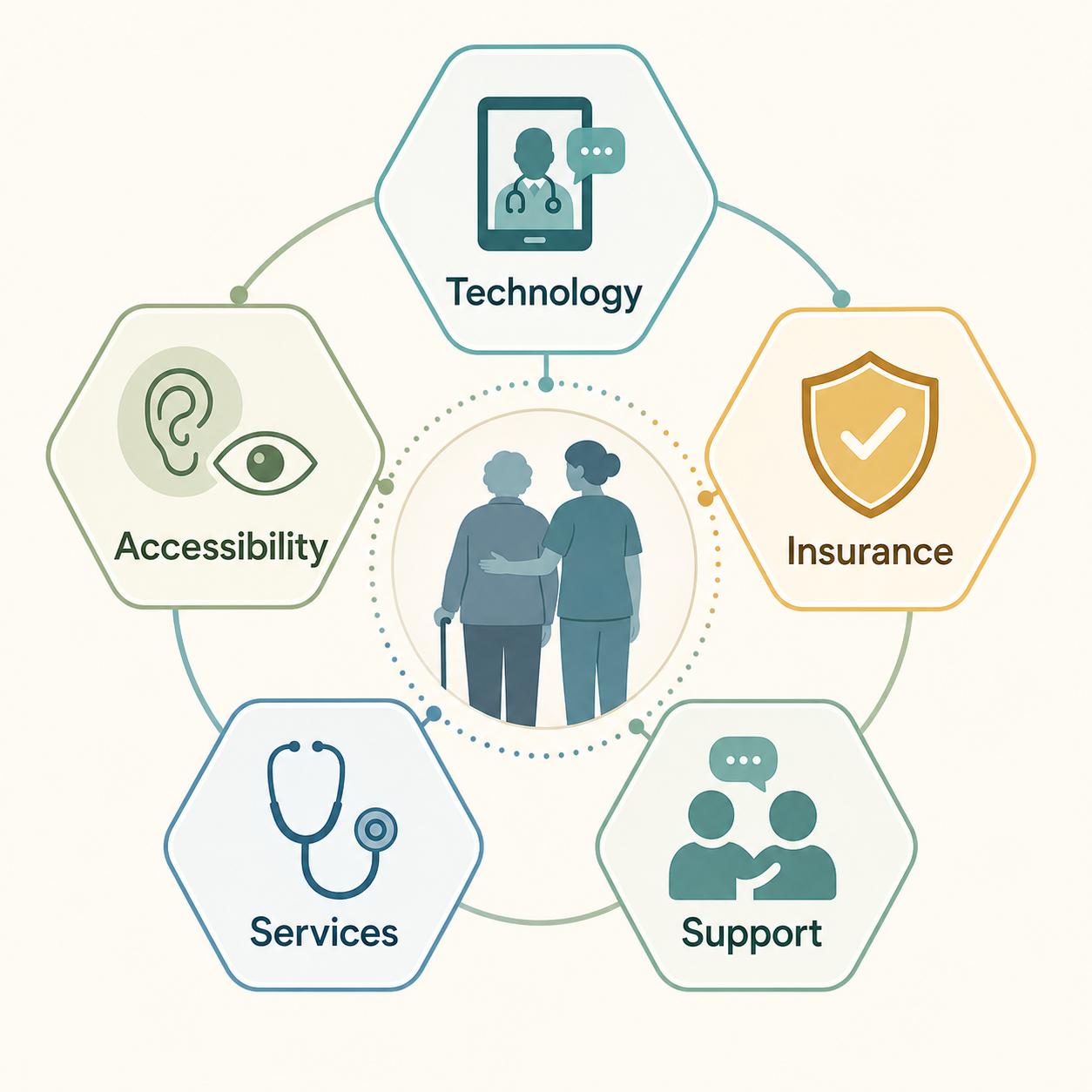
Decision Checklist: Putting the Five Dimensions to Work
Use the table below as a quick‑reference tool when assessing a telehealth service. For each dimension, rate the service as Poor, Acceptable, or Good. Any dimension rated poor should be addressed before proceeding.
| Dimension | What to Evaluate | Key Questions |
|---|---|---|
| Technology Fit | Device compatibility, internet speed, platform simplicity | Does the senior already use a compatible device? Is the platform familiar? Is audio‑only available? |
| Accessibility Accommodations | Hearing, vision, language, cognitive support | Are closed captions offered? Can font size be increased? Is language interpretation available? |
| Insurance and Cost | Medicare acceptance, coinsurance, audio‑only coverage | Does the provider accept Medicare for telehealth? What is the out‑of‑pocket cost per visit? Are there extra platform fees? |
| Scope of Services | Range of covered conditions and visit types | Does it cover the specific conditions and services the senior needs (e.g., mental health, chronic care, medication management)? |
| Support Ecosystem | Caregiver access, tech support, in‑person help | Can a family member join the visit or access the portal? Is there live help for technical issues? |
No single telehealth service will be perfect in all five areas. The goal is to find one that is good enough where it matters most for your parent's specific situation — and to have a backup plan (such as a phone‑only option) for the inevitable technical hiccup. With Medicare's flexibilities confirmed through 2027 and an increasing number of specialists offering remote care, telehealth can be a powerful tool for aging in place — when the right questions are asked upfront.
Questions to bring to a clinician or OT
This is not medical, legal, or a family's final decision — only a framework. Bring these questions to a clinician, occupational therapist, or your local Area Agency on Aging.
Find Local HelpRelated reading
Noticed something outdated or inaccurate on this page? Flag a correction. We review every report against CDC, NIA, and AARP HomeFit guidance before updating a page.