
Caregiver decision guide
Best Robot Vacuums for Elderly Homeowners in 2026
Matches named 2026 robot vacuums to a senior's home and abilities — floors, thresholds, pets, arthritis, and tech comfort — with prices and self-emptying dock capacity. It also flags the purchase risks families should weigh: one-year warranties, replacement bag costs, and brand stability after iRobot's bankruptcy filing.
Before you buy one of the best robot vacuums for elderly homeowners in 2026, do the unglamorous check first: measure the tallest threshold, count the stairs, decide who will empty the dock, and ask whether the person using it will actually open an app. The highest-ranked robot vacuum is not automatically the easiest one to live with.
CareWise’s earlier guide to robot vacuums for seniors with mobility issues lays out the five features that matter most: a self-emptying dock, app-free control, obstacle avoidance, reliable recovery, and low-maintenance parts. Our fall-safety vacuum guide also makes the larger point: a robot can reduce bending and cord handling, but it does not remove every trip hazard in a home.
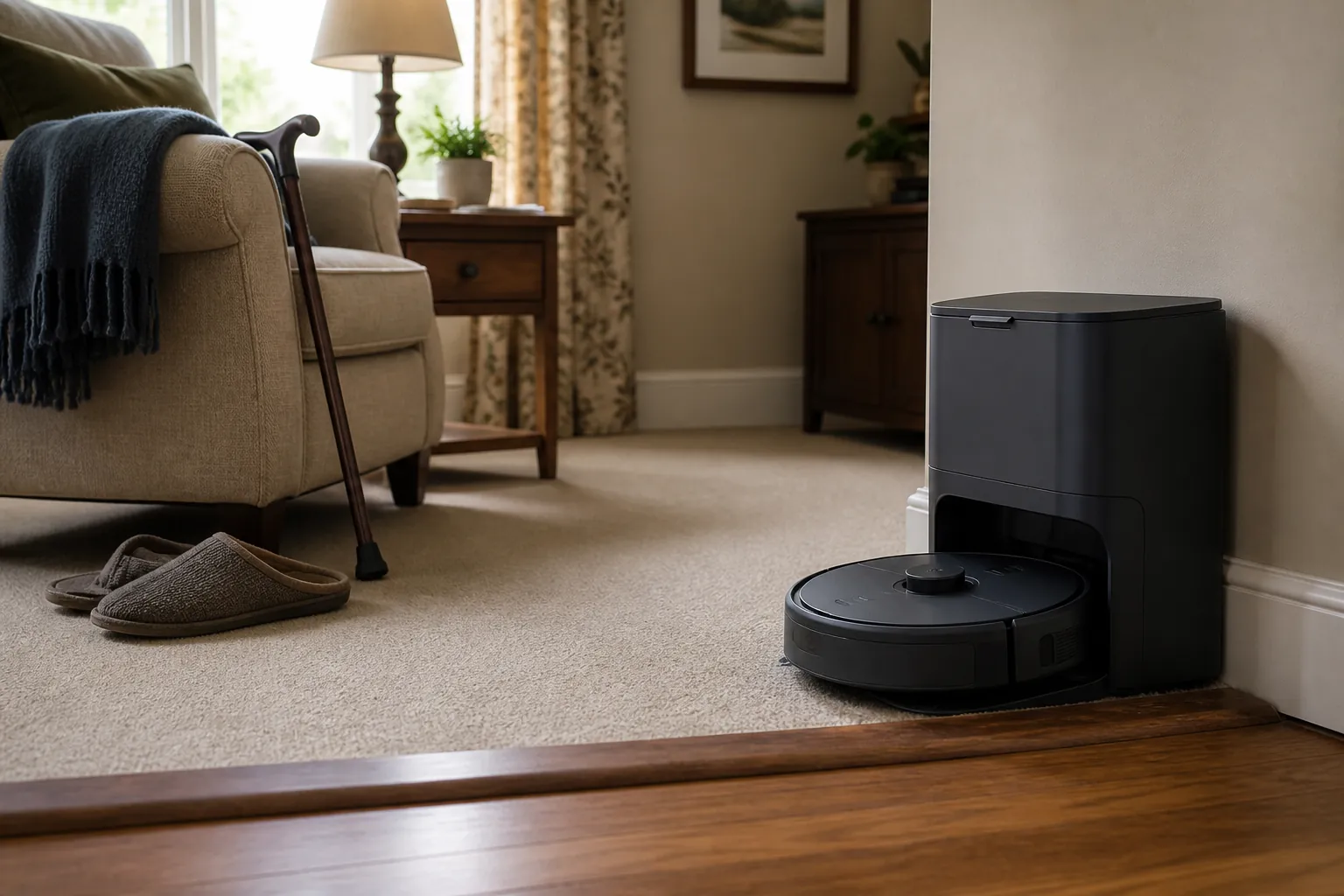
Start with the home, then choose the model
| Senior’s situation | Best 2026 fit to consider | Why it fits | Watch before buying |
|---|---|---|---|
| Wants a self-emptying robot without premium pricing | TP-Link Tapo RV30 Max Plus | PCMag lists it as a budget self-emptying option at about $299.99, and Wirecutter measured roughly 2 months of debris capacity in its 3L bag. [1][2] | Still uses disposable bags; check who will buy and replace them. |
| Needs a broadly recommended self-emptying pick with fewer dock trips | Roborock Q7 M5+ | Wirecutter names it the top pick and measured about 6–7 weeks of dock-bag capacity. [1] | One-year warranty; confirm the older adult can manage controls and rescue the robot if it gets stuck. |
| Wants the most hands-off vacuum-and-mop dock | Ecovacs Deebot X8 Pro Omni | PCMag names it the best self-emptying vacuum-mop hybrid, with a price anchor around $1,099.99. [2] | Premium docks still need maintenance; mopping features can add water-tank and pad chores. |
| Has raised transitions between rooms | Roborock Qrevo Curv | PCMag highlights its ability to lift over thresholds up to 1.6 inches. [2] | Measure the actual threshold; many homes have uneven or beveled transitions that do not behave like a test obstacle. |
| Is privacy-sensitive or uncomfortable with camera-based mapping | Consumer Reports’ vacuum-only shortlist: Dyson 360 Vis Nav, Eufy C10, Eureka NERE10SW, iRobot Roomba Max 705 | Consumer Reports includes these in its 2026 robotic-vacuum coverage and evaluates privacy and security on more than 70 criteria under The Digital Standard. [3] | Pay close attention to camera use, data settings, and whether the brand’s app is acceptable in that household. |
| Wants fewer disposable-bag purchases | Shark AI Self-Empty XL or Ecovacs Deebot X11 OmniCyclone | PCMag identifies these as bagless self-emptying alternatives. [2] | Bagless bins can mean more direct dust contact when emptied. |
| Is considering a Roomba because the name is familiar | iRobot Roomba Max 705, with caution | Consumer Reports includes it among 2026 vacuum-only models, but iRobot’s December 2025 bankruptcy filing changes the support and parts-availability calculation. [3][1] | Do not treat brand familiarity as a substitute for checking warranty, support, and replacement parts. |
That table is not a ranking. It is a way to avoid buying a capable robot that creates the wrong chore. A self-emptying dock helps if bending to empty a bin is painful. It helps less if the owner cannot tolerate the app, the robot wedges itself under the recliner, or a raised kitchen transition stops it every afternoon.
Roborock Q7 M5+: the practical self-emptying pick for many single-level homes
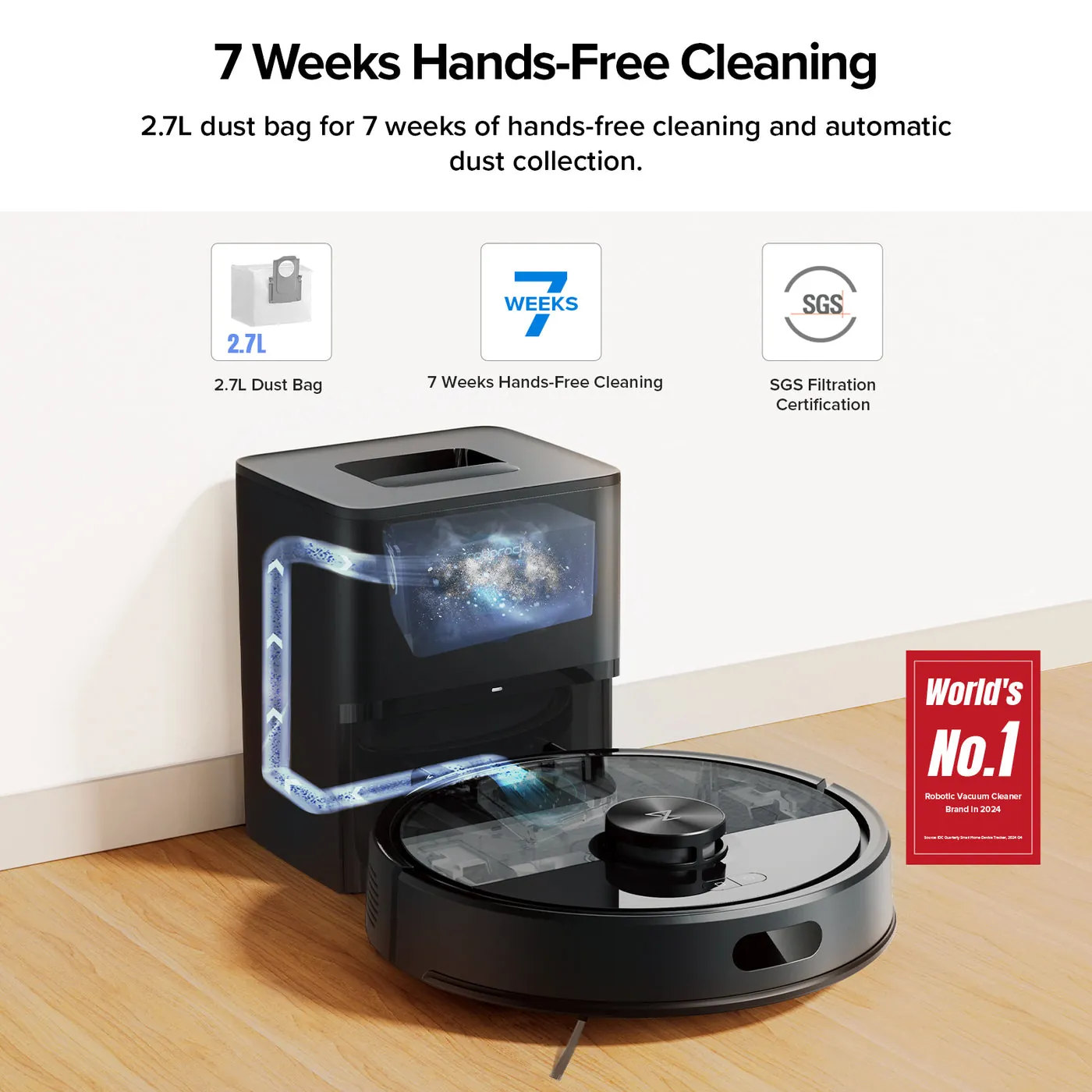
The Roborock Q7 M5+ is the model I would look at first for an older homeowner who has mostly open floors, ordinary room transitions, and someone nearby who can handle occasional maintenance. Wirecutter names it the top pick among robot vacuums, and the detail that matters most for an older homeowner or caregiver is not the badge; it is the measured dock capacity. Wirecutter found its self-emptying bag held about 6–7 weeks of debris before needing attention. [1]
Six or seven weeks is a real difference if the person who changes bags is an adult child who visits twice a month, a neighbor who checks in, or an older homeowner with stiff hands. It means the robot is less likely to become another small appliance waiting in the corner with a full bin and a blinking light.
The caution is support. Wirecutter lists a one-year warranty for the Q7 M5+. [1] That is common enough in this category, but it is still short compared with the length of time families hope an expensive household helper will last. If the vacuum is meant to compensate for arthritis, balance problems, or limited bending, a failure after the warranty period is not just an annoyance. It may send someone back to using a stick vacuum, waiting for a visitor, or leaving debris where it falls.
TP-Link Tapo RV30 Max Plus: the budget self-emptying choice with a useful dock capacity
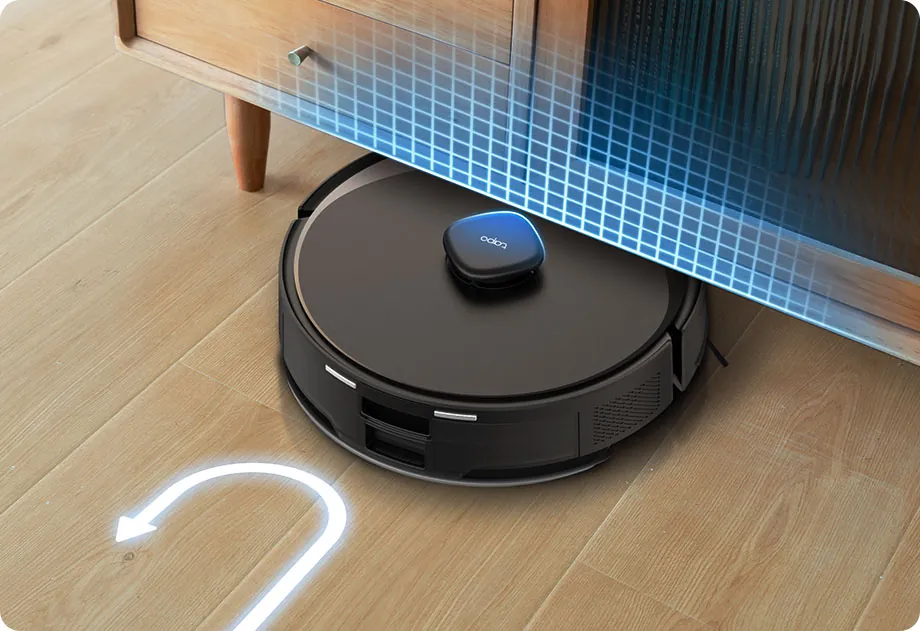
The TP-Link Tapo RV30 Max Plus is the budget model that deserves serious attention because its lower price does not remove the senior-specific feature that often matters most: the self-emptying dock. PCMag names it the best budget self-emptying robot vacuum and places it at about $299.99, while Wirecutter names it the runner-up to the Roborock Q7 M5+. [2][1]
The Tapo’s dock also has a concrete maintenance advantage. Wirecutter measured about 2 months of debris capacity in its 3L bag. [1] For a household where the main goal is fewer trips to the trash and fewer calls for help, that is more meaningful than a long feature list.
This is the model to consider when the family budget is real and the alternative is buying a cheaper robot without a self-emptying base. A non-emptying robot may clean well for a while, but if the owner has to bend down, pry out a small dustbin, tap debris into the trash, and snap the bin back in after every few runs, the savings can disappear into daily frustration.
The same warranty caution applies here: Wirecutter lists a one-year warranty for the Tapo RV30 Max Plus. [1] Before buying, check how replacement bags are sold, whether the app setup can be completed by the person who will actually be responsible, and whether the older adult is comfortable starting or stopping it without hunting through menus.
Ecovacs Deebot X8 Pro Omni: when the dock is doing more of the work
The Ecovacs Deebot X8 Pro Omni belongs in a different conversation. PCMag names it the best self-emptying vacuum-mop hybrid and gives it a price anchor of about $1,099.99. [2] That price makes sense only if the home and the person maintaining it will benefit from a more automated dock, especially for mixed vacuuming and mopping needs.
For an older homeowner with hard floors, pet tracks near the back door, or a kitchen that needs frequent touch-ups, a vacuum-mop hybrid can reduce more than dust. It can reduce the number of times someone reaches for a wet mop, drags out a bucket, or waits for a family member to handle a sticky spot. That is the genuine appeal of a premium dock.
It is also where families should be most honest about upkeep. A mop-capable robot can add water handling, pad cleaning, and dock maintenance. If those tasks fall to a paid helper once a week, that may be fine. If they fall to someone with painful hands, poor vision, or no patience for status alerts, a simpler self-emptying vacuum may be the kinder purchase.
Roborock Qrevo Curv: consider it when thresholds are the deciding problem
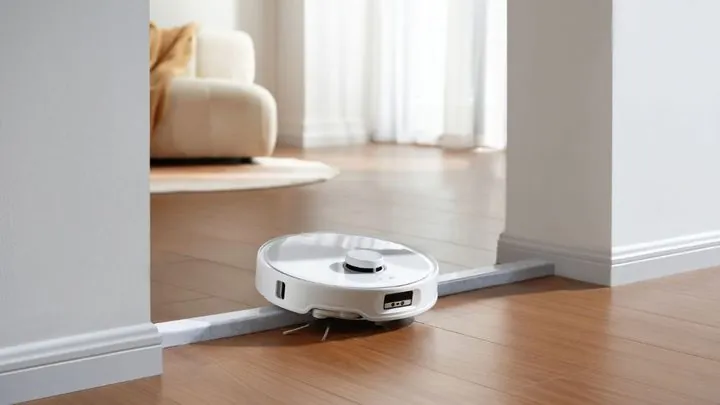
Thresholds are where many robot-vacuum recommendations get too casual. A model can have excellent cleaning scores and still be wrong for a house where the bedroom, bathroom, and kitchen are separated by raised transitions.
The Roborock Qrevo Curv is worth singling out because PCMag reports that it can lift over thresholds up to 1.6 inches. [2] That claim is useful for a very specific household: one where the robot’s ability to move from room to room is the gating issue. If the vacuum cannot reach the rooms that need cleaning, its suction and mapping features are beside the point.
Measure before you let that number make the decision. Measure the tallest transition, not the easiest one. Look at whether it is squared-off, beveled, uneven, or paired with a rug edge. A robot that clears a test threshold may still struggle with a real doorway that has a lip on one side and a mat on the other. For a person with balance issues, “mostly works” can still mean walking over to rescue a machine in the worst possible spot.
When vacuum-only models make more sense
Not every older adult needs a mop-washing dock or a premium all-in-one station. In a carpeted apartment, a small condo with area rugs, or a home where wet mopping is already handled another way, a vacuum-only robot may be easier to explain and maintain.
Consumer Reports’ 2026 robotic-vacuum coverage includes vacuum-only names such as the Dyson 360 Vis Nav, Eufy C10, Eureka NERE10SW, and iRobot Roomba Max 705. [3] These models broaden the shortlist for families who want to compare cleaning-focused robots without assuming that a self-washing mop dock is automatically better.
This is also where controls matter. If the homeowner will never use a map editor, room schedule, or app-based no-go zone, do not pay for complexity just because it looks impressive in a review. A robot that can be started reliably, paused easily, and recovered without a service call from an adult child may be the better long-term fit.
The quiet costs: bags, bins, warranties, and parts
Self-emptying does not mean no-emptying. It usually means the mess moves from the robot’s small onboard bin into a larger dock bag or container. PCMag reports replacement-bag costs at about $20 per pack of 3–6. [2] That is not a huge expense for every household, but it is the kind of recurring chore and purchase that gets forgotten when a family is shopping during a sale.
Disposable bags can be worth it because they reduce dust exposure and make emptying neater. They can also become a nuisance if nobody remembers to order them. For a long-distance caregiver, a bag subscription or a spare pack stored near the dock may matter more than another cleaning mode.
Bagless self-emptying models are the alternative to consider when recurring bag purchases are the objection. PCMag names the Shark AI Self-Empty XL and Ecovacs Deebot X11 OmniCyclone as bagless alternatives. [2] The tradeoff is handling dust more directly when the bin is emptied. That may be fine for one household and a poor match for another, especially if the person emptying it has allergies, weak grip strength, or limited dexterity.
Warranties deserve the same plain reading. A one-year warranty on a self-emptying robot may be acceptable for a lower-cost purchase; it feels different when the device is being bought to reduce bending, carrying, and cleanup. The practical question is not only “Will it clean?” but “What happens when it stops docking, the brush module wears out, or a wheel fails?”
Privacy is not a side issue in someone’s home
Robot vacuums can see more than crumbs. Camera-based navigation may pass through bedrooms, bathrooms, medication areas, mobility aids, documents on a table, or signs of who lives alone. Consumer Reports evaluates robotic-vacuum privacy and security using more than 70 criteria under The Digital Standard, which is why its privacy and security scores belong in the buying conversation, not at the bottom of the spec sheet. [3]
For privacy-sensitive households, look closely at whether the robot uses a camera, what the app asks you to enable, whether maps can be deleted, and how comfortable the homeowner is with connected devices. A camera can improve navigation, but that benefit should be weighed against the sensitivity of the rooms it will enter.
Roomba familiarity now comes with a 2026 caution
For years, many families used “Roomba” as shorthand for the whole category. In 2026, that shortcut needs a pause. iRobot’s December 2025 bankruptcy filing changes the buying context, especially for warranty support, restructuring, and replacement-part availability. Wirecutter and Consumer Reports both flag concerns around iRobot’s situation, so a model such as the iRobot Roomba Max 705 should not be treated like a risk-free default just because the name is familiar. [1][3]
That does not mean every Roomba should be dismissed. It means a Roomba purchase now needs the same sober check you would give any device an older adult may depend on: warranty terms, customer support, parts availability, return window, and whether someone can maintain it if the company’s product line or service process changes.
A purchase check that prevents the wrong “best” vacuum
- Measure the tallest threshold the robot must cross, including bathroom, kitchen, and bedroom transitions.
- Decide who empties the dock, replaces bags, washes pads, cleans brushes, and orders parts.
- Check whether the homeowner can start, stop, and recover the robot without frustration.
- Choose self-emptying if bending to empty a small bin is the chore you are trying to remove.
- Choose a premium vacuum-mop dock only if the added water and pad maintenance will not create a new burden.
- Review warranty length, return window, replacement bags, brush availability, and brand stability before checkout.
- For camera-based models, review privacy settings and decide whether that type of mapping belongs in the home.
For many homes, the Roborock Q7 M5+ or TP-Link Tapo RV30 Max Plus will be the sensible place to start because both combine self-emptying with concrete dock-capacity evidence. For homes where thresholds stop ordinary robots, the Roborock Qrevo Curv deserves a closer look. For families paying for maximum dock automation, the Ecovacs Deebot X8 Pro Omni is the premium comparison point. The right answer is the one that removes the chore this particular older adult cannot comfortably keep doing.
References
- The Best Robot Vacuum — Wirecutter
- The Best Self-Emptying Robot Vacuums — PCMag
- Best Robotic Vacuums of the Year — Consumer Reports
Questions to bring to a clinician or OT
This is not medical, legal, or a family's final decision — only a framework. Bring these questions to a clinician, occupational therapist, or your local Area Agency on Aging.
Find Local HelpRelated reading
Noticed something outdated or inaccurate on this page? Flag a correction. We review every report against CDC, NIA, and AARP HomeFit guidance before updating a page.