
Caregiver decision guide
Monitoring Elderly Parents Without Cameras: A Guide to Privacy-Preserving Passive Systems
If your aging parent resists cameras or wearable alert buttons, passive sensor systems offer a dignified alternative that tracks activity patterns without invading privacy. This guide explains how they work, what they detect, and how to talk to a resistant parent about monitoring.
The Dish Towel on the Camera
Ryan Herd placed a camera in his 73-year-old father’s home so he could check in remotely. A few days later he noticed the lens was covered. His father had put a dish towel over it. “People don’t want anybody watching them,” the father said. “They don’t like that 1984 stuff.”
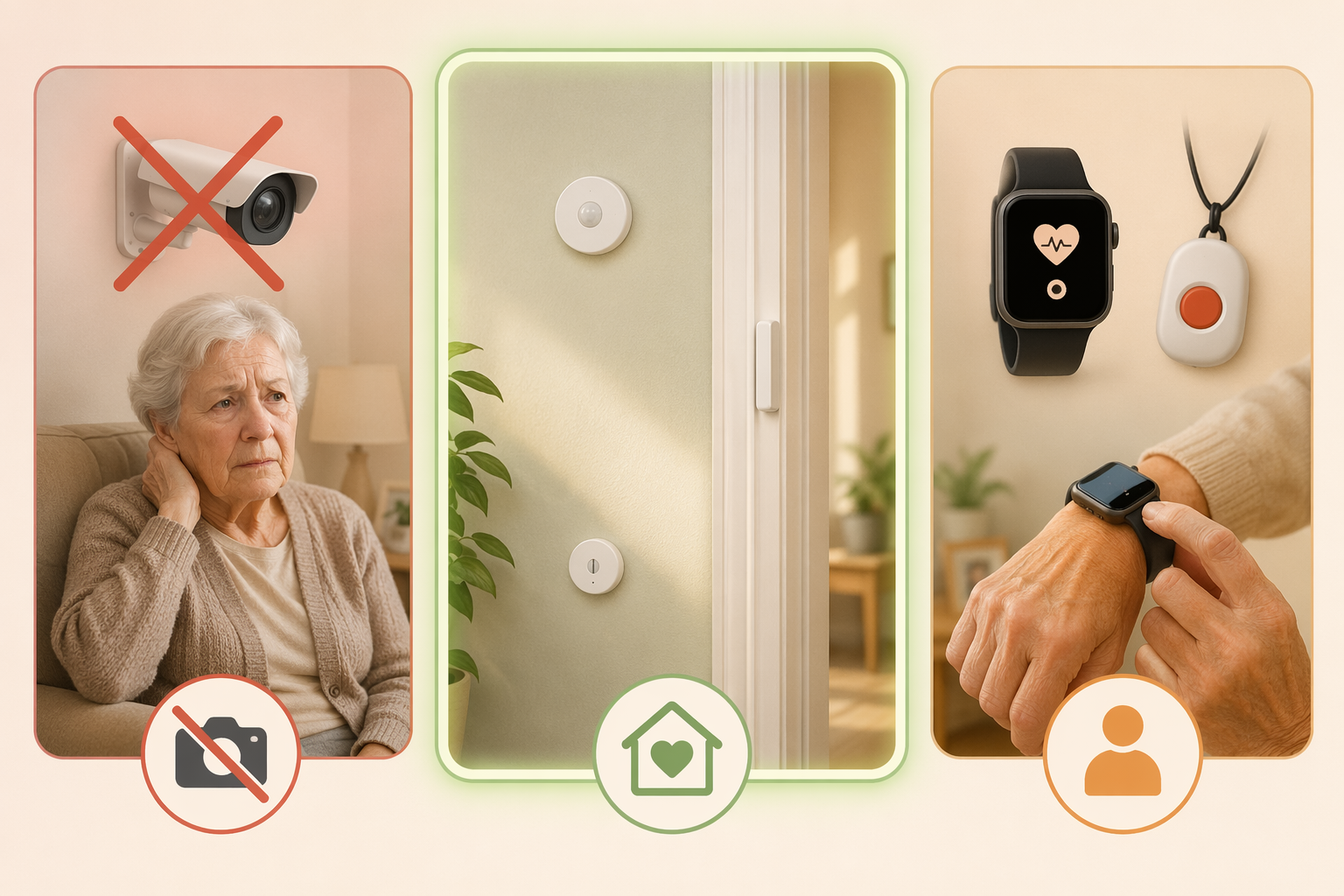
That moment is not unusual. The AARP article that reported it came out in 2020, but the objection has not aged. Cameras feel like surveillance. Wearable buttons get left in the drawer. And the person you are trying to protect is the one who gets to decide what stays in their home.
This article is for the caregiver who has run into that resistance. The thesis is simple: passive sensor systems — motion detectors, door sensors, pressure mats — can alert you to falls, missed routines, and behavioral changes without any camera or microphone. They do not watch. They sense patterns. And because they feel less like surveillance, they stand a better chance of staying in the home rather than being unplugged or covered with a cloth.
What They Can Do, and What They Cannot
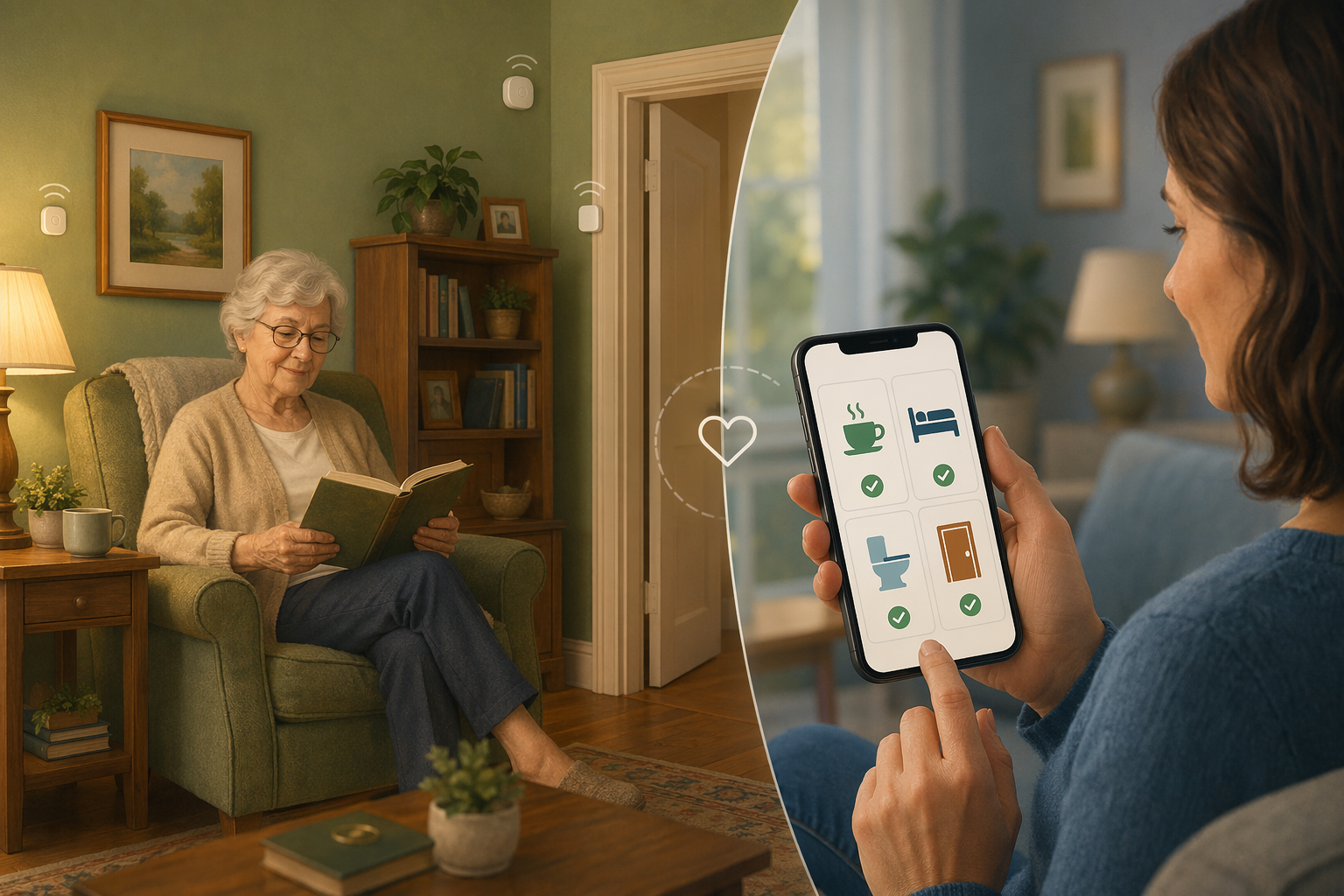
A passive system places small, battery-powered sensors around the home that detect motion, door openings, and bed occupancy. According to a 2022 NIH scoping review covering 30 studies, the most common types are passive infrared (PIR) motion sensors (used in 21 of those studies) and contact sensors (19 studies). They connect to a hub that sends alerts when an unusual pattern emerges.
A sensor in the bathroom detects how often the room is used. A pressure mat under the mattress tracks when your parent gets in and out of bed. A contact sensor on the front door sends an alert if it opens late at night. The system learns the baseline — coffee made by 7:30, bathroom visit at 10:00, bed by 10:30 — and flags meaningful deviations.
For a deeper technical breakdown of individual sensor types and placement, see our guide to passive home sensors for senior monitoring.
Here is what these systems can catch, based on the research and commercial products like envoyatHome:
- Falls (without a button press)
- Nighttime wandering and unexpected departures
- Missed meals or skipped morning routines
- Changes in bathroom frequency or sleep disruption
- Prolonged inactivity that may signal a health decline
But here is what a passive system cannot do. It cannot see whether your parent is dressed appropriately, detect a change in mood or speech, or identify who is visiting. It cannot tell you if they are dizzy or confused — only that their activity pattern changed. For a loved one with dementia, a change in kitchen activity might be a sign of sundowning or just a preference shift. The system gives you a signal, not a diagnosis.
The NIH review found some impressive accuracy numbers: depression detection using machine learning on sensor data hit 96% accuracy; a WiFi-based fall detection system called DeFall achieved a 95% detection rate; and a study of older adults with mild cognitive impairment found they spent more time in the kitchen opening cabinets — a pattern a passive system could pick up. But those numbers measure detection accuracy in controlled conditions, not real-world acceptance or reduction in caregiver burden. They tell you the system can spot a change, not that your parent will tolerate it.
Does the Acceptance Evidence Hold Up?
I went looking for studies that directly measured whether older adults accept passive sensors better than cameras over months of real home use. I came up short.
The NIH review evaluated detection accuracy — how well sensors identify falls or depression — not long-term acceptance. It is a common mistake in this space to assume that a system that detects things well will also be used willingly. The evidence for acceptance is mostly indirect.
Take the UnaliWear Kanega Watch, a medical alert device disguised as a normal wristwatch. It achieves a nearly 90% round-the-clock wear rate because it does not look like medical equipment. That is promising — it shows that design matters. But it is a wearable, not a passive sensor. The compliance challenge for passive systems is different: not whether your parent will wear something, but whether they will leave the sensors plugged in and not disable the hub.
The most specific study I found that actually tested a passive sensor system for behavior problems involved only five older adults with dementia and their caregivers. The study used a smart-home setup with a bed pressure mat, motion sensors, and door contacts to detect nighttime wandering. After 12 weeks, caregiver depression scores dropped from 5.2 to 3.6 and anxiety from 6.8 to 5.8. Caregivers said they slept more peacefully.
I still believe passive sensors are a genuinely better option for many families — the privacy argument is sound, and the logic that cameras provoke resistance is well documented. But I will not claim the evidence for higher acceptance is airtight. This article is not going to oversell what we know.
The Real Cost: More Than a Monthly Fee
Passive monitoring is not cheap, and it is not set-and-forget. The upfront hardware — sensors, hub, sometimes a cellular backup — runs between $200 and $500. The monthly subscription for cloud storage and alerts is typically $30 to $125. envoyatHome’s $99 per month plus $399 equipment is one data point in that range. A basic medical alert pendant runs $20 to $30 per month with little upfront cost.
The bigger cost, though, is the installation and maintenance. Someone has to place the sensors, connect the hub, test the alerts, and explain the system to the older adult. And that older adult may decide to unplug the hub because it “blinks too much” or ignore the sensors entirely. One of the compliance hurdles I have not seen addressed in the marketing materials is the hub itself — a small box that can be easily moved or disconnected.
There are cheaper DIY options — a few smart home sensors and a Raspberry Pi — but they lack professional support, reliable alerting, and the sophisticated pattern analysis that makes these systems useful. For most families, a commercial system is the realistic choice.
How to Talk to a Resistant Parent
This is where most articles stop. They show you the technology, tell you the price, and let you figure out the conversation. But the conversation is the hardest part.
Go back to the dish towel. The objection was not about safety — it was about autonomy. “I don’t want to be watched.” The solution is to frame the sensors not as surveillance but as a tool that lets your parent maintain independence while reducing your worry. The goal is collaboration, not convincing.
- Start with your own need: “I have been waking up at 3am worrying about whether you are okay. This system would help me sleep better — it sends me a notification only if something unusual happens, like you haven't moved by late morning. It does not watch you, it just notices if your routine changes.”
- Emphasize the privacy design: “There are no cameras. No microphones. It is just small sensors like the ones that turn on lights automatically. They cannot see or hear you.”
- Offer control: “We can put them where you are comfortable. If you do not want one in the bedroom, we skip that. You can unplug the hub anytime — it is your home.”
- Use a trial period: Most services allow a 30-day return. Say, “Let’s try it for two weeks. If you hate it, we send it back.”
Expect some resistance to remain. That is normal. The goal is not to eliminate resistance but to get to a place where your parent agrees to let the system stay for a trial. From there, the data speaks for itself — if the alerts are reasonable and the system stays invisible, acceptance often grows.
For a broader overview of all monitoring categories and how they compare, see our guide Beyond the Panic Button, which covers the landscape from medical alerts to telehealth.
The Least Bad Option
Let me be blunt: there is no perfect monitoring solution. Every option — camera, wearable, passive sensor — has a trade-off. Cameras are rejected. Wearables are forgotten or left on the nightstand. Passive sensors cost money and may catch only patterns, not the full picture.
But the option that directly addresses the core objection — “I don’t want to be watched” — is the one that works around it. Passive systems treat the home as a home, not a room under observation. They trade the ability to see everything for the ability to see what matters, and in doing so they preserve the dignity that keeps consent alive.
The evidence for passive monitoring is real but not settled. The acceptance data is thinner than the marketing suggests. The cost is significant. And the setup requires effort. Still, for families where cameras have been covered and pendants left in drawers, passive sensors are the least bad option that actually respects the person at the center of the decision. That is worth trying.
Questions to bring to a clinician or OT
This is not medical, legal, or a family's final decision — only a framework. Bring these questions to a clinician, occupational therapist, or your local Area Agency on Aging.
Find Local HelpRelated reading
- Why Wearable Help Buttons Fail and What Actually Works: A Caregiver's Guide to Passive Monitoring
- When Your Parent Won't Wear the Device: Passive vs. Wearable Elderly Monitoring Systems
- The Privacy Trade-Off in Elderly Monitoring: Camera-Free Systems, Data Security, and Gaining Your Parent's Acceptance
Noticed something outdated or inaccurate on this page? Flag a correction. We review every report against CDC, NIA, and AARP HomeFit guidance before updating a page.