
Caregiver decision guide
Remote Patient Monitoring for Seniors: What Family Caregivers Need to Know About Clinical Monitoring at Home
This guide explains how Remote Patient Monitoring (RPM) differs from medical alert systems, which chronic conditions it manages, how Medicare covers it, and what family caregivers should know to support a provider-prescribed RPM program.
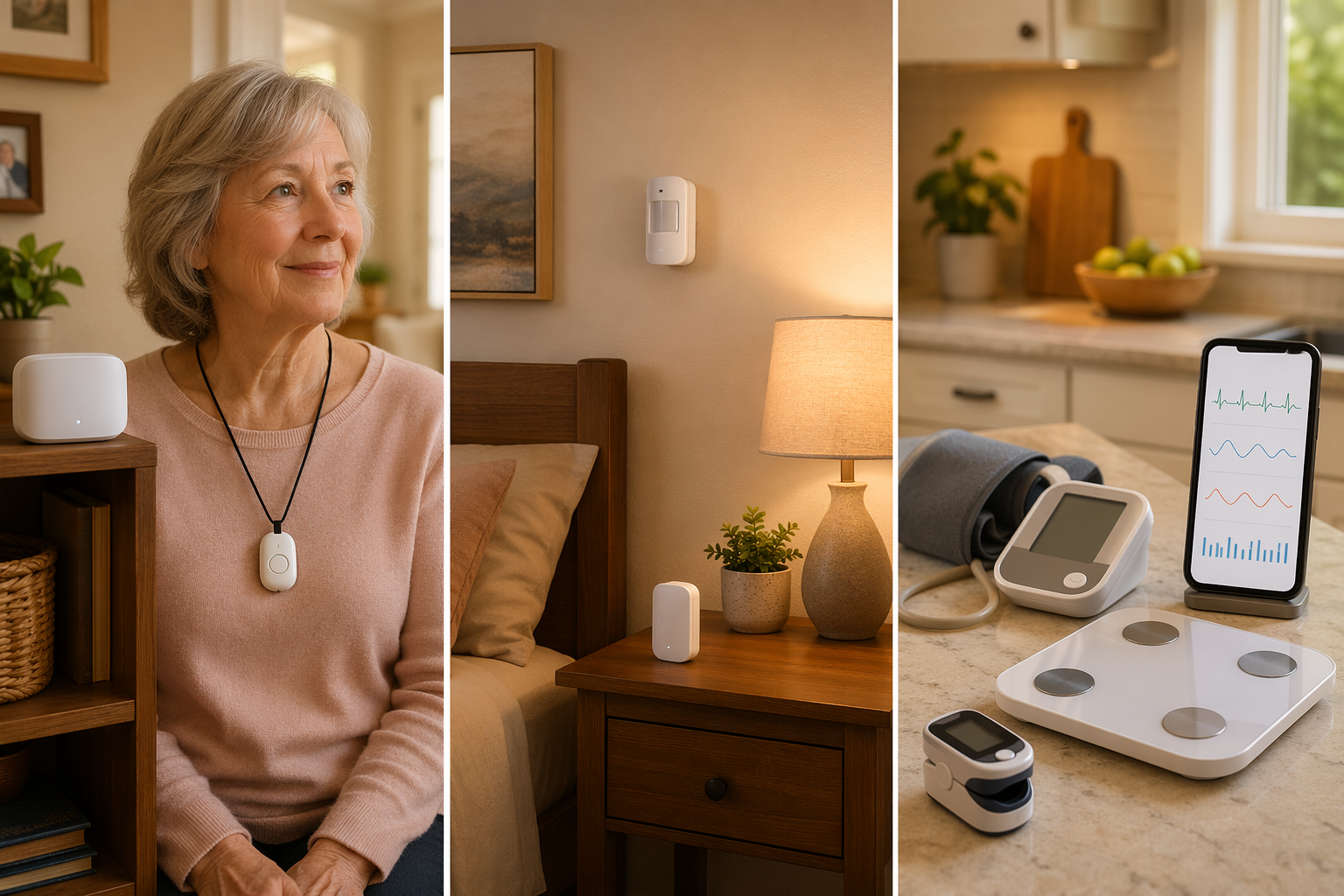
What Is Remote Patient Monitoring and How Is It Different From Medical Alert Systems?
If your parent has been managing a chronic condition like hypertension, diabetes, or heart failure, you may have heard their doctor mention "remote patient monitoring" and wondered whether it is the same thing as a medical alert pendant or a fall detection system. It is not — and understanding the difference matters for both your parent's health and your family's budget.
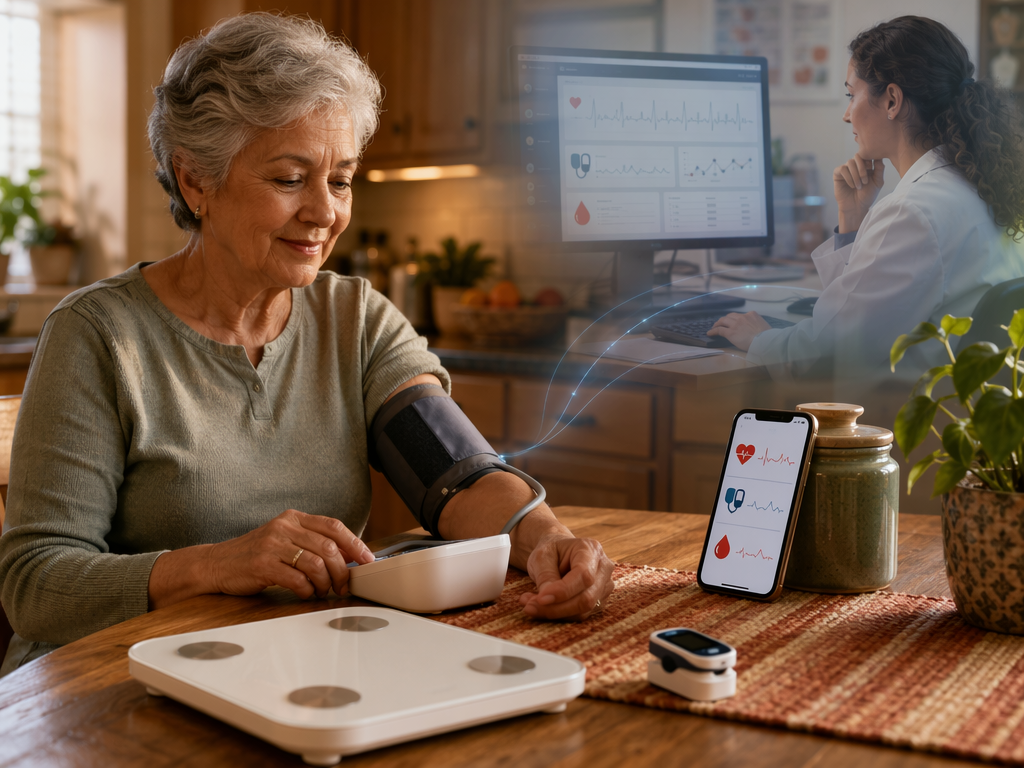
Remote Patient Monitoring (RPM) is a clinical tool. It uses FDA-cleared medical devices — blood pressure cuffs, weight scales, pulse oximeters, glucometers — to collect physiologic data and transmit it directly to a healthcare provider's system for review. The data is not sent to your phone as an emergency alert. Instead, it flows to a nurse or physician who monitors trends between office visits and intervenes when readings fall outside a safe range.
This is fundamentally different from the consumer systems you see advertised. A medical alert pendant or wristband, for example, is designed to summon help during an emergency — it does not track blood pressure trends or detect a gradual decline in health status. Passive home sensors (motion detectors, door sensors) can identify changes in daily activity patterns, but they do not measure physiologic data or feed into a clinical care plan.
The table below summarizes the key differences between the three categories of monitoring technology family caregivers commonly encounter.
| Feature | Medical Alert Systems | Passive Home Sensors | Remote Patient Monitoring (RPM) |
|---|---|---|---|
| Primary purpose | Emergency response | Activity and safety monitoring | Chronic condition management |
| Data collected | Button press or fall detection | Motion, door use, temperature | Blood pressure, weight, oxygen, glucose |
| Who receives data | Monitoring center or family phone | Family app or dashboard | Healthcare provider's clinical system |
| Medicare coverage | Not covered (consumer purchase) | Not covered (consumer purchase) | Covered under Medicare Part B |
| Requires prescription | No | No | Yes — provider must prescribe and enroll |
For a deeper look at how wearable and passive consumer systems compare to each other, see our decision framework for wearable vs. passive elderly monitoring systems. The focus of this guide, however, is the clinical RPM category — what it is, who it helps, and how your family can use it.
Which Chronic Conditions Does RPM Help Manage?
RPM is most commonly prescribed for older adults with one or more chronic conditions that require regular monitoring between office visits. The CDC reports that chronic diseases account for a significant portion of healthcare utilization among older adults, and 72% of low-to-moderate income seniors report having at least one chronic illness. RPM addresses this gap by collecting data daily rather than waiting for the next scheduled appointment.
The conditions most frequently managed through RPM include:
- Hypertension — Daily blood pressure readings allow providers to adjust medications in near-real time rather than waiting weeks for an in-office reading. A retrospective analysis of an RPM hypertension program showed a 9.1% reduction in systolic blood pressure among stage 2 hypertensive patients.
- Diabetes — Glucometers transmit blood glucose readings to the care team, who can identify dangerous trends (hypoglycemia or hyperglycemia) before they require emergency intervention.
- Heart failure — Daily weight monitoring is a cornerstone of heart failure management. A sudden weight gain of 2–3 pounds in 24 hours can signal fluid retention and impending decompensation, allowing the care team to adjust diuretics before hospitalization becomes necessary.
- COPD — Pulse oximeters track oxygen saturation levels. Declining readings can indicate an exacerbation, prompting early treatment that may prevent an emergency room visit.
- Chronic kidney disease — Blood pressure and weight monitoring help manage fluid balance and medication dosing as kidney function changes.
- Post-discharge monitoring — After a hospitalization, RPM provides a safety net during the vulnerable transition period when readmission risk is highest.
If your parent has multiple conditions on this list — which is common — RPM can manage several metrics simultaneously using a single kit of devices. A typical RPM kit might include a blood pressure cuff, a weight scale, and a pulse oximeter, all connected to a cellular-enabled hub that transmits data without requiring the patient to have home internet.
What the Clinical Evidence Shows: Reduced Hospitalizations and High Satisfaction
The clinical evidence for RPM has grown substantially over the past five years. While much of the data comes from individual health system programs rather than large-scale randomized trials, the results across multiple organizations are consistent enough to warrant serious consideration.
The most frequently cited outcome comes from the University of Pittsburgh Medical Center (UPMC), which reported a 76% reduction in hospital readmissions among patients enrolled in its RPM program, along with over 90% patient satisfaction. This is a single-site outcome study, meaning the results may not generalize to every RPM program, but the magnitude of the reduction is striking.
Broader evidence comes from a review of 25 organizations that implemented RPM for chronic care management. Across these programs, admissions for chronic care complications were reduced between 19% and 41%. The variation reflects differences in patient populations, conditions managed, and program design — but even the lower end of that range represents a meaningful reduction in hospitalizations for a population that is frequently readmitted.
Patient satisfaction with RPM is consistently high across studies, with rates exceeding 90%. This is notable because RPM requires active participation — taking daily readings, using unfamiliar devices, and sometimes answering symptom questions. The high satisfaction suggests that once seniors understand the benefit (fewer office visits, fewer hospitalizations, more attentive care), they are willing to engage with the technology.
The broader healthcare system is also moving in this direction. An estimated $250 billion in healthcare spending could shift to virtual care models, and 75% of doctors have adopted some form of RPM for chronic condition management. The global RPM market was valued at $14 billion in 2023 and is projected to reach $42 billion by 2028, reflecting a compound annual growth rate of 20%.
How Medicare Covers Remote Patient Monitoring in 2026
This is the question that most surprises family caregivers: Medicare covers RPM, but it does not cover medical alert systems. If your parent has a qualifying chronic condition and a provider who enrolls in Medicare's RPM program, the devices and monitoring service are typically covered under Medicare Part B with no direct monthly cost to the patient.
Here is how the coverage works in practice:
| Requirement | Details |
|---|---|
| Eligibility | Patient must have at least one qualifying chronic condition (hypertension, diabetes, heart failure, COPD, etc.) and a provider who is enrolled in Medicare's RPM program. |
| Devices covered | Blood pressure cuffs, weight scales, pulse oximeters, glucometers, and other FDA-cleared medical devices that collect and transmit physiologic data. |
| Monthly monitoring minimum | At least 20 minutes of active monitoring per month per Medicare beneficiary. This includes device setup, patient education, data review, and communication with the patient. |
| Reimbursement | Delivering 20 minutes of RPM per month per beneficiary can generate over $1,000 in reimbursement over 12 months for the provider. The patient pays the standard 20% Part B coinsurance if they have not met their deductible. |
| CPT codes | Providers bill using specific CPT codes for RPM services, including 99453 (device setup and education), 99454 (device supply and data transmission), and 99457 (remote monitoring and treatment management). |
It is important to note that RPM coverage is not limited to Medicare. As of December 2024, 42 states had adopted Medicaid coverage for RPM, according to the Center for Connected Health Policy. This means that if your parent is dually eligible for Medicare and Medicaid, or covered by a Medicaid managed care plan, RPM may still be available.
For a direct comparison: Medicare does not cover consumer medical alert systems. If your parent needs a pendant or wristband for fall emergencies, that is an out-of-pocket expense. RPM, by contrast, is treated as a clinical service — the same way Medicare covers a doctor's visit or a lab test. This distinction is why it is worth asking your parent's provider about RPM even if you have already ruled out consumer monitoring systems due to cost.
What the Family Caregiver's Role Is in an RPM Program
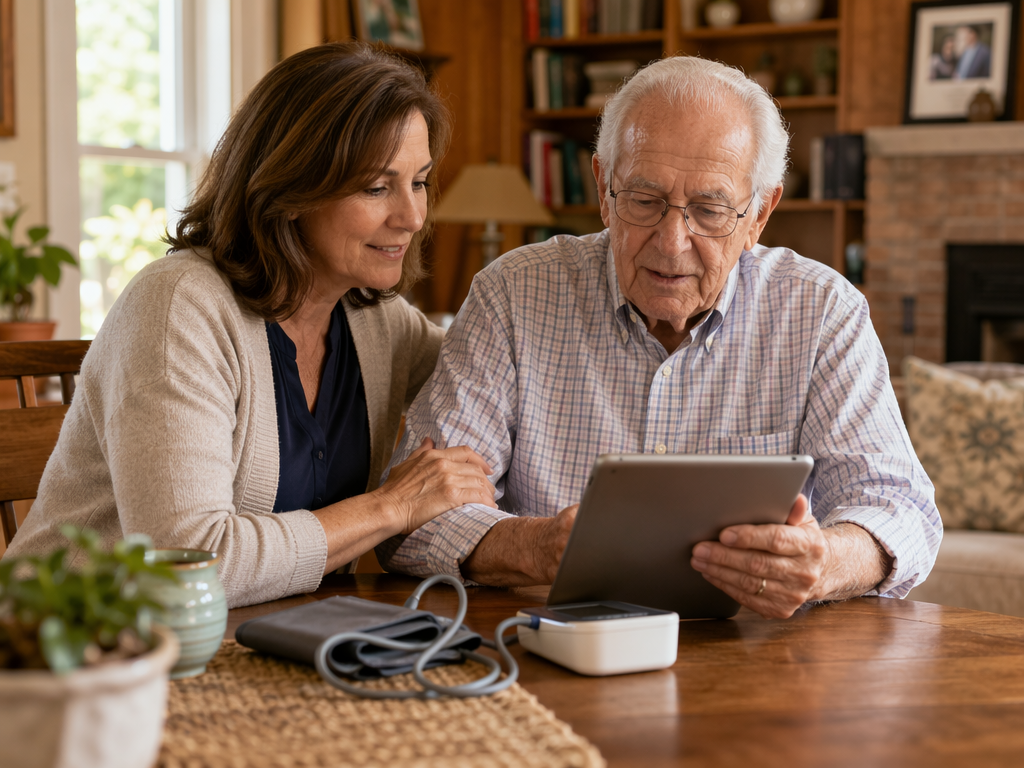
RPM is a provider-led service, but the family caregiver plays a critical supporting role — especially when the patient is older, less comfortable with technology, or managing multiple conditions. Your involvement can make the difference between a program that succeeds and one that fades after the first month.
Here are the most common responsibilities family caregivers take on in an RPM program:
- Device setup and placement — The provider or device vendor typically handles initial setup, but you may need to ensure devices are placed where your parent will actually use them. The blood pressure cuff should be near the chair where they sit each morning. The scale should be in the bathroom, not in a closet. Small placement decisions have a big impact on adherence.
- Encouraging daily adherence — Taking readings every day, at roughly the same time, is essential for trend analysis. Your parent may forget, especially in the first few weeks. A daily phone call, a reminder on their phone, or a simple paper checklist taped to the bathroom mirror can help establish the habit.
- Understanding what alerts mean — RPM systems can generate alerts when readings fall outside a preset range. These alerts go to the care team, not to you, but you should understand what they mean. If your parent's blood pressure spikes, the provider may call to adjust medication. If weight jumps suddenly, they may ask about swelling or shortness of breath. Knowing what triggers an alert helps you have informed conversations with the care team.
- Coordinating with the care team — You may be the point of contact for the RPM nurse or care coordinator. Make sure they have your contact information and understand your availability. If you are a long-distance caregiver, ask whether the program offers a family portal where you can view trend data without calling the office.
- Troubleshooting device issues — Devices can lose connectivity, run out of batteries, or display error messages. Having a basic troubleshooting checklist — restart the hub, check the battery, call the device support line — can prevent a small issue from derailing the program.
It is important to remember that your role is supportive, not clinical. You are not expected to interpret the data or make medical decisions. The RPM program places the clinical responsibility on the provider. Your job is to help your parent stay engaged and to communicate with the care team when something seems off.
How to Talk to a Parent's Doctor About RPM
Bringing up RPM with your parent's primary care provider or specialist can feel awkward — especially if you are not sure whether the practice offers it. The key is to frame the conversation around your parent's specific condition and the gap that RPM could fill.
Here is a conversational framework you can adapt:
- "Mom's blood pressure has been fluctuating between visits, and we're worried about her heart failure. Is she a candidate for remote patient monitoring?" — This frames the request around a specific clinical need, not a general interest in technology.
- "What devices would be prescribed, and how would the data get reviewed?" — This helps you understand whether the practice has an established RPM workflow or is still developing one. A practice with a dedicated RPM nurse or care coordinator is likely to have better outcomes.
- "What happens if readings are concerning?" — The answer should include a specific protocol: the nurse calls the patient, adjusts medication with physician approval, or schedules a same-day telehealth visit. If the answer is vague, ask for clarification.
- "Does your practice bill Medicare for RPM, and is Mom eligible under her current coverage?" — This confirms that the practice is enrolled in Medicare's RPM program and that your parent meets the eligibility criteria.
- "What is expected of us as a family?" — This sets clear expectations about device use, daily readings, and communication with the care team.
If the practice does not offer RPM, ask whether they plan to adopt it or whether they can refer your parent to a practice that does. Some health systems have dedicated RPM programs that accept referrals from outside providers. You can also check whether your parent's Medicare Advantage plan includes RPM as a covered benefit — some plans have their own programs that do not require a separate provider enrollment.
Cost, Limitations, and What to Watch For
For most families, the cost question is straightforward: if your parent qualifies for Medicare Part B and their provider is enrolled in the RPM program, the devices and monitoring service are covered. The patient pays the standard 20% Part B coinsurance after the deductible is met. There is no separate monthly subscription fee for the patient, unlike consumer medical alert systems which typically cost $20–$50 per month.
However, RPM has several limitations that families should understand before enrolling:
- Provider enrollment is required — Not every practice offers RPM. Your parent's doctor must be enrolled in Medicare's RPM program and have the infrastructure to receive and review data. If the practice is not enrolled, RPM is not an option unless you find a participating provider.
- Patient engagement is essential — RPM requires daily or near-daily use of the devices. If your parent is unwilling or unable to take regular readings — due to cognitive decline, physical limitations, or simply resistance to the routine — the program will not generate useful data. Some programs offer cellular-enabled devices that transmit automatically, but the patient still needs to step on the scale and put on the blood pressure cuff.
- Connectivity is a prerequisite — Most RPM devices transmit data via cellular or WiFi. While 86% of seniors have WiFi access in their homes, the remaining 14% may need a cellular-enabled hub. Confirm with the provider that the device kit includes a cellular option if your parent does not have reliable home internet.
- RPM is not an emergency response system — This is the most important limitation to internalize. RPM does not detect falls, summon an ambulance, or alert you when your parent is in distress. It is a chronic condition management tool, not a safety net. If your parent needs fall detection or emergency response, they still need a medical alert system in addition to RPM.
Despite these limitations, RPM represents a significant shift in how chronic care is delivered to older adults. Nearly 50 million people in the United States currently use remote patient monitoring devices, and 80% of Americans favor using RPM. Between 65% and 70% would participate in RPM for blood pressure, heart rate, blood sugar, and oxygen monitoring. For family caregivers managing a parent with multiple chronic conditions, understanding this category — and knowing how to access it through Medicare — is one of the most practical steps you can take toward reducing hospitalizations and improving quality of life at home.
For more on how RPM fits into the broader landscape of monitoring technology, see our guide to telehealth for seniors and our FAQ on Medicare coverage for medical alert systems.
Questions to bring to a clinician or OT
This is not medical, legal, or a family's final decision — only a framework. Bring these questions to a clinician, occupational therapist, or your local Area Agency on Aging.
Find Local HelpRelated reading
- What Elderly Monitoring System Is Right for Your Parent? A Decision Framework Based on Health Profile, Living Situation, and Risk Level
- Elderly Monitoring Systems: A Family Caregiver's Guide to Choosing the Right Type
- Passive Monitoring vs. Wearable PERS: What Family Caregivers Need to Know About the Technology Gap
Noticed something outdated or inaccurate on this page? Flag a correction. We review every report against CDC, NIA, and AARP HomeFit guidance before updating a page.