
Is ElderCare.com Legitimate? A Safety, Scams, and Trust Guide for Families
Last reviewed: — Review date is particularly important for Medicare coverage, device specifications, and clinical guidance, which change frequently.

The Landscape of Online Elderly Care Marketplaces
When a parent needs help at home, the first instinct for many adult children is to open a browser and search. Sites like ElderCare.com, Care.com, and AgingCare.com have become the default starting point for millions of families. ElderCare.com alone reports that over 600,000 people have used its platform to find care. The appeal is obvious: a large pool of potential caregivers, searchable profiles, and the convenience of browsing from your living room.
The reality, however, is more nuanced. These platforms are legitimate businesses — ElderCare.com is owned by CareGuide Inc., a company founded in 2013 that raised a $6 million Series A in 2018 from investors including 500 Startups and iNovia Capital. But legitimacy does not equal guaranteed safety. The level of vetting these platforms provide is often misunderstood by families, and the financial incentives of the marketplace model can create gaps in transparency.
Nearly one in four U.S. adults now serves as a caregiver, and 77% of adults aged 50 and older prefer to age in place. That combination of demand and preference has created a booming online marketplace — but also an environment where scams and misrepresentation can flourish if families do not know what to look for.
This guide focuses specifically on the trust and safety questions that keep families up at night: How thorough are the background checks? What scams are actually documented on these sites? How does the vetting compare to a licensed agency? And most importantly, what can you do to protect your parent and your family?
How Background Checks Actually Work on Care Marketplaces
The single most common misconception families have is that a platform's background check is equivalent to a law enforcement clearance or a licensed agency's vetting process. It is not. Understanding what these checks actually cover — and what they miss — is essential to making an informed decision.
According to SeniorLiving.org's review of Care.com (updated January 2026), all caregivers on the platform complete an initial background check that includes the following components:
- Social Security Number (SSN) trace — verifies the identity and address history of the applicant
- National Sex Offender Public Website (NSOPW) search — checks against the national sex offender registry
- Multi-jurisdictional criminal database search — scans criminal records across multiple jurisdictions
- Federal and county criminal records search — checks federal court records and county-level criminal filings
These four components form the baseline. They are meaningful — a national sex offender search and multi-jurisdictional criminal database check are not trivial. But they are also initial checks, not continuous monitoring, and they have significant limitations.
What Costs Extra (and What That Means for You)
Two important screening tools are not included in the standard background check on platforms like Care.com: motor vehicle reports and investigative criminal checks. Both require an additional fee. This matters because a caregiver will likely be driving your parent to appointments, running errands, and transporting them around town. A clean criminal record does not guarantee a clean driving record.
Care.com does offer a continuous background check feature that notifies families if a caregiver on their account is charged with a new crime after the initial check. This is a meaningful upgrade over a one-time check, but it is not the default — families must be aware of it and opt in.
Documented Scams Targeting Families and Caregivers
Scams on care marketplaces are not hypothetical. ElderCare.com's own security page explicitly warns users about a specific and well-documented scheme: the fake check or overpayment scam.
Here is how it typically works: A person posing as a family in need of care contacts a caregiver on the platform. They send a check or money order for an amount significantly higher than the agreed-upon rate — often claiming it is an advance for supplies, travel, or other expenses. They then ask the caregiver to deposit the check and wire the excess funds back to them or to a third party. The check is fake. By the time the bank discovers the fraud, the caregiver has already sent real money to the scammer.
ElderCare.com's security page advises: never accept advance payments without meeting the employer in person or via video chat; if someone is keen on sending money before meeting, it is likely a scam; and no legitimate employer will ask for banking information or give money without meeting first.
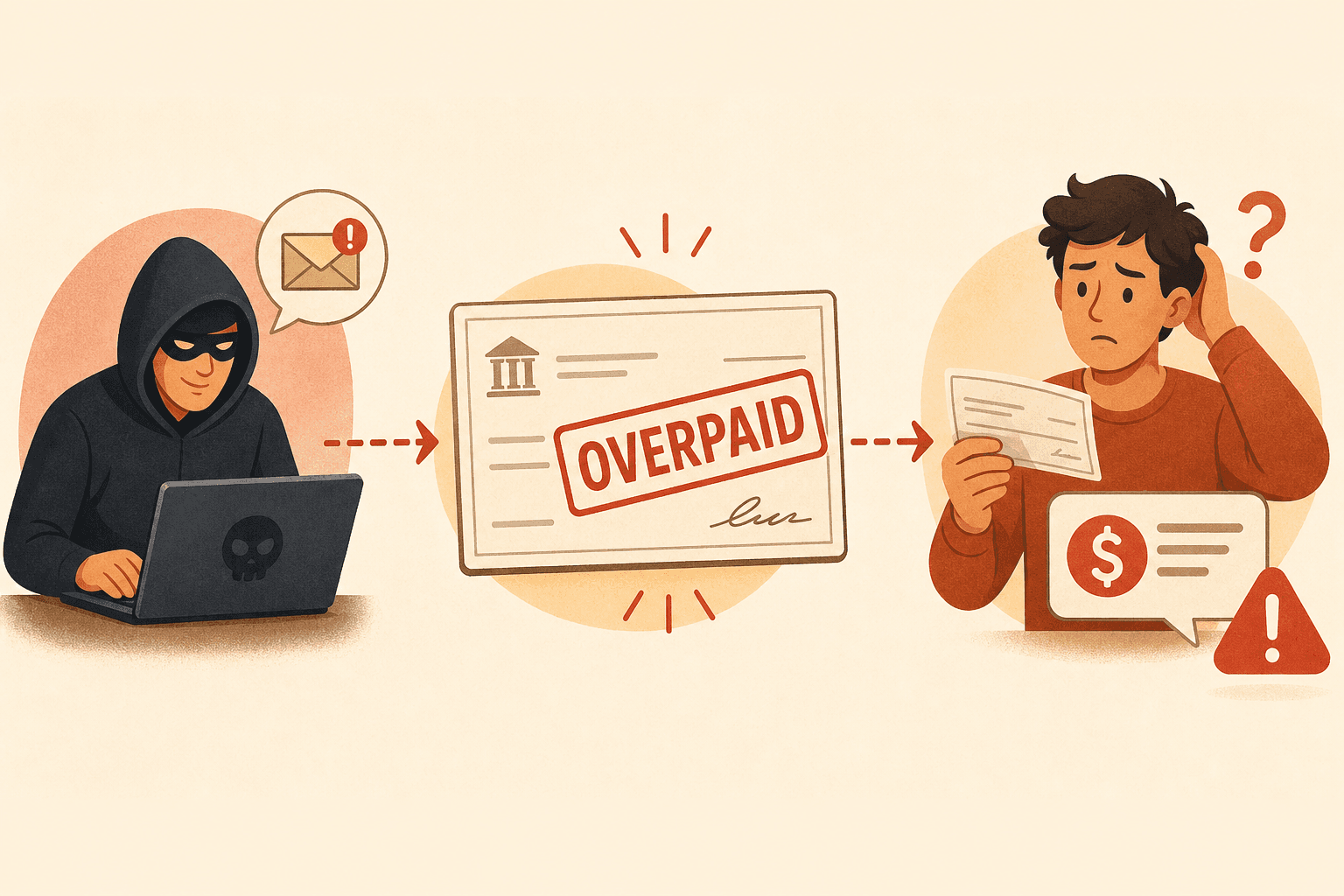
This scam targets both sides of the marketplace. Families can also be targeted by individuals posing as caregivers who request upfront payments for training, certifications, or equipment. The pattern is the same: urgency, off-platform payment, and a request for money before any service is delivered.
Beyond individual scams, there are also platform-level concerns. In August 2024, the Federal Trade Commission (FTC) announced that Care.com agreed to pay $8.5 million to refund consumers harmed by its practices. The FTC alleged that Care.com deceptively inflated the number of jobs available on its site — including jobs posted by users who had no paid membership and could not actually hire anyone. The company was also accused of making unsubstantiated earnings claims (advertising "Childcare jobs from $18/hr" while its own internal data showed the average was $13–$14.25/hr) and using dark patterns to impede subscription cancellation, including multi-page questionnaires, confusing language, and warnings designed to discourage users from completing the cancellation process.
Under the settlement, Care.com must now: only make earnings claims with supporting evidence; only count jobs posted by users who can actually hire; be upfront about how communication works before taking money; and provide a simple cancellation method. This FTC action is a reminder that even large, well-known platforms can have practices that mislead consumers.
Red Flags Families Must Watch For
When evaluating a caregiver profile or communicating through a platform, certain patterns should immediately raise your suspicion. These red flags apply whether you are using ElderCare.com, Care.com, or any other online marketplace.
- Pressure to communicate or pay off-platform — If a caregiver or family member insists on moving the conversation to text, email, or a personal phone number immediately, be cautious. Platforms have messaging systems for a reason: they provide a record and some level of accountability.
- Refusal to interview in person or via video — A legitimate caregiver should be willing to meet face-to-face or through a video call before starting work. Refusal or repeated excuses are a significant warning sign.
- Requests for banking information before hiring — No legitimate employer or caregiver needs your bank account number, routing number, or access to your financial accounts before an agreement is in place.
- Advance payment or overpayment offers — As documented by ElderCare.com's security page, any request involving sending money before services begin — especially an overpayment that needs to be refunded — is almost certainly a scam.
- Vague or inconsistent profile information — Profiles with minimal detail, stock photos, or inconsistent work histories should be treated with skepticism. A legitimate caregiver should be able to provide specific references and a clear work timeline.
- Reluctance to provide references — Any caregiver who cannot or will not provide at least two professional references should not be considered for hire.
Vetting Rigor: Platform vs. Licensed Agency vs. Private Hiring
One of the most important decisions families face is not just which caregiver to hire, but which type of arrangement to use. The level of vetting, oversight, and legal protection varies dramatically depending on whether you hire through an online marketplace, a licensed home care agency, or directly as a private employer.
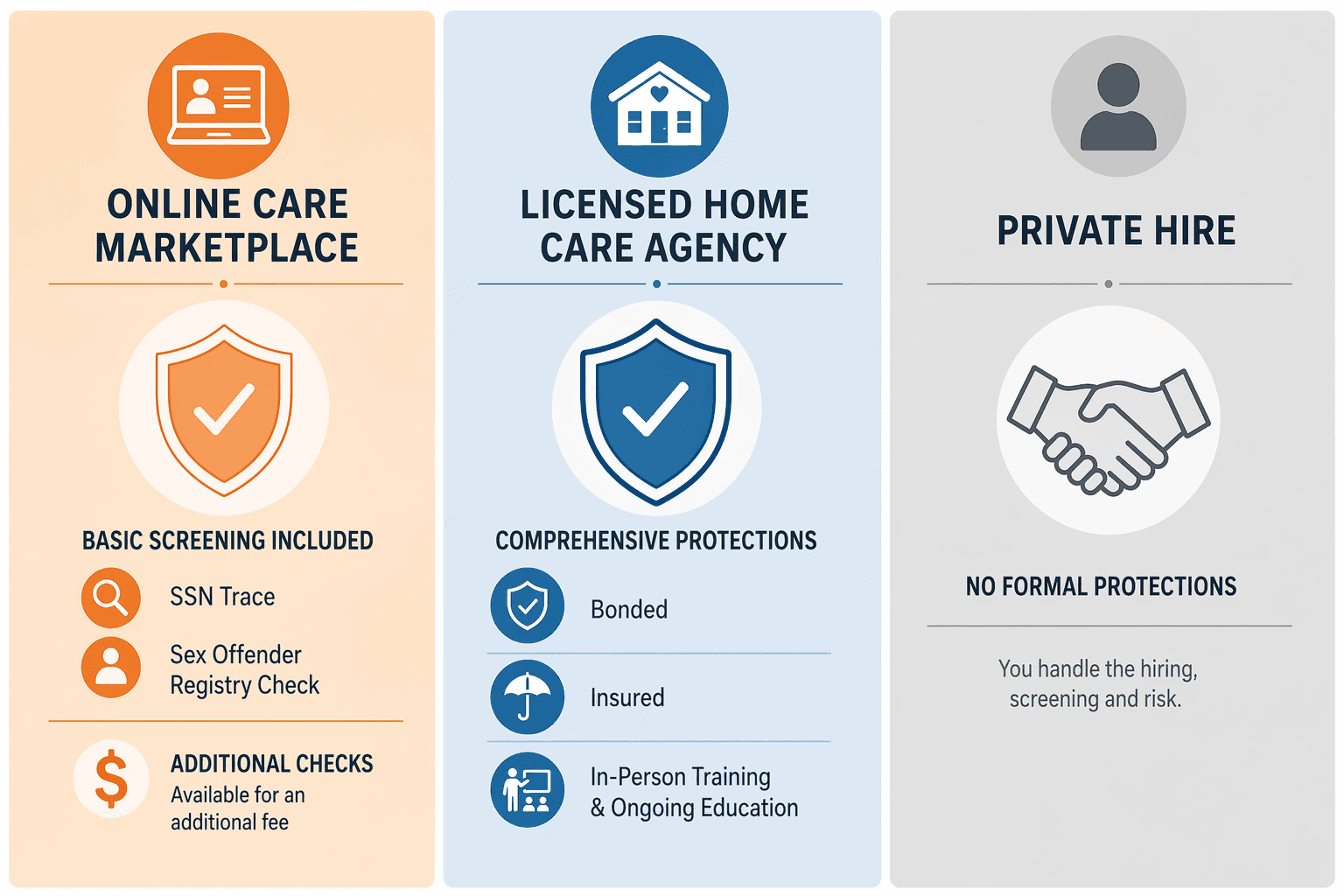
| Dimension | Online Marketplace (ElderCare.com, Care.com) | Licensed Home Care Agency | Private Hiring (Direct Employer) |
|---|---|---|---|
| Background check scope | Initial SSN trace, sex offender search, multi-jurisdictional criminal database, county/federal records. Motor vehicle and investigative checks cost extra. | Comprehensive pre-employment screening including criminal, motor vehicle, reference checks, and often drug screening. Agency is liable for employee actions. | Family handles everything. Must request and pay for background checks, driving records, and reference verification independently. |
| Bonding and insurance | None provided by platform. Caregivers may carry their own insurance, but it is not guaranteed or verified by the platform. | Agency carries liability insurance, workers' compensation, and bonding. If a caregiver is injured or causes damage, the agency is responsible. | Family assumes full liability. If the caregiver is injured on the job, the family may be responsible for medical costs and lost wages. |
| Training and supervision | None. Platform does not train, supervise, or evaluate caregivers. Families assess qualifications independently. | Agency provides training, ongoing supervision, and replacement coverage if a caregiver is unavailable. Quality is monitored. | No training or supervision. Family manages scheduling, performance, and backup coverage entirely. |
| Tax and payroll handling | Not handled by platform. Family is responsible for understanding and complying with tax obligations as a household employer. | Agency handles all payroll, taxes, and compliance. Family pays the agency, which pays the caregiver as a W-2 employee. | Family must register as a household employer, withhold and pay Social Security and Medicare taxes, and comply with state and federal labor laws. |
| Cost to family | Membership fee ($10.99–$39.99/month on Care.com) plus caregiver hourly rate ($17–$50/hour). No agency markup. | Higher hourly rate (national median $35–$36/hour for home care in 2026). Agency markup covers insurance, training, and compliance. | Lower hourly rate (no agency markup), but family absorbs costs of background checks, payroll taxes, and liability. |
| Accountability if something goes wrong | Limited. Platform provides a record of communication but is not responsible for caregiver actions. FTC settlement with Care.com highlights gaps in platform accountability. | High. Agency is legally responsible for the caregiver's actions. Families have recourse through the agency, licensing board, and legal system. | Variable. Family has direct control but also direct liability. Legal recourse is through personal legal action against the caregiver. |
For a deeper comparison of Care.com specifically against licensed home care agencies, see our detailed guide: Care.com vs. Home Care Agencies: A Practical Comparison for Families. If you are considering hiring a private caregiver directly, our Private Sitter for Elderly: Complete Decision Guide covers the full decision process, and our Private Sitter Employer Guide explains the tax and legal responsibilities you will take on.
Actionable Safety Checklist for Families
The following checklist is designed to help you evaluate any online care marketplace and any individual caregiver before making a hiring decision. Use it as a reference every time you consider a new caregiver.
- Read the platform's security page. Before you create an account or pay any fees, visit the platform's security or safety information page. ElderCare.com's security page, for example, documents known scams and provides clear guidance on what to avoid. If a platform does not have a visible security page, consider that a red flag.
- Understand what the background check covers — and what it does not. Ask the platform directly: Does the standard check include a motor vehicle report? Is there continuous monitoring? What jurisdictions are searched? If the answers are unclear, assume the check is minimal.
- Conduct your own additional background check. For a few hundred dollars, you can run an independent background check through a reputable service that includes a driving record search. This is especially important if the caregiver will be driving your parent.
- Insist on a video interview at minimum, and an in-person meeting if possible. A legitimate caregiver will be willing to meet before starting work. Use the video call to assess communication, punctuality, and demeanor.
- Verify professional references. Ask for at least two references from previous clients or employers. Call them. Ask specific questions about reliability, trustworthiness, and whether they would hire this person again.
- Never pay off-platform. Keep all payments and communication within the platform's system. If a caregiver or family member pressures you to move off-platform, stop the conversation.
- Check the platform's Better Business Bureau (BBB) rating and customer reviews. Care.com, for example, has an A+ BBB rating but a 1.74/5 star customer rating (as of January 2026) and a 2.9/5 on Trustpilot. These ratings can reveal patterns of complaints that individual reviews might not capture.
- Consider starting with a free government resource. The Eldercare Locator (1-800-677-1116), a free public service of the Administration for Community Living, can connect you to local Area Agencies on Aging. These agencies can provide referrals to vetted local services and may offer care coordination, as explained in our guide on Senior Health Services Coordination. This is a no-cost, no-obligation starting point that many families overlook.
- Have a trial period. Before committing to a long-term arrangement, schedule a trial period of one to two weeks. Be present for the first few shifts to observe how the caregiver interacts with your parent and handles daily tasks.
- Document everything. Keep records of all communications, background check results, reference verification notes, and payment receipts. If something goes wrong, this documentation will be essential.
Online care marketplaces like ElderCare.com and Care.com are legitimate tools that can help families find caregivers. But they are just that — tools. They are not a substitute for your own due diligence. The background checks are initial and limited. Scams exist and are documented by the platforms themselves. And the level of vetting is fundamentally different from what a licensed home care agency provides.
The families who succeed with these platforms are the ones who treat them as a starting point, not a final answer. They verify everything. They ask hard questions. And they never let convenience override caution. Your parent's safety is worth that extra step.
Read the Full Guide
FAQs provide a concise answer. For comprehensive coverage, see these related guides.
- Is It Safe for Someone with Dementia to Drive? A Stage-by-Stage FAQ for Caregivers
This stage-by-stage FAQ helps adult children caregivers determine whether a parent with dementia can still drive safely – covering early-stage possibilities with restrictions, the clear no-driving rule for moderate and severe dementia, crash risks, professional evaluations, state laws, conversation tips, and transportation alternatives.
- How to Pay for Elderly Home Care: Medicare, Medicaid, VA Benefits, and Out-of-Pocket Options Explained
A comprehensive decision flowchart for adult children and long-distance caregivers navigating the fractured payment landscape for in-home senior care. Covers Medicare limits, Medicaid HCBS waivers, VA benefits, long-term care insurance, private-pay strategies, community programs, and tax deductions — all in one place.
- How to Choose a Senior Care Advisor: 10 Questions to Ask Before You Trust Someone With Your Parent's Care Decision
Not all senior care advisors are the same. This investigative vetting guide helps adult children evaluate placement agencies and referral services by providing a structured 10-question interview framework, red flags to watch for, and a decision flow for choosing an advisor who truly puts your parent's needs first.
Comments
Join the discussion with an anonymous comment.