
Room checklist
How to Set Up Earthquake Alerts for Older Adults
Free earthquake early warnings are already built into most smartphones, but the settings often stay unchecked or disabled. This guide walks caregivers through enabling and testing Wireless Emergency Alerts and MyShake on an older adult's phone, then adds backup channels such as NOAA Weather Radio and the FEMA app that keep working even when the phone is not nearby or on.
- Room
- Whole-home
- Modification type
- Emergency alert systems
- Cost range
- Free
- Install complexity
- DIY-friendly
- Reviewed by
- Editorial Team
Start with the phone already in their hand
When you are setting up earthquake alerts for an older parent or relative, the first place to look is not a new gadget. It is the phone they already carry, misplace, silence, charge in the kitchen, or leave in a purse by the door.
In the United States, Wireless Emergency Alerts are free, do not require signup, and are enabled by default on many compatible phones, but that “default” is not enough for a caregiving plan; the setting still needs to be found and verified on the actual phone your parent uses.[1] On the West Coast, ShakeAlert-powered earthquake warnings can reach phones in California, Oregon, and Washington, with different alert thresholds depending on the channel: Oregon’s emergency management guidance lists Wireless Emergency Alerts at magnitude 5.0 or higher and Modified Mercalli Intensity IV, while app and built-in channels may alert at magnitude 4.5 or higher and MMI III.[2]
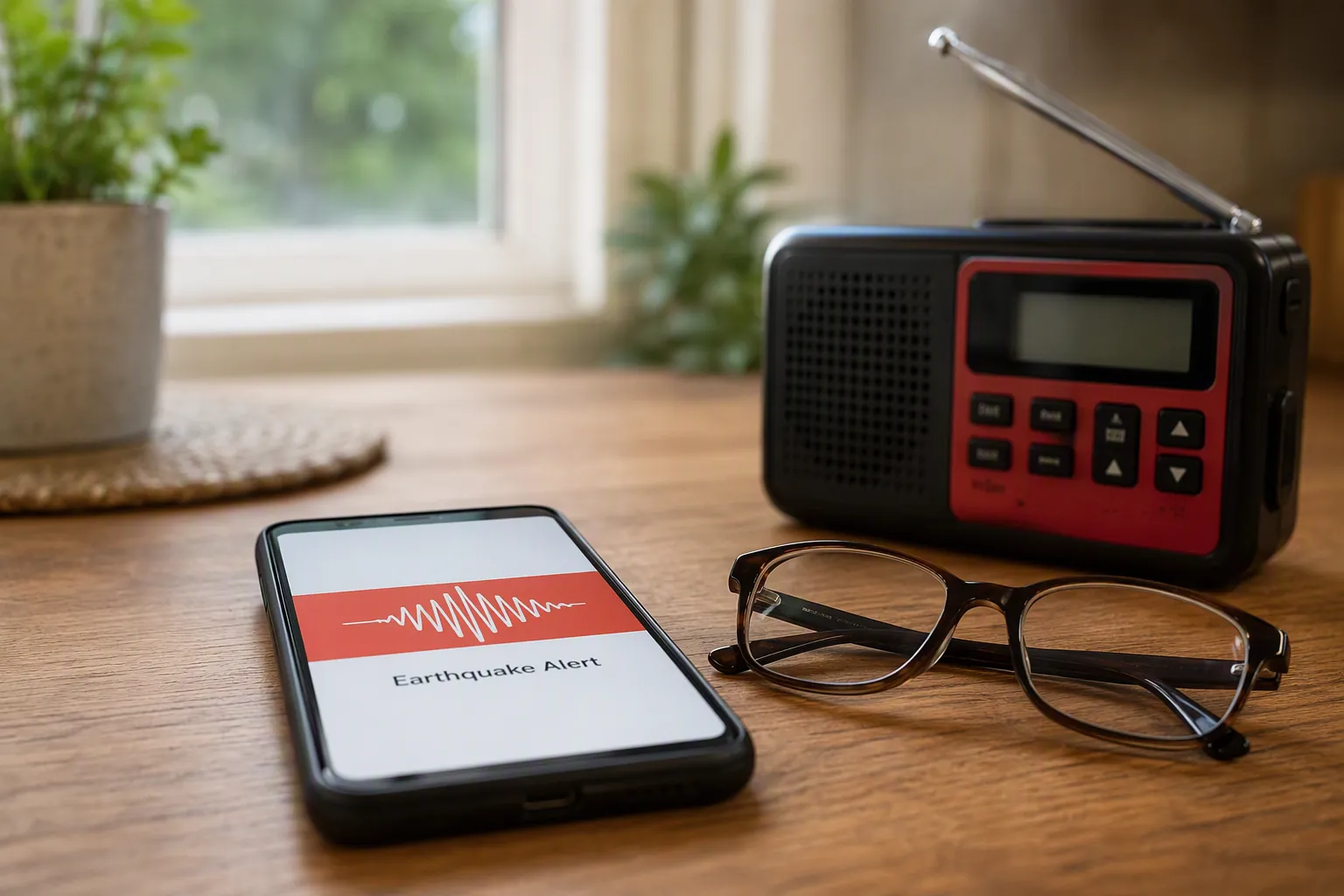
That difference matters because a caregiver is not setting up a concept. You are setting up a warning path for a real person who may not hear the first tone, may have turned the volume down for church, may keep the phone on a charger in another room, and may not open Settings again unless someone sits beside them.
This guide is scoped to older adults in California, Oregon, and Washington. Other earthquake-prone parts of the country may still receive Wireless Emergency Alerts and local emergency notifications, but the ShakeAlert-specific details here—especially MyShake and West Coast earthquake early warning thresholds—should not be assumed outside those three states.[2]
What to turn on before you call the setup finished
A finished setup has more than one switch. At minimum, check the built-in government alert settings, the phone’s earthquake alert settings where available, location access, and one backup channel that does not depend on your parent keeping the phone beside them.
| Alert channel | Why it matters | Setup point to verify |
|---|---|---|
| Wireless Emergency Alerts | Free government alerts sent to compatible wireless devices; no signup required.[1] | Emergency or Government Alerts are turned on. |
| iPhone alert settings | Government Alerts and newer Enhanced Safety Alerts are controlled inside Notifications on supported iPhones.[3] | Government Alerts are on; Local Awareness is enabled where available. |
| Android earthquake alerts | Android phones can provide earthquake alerts when the feature and location services are enabled.[4] | Earthquake alerts are on; Location is on. |
| MyShake | A free ShakeAlert-powered app for earthquake alerts in supported West Coast areas.[5][6] | Notifications are allowed; location permission is set to always-on if the app requires it. |
| Backup alerts | NOAA Weather Radio, the FEMA app, and local alerts add redundancy beyond one phone setting.[9] | At least one backup is active and understandable to the older adult. |
Do this with the older adult present if possible. The goal is not just to make the phone technically correct. It is to make sure the alert appears, sounds, vibrates, or reaches another device in a way the person can actually notice.
Set up earthquake alerts on an iPhone
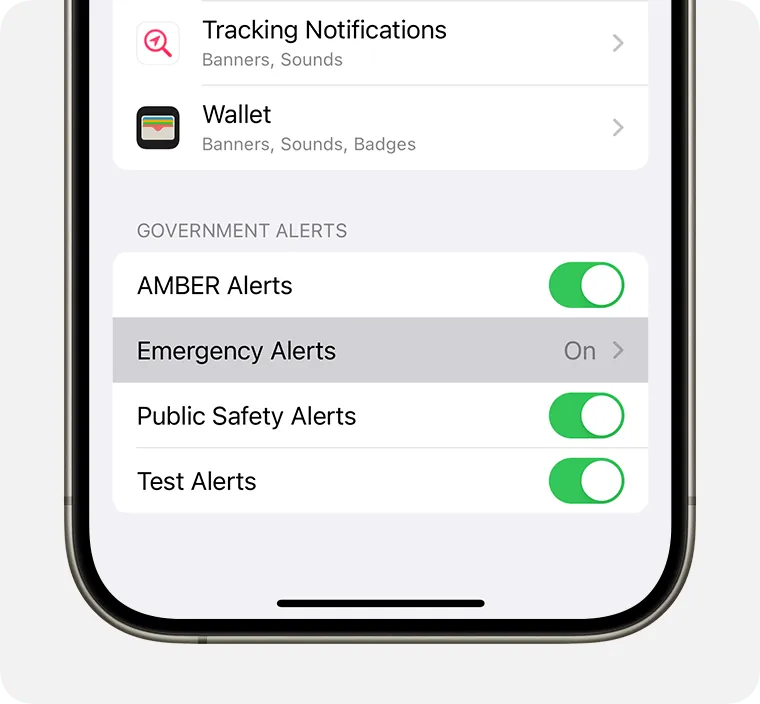
On an iPhone, start with the built-in alert controls. Apple’s current support path is: Settings > Notifications, then scroll to the bottom for Government Alerts. Apple also notes Local Awareness for improving the timeliness, accuracy, and reliability of emergency alerts in the United States; on iOS 26.2 or later, Apple describes Enhanced Safety Alerts with Awareness and Action earthquake alert levels.[3]
- Open Settings.
- Tap Notifications.
- Scroll all the way to the bottom. Do not stop at app notifications; the government alert controls sit below them.
- Find Government Alerts and turn on the available emergency alert options.
- If Local Awareness appears, turn it on.
- If Enhanced Safety Alerts appears on iOS 26.2 or later, confirm the earthquake alert options are enabled.
The part worth slowing down for is the bottom of the Notifications screen. It is easy to check the volume, check a few app notifications, and still never reach the Government Alerts section. If you are doing this for a parent, ask them to watch you scroll to the bottom once, then have them repeat the path back: Settings, Notifications, bottom of the page.
After the switches are on, check the ordinary settings that affect whether the phone can get attention in real life. Is the ringer volume usually low? Is the phone often left on silent? Does the phone spend the evening in another room? A built-in emergency alert channel is valuable, but it still lives inside a daily phone habit.
If the iPhone has just been updated, or if it is running a newly supported iOS version, recheck this page. The December 2025 Apple support information on iOS 26.2 and Enhanced Safety Alerts is current enough to matter in 2026, but new alert categories are exactly the kind of thing that can sit unseen at the bottom of a menu.[3]
Set up earthquake alerts on an Android phone
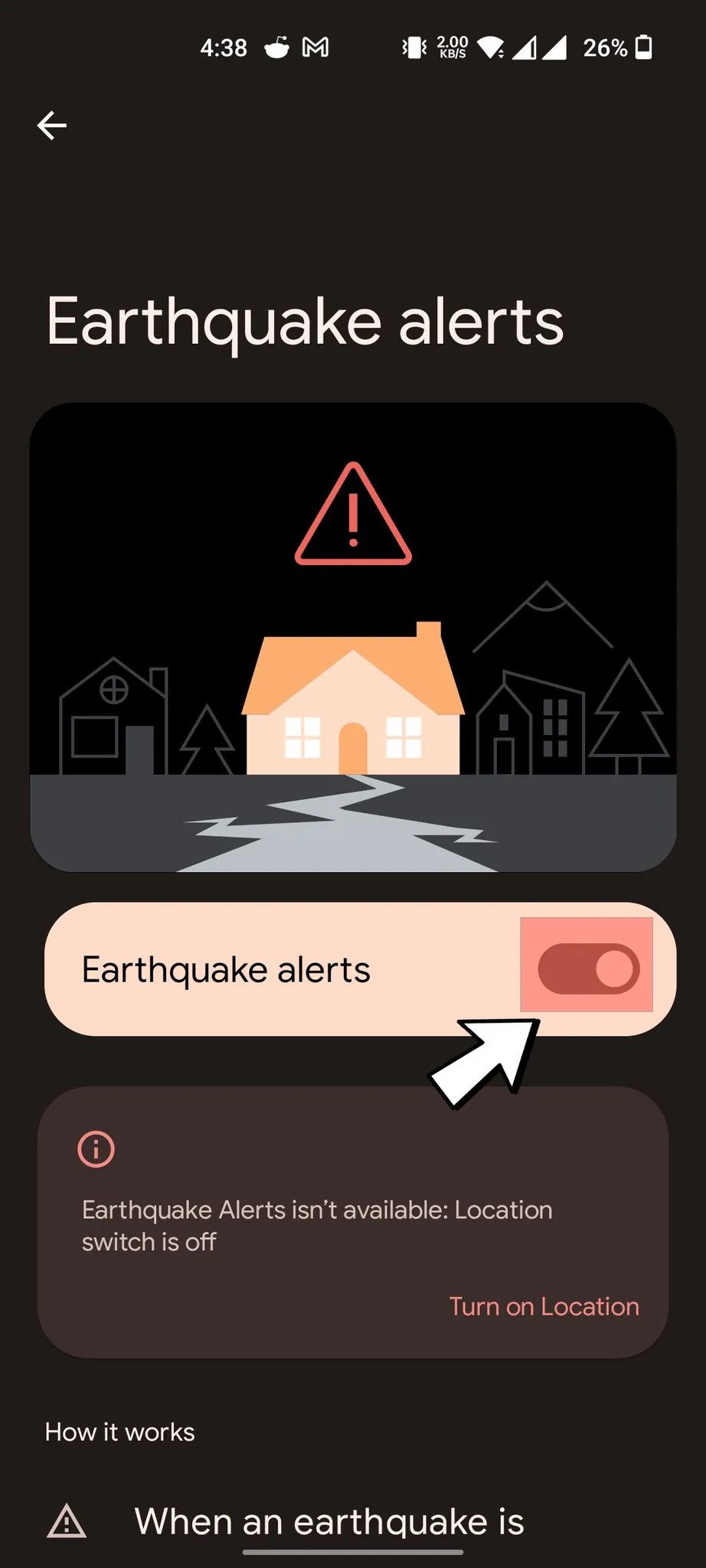
Android menus vary by manufacturer, so the most reliable caregiver move is to use Settings search. Google’s help instructions are straightforward: open Settings, search for “Earthquake alerts,” and turn the feature on. Google also says location services must be enabled for earthquake alerts to work.[4]
- Open Settings.
- Tap the Settings search bar.
- Search for “Earthquake alerts.”
- Open the Earthquake alerts result and turn the toggle on.
- Return to Settings and confirm Location is turned on.
- Search again for “Wireless Emergency Alerts” or “Emergency Alerts” and verify the government alert settings are enabled.
Location is the setting caregivers often hesitate over because it feels like a privacy compromise. For earthquake alerts, it is also the setting that lets the phone know whether the alert is relevant to where the person is. If your parent turns location off as a habit, the Android earthquake alert switch can look right while the system is still not set up in a usable way.[4]
On Android, also check battery-saving settings if the phone is aggressive about putting apps to sleep. Do not assume every model treats emergency and app alerts the same way. The safest setup is to confirm the built-in earthquake alert is on, WEA is on, and any added app has permission to notify.
Add MyShake if your parent lives in California, Oregon, or Washington
MyShake is worth adding on the West Coast because it is free and ShakeAlert-powered. California’s earthquake warning site describes MyShake as providing audio and visual alerts in six languages—English, Spanish, Chinese Traditional, Tagalog, Korean, and Vietnamese—and notes that MyShake alerts for earthquakes at magnitude 4.5 or higher and MMI III.[5] UC Berkeley’s MyShake information also identifies it as a ShakeAlert-powered app and emphasizes that location permission must be set to “always on” for the app to send alerts based on the user’s location.[6]
- Download MyShake from the official app store for the phone.
- Open the app while you are still sitting with the older adult. Do not leave first-run permission screens for later.
- Allow notifications.
- Set location access to the strongest option the app requires for location-based earthquake alerts, including always-on access where prompted.
- Choose the language the older adult reads fastest under stress.
- Leave the app icon somewhere visible enough that it can be found again, but do not rely on the older adult opening it during an earthquake.
The MyShake step is not a replacement for built-in alerts. It is another route into the same small window of time. Because the app and WEA thresholds are not identical, it is normal for one channel to alert in a situation where another does not.[2][5]
If your parent lives outside California, Oregon, or Washington, do not install MyShake and assume you have created the same warning system. Use Wireless Emergency Alerts, local emergency signup systems, and whatever earthquake notification tools your local emergency management agency specifically recommends.
Run a test drill that checks behavior, not just settings
You cannot force a real earthquake early warning to arrive for practice. The test drill is a household verification: the settings are on, the phone can get attention under normal conditions, and the older adult knows what the alert means without needing to read a long instruction while the room is moving.
Expectation-setting matters here. Caltech’s earthquake early warning explainer says typical alerts arrive about 5 to 8 seconds after an earthquake begins, and people within roughly 10 miles of the epicenter are unlikely to receive a warning before strong shaking arrives.[7] The Pacific Northwest Seismic Network likewise cautions that alerts may arrive before, during, or after shaking, depending on distance and conditions.[8]
- Put the phone where it usually sits at that time of day, not where you wish it lived.
- Set the volume and vibration the way your parent normally uses them.
- Turn on the TV, dishwasher, fan, or other background noise that is normally present.
- Use an ordinary alarm, timer, or spoken cue to start the drill. Make clear that this is not the real earthquake alert tone.
- Have the older adult say and practice the first safe action they will take. For most people indoors, that means getting low and protecting themselves where they are, rather than trying to cross the house.
- Notice what failed: the phone was too far away, vibration was missed, the alert language was confusing, glasses were not nearby, or the person tried to walk to the phone first.
If the drill shows that the phone is not reliably noticed, believe the drill. Do not solve that by explaining the system more loudly. Move the charger, add a second alert channel, or change the household routine so the warning does not depend on a perfect phone habit.
This is also the right moment to connect alerts to the physical room plan. If furniture, glass, cluttered walkways, or unsecured shelves are the bigger danger, pair this setup with a hazard pass through the home using the Room-by-Room Earthquake Preparedness Checklist for Seniors. An alert that sends someone into a blocked hallway is not an improvement.
Add backups for the phone-on-the-counter problem
The phone is the highest-leverage starting point, but it is a weak single point of failure. Ready.gov lists several public warning channels, including Wireless Emergency Alerts, the Emergency Alert System, NOAA Weather Radio, the FEMA app, and local alerts.[9] For an older adult, the useful plan is not to turn on every possible alert. It is to choose enough different channels that one missed phone vibration does not end the warning chain.
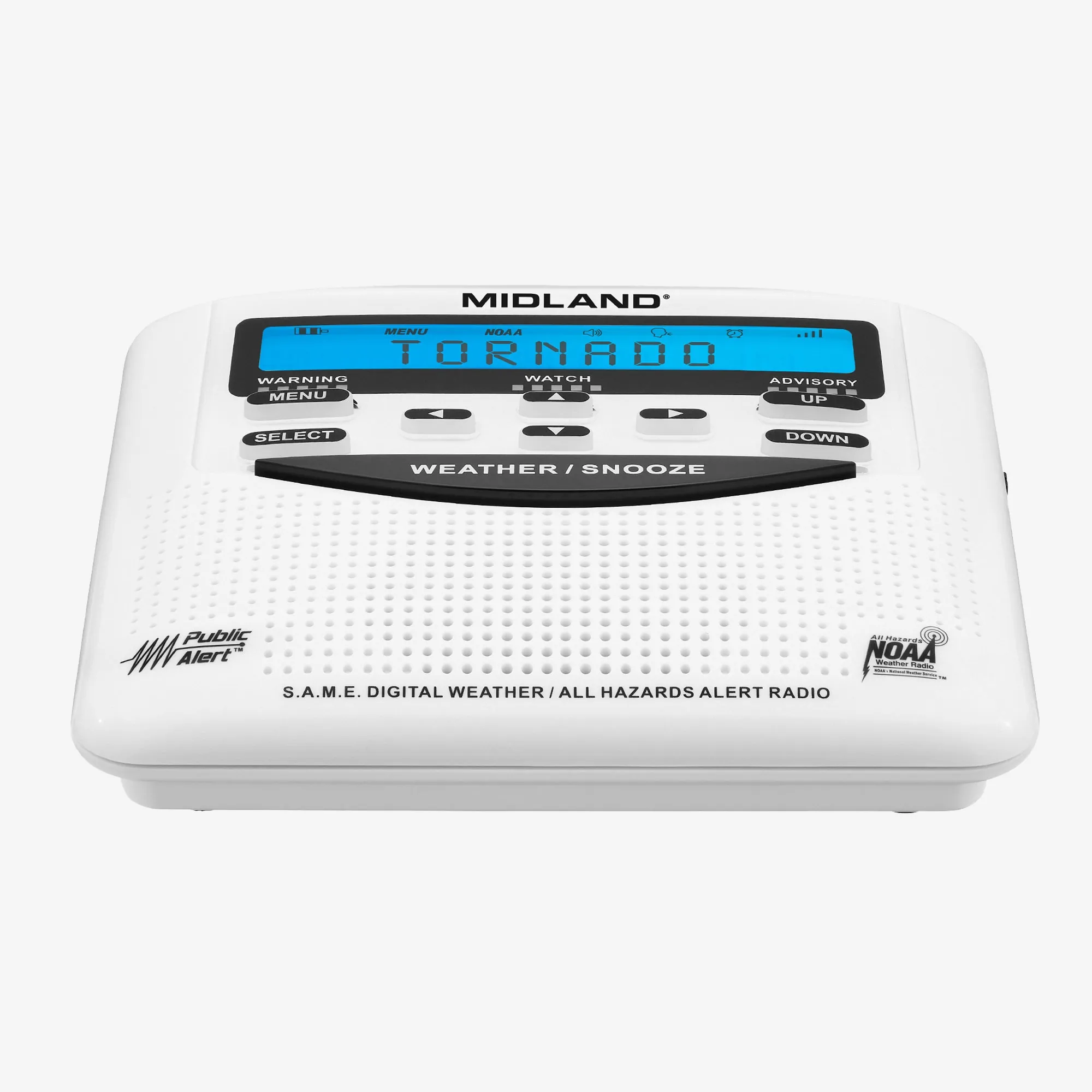
NOAA Weather Radio
A NOAA Weather Radio is not a magic earthquake early-warning device, and it should not be described as one. Its value is that it sits in the home, can be loud, and does not require your parent to carry a smartphone from room to room. For broader emergency alerts, especially when the phone is charging in another room or cellular service is unreliable, it is a practical backup channel.[9]
Place it where the older adult actually spends time: bedside table, kitchen counter, favorite chair, or another central location. Then test whether they can hear it from the bathroom, bedroom, and living room. If they cannot, the location is wrong or the radio is not enough.
FEMA app and local alert signups
The FEMA app is still phone-based, so it is not the same kind of backup as a tabletop radio. Its value is that it can add another official notification source on the device your parent already has.[9] Local city, county, or state alert signups are also worth adding because they may cover evacuation notices, shelter information, utility disruptions, and other instructions after the shaking stops.
Use one email address and one phone number that will still be monitored if your parent is overwhelmed. If the system allows an additional contact, add the caregiver. This is not about taking over the older adult’s life; it is about making sure someone else sees the same warning when the person most at risk may be dealing with noise, fear, or a power outage.
A person backup
The Red Cross advises older adults to build a support network for emergencies, and Ready.gov’s older-adult guidance similarly emphasizes planning around assistance needs, communication, and support.[10][11] In earthquake alert terms, that means choosing one or two people who will check in after a strong quake—not because alerts failed, but because alerts are only the first few seconds of a much longer event.
Make that support plan specific. Who checks on Mom if phone calls do not go through? Who has a key? Who knows where the shutoff tools, medications, shoes, flashlight, and backup glasses are? The earthquake alert starts the response; it does not finish it.
For households that also plan for wildfire, flood, tornado, or dementia-related wandering, use the same pattern: alert, confirm, move only if the route is safe, and have a backup person. Related planning guides such as the wildfire evacuation checklist for seniors, senior wildfire evacuation kit checklist, and Silver Alert guide for missing seniors with dementia can sit beside this earthquake setup instead of competing with it.
Make the alert noticeable for hearing loss and phone reluctance
Wireless Emergency Alerts use a distinctive attention signal and vibration; the FCC specifically notes that this combination can be especially helpful for people with hearing or vision-related disabilities.[1] That is helpful, but it is not the same as proof that every older adult will notice the alert from another room.
Hearing loss is common enough that it should be treated as a normal design condition, not an exception. A 2026 Seismological Society of America report discussing earthquake early warning accessibility cites federal health survey data that about 13% of U.S. adults—42.6 million people—report hearing difficulty.[12] Eos’s coverage of the same accessibility work describes efforts to improve earthquake early warning access for Deaf communities.[13]
The strongest claim supported by the accessibility study is modest but important: researchers documented gaps in how earthquake early warning reaches Deaf, deafblind, and hard-of-hearing users. The study discussed by SSA involved eight participants, so it should not be stretched into a population-wide measurement of failure rates.[12] For a caregiver, the takeaway is simpler: test the alert path with the person’s actual hearing, vision, phone placement, and attention patterns.
- If the older adult uses hearing aids, test the drill with and without them, because earthquakes do not wait for the ideal condition.
- Put the phone on a hard surface if vibration is more noticeable there than on a cushion, purse, or bed.
- Increase normal ringtone and alert volume if the person routinely keeps it too low to hear.
- Use visual backup where available, including app visual alerts, a smartwatch if the person already wears one, or a radio placed within sight.
- Do not rely on a smartwatch, smart speaker, or app the person does not already use comfortably.
- If the person dislikes smartphones, keep the smartphone setup anyway, but make the non-phone backup stronger.
When to recheck everything
A one-time setup is high leverage, but it is not permanent. Recheck the alert settings after a new phone, major operating-system update, carrier change, move to another county or state, app reinstall, or any complaint that “the phone has been acting funny.” Also recheck after a caregiver discovers the phone has been kept on silent for weeks.
Keep the recheck short: WEA on, iPhone or Android earthquake settings on, location on where required, MyShake permissions intact if used, backup alert working, support person still current. If any part of that sentence cannot be verified on the phone or device in front of you, the setup is not finished.
This guide is preparedness information, not medical or emergency-services advice. If an earthquake causes injury, fire, gas smell, trapped occupants, or another immediate danger, call 911 or local emergency services when it is safe to do so. An alert can buy seconds; it does not replace emergency response.
For an older adult on the West Coast, the best earthquake alert setup is usually not expensive or complicated. It is the phone’s free alert systems turned on and checked, MyShake added where appropriate, a drill that proves the warning can be noticed, and at least one backup channel that still works when the phone is across the room.
References
- Wireless Emergency Alerts, FCC
- OR ShakeAlert, Oregon Department of Emergency Management
- Wireless Emergency Alerts and Enhanced Safety Alerts on your iPhone, Apple Support, December 2025
- Get earthquake alerts on your Android phone, Google Help
- Get Alerts, California Earthquake Early Warning
- MyShake, UC Berkeley
- Earthquake Early Warning Systems, Caltech Science Exchange
- Earthquake Early Warning, Pacific Northwest Seismic Network
- Alerts, Ready.gov
- Older Adults, American Red Cross
- Older Adults, Ready.gov
- Study finds gaps in earthquake early warning for deaf, deafblind and hard-of-hearing populations, Seismological Society of America
- Improving Earthquake Early Warning Access for the Deaf Community, Eos
Related reading
Need a professional assessment?
Find a CAPS-credentialed professional or local aging services through our outbound resource list — we never name or rank individual contractors.
Find Local HelpNoticed something outdated or inaccurate on this page? Flag a correction. We review every report against CDC, NIA, and AARP HomeFit guidance before updating a page.