
Equipment comparison
Is the Apple Watch Ultra Worth It for Senior Fall Detection?
Weighing whether the Apple Watch Ultra can serve as an older adult's fall detection and health monitoring device? Here's how the features actually work, what the accuracy evidence shows, and a step-by-step setup checklist — plus the honest limits that make it a safety layer rather than a replacement for a dedicated medical alert system or professional care.
| Equipment category | Fall detection and health monitoring smartwatch |
|---|---|
| Comparison criteria | Hard fall vs soft fall, wearer acceptance, battery and charging, cellular/satellite connectivity, cost, monitoring needs |
| Best fit for | Older adults who wear a smartwatch consistently, are at risk of hard falls, and want outdoor emergency backup plus AFib screening |
The Apple Watch Ultra can be worth considering for senior fall detection and health monitoring, but only if the question is framed honestly: it is a safety layer, not a full medical alert system. Its strongest use is for an older adult who will actually wear it, who may fall hard enough to trigger an alert, who wants cellular or satellite backup for walks outside, and who would benefit from AFib screening in the same device. It is a weaker fit for someone who forgets to charge devices, has frequent slow slides or soft falls, needs 24/7 professional monitoring, or already resists wearing anything on the wrist.
This is not medical advice, and the watch should not be treated as a diagnostic device or a substitute for a clinician, a dedicated monitored alert system, home-safety changes, or hands-on care. The useful question is narrower and more practical: if your parent hits the floor and cannot respond, what exactly happens next?
What happens after the watch thinks a hard fall occurred
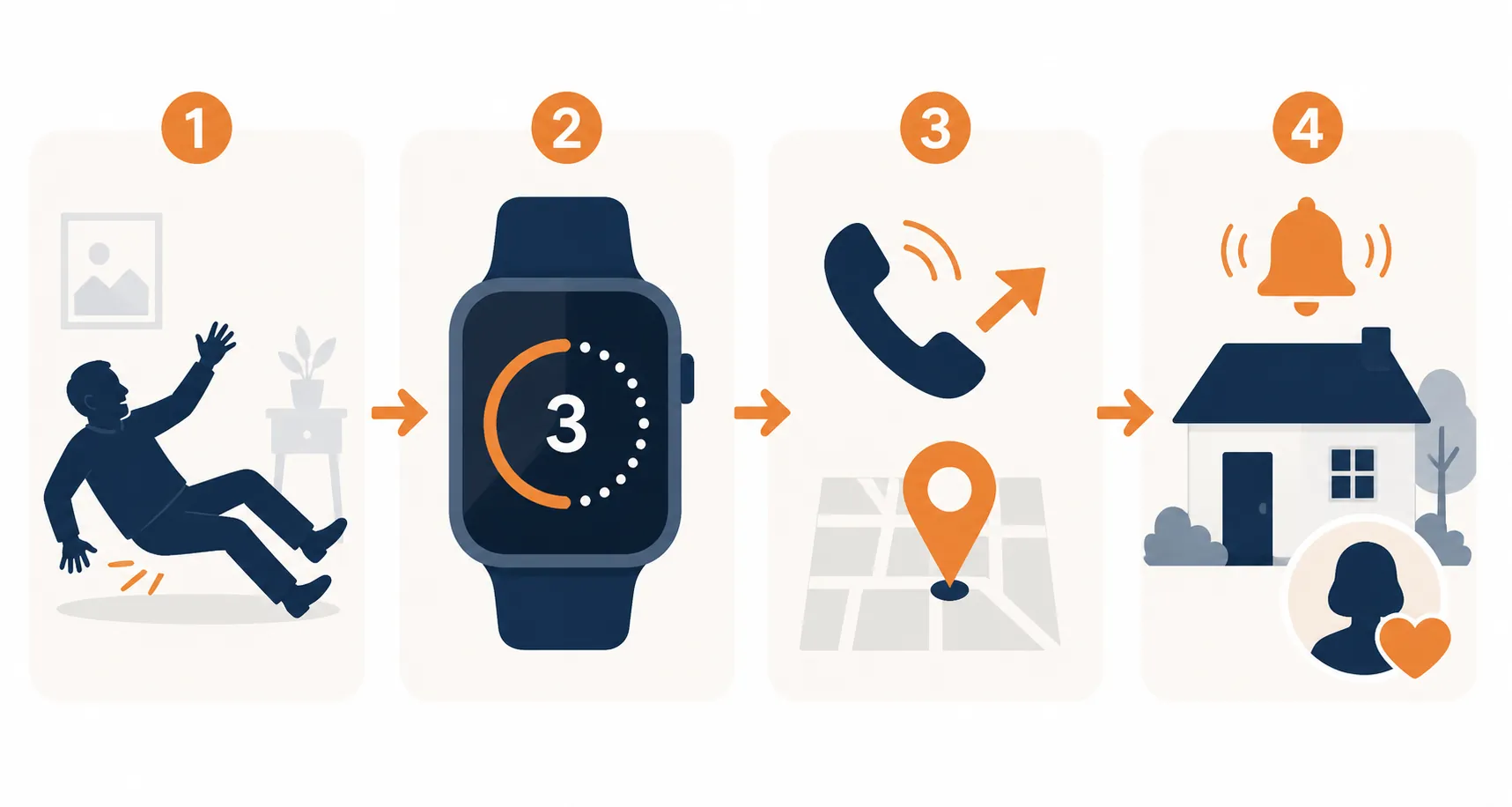
Apple’s Fall Detection is designed around a hard-fall event. When a compatible Apple Watch detects what it interprets as a hard fall, it taps the wearer on the wrist, sounds an alarm, and shows an alert. The wearer can choose to call emergency services or dismiss the alert if they are okay. If the watch detects that the wearer has been immobile for about one minute, it starts a 30-second countdown. After the countdown, it automatically calls emergency services, plays a recorded message saying that the watch detected a hard fall, and shares the wearer’s latitude and longitude when available. After the emergency call, the watch can notify emergency contacts with the wearer’s location if those contacts are set up in Medical ID.[1]
There are several small setup details hidden inside that chain. Fall Detection depends on Wrist Detection being turned on. Emergency contacts must be entered. Medical ID has to be filled out. The watch needs a way to place the call, either through its own cellular connection, a nearby paired iPhone, or a Wi-Fi calling setup that works in that location. Apple also says Fall Detection cannot detect all falls and that some high-impact activities can trigger false alerts.[1]
For users age 55 and older, Apple says Fall Detection turns on automatically when age is entered during setup or in the Health app. That is helpful, but it is not enough to assume the watch is ready. A caregiver still needs to verify the setting, because the whole emergency chain can be undermined by one missing permission, one empty Medical ID field, or a watch that is sitting on the charger when the fall happens.[1]
Why the Ultra may matter more than a cheaper Apple Watch
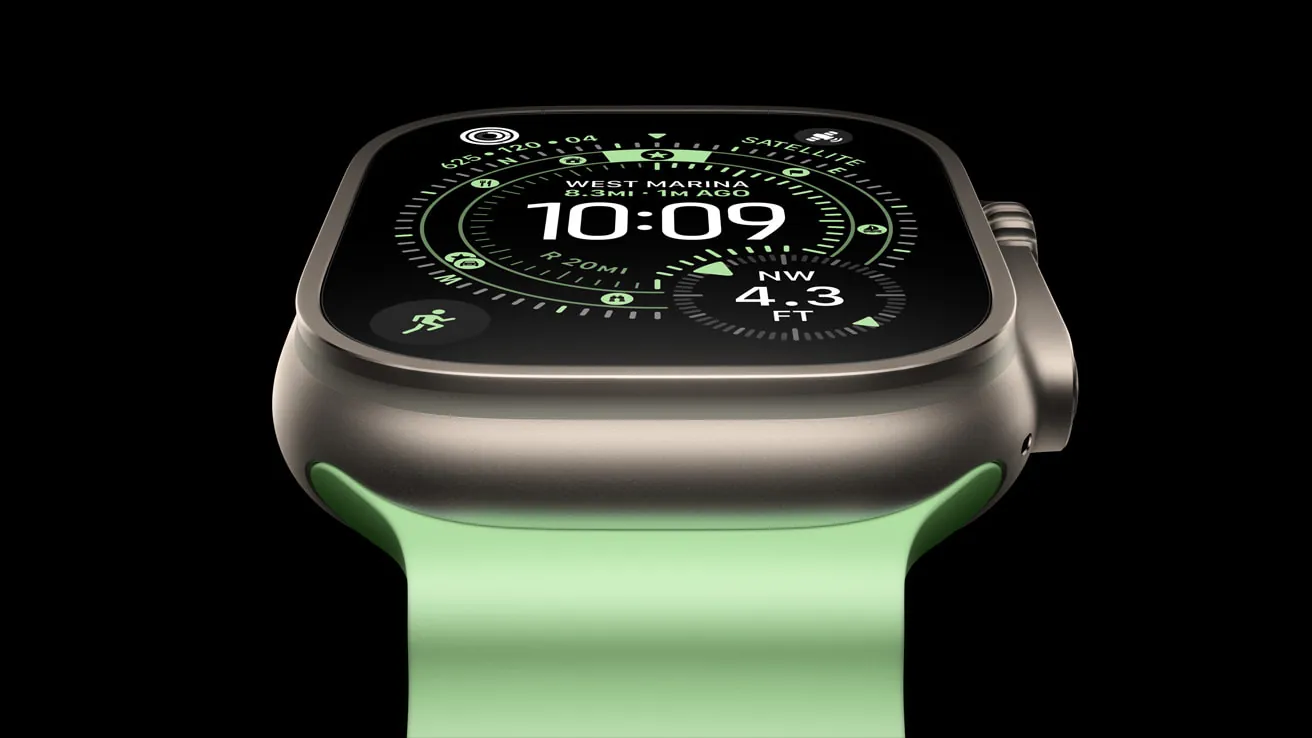
The Ultra’s senior-safety argument is not the titanium case or the premium look. It is battery margin, outdoor emergency options, and fewer situations where the watch is useless because it is disconnected.
Apple says the Ultra’s siren can be heard up to 600 feet away, depending on conditions. That does not replace a 911 call, but it can matter if someone falls on a trail, in a yard, in a parking area, or somewhere a nearby person might hear but not see them.[2]
Emergency SOS on Apple Watch can call emergency services and notify emergency contacts, but the connection path matters. A cellular Apple Watch can make the call directly when cellular service is available. A GPS-only watch generally depends on a nearby iPhone or Wi-Fi calling conditions. For a parent who walks alone without always carrying a phone, built-in cellular is not a luxury feature; it is part of whether the alert can leave the wrist.[3]
The Ultra 3 adds another outdoor-specific layer: Apple says Emergency SOS via satellite can be used outside cellular and Wi-Fi coverage, and that Fall Detection and Crash Detection notifications can use satellite when needed. Apple describes the satellite service as included free for two years with Ultra 3 activation.[4]
That combination is genuinely useful for a certain older adult: the parent who gardens away from the house, walks a dog alone, hikes familiar local paths, drives rural roads, or refuses anything that looks like a medical pendant. It is less meaningful for someone whose fall risk is mostly inside a small apartment with reliable phone access and a low tolerance for charging another device.
The accuracy evidence is more limited than the feature sounds
Fall Detection is the part of the Apple Watch Ultra that sounds most like a medical alert system, and it is also the part where expectations need the most discipline. The feature can start an emergency chain after a hard fall. That is different from proving that it detects most real-world falls in older adults.
One often-cited 2021 study tested Apple Watch fall detection in wheelchair users using induced-fall trials. The watch detected 14 of 300 induced falls, reported as 4.7% sensitivity and 95.3% false negatives. That is a sobering number, but it should not be stretched beyond the study: it was one study, in wheelchair users, under induced-fall conditions, and it was not a direct test of the Apple Watch Ultra in every senior-living situation.[5]
A broader 2024 meta-analysis looked at real-world fall detection using wearable devices. It reported pooled sensitivity of 81.9% and specificity of 62.5%, but the authors graded the evidence as limited, with only two studies included for that real-world pooled estimate. Those figures are not “Apple Watch Ultra accuracy.” They are a broader wearable-device estimate drawn from thin evidence.[6]
| Evidence | What it supports | What it does not prove |
|---|---|---|
| Apple support documentation | Explains the hard-fall alert chain, countdown, automatic emergency call, location sharing, and Apple’s own warning that not all falls are detected | Does not provide independent real-world accuracy rates |
| 2021 wheelchair-user induced-fall study | Shows poor detection in that specific test context: 14 of 300 induced falls detected | Does not establish Apple Watch Ultra accuracy for all older adults |
| 2024 real-world wearable meta-analysis | Suggests wearables can detect many falls in real-world studies, but with limited evidence and imperfect specificity | Does not isolate the Apple Watch Ultra or guarantee performance for soft falls, slides, or every home environment |
The practical distinction is hard falls versus gradual slips. The National Council on Aging notes that Apple Watch fall detection is intended for hard falls and that softer falls or sliding from a chair may be less likely to register. It also notes that an iPhone is needed to set up the Apple Watch, even when the watch later has cellular capability.[7]
That distinction matters because many caregiver nightmare scenarios are not cinematic falls. They are slow losses of balance, a slide from bed, a controlled descent to the floor, or a person who sits down abruptly and then cannot get back up. A wrist sensor may not interpret those events the same way it interprets a forceful impact.
False positives also have consequences. A very active older adult might trigger an alert during high-impact activity. A wearer who is conscious can cancel it, but that assumes they hear it, understand it, and respond within the countdown window. A false alarm is usually better than no alarm, but repeated false alarms can teach people to disable the feature or stop wearing the watch, which is how a good tool quietly exits the safety plan.
Health monitoring: useful screening, not diagnosis
The Ultra’s health features are most defensible when they are treated as screening and trend tools. The ECG app and irregular rhythm notifications can help flag possible atrial fibrillation, which is important because AFib becomes more common with age and can be intermittent. But the watch is not a doctor on the wrist.
Apple reported that its ECG app showed 98.3% sensitivity for AFib classification and 99.6% specificity for sinus rhythm classification in a clinical trial, with 87.8% of recordings classifiable. Apple also described the Apple Heart Study as including more than 400,000 participants.[8]
A 2025 JACC Advances meta-analysis of Apple Watch ECG accuracy included 11 studies and 4,241 participants, with a mean participant age of 62.6. It reported pooled sensitivity of 94.8%, pooled specificity of 95.0%, and an area under the curve of 0.96 for AFib detection. The same paper cautioned that most Apple Watch users are much younger than the population at highest AFib risk, while lifetime AFib risk exceeds 20% by age 80.[9]
That makes the heart features meaningful, especially for a parent who has symptoms, a known rhythm history, or a clinician who wants more data to review. It does not mean the watch diagnoses AFib by itself, rules out a problem when it says nothing, or replaces medical evaluation. Apple has also stated that Apple Watch does not detect heart attack, stroke, blood clots, high blood pressure, congestive heart failure, or high cholesterol.[8]
This is the cleanest way to explain the health side to a parent: the watch can sometimes raise a useful flag. It cannot clear you medically. Chest pain, stroke symptoms, fainting, severe shortness of breath, sudden weakness, or a serious fall still needs urgent human care.
Setup checklist: the parts that decide whether help is actually reached
A half-configured Apple Watch is worse than an honest decision not to rely on one. Before anyone treats the Ultra as part of a fall-safety plan, walk through the setup while the older adult is present, awake, and willing to test what they are comfortable testing.
- Set up the watch with the older adult’s own Apple ID, iPhone pairing arrangement, and correct date of birth.
- Open Medical ID and enter age, key medical conditions, allergies, medications, and emergency contacts.
- Turn on Show When Locked so responders can see Medical ID information from the device.
- Turn on Share During Emergency Call where available, so Medical ID information can be shared during an emergency call.
- Verify Fall Detection is on. For a higher-risk older adult, set it to Always On rather than only during workouts.
- Confirm Wrist Detection is enabled, because Fall Detection depends on it.
- Confirm the watch can call for help: activate cellular on the watch or verify that the paired iPhone and Wi-Fi calling setup will be present where the person actually spends time.
- Review emergency contacts and make sure each person understands what a notification means and what they should do next.
- Create a charging routine that leaves the watch on the wrist during the riskiest parts of the day and night.
- Practice the visible emergency screens without placing a real emergency call, so the wearer knows what an alert looks and sounds like.
Medical ID is not paperwork; it is part of the alert
Medical ID is where the caregiver notification chain begins. If emergency contacts are missing, the watch may still call emergency services after an eligible fall event, but the family may not receive the follow-up location notification Apple describes. If age is missing or wrong, the auto-enable assumption for users 55 and older becomes less reliable. If medications and conditions are blank, responders and emergency departments get less context at exactly the wrong moment.[1]
Cellular and satellite features only help in the conditions they cover
For an older adult who leaves home alone, the cellular decision deserves more attention than the band or case color. If the watch cannot reach emergency services because the phone is back on the kitchen counter, the fall-detection chain breaks at the most important step. Ultra 3 satellite capability helps in a narrower situation: outside cellular and Wi-Fi coverage, with compatible service conditions, on a supported model. It is a backup path, not a guarantee that every location, building, ravine, storm, or obstructed view of the sky will cooperate.[3][4]
Charging is a safety behavior
The Ultra’s larger battery is one of its better caregiver features because it gives more forgiveness when someone forgets a nightly charge. Still, a watch on a charger cannot detect a fall from the hallway to the bathroom. The best routine is boring and repeatable: charge during a low-risk sitting period, put it back on before walking around, and avoid making overnight charging the default if nighttime bathroom trips are part of the fall history.
Cost and model details should not drive the safety decision
The Ultra costs more than a standard Apple Watch, so it is reasonable to ask what problem the extra money solves. For many families, the answer is not “better fall detection accuracy,” because the available evidence does not support that kind of clean claim. The stronger case is more practical: longer battery margin, cellular as a default expectation, rugged outdoor features, the loud siren, and Ultra 3 satellite emergency options.
Product details also move quickly. Apple Watch model names, sensor availability, blood-oxygen features in the United States, and software-based health notifications have changed across recent lineups. Insurance and wellness-program offsets can also be dated, plan-specific, and easy to misunderstand. Before treating any discount as real, verify the current benefit in writing with the plan and check whether it covers the device, a portion of the cost, or only activity-based incentives.
Medicare coverage should be handled cautiously as well. Families should not assume Medicare will pay for an Apple Watch. If affordability is the deciding factor, compare the watch against the actual cost of a monitored medical alert service, home modifications, mobility equipment, and caregiver support—not against the feeling of buying one impressive device.
When the Apple Watch Ultra is a good fit
The Ultra is most convincing when the older adult already accepts a smartwatch or is willing to wear one consistently. Adoption matters. A plain emergency pendant with better monitoring is still useless in a drawer, and some older adults will wear an Apple Watch because it feels like a normal watch, fitness tool, or phone accessory rather than a badge of frailty.
- A parent walks outdoors alone and may not carry an iPhone every time.
- The family wants fall alerts, emergency calling, location sharing, and AFib screening in one device.
- The older adult can learn a charging routine and tolerate wearing the watch most of the day.
- Emergency contacts are willing to respond to alerts rather than assume someone else is handling them.
- The main concern is being unable to call after a hard fall, not continuous professional monitoring.
When it is the wrong tool to rely on
The Ultra is less convincing when the fall pattern is mostly soft falls, gradual slides, transfers from bed or chair, or episodes where the person becomes weak and lowers themselves to the floor. It is also a poor primary safety plan for someone with moderate dementia who removes devices, someone who cannot keep it charged, or someone whose care needs already require regular human supervision.
A dedicated medical alert system may be more appropriate when the family wants a monitored response center, simpler hardware, automatic escalation procedures, or a device designed around emergency response rather than general computing. The Apple Watch can call emergency services and notify contacts, but it does not create a professional care team around the wearer.
Use the watch as one layer of the fall plan
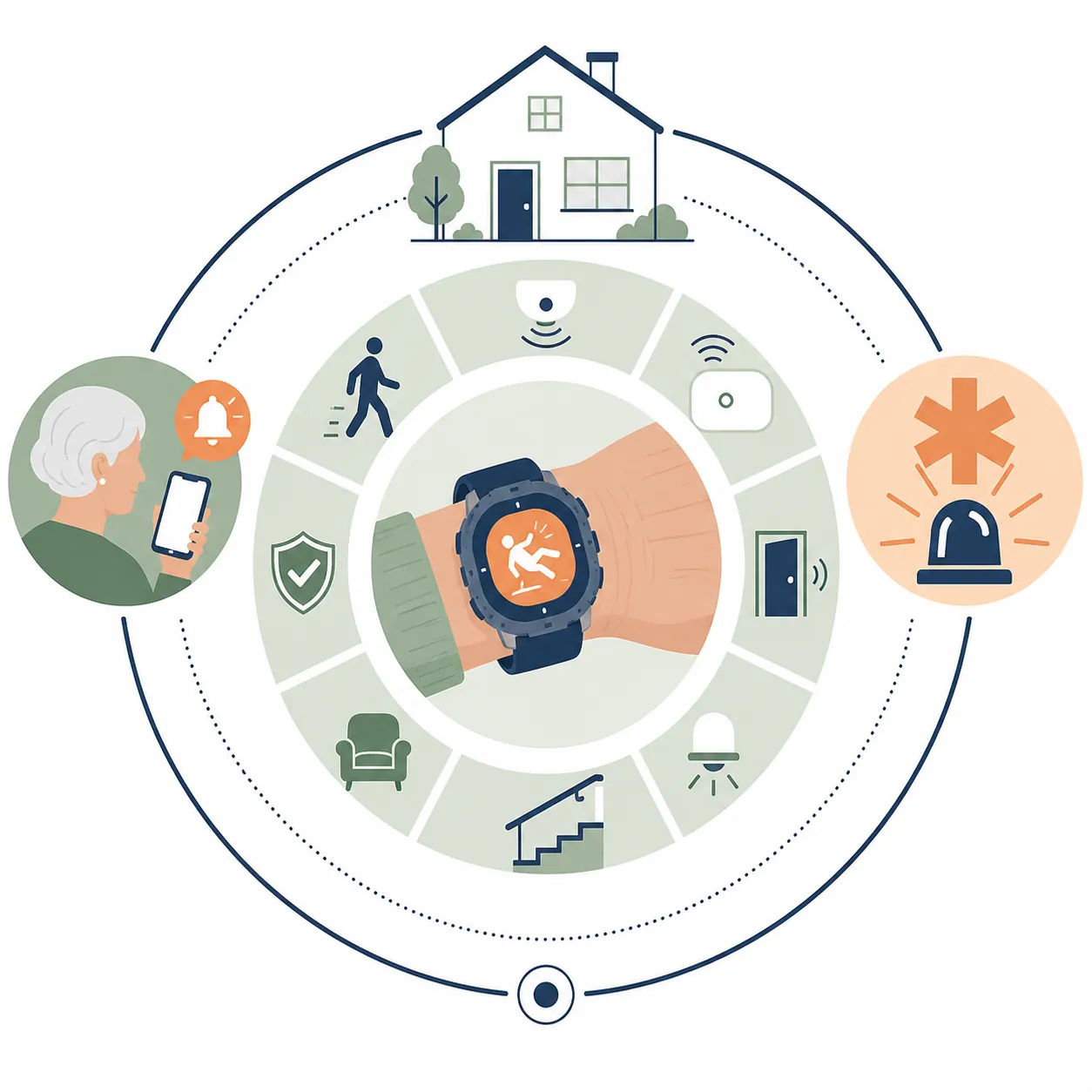
The safest way to use an Apple Watch Ultra for seniors’ fall detection and health monitoring is to give it a defined job. It can help call for emergency assistance after some hard falls. It can share location. It can notify family. It can screen for possible AFib. It can make an active parent more willing to accept safety technology. Those are real benefits.
The rest of the plan still has to exist. If a parent has already had a serious fall, start with the immediate recovery path in what to do after an elderly parent falls and fractures a bone. For the weeks after a fall, use a structured post-fall aging-in-place checklist so the family is not relying on memory and good intentions.
At home, the watch should sit beside the unglamorous changes that prevent falls in the first place: lighting, bathroom grab bars, trip-hazard removal, safer stairs, and better footwear. A room-by-room home safety assessment helps find the hazards, and a cost-and-risk prioritization checklist helps decide what to fix first. If balance or endurance is changing, a mobility review—such as whether a walker or rollator is safer for balance problems—may reduce risk more than any wrist device can.
Buy the Ultra only if the person will wear it, the emergency settings are verified, the connection path is real, and everyone understands what it can miss. Set up correctly, it is a strong safety layer. Mistaken for a complete system, it creates the kind of confidence caregivers regret later.
References
- Use Fall Detection with Apple Watch - Apple Support. https://support.apple.com/en-us/108896
- Use Siren on Apple Watch Ultra - Apple Support. https://support.apple.com/en-us/102160
- Use Emergency SOS on your Apple Watch - Apple Support. https://support.apple.com/en-us/108374
- Use Emergency SOS via satellite on your Apple Watch Ultra 3 - Apple Support. https://support.apple.com/en-us/125126
- Accuracy of Apple Watch for detecting falls in wheelchair users - PubMed. https://pubmed.ncbi.nlm.nih.gov/33900885/
- Accuracy of Wearable Devices for Real-World Fall Detection: Systematic Review and Meta-Analysis - JMIR / PMC. https://pmc.ncbi.nlm.nih.gov/articles/PMC11399740/
- Apple Watch as Medical Alert System: What to Know - National Council on Aging. https://www.ncoa.org/article/apple-watch-as-medical-alert-system-what-to-know/
- ECG app and irregular rhythm notification available today on Apple Watch - Apple Newsroom. https://www.apple.com/newsroom/2018/12/ecg-app-and-irregular-rhythm-notification-available-today-on-apple-watch/
- Diagnostic Accuracy of Apple Watch Electrocardiogram for Atrial Fibrillation: A Systematic Review and Meta-Analysis - JACC Advances / PMC. https://pmc.ncbi.nlm.nih.gov/articles/PMC11780081/
Questions to ask your clinician or OT
This comparison doesn't decide final medical fit — bring it to a clinician or occupational therapist conversation, not a purchase decision.
Find Local HelpRelated reading
Noticed something outdated or inaccurate on this page? Flag a correction. We review every report against CDC, NIA, and AARP HomeFit guidance before updating a page.