
Caregiver decision guide
How to Choose a Robot Vacuum for a Senior Living Alone
Choosing a robot vacuum for a senior living alone comes down to reducing hands-on work without adding new hazards. This guide filters the features that matter most — self-emptying docks, controls that don't require a smartphone, obstacle avoidance, and maintenance load — and maps them to price bands so you know what's worth paying for.
A robot vacuum sounds like an easy gift until it becomes the thing your parent calls about at 8 p.m.: the bin is full, the brush has hair wrapped around it, the wheels are stuck on a cord, or the app wants a password nobody remembers. For a senior living alone, the best robot vacuum is not the flashiest one. It is the one that removes the most bending, pushing, lifting, emptying, untangling, and troubleshooting.
That is the filter to use before looking at brand names. Robot vacuums can off-load a chore that is genuinely hard on older bodies; gerontologist Sara J. Czaja told AARP that vacuuming is “physically demanding and challenging for many older adults,” especially for people with chronic conditions or functional impairment.[1] But a device that needs frequent rescues simply moves the work from a standing vacuum to the floor.
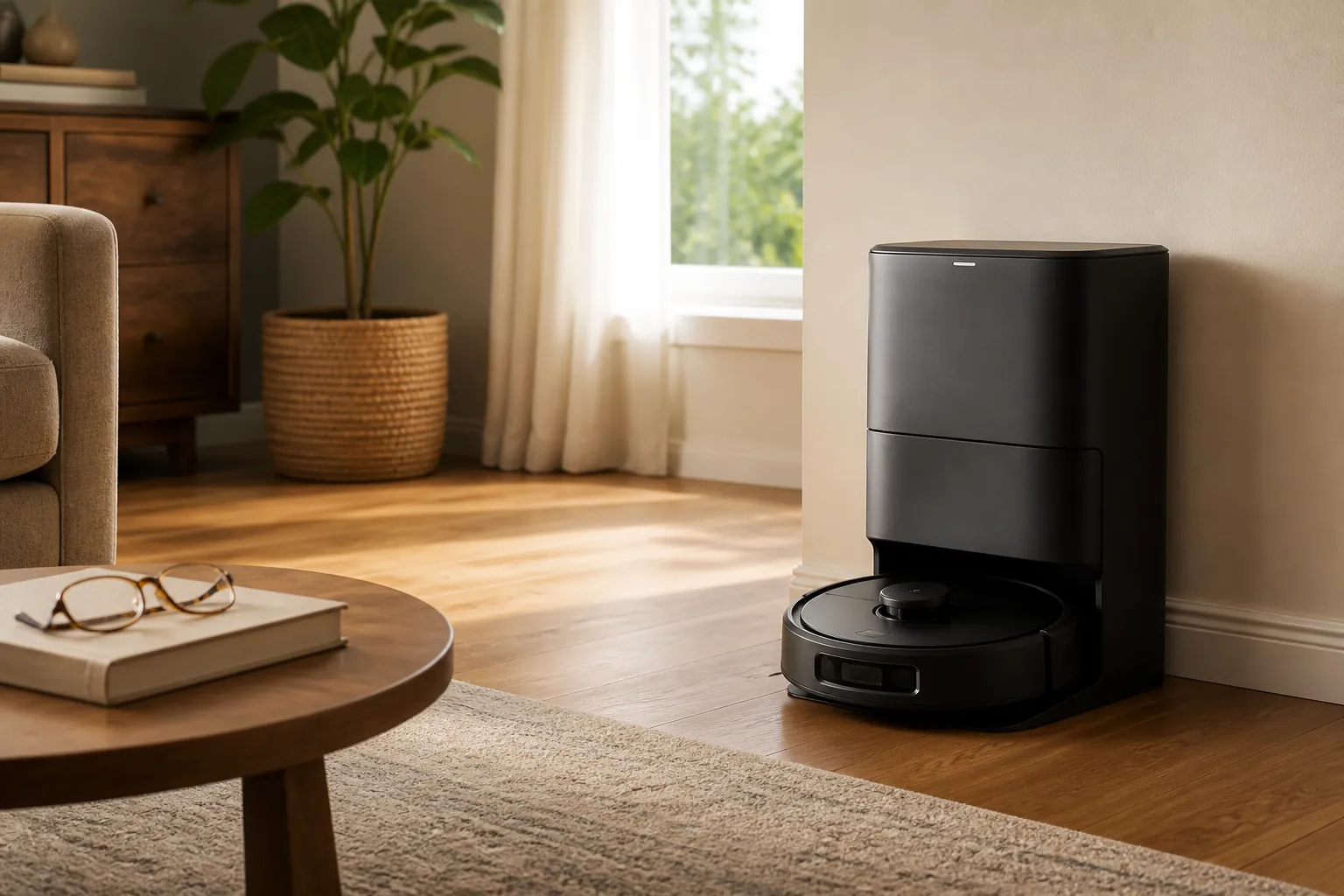
The independence filter: what matters most
Use this as the first pass. It deliberately puts suction lower than most shopping guides do, because a slightly stronger vacuum is not much help if the owner has to crouch down every other day to rescue it.
| Feature | Why it matters for a senior living alone | What to look for |
|---|---|---|
| Self-emptying dock | Reduces bending and dustbin emptying, often the most physical part of ownership. | A bagged auto-empty base; realistic bag replacement about every 1–2 months depending on use. |
| Controls that do not require a smartphone | The senior should be able to start, stop, dock, and pause the vacuum without calling someone. | Physical button, remote, voice control, or simple app used only by choice. |
| Obstacle avoidance | Cords, socks, rug edges, and small objects create both robot rescues and household trip risks. | Independent test performance where available; do not accept vague “smart navigation” wording. |
| Low maintenance burden | Filters, sensors, rollers, bags, and tangled hair still need attention. | Easy-access rollers, washable or simple filters, clear alerts, and replaceable parts. |
| No-go zones or barriers | Helps keep the robot away from stairs, thick rugs, pet bowls, cords, or rooms that are not ready. | App-based no-go zones if someone can set them up, or physical/magnetic barriers if that is easier. |
| Noise level | A loud machine may not get used, especially during naps, TV time, or phone calls. | Published noise figures in the roughly 53–65 dB range are common in senior-focused coverage and manufacturer materials, but compare current specs. |
| Height clearance | A low robot can clean under beds and furniture without anyone moving them. | A profile around 3.1–3.5 inches when low furniture clearance matters. |
| Price band | The right price depends on who will maintain it and which problems you are trying to remove. | Pay first for self-emptying and usable controls, then for stronger obstacle avoidance. |
This is product-selection guidance, not medical advice, fall-risk assessment, or an endorsement of any specific model. If the home already has significant fall hazards, mobility changes, or recent hospital discharge concerns, a vacuum is only one small part of the larger home setup.
Start with self-emptying, because bending is the chore hidden inside the chore
A standard robot vacuum still has a small onboard dustbin. If that bin must be emptied after runs, the user may have to bend down, remove a plastic compartment, tap dust into the trash, snap the bin back in place, and wash or wipe their hands afterward. For someone with arthritis, balance problems, low vision, shortness of breath, or back pain, that is not a minor detail.
A self-emptying dock changes the routine. Instead of emptying the robot itself, the robot returns to a base that suctions debris into a larger bag. The exact interval depends on the home, pets, dirt load, and bag size. Wirecutter estimates that a 2.7-liter self-emptying bag lasts about 6–7 weeks, Reviewed describes self-sealing bags lasting roughly 30–60 days, and Ecovacs says manual emptying can drop to once every 1–2 months.[2][3][4]
Those ranges are not identical, and one of them is a manufacturer claim, not an independent test. Still, they point to the same practical difference: a caregiver might be replacing a dock bag every several weeks instead of asking a parent to crouch over a dustbin several times a week.
For many solo seniors, this is the feature most worth paying for. It reduces the number of times the person must touch dirt, bend toward the floor, line up a small plastic part, or interpret whether the bin is truly seated. If the parent has pets, lives near dust or pollen, or tracks in crumbs from a kitchen or entryway, the self-emptying dock matters even more.
The dock does not eliminate maintenance
Self-emptying is a labor reducer, not a magic cabinet. Filters still need cleaning or replacement. Consumer Reports advises cleaning robotic-vacuum filters every 5–10 cleaning sessions, and it identifies hair wrapped around the brush roll as the most common robotic-vacuum problem because it can block airflow and weaken suction.[5]
That brush-roll point is not cosmetic. A senior who cannot easily kneel, grip tightly, or use small scissors may not be able to remove wrapped hair from a roller. Pet households should take this seriously; AARP reported APPA 2024 data showing that 51% of pet owners are Gen X or Boomers.[6] A house with shedding pets can turn a low-maintenance robot into a weekly hair-removal job.
Also check the sensors. Narwal, in its own stair and cliff-sensor guidance, recommends wiping cliff sensors roughly every two weeks.[7] Treat that as manufacturer maintenance advice, not an independent standard. The larger point is simple: a robot that navigates by sensors needs those sensors kept clean enough to work.
- Before buying, look up how the filter comes out. If it requires pinching a small tab or shaking dust loose, decide who will do that.
- Check whether the roller can be removed without tools.
- Look for clear replacement-bag and filter availability, not just a low sale price.
- If the home has pets or long hair, give anti-tangle design more weight than a small suction upgrade.
Controls decide whether the senior owns the device or waits for help
A robot vacuum can have excellent mapping and still be a poor fit if the only reliable way to run it is through an app. App schedules are convenient when someone is comfortable with smartphones, Wi-Fi, passwords, firmware updates, and notifications. They are not convenient when the owner just wants the machine to clean the kitchen after lunch.
AARP’s robot-vacuum guidance includes the example of a 68-year-old user who uses a smartphone-connected robot, which is a useful reminder not to stereotype older adults as anti-tech.[1] The question is not age alone. It is whether this particular person can recover when the Wi-Fi drops, the app signs out, the dock is moved, or a schedule needs changing.
For a parent living alone, favor at least one non-app control path: a physical clean button on the robot, a dock button, a remote, or a voice assistant the person already uses comfortably. Reviewed’s aging-in-place robot-vacuum coverage specifically highlights remote-control operation as a useful option for people who do not want to depend on a phone app.[3]
The best control setup is the one the senior can explain back to you in one minute: press here to start, press here to stop, press here to send it home. If that explanation requires opening an app, finding a room map, selecting zones, and interpreting icons, the caregiver may become the real user.
This is the same practical test that applies to other home technology decisions. If you are already weighing cameras, sensors, or emergency-response devices, use the same tech-comfort lens from an elderly monitoring system decision framework: the device should match what the person will actually use when nobody is standing next to them.
Obstacle avoidance is not a luxury feature in a lived-in home
Marketing language around navigation can blur important differences. “Smart,” “AI,” and “advanced mapping” do not tell you whether the robot will avoid a phone charger in the hallway or chew on a sock beside the bed.
Independent testing shows why that distinction matters. In CNET’s 2026 robot-vacuum testing, obstacle-avoidance results ranged from models avoiding only 1 of 6 test objects to models avoiding all 6 of 6.[8] That spread is too wide to treat obstacle avoidance as a yes-or-no feature.
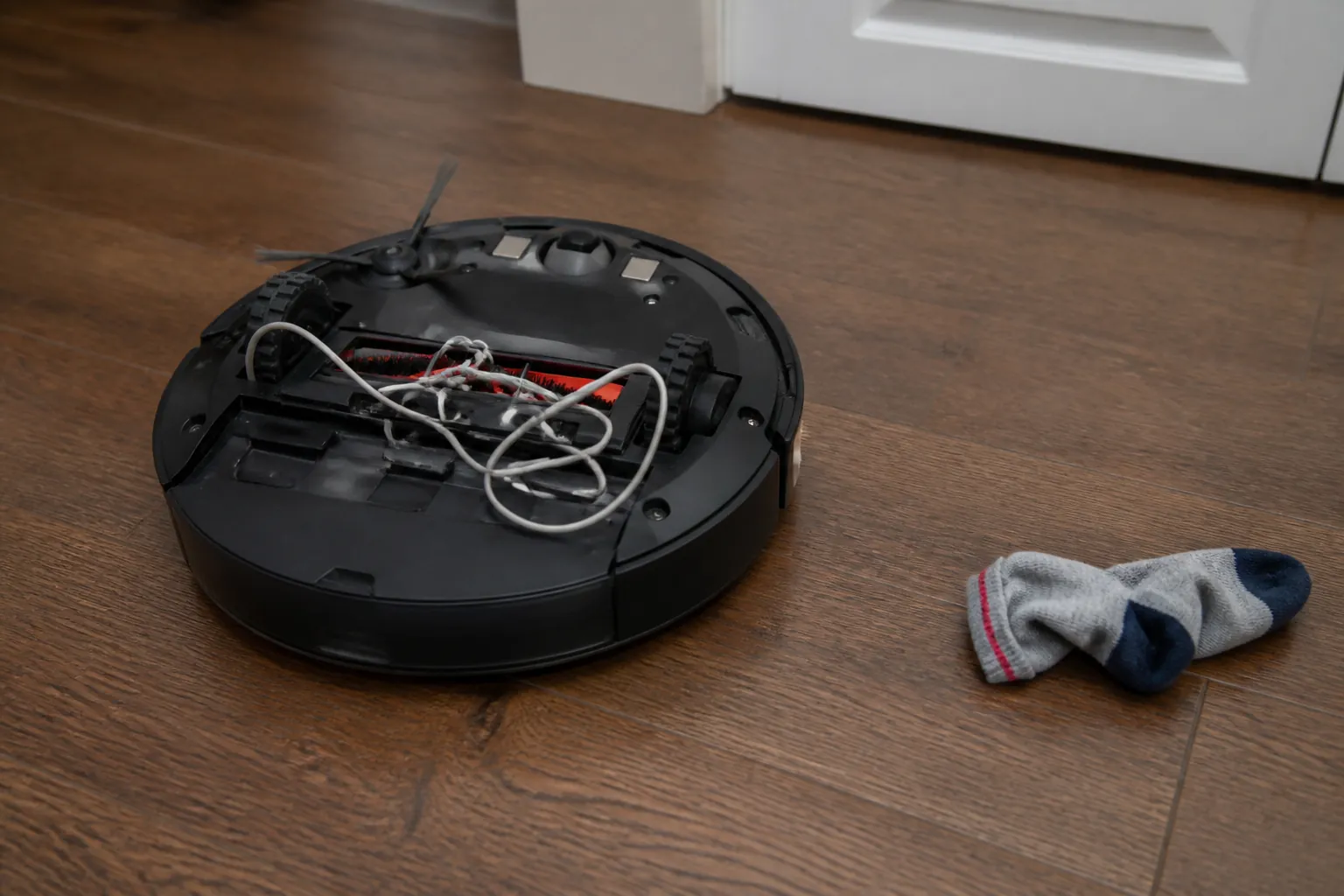
For a senior living alone, cords and socks matter twice. They can stop the robot, and they can contribute to a less safe walking path. The CDC reports that more than 1 in 4 adults age 65 and older falls each year, and falls are the leading cause of injury death in that age group.[9] A vacuum should not be treated as a fall-prevention device, but it should not add to the clutter-and-cord problem either.
Before buying, look at the actual home. Are there phone chargers that cross the floor? Oxygen tubing? Loose rug corners? Pet toys? Slippers beside the bed? A low threshold into the bathroom? A robot that performs beautifully in a test kitchen may still strand itself every night in a bedroom full of cords and soft objects.
If cords, rug edges, or room transitions are already an issue, pair the vacuum decision with a broader room-by-room review. A home fall-prevention guide is a better place to think through lighting, pathways, rugs, and furniture placement. The robot vacuum should fit into that safer layout, not force the person to step around a stuck machine.
No-go zones and barriers are useful only if someone can set them up
No-go zones can keep a robot away from stairs, thick rugs, pet bowls, cable nests, or a room that is not ready for automated cleaning. Some systems rely on app-based mapping; others use physical or magnetic boundary strips, which Reviewed has described as a useful aging-in-place feature because they can block off problem areas without requiring the user to manage a digital map.[3]
Do not overbuy a mapping system your parent will never adjust. If an adult child can visit once, map the home, mark the risky areas, and label the controls clearly, app-based no-go zones may work well. If the senior rearranges furniture often or dislikes apps, a simpler boundary method may create fewer rescue calls.
Noise, height, and room fit are small specs with real consequences
Noise does not usually decide the purchase, but it can decide whether the vacuum gets used. AARP discusses robot vacuums in the roughly 53–65 dB range, and Ecovacs lists similar noise figures for some models.[1][4] Those numbers are not a guarantee of comfort in a specific home. A hard-floored hallway, hearing aids, pets, television volume, and nap schedules all change how tolerable a robot sounds.
Height matters when the point is avoiding furniture-moving. A low-profile robot around 3.1–3.5 inches may fit under beds, sofas, and dressers that are difficult for an older adult to clean beneath manually.[1] Measure the furniture the person actually wants cleaned under. A robot that is half an inch too tall will spend its life cleaning the open middle of the room.
Room layout matters too. A small, uncluttered apartment with hardwood floors is a different assignment from a carpeted house with thresholds, pets, cords, and rugs. The right robot for one may be unnecessarily complicated or under-equipped for the other.
What price bands usually buy you
Prices move quickly, and model rankings age even faster. AARP describes the robot-vacuum market as ranging roughly from $180 to $1,400, while CNET’s 2026 coverage includes a budget pick around $250.[1][8] Use price bands as a planning tool, then verify the current price, warranty, app support, replacement parts, and return policy before buying.
| Price band | What it may be good for | What to be careful about |
|---|---|---|
| Lower-cost models | A small, simple home where someone can empty the bin and clear occasional tangles. | Often weaker obstacle handling, no self-emptying dock, more hands-on upkeep, and app limitations depending on model. |
| Middle tier | Often the best place to look for self-emptying docks, usable scheduling, better navigation, and enough features without maximum complexity. | Check whether controls work without the app and whether obstacle avoidance is truly tested, not just advertised. |
| Higher-end models | Homes with pets, mixed flooring, multiple rooms, or a caregiver who can set up maps and no-go zones properly. | Premium suction, mopping, lidar, cameras, and complex apps may add little value if the senior will not maintain or use them. |
If the budget allows only one upgrade, prioritize self-emptying over a headline suction number. If the home has cords, pet toys, or cluttered walking paths, prioritize obstacle avoidance next. If the parent does not use a smartphone comfortably, do not buy an app-only experience just because it looks elegant in a review video.
Brand stability is a support issue, not a loyalty test
For a senior living alone, support risk matters because a robot vacuum is partly software, partly consumables, and partly a service relationship. If the app stops working, bags are hard to find, or customer support becomes unreliable, the person most affected may be the one least able to troubleshoot it.
Recent coverage has been uneven on iRobot, which is a useful example of why support status should be checked close to purchase. Wirecutter says it does not currently recommend iRobot after the company filed for bankruptcy in December 2025 and was acquired by Picea, while CNET still includes iRobot models in its 2026 recommendations and Consumer Reports notes that existing devices will keep functioning.[2][8][10]
CNET also flags a July 2026 FCC authorization issue affecting foreign-made robots.[8] That does not mean a caregiver should automatically avoid or choose any particular brand. It does mean the boring checks are important: current authorization status, warranty, app availability, bag and filter availability, return window, and whether the product will still be easy to support a year from now.
Match the robot to the person, not to the review chart
A robot vacuum is a good fit when the senior wants help with floors, accepts a small machine moving through the home, and can handle the remaining tasks or has predictable help for them. It is a poor fit when the home has too many loose obstacles, the person dislikes devices that move unexpectedly, or the maintenance would fall to a caregiver who cannot visit often.
Acceptance matters. Some parents resist “smart” help because it feels like surveillance, decline, or loss of control, even when the device is meant to support independence. The same communication principles used when a parent resists fall-prevention changes after a hospital stay apply here: make the change specific, practical, and respectful. “This will keep the kitchen crumbs under control without you dragging out the upright vacuum” is usually better than “You need more smart home tech.”
There is also a larger aging-in-place reality behind this choice. Technology helps only when it fits the person, the home, the support network, and the actual chores that threaten independence. A broader aging-in-place reality check can help separate useful support from wishful buying.
A practical buying rule
Choose the simplest setup that removes the most bending, emptying, untangling, and troubleshooting for this specific person. In most homes, that points first to a self-emptying dock, then to controls that work without a smartphone, then to obstacle avoidance strong enough for the home’s cords, rugs, socks, pet toys, and thresholds.
Before buying, verify the current price, support status, return window, replacement-bag and filter availability, and whether the senior can start, stop, and dock the vacuum without help. If those checks fail, a cheaper upright service, a lighter cordless vacuum, or scheduled cleaning help may be less glamorous and more useful.
References
- Should a Robot Vacuum Be Your Next Appliance? — AARP.
- The Best Robot Vacuums of 2026 — Wirecutter.
- These are the best robot vacuums for people who are aging in place — Reviewed.
- Robot Vacuum Cleaner — Ecovacs.
- How to Clean a Robotic Vacuum — Consumer Reports.
- Pet Ownership Statistics — AARP.
- How to Keep Your Robot Vacuum from Falling Down Stairs — Narwal.
- Best Robot Vacuums We've Tested in 2026 — CNET.
- Older Adult Falls Data — CDC.
- 4 Best Robot Vacuums of 2026, Tested and Reviewed — Consumer Reports.
Questions to bring to a clinician or OT
This is not medical, legal, or a family's final decision — only a framework. Bring these questions to a clinician, occupational therapist, or your local Area Agency on Aging.
Find Local HelpRelated reading
Noticed something outdated or inaccurate on this page? Flag a correction. We review every report against CDC, NIA, and AARP HomeFit guidance before updating a page.