Helping Your Aging Parent with Technology: A Caregiver Wellbeing Strategy, Not Just a Chore
This article reframes tech support for older adults as a direct intervention for caregiver burnout. Backed by a 2024 scoping review, it explores how technology reduces caregiver burden, the challenges of being a 'tech coach,' and when to outsource for your own wellbeing.
Features Covered in This Explainer
fall detection, battery life, range, response time, two-way communication, automatic fall detection
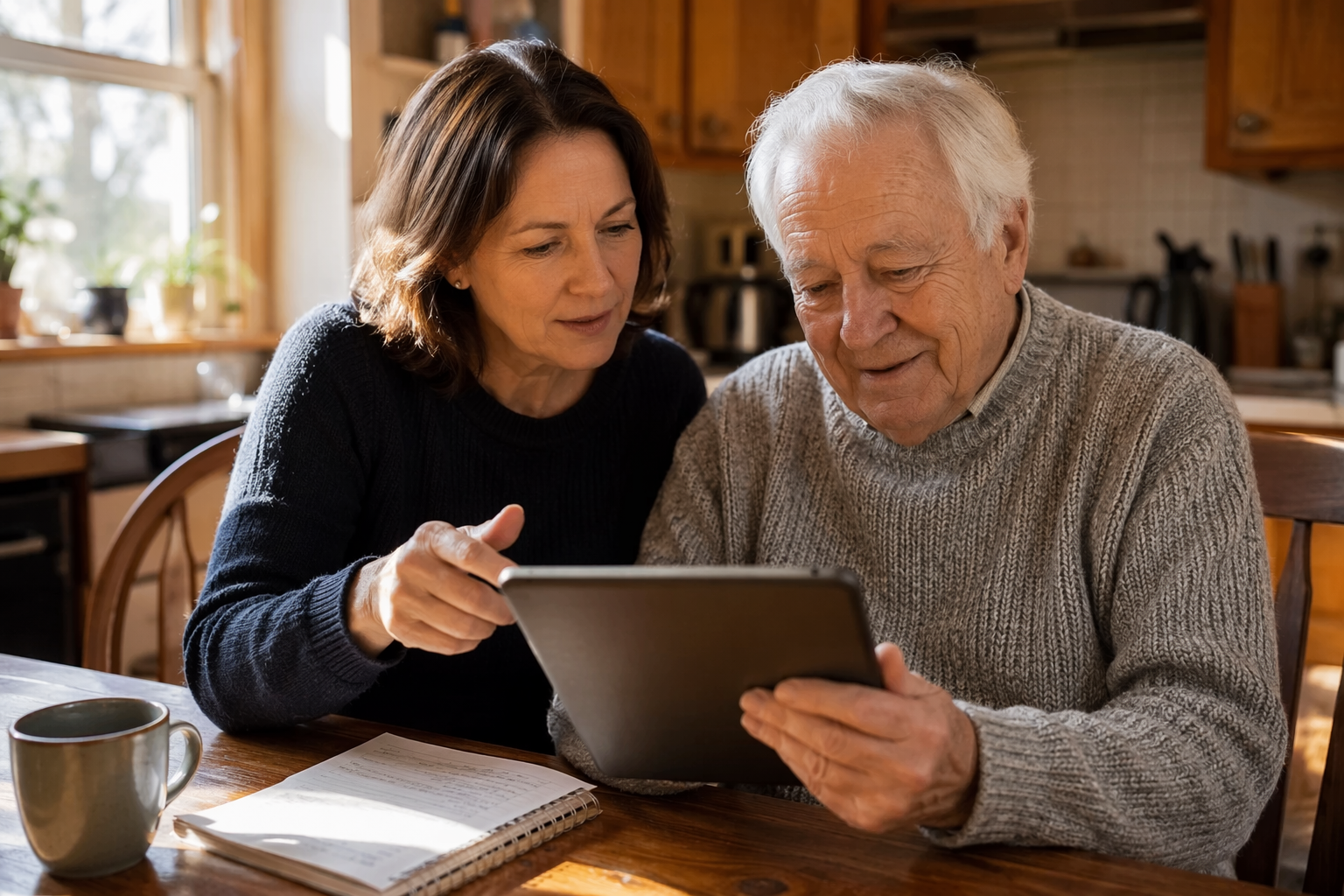
The moment of shared learning is also a moment of connection — but the emotional labor behind it is often invisible.
The Hidden Burden of Being a Family Tech Support Desk
If you are the person in your family who gets the call — "The iPad won't turn on," "I can't find the green bubble," "Is this email real?" — you already know it is not just about the device. Each request pulls you out of your own workday, your own evening, your own mental space. Over weeks and months, those interruptions accumulate into something heavier than most caregivers recognize.
Research from a 2024 study published in the Journal of Medical Internet Research quantified this disparity: family caregivers use an average of 3.4 devices and 4.2 device functions, while their care recipients use only 1.8 devices and 1.6 functions. That gap — roughly double the technology engagement — means the caregiver is not just managing their own digital life but effectively running a second one for their parent.
This hidden labor is rarely counted in caregiving assessments. Standard tools measure hands-on tasks — bathing, dressing, medication management — but not the cognitive load of being a 24/7 tech support desk. Yet the emotional toll is real: the frustration of repeating the same instructions, the guilt when patience runs thin, the exhaustion of troubleshooting a problem you cannot see from 500 miles away.
If you are new to caregiving and already feeling this weight, you are not alone. Our 5-step triage framework for new caregivers can help you prioritize where to invest your limited energy.
How Technology Directly Reduces Caregiver Overload
The counterintuitive truth is that the same technology causing the burden can also relieve it — but only when it is deployed strategically, not reactively. When a caregiver sets up a system that works independently of their direct involvement, the daily load shifts.
Three categories of technology have the strongest evidence for reducing caregiver burden:
Remote monitoring and safety systems: Passive sensors, motion detectors, and automatic fall detection reduce the need for constant check-ins. A meta-analysis found that remote patient monitoring reduced hospital readmissions by 25%, which translates to fewer crisis calls for the caregiver. Knowing a system will alert you — rather than having to call every morning — is a direct reduction in anxiety.
Medication management tools: Smart dispensers and reminder apps remove the mental load of tracking whether a dose was taken. For long-distance caregivers especially, this can eliminate hours of phone calls per week. Our guide to medication management technology covers the options in detail.
Video calling and social connection platforms: Regular video calls reduce isolation for both the older adult and the caregiver. A 2024 study of a digital literacy program for low-income seniors found that 60% of participants reported less loneliness after one year of technology training and access. For the caregiver, a scheduled video call replaces the anxiety of "I haven't heard from Mom today" with a reliable connection point.
For caregivers managing care from a distance, these tools are even more critical. Our CARE Framework for long-distance care coordination provides a structured approach to integrating technology into a remote care plan.
What the Research Says: Technology Interventions Work for Caregivers
The idea that technology can reduce caregiver burden is not just anecdotal. A 2024 scoping review by Fernandez-Bueno and colleagues, published in Healthcare, analyzed 32 studies on technology-based interventions for family caregivers. The findings are striking:
71.88% of the interventions were delivered via online videoconference sessions, making remote delivery the dominant model.
Results consistently showed reductions in depressive symptoms, stress, anxiety, and caregiver role overload.
Improved caregiver competencies, knowledge, and self-care behaviors were also observed across multiple studies.
The STAR-C-Telemedicine pilot demonstrated cost savings compared to in-person programs, suggesting that remote interventions are not just effective but also more scalable.
The review also identified persistent challenges: connectivity issues, lack of digital literacy among older adults, and age-related differences in comfort with technology. These barriers did not negate the benefits, but they did mean that the caregiver often had to serve as the bridge between the intervention and the care recipient.
The broader context supports this trend. The global telehealth market was valued at $97.7 billion in 2024, and the remote patient monitoring market reached $2.45 billion in 2023. These are not niche tools — they are becoming standard infrastructure for aging-in-place support.
The Caregiver-as-Teacher Challenge: When Helping Hurts
Here is the paradox: the same caregiver who needs technology to reduce their burden is also the person responsible for teaching their parent how to use it. This creates a double bind. You cannot benefit from the medication reminder app until your parent learns to check it. You cannot rely on the video call system until your parent remembers how to launch it.
The teaching role carries its own emotional weight. Adult children in the sandwich generation — caring for both aging parents and their own children — are especially vulnerable. After a full day of work and parenting, sitting down to explain how to attach a photo to an email can feel like one demand too many. The frustration that bubbles up is not about the photo. It is about exhaustion.
A 2026 AARP report found that about 9 in 10 adults aged 50 and older now own smartphones — up 35% since 2016 — and two-thirds say technology enriches their lives. But ownership does not equal fluency. The same report identified data privacy and security worries as the number one barrier to adoption, followed by lack of awareness of value and difficulty understanding setup processes. For the caregiver-teacher, this means every lesson comes layered with the parent's anxiety about being scammed or breaking something.
The research confirms this is a widespread challenge. The Fernandez-Bueno review noted that lack of digital literacy and age-related differences in technology comfort were recurring barriers across the 32 studies. The caregiver is not failing — the system is asking one person to fill two roles without support.
Programs That Support You as a Tech Coach
You do not have to build this from scratch. Several evidence-based programs exist specifically to support caregivers who are helping older adults learn technology. These programs provide structure, professional guidance, and — most importantly — a way to share the teaching load.
Evidence-based programs that support caregivers as technology coaches. All three have been studied in peer-reviewed research.
Program
Format
What It Offers
Best For
Tele-Savvy
Videoconference group sessions
A structured psychoeducational program for dementia caregivers; teaches communication strategies, behavior management, and self-care through live online sessions
Caregivers supporting someone with dementia who need both tech skills and emotional support
Tele-STAR
Videoconference individual or group
Adapts the STAR (Strategies for Teaching, Assessing, and Reaching) caregiver training model for remote delivery; focuses on practical caregiving skills
Caregivers who prefer a structured curriculum with professional facilitation
STAR-C-Telemedicine
Videoconference individual sessions
A remote adaptation of the STAR-C program; pilot data showed cost savings compared to in-person delivery while maintaining effectiveness
Caregivers who need one-on-one coaching and cannot attend in-person sessions
These programs are not widely advertised, but they are accessible. Many are offered through university research centers, Area Agencies on Aging, or hospital-based caregiver support programs. A quick search for "Tele-Savvy" or "STAR-C caregiver program" plus your state or region can often surface local availability.
When to Outsource: Knowing Your Limits Is Self-Care
There is a point where the teaching role stops being a labor of love and starts being a source of resentment. Recognizing that point — and acting on it — is not failure. It is strategic self-care.
Several services exist specifically to take the tech-coach role off your plate. Some are free; others charge a fee. The right choice depends on your parent's comfort level, the complexity of the issue, and your budget.
Options for outsourcing technology support for older adults. Costs and availability may vary by location.
Service
Cost
Format
Best For
Cyber-Seniors
Free
Phone or video with trained student volunteers
Basic device questions, app setup, and troubleshooting for older adults who are comfortable with one-on-one remote help
Candoo Tech
Paid (per-session or membership)
Personalized one-on-one coaching via video call
Ongoing support for an older adult who needs consistent, patient coaching from someone other than family
Geek Squad
Paid (in-store or remote)
In-person at Best Buy or remote support
Hardware issues, device setup, and technical repairs that require hands-on work
Senior Planet from AARP
Free
Online classes, tutorials, and community forums
Older adults who want to learn in a group setting with peers; covers smartphones, social media, online safety, and more
Local libraries and senior centers are another often-overlooked resource. Many offer free one-on-one tech help sessions or device-lending programs. DOROT, a nonprofit serving older adults, provides free step-by-step Tech Guides for devices and apps, along with a Tech Coach program that matches older adults with trained volunteers.
The key shift in mindset: outsourcing the tech support does not mean you are abandoning your parent. It means you are preserving your energy for the parts of caregiving that only you can do — the conversations, the companionship, the presence.
Self-Care for the Caregiver-Teacher: Setting Realistic Expectations
If you decide to continue in the tech-coach role — or if outsourcing is not an option right now — the most important thing you can do is reset your expectations. The goal is not mastery. The goal is connection.
Set a time limit: Decide in advance that you will spend 15 minutes on tech support, not 45. When the timer ends, you stop — even if the problem is not solved. The device will still be there tomorrow.
Celebrate small wins: Your parent successfully sent a photo? That is a win. They remembered how to charge the tablet? That is a win. Acknowledge these moments instead of focusing on what they still cannot do.
Know when to pause: If you feel frustration rising — your voice tightening, your shoulders tensing — say, "Let's take a break and come back to this later." The pause protects the relationship.
Use accessible features: Larger text, voice-to-text, simplified home screens, and accessibility shortcuts can reduce the number of steps your parent needs to remember. A 2021 survey found that 58% of older adults reported problems with small text size on websites — a simple font adjustment can remove a major frustration point.
Recognize the broader picture: About 40% of adults aged 65 and older report at least one usability or accessibility barrier online. This is not a personal failure on your parent's part — it is a design failure of the technology industry. You are working against systems that were not built with older users in mind.
If you recognize signs of burnout in yourself — chronic exhaustion, irritability, withdrawal from activities you once enjoyed — our burnout recognition guide can help you name what you are experiencing. For more detailed recovery strategies, our caregiver burnout recovery guide offers actionable steps for rebuilding your reserves.
The most important thing to remember: you are not a professional tech support agent. You are a family member. The relationship matters more than the device. When the tech stops serving the relationship, it is time to change the approach — not to blame yourself for not being patient enough.
For individualized recommendations:An occupational therapist or your primary care provider can assess your specific situation and recommend the monitoring category and feature set that best fits the person's functional level, living environment, and caregiver availability. This explainer provides educational context, not a personalized recommendation.

Comments
Join the discussion with an anonymous comment.