
Caregiver decision guide
Monitoring Technology Categories for Seniors in 2026: Choosing Between Wearables, Passive Sensors, and Telehealth
A product-neutral guide for adult children evaluating monitoring technology for an aging parent. Learn how wearable medical alerts, passive ambient sensors, and telehealth/RPM platforms differ, which care scenarios each category serves, and how to match technology to your parent's cognitive status, fall risk, and privacy preferences.
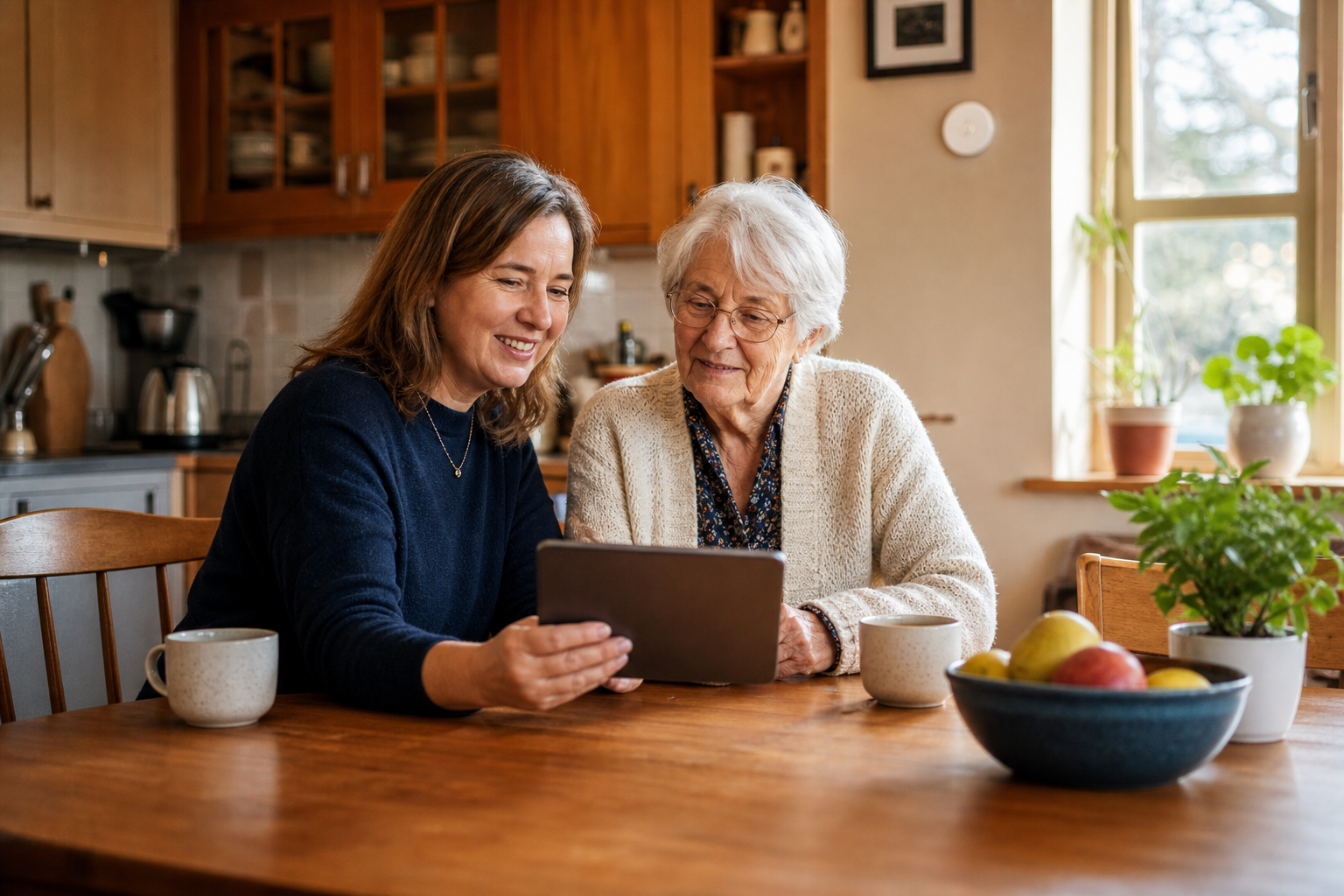
The Caregiver's Dilemma: Too Many Products, Not Enough Category-Level Guidance
If you are an adult child trying to figure out what kind of monitoring technology your parent actually needs, you have probably already hit the wall. Search for "senior health care" or "medical alert system" and you are met with a wall of brand comparisons, affiliate-driven review lists, and product claims that all sound the same. The problem is not a lack of options. It is a lack of a framework.
The stakes are high. According to the Pew Research Center, 64% of family caregivers report high emotional stress, and 39% say caregiving has a negative impact on their emotional well-being — with women caregivers affected at a significantly higher rate (47%) than men (30%). Meanwhile, over 90% of older adults want to age in place, yet only 10% of U.S. homes are equipped to support them safely, according to Choice Mutual. That gap between desire and readiness is where monitoring technology enters the picture — but only if you choose the right category.
This guide is not about which brand to buy. It is about understanding the three functional categories of monitoring technology — wearable medical alerts, passive ambient sensors, and remote patient monitoring (RPM) platforms — so you can match the technology to your parent's actual situation: their cognitive status, fall risk, privacy preferences, and health conditions. The best technology is the one that fits the care scenario, not the one with the most advertising.
Category 1: Wearable Medical Alert Devices — Fall Detection, GPS Trackers, and Pendants
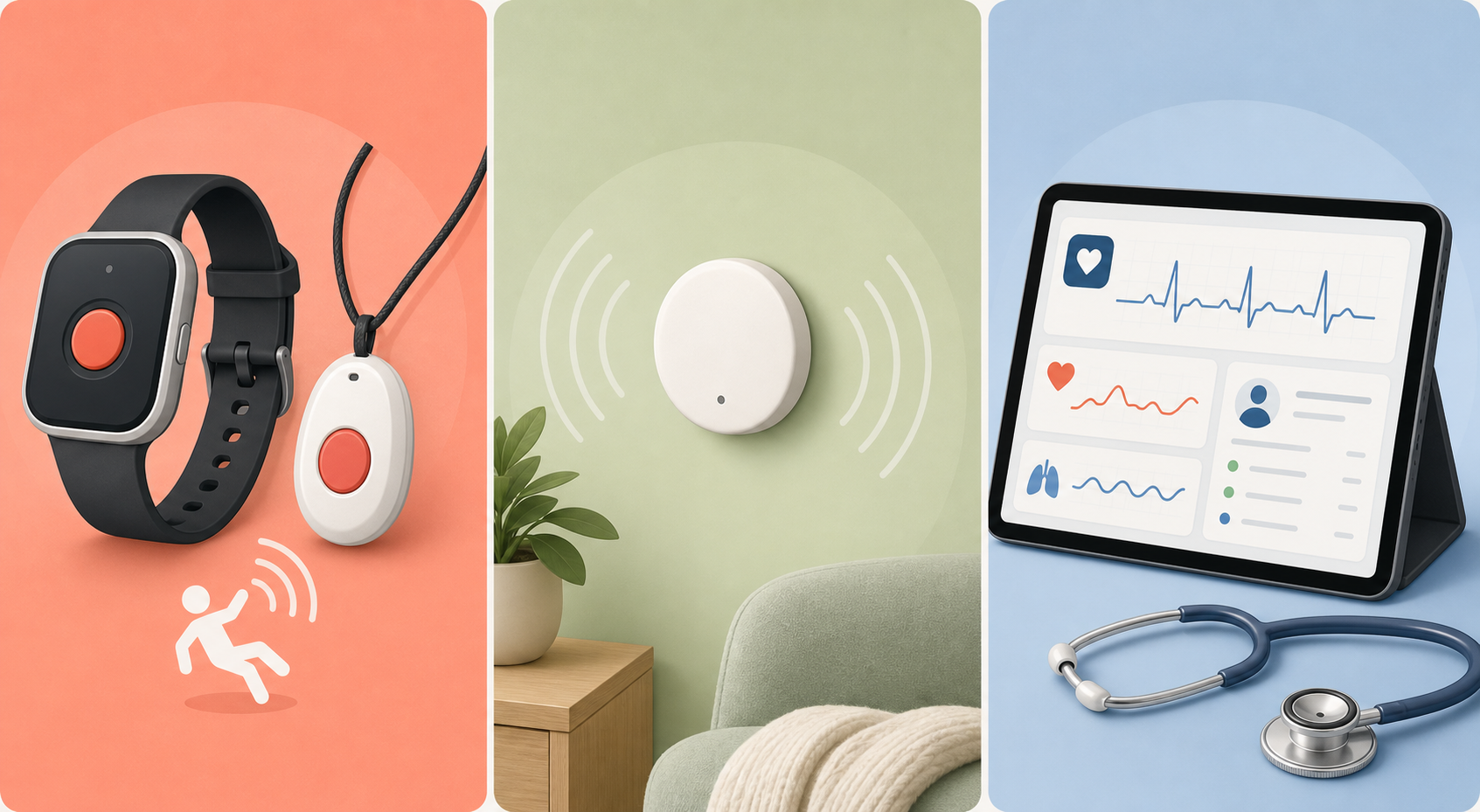
Wearable medical alert devices are the most familiar category. They include pendant-style buttons worn around the neck, wristbands with fall detection, and GPS-enabled trackers for seniors who are still mobile and active outside the home. Their core function is simple: the user presses a button (or the device automatically detects a fall) to summon help via a base station or cellular connection.
Where wearables excel
For an active, cognitively intact senior who lives alone, a wearable with automatic fall detection can be a literal lifesaver. The National Council on Aging (NCOA) reports that 1 in 4 older adults falls each year, and more than half of all falls happen at home. When a fall results in a "long lie" — being unable to get up for over an hour — the consequences can be severe, including pressure injuries, loss of mobility, and lasting psychological distress. A wearable that automatically detects the fall and calls for help can reduce that response time from hours to minutes.
Fall detection accuracy varies significantly by device placement. One study cited by NCOA found that chest-worn devices achieve approximately 98% accuracy, while wrist-worn devices are less reliable because natural arm movements — waving, gesturing, reaching — can trigger false alarms. In one four-month trial, 83 of 84 alarms were false. That is a compliance problem as much as a technical one: if the device generates too many false alerts, caregivers stop taking them seriously, and the senior may stop wearing the device altogether.
The compliance gap is real
The single biggest weakness of wearable devices is that they only work when worn. Seniors frequently remove pendants at night, during bathing, or when the device feels uncomfortable. For someone in early cognitive decline, remembering to put the pendant back on in the morning — or to charge the device — can be an insurmountable daily task. If your parent has memory issues, a wearable may not be the right starting point.
Category 2: Passive Ambient Monitoring — Sensors That Require No Action From the Senior
Passive ambient monitoring systems address the compliance problem by removing the human element entirely. These systems use small, unobtrusive sensors placed around the home — motion detectors in hallways, door contact sensors on the refrigerator and front door, stove monitors, and bed occupancy sensors — to track behavioral patterns without requiring the senior to wear, press, or charge anything.
Instead of waiting for an emergency button to be pressed, passive systems learn what "normal" looks like for the individual: when they typically get out of bed, how often they visit the bathroom at night, whether they opened the refrigerator today, and whether the front door has been opened at an unusual hour. When the system detects a deviation from that baseline — no motion detected by noon, a door opened at 3 a.m. that stays open — it sends an alert to the caregiver's phone.
The privacy advantage
Passive sensors are fundamentally different from cameras or audio monitors. They collect no video, no audio, and no personally identifiable health information. They detect motion as a binary signal — motion detected or not — and they track patterns, not identities. For seniors who are uncomfortable with the idea of being "watched," this is a significant advantage. According to SeniorSite.org, approximately 50% of hesitant older adults cite data security or privacy concerns as the primary barrier to adopting monitoring technology. Passive sensors address that concern directly by collecting the minimum data necessary to detect meaningful changes in routine.
Best use case: early cognitive decline
Passive monitoring is particularly well-suited for seniors in early-stage cognitive decline who are still living independently but may be experiencing subtle changes in routine — skipped meals, forgotten medications, nighttime wandering. Because the system requires no active participation from the senior, it can detect problems early, before they escalate into a crisis. A missed morning motion signal might mean your parent is unwell and unable to get out of bed. A refrigerator door that has not opened all day might mean they forgot to eat. These are signals that a wearable cannot provide.
- Motion sensors: Placed in hallways, bathrooms, and common areas to track daily activity patterns and detect prolonged inactivity.
- Door and contact sensors: Placed on the refrigerator, medication cabinet, and exterior doors to track meal preparation, medication access, and wandering.
- Stove and appliance monitors: Detect when the stove has been left on or the oven is running at an unusual hour.
- Bed and chair occupancy sensors: Track sleep patterns and detect if the senior has not gotten out of bed by their usual time.
Category 3: Remote Patient Monitoring and Telehealth Platforms — Clinical-Grade Data for Chronic Conditions
Remote Patient Monitoring (RPM) is a distinct category from both wearables and passive sensors. RPM uses FDA-cleared medical devices — blood pressure cuffs, glucose meters, pulse oximeters, and weight scales — that transmit clinical-grade vital signs directly to a healthcare provider. This is not a wellness tracker or a safety alert system. It is a clinical tool that requires a physician order and is typically condition-specific.
The clinical outcomes are compelling. According to data cited by SeniorSite.org, remote monitoring demonstrates 75% adherence for blood pressure checks and 82% for weight tracking over six months. COPD readmission rates dropped from 87% to 42% with home-based monitoring. Hospital at Home patients with infections or heart failure had 30-day readmission rates of just 7%, compared to 23% for traditional hospital inpatients.
Medicare's 2026 RPM updates expand access
The Medicare 2026 Physician Fee Schedule introduced significant changes to RPM billing that expand the population eligible for these services. According to Medical Economics, a new CPT code 99445 now covers remote monitoring of 2–15 days within a 30-day period, complementing the existing code 99454 for 16+ days. A new code was also added for 10–19 minutes of monitoring management time, expanding what counts as billable activity. As Lucienne Marie Ide, MD, PhD, founder of Rimidi, told Medical Economics, these are "probably the biggest changes we've seen in RPM in a couple of years."
The National Rural Health Association notes that CMS is proposing to reimburse both the new short-term code and the existing long-term code at the same rate, reinforcing the value of clinical use of monitoring data rather than simply the volume of data transmitted. The rule also extends key telehealth flexibilities through 2029, signaling that remote care is shifting from "optional add-on to essential component of care delivery."
Decision Framework: Which Category for Which Care Scenario?
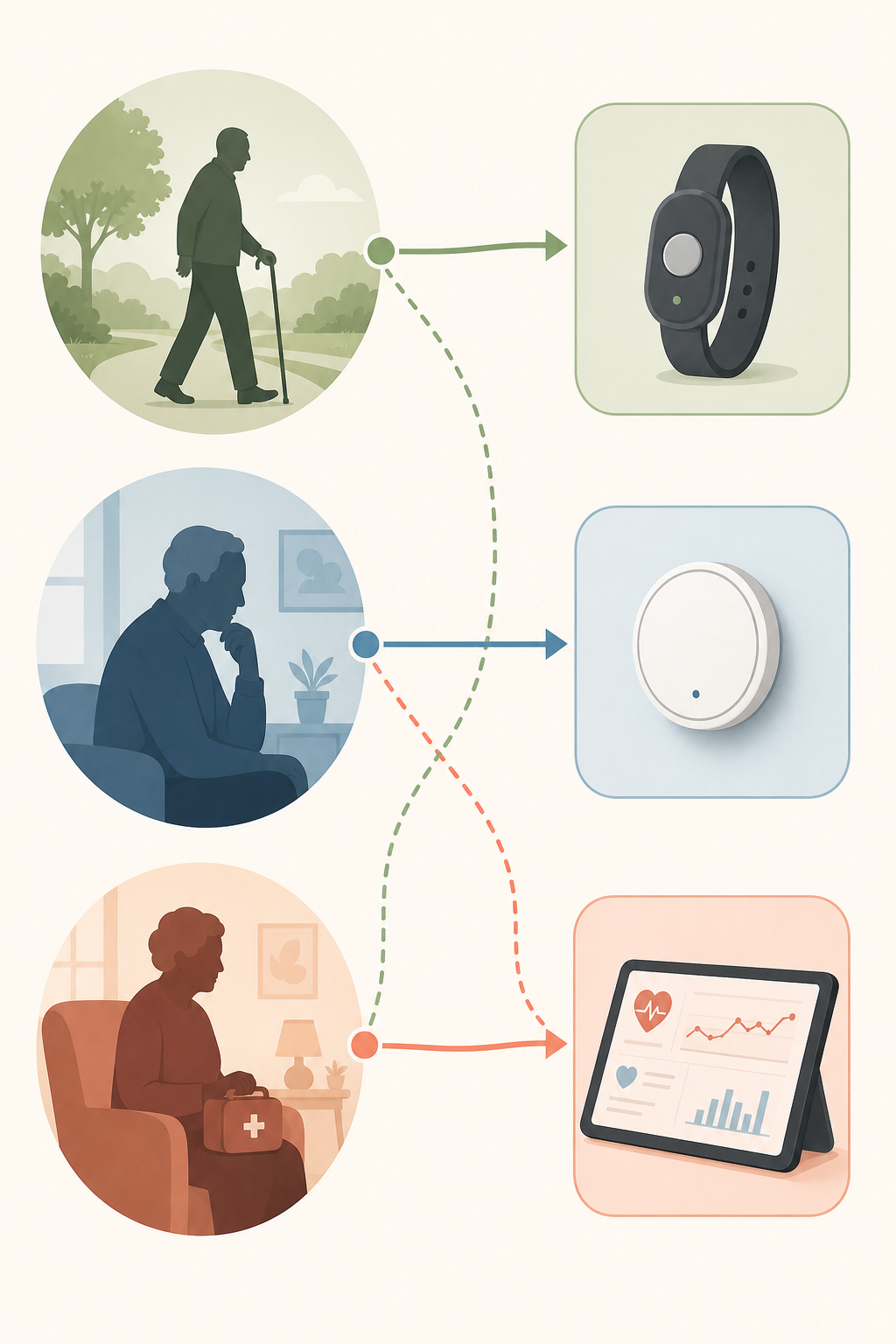
The most common mistake caregivers make is choosing a technology category before assessing the parent's actual situation. The table below maps each category to the care scenario it serves best.
| Care Scenario | Best-Fit Category | Why This Category Works |
|---|---|---|
| Active, independent senior with good cognition who lives alone | Wearable PERS with automatic fall detection | The senior can reliably wear and charge the device; fall detection provides a safety net for the 1-in-4 annual fall risk; GPS tracking supports outdoor mobility |
| Early cognitive decline or memory issues; senior cannot reliably use a wearable | Passive ambient sensor system | No compliance burden — the senior does not need to wear, press, or charge anything; detects missed meals, nighttime wandering, and prolonged inactivity before a crisis |
| Multiple chronic conditions (hypertension, diabetes, COPD, heart failure) requiring clinical oversight | RPM platform plus telehealth | FDA-cleared devices transmit vitals to the care team; Medicare 2026 rules (CPT 99445) now cover shorter monitoring periods; proven readmission reduction (COPD: 87% to 42%) |
| High fall risk with history of falls; caregiver wants redundancy | Wearable with automatic fall detection + passive sensors | Wearable provides immediate emergency response; passive sensors detect falls the wearable might miss (e.g., if removed at night) and track overall activity patterns |
If your parent has a history of falls, the mobility and independence guide provides additional context on fall risk factors and how assistive devices can complement monitoring technology.
Cost Comparison Across Categories
Cost is a significant factor, but the total cost picture depends on whether the technology is covered by insurance, Medicare, or a Medicare Advantage plan. The table below provides a category-level cost overview based on current market data.
| Category | Typical Monthly Cost | Equipment Cost | Medicare Coverage |
|---|---|---|---|
| Wearable medical alert with fall detection | $20–$34/mo base + ~$10/mo for fall detection | Often included in monthly fee or $50–$100 activation | Original Medicare does not cover; some Medicare Advantage plans may offer an allowance |
| Passive ambient sensor system | $15–$30/mo for monitoring service | $200–$500 for sensor kit (motion, door, bed, stove sensors) | Not covered by Medicare; considered a consumer product |
| RPM platform (FDA-cleared devices) | $50–$150/mo without insurance; typically covered by Medicare Part B with qualifying condition | Devices often provided by the RPM service; no upfront cost when covered | Covered under Medicare Part B with qualifying chronic condition and physician order; 2026 codes (99445) expand eligibility |
Privacy and Data Security: What Every Caregiver Should Consider
Privacy is often the biggest barrier to adoption. According to SeniorSite.org, approximately 50% of older adults who are hesitant about monitoring technology cite data security or privacy as their primary concern. That concern is legitimate, and different technology categories handle privacy in fundamentally different ways.
Here is how the three categories compare on privacy and data security:
- Wearable medical alerts: Collect location data (GPS coordinates), fall event data, and emergency response history. Data is typically transmitted over cellular networks and stored by the monitoring service. Privacy policies vary significantly by provider. No video or audio is collected unless the device has two-way voice communication.
- Passive ambient sensors: Collect behavioral pattern data only — motion events, door open/close events, and appliance usage. No video, no audio, no personally identifiable health information. This is the strongest privacy model of the three categories because the data is abstract and cannot be used to reconstruct conversations, images, or medical records.
- RPM platforms: Collect clinical-grade vital signs (blood pressure, glucose, weight, oxygen saturation) that are transmitted to a healthcare provider. This data is protected under HIPAA and subject to the same privacy and security requirements as any medical record. RPM platforms typically have the strongest legal privacy protections but also collect the most sensitive personal health information.
Consent considerations for cognitively impaired individuals
When the senior has cognitive impairment, the question of consent becomes more complex. The person who will be monitored may not fully understand what data is being collected, who has access to it, or how it will be used. In these situations, the caregiver should consider:
- Involve the senior in the decision to the extent they are able. Explain what the technology does and why it is being considered.
- Choose the least intrusive category that meets the safety need. If passive sensors can provide adequate monitoring, they may be preferable to a wearable that tracks GPS location or a camera-based system.
- Review the provider's data retention and sharing policies. Some monitoring services retain data indefinitely or share it with third parties for research or marketing.
- Revisit the decision as cognitive status changes. A system that was appropriate in early-stage decline may need to be adjusted as the disease progresses.
Start With the Care Scenario, Then Choose the Category
The monitoring technology landscape in 2026 offers more options than ever, but more options do not automatically mean better outcomes. The families who get the most value from monitoring technology are the ones who start with a clear assessment of the parent's situation — cognitive status, fall risk, chronic conditions, privacy comfort, and daily routines — and then choose the technology category that fits that scenario.
Here is a summary of the three categories and their ideal use cases:
- Wearable medical alerts with fall detection: Best for active, cognitively intact seniors who can reliably wear and charge the device. Provides immediate emergency response and GPS tracking for outdoor mobility.
- Passive ambient sensor systems: Best for seniors in early cognitive decline or those who cannot or will not wear a device. Detects changes in routine — missed meals, nighttime wandering, prolonged inactivity — without requiring any action from the senior.
- RPM and telehealth platforms: Best for seniors with multiple chronic conditions who need clinical oversight. Requires a physician order and is condition-specific. Medicare 2026 rule changes (CPT 99445) have expanded eligibility for shorter monitoring periods.
Before evaluating any specific product, take these steps:
- Assess your parent's cognitive status. Can they reliably wear, charge, and interact with a device? If not, passive sensors may be the better starting point.
- Assess fall risk. Has your parent fallen in the past year? Do they have balance issues or use a mobility aid? If yes, fall detection should be a priority feature.
- Assess chronic conditions. Does your parent have hypertension, diabetes, COPD, or heart failure that requires regular monitoring? If yes, ask their primary care provider about RPM eligibility.
- Assess privacy comfort. How does your parent feel about being monitored? Start with the least intrusive category that meets the safety need.
The trend in the industry is toward integrated systems that combine multiple categories — a wearable for fall detection, passive sensors for activity tracking, and RPM for chronic condition management — all feeding into a single caregiver dashboard. But you do not need to build the whole system at once. Start with the category that addresses the most urgent need, and add layers as the situation evolves.
Questions to bring to a clinician or OT
This is not medical, legal, or a family's final decision — only a framework. Bring these questions to a clinician, occupational therapist, or your local Area Agency on Aging.
Find Local HelpRelated reading
- The Smart Home Integration Ladder for Senior Safety: A Staged Approach from Fall Detection to Full-Home Monitoring
- Privacy vs. Safety: Navigating the Ethical Decision of Monitoring an Aging Parent at Home
- Passive Sensors vs. Wearables vs. Cameras: Choosing the Right Monitoring System for Your Aging Parent
Noticed something outdated or inaccurate on this page? Flag a correction. We review every report against CDC, NIA, and AARP HomeFit guidance before updating a page.