
Caregiver decision guide
Overcoming Technophobia in Older Adults: A Caregiver's Guide to Understanding and Addressing Technology Anxiety
This guide helps family caregivers understand that their aging parent's resistance to technology may be a clinically recognized anxiety condition, not stubbornness. Learn to recognize the physical symptoms of technophobia and apply exposure-therapy principles to build your parent's confidence with devices.
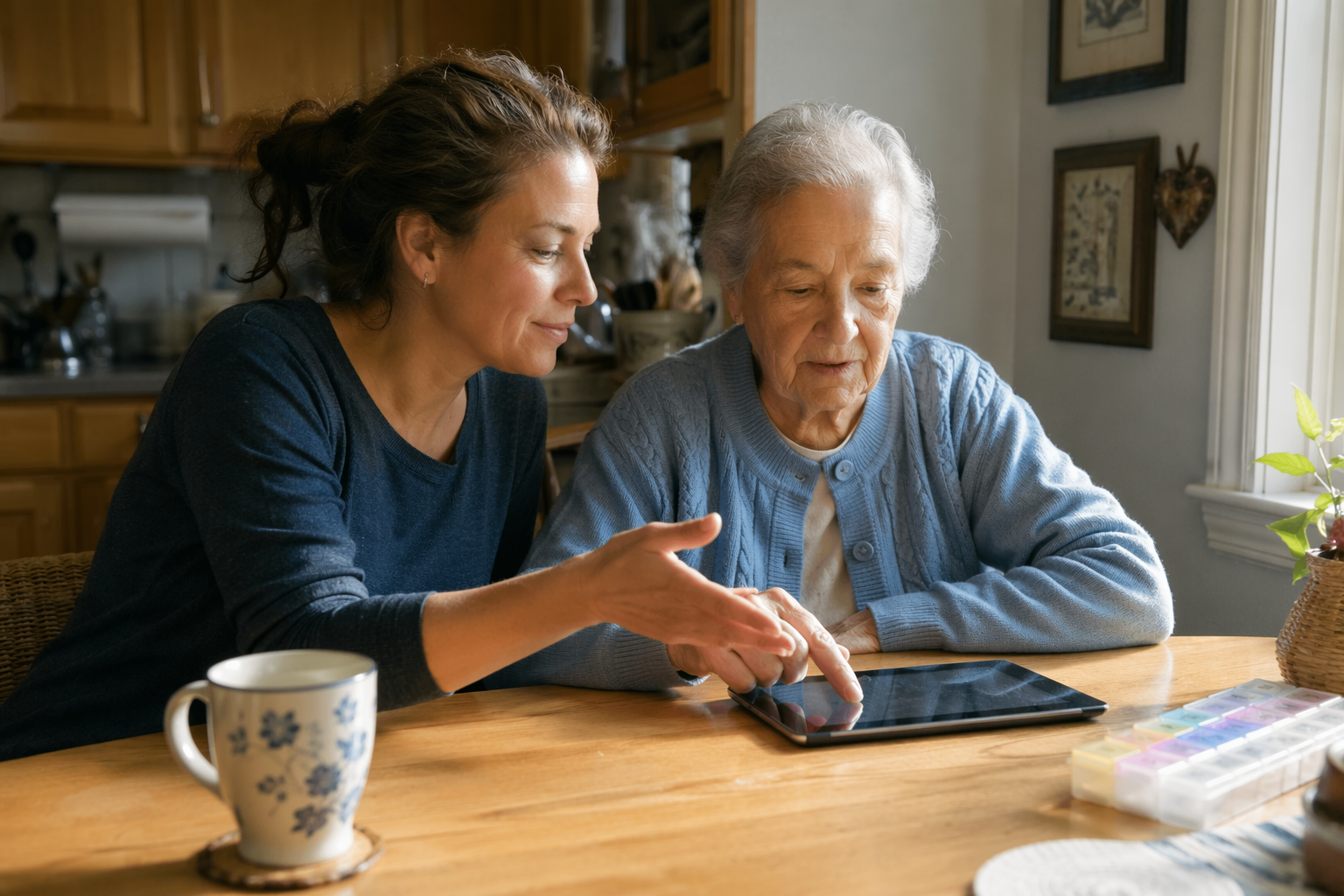
What Is Technophobia? (And Why It's Not Stubbornness)
When your parent pushes a smartphone away, sighs at the sight of a new app, or insists that "the old way works fine," it is easy to interpret that as stubbornness or a refusal to adapt. But for a significant number of older adults, this reaction stems from something far more specific: a clinically recognized condition called technophobia.
The Cleveland Clinic defines technophobia as an overwhelming, irrational fear of technology. It is not a formal diagnosis in the DSM-5, but it is treated as a specific phobia — meaning it produces a genuine anxiety response that is disproportionate to the actual threat. This is fundamentally different from simply preferring a flip phone or disliking social media. Technophobia involves a fear response that can be powerful enough to prevent someone from using a device even when they recognize it would benefit them.
Understanding this distinction is the first step for any caregiver. When you recognize that your parent's resistance may be driven by fear rather than obstinacy, your approach shifts from frustration to empathy — and from pushing harder to working smarter.
How Common Is Technology Anxiety Among Older Adults?
If you are struggling with a parent who resists technology, you are far from alone. The data paints a clear picture of how age correlates with technology adoption — and where the anxiety gap is widest.
| Age Group | Internet Use Rate | Source |
|---|---|---|
| Ages 55–59 | 60% | Cleveland Clinic (citing Pew data) |
| Ages 60–64 | 45% | Cleveland Clinic (citing Pew data) |
| Ages 65–74 | 25% | Cleveland Clinic (citing Pew data) |
| Ages 70–74 | 68% | Pew Research Center |
| Ages 75–79 | 47% | Pew Research Center |
| Ages 74+ | 6% | Cleveland Clinic (citing Pew data) |
The picture has improved overall. According to the National Council on Aging (NCOA), about 90% of people aged 65 and older used the internet in 2025, up from 75% in 2021. That is real progress. But the headline number masks a deeper truth: the remaining 10% — and the millions more who use the internet reluctantly or only with help — are often the very people who would benefit most from health-monitoring apps, video calls with family, and safety devices.
Foundational Pew Research data from 2014 found that 77% of older adults need help learning to use a new digital device, and only 18% would feel comfortable learning on their own. While those numbers have shifted as technology has become more ubiquitous, the underlying dynamic remains: for a substantial portion of the older population, technology is not intuitive — it is intimidating.
The Psychology of Resistance: Why Older Adults Fear Technology
Technology anxiety in older adults is not random. It has identifiable psychological roots that make sense when you consider the context of a person who grew up in a world without personal computers, smartphones, or the internet.
Growing Up Without Digital Technology
For someone who spent the first 50 or 60 years of their life without a smartphone, the mental model for how a device works is fundamentally different. Younger generations have an intuitive sense that you can tap, swipe, and explore without breaking anything. Many older adults lack that intuition. Every unfamiliar screen feels like a potential trap where one wrong tap could delete something important or incur a cost.
Fear of Irreversible Mistakes
This is one of the most common and powerful drivers of technology anxiety. The fear that a wrong button press will permanently delete photos, send an embarrassing message, or expose personal information is very real. For someone who does not understand how undo functions, cloud backups, or app permissions work, every action on a device feels high-stakes.
The Stigma of Needing Help
A 2023 systematic review of 83 studies (Zhang et al., published in PMC) found that older adults who reject assistive technology often do so because of stigma. They perceive the technology as being designed for "even older" or "more vulnerable" people — not for them. Accepting a medical alert pendant or a simplified tablet can feel like admitting decline. This is a powerful psychological barrier that no amount of feature demonstrations will overcome.
Power Reversal with Younger Teachers
The same systematic review identified another critical dynamic: the power reversal that occurs when children or grandchildren teach older adults. A lifetime of being the authority figure — the one who knows how things work — is suddenly inverted. The older adult becomes the student, often in their own home, and the younger person becomes the teacher. This can feel disempowering and even humiliating, which fuels avoidance.
- Perceived usefulness is the single most important factor. The Zhang review found that across 28 of the 83 studies, whether an older adult believed a technology would actually help them mattered more than how easy it was to use. If your parent does not see the point, no amount of simplification will motivate them.
- Social context matters. If an older adult's peers do not use the technology, they are far less likely to adopt it. Conversely, seeing a friend successfully use a device for video calls or health tracking can be a powerful motivator.
- Technology anxiety is one of the strongest negative predictors of adoption. It is not just one factor among many — it is a primary barrier that must be addressed before any teaching can begin.
Physical Symptoms to Recognize: When Anxiety Is Real
One of the most important things a caregiver can learn is how to distinguish between mild reluctance and a genuine anxiety response. Technophobia produces real, measurable physical symptoms. When you see these signs, you are not dealing with a teaching problem — you are dealing with a fear response that needs a different approach.
Physical Symptoms (per the Cleveland Clinic)
- Racing heart or palpitations
- Shortness of breath or a feeling of choking
- Dizziness or lightheadedness
- Flushing or sweating
- Nausea or stomach distress
- Trembling or shaking hands
Behavioral Signs to Watch For
- Avoiding the device entirely, even when it would be useful
- Criticizing technology in general terms ("These things are just a waste of time")
- Refusing to update software or apps, even for security patches
- Resisting automatic processes like online bill pay or automatic prescription refills
- Making excuses to end a teaching session early
Caregiver Strategies: Applying Exposure Therapy and CBT Principles
The most effective treatments for specific phobias are exposure therapy and cognitive behavioral therapy (CBT). You do not need to be a therapist to apply the core principles of these approaches in a gentle, supportive way. The goal is not to eliminate fear overnight — it is to gradually build a new, positive association with technology.
Graduated Exposure: Start Small, Stay Small
Exposure therapy works by gradually and repeatedly exposing a person to the feared object in a controlled, safe way. For technophobia, this means starting with the least intimidating possible interaction and building from there.
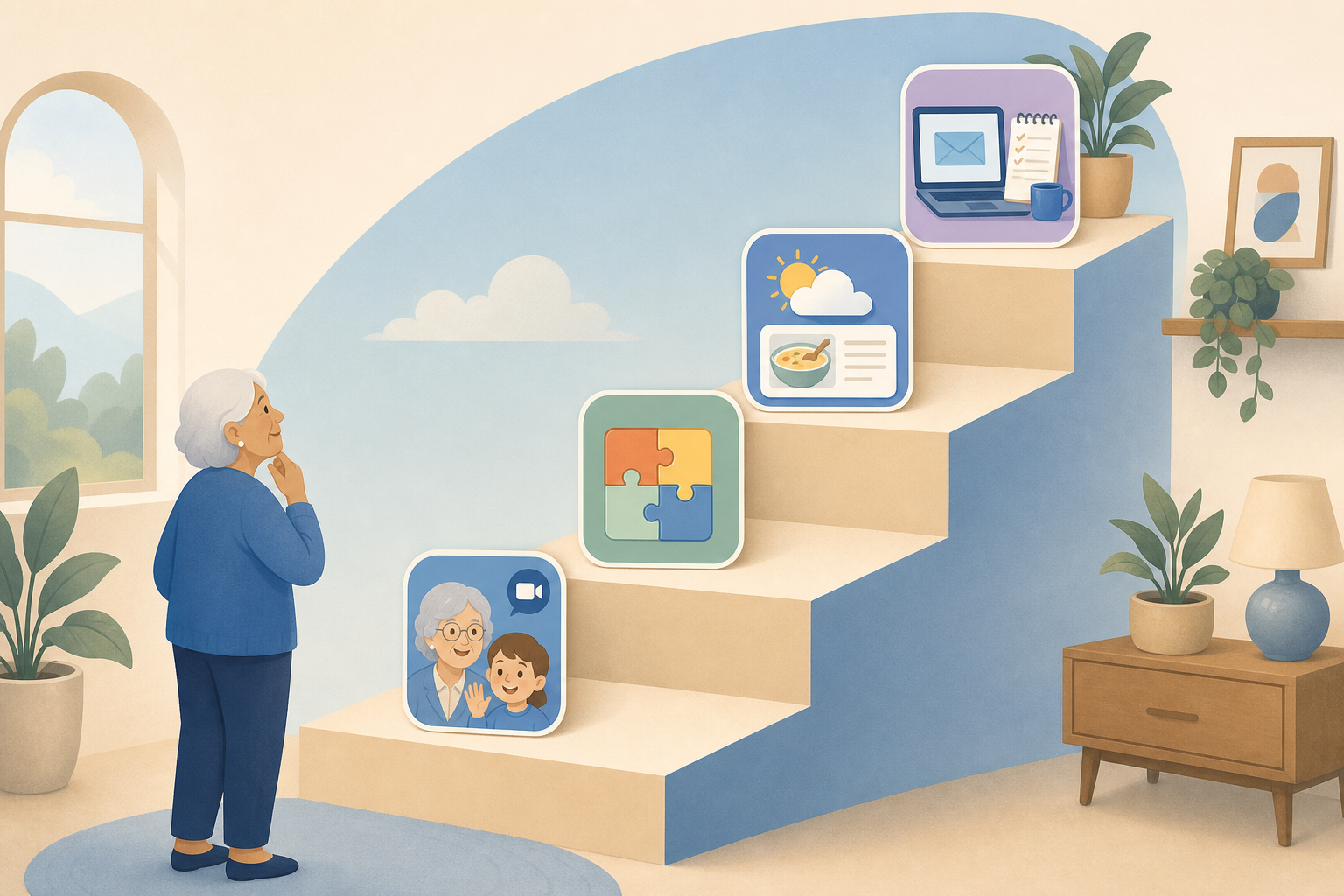
| Level | Activity | Goal |
|---|---|---|
| 1 | Watch you use the device for a pleasant purpose (e.g., looking at family photos) | Desensitization through observation |
| 2 | Touch the screen while you guide their hand — no independent action required | Physical contact without pressure |
| 3 | Perform one simple, rewarding action independently (e.g., tap to view a photo) | First successful independent interaction |
| 4 | Perform the same action multiple times until it feels routine | Build muscle memory and confidence |
| 5 | Learn one new function that connects to a personal interest (e.g., weather app, puzzle game) | Expand comfort zone with a meaningful reward |
Critical rule: Never move to the next level until the current level feels comfortable. If your parent shows physical anxiety symptoms at Level 2, go back to Level 1 and spend more time there. Progress is measured by reduced anxiety, not by how many features you have covered.
Cognitive reframing is a core CBT technique that involves identifying and replacing irrational thoughts. When your parent says "I'll break it," they are expressing a belief that needs to be gently challenged — not with logic alone, but with evidence.
- Replace "I'll break it" with "I can learn this." Point out that the device is designed to be used. Show them that most mistakes are reversible — a wrong tap can be undone, a deleted photo can be recovered from the trash folder.
- Replace "I'm too old for this" with "I've learned harder things." Remind them of other skills they mastered later in life — cooking new recipes, navigating a new city, learning a hobby. Learning a device is not fundamentally different.
- Replace "This is for younger people" with "This helps me stay connected." Connect the technology to something they genuinely value — seeing grandchildren, checking the weather, reading the news.
Pair Technology with Positive Experiences
The brain forms strong associations between emotions and activities. If every interaction with a device involves frustration or fear, the brain will learn to avoid devices. The antidote is to pair technology use with genuinely rewarding experiences from the very beginning.
- Video calls with grandchildren. This is the single most powerful motivator for many older adults. Schedule a regular, short call. Let the grandchild do most of the talking. The device becomes a portal to joy, not a source of stress.
- Simple puzzle or word games. Games like solitaire, crossword puzzles, or word searches provide immediate, low-stakes rewards. They are also excellent for building fine-motor screen skills without pressure.
- Music or audiobooks. Streaming a favorite album or listening to an audiobook requires almost no technical skill once set up, but it creates a positive association with the device.
Your Own Tech Use Matters More Than You Think
A 2024 study published in JMIR Aging (Lee et al.) surveyed 486 unpaid caregiver-care recipient dyads and found something striking: the caregiver's own technology use was the single strongest positive predictor of the care recipient's device adoption. Caregivers used an average of 3.4 devices and 4.2 functions, compared to 1.8 devices and 1.6 functions for care recipients. The more devices the caregiver used, the more the care recipient used.
The Power of Peer Learning and Community Resources
One of the most effective ways to bypass the power-reversal dynamic is to remove the family member from the teaching role entirely. When an older adult learns from a peer or a neutral instructor, the emotional stakes are lower, and the stigma of needing help is reduced.
- Senior Planet classes. Senior Planet offers free, live online classes specifically designed for older adults. Topics range from smartphone basics to online safety to using video chat. The instructors are trained to work with older learners, and the classes are social — participants learn together.
- Cyber-Seniors. This program connects older adults with trained student volunteers for one-on-one technology tutoring over the phone or video call. The student-teacher dynamic is reversed in a positive way — the younger person is the expert, but the interaction is structured and patient.
- Local library and senior center workshops. Many public libraries and senior centers offer free or low-cost technology classes. Learning in a group with peers who are at the same skill level can normalize the experience and reduce feelings of inadequacy.
- YouTube tutorials. According to Pew Research data cited by the NCOA, approximately 64% of adults aged 65 and older use YouTube. If your parent is already comfortable with YouTube, it can be a powerful self-directed learning tool. Search for tutorials that are slow-paced and clearly narrated.
If your parent is resistant to learning from you, do not take it personally. Suggesting a class or a peer tutor is not a rejection of your relationship — it is a strategic choice that may lead to faster, less stressful progress.
When to Seek Professional Help
For most older adults, technophobia can be managed with patience, graduated exposure, and the right support. But in some cases, the anxiety is severe enough to warrant professional mental health intervention.
Signs That Professional Help May Be Needed
- Full panic attacks (racing heart, chest pain, feeling of impending doom) when confronted with a device
- Complete refusal to be in the same room as a device, even when it is turned off
- Technology avoidance that directly impacts health or safety — for example, refusing to use a medical alert pendant or a glucose monitor
- Anxiety that has generalized to other areas of life, or that has persisted for months despite gentle exposure attempts
A therapist trained in CBT or exposure therapy can work directly with your parent to address the fear in a structured, evidence-based way. In some cases, a few sessions are enough to break the cycle of avoidance and make technology feel manageable again.
For caregivers who are themselves feeling overwhelmed by the process of introducing technology, the research on passive versus active monitoring systems offers insight into how less intrusive technologies can sometimes bypass the anxiety response entirely. Understanding the full landscape of options — from wearable devices to passive home sensors — can help you choose a starting point that feels less threatening to your parent.
Questions to bring to a clinician or OT
This is not medical, legal, or a family's final decision — only a framework. Bring these questions to a clinician, occupational therapist, or your local Area Agency on Aging.
Find Local HelpRelated reading
Noticed something outdated or inaccurate on this page? Flag a correction. We review every report against CDC, NIA, and AARP HomeFit guidance before updating a page.