
Helping an Older Adult with Dementia Use Technology: A Caregiver’s Step-by-Step Guide
When a parent with memory loss struggles with once-familiar devices, standard tech tips won’t work. This guide explains how to recognize when tech struggles signal cognitive decline, use a three-phase teaching approach (do together, write it down, simplify the tool), and know when to take over tasks for safety.
When Tech Struggles Signal Something More Than Normal Aging
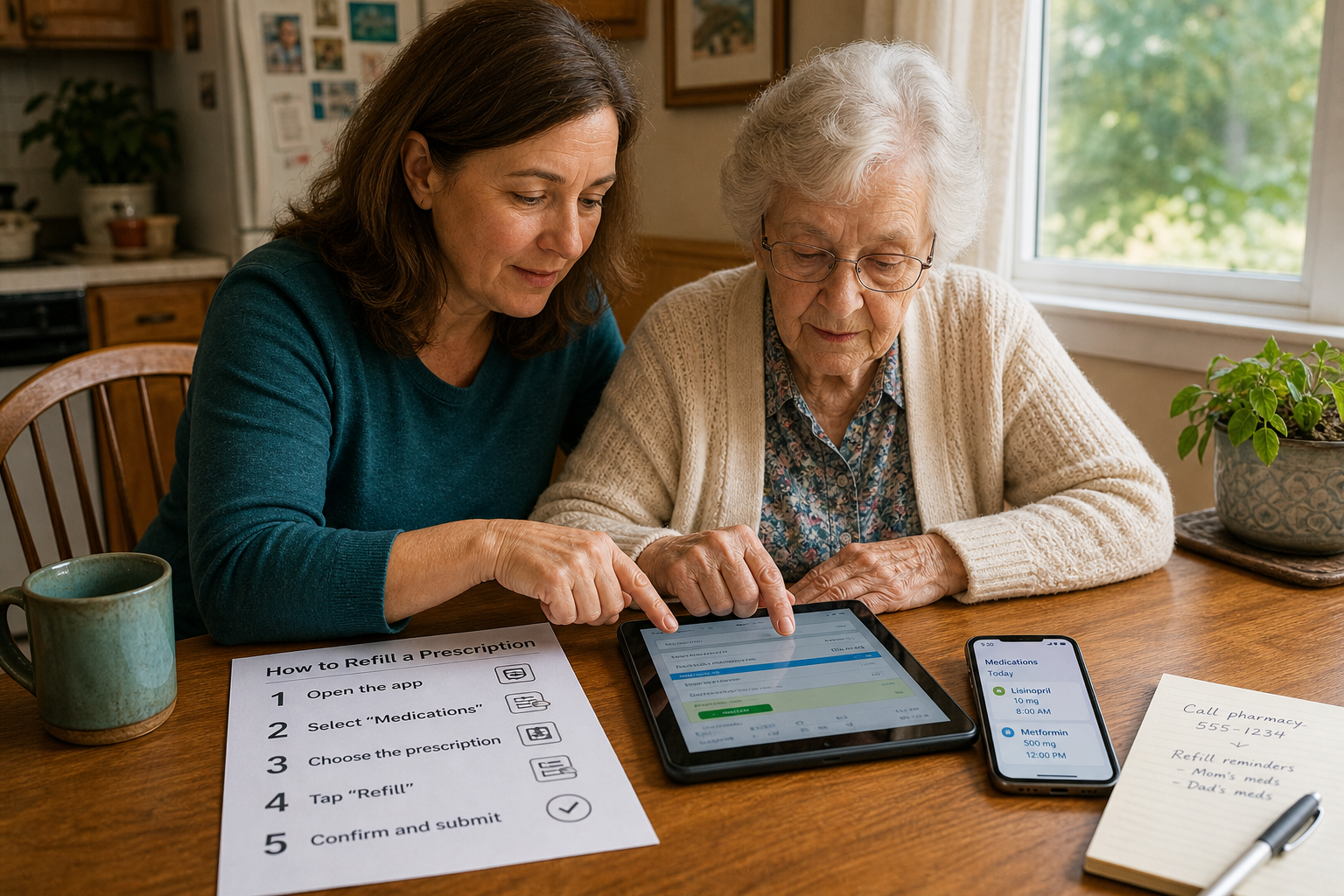
It is easy to dismiss a parent's sudden difficulty with a smartphone or TV remote as a normal part of getting older. But according to Dr. Douglas Scharre, a neurologist at the Ohio State Wexner Medical Center, the way a person struggles with technology can be an early indicator of cognitive decline — distinct from the gradual slowing that comes with healthy aging.
The difference lies in the pattern. A healthy older adult might be slow to learn a new interface but can eventually adapt with repetition. A person with emerging cognitive impairment, however, may begin to struggle with devices they have used successfully for years. Specific warning signs include:
- Repeated password confusion on accounts they previously managed without issue
- Inability to adapt to routine software or app updates that once caused no trouble
- Sending confusing, rambling, or uncharacteristically short emails and text messages
- Blaming the device itself — claiming it is "broken" or "hacked" — when the real issue is a forgotten step
- Abandoning previously enjoyed online activities like photo sharing, video calls, or online bill review
This distinction matters because the teaching approach that works for a healthy older adult — patience, repetition, and encouragement — often backfires for someone with cognitive decline. The standard advice to "just practice more" ignores the underlying neurological changes that make learning and recall fundamentally different. Recognizing this shift is the first step toward a more effective, compassionate strategy.
The Three-Phase Approach: Do Together, Write It Down, Simplify the Tool
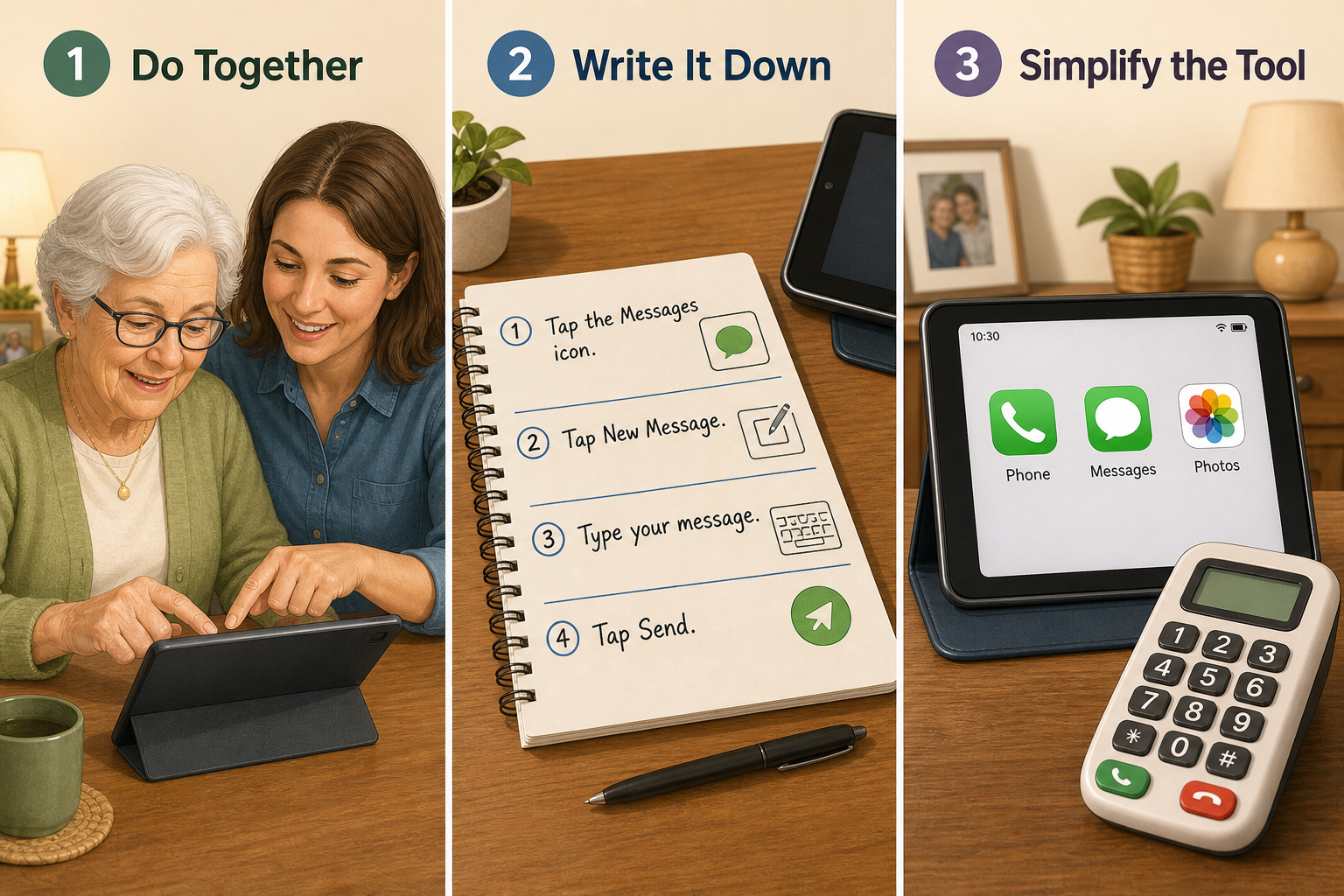
Once you recognize that your parent's tech struggles are rooted in cognitive change rather than normal aging, the next step is to adopt a teaching framework designed for memory impairment. Dr. Scharre's team at Ohio State recommends a three-phase approach that shifts the goal from full mastery to partial independence. The objective is not to make your parent a confident user of every feature — it is to preserve their ability to do the things that matter most: calling family, taking medications on time, and staying safe.
The three phases are sequential but not rigid. You may move back and forth between them depending on the task and the day. A person who can manage a video call with guidance one week may need the task simplified the next.
| Phase | What It Means | Best Used For |
|---|---|---|
| Do It Together | Sit beside the person and guide them through each step without taking over | Tasks the person can still do with verbal or visual prompting |
| Write It Down | Create large-print, numbered, one-action-per-step instructions placed near the device | Tasks the person can do independently if they do not have to remember the steps |
| Simplify the Tool | Replace complex devices with pre-programmed or simplified alternatives | Tasks that remain important but are too complex for the current cognitive level |
Each phase is described in detail below, with specific techniques you can apply today.
Phase 1: Do It Together — Sitting Beside, Not Taking Over
The most common mistake caregivers make is taking the device out of their parent's hands and completing the task for them. It is faster, less frustrating in the moment, and feels helpful. But research shows it is counterproductive. A focus group study by Vaportzis and colleagues, published in 2017, found that older adults who had tasks completed for them by family members experienced increased frustration and lost the opportunity to learn. The act of doing — even slowly and imperfectly — is essential to maintaining whatever skill remains.
The "do it together" technique is simple in concept but requires discipline in practice:
- Sit beside your parent, on the same side of the device, so you are both looking at the same screen
- Use verbal cues rather than physical intervention: "Tap the green phone icon" instead of reaching over and tapping it yourself
- If they hesitate, count to five before offering help — processing delay is normal, and premature intervention undermines confidence
- Praise the action, not the outcome: "Good, you found the button" rather than "Good, the call went through"
- End the session on a success, even if it is a small one — a completed call, a seen photo, a checked reminder
This approach works best for tasks that are still within your parent's capability range but require prompting. A person with early-stage dementia may be able to make a video call to a grandchild if guided step by step, but cannot initiate the call independently. That is a win worth preserving.
Phase 2: Write It Down — Creating Step-by-Step Instructions That Work
For a person with memory impairment, the gap between knowing how to do something and being able to recall the steps in the moment is the primary barrier to independence. Written instructions bridge that gap by offloading the memory demand onto the page.
Dr. Scharre's team emphasizes that written step-by-step guides are more effective than verbal teaching for people with memory loss. The Vaportzis study corroborates this: participants specifically requested hardcopy guides with large text and clear, sequential steps. Here is how to create instructions that actually get used:
- Use a font size of at least 18 points — standard print is too small for many older adults, especially those with age-related vision changes
- Number each step and include only one action per step
- Place the instructions where the device is used: taped to the back of the tablet case, beside the landline phone, on the refrigerator near the medication reminder tablet
- Use simple, consistent language: "Press the green button with the phone icon" not "Initiate a call using the dialer application"
- Laminate the page or place it in a clear plastic sleeve so it survives kitchen spills and repeated handling
- Update the instructions when the interface changes — a single app update can render a written guide useless overnight
Written instructions are not a cure-all. They work best for tasks that follow a consistent, linear sequence — making a phone call, checking a medication reminder, turning on a tablet. They are less effective for tasks that require judgment, like evaluating whether an email is a scam or deciding which app to use for a given purpose.
Phase 3: Simplify the Tool — Pre-Programmed Devices and Simplified Interfaces
When written instructions are no longer enough, the next step is to simplify the technology itself. This does not mean giving up on your parent's independence — it means matching the tool to their current cognitive level.
The CARES framework, published in 2024 by Kiselica and colleagues in the journal Alzheimer's & Dementia, provides a research-backed rationale for this approach. The framework emphasizes that technology must be matched to both the disease stage and the specific clinical syndrome. A tool that works for a person with amnestic mild cognitive impairment may be overwhelming for someone in the middle stage of Alzheimer's disease.
Practical simplification strategies include:
- Replace a standard smartphone with a simplified tablet like GrandPad, which offers a locked-down interface with large icons, no pop-up ads, and a simplified email and photo system
- Install a pre-programmed landline phone with one-button speed dialing and oversized number keys — no menu system, no voicemail password, no confusion
- Reduce the home screen of any device to only three or four essential apps: phone, camera, medication reminder, and one communication app (FaceTime, WhatsApp, or similar)
- Remove or hide all other apps, settings icons, notification banners, and system alerts that create cognitive noise
- Enable guided access or single-app mode on tablets so the device cannot accidentally navigate away from the intended app
| Device Type | Standard Version | Simplified Alternative | Key Benefit |
|---|---|---|---|
| Phone | Smartphone with full app store | GrandPad or simplified tablet | Locked-down interface, no pop-ups, large icons |
| Landline | Multi-handset system with menus | One-button speed-dial phone | No menus, no passwords, single action per call |
| Tablet | Full iPad or Android tablet | Guided access mode with 3–4 apps | Cannot accidentally leave the intended app |
| TV Remote | Universal remote with 40+ buttons | Simplified remote with 5 buttons | Reduces confusion between volume, input, and streaming controls |
The goal of simplification is not to infantilize — it is to remove the cognitive barriers that stand between your parent and the activities that matter. A person who can no longer navigate a smartphone may still be able to make a video call on a GrandPad. That call may be the highlight of their week.
When to Take Over: Knowing the Shift from Teaching to Managing
There comes a point in the progression of dementia when teaching is no longer the right strategy. Dr. Scharre's guidance is direct: when internet-based tasks like bill pay, email management, and online shopping become too confusing for your parent, it is time to take over those tasks entirely.
This transition is emotionally difficult for both parties. Your parent may feel a loss of autonomy. You may feel guilty for "taking away" something they once enjoyed. But the alternative — allowing them to continue struggling with financial tasks — carries real risks: missed payments, double payments, subscription scams, and identity theft.
The key is to take over without excluding. Dr. Scharre recommends keeping your parent engaged by having them provide input rather than being shut out entirely. For example:
- Instead of taking over bill pay silently, ask your parent each week: "Which bills need to be paid?" and let them hand you the paper statements
- Instead of managing their email without their knowledge, sit with them weekly and read through the inbox together, letting them decide which messages to delete
- Instead of canceling their credit card, set a low daily spending limit and review transactions together each month
If you find that the demands of managing your parent's technology, finances, and daily tasks are exceeding what you can handle alone, it may be time to consider professional support. Our guide to 24-hour care for a parent with dementia can help you understand what level of support is appropriate for your parent's current stage, and our comparison of private sitters vs. home care agencies for dementia can help you choose the right model of care.
Safety First: Scam Vulnerability by Dementia Type
Technology safety for a person with dementia goes beyond preventing falls or wandering. The most immediate and financially damaging risk is scams. According to Dr. Scharre, different dementia types create different vulnerability profiles, and the approach to safety must be tailored accordingly.
| Dementia Type | Primary Risk | Recommended Safeguard |
|---|---|---|
| Amnestic (Alzheimer's type) | Forgetting they already paid a bill; reordering items; falling for repeat scams because they do not remember the previous attempt | Memory supports: written payment logs, autopay for recurring bills, single shared email account monitored by the caregiver |
| Frontotemporal | Disinhibition and poor judgment; giving out financial information freely; falling for high-pressure phone scams | Financial safeguards: limited debit card access, changed email address, family safety word for phone verification, credit freeze |
| Vascular dementia | Slowed processing speed makes it hard to evaluate urgency claims; may comply with demands to avoid appearing confused | Time-pressure safeguards: a rule to never act on any request without 24-hour delay, all calls screened by voicemail |
The Alzheimer's Association offers additional practical guidance that applies across all dementia types:
- Agree on a family safety word that must be used in any phone call requesting money or personal information — this protects against AI voice cloning scams that mimic a family member's voice
- Remind your parent regularly that no legitimate business or government agency will demand payment by gift card, wire transfer, or cryptocurrency
- Change your parent's primary email address to a new one that only you monitor, and set up forwarding from the old address so you catch scam attempts
- Place a credit freeze with all three major credit bureaus (Equifax, Experian, TransUnion) to prevent new account fraud
- Set up bank fraud alerts that notify you of any unusual transactions over a low threshold, such as $100
For a broader approach to home safety that includes technology-specific measures, see our room-by-room safety and daily care guide for dementia at home. If you are considering monitoring technology to reduce worry about scams and safety, our worry-profile guide to elderly monitoring systems can help you choose the right system based on your specific concerns.
Getting a Baseline: The SAGE Test for Early Detection
If you are reading this guide because your parent is already struggling with technology, you may be wondering whether these difficulties are part of a broader cognitive decline. Dr. Scharre recommends the Self-Administered Gerocognitive Exam (SAGE) as a free, online baseline assessment tool developed at Ohio State.
The SAGE test takes about 15 minutes and can be completed at home without a clinician present. It assesses orientation, language, memory, executive function, and visuospatial skills — the same cognitive domains that affect technology use. The results are not a diagnosis, but they provide a baseline score that your parent's doctor can use to track changes over time.

Here is how to use the SAGE test effectively:
- Download the test from the Ohio State Wexner Medical Center website — it is free and requires no registration
- Have your parent complete it alone, without assistance, in a quiet room
- Do not coach or prompt — the purpose is to get an accurate picture of their independent cognitive function
- Score the test using the provided scoring sheet, or take it to their primary care physician for scoring and interpretation
- Repeat the test every 6–12 months to track changes, and bring both old and new results to medical appointments
Establishing a baseline is particularly valuable because cognitive decline is often gradual. A single score tells you little, but a downward trend over 12 to 18 months provides objective evidence that something is changing. This can help you make informed decisions about when to introduce simplified devices, when to take over financial tasks, and when to seek additional support.
If the SAGE test confirms your concerns, our decision guide for signs your parent needs home help can help you evaluate the next steps, from in-home support to monitoring technology that can reduce care costs while keeping your parent safe.
Related reading
Noticed something outdated or inaccurate on this page? Flag a correction. We review every report against CDC, NIA, and AARP HomeFit guidance before updating a page.
Part of the Fall Prevention section.