
Caregiver decision guide
Does the Garmin Fenix 9 Fall Detection Work for Seniors?
The Garmin Fenix 9's fall detection only alerts emergency contacts during tracked outdoor GPS activities — it misses indoor falls and never calls 911. This guide explains the exact conditions that must be met, how to set the watch up, and how to run a supervised test drill before trusting it.
The short answer for anyone shopping around the phrase “Garmin Fenix 9 fall detection for seniors” is this: the Fenix 9 should be treated as having Garmin Incident Detection, not general-purpose senior fall detection. That distinction matters. Incident Detection is built around supported outdoor GPS activities, such as a recorded walk, run, or ride. It is not a promise that someone will be alerted if your parent falls in the kitchen, gets up at night, or slips on the stairs while no activity is being tracked.
When the conditions are right, Garmin’s safety workflow can be genuinely useful: the watch detects a possible incident during an eligible activity, gives the wearer a chance to cancel, and then uses Garmin Connect to send emergency contacts the wearer’s location and a LiveTrack link. Garmin’s own manual also says the feature is supplemental and that Garmin Connect does not contact emergency services on the wearer’s behalf.[1]
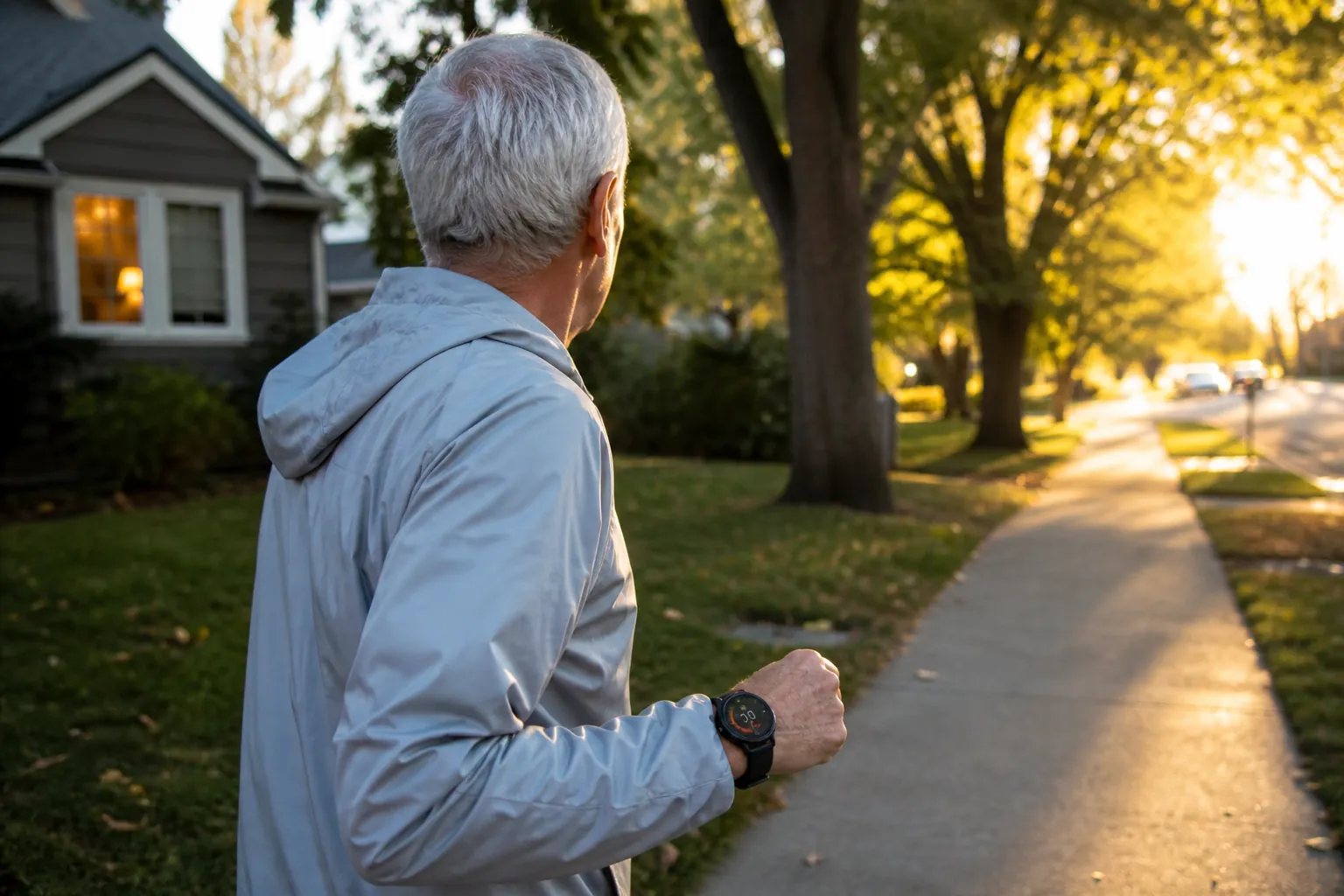
So the buying decision is narrower than the product name makes it sound. For an active older adult who reliably starts a tracked outdoor walk and keeps the required alert path available, the Fenix 9 can be a useful safety layer. For a fall-prone parent whose biggest risk is inside the home, it should not be the only protection plan.
One caution belongs up front: as of Aug. 25, 2026, Fenix 9-specific launch materials should be checked directly before purchase, especially for LTE, satellite, or inReach claims. The core Garmin Incident Detection behavior described here is drawn from Garmin’s current fēnix safety documentation and related Garmin safety materials; any Fenix 9 tier-specific claim still needs confirmation against the official Fenix 9 product page before a family relies on it.
What has to happen before anyone is alerted
The most useful way to judge this feature is to follow the alert chain, not the sensor list. A fall-safety feature is only as strong as the steps between “something happened” and “the right person knows where to go.”
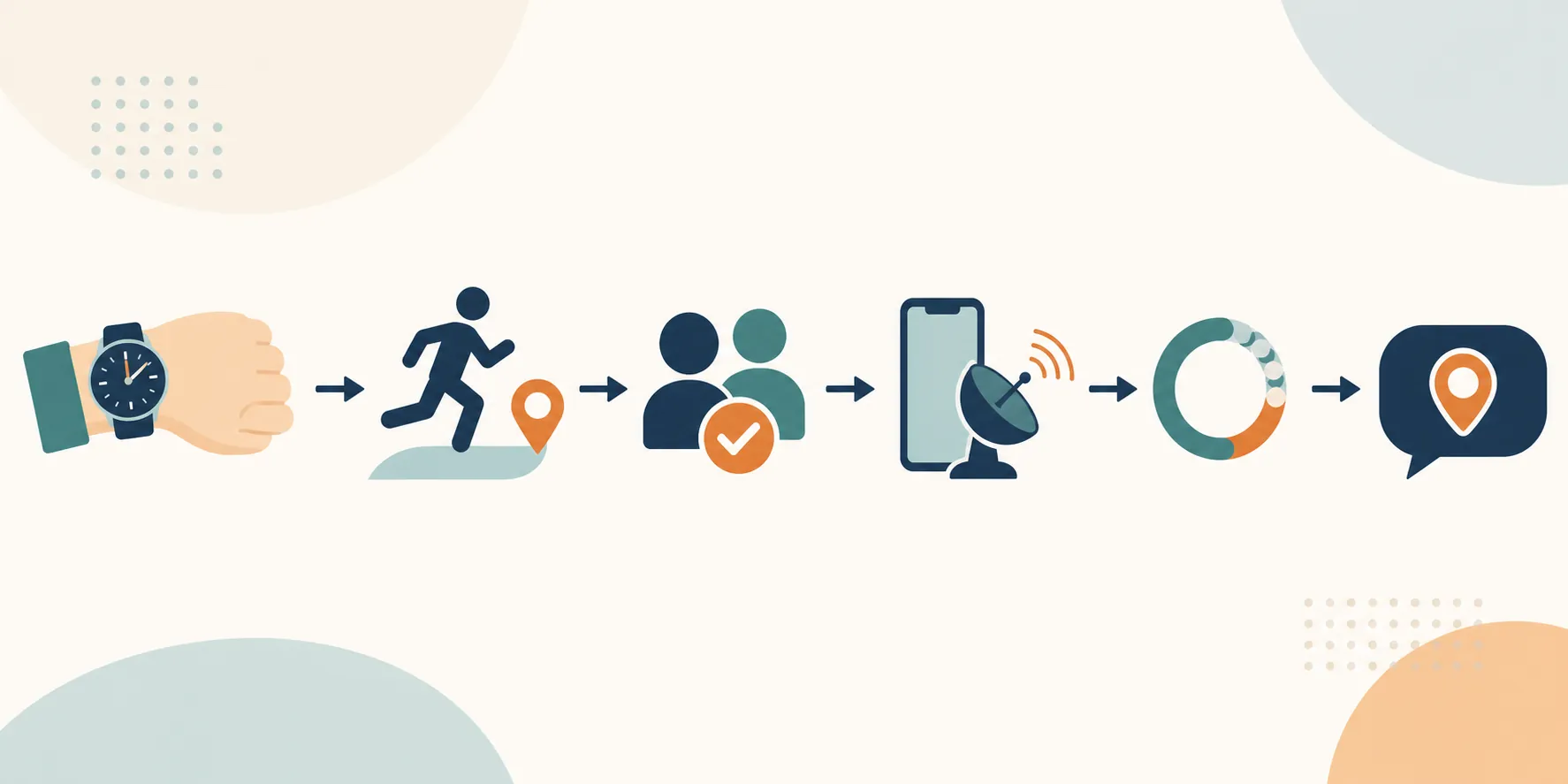
| Condition | What it means for a senior using the watch |
|---|---|
| The watch must be worn and functioning | If the watch is off the wrist, out of battery, or not being used, there is no alert chain to start. |
| A supported GPS activity must be actively recording | A normal day around the house is not enough. The senior needs to start an eligible activity, such as an outdoor walk, when they go out. |
| Emergency contacts must be set up and accepted | Adding a name is not the end of setup. Contacts need to receive and accept the invitation before they are part of the alert path. |
| A delivery path must be available | For most configurations, that means a paired phone with connection and data. If a Fenix 9 tier officially supports a phone-free inReach path, the plan and service status still have to be active. |
| The alert must not be canceled during the countdown | Garmin gives the wearer a brief chance to cancel if the watch misreads motion as an incident. |
Garmin’s fēnix manual describes Incident Detection as available for certain outdoor activities and says it uses the paired phone’s Garmin Connect app to notify emergency contacts. It also warns that this is a supplemental feature and should not be relied on as a primary method for emergency assistance.[1][2]
That “certain outdoor activities” wording is not a footnote. It is the boundary of the feature. A senior who starts a tracked neighborhood walk every morning is using the watch in the scenario Garmin designed for. A senior who wears the same watch while making coffee, showering, carrying laundry, or walking from bed to bathroom is not.
What contacts receive
When the alert goes through, Garmin’s safety feature sends designated emergency contacts a message with the wearer’s name, GPS coordinates, and a LiveTrack link so the contact can see the wearer’s location. Garmin’s manual describes a short cancellable countdown before the message is sent; the fēnix 8 manual uses about 15 seconds, while some setup walkthroughs describe a longer countdown on other Garmin devices or app versions, so families should look at the behavior on the actual watch they are configuring.[1]
The missing recipient is just as important: Garmin is not calling 911. It is not routing the incident to a monitoring center. It is telling the people you named, assuming they accepted the setup and the message can be delivered.[1]
Incident Detection is different from Assistance
Garmin uses two safety ideas that caregivers can easily blur together.
- Incident Detection is automatic, but only within its supported activity conditions. It tries to recognize that something abrupt happened during an eligible GPS activity.
- Assistance is manual. The wearer deliberately holds the watch control until the watch vibrates or shows the emergency countdown, then the watch sends the alert if it is not canceled.
Assistance can be valuable for an older adult who feels chest pain on a walk, gets disoriented, twists an ankle, or notices a threatening situation before a fall ever occurs. It also requires the wearer to be conscious, oriented, and physically able to trigger it. The exact button-hold duration is not the thing to memorize from an article, because Garmin models and app walkthroughs vary. The family should practice on the actual watch until the senior knows what the vibration, screen, and countdown look like.
Garmin’s fēnix 8 Pro materials introduced a higher-end safety path involving inReach technology and Garmin Response on compatible service tiers, which is different from the usual phone-dependent Garmin Connect path.[3] That is promising for backcountry hiking or a phone left behind, but it should not be assumed for every Fenix 9 model. If the Fenix 9 listing says LTE, satellite, inReach, or emergency response, verify exactly which model includes it, whether a subscription is required, and whether the alert goes only to personal contacts or can reach a response center.
The biggest no: ordinary indoor falls
The uncomfortable gap is that many caregiver fears are indoor and unplanned. The parent is not “doing an activity.” They are living. They are getting out of a chair, stepping into the shower, reaching into a cabinet, turning too quickly in a hallway, or carrying a plate from the kitchen.

That mismatch is not a minor technicality. The CDC says more than one in four older adults falls each year, and falls are a leading injury concern for older adults.[4] A descriptive analysis of medically treated older-adult fall locations also found that falls were more likely to occur in the home than in public locations.[5] A watch feature designed to operate during recorded outdoor GPS activities can still be helpful, but it is aimed at only one slice of the real fall-risk picture.
This is where the language can accidentally mislead families. “Fall detection” sounds like a broad household safety net. Garmin Incident Detection is closer to “possible crash or incident detection while certain activities are being tracked.” Those are not the same promise.
Common situations where the Fenix 9 should not be trusted to alert anyone
- A fall in the kitchen while no activity is recording.
- A nighttime bathroom fall when the watch is being worn only as a watch.
- A stumble on the porch before the senior starts a tracked walk.
- A fall during an unsupported activity type.
- A walk where the paired phone is at home, dead, disconnected, or without service, unless the specific Fenix 9 model and plan have a confirmed phone-free emergency path.
- Any situation where the family expects Garmin itself to call 911.
None of this makes the watch useless. It means the family needs to put it in the right lane. If the senior’s treasured routine is a two-mile loop through the neighborhood, and the watch helps them keep doing that with a little more backup, that is a legitimate benefit. It simply does not solve the fall that happens between the bedroom and the bathroom.
Anecdotes are a reason to test, not proof of reliability
User reports around Garmin Incident Detection are mixed in exactly the way a family should expect from a motion-based safety feature. Tom’s Guide described one real-world running fall where a Garmin watch did not send an alert, while casual jumps triggered false incident alerts.[6] That is useful reporting, but it is not a controlled reliability study. It does not prove that Garmin watches usually miss hard falls, and it does not prove that false alerts are common.
It does prove something more practical: your family should not discover the workflow for the first time during a real fall. The senior should know what the countdown looks like. Contacts should know what the alert message looks like. Everyone should know who calls whom, who checks the LiveTrack link, and who is close enough to go look.
Jacob S. Paulsen’s practical guidance on Garmin Incident Detection makes a similar point from real use: choose contacts who can act, consider adding someone local, and do not reflexively cancel an alert after a crash until you know you are actually okay.[7] That advice is especially relevant for older adults, because the best emergency contact may not be the adult child who loves them most; it may be the neighbor who can be at the corner in three minutes.
How to set it up before your parent relies on it
Do the setup with the watch, the paired phone, and at least one emergency contact present or reachable. This is not the moment to rush through screens while your parent is waiting by the door for a walk.
- Pair the watch to the senior’s own phone in Garmin Connect. If the senior normally walks without that phone, stop here and verify whether the exact Fenix 9 model has a confirmed phone-free alert path and active service.
- Open Garmin Connect and go to the safety settings. Android Police’s walkthrough places this under More > Safety & Tracking > Safety Features > Add Emergency Contact, though app layouts can change.[8]
- Add emergency contacts who can realistically respond. Include at least one nearby person if possible, not only distant relatives.
- Make sure each contact accepts the invitation. A pending invitation is not the same as a working emergency contact.
- Turn on Incident Detection for the activity types the senior actually uses, such as Walk, if supported on the device.
- Show the senior how to start the correct outdoor activity before leaving the house. The habit matters more than the menu.
- Show the senior the Assistance control and the cancellation screen. Practice until they understand the difference between canceling a false alarm and letting a real alert go out.
The contact list deserves more thought than most families give it. The first person listed should not automatically be the adult child who lives across the state and keeps their phone on silent during meetings. A good alert plan has at least one person who can look at a map, call the senior, call 911 if needed, and either go to the location or send someone who can.
This setup also belongs inside a broader fall-prevention plan, not beside it. Strength, balance, medication review, vision checks, footwear, lighting, grab bars, and clutter control still do more for everyday risk than a watch alert after something has already happened. If your family is building that bigger plan, start with practical prevention habits like those in how to stay healthy and independent after 70.
Run a supervised test drill
The safest drill is not a staged fall. Do not ask an older adult to drop, stumble, jump, or fake a crash to see whether a sensor reacts. Test the alert pathway: setup, connection, message delivery, location link, and family response.
- Tell all emergency contacts this is a scheduled test. Ask them to keep their phones available.
- Start outside, where GPS can lock, with the senior wearing the watch and carrying the phone if the model depends on it.
- Start the exact activity the senior will use on real walks, such as Walk.
- Confirm that the phone remains connected and has data service.
- Use the manual Assistance feature to send a test alert if everyone has agreed in advance, or begin by practicing up to the countdown and canceling before the message sends.
- Have each contact confirm what they received: text, email, name, location, map link, and time.
- Have the primary contact describe their next step out loud: call the senior, call a neighbor, drive over, or call 911.
- Repeat the drill after major changes: new phone, new watch, changed emergency contacts, app reinstall, subscription change, or a long period of not using the feature.
A drill often reveals the weak part of the plan. Maybe the senior starts an Indoor Walk by habit instead of an outdoor GPS walk. Maybe the emergency contact never accepted the invitation. Maybe the paired phone stays on the kitchen counter. Maybe the person who receives the alert has no idea whether to call 911 or first call the senior. These are fixable problems, but only if they show up before the next real walk.
How it compares with a medical alert device
A sports watch, a smartwatch, and a medical alert system can all use similar language around falls, but they do different jobs. The distinction is detect, notify, dispatch.
| Device type | Best fit | Important limitation |
|---|---|---|
| Garmin Fenix 9 with Incident Detection | Active senior who records outdoor GPS walks, runs, rides, or hikes and wants contacts notified with location if an incident is detected | Not a general home fall detector; does not call 911 through Garmin Connect |
| General smartwatch with broader fall-detection features | Senior who wants a more everyday wearable safety feature and is comfortable with a smartwatch ecosystem | Still depends on model settings, connectivity, battery, wearer behavior, and emergency workflow |
| Medical alert device or monitored watch | Fall-prone senior, especially someone living alone or at high risk indoors | May feel more medical, may require a subscription, and may be less appealing to an active senior who wants a full fitness watch |
NCOA’s 2026 review of medical alert watches treats monitored alert response as a separate category from ordinary smartwatch safety features, which is the right frame for this decision.[9] A monitored medical alert device is not automatically better for every older adult, but it answers a different question: not just “can a device notice something?” but “who is responsible for dispatching help when the wearer cannot manage the next step?”
If cost or coverage is part of the family discussion, do not assume a premium sports watch, medical alert subscription, or home safety equipment will be handled the same way by insurance. For broader planning around benefits and parent-care costs, see how to choose a Medicare Advantage plan for a parent.
When the Fenix 9 makes sense for a senior
The Fenix 9 makes the most sense when the older adult already wants the watch for its fitness, navigation, outdoor, and training features, and the safety workflow is an added layer. It is a reasonable fit for the parent who enjoys walking routes, hikes, bike rides, golf, or other tracked outdoor routines and will actually start the activity before leaving.
It is a poor fit as the only fall-safety tool for someone with frequent unexplained falls, worsening balance, cognitive changes, or a pattern of falls inside the home. A fall can also be a health signal, not just a logistics problem; if your parent has had a new or unexplained fall, it may be worth reviewing possible medical or cognitive causes, including the issues discussed in whether a parent’s fall can be an early dementia warning sign. This article is not medical advice, and a clinician should evaluate new, repeated, injurious, or unexplained falls.
The family decision can be simple. Buy or keep the Fenix 9 if the senior likes it, will wear it, will start tracked outdoor activities, and has a tested alert path to people who can act. Do not let the phrase “fall detection” stand in for a home fall plan. Before the next walk, set up the contacts, run the drill, and watch the alert reach the right person on a real phone.
References
- Safety and Tracking Features, Garmin
- Turning Incident Detection On and Off, Garmin
- fēnix 8 Pro press release, Garmin
- Facts About Falls, Centers for Disease Control and Prevention
- A descriptive analysis of locations of falls among older adults, PubMed Central
- I had a bad fall while running — why didn’t my Garmin watch notice?, Tom’s Guide
- When Garmin Incident Detection Actually Matters, Jacob S. Paulsen
- How to set up emergency contacts on your Garmin watch, Android Police
- Best Medical Alert Watches of 2026, National Council on Aging, 2026
Questions to bring to a clinician or OT
This is not medical, legal, or a family's final decision — only a framework. Bring these questions to a clinician, occupational therapist, or your local Area Agency on Aging.
Find Local HelpRelated reading
Noticed something outdated or inaccurate on this page? Flag a correction. We review every report against CDC, NIA, and AARP HomeFit guidance before updating a page.