Radar vs. Camera Fall Detection: How to Choose the Right System for Your Aging Parent
For: adult childReviewed: 2026-07-05
Radar vs. Camera Fall Detection: How to Choose the Right System for Your Aging Parent
Deciding between radar and camera fall detection? This comparison breaks down the privacy, accuracy, and coverage trade-offs to help you choose the best fit for your parent's home and preferences.
By Editorial Team
new caregiver
experienced caregiver
long-distance caregiving
spousal caregiver
working caregiver
daily routines
medication management
personal hygiene
care coordination
first steps
ADLs
IADLs
The hard part of choosing between radar fall detection vs camera monitoring for seniors is not the word “radar” or “AI.” It is the closed bathroom door. It is the hallway where your parent steadies himself on the wall. It is knowing that a camera might show you what happened, while also knowing exactly why your parent may not want one pointed at the rooms where a fall is most likely to become serious.
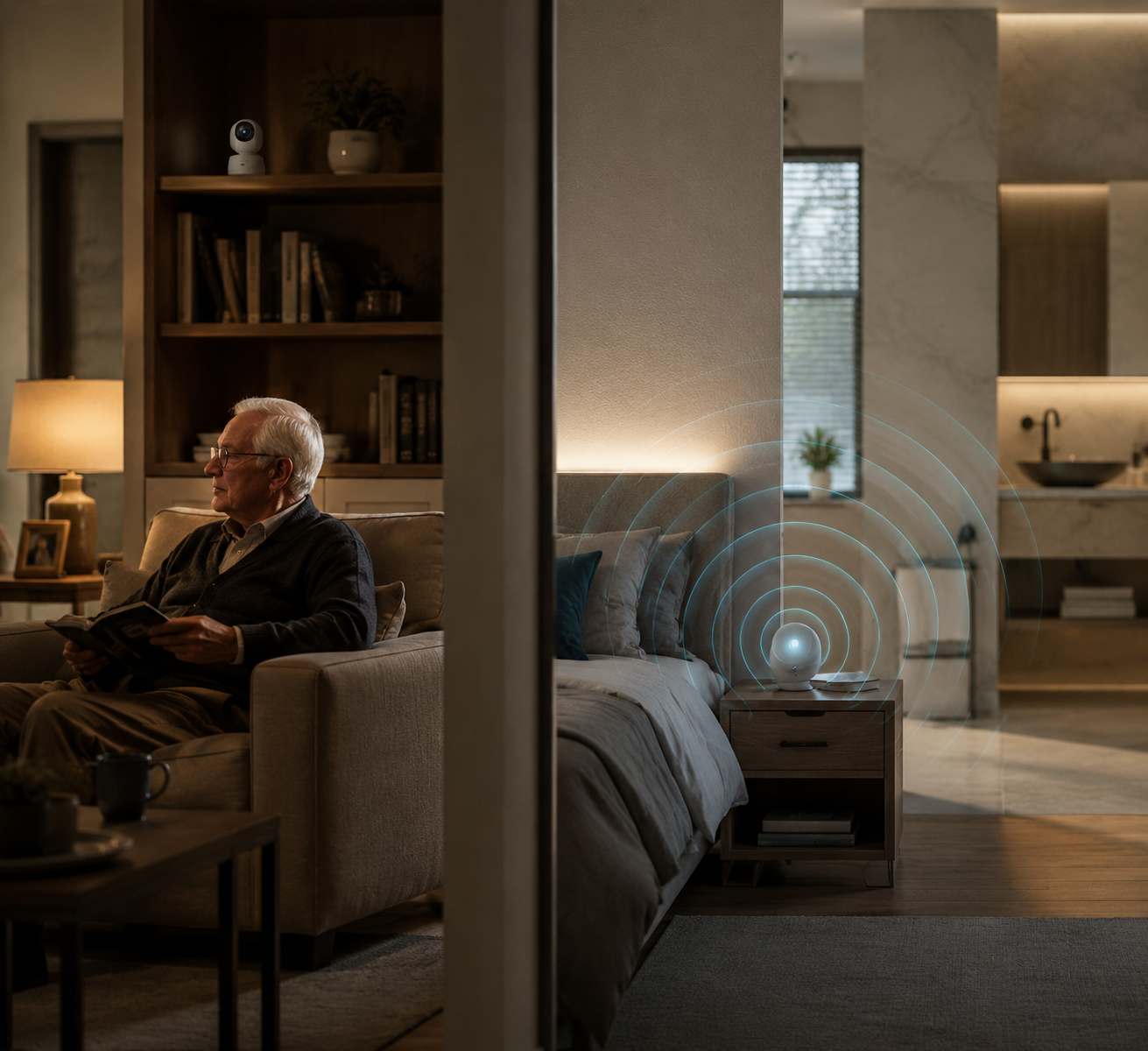
Radar and cameras are both trying to solve the same family fear: a fall that no one sees. They ask for different concessions. A camera asks for visibility. Radar asks you to trust a system that detects motion, posture, and presence without showing you a picture. For an aging parent living at home, that difference is not cosmetic. It can decide which rooms get covered, which alerts are believed, and whether the system stays plugged in after the first week.
The fear is not exaggerated. The CDC says more than one in four older adults falls each year, falls are the leading cause of fatal and nonfatal injuries among adults 65 and older, and falling once doubles the risk of falling again.[1] After a second fall, most families stop debating whether monitoring is “too much” and start asking which kind of monitoring can be lived with.
Radar vs. camera fall detection at a glance
This comparison is category-level, not a buying guide. Individual products vary, and a well-installed modest system can outperform an expensive one placed in the wrong room. Still, the main trade-offs are consistent enough to map before you invite a salesperson, download an app, or start drilling holes.
Decision factor
Radar fall detection
Camera monitoring
Privacy model
Does not capture images or video. It senses movement patterns and presence, which makes it fundamentally different from hiding or blurring a video feed.
Captures visual information unless disabled, masked, or restricted by settings. Privacy depends on configuration, access controls, and trust.
Fall-detection performance
Research is getting stronger. A 2026 mmWave radar study reported 97.9% fall-detection accuracy in a 144m² indoor space with obstacles, but used simulated falls and healthy participants in a controlled setting.[2]
Can detect falls through computer vision when the person is visible. Broader fall-detection research reports accuracy from 75% to 100% across modalities, with no perfect real-world technology.[3]
Best room fit
Strong fit for bathrooms, bedrooms, and other private spaces where continuous monitoring matters but a camera feels unacceptable.
Better fit for living rooms, kitchens, entryways, porches, and other shared or security-relevant areas where visibility has been openly agreed to.
Lighting, steam, and obstacles
Can work in darkness, steam, and some obstructed conditions, according to radar-focused senior-monitoring materials.[4][5]
Depends on line of sight and image quality. Darkness, steam, glare, and blocked views can reduce usefulness unless the system has appropriate night vision or placement.
Visual verification
Cannot show whether your parent is bleeding, trapped under furniture, or waving off help. Alerts require a call, check-in, or responder workflow.
Can show visual context after an alert, which helps caregivers judge urgency, injury severity, and whether emergency services are needed.
Older adult acceptance
Often easier to discuss in private rooms because there is no image feed. Vendor and industry materials report that 40–60% of seniors may decline in-room cameras, though that figure should not be treated as universal.[4][5]
Acceptance depends heavily on room, relationship, and consent. A parent may accept a living-room camera and still refuse one in the bedroom or bathroom.
Response workflow
Usually depends on automated alerts plus a caregiver, call center, community staff, or emergency workflow. Passive detection can reduce delays, but the alert still needs someone responsible on the other end.
Adds visual confirmation to the workflow. That can reduce uncertainty, but it also creates access decisions: who can view the feed, when, and for what purpose.
Cost and subscription
Consumer radar fall sensors are commonly described in the $100–300 upfront range, but monitoring fees may still apply.[6]
Camera systems range widely, from about $30 consumer cameras to $300+ professional systems, with many monitoring subscriptions around $20–50 per month.[6]
The privacy question is really a coverage question
Families often talk about privacy as if it sits politely beside safety: nice to preserve, but secondary once falls enter the picture. In a real home, privacy is often what makes safety coverage possible at all. If your parent refuses the bedroom camera, the system does not become more ethical; it becomes less useful. The room remains unmonitored.
That is why radar’s advantage is not simply that it is “less invasive.” It is private in a different way. A camera with privacy settings still begins with an image and then limits, masks, stores, or restricts that image. Radar fall detection does not capture images in the first place. It measures reflected radio waves to infer motion and position. That does not make every radar product automatically trustworthy, but it changes the starting point of the conversation.
This matters most in the rooms families least want to discuss. A bathroom is exactly where steam, wet floors, nighttime urgency, and embarrassment collide. A bedroom is where a parent should not have to perform dignity for a device. Materials from Helpany and Vayyar report that 40–60% of seniors may decline in-room cameras, creating gaps in private areas; because those are vendor and industry sources, the number is best read as a warning signal rather than a universal refusal rate.[4][5]
The lived objection is easy to understand. Aging Untold’s discussion of home cameras frames the bathroom and bedroom dilemma from the older adult’s side: a device that reassures the adult child can feel like surveillance to the person who must sleep, dress, shower, and recover under it.[7] A system that your parent quietly disables is not a safety system. It is an argument waiting to happen.
A practical privacy conversation should name the rooms, not just the technology. “Would you allow a camera?” is too broad. Many parents will answer differently if the locations are the entryway, kitchen, favorite chair, bedroom, and bathroom. For a deeper way to structure that conversation, see monitoring an aging parent without violating their privacy or dignity.
Accuracy is promising, but the home is messier than a study
Radar deserves serious attention on performance, not just on privacy. A 2026 Nature Scientific Reports study of mmWave radar reported 97.9% fall-detection accuracy across a 144m² indoor space with structural obstacles and 10 subjects.[2] That is the kind of result that makes radar harder to dismiss as a compromise for families who cannot use cameras in private spaces.
The limits are just as important as the number. The study used simulated falls, healthy participants aged 18 and older, and a controlled indoor environment.[2] That is not the same as an 84-year-old with neuropathy, a walker parked at an odd angle, a dog underfoot, laundry on the floor, and a bathroom rug that should have been removed last year.
The broader evidence base also argues against overconfidence. A 2024 JAMDA scoping review of 73 fall-detection studies across modalities found reported accuracy ranging from 75% to 100% and concluded that no single technology achieves perfect real-world performance.[3] The review covered studies through September 2023, so it does not fully capture newer 2025–2026 radar products, but its caution still belongs in the room.
Vendor-published outcomes can be useful, but they should sit in the right evidence drawer. Helpany reports that communities using radar-based AI saw 63–72% monthly fall reductions and up to 80% fewer fall-related 911 calls.[4] Those are promising operational claims, not independent randomized-trial proof that the same result will occur in your parent’s house. Community staffing, alert protocols, resident behavior, and baseline fall risk all affect outcomes.
For families, the accuracy question becomes practical: What kind of error can you tolerate, and where? A false alert from the bathroom at 2 a.m. is annoying, but a missed fall in the bathroom is worse. In a living room camera, a false alert may be easier to verify visually. In a bedroom radar setup, the response plan has to be clearer because there is no image to inspect.
Where cameras still earn their place
Cameras are not obsolete. They answer questions radar cannot answer. Is Dad conscious? Is he wedged between the bed and wall? Did he slide down slowly, or did he strike his head? Is there water on the floor, smoke in the kitchen, a stranger at the door, or a paid caregiver who needs oversight everyone has agreed to? Radar may alert you that something happened. A camera can sometimes show what happened next.
That makes cameras more defensible in shared spaces: living room, kitchen, entryway, porch, garage approach, or an exterior door. These are places where visibility already exists in ordinary life. A parent may accept a camera aimed at the front door while refusing one in the bedroom, and that distinction should be respected rather than treated as inconsistency.
Camera systems also support security monitoring in a way radar fall sensors usually do not. If the concern includes wandering near exits, unknown visitors, package theft, or confirming whether a caregiver arrived, visual context may be the point. The privacy burden is higher, so the agreement needs to be more explicit: who can view, whether video is recorded, how long clips are stored, and whether anyone else has access.
If you are still sorting out the broader categories beyond radar and cameras, a general guide to elderly monitoring systems or a category-by-category overview of types of elderly monitoring systems can help separate fall detection from medication reminders, door sensors, stove sensors, and emergency buttons.
Room-by-room choices work better than whole-home labels
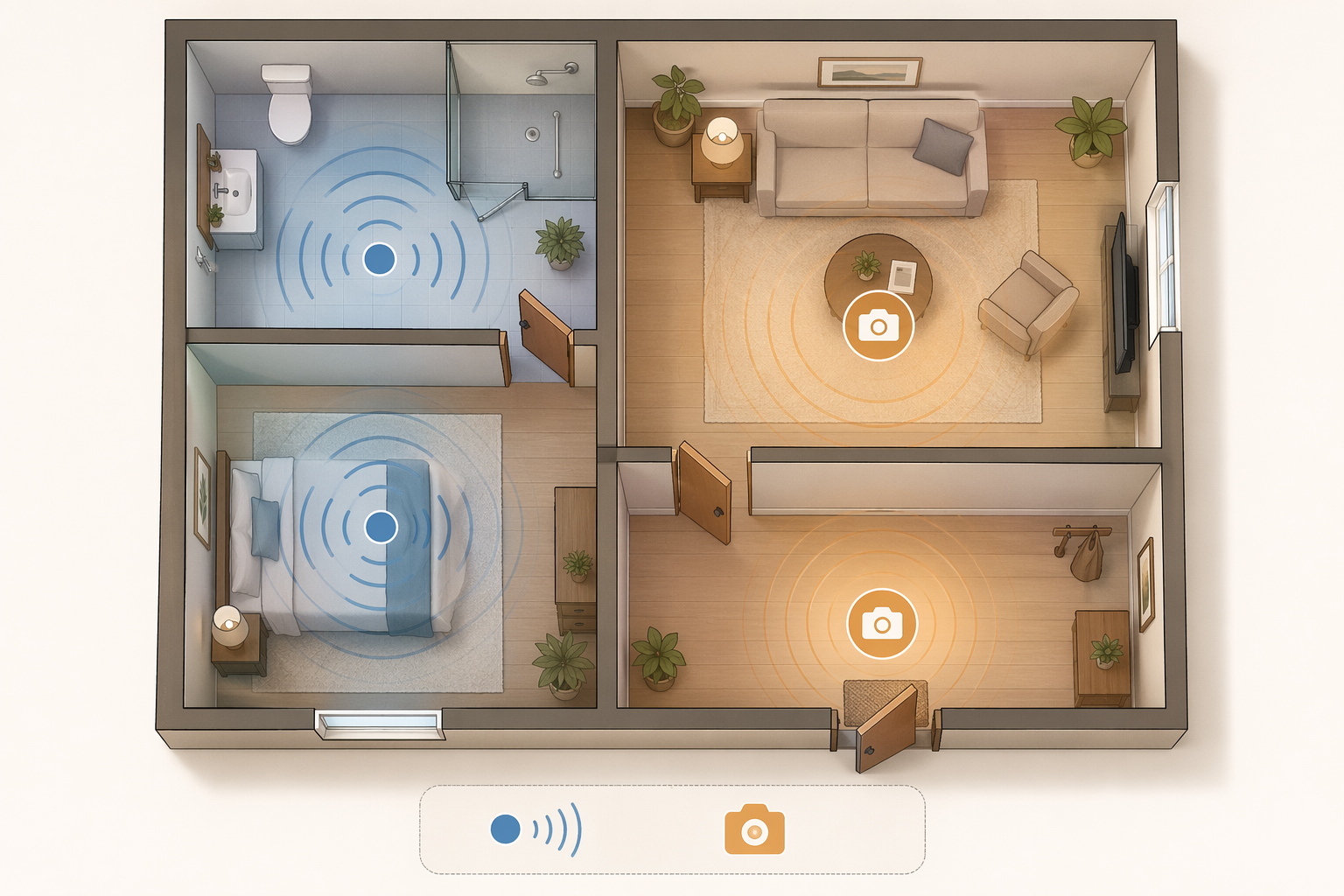
A home rarely needs one technology everywhere. Start with a floor plan, not a product page. Mark where your parent has fallen, where they almost fell, where they walk at night, where they bathe, where they sit for long stretches, and where help would enter.
Area of the home
Usually better fit
Why
Bathroom
Radar
High privacy expectation, steam, wet floors, nighttime use, and strong resistance to cameras.
Bedroom
Radar
Continuous overnight coverage may matter, but visual monitoring can feel deeply intrusive.
Living room
Camera, radar, or both
Falls may occur around chairs and rugs; visual context may be acceptable if the parent agrees.
Kitchen
Camera or mixed sensors
Visual context can help with safety concerns beyond falls, though placement should avoid unnecessary intimacy.
Entryway or porch
Camera
Security, visitors, deliveries, and exit monitoring depend on visual information.
Hallway
Radar or camera depending on layout
A narrow fall-risk path may benefit from passive detection; a camera may work if it does not capture private rooms.
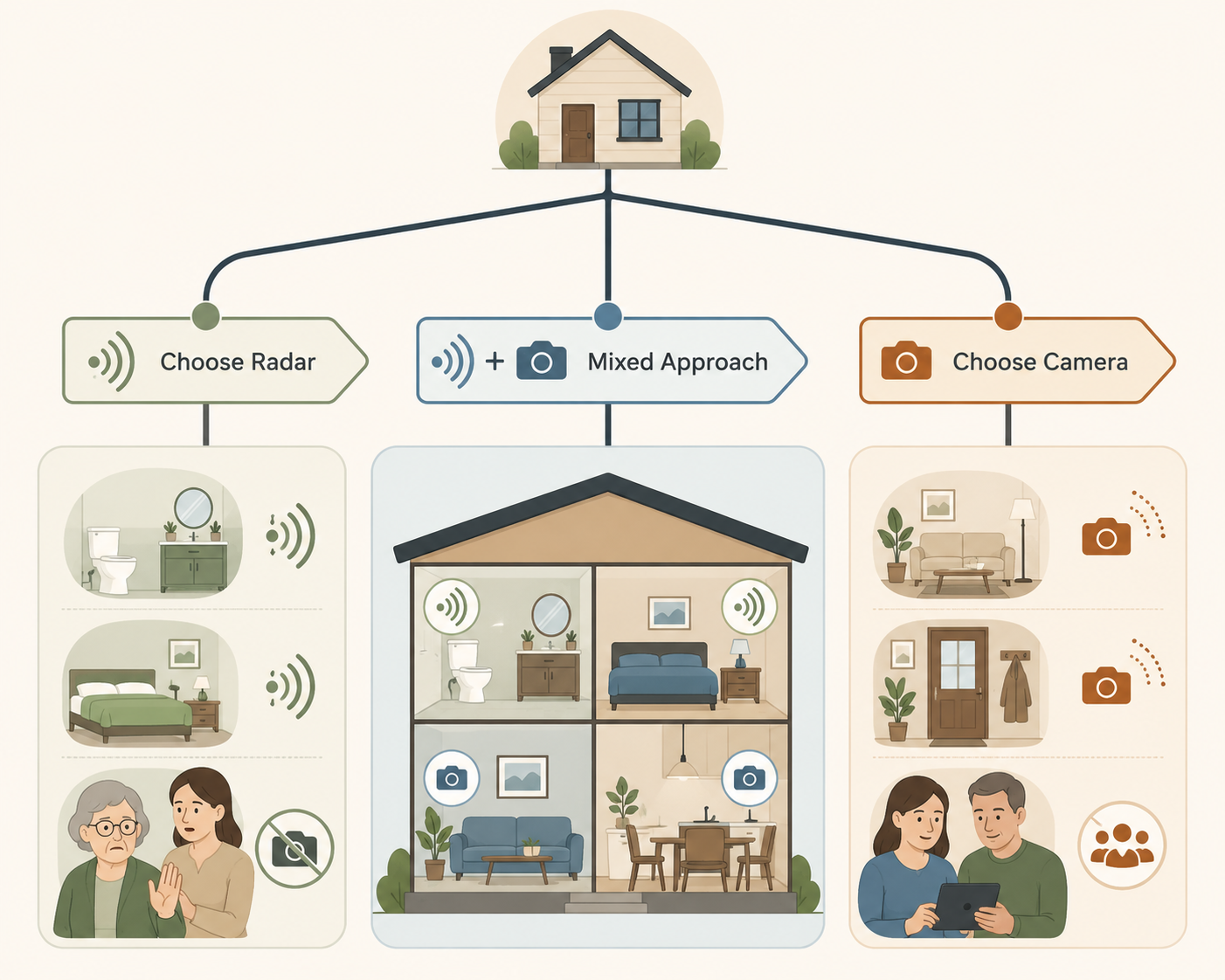
This room map usually leads to one of three patterns. Some homes need mostly radar because the fall risk is concentrated in private areas and the parent will not accept cameras. Some homes need mostly cameras because the main concerns are shared-space oversight, doors, visitors, or security. Many homes land in the middle: radar in the bedroom and bathroom, a camera at the entryway or living room, and clear rules about who sees what.
Response matters as much as detection
A fall alert is only the first handoff. Someone has to receive it, believe it, check on your parent, and decide what happens next. RF Technologies and Code Alert report that facilities with passive fall detection average 30 minutes faster response than those without passive fall detection.[8] That facility data does not automatically translate to every private home, but it points to the real value of passive monitoring: reducing the time between “something happened” and “someone knows.”
Before choosing radar or cameras, write the response chain in plain language. If radar detects a fall in the bathroom, who gets the alert first? If your parent does not answer the phone, who has a key? If a camera shows a fall in the living room, who is allowed to look? If the alert goes to a monitoring center, when do they call family, emergency services, or both?
This is also where cost becomes more than hardware. A device that sends alerts only to one adult child may be cheaper but fragile if that person is driving, sleeping, or out of cell range. A monitored subscription may cost more but add redundancy. ElderlyDaily’s 2026 review describes consumer radar fall sensors commonly in the $100–300 upfront range, camera systems ranging from about $30 consumer devices to $300+ professional systems, and many monthly monitoring subscriptions around $20–50.[6] Those figures are broad market ranges, not guarantees; radar systems can also involve subscription or monitoring fees.
If budget is tight, avoid paying first for features your parent will not tolerate. A cheaper camera in a room where it will be unplugged is more expensive than it looks. A radar sensor with a monthly fee may be worthwhile in a bathroom if that is the room everyone is afraid to leave uncovered. For a fuller cost and feature screen, use a broader guide on how to choose an elderly monitoring system without wasting money.
How to choose without turning your parent’s home into a control room
The decision gets clearer when you stop asking which technology is “best” and start asking what trade-off you are willing to defend in each room.
Choose radar first when continuous fall detection in private spaces is the priority, especially bathrooms and bedrooms.
Choose radar first when your parent refuses cameras but may accept a non-visual sensor.
Choose cameras first when visual verification, entry monitoring, shared-space oversight, or security is the main need.
Use a mixed setup when fall risk is private but some shared-space visibility is acceptable.
Avoid any setup whose alert workflow depends on one unreachable person or one unspoken assumption.
If your parent recently fell, it is natural to want coverage everywhere by tomorrow. That urgency is understandable, but it can push families into systems that feel like management rather than support. The better first step is a room-by-room walk-through with your parent: where do you want help quickly, where would a camera be unacceptable, where would a non-visual sensor feel tolerable, and who should be contacted if something happens?
For that conversation, it may help to separate the emotional opening from the technical pitch. “I’m scared after the fall” is more honest than “This device has advanced AI.” A guide to talking with your parent about monitoring technology can help keep the discussion from becoming a tug-of-war over independence.
The practical answer is not that radar replaces cameras, or that cameras are too invasive to use. Radar is usually the stronger choice when private-space fall detection and acceptance are the deciding factors. Cameras remain valuable when visual context, security, or agreed-upon shared-space oversight matters more. A mixed system may be the most honest answer for many homes: no camera where your parent sleeps or bathes, visual coverage where it has a clear purpose, and an alert plan that everyone understands before the next fall.

Comments
Join the discussion with an anonymous comment.