
Caregiver decision guide
Types of Elderly Monitoring Systems: A Category-by-Category Guide
Explore the five main categories of elderly monitoring systems — medical alert pendants, passive sensors, GPS trackers, camera systems, and AI behavior platforms — with clear explanations of how each works, what tradeoffs they require, and how to match a category to your parent's specific risk profile.
Most families do not start shopping for elderly monitoring systems on a calm afternoon. They start after a fall, a hospital discharge, a missed call, or a neighbor finding a parent in a situation that could have gone worse. That urgency is understandable. It is also when the categories blur together.
Before comparing brands, the first question is simpler and less forgiving: what are you trying to catch? A fall that needs immediate response is not the same problem as a gradual change in eating, a parent leaving the house at night, or a need to see whether the stove is on. Different systems watch for different things, ask different things of the older adult, and fail in different ways.
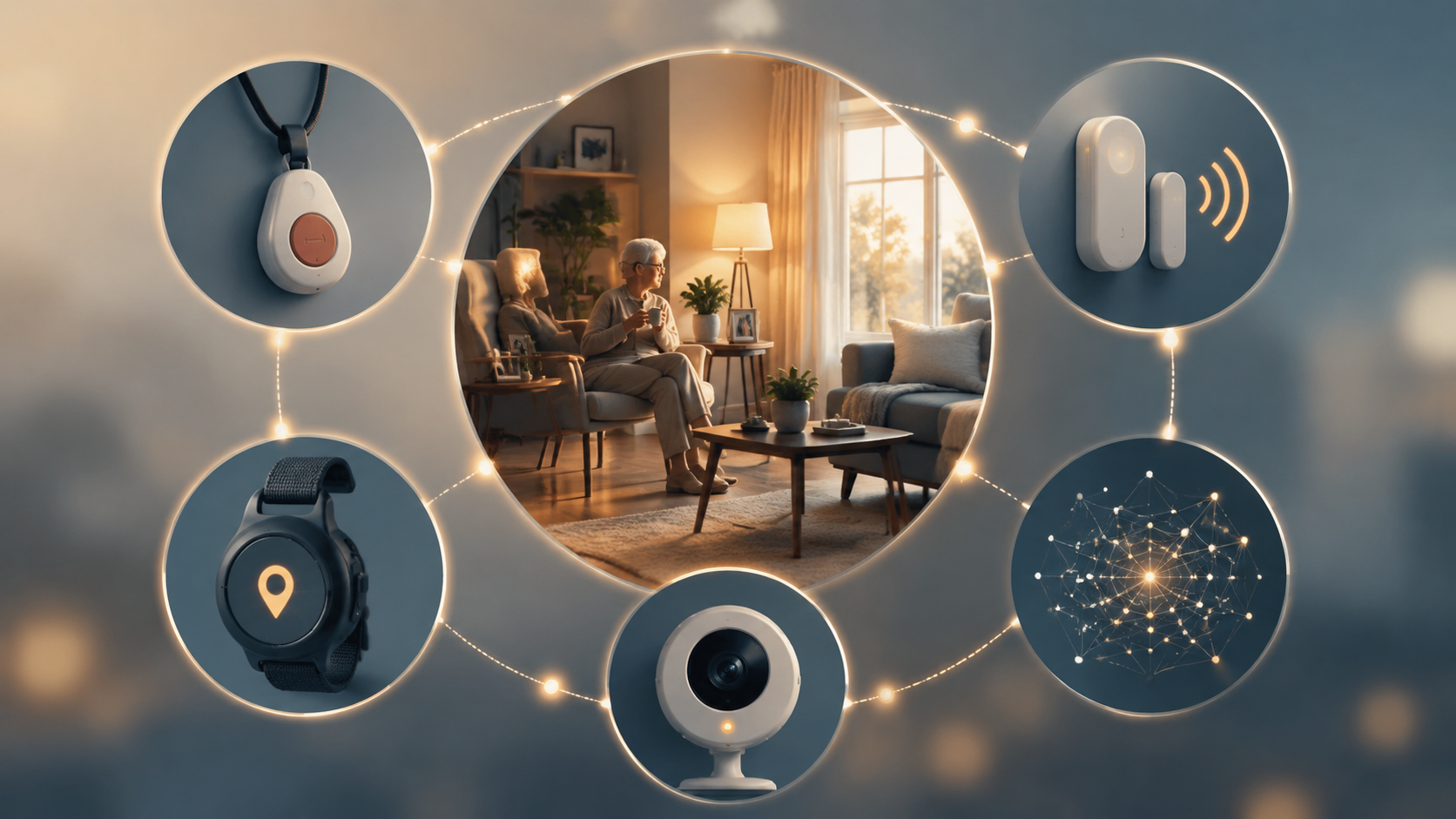
| Category | What it monitors | Wearable required? | Strongest use case | Major tradeoff | Rough cost range | Best fit |
|---|---|---|---|---|---|---|
| Medical alert pendant or PERS | Button press, emergency call connection, sometimes automatic fall detection | Usually yes | A parent at fall risk who can wear and use a help button | Protection depends on wearing the device, keeping it charged, and sometimes pressing it | Common monthly plans fall within broader monitoring subscription ranges of about $24.95-$79.95; fall detection often adds $5-$12/month [1][2] | Families whose main concern is emergency response after a fall or medical event |
| Passive motion or ambient sensors | Movement patterns in rooms such as bedroom, bathroom, and kitchen | No | Noticing changes in routine without cameras or a pendant | Usually detects patterns rather than confirming exactly what happened | About $50-$100/month in the source example [3] | Parents who resist wearables or families watching for early routine changes |
| GPS tracker | Location outside or around the home, depending on device and service | Usually yes, or carried/clipped | Wandering risk, especially with dementia | Does not solve in-home fall response by itself | About $35-$50/month in the source roundup [4] | Families whose primary fear is a parent becoming lost |
| Camera-based system | Live or recorded video in selected areas | No | Visual confirmation in a specific zone | Highest privacy burden and relationship risk | About $40-$350 hardware, with some storage plans around $0-$10/month [2] | Families who need to see a specific area and have the parent's informed acceptance |
| AI behavior-monitoring platform | Wearable and/or sensor data analyzed for deviations from a baseline | Often yes, depending on platform | Early warning of behavior changes before a crisis | Predictive claims may be vendor-reported and need careful reading | Example cited at about $70/month plus $499 hardware [4] | Families looking for pattern detection, not only emergency response |
Medical Alert Pendants and PERS: Fast Response, If the Button Is There
Medical alert pendants, wrist buttons, and personal emergency response systems are often the first category families discover. That makes sense. NCOA reports that nearly 75% of medical alert buyers purchased after a fall or medical emergency, and its 2026 testing involved more than 3,000 hours of lab work across leading brands [1].
The strongest argument for this category is response. In NCOA's testing, leading medical alert brands had average response times ranging from 29 to 62 seconds [1]. When the central risk is a parent lying on the floor after a fall, seconds are not just a marketing metric. AARP cites geriatrician Dr. Warren Wong explaining that lying on the floor even one hour after a fall can trigger rhabdomyolysis, a serious muscle-breakdown condition [2].
That is the case for taking emergency response seriously. It is not a case for pretending the pendant works by existing in the house. A help button has to be worn. It has to be charged. If the system relies on activation, the parent has to be able and willing to press it. For a parent with cognitive decline, denial about fall risk, or a habit of leaving the pendant on the nightstand, that condition belongs at the top of the decision, not in the fine print.
Automatic fall detection partly addresses that weakness, but not cleanly. NCOA's fall-detection review notes that controlled studies have found chest-worn devices can reach about 98% accuracy, while wrist-worn devices are generally harder to tune because normal arm movement can mimic fall-like motion [5]. In one University of Missouri/C2SHIP study cited by NCOA, 18 users generated 84 alerts over four months, and 83 were false alarms [5]. That small study should not be stretched into a verdict on every product. It does show why families should ask where the sensor is worn, how fall detection was tested, and what happens after repeated false alerts.
This category belongs on the shortlist when the main problem is immediate help after a fall or medical event and the parent can realistically live with the device. If the real question is whether a parent is eating less, sleeping differently, or leaving the house at odd hours, a pendant may still be useful, but it is not the whole answer. The narrower pendant-versus-sensors decision is worth separating; see Help Button or Passive Monitoring? for that comparison.
Passive Sensors: Watching the Routine, Not the Person
Passive motion and ambient sensor systems are often misunderstood because they can sound either too vague or too intrusive. In practice, the basic idea is modest: sensors in places such as the bedroom, bathroom, kitchen, hallway, or entry area notice activity patterns. They do not show a video feed. They usually do not require the parent to wear anything.
That makes them useful for a different kind of concern. If a parent normally enters the kitchen each morning but stops doing so, or begins making more bathroom trips at night, the system may flag a pattern change. envoyatHome describes passive monitoring around daily routines such as kitchen activity, bathroom visits, bedroom activity, and nocturia-related signals [3]. The value is not that the system diagnoses a problem. It gives the family a reason to check in before a missed routine becomes a crisis.
The dignity argument for passive sensors is real. A parent who refuses a pendant may accept small sensors because there is nothing to remember, wear, or press. A family that is uncomfortable with cameras may accept motion data because it does not reveal bathing, dressing, or the ordinary mess of private life. For a more direct privacy comparison, see Elderly Monitoring Systems: Camera-Free vs. Camera-Based Options.
The limitation is equally real. A motion sensor can indicate that someone has not moved through the hallway. It may not tell you whether the parent is sleeping late, sitting quietly, out with a neighbor, or on the floor. The family still needs a response plan: who checks the app, who calls, who has a key, and what threshold justifies sending help.
GPS Trackers: A Narrow Tool for a Serious Risk
GPS trackers are not general home monitoring systems. Their best-fit case is wandering risk, especially when dementia or cognitive impairment makes it possible that a parent may leave home and be unable to return safely.
SeniorSite's 2026 roundup describes GPS devices that may be worn as a watch, clipped to a belt, or placed in a shoe, with monthly costs around $35-$50 in the devices it reviewed [4]. The form factor matters because the system only helps if it travels with the person. A tracker left charging by the bed is not much better than a pendant left on the nightstand.
Families sometimes buy GPS because they are frightened by falls, but location tracking is not the same as fall response. Some devices may include emergency buttons or detection features, but the category's center is location. If the main fear is an unwitnessed fall in the bathroom, start with emergency response or passive in-home monitoring. If the main fear is a parent leaving the house and becoming lost, GPS belongs near the top of the shortlist.
Camera Systems: Certainty Has a Privacy Cost
Cameras answer the question other systems often leave open: what is actually happening? For some families, that visual confirmation matters. A camera pointed at an exterior door can show whether a parent left at night. A kitchen camera can show whether the stove area is in use. A camera in a main living area can confirm that someone is upright after an alert.
The tradeoff is not abstract. AARP describes a caregiver whose father covered his camera with a dish towel [2]. That small act says more than a long lecture about consent. The system may have been installed for safety, but the person being watched still experienced it as being watched.
Camera systems are easiest to justify when they are limited to specific zones and specific risks: an entryway, a kitchen area, or another place where visual confirmation has a clear purpose. They are hardest to justify when they become whole-home surveillance because the family is anxious and has not decided what information it truly needs.
AARP's 2026 medical alert guidance gives a hardware range of about $40-$350 for camera-based equipment and notes some storage plans around $0-$10 per month [2]. The lower ongoing price can make cameras look simpler than subscription monitoring. Price is not the only cost. The parent has to live with the lens.
AI Behavior Platforms: Promising Signals, Uneven Evidence
AI behavior-monitoring platforms are the category most likely to be oversold and also one of the more interesting categories when described carefully. These systems try to establish a baseline for an older adult's routine, then flag deviations: more nighttime bathroom activity, reduced kitchen activity, night wandering, or other changes that may precede a health event.
That changes the promise from reaction to early warning. A pendant waits for an emergency signal. A behavior platform tries to notice that the week before the emergency looks different from the month before it. That is a meaningful difference for families trying to support aging in place without calling five times a day.
The evidence needs careful handling. SeniorSite cites CarePredict at about $70 per month plus $499 hardware and reports company-claimed clinical study results of a 40% reduction in hospitalizations and a 69% reduction in falls [4]. Those figures should be read as vendor-reported claims, not as independent proof that AI monitoring as a whole produces those outcomes. No source in the provided research supports applying those reductions across the category.
AI platforms may also ask more of the older adult than the word “passive” suggests. If the platform depends on a wearable, the parent still has to wear and charge it. If it depends on installed sensors, the home has to support them. If alerts are generated from changing patterns, the family has to be ready for ambiguity: a change may be important, harmless, or caused by a visitor, travel, poor sleep, or a new routine.
Cost and Coverage After the Shortlist
Cost matters, but it should not be the first filter. A cheap camera does not solve wandering. A well-reviewed pendant does not reveal a week of reduced kitchen activity. Once the category fits the risk, then the monthly bill becomes useful information.
Across medical alert and monitoring options reviewed in the source material, monthly subscriptions commonly range from about $24.95 to $79.95, equipment fees may run from $0 to $500, and fall detection often adds about $5-$12 per month [1][2]. These figures are a practical planning range, not a guarantee; promotions and plan bundles change.
Coverage is another place where families can lose time. AARP and NCOA guidance states that Original Medicare Part A and Part B generally do not cover medical alert systems, while some Medicare Advantage plans may offer partial coverage, and HSA or FSA funds may be usable [1][2]. For a deeper coverage-specific review, see Does Medicare Cover Medical Alert Systems?.
Reliability also belongs in the cost conversation. Care.com recommends considering cellular versus Wi-Fi reliability when choosing remote monitoring, because a system that depends on a weak home connection can fail at exactly the wrong moment [6]. The right question is not only “What does it cost?” but “What infrastructure does it rely on, and what happens when that infrastructure is down?”
A Practical Shortlist
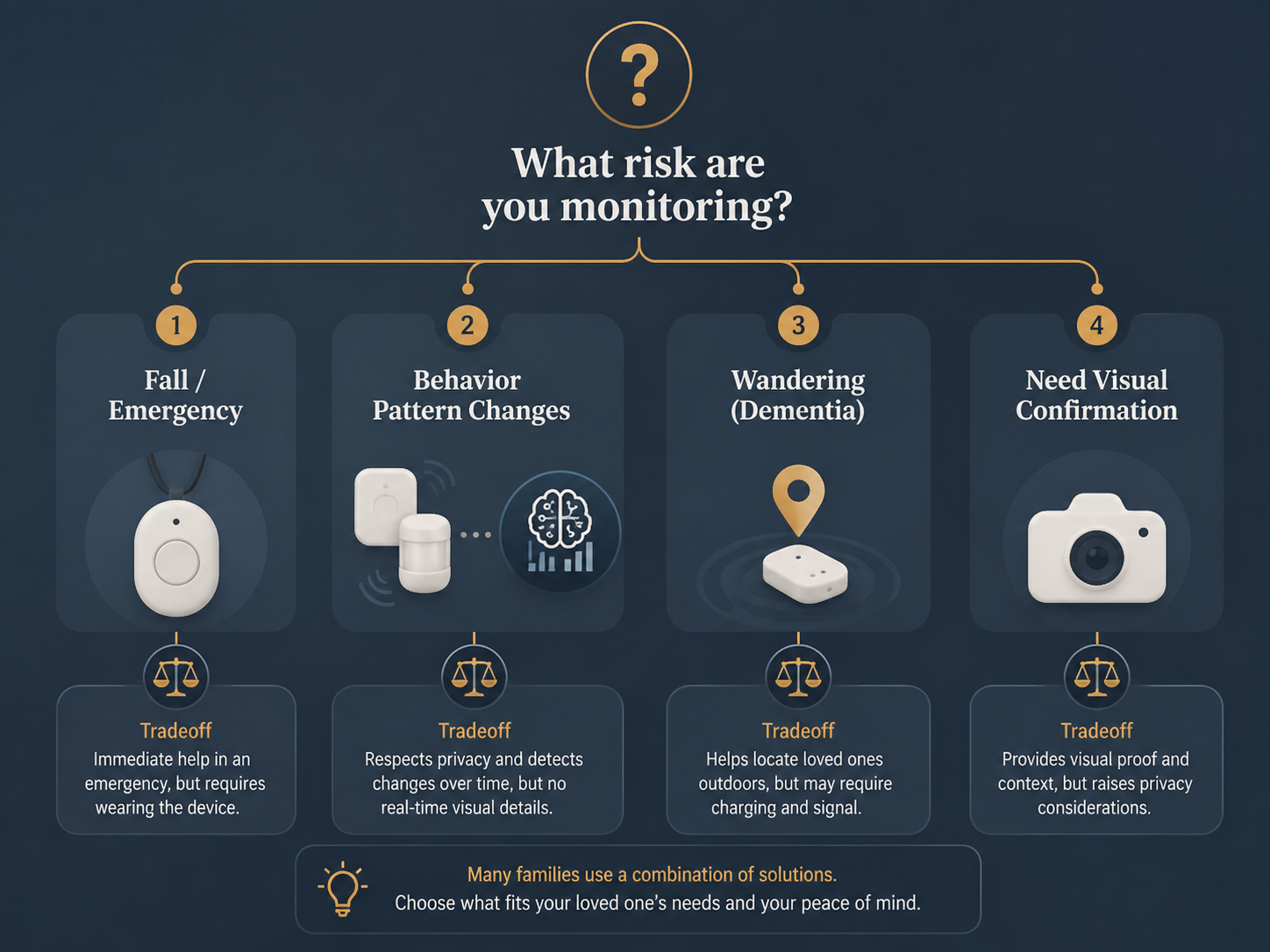
Start with the primary risk, then remove categories that solve the wrong problem.
- If the main risk is an unwitnessed fall or medical emergency, start with a medical alert system or PERS. Ask whether the parent will wear it every day, whether automatic fall detection is included or extra, and who responds after an alert.
- If the main concern is a change in routine, start with passive sensors or an AI behavior platform. Ask whether you need simple pattern alerts or a more complex baseline-driven system.
- If the main risk is wandering, start with GPS. Ask how the device is worn or carried, how often it needs charging, and who receives location alerts.
- If the family needs to see a specific place or event, consider a camera system. Keep the camera limited to the risk area and treat consent as a requirement, not a courtesy.
- If the parent is already resistant to technology, do not start with the most intrusive option unless the risk clearly demands it. The adoption conversation may matter as much as the device.
The next layer is fit. Will the parent wear it, charge it, tolerate it, or live normally around it? Will the family actually review alerts? Does someone nearby have a key? What is the plan if the system reports no movement, a possible fall, or an unexpected location? A fuller framework for comparing products is available in How to Choose an Elderly Monitoring System: 7 Dimensions That Decide What Works.
If the hardest part is getting a parent to accept monitoring at all, read How to Talk to an Aging Parent About Elderly Monitoring Systems and Why Your Older Parent Resists Technology before buying a device that will sit unused. If the checklist reveals that no one can respond, the parent is unsafe alone for long periods, or alerts would only document a worsening situation, monitoring may no longer be enough; see Is Monitoring Enough?.
Elderly monitoring systems are not interchangeable. The best category is the one that matches the actual risk while imposing a tradeoff the older adult and the family can realistically live with.
References
- Best Medical Alert Systems in 2026, NCOA, 2026.
- Medical Alert Systems: Choosing the Best Option, AARP, updated May 2026.
- Monitor Elderly Parents Remotely: The Complete 2026 Guide, envoyatHome, 2026.
- 15 Best Elderly Monitoring Devices for Peace of Mind in 2026, SeniorSite, 2026.
- Best Medical Alert Systems with Fall Detection, NCOA, 2026.
- Remote Monitoring for Seniors, Care.com.
Questions to bring to a clinician or OT
This is not medical, legal, or a family's final decision — only a framework. Bring these questions to a clinician, occupational therapist, or your local Area Agency on Aging.
Find Local HelpRelated reading
Noticed something outdated or inaccurate on this page? Flag a correction. We review every report against CDC, NIA, and AARP HomeFit guidance before updating a page.