
Caregiver decision guide
Elderly Monitoring Systems: A Family Caregiver's Guide to Choosing the Right Type
Not all elderly monitoring systems work the same way. This guide explains the six technology categories — from medical alert pendants to passive sensors — and helps you match the right type to your parent's mobility, cognition, living situation, and privacy comfort so you don't invest in a device that won't be used.
Most families do not shop for elderly monitoring systems on a calm Saturday with coffee and a spreadsheet. They shop after a fall, a discharge, a frightening missed call, or a neighbor saying, “I found your dad on the floor.” The National Council on Aging reports that nearly 75% of medical alert buyers made the purchase after a fall or medical emergency, based on its 2025–2026 testing and review work across more than 35 devices.[1]
That matters because panic makes every product description sound like it solves the same problem. A pendant, a motion sensor, a smartwatch, a stove shut-off device, a camera, and a pill dispenser can all be sold under the same broad phrase. They do not watch the same risk, ask the same effort from the older adult, or create the same privacy bargain.
The first decision is not brand. It is not even “best fall detection.” The first decision is category fit: what kind of risk you are trying to reduce, what your parent can realistically tolerate, and what must still be handled by a person.
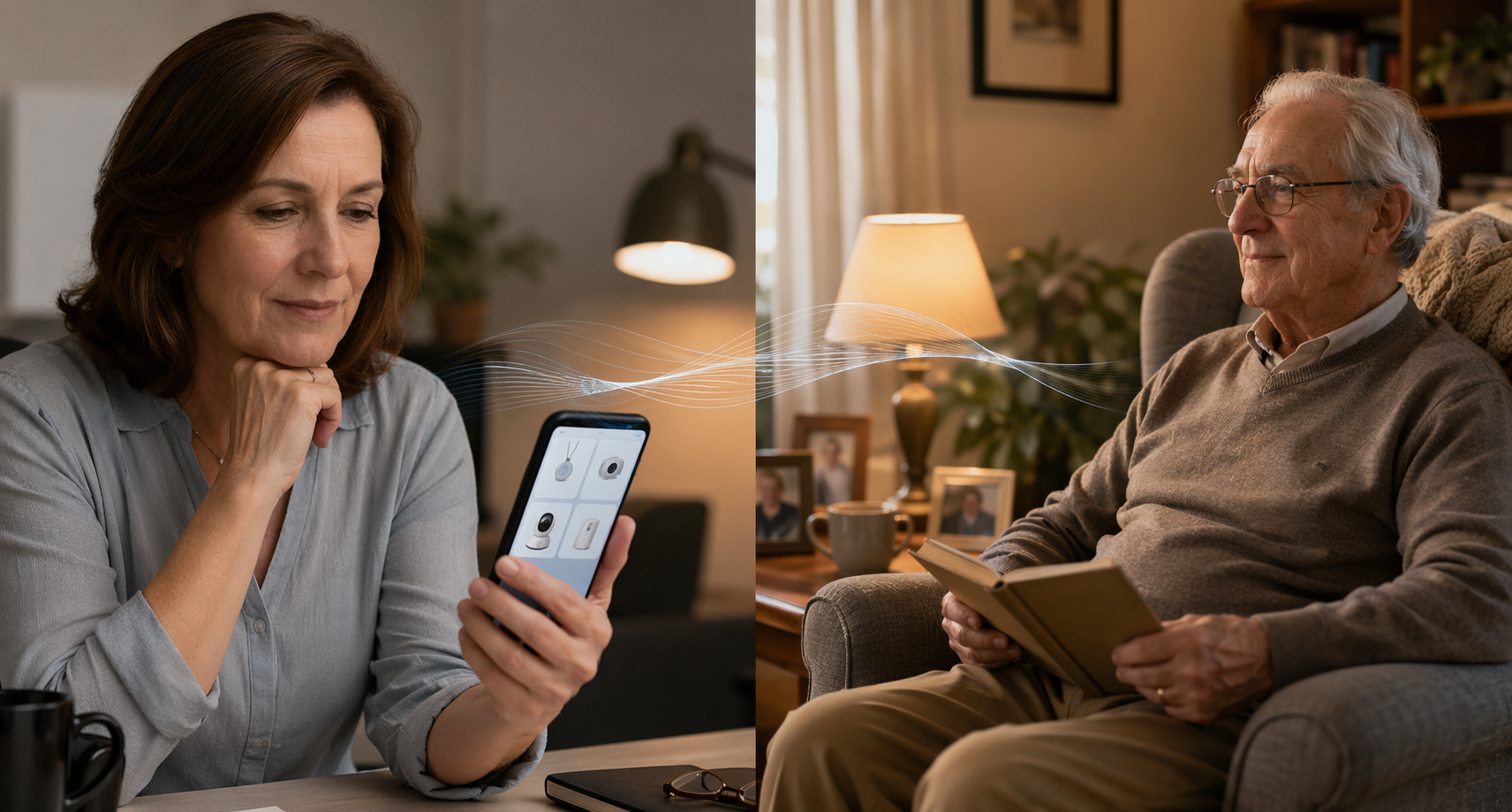
The umbrella term hides six different tools
The demand is real. In-home monitoring research cites an AARP survey finding that 79% of older adults wanted to remain in their current home, and Wirecutter cites AARP’s 2024 finding that 75% of Americans age 50 and older planned to age in place at home.[2][3] But wanting to stay home is not the same as having the right support system in place.
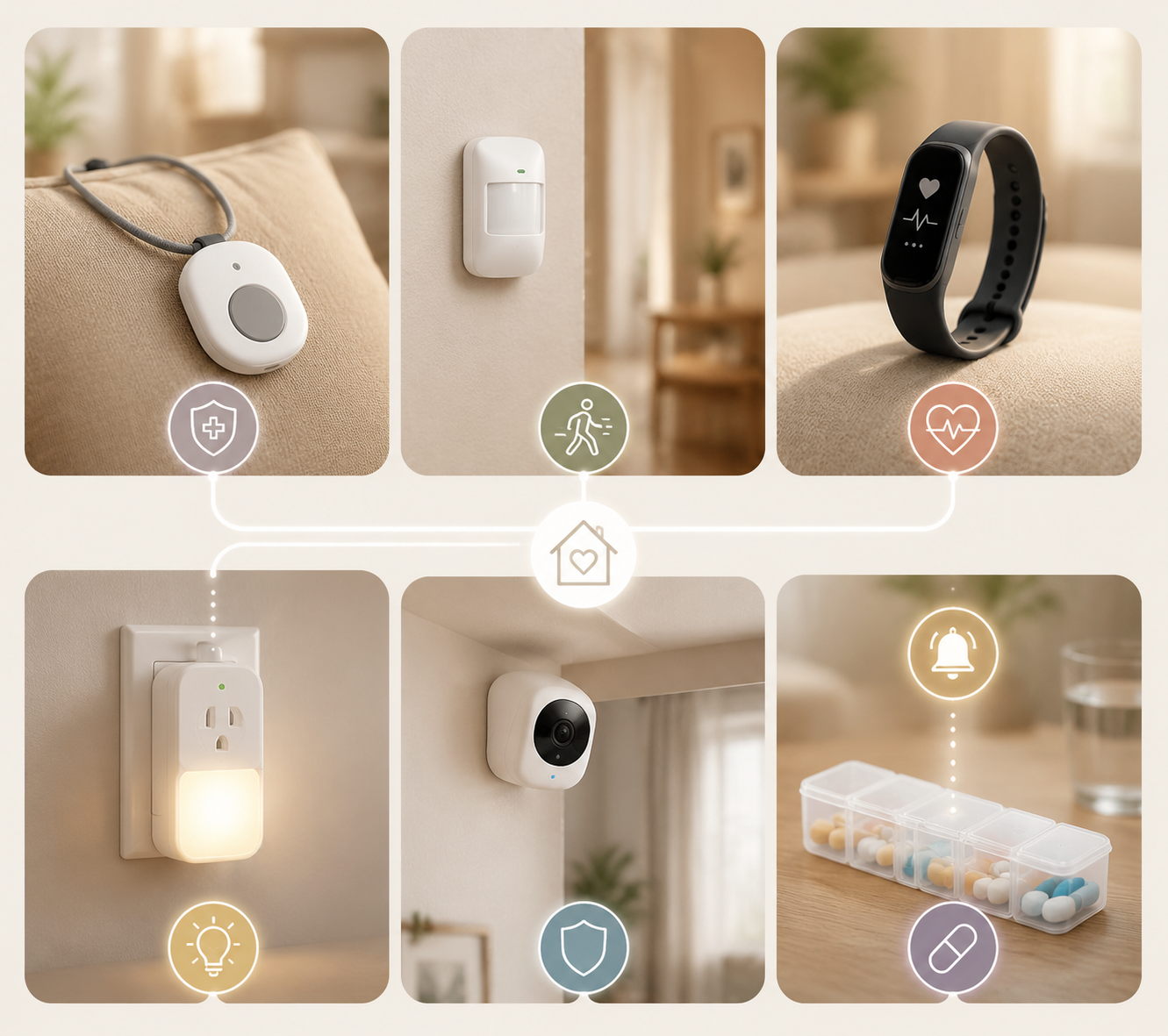
A useful starting map has six categories:
- Medical alert or PERS devices: pendants, wrist buttons, wall buttons, and mobile help buttons.
- Passive sensor systems: motion sensors, contact sensors, pressure mats, radar, and other non-camera activity monitoring.
- Wearable health trackers: smartwatches and bands that track movement, sleep, heart rate, and sometimes falls.
- Smart home safety devices: locks, smoke detectors, stove shut-off devices, leak detectors, lighting, and plugs.
- Camera-based monitoring: video systems, sometimes with AI detection or two-way audio.
- Medication management systems: automated dispensers, smart pill bottles, blister packs, and reminder systems.
| Category | What it mainly watches | User burden | Best fit | Main tradeoff |
|---|---|---|---|---|
| Medical alert / PERS | Emergency calls, especially after a fall or medical event | Moderate to high: must wear it, charge it, and often press it | Parent who can remember and agree to use a button | Can fail when the person cannot or will not activate it |
| Passive sensors | Movement patterns, room use, doors, beds, routines, possible falls | Low: usually no daily action from the parent | Parent who lives alone or resists wearable devices | Creates inferred information, not a full human picture |
| Wearable health trackers | Activity, sleep, heart rate, location, some fall detection | Moderate: must wear, charge, and tolerate notifications | Parent already comfortable with a watch or phone | Wrist-worn fall detection can be less reliable than pendant-style systems |
| Smart home safety devices | Environmental hazards such as smoke, stove use, locks, water, and lighting | Low once installed | Home with specific safety hazards rather than broad personal monitoring needs | Does not confirm how the person is doing medically |
| Camera-based monitoring | Visual status, falls, room activity, sometimes behavior | Low physical burden, high privacy burden | Short-term oversight or situations where visual confirmation is truly necessary | Most intrusive and easiest to emotionally reject |
| Medication management | Doses opened, missed, locked, or dispensed | Varies: from simple reminder to locked dispenser | Parent with recurring medication timing problems | Solves medication adherence, not falls or wandering |
If you want a deeper taxonomy after this overview, a category-by-category companion guide to types of elderly monitoring systems can be useful. But the practical decision starts with what happens in your parent’s house on an ordinary morning.
Medical alert systems: good for summoning help, weaker when help must be initiated
Medical alert systems, also called personal emergency response systems, are the familiar pendants, wrist buttons, wall buttons, base stations, and mobile devices that connect the user to an emergency response center or chosen contacts. They are often the first purchase because the use case is emotionally clear: if Dad falls, he presses the button.
That “if” is the hard part. A button-based system fits a parent who understands the device, agrees to wear it, can reach it during distress, and will not treat pressing it as an admission of helplessness. It is less reassuring for someone who removes devices, forgets what they are for, loses consciousness, has impaired judgment, or has a history of minimizing symptoms.
Costs vary, but the basic medical alert market is often roughly in the $20 to $60 monthly range. A Place for Mom lists Bay Alarm Medical pricing beginning at $19.95 per month, while NCOA’s testing places many reviewed medical alert plans in a broader monthly range up to about $60 depending on equipment, cellular connection, fall detection, and monitoring options.[5][1]
Fall detection sounds like the feature that fixes the initiation problem, but it is not one uniform capability. NCOA notes that wrist-worn fall detection can be less accurate than pendant-style detection because normal arm movement can create false alarms, citing MDPI research in its comparison of fall-detection approaches.[1] That does not make wrist devices useless. It means a smartwatch and a pendant should not be treated as interchangeable just because both boxes say “fall detection.”
Passive sensors: less nagging, more inference
Passive monitoring is the category I tend to look at first when a parent hates being reminded, does not want a wearable, or lives alone but still has a recognizable routine. These systems may use motion sensors, contact sensors on doors or cabinets, pressure mats, bed sensors, radar, or similar devices to notice activity without asking the older adult to press anything.
The 2022 scoping review of in-home monitoring technology looked at 30 studies through June 2021 and grouped passive monitoring functions into daily activities, abnormal behaviors, cognitive impairment, falls, indoor positioning, and sleep quality. In those studies, passive infrared motion sensors appeared most often, in 21 studies, and contact sensors appeared in 19.[2]
That taxonomy is more helpful than a feature list. A kitchen contact sensor may help reveal whether breakfast routines are changing. A bed sensor may show unusual night wandering or a long delay getting up. Motion sensors may notice that no one has entered the bathroom by midmorning. None of that is the same as watching a video feed, and none of it proves exactly what happened. It gives a pattern that someone still has to interpret.
The same review found measurable differences in task completion time and kitchen behavior among people with mild cognitive impairment, reported 88% accuracy for abnormal behavior detection using heatmap analysis, and included millimeter-wave radar fall detection accuracy of 98.74%.[2] Those are promising mechanisms, not a guarantee that a particular home installation will prevent a bad outcome.
Passive systems also cost more than many button-only plans. A 2026 envoyatHome guide describes passive monitoring tiers around $50 to $125 per month with equipment fees that can range from $0 to $400, and lists its own plan at $99 per month plus $399 for equipment.[6] That spread is wide enough that price shopping makes sense, but only after the category fits the home.
Wearable health trackers: useful when the watch is actually worn
Smartwatches and fitness bands can be wonderful for the right parent. They can track activity, sleep, heart rate, location, and some emergency events. They also let an older adult keep a consumer device instead of something that visibly announces “medical alert.” For a tech-comfortable parent, that dignity can matter.
But wearables move the burden back onto the person: wear it, charge it, update it, respond to it, and keep it paired if pairing is required. A parent who already forgets the phone in another room may not become more reliable because the device is smaller and more expensive. A parent with arthritis may hate the band. A parent with dementia may remove it and place it carefully in a drawer, where it will track nothing but the drawer.
For fall detection specifically, sensor placement matters. The scoping review reports camera-based fall detection accuracy above 96%, WiFi-based fall detection accuracy around 95%, bed-exit monitoring around 90%, and radar-based fall detection at 98.74% in the reviewed studies.[2] These figures should not be read as a shopping leaderboard because they come from different study designs and technologies. They do show why “fall detection” on a wrist is not the same engineering problem as fall detection from a room sensor, camera, radar, or bed-exit system.
Smart home safety devices solve the house, not the whole caregiving problem
Smart home safety devices belong in this conversation because many household risks are not medical events. A smart lock can reduce the “did she leave the door open?” calls. A stove shut-off device can address a specific cooking hazard. Leak detectors, smoke alarms, smart lighting, and plugs may prevent small problems from turning into disasters.
These are often the least emotionally loaded devices because they monitor the environment rather than the person. They are a good fit when the risk is concrete: night trips to the bathroom, a burner left on, a door opened at odd hours, poor hallway lighting, or an old smoke alarm no one can reach. Wirecutter’s 2026 smart-home aging-in-place guide reflects this kind of practical landscape, covering devices that support safety at home rather than a single medical-alert category.[3]
The limitation is equally concrete. A smart smoke detector can tell you there is smoke. It cannot tell you whether your mother took her diuretic, whether your father is dizzy, or whether the silence in the house means a nap or a problem. Smart home safety products work best when they are matched to a known household hazard, not when they are asked to stand in for caregiving.
Cameras: sometimes useful, often the easiest to reject
Cameras are seductive because they answer the adult child’s most anxious question: can I see what is happening? They can also be the fastest route to resentment. AARP reported Ryan Herd’s account of installing a camera for his father, only to have his father cover it with a dish towel.[4] That one dish towel says more than a dozen privacy bullet points. The device was installed. The household rejected it.
Camera-based systems can be appropriate when visual confirmation is truly necessary: a short recovery period after surgery, a high-risk area where a parent has consented to observation, or a situation where a caregiver in the home needs another set of eyes. They may also support high-performing fall-detection approaches; the scoping review reports camera-based fall detection accuracy above 96% in the reviewed literature.[2]
Still, accuracy does not erase the fact that a camera changes the feeling of a room. A parent who will tolerate a motion sensor in the hallway may feel watched by a camera in the living room. If the person covers it, unplugs it, turns it away, or stops using the room, the system has failed even if the app works perfectly. For families weighing that tradeoff, a more focused comparison of camera-free versus camera-based monitoring is worth reading before buying equipment.
Medication systems are their own lane
Medication management often gets folded into elderly monitoring systems, but it solves a different problem. Automated dispensers, smart pill bottles, blister packs, lockable units, reminder calls, and app alerts are about doses: opened, missed, late, duplicated, or inaccessible until the right time.
This category is a good fit when the pattern is specific: missed evening pills, double-dosing, confusion after a medication change, or a caregiver spending every lunch break asking, “Did you take the blue one?” It is not a fall system. It is not a wandering system. It may reduce one major source of risk while leaving other risks untouched.
The parent’s cognition determines how much structure is needed. A simple phone reminder assumes the person can understand the reminder and act on it. A locked dispenser assumes the system can control access. A blister-pack service reduces sorting errors but may not confirm ingestion. Those distinctions matter more than whether the dispenser looks modern on the counter.
Match the system to the person before comparing products
A family in crisis wants the shortest path to reassurance. I understand that. But a 20-minute category sort can prevent months of nagging, returns, false alarms, and the awful discovery that the “solution” was mostly comforting the adult child.
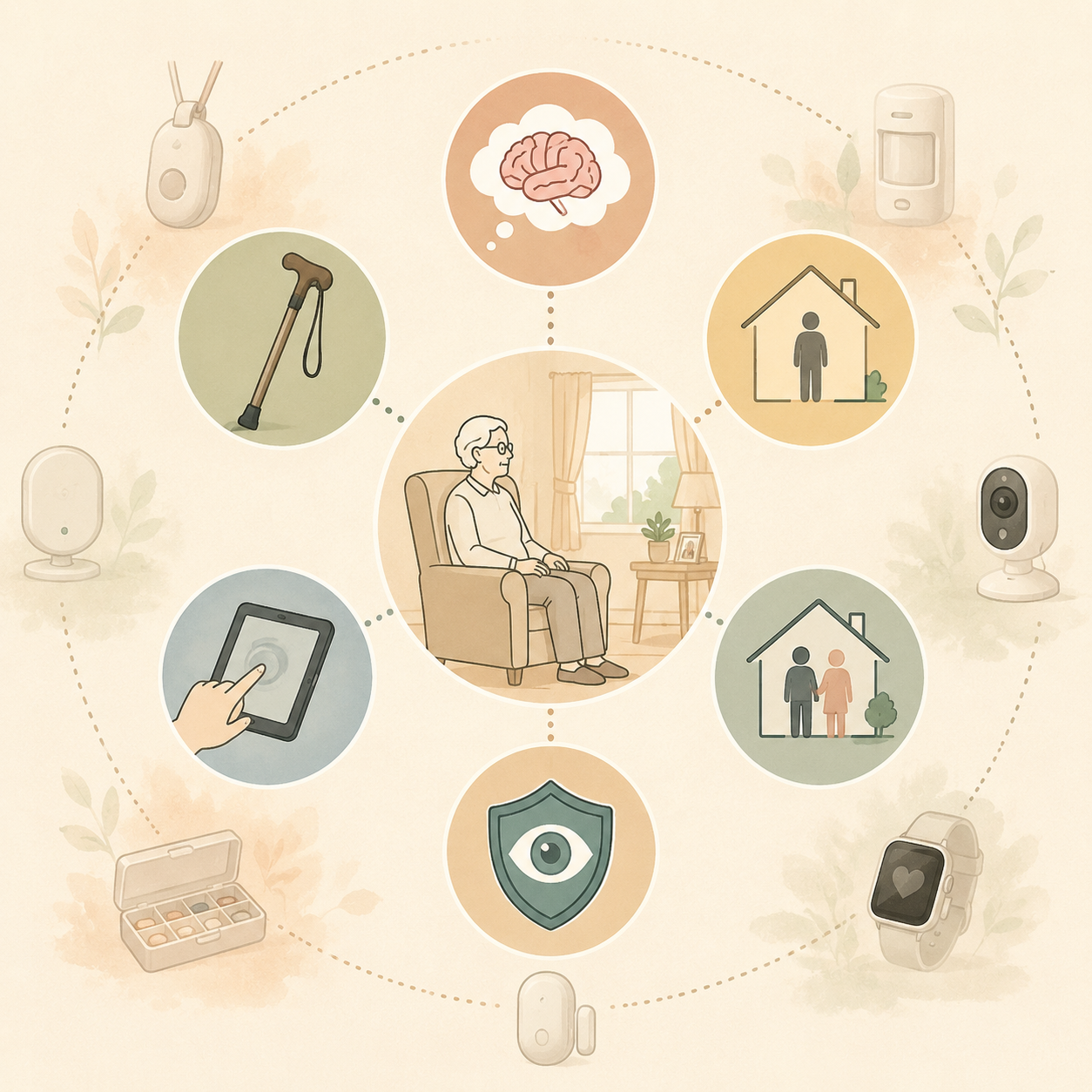
Start with mobility
If your parent is active outside the home, a home-only sensor system may miss the riskiest part of the day. A mobile medical alert device, phone-based location sharing, or wearable may fit better, assuming the device will actually travel with them. If the main risk is transfers from bed, bathroom trips, or long periods alone inside the home, passive sensors, bed-exit monitoring, lighting, and bathroom safety changes may be more relevant than a GPS feature.
Then look at cognition
Mild forgetfulness and impaired judgment are not the same problem. A parent who forgets to charge a watch may still understand why a wall button is there. A parent with advancing dementia may not reliably press a button, keep a wearable on, or interpret a medication alert. The PMC review’s cognitive-impairment findings are useful here because they connect monitoring to behavior patterns such as task completion time and kitchen activity, not just emergency events.[2]
For families dealing with resistance or confusion, the conversation may matter as much as the device. A practical guide to helping an older adult accept monitoring technology can help separate fear of being controlled from legitimate objections about privacy and dignity.
Living arrangement changes the response plan
A monitoring system for a parent who lives alone has to answer a different question than one used in a home with a spouse, aide, or adult child nearby. If no one is in the house, an alert needs a response path: professional monitoring, a neighbor, a family member, emergency services, or a paid caregiver. If someone is already there, the system may be more useful as backup: a bed-exit alert at night, a stove shut-off device, or a medication dispenser that reduces conflict.
Tech comfort is not a personality flaw
Some older adults love devices. Some tolerate them if the benefit is clear. Some experience every notification as an accusation. A system that requires app navigation, Bluetooth pairing, charging, passwords, voice prompts, or troubleshooting may be fine for one parent and absurd for another. Passive sensors and smart home devices can reduce that daily burden, but they still require installation, maintenance, and someone willing to respond to alerts.
Privacy tolerance sets the ceiling
Privacy is not a final checkbox. It determines which categories are even available. A parent may accept a pendant but reject a camera. Another may reject a pendant because it feels stigmatizing but accept quiet sensors. Someone may agree to a camera facing the front door but not the bedroom hallway. The decision should be specific by room, device, data, and viewer: what is collected, who sees it, when they see it, and what happens after an alert.
| If the main situation is... | Look first at... | Be careful with... |
|---|---|---|
| Parent is cognitively intact but at fall risk | Medical alert, pendant-style fall detection, home safety devices | Assuming a button helps if it is not worn |
| Parent lives alone and resists wearables | Passive sensors, motion patterns, contact sensors, bed or room activity monitoring | Expecting inferred data to explain every event |
| Parent is active outside the home | Mobile alert device, wearable tracker, phone location features | Home-only systems that miss errands and walks |
| Medication mistakes are the recurring issue | Automated dispenser, blister packs, smart pill bottle, caregiver confirmation | Buying a fall system for a medication problem |
| Kitchen or household hazards are the problem | Stove shut-off, smoke detection, leak detection, smart lighting, smart locks | Mistaking environmental safety for personal monitoring |
| Visual confirmation is truly necessary and consented to | Camera-based monitoring in limited locations | Installing cameras broadly because the adult child feels anxious |
A simple buying sequence that prevents the worst mismatch
If you are buying after an incident, start small but not sloppy. Write down the event you are trying to prevent or shorten. “Falls” is broad. “Unwitnessed bathroom fall at night with no phone nearby” is a different design problem from “fell while walking the dog.”
- Name the risk: fall, wandering, missed medication, unsafe cooking, isolation, sleep disruption, or delayed emergency response.
- Name the setting: inside only, outside the home, bedroom, bathroom, kitchen, front door, or all-day movement.
- Name the user burden your parent can realistically handle: press, wear, charge, hear, read, respond, or do nothing.
- Name the privacy boundary: no cameras, cameras only at entrances, passive sensors only, shared app access, or professional monitoring.
- Name the response path: who receives the alert, how quickly they can act, and what they are expected to do.
- Only then compare products, contracts, installation needs, cancellation terms, battery life, connectivity, and monthly cost.
For families still sorting active buttons from passive monitoring, the help button versus passive monitoring distinction is usually the most important fork in the road.
Cost is a reality check, not the sorting system
The broad U.S. market can run from roughly $20 per month for a basic medical alert plan to $125 or more per month for comprehensive passive monitoring, with equipment fees that may add nothing or several hundred dollars depending on the system.[5][6] Professional monitoring, cellular service, fall detection, installation, extra sensors, caregiver apps, and cancellation policies all affect the real cost.
The cheap wrong system fails. The expensive wrong system fails with a nicer dashboard. If your parent will not wear a pendant, a discounted pendant is not a bargain. If the real problem is unsafe cooking, a premium fall detector will not turn off the stove. If your parent covers the camera, the subscription is buying the illusion that someone is being watched.
When monitoring is not enough
Monitoring can shorten the time between a problem and a response. It can reveal patterns. It can reduce nagging. It can make a home safer at the margins. It cannot lift someone from the floor, guarantee medication is swallowed, stop every wandering episode, or provide judgment when judgment is impaired.
The boundary is crossed when the alerts are frequent, the response plan is unreliable, the parent cannot understand or tolerate the system, or the risks require hands-on help. Repeated falls, unsafe stove use despite safeguards, medication errors with serious consequences, getting lost, nighttime wandering, inability to transfer safely, or long periods without eating or drinking are not just technology-selection problems. They are care-level problems.
At that point, it is more responsible to discuss in-person support, a home-care schedule, medical reassessment, or a broader care setting than to keep adding sensors. A guide to aging-in-place safety warning signs can help make that conversation less vague.
The right elderly monitoring system is the one that fits the actual person, the actual house, and the actual response plan. Anything else is just peace of mind for the buyer, and that is not the same thing as safety.
References
- The Best Medical Alert Systems of 2026: Tested and Reviewed — NCOA.
- In-Home Monitoring Technology for Aging in Place: Scoping Review — PMC.
- 18 Best Smart Home Devices to Help Aging in Place in 2026 — Wirecutter/NYT.
- New Home Monitoring Devices Offer Help to Caregivers — AARP.
- Top 6 Monitoring Systems for Elderly People — A Place for Mom.
- Monitor Elderly Parents Remotely: The Complete 2026 Guide — envoyatHome.
Questions to bring to a clinician or OT
This is not medical, legal, or a family's final decision — only a framework. Bring these questions to a clinician, occupational therapist, or your local Area Agency on Aging.
Find Local HelpRelated reading
Noticed something outdated or inaccurate on this page? Flag a correction. We review every report against CDC, NIA, and AARP HomeFit guidance before updating a page.