How to Choose an Elderly Monitoring System Without Wasting Money: Start with Your Parent's Real Risk
This guide helps adult children choose the right elderly monitoring system by first identifying their parent's main risk — falls, wandering, health decline, or general awareness — rather than comparing brand names. You'll learn how to match each worry to the right device category and avoid the most common failure: choosing a system your parent resents and stops using.
Features Covered in This Explainer
fall detection, battery life, range, response time, connectivity, monitoring type, cost
By Editorial Team
PERS
medical alert system
fall detection
GPS tracker
passive sensors
motion monitoring
wearable monitor
telehealth
smart home
privacy and consent
Medicare coverage
battery life
two-way communication
automatic fall detection
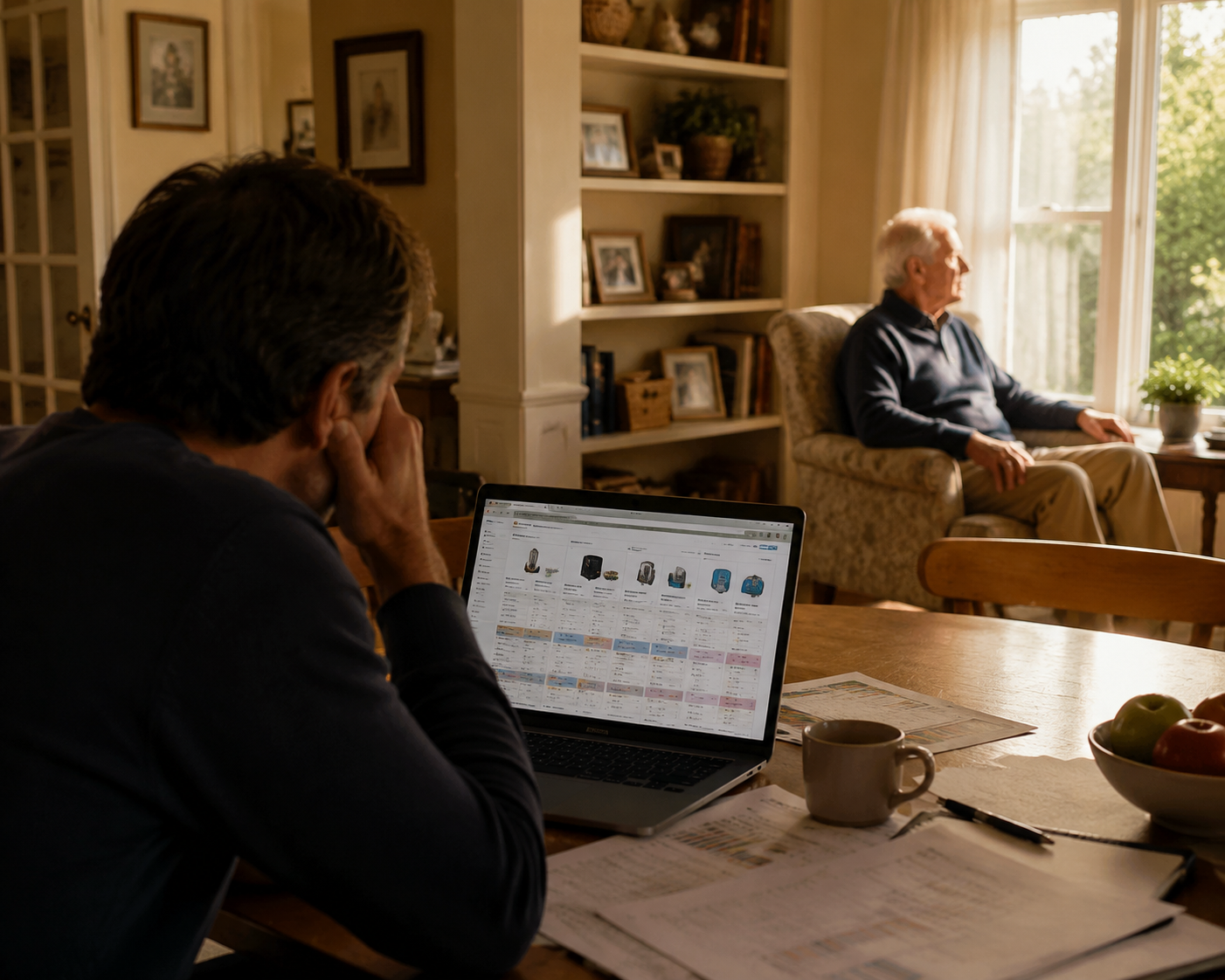
The expensive mistake usually starts before anyone has chosen a device. A daughter has twelve browser tabs open for elderly monitoring systems. A son is comparing star ratings. Someone has already decided that “the best one” must be the safest one. Meanwhile, the parent being monitored is sitting in the next room, not yet asked whether they will wear a pendant, tolerate sensors, keep a smartwatch charged, or agree to a camera near the kitchen.
Brand reviews are useful later. They are a poor first step. The first step is naming the worry that is actually driving the purchase.
That worry is not always tidy. A parent may have fallen once, left the stove on twice, and started missing medications. But one risk usually needs to lead the first purchase. If you do not choose that lead risk, you can end up paying for a system that is impressive on paper and useless by Thursday afternoon.
Start with the risk, not the brand
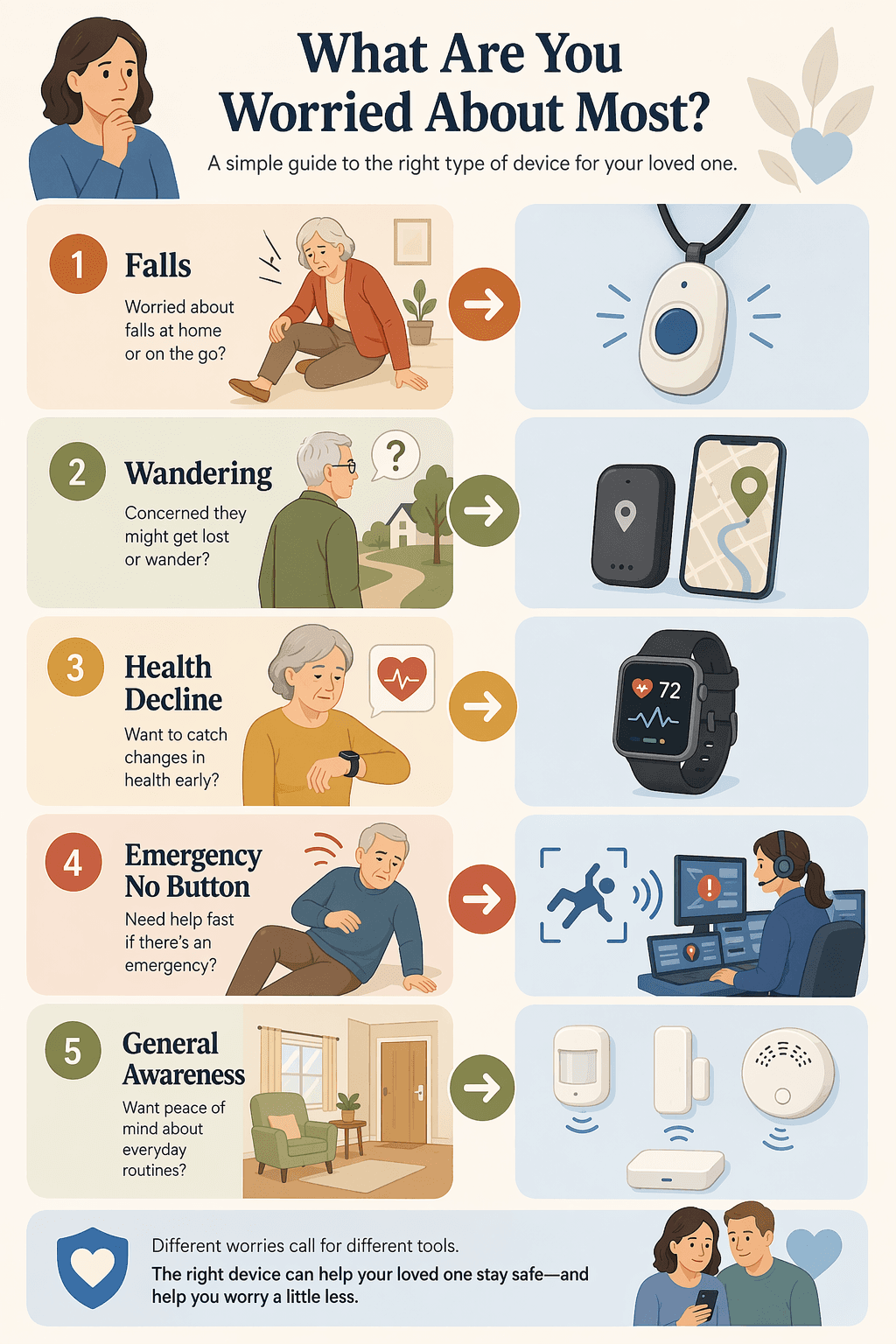
Most families shopping for an elderly monitoring system are trying to answer several emotional questions at once: What if Mom falls? What if Dad wanders? What if no one knows he is getting weaker? What if she cannot press a button? What if I just need to know she is moving around normally?
Those are not five versions of the same problem. They point to different device categories, different costs, different privacy tradeoffs, and different chances that your parent will actually live with the system.
Primary worry
Most realistic starting category
Friction to discuss first
Falls
Medical alert pendant, smartwatch with fall detection, or camera-free activity sensor
Will they wear it, charge it, and accept false alarms?
Wandering
GPS tracker, location-enabled wearable, or door sensor
Does the parent understand and consent, and is dementia part of the picture?
Health decline or vitals concern
Smartwatch or health wearable
Will the data be reviewed by someone who knows what to do with it?
Emergency when a button may not be pressed
Automatic fall detection with 24/7 monitoring
Are you paying for monitoring, and who answers after the alert?
General awareness
Passive home activity sensors
How much routine information is helpful before it starts to feel intrusive?
The table is not a personality quiz. It is a way to stop the family from buying reassurance in the wrong shape.
If falls are the lead risk
Falls often rise to the top for good reason. The CDC says more than one in four adults age 65 and older falls each year, which makes fall risk common enough to treat as a real planning issue rather than a family overreaction.[1]
The usual first purchase is a medical alert system: an in-home base station with a wearable button, a mobile pendant, or a smartwatch-style device. The important question is not whether the device has fall detection. The important question is whether your parent will have it on their body at the moment they fall.
NCOA’s 2026 lab testing of medical alert systems found response times across top brands ranging from 22 to 51 seconds, in-home device ranges from 600 to 1,400 feet, smartwatch battery life around one day, and some mobile devices lasting up to 10 days; it also found fall detection commonly sold as an $8 to $12 monthly add-on.[2]
Those details matter because they reveal the daily burden. A watch that needs charging every night may be fine for a parent who already charges a phone beside the bed. It may fail quickly for someone who leaves devices in drawers. A pendant with a long battery life may be technically simpler, but only if the parent does not feel embarrassed wearing it.
Also separate monitoring from prevention. A fall-detection system can help after a fall. It does not fix a slick tub, a loose rug, poor lighting, or stairs that have become too much. If the danger spot is the bathroom, bathroom grab bar placement may be the more urgent conversation. If the danger is a staircase, compare stair lift options and alternatives before assuming a wearable can carry the whole safety plan.
If wandering is the lead risk
Wandering is not just “fall risk, but outdoors.” It changes the ethical and practical shape of monitoring. The family is no longer only asking for help after an emergency. They may be tracking location, setting door alerts, and deciding who gets notified when a parent leaves a familiar area.
The starting category is usually a GPS tracker, a location-enabled wearable, a door sensor, or some combination of those. If dementia is involved, the decision needs more care than a general device roundup can give. Wandering, nighttime agitation, and routine changes are different problems, and they deserve a more specific plan; see this guide to dementia monitoring systems if that is the situation in your home.
This is also where consent cannot be treated as a checkbox. A parent in the early stages of memory loss may still be able to say what feels respectful. They may accept a door chime but reject a location tracker. They may agree to sharing location with one adult child but not the whole sibling group. The device choice should follow that conversation, not replace it.
If health decline is the lead risk
Sometimes the worry is less dramatic than a fall or wandering episode. A parent seems weaker. Their sleep looks off. They are short of breath after small tasks. The adult child wants numbers: heart rate, activity, sleep, maybe other wellness signals depending on the device.
That points toward a smartwatch or health wearable, not necessarily a traditional medical alert system. But vitals-style monitoring creates its own follow-through problem. Data is not care. Someone has to know what is being tracked, what counts as unusual for that parent, when to call a clinician, and when to leave the parent alone.
A smartwatch can be a good fit for an older adult who already likes screens, messages, and charging routines. It can be a poor fit for someone with dexterity problems, low vision, or no patience for tiny menus. If the family mainly wants emergency response, a health wearable may be too much interface and not enough backup.
If the fear is that no one can press the button
The classic medical alert promise assumes the person can press a button. Many families are worried about the exception: a parent who faints, hits their head, freezes in panic, or cannot reach the pendant.
That is where automatic fall detection and 24/7 monitoring centers become relevant. This is not the same as a phone call from a family member after noticing something odd on an app. With monitored alert systems, the alert goes to a response center that can attempt contact and escalate according to the service protocol.
The tradeoff is cost and nuisance. Monitored medical alert services commonly sit in the monthly-payment category, and NCOA’s 2026 testing found fall detection often added another $8 to $12 per month.[2] Automatic detection can also produce false alarms. A parent who is startled, annoyed, or embarrassed after the first false alarm may stop wearing the device unless the family has explained what will happen.
Before paying for this layer, ask three plain questions: Who answers the monitoring center’s call? Who is listed as the emergency contact? What happens if the parent says they are fine but the family still worries? These are not technical details. They are the difference between a plan and a subscription.
If you mainly need general awareness
Some families do not need a parent’s heart rate or exact location. They need to know that the day has started normally: the bedroom sensor saw movement, the kitchen was used, the front door did not open at 2 a.m., and nothing seems wildly out of pattern.
Passive home activity sensors can fit that need. They are often less stigmatizing than a pendant because the parent does not have to wear anything. They can also feel more invasive because the home itself becomes the device. A motion sensor in a hallway may be acceptable. A camera in a living room may not be. Many families skip over that distinction because they are scared.
This category works best when the family agrees in advance what they will and will not monitor. “We want to know you are up and moving by late morning” is a different agreement from “We want to know every room you entered today.” Older adults are not wrong to hear a difference.
Do not mistake comfort with technology for willingness to be monitored
One lazy assumption is that older adults reject monitoring because they reject technology. The evidence is more interesting than that. A 2025 AARP and CTA report found that 70% of adults age 50 and older felt comfortable using technology to age in place, and 80% reported owning at least one aging-in-place technology; at the same time, only 3% reported owning a connected medical alert device.[3]
That gap matters. It suggests the problem is not simply “seniors do not like tech.” A parent may be perfectly happy with a video doorbell, medication reminder, or smart speaker and still hate a pendant that makes them feel labeled as frail. They may accept a smartwatch because it looks ordinary, or reject it because it nags them. They may tolerate sensors if no one turns the data into daily interrogation.
So ask about the object, not just the feature. Where will it sit? Who will see it? What does it imply? What happens when a neighbor notices it? A device that preserves dignity has a better chance of staying in use than one that wins a comparison chart and then lives in a drawer.
Use specifications to expose tradeoffs, not to crown a winner
Specifications are still useful. They just need to answer daily-life questions.
Response time: If the system uses a monitoring center, how quickly did it connect in independent or lab testing, and does that result depend on cellular coverage?
Range: If the system is home-based, does the wearable work in the yard, basement, garage, or mailbox area?
Battery: Does the parent have to charge it daily, weekly, or rarely, and who notices when charging stops?
Fall detection: Is it included, optional, or a monthly add-on, and what happens after a false alarm?
Connectivity: Does it rely on WiFi, cellular service, a landline, or a mix?
Monitoring: Does an alert go to family only, or to a 24/7 response center?
Connectivity deserves special attention. Care.com notes that cellular systems can maintain coverage during power outages, while WiFi-dependent systems may lose function when the power or internet goes out.[4] That does not make cellular automatically better for every parent. It does mean a rural home, storm-prone area, or unreliable internet connection should change the shopping list.
Cost is not just the purchase price
The elderly monitoring market is large and growing. Research and Markets placed the elderly monitors market at $4.66 billion in 2026 and projected it to reach $7.19 billion by 2030, a compound annual growth rate of 11.5%.[5] That is a sign of a fast-moving category. It is not proof that your family needs a more complicated system.
For a household budget, the recurring charges matter more than the headline price. A device that looks affordable can become expensive once monitoring, fall detection, cellular service, replacement accessories, and cancellation terms are included. A device that costs more upfront may be cheaper over time if it has no monthly monitoring fee, but only if family-only alerts are enough for the risk you are trying to cover.
Do the math over a year, not a checkout page. Then do the more important math: how many people must participate for the system to work? If the plan depends on a parent charging a watch, one sibling checking an app, another sibling answering alerts, and a neighbor holding a key, the real cost includes coordination.
A practical first-purchase process
You do not need a perfect aging-in-place system on the first try. You need a first layer that matches the clearest current risk and has a fair chance of surviving ordinary life.
Name the incident or pattern that made you start shopping: a fall, a wandering episode, missed medication, visible weakness, or worry about being unreachable.
Choose the lead risk for the next 90 days, even if other worries remain.
Match that risk to a category before comparing brands.
Ask your parent what they will actually wear, charge, allow in the home, or explain to visitors.
Decide whether alerts go to family, a monitoring center, or both.
Review the plan after a few weeks, especially after false alarms, missed charges, or ignored notifications.
If the parent is already unsafe alone for long stretches, monitoring may not be the main answer. It may be one part of a broader plan that includes home modifications, scheduled check-ins, adult day services, or a live-in companion. A sensor can notice trouble. It cannot lift someone from the floor, prepare dinner, or sit with a frightened person at dusk.
What to buy first
If falls are the clearest risk, start with a wearable medical alert option or a camera-free fall/activity sensor, then deal honestly with wearability and charging. If wandering is the clearest risk, start with location or door-based alerts and treat consent as part of the safety plan. If health decline is the worry, start with a wearable only if someone will review the information and respond appropriately. If the fear is that your parent cannot press a button, prioritize automatic detection and monitored response. If you mainly need routine awareness, start with passive sensors and set privacy boundaries before installation.
The right first elderly monitoring system is not the one with the longest feature list. It is the one that fits the current risk, the house, the budget, the responders, and the older adult who has to live with it after everyone else closes their laptop.
For individualized recommendations:An occupational therapist or your primary care provider can assess your specific situation and recommend the monitoring category and feature set that best fits the person's functional level, living environment, and caregiver availability. This explainer provides educational context, not a personalized recommendation.

Comments
Join the discussion with an anonymous comment.