
Caregiver decision guide
Bluetooth or GPS Tracker for Seniors With Memory Loss?
Bluetooth tags can find a misplaced wallet but can't track a wandering senior. This guide helps you tell the two problems apart and compare Bluetooth tags, cellular GPS, and app-based options before you buy.
If you came here searching for the best Bluetooth trackers for seniors with memory loss, the first answer is not a brand name. It is a fork: are you trying to find objects, or are you trying to locate a person who may leave home and not return safely?
For misplaced keys, wallets, bags, remotes, or glasses cases, a Bluetooth tag can be exactly the right small fix. It can make a nearby item ring, help you search inside a home, and sometimes show a last-known location when another compatible phone passes near the tag. For wandering, it is the wrong primary tool. Bluetooth locators do not have true GPS or cellular radios, and they do not provide dependable real-time location or automatic exit alerts in the way a cellular GPS tracker, app-based location layer, or radio-frequency search program is meant to do.[1][2]
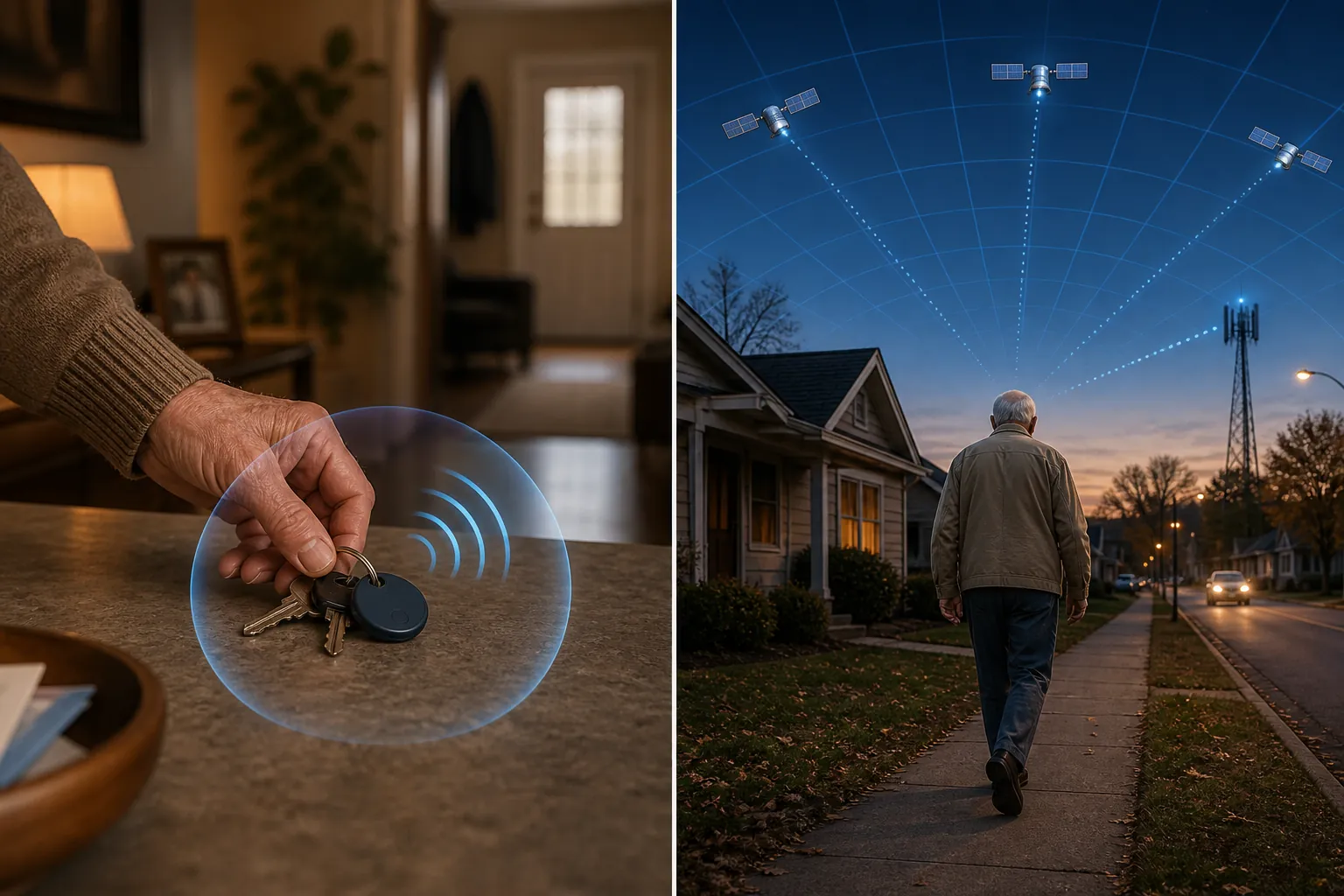
Bluetooth solves the “where did it go?” problem, not the “where is Dad now?” problem
A Bluetooth tracker is a small radio beacon. Your phone, or another nearby phone in the same locator network, has to hear that beacon. That is why Bluetooth tags feel almost magical when the missing object is under a cushion, in a coat pocket, or sitting on a counter in the next room. They are built for short-distance recovery, and the University of Waterloo Aging & Innovation Research Program describes Bluetooth Low Energy locators as having a range under 100 meters, low power draw, batteries that can last over a year, and useful indoor pinpointing strengths.[1]
The same design creates the limit. A Bluetooth tag is not continuously reporting its own location to the caregiver. When it is away from the owner’s phone, it depends on a crowdsourced network: another compatible phone has to pass close enough to detect the tag and relay the location. Waterloo flags that network dependence as a drawback, especially in rural settings, and Caring Village’s July 2026 review explains the practical version: updates may happen only when another network phone passes within roughly 30 meters, so the map may be minutes or hours stale.[1][2]
That stale-location problem is tolerable when you are finding a wallet. It is not tolerable when a person may be moving. A dot that says “last seen near the grocery store” may mean the tag was detected there earlier, not that the person is standing there now. If a caregiver has to open the app manually to notice a problem, the device is not functioning as an exit alert. Caring Village specifically distinguishes Bluetooth tags from dementia GPS trackers on that point: Bluetooth tags lack GPS/cellular radios and do not provide geofence exit alerts.[2]
There is also the awkward human part. A tag designed for keys may be easy to remove, forget, leave on a dresser, or transfer to a jacket that is not being worn. Some consumer locator networks also include unwanted-tracker alerts because the technology can be misused for secret tracking; that protection matters, but it can make an item tag a poor substitute for a device intentionally chosen, discussed, and worn for safety.[3]
When a Bluetooth tag is enough
Bluetooth is a good lane when the behavior is still item misplacement. The parent is generally going where expected. The risk is that an appointment gets derailed because the wallet is in yesterday’s tote bag, the house key is in a robe pocket, or the glasses case slid behind the passenger seat. In that situation, a low-cost tag on the key ring or inside the wallet may reduce searching without turning daily life into surveillance.
It is especially useful when the caregiver’s job is occasional troubleshooting rather than live monitoring. A family member can help set up the app, test the ring function, and choose attachment points that match real habits. A tag on keys is usually better than a tag clipped to a “special” pouch that the parent never carries. A slim tracker in the wallet may matter more than a premium device sitting in a drawer.
This is where the inexpensive solution deserves some respect. Not every memory change calls for a monthly subscription, a wearable, or a dashboard. If the problem is narrow, the tool can be narrow too.
The moment wandering enters the picture, the job changes
Wandering is not the same as misplacing things. It can look like leaving to “go home” to a former address, walking out during sundowning, getting turned around on a familiar route, or insisting on an errand that no longer matches the person’s judgment. If you are still trying to sort out whether outings are safe, use a behavior-first frame such as this dementia outing decision guide before treating the problem as a shopping question.
The Alzheimer’s Association says 6 in 10 people living with dementia will wander at least once, and many do so repeatedly. It also says most people who wander are found within 1.5 miles of where they disappeared, which is exactly why the first minutes matter. Its guidance is to begin searching immediately and call 911 if the person is not found within 15 minutes.[4]
That guidance does not mean every person with memory loss needs a tracker today. It means that once leaving, getting lost, or unsafe route-finding has happened, a last-known Bluetooth ping is too thin a plan. The caregiver needs either live location, a reliable boundary alert, a prearranged community search method, or some combination of those. During an actual disappearance, follow a crisis protocol rather than relying on app-checking alone; this missing dementia loved one protocol is built around the same 15-minute urgency.
Even then, technology has limits. The Alzheimer’s Association cautions that no location-tracking system is 100% accurate, some devices do not work well inside buildings, some only locate a person in a general vicinity, and tracking is not a substitute for a 24-hour companion.[5]
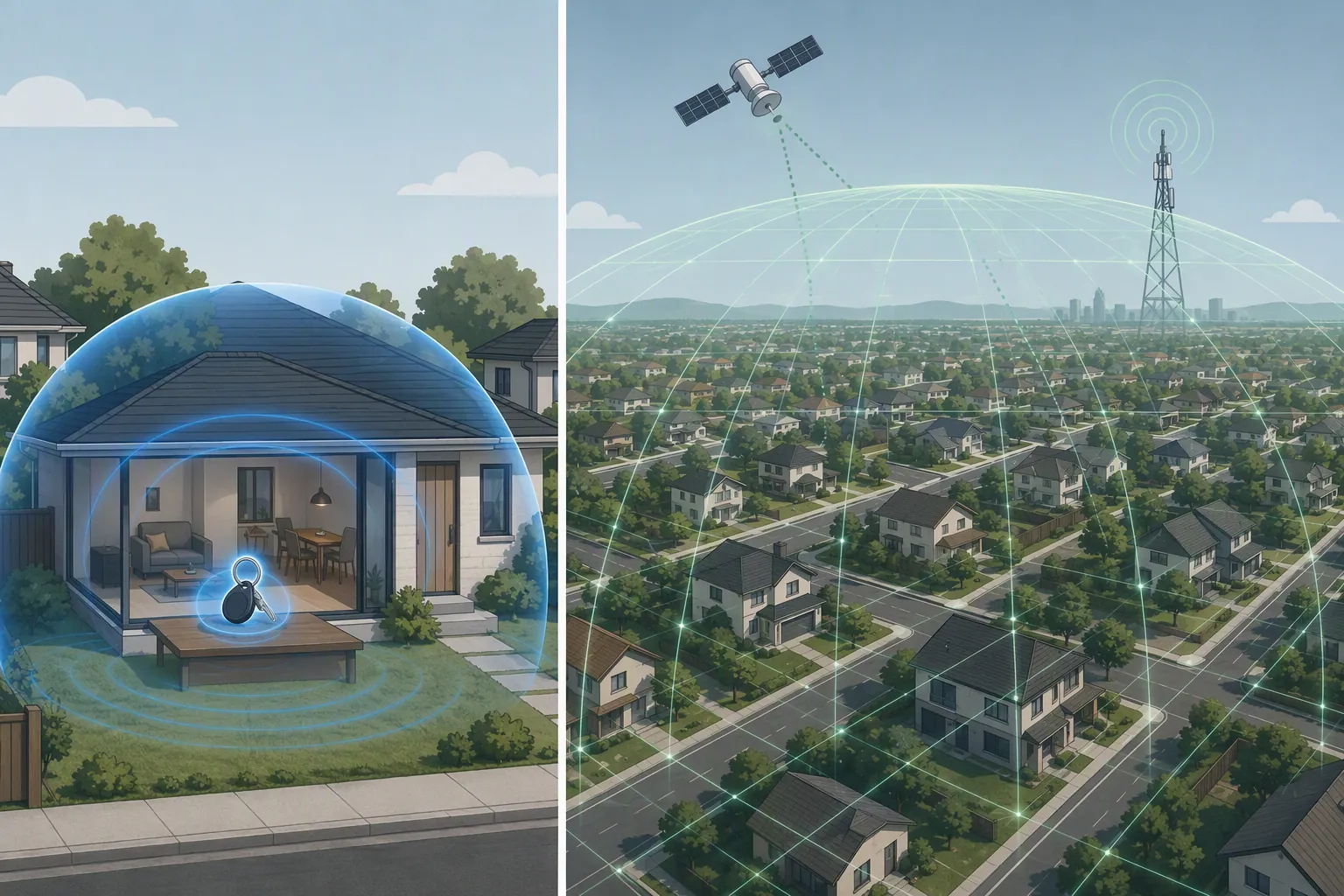
How the main tracking options compare
Waterloo’s comparison is useful because it separates locator technologies by the job they can actually perform: Bluetooth Low Energy locators, GPS/cellular devices, app-based options, and radio-frequency programs all answer different questions.[1]
| Option | Best fit | Range and location behavior | Alerts | Caregiver workload and cost |
|---|---|---|---|---|
| Bluetooth item tag | Keys, wallet, bag, glasses case, remote, other objects | Short-range Bluetooth; Waterloo describes BLE locator range as under 100 m. Away from the owner’s phone, location depends on nearby network phones and may be stale.[1][2] | Usually rings a nearby item; Caring Village distinguishes these tags from geofence-capable dementia GPS trackers.[2] | Low device cost, low charging burden; batteries may last over a year according to Waterloo. Requires setup, app access, and choosing objects the person actually uses.[1] |
| Cellular GPS tracker | A person who may leave a safe area, get lost, or need location while moving | Uses GPS plus cellular service to send location to a caregiver app. SafeWise’s May 2026 review describes cellular GPS as real-time location streaming, with GPS more precise outdoors and limited by buildings or trees.[6] | Can offer geofence or safe-zone alerts, depending on device and plan.[6] | More maintenance: charging, wearing/carrying, subscription management. Caring Village’s July 2026 review describes the cost structure as a device plus roughly $15–$70 per month.[2] |
| Smartphone location app | A parent who reliably carries and charges a phone | Depends on the phone, location permissions, cellular/Wi-Fi availability, and the app ecosystem. Waterloo includes app-based options as a separate category from dedicated devices.[1] | May support shared location or alerts, depending on platform and settings. | No extra wearable if the phone is already used well; weak fit if the phone is often left home, powered off, or confusing. |
| Radio-frequency program | A higher-risk wandering plan involving local search responders | RF systems are not the same as consumer GPS; Waterloo treats radio-frequency locating as its own option for locating someone at risk of going missing.[1] | Usually not a consumer geofence app; value depends on enrollment, local program availability, and responder process. | Requires advance enrollment and coordination. It may be useful as one layer when live phone or GPS tracking is unreliable. |
The biggest tradeoff is not simply price. Bluetooth asks less of the caregiver after setup, but it also does less. Cellular GPS can do the thing a wandering plan often needs—show a current location and send boundary alerts—but it adds charging, subscription billing, device-wearing negotiations, and cellular-network dependence. If the tracker uses cellular service, families should also think through what happens when service is down; a cell-service outage caregiver checklist belongs in the same planning folder as the device instructions.
Cost, charging, and the false economy problem
The appealing part of a Bluetooth tag is obvious: one small purchase, no monthly line item, and little battery attention. Waterloo’s October 2024 comparison describes BLE locators as low-power devices with batteries that can last over a year.[1] That is a good bargain when the item is the thing you are trying to recover.
It becomes false economy when the family actually needs a wandering response. Caring Village’s July 2026 review puts cellular tracker costs in a different category: a device plus roughly $15–$70 per month.[2] SafeWise’s May 2026 review also notes the other side of that capability: GPS tracking requires frequent charging, and signal quality can be affected by buildings and trees.[6]
Insurance or tax-advantaged spending should be treated carefully. Caring Village discusses Medicare, Medicaid, HSA, and FSA considerations in its 2026 tracker review, but those statements are a consumer-site synthesis, not a guarantee that a specific plan will pay for a specific device. Before counting on reimbursement, ask the plan, benefits administrator, or tax professional directly.[2]
A practical pre-purchase checklist
Do not start with “best.” Start with the alert you actually need. A device that performs beautifully on the wrong job will still leave the caregiver doing the hard part manually.
- Name the behavior first: misplaced objects, missed appointments because essentials are lost, unsafe walking, leaving home, driving confusion, or repeated getting lost.
- Decide what alert matters: a sound from a nearby wallet, a last-known location, a live map, an exit alert, or responder-assisted search.
- Check the phone ecosystem: Bluetooth tags and phone-location tools work best when the caregiver and older adult are in compatible systems and someone can manage permissions. If an iPhone is central to the plan, review the relevant iPhone safety features for seniors before buying extra hardware.
- Choose the attachment honestly: a key ring, wallet slot, shoe clip, watch-style device, pendant, belt pouch, or phone only works if the person will actually carry it.
- Measure charging tolerance: a cellular GPS tracker that sits uncharged on the counter is less useful than a simpler plan the household can maintain.
- Think about urban versus rural use: Bluetooth crowdsourced networks are more fragile where fewer compatible phones pass nearby; cellular GPS depends on cellular coverage and can still struggle indoors.
- Budget beyond purchase price: Bluetooth is usually a device purchase; GPS/cellular tracking commonly adds a monthly plan, replacement accessories, and caregiver time.
- Handle consent and dignity directly: when the person can participate, explain what is being tracked, who can see it, and when the family will review whether the setup still fits.
The decision in plain terms
If the problem is missing objects, buy for object recovery. A Bluetooth tag on keys, a wallet, or a frequently misplaced bag is a sensible, low-friction tool.
If the problem is a person leaving, getting lost, or needing help while moving, do not ask a Bluetooth tag to do that job. Look at cellular GPS trackers, smartphone location sharing if the phone is reliably carried, or an RF program where available, and treat the device as one layer of a broader supervision and response plan that accounts for app, battery, and signal failures.
References
- Locator devices for older people at risk of going missing, University of Waterloo Aging & Innovation Research Program.
- 7 Best GPS Trackers for Elderly Parents and Dementia Patients in 2026, Caring Village, July 2026.
- The Best Bluetooth Tracker, Wirecutter.
- Wandering and Dementia, Alzheimer’s Association.
- Technology Safety for Older Adults, Alzheimer’s Association.
- 4 Best GPS Trackers for Dementia Patients (2026 Review), SafeWise, May 2026.
Questions to bring to a clinician or OT
This is not medical, legal, or a family's final decision — only a framework. Bring these questions to a clinician, occupational therapist, or your local Area Agency on Aging.
Find Local HelpRelated reading
Noticed something outdated or inaccurate on this page? Flag a correction. We review every report against CDC, NIA, and AARP HomeFit guidance before updating a page.