
Caregiver decision guide
Elderly Monitoring Systems: A 5-Dimension Evaluation Framework for Family Caregivers
This guide helps long-distance adult children evaluate elderly monitoring systems across five critical dimensions — privacy, ease of use, connectivity, clinical relevance, and data sharing — so they can choose a system that respects their parent's dignity, produces useful information, and avoids hidden costs.
Why a Systematic Evaluation Framework Matters
The global elderly monitors market is valued at $4.66 billion in 2026 and is projected to reach $7.19 billion by 2030, according to a February 2026 report from Research and Markets. That kind of explosive growth — an 11.5% compound annual rate — means hundreds of new devices, apps, and subscription services are competing for your attention. For a long-distance adult child trying to choose a system for a parent living alone, the sheer volume of options is overwhelming.
The real danger isn't picking the wrong brand. It's picking a system that fails on a fundamental dimension you didn't know to evaluate. A camera-based system your parent covers with a dish towel because they feel watched. A WiFi-only device that goes silent when the home internet bill goes unpaid. A health tracker that collects data your parent's doctor will never see — but that a third party may purchase. A subscription with a fall detection add-on fee you discover only after the first fall.
This guide provides a five-dimension evaluation framework — privacy model, ease of use, connectivity, clinical relevance, and data sharing — designed to help you systematically assess any monitoring system before you commit. The goal is not to recommend a specific product but to give you the questions and criteria that separate a genuinely useful system from one that creates new problems while claiming to solve old ones.
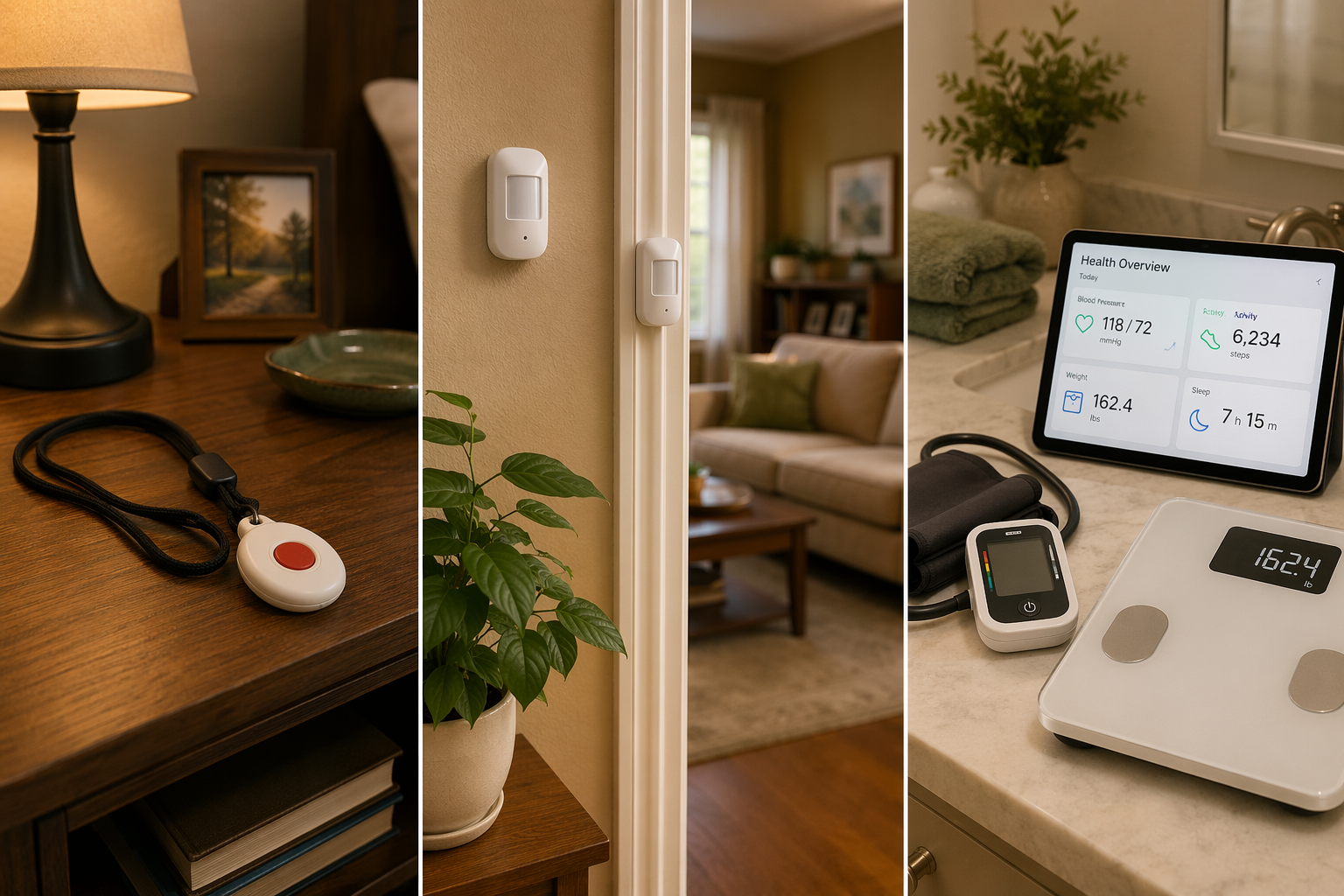
The Five Evaluation Dimensions Every Caregiver Should Assess
Before you compare monthly prices or read reviews, step back and evaluate any monitoring system across these five dimensions. Each one answers a specific question that determines whether the system will actually work for your parent — and for you.
- Privacy model: Does the system use cameras, radar, passive sensors, or wearables? How does it handle data after collection? Your parent's willingness to accept the system depends almost entirely on this dimension.
- Ease of use: Does the system require your parent to wear, charge, or interact with a device daily? Does it work silently in the background? The best technology is the one that gets used consistently.
- Connectivity: Does the system rely on WiFi, cellular, or a phone line? What happens when the internet goes down or the router gets unplugged? Connectivity failures are the most common reason monitoring systems go dark.
- Clinical relevance: Does the data it collects actually help a clinician make decisions? Or does it stay in a consumer app where no medical professional ever sees it? The distinction between wellness data and clinically actionable data matters.
- Data sharing and ownership: Who owns the data? Is it HIPAA-compliant? Can it be sold to third parties? A system that collects health data without clear data-sharing policies can create privacy risks you didn't anticipate.
These five dimensions are interdependent. A system with excellent clinical relevance is useless if your parent refuses to wear it. A system with perfect privacy protections is worthless if its data never reaches a doctor when something goes wrong. The right system balances all five for your specific situation.
The Privacy Spectrum: From Cameras to Passive Sensors
Privacy is the dimension most likely to determine whether a monitoring system actually gets used. A 2020 AARP article captured this perfectly with the story of Ryan Herd, founder of Caregiver Smart Solutions, whose father covered a camera with a dish towel. Herd's father wasn't being difficult — he was expressing a fundamental human response to being watched. As the CEO of Pontosense noted at CES 2026 about their radar-based fall detection system, "I've never met somebody that wants to install a camera in their bathroom."
Monitoring technologies fall along a privacy continuum. Understanding where a system sits on this spectrum helps you match it to your parent's comfort level and cognitive status.
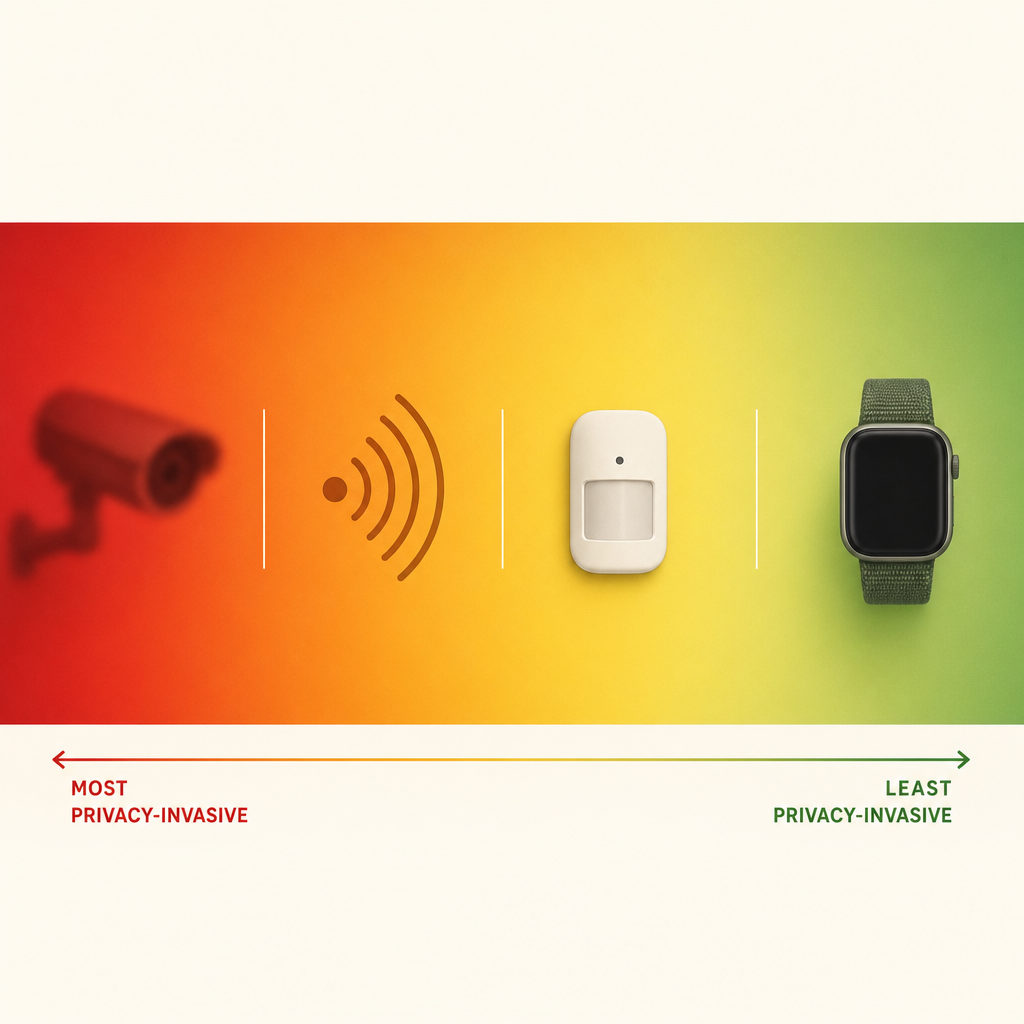
| Privacy Level | Technology Type | How It Works | Best For | Key Risk |
|---|---|---|---|---|
| Lowest privacy | Camera-based systems | Live video feed or recorded clips viewed by caregiver or AI | Situations where visual confirmation is essential (e.g., fall verification) | Seniors may disable or cover cameras; constant surveillance feels undignified |
| Moderate privacy | Radar sensors | Wall-mounted device detects movement and falls without recording images or sound | Fall detection in bathrooms or bedrooms where cameras are unacceptable | Newer technology; fewer long-term studies on accuracy in real homes |
| Higher privacy | Passive motion and contact sensors | Small sensors on walls, doors, cabinets detect activity patterns without identifying specific actions | General activity monitoring for seniors living alone; no action required from the user | Cannot detect falls directly; only detects absence of movement |
| Highest privacy | Wearables without cameras | Watch or pendant worn by senior tracks movement, heart rate, and fall events | Active seniors who will consistently wear and charge the device | Requires daily compliance; fails if removed or not charged |
The Wirecutter guide from 2026 emphasizes a critical principle: "Transparency should be obvious. Nobody likes to be monitored without knowing." If you choose a system with a lower privacy level, the conversation with your parent about what the system does and doesn't record is not optional — it's the difference between a system that gets used and one that gets unplugged.
The Cost Iceberg: What You Actually Pay For
The monthly subscription fee is only the visible tip of the cost structure. Below the waterline, several additional expenses can double or triple the total cost of ownership over a year. Understanding the full cost iceberg before you commit prevents unpleasant surprises.
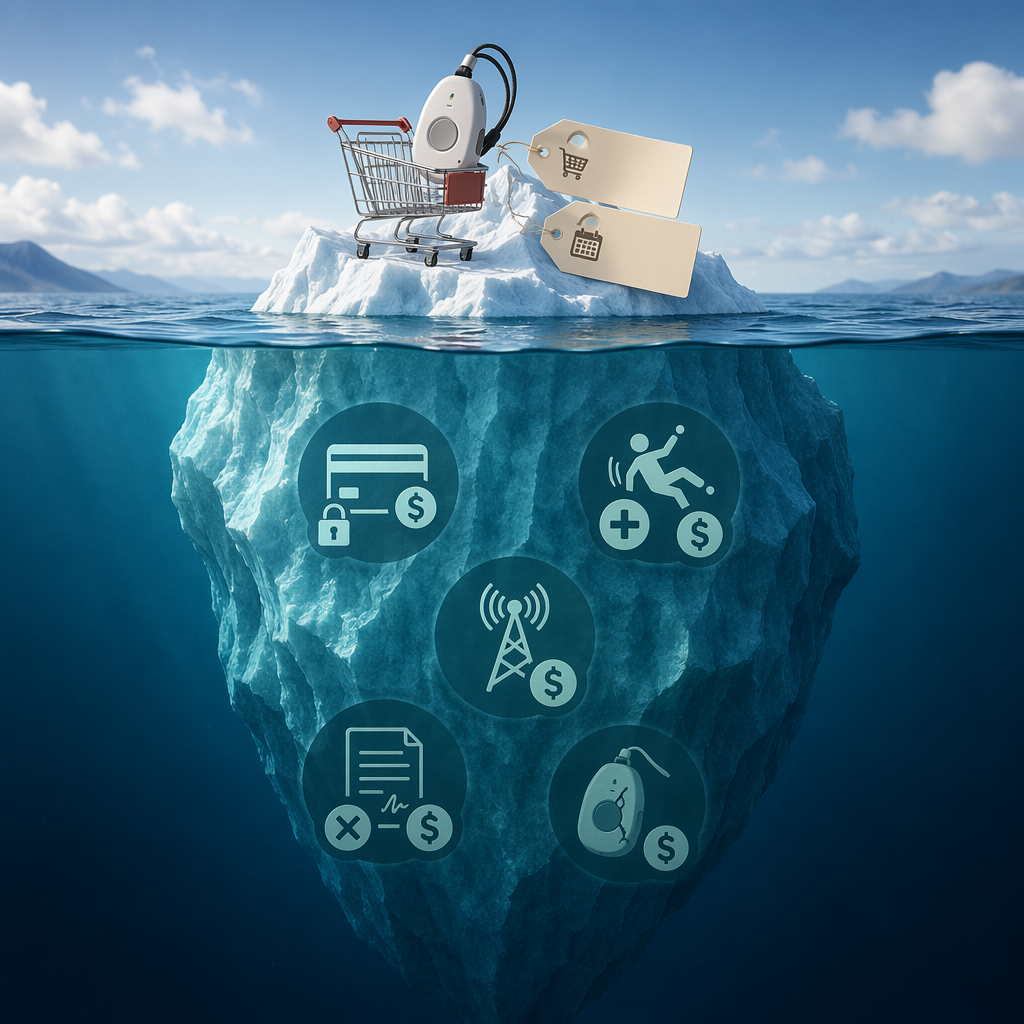
| Cost Component | Typical Range | Notes |
|---|---|---|
| Hardware / equipment fee | $0 – $400 one-time | Some systems charge upfront for the base unit and sensors; others include it in the monthly fee |
| Monthly subscription | $20 – $80 per month | Varies by features: basic PERS is lower; smartwatch-style systems with cellular data are higher |
| Activation / setup fee | $0 – $50 one-time | Often waived during promotions but can appear on the first bill |
| Fall detection add-on | $5 – $15 per month extra | Automatic fall detection is frequently a paid upgrade, not a standard feature |
| Cellular data plan | $0 – $15 per month | Some systems include cellular; others charge separately or require you to add a line |
| Contract penalty | Varies | Early termination fees on 1-year or 2-year contracts can be $100–$300 |
| Device replacement | $50 – $200 per incident | Lost, damaged, or water-damaged wearables may not be covered under warranty |
For example, a passive at-home system like the LifeFone system reviewed by Wirecutter costs approximately $31 per month with no long-term contract. A smartwatch-style medical alert system like the UnaliWear Kanega costs around $300 for the hardware plus roughly $80 per month. Over two years, the difference is significant: approximately $744 for the passive system versus $2,220 for the smartwatch-style system.
For a deeper analysis of how monitoring costs compare to potential savings from reduced hospitalizations or delayed facility placement, see our cost-benefit framework for monitoring technology.
Connectivity: Why Cellular Beats WiFi for Most Seniors
A monitoring system that can't communicate is worse than no system at all — it creates a false sense of security. The connectivity dimension determines whether the system stays online reliably, and for many seniors living alone, cellular connectivity is significantly more reliable than WiFi.
The Care.com guide explicitly recommends cellular connectivity for reliability. Here's why: WiFi-only systems depend on the senior maintaining a home internet connection — paying the bill, keeping the router powered on, and not accidentally unplugging it. For seniors who are forgetful, on a fixed income, or simply not tech-oriented, any of these failure points can take the monitoring system offline without anyone noticing.
- Cellular-connected systems work on their own data plan. They don't depend on the senior's home internet. If the power goes out, cellular towers typically have backup power. The system keeps working even when the home network is down.
- WiFi-only systems are cheaper to manufacture and often have lower monthly fees, but they introduce a single point of failure that the senior may not be able to troubleshoot. If the router needs a reboot and your parent can't do it, the system is offline until you visit or walk them through it over the phone.
- Phone-line systems are the most reliable in terms of uptime but are becoming less common as landlines are phased out. They also lack the data capacity for advanced features like automatic fall detection or health monitoring.
Connectivity also affects how easily a system integrates with broader smart home ecosystems. If you're considering a staged approach — starting with a simple medical alert and later adding motion sensors, smart lights, or door locks — cellular connectivity provides a more flexible foundation. Our smart home integration ladder guide walks through how to build a comprehensive safety system over time.
Clinical Relevance and Data Sharing: Does the Data Actually Help?
This is the dimension most caregivers overlook. A monitoring system can collect vast amounts of data — step counts, sleep patterns, heart rate, bathroom visits — but that data is only valuable if it reaches someone who can act on it. There is a fundamental difference between consumer-grade wellness data and clinically actionable health data.
Consumer Data vs. Clinical Data
| Characteristic | Consumer Wellness Data | Clinically Actionable Data |
|---|---|---|
| Where it goes | Stays in a mobile app; may be shared with third parties | Reaches a healthcare provider via EHR integration |
| Regulatory standard | No HIPAA requirement; data can be sold | HIPAA-compliant; protected health information |
| Who sees it | Caregiver and possibly the vendor | Doctor, nurse, or care team |
| Clinical value | Trend information only; not used for medical decisions | Can trigger medication adjustments, specialist referrals, or interventions |
| FDA clearance | Not required (general wellness exemption) | Required for devices that diagnose or guide treatment |
The Care.com guide cites Drew Schiller, CEO of Validic, noting that health and wellness apps that do not claim HIPAA compliance often profit from user data. The guide also references a 2016 Scientific American finding that Pfizer spent $12 million annually buying health data from consumer sources. If your parent's monitoring system collects health information but is not HIPAA-compliant, that data may be sold to third parties — including pharmaceutical companies, insurers, or data brokers.
What the Evidence Says About Passive Sensor Effectiveness
A 2022 scoping review by Kim et al., published in the Interactive Journal of Medical Research, identified 30 studies on in-home monitoring technology and found compelling evidence for passive sensor systems. The review identified six functions of in-home monitoring: tracking daily activities, detecting abnormal behaviors, assessing cognitive impairment, detecting falls, indoor person positioning, and monitoring sleep quality. The most common sensors were passive infrared motion sensors (used in 21 of the 30 studies) and contact sensors (used in 19 studies).
Machine learning algorithms applied to passive sensor data achieved impressive accuracy: depression detection up to 96% accuracy and abnormal behavior detection at 88% accuracy using heatmap analysis that distinguished normal activity patterns from abnormal ones. A 12-week pilot study with five dementia patients using a sensor-based nighttime wandering intervention significantly reduced caregiver depression and anxiety.
When FDA Clearance Matters
FDA clearance is required for devices that are marketed as diagnosing a condition, guiding treatment, or providing clinically actionable data to healthcare providers. Remote Patient Monitoring (RPM) devices — blood pressure cuffs, glucose monitors, pulse oximeters — typically require FDA clearance because their data is used for clinical decisions.
General wellness monitors — step counters, sleep trackers, activity sensors — are exempt from FDA clearance under the agency's general wellness policy, as long as they don't claim to diagnose or treat a specific condition. Most passive monitoring systems and consumer wearables fall into this category.
If your goal is to share data with your parent's doctor, you need a system that is either FDA-cleared for RPM or that integrates with the provider's electronic health record system. If your goal is simply to know whether your parent is moving around normally, a general wellness system without FDA clearance is likely sufficient.
Red Flags and Questions to Ask Before Buying
Once you've evaluated a system across the five dimensions, use this checklist of red flags and questions to make your final decision. These are the warning signs that a system may create more problems than it solves.
Red Flags to Watch For
- Long-term contracts with early termination fees. If the system doesn't work for your parent, you shouldn't be locked in for 12 or 24 months. Look for month-to-month options.
- No clear HIPAA compliance statement. If the vendor cannot or will not explain how they handle health data, assume it is not protected. Ask specifically: "Is my parent's data covered by HIPAA? Can it be sold to third parties?"
- Fall detection as a paid add-on. Automatic fall detection is a core safety feature. If it costs extra per month, the base subscription is essentially an alert button without the most important capability.
- WiFi-only connectivity with no cellular backup. If the system goes offline when the internet goes down, it creates a dangerous false sense of security.
- Requires daily charging or interaction. If your parent must charge a device every night or interact with an app daily, the system will fail on the ease-of-use dimension. The envoyatHome guide correctly notes that help buttons fail for cognitive decline because they require 100% compliance — wearing, charging, and remembering.
- No clear data-sharing policy. If the privacy policy is vague about who has access to the data, assume it is being shared or sold.
Questions to Ask Every Vendor
- What is the total monthly cost including all features I need (fall detection, cellular data, caregiver app access)?
- Is there an activation fee, and what is the cancellation policy?
- Is the device cellular-enabled, or does it require WiFi? If cellular, is the data plan included in the monthly fee?
- Is the system HIPAA-compliant? Can you provide a Business Associate Agreement (BAA)?
- Can the data be shared with my parent's healthcare provider? If so, how?
- What happens if the device is lost, damaged, or submerged in water? Is replacement covered?
- How does the system handle falls if my parent is not wearing the device (for wearable systems)?
- Is there a trial period? What happens if my parent refuses to use the system after the first week?
Before you make a final decision, also assess whether your parent's home is ready for monitoring technology. Our aging-in-place readiness checklist covers the four domains — home safety, technology infrastructure, caregiver readiness, and financial planning — that determine whether monitoring will actually support independent living.
And if your parent is resistant to technology, the barriers may not be what you think. Our guide to the six real barriers to senior tech adoption explains why "they just don't want to learn" is rarely the full story — and how to address the actual obstacles.
Making Your Decision
The five-dimension framework — privacy, ease of use, connectivity, clinical relevance, and data sharing — gives you a systematic way to evaluate any monitoring system. No single system will score perfectly on all five dimensions. The goal is to find the system that scores well on the dimensions that matter most for your parent's specific situation.
For a parent who is cognitively intact but lives alone and is at risk of falls, a passive sensor system with cellular connectivity and no camera may be the best balance of privacy and safety. For a parent managing a chronic condition like hypertension or diabetes, an FDA-cleared RPM system that shares data with their doctor may be worth the higher cost and lower privacy. For a parent with early-stage dementia who wanders, a GPS tracker combined with passive door sensors may provide the right combination of location tracking and activity monitoring.
The common thread across all situations is this: the best monitoring system is the one your parent will actually accept and use consistently. A technically superior system that sits in a drawer is inferior to a simpler system that stays on and online. Evaluate the technology, but also evaluate the human factors — your parent's comfort, habits, and willingness to participate. That combination is what determines whether a monitoring system delivers peace of mind or becomes another source of frustration.
Questions to bring to a clinician or OT
This is not medical, legal, or a family's final decision — only a framework. Bring these questions to a clinician, occupational therapist, or your local Area Agency on Aging.
Find Local HelpRelated reading
- What Do Elderly Monitoring Systems Actually Cost? A Complete Breakdown of Upfront Fees, Monthly Subscriptions, and Hidden Charges
- How Monitoring Technology Can Reduce In-Home Senior Care Costs: A Cost-Benefit Framework for Families
- Monitoring Elderly Parents Without Cameras: A Guide to Privacy-Preserving Passive Systems
Noticed something outdated or inaccurate on this page? Flag a correction. We review every report against CDC, NIA, and AARP HomeFit guidance before updating a page.