
Caregiver decision guide
Passive Sensors vs. Wearables vs. Cameras: Choosing the Right Monitoring System for Your Aging Parent
Compare passive ambient sensors, wearable medical alerts, and in-home cameras to find the best fit for your parent’s needs, privacy preferences, and living situation.
AARP tells the story of a caregiver’s father who simply covered the camera with a dish towel. Not out of confusion. Out of resistance. “People don’t want anybody watching them,” said Ryan Herd, founder of Caregiver Smart Solutions. “They don’t like that 1984 stuff.”
People don’t want anybody watching them. They don’t like that 1984 stuff.
That dish towel is a better summary of the elderly monitoring systems market than any growth forecast. The technology exists. The market hit $4.19 billion in 2025 and is projected to grow to $4.66 billion this year. Yet fewer than 10% of older adults have installed any kind of safety monitoring device, according to the University of Michigan National Poll on Healthy Aging. The barrier isn’t a lack of options. It’s a mismatch between what technology promises and what a real person will accept and use.
The right approach for your parent depends on three things: their cognitive status, their willingness to wear or interact with a device, and their privacy tolerance. Each of the three main monitoring approaches — passive ambient sensors, wearable medical alerts, and in-home cameras — makes a fundamentally different trade-off between safety and privacy.
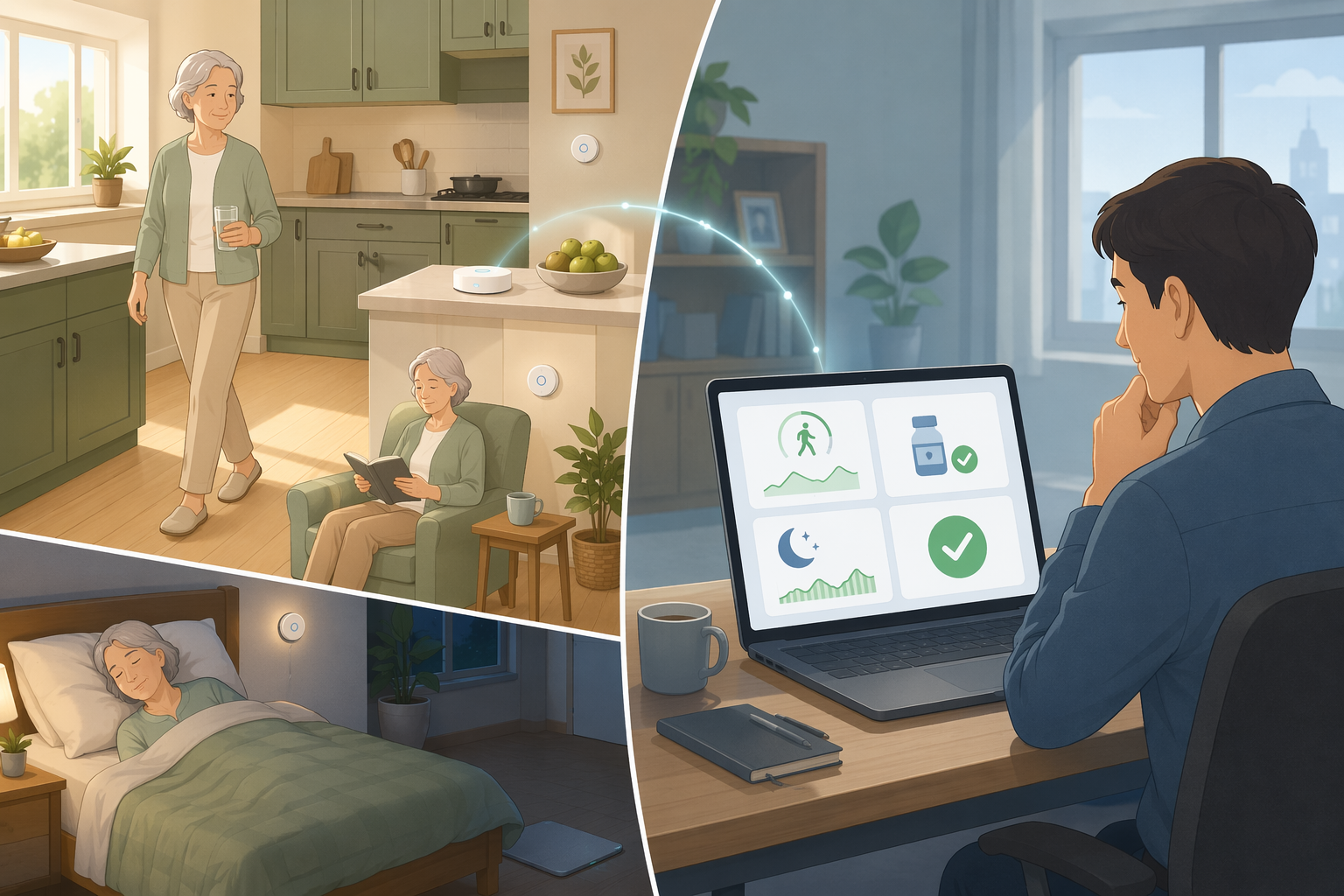
Passive sensors, wearables, cameras: what each actually does
Passive sensors (PIR motion detectors, magnetic contact sensors on doors, pressure mats on beds, temperature and water sensors) require no action from your parent. They are installed around the home and detect patterns: when they wake, how often they move, whether the front door opened at 3 a.m. An NIH scoping review found PIR motion sensors in 21 of 30 studies and contact sensors in 19. The system learns a baseline routine and sends an alert when something deviates — no motion detected by 10 a.m., bathroom use unusually frequent, fridge not opened all day. Cost: a whole-home system runs $500–$1,500 plus a monthly monitoring fee of $49–$59.
Wearable medical alerts (pendant worn around the neck, wristband, or smartwatch) require the user to wear the device and keep it charged. They are designed for emergencies: a button press or automatic fall detection triggers a call to a monitoring center. According to NCOA testing, in-house response times range from 22 to 51 seconds. Monthly costs run $24.95–$46.95, with an extra $8–$12 for fall detection; equipment fees $0–$200.
Cameras (standard video, depth sensors like Kinect, or WiFi-based imaging) provide live or recorded visual information. Depth cameras can detect a fall with >96% accuracy (de Miguel et al., 2017) while reducing identifiability. But any camera — even a depth sensor — feels like surveillance to many seniors. The dish towel story is not an outlier.
Lab vs. living room: how much should you trust those accuracy numbers?
You will see numbers like 91%, 98.74%, and >96% thrown around. They are not wrong. They are just measured under conditions that do not match your living room.
The 91% sensitivity for PIR-based activity detection comes from a 2005 study by Alwan et al. — a single study, two decades old, conducted in a controlled environment. It tells you that under ideal conditions, the sensor can detect whether someone moved. It does not tell you how well it handles real-world noise: a pet triggering motion, a caregiver arriving, furniture rearranged, or a person simply sitting still for too long.
The 98.74% accuracy and 51.4 ms prediction time for radar-based fall detection (Wang et al., 2020) came from a lab. Actual homes have clutter, multiple people, pets, and furniture that scatter radar waves and degrade performance. The paper does not model that.
Even the NCOA response times — 22 to 51 seconds — only measure one step: how fast the monitoring center answers the call. They do not capture dispatch quality, how long it takes for emergency services to reach the house, or how the system handles false alarms. It is one dimension, not the whole picture.
The compliance problem: why wearables fail when you need them most
A wearable that is not worn is useless. And many seniors do not wear them — especially those with cognitive impairment who forget, or who find the pendant uncomfortable or embarrassing. The NCOA survey found that nearly 75% of purchasers bought the device after a fall, meaning it is a reactive purchase, not proactive prevention.
Even when worn, placement matters. Fall detection on the wrist is substantially less accurate than a pendant around the neck or a belt clip, because arm movement triggers false alarms. Some systems require daily charging — battery life varies from a few days to 10 days (LifeFone hit 10 days in testing). If your parent forgets to charge, the system goes silent.
For cognitively intact seniors who are willing to wear the device, a wearable is a solid emergency solution. For someone with memory loss or who resists wearing anything, it is a false sense of security. In that situation, the link between passive sensors and dementia care is worth a closer look — we have a full comparison for dementia caregivers.
Cameras: the complete picture at a steep privacy cost
Cameras give you the most information. You can see what is happening, not infer it from sensor patterns. Depth cameras and computer vision systems have demonstrated fall detection accuracy above 96%. The technology works.
But the relational cost is real. The AARP dish towel story is not isolated. Many seniors experience camera monitoring as a loss of dignity and autonomy. Even if you use depth cameras that show silhouettes rather than faces, the feeling of being watched persists. Some caregivers report that their parents deliberately disable or block the cameras, which defeats the purpose entirely.
If your parent tolerates cameras and you need live visual confirmation, this can be the right choice — especially for fall detection when every second counts. But do not treat cameras as just another option. The privacy cost is heavy, and it may damage trust. If you want to avoid cameras altogether, our guide to camera-free monitoring covers privacy-preserving alternatives in depth.
Passive sensors: privacy-friendly but no emergency button
Passive sensors sidestep most of the privacy problem. They collect no images, no audio, no identifying data. A PIR sensor detects heat and motion. A contact sensor tells you whether a door is open. A pressure mat under the mattress records time in bed. These data points, aggregated over days, build a picture of routine — and deviations from that routine can signal trouble: no movement after 9 a.m. might mean a fall, or it might mean a late morning. The system cannot know the difference; it alerts you, and you decide.
The trade-off is obvious: passive sensors are excellent for detecting gradual decline (cognitive impairment signals, worsening sleep, reduced mobility) but they will not tell you instantly that your parent has fallen. The Alwan study (again, old and limited) reported 91% sensitivity for detecting activities of daily living, not falls. Emergency response depends on the caregiver noticing the alert and acting.
Cost: individual sensors range from $5 to $35 (2018 survey data), but a whole-home system with a hub and monitoring service runs $500–$1,500 plus monthly fees. That is more expensive upfront than a wearable, but there is no ongoing user compliance — install them and they work.
What about radar and smart carpets?
Emerging technologies try to bridge the gap between privacy and accuracy. Millimeter-wave radar can detect falls through walls (Wang et al., 2020: 98.74% in lab) and does not require a wearable or a camera. WiFi-based systems like DeFall claim 95% accuracy by analyzing signal disruptions. Smart carpets with pressure grids can detect falls, footsteps, and even gait changes.
These are promising, but not widely available or field-tested in real homes. I would mention them as options to watch, not as equivalent alternatives to the three main categories today.
The decision matrix: matching approach to your parent’s reality
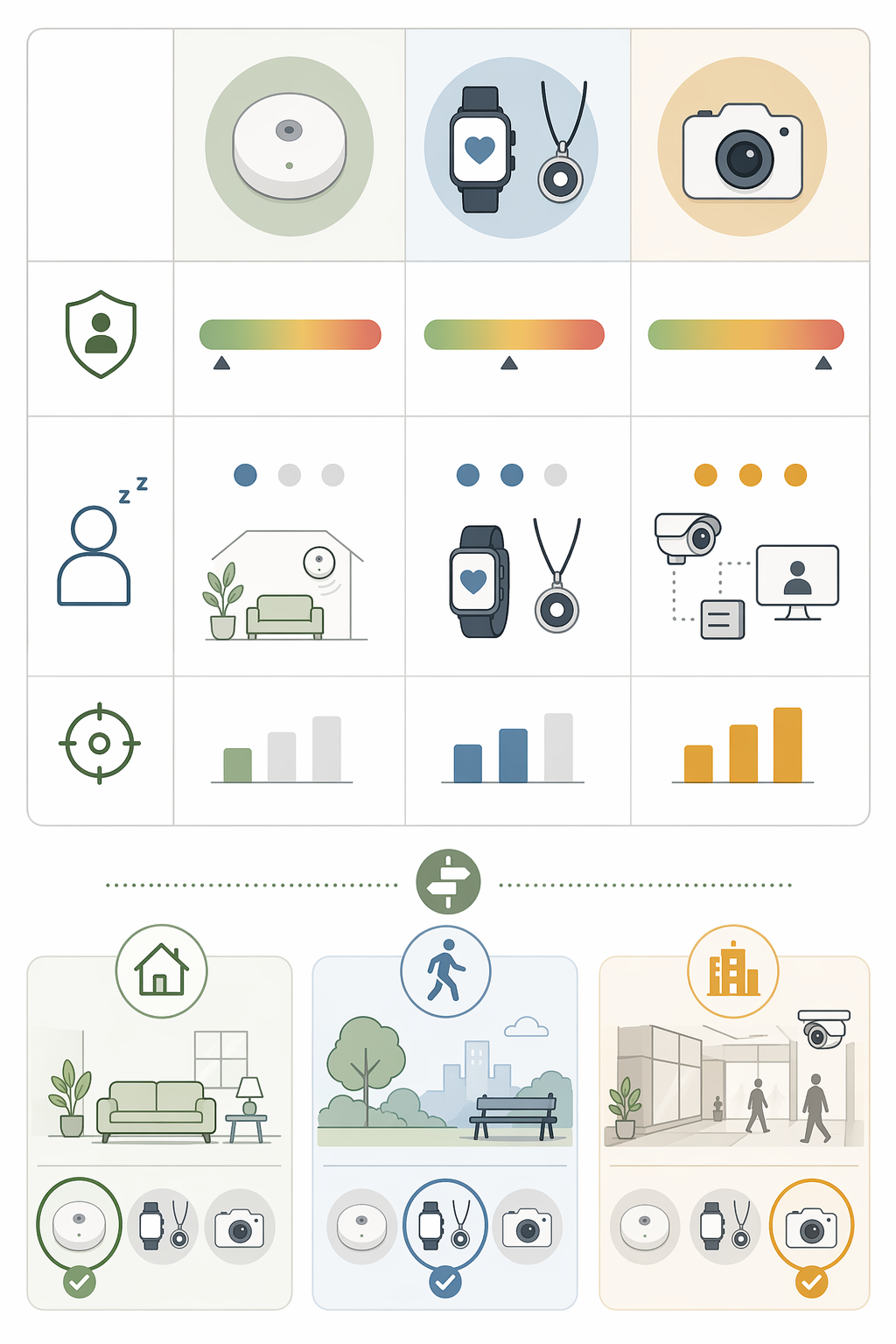
No single approach is best. The right choice depends on where your parent falls on three axes: cognitive status, willingness to wear or accept a device, and privacy tolerance.
| Scenario | Best fit | Why |
|---|---|---|
| Cognitively intact, willing to wear pendant | Wearable medical alert | Reliable emergency response; compliance likely high |
| Cognitively intact, refuses to wear anything | Passive sensors | No user action required; monitors daily patterns |
| Cognitively impaired, ambulatory | Passive sensors (no wearable) | Forgetting to wear device is certain; passive works regardless |
| Caregiver needs live fall detection, parent tolerates cameras | Cameras | Highest accuracy for immediate fall alerts; accept privacy cost |
| Parent has high privacy concerns | Passive sensors (no cameras) | No image or audio; data is pattern-based |
| Long-distance caregiver, routine monitoring only | Passive sensors | Alerts on deviations; no compliance needed from parent |
Even the best technology will fail if your parent resists it. Before you buy anything, talk with them about what monitoring means. A dedicated empathy guide offers practical conversation scripts and strategies for introducing these systems without triggering resistance.
Also understand the distinction between a medical alert system and remote patient monitoring — our comparison article clarifies the different roles they play.
Questions to bring to a clinician or OT
This is not medical, legal, or a family's final decision — only a framework. Bring these questions to a clinician, occupational therapist, or your local Area Agency on Aging.
Find Local HelpRelated reading
- Passive vs. Active Elderly Monitoring Systems: What the Research Says About Real-World Adoption
- What Elderly Monitoring System Is Right for Your Parent? A Decision Framework Based on Health Profile, Living Situation, and Risk Level
- Privacy vs. Safety: Navigating the Ethical Decision of Monitoring an Aging Parent at Home
Noticed something outdated or inaccurate on this page? Flag a correction. We review every report against CDC, NIA, and AARP HomeFit guidance before updating a page.