What You Actually Pay: The Total Cost of Ownership for Elderly Monitoring Systems in 2026
This guide reveals the real, often hidden costs of elderly monitoring systems — from equipment and monthly fees to fall detection add-ons, battery replacements, and cancellation penalties. It provides a 5-year total cost of ownership (TCO) comparison across basic PERS, GPS mobile, AI-powered passive, and no-monthly-fee systems, helping adult children on a budget make an informed first purchasing decision.
Features Covered in This Explainer
fall detection, battery life, range, response time, equipment cost, monthly fees, cancellation penalties, protection plans
Medicare coverage: Medicare Advantage and some long-term care insurance policies may cover monitoring systems; coverage information last verified against CMS sources in 2026 — Verify at Medicare.gov
By Editorial Team
PERS
medical alert system
fall detection
GPS tracker
passive sensors
battery life
Medicare coverage
Why “Starts at $20/Month” Is Misleading
If you have spent any time researching medical alert systems for a parent, you have seen the headline: “Plans starting at $19.95 a month.” It looks simple. It looks affordable. And it is almost certainly not what you will actually pay.
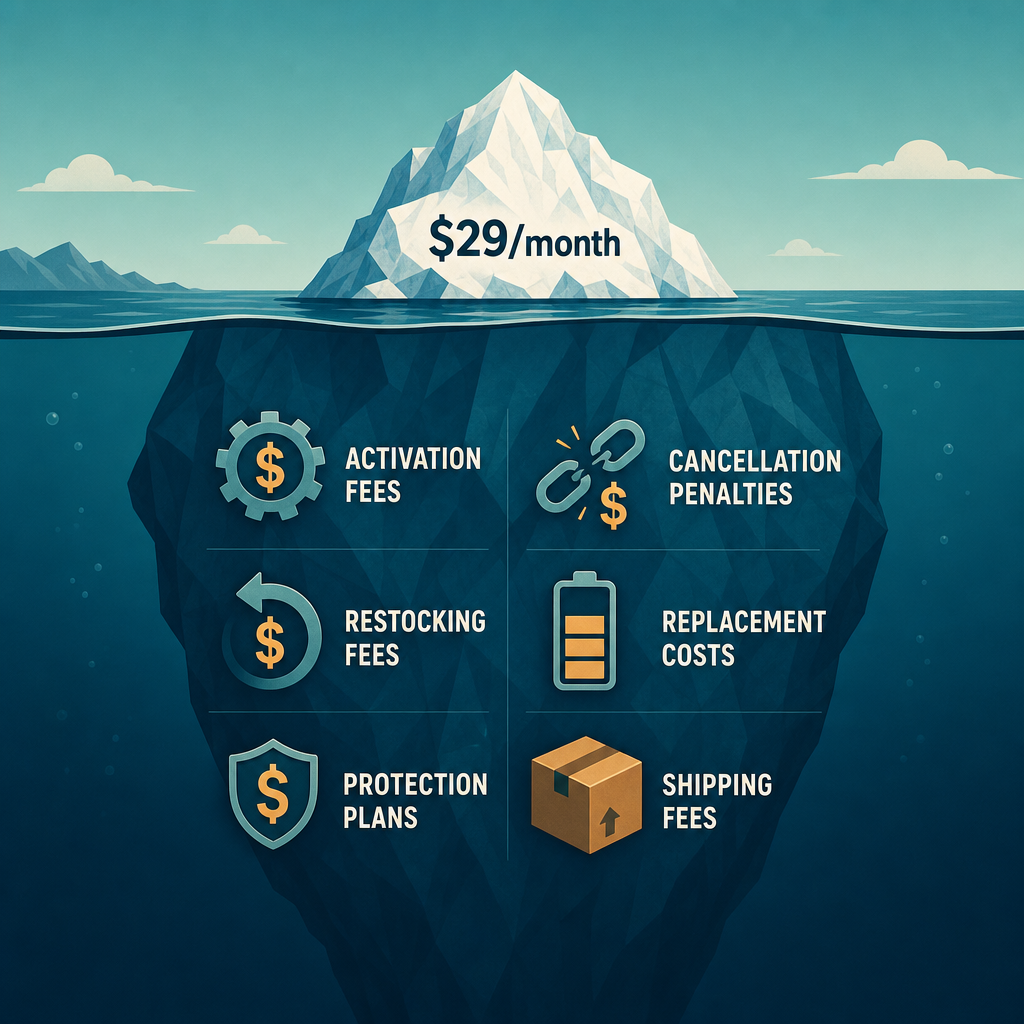
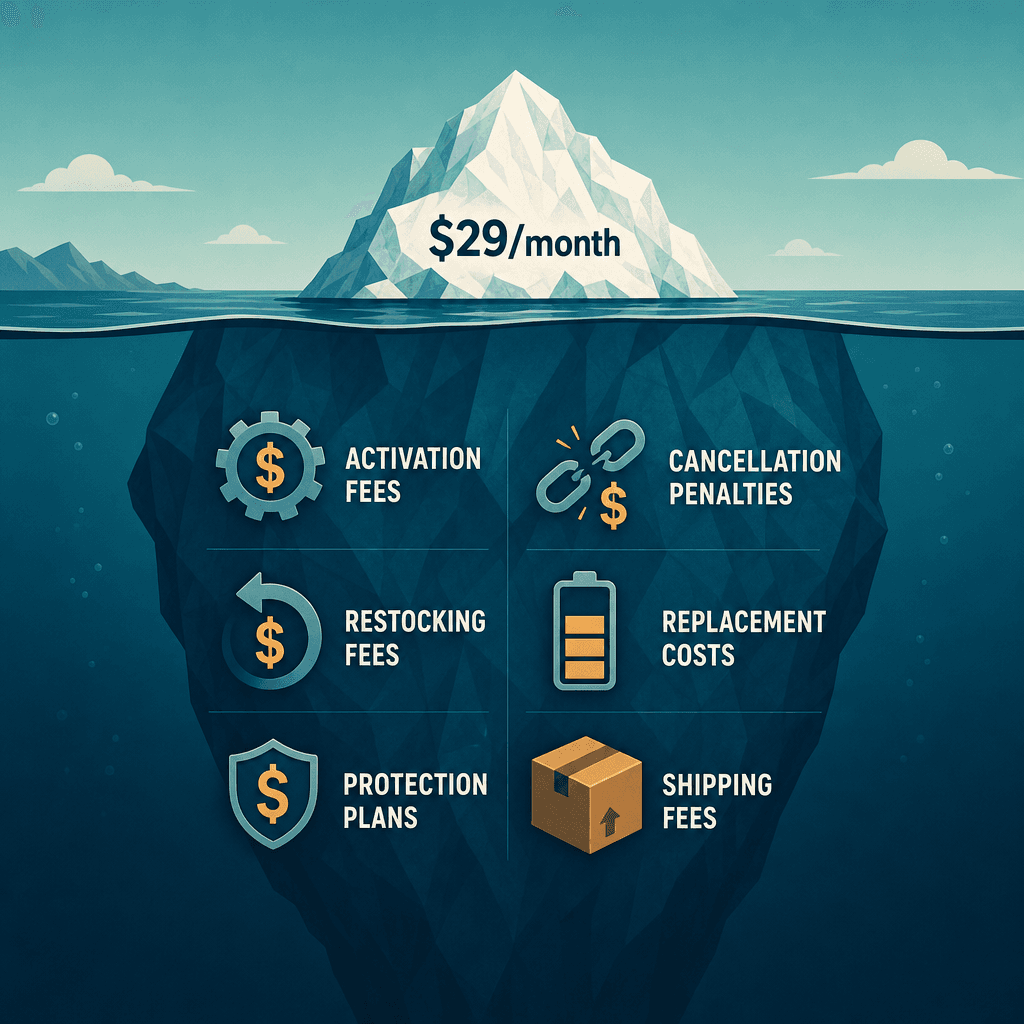
That $19.95 figure usually assumes a multi-year contract, a landline connection, no fall detection, and no equipment fees. The moment your parent needs a cellular connection (because they dropped their landline years ago), wants automatic fall detection, or prefers to own the equipment rather than lease it, the monthly number climbs. Then come the one-time fees — activation, shipping, installation — and the recurring ones you might not think about, like battery replacements, protection plans, and cancellation penalties that can eat up to 75 percent of your remaining balance if you need to cancel early.
This guide exists to close that gap. Instead of comparing advertised monthly rates, we will walk through every cost category — equipment, monitoring, add-ons, batteries, fees, and penalties — and then build a five-year total cost of ownership (TCO) model for each major system type. By the end, you will know not just what a system costs this month, but what it will cost you over the life of the device.
The advertised monthly fee is only what you see above the surface. The real cost includes layers of hidden charges.
The Complete Cost Breakdown: Every Fee You Need to Know
Before we compare systems, we need a shared vocabulary of costs. Every monitoring system draws from the same set of expense categories, though the amounts vary widely. Here is every line item you should expect to encounter.
Equipment: Buy vs. Lease
Some providers let you lease the base station and pendant for $0 upfront as long as you stay on a monthly plan. Others require a one-time purchase that can range from $100 to $500 or more, depending on the sophistication of the hardware. According to NCOA, equipment costs typically fall between $0 and $200 for leased or purchased units. SeniorLiving.org reports that equipment can be $0 for a lease or a few hundred dollars for an outright purchase. The trade-off is simple: leasing keeps your upfront cost low but locks you into the provider's ecosystem; buying gives you flexibility to switch services but requires more cash at the start.
Monthly Monitoring: Landline, Cellular, or Cellular + GPS
The monthly fee is the engine of the system's cost. It pays for the 24/7 call center, the cellular or landline connection, and the infrastructure that routes an alert to the right responder. NCOA puts the range at $20 to $60 or more per month. SeniorLiving.org narrows it to $25 to $35 for in-home systems and $35 to $55 for mobile systems. The premium for cellular connectivity over landline is typically $10 to $20 per month. GPS-enabled mobile units add another layer of cost because they require a data plan.
Fall Detection Add-Ons
Automatic fall detection is rarely included in the base monthly rate. Most providers charge an additional $5 to $15 per month for this feature, according to both NCOA and SeniorLiving.org. Some brands, like LifeFone, charge as little as $5 per month, while others, like Medical Guardian and Bay Alarm Medical, charge $10 per month. Over five years, that $10 add-on becomes $600 — more than the cost of the base unit itself.
Installation and Activation Fees
Many providers charge a one-time activation or installation fee that ranges from $25 to $100, according to NCOA. SeniorLiving.org puts the installation fee at up to $100. This fee covers setting up the base station, testing the connection, and programming emergency contacts. Some providers waive it during promotions, but you should never assume it is included.
Battery Life and Replacement
The pendant or wristband your parent wears runs on a battery. That battery will eventually die, and the replacement cost — and the hassle of remembering to change it — is an often-overlooked expense. SeniorLiving.org provides specific battery life data by brand: Life Alert pendants last up to 7 years; Bay Alarm Medical, MobileHelp, and LifeStation pendants last about 5 years; Medical Guardian pendants last 3 to 5 years; LifeFone pendants last 3 to 4 years; and Lifeline pendants last 5 years. Mobile GPS units are a different story entirely: they need charging every 24 to 72 hours, and GPS and fall detection features drain the battery faster, sometimes requiring daily charging.
Protection Plans and Shipping
Some providers offer protection plans that cover lost, damaged, or stolen equipment. NCOA reports these plans cost $1 to $10 per month. SeniorLiving.org puts the range at $5 to $10 per month. Shipping fees are typically $10 to $20, though some providers offer free shipping as a promotion.
Cancellation and Restocking Fees
This is the cost category that catches most first-time buyers off guard. If you cancel a contract early, NCOA warns that you may owe up to 75 percent of the remaining balance. On top of that, some providers charge a restocking fee of $25 to $75 if you return the equipment, according to SeniorLiving.org. These fees can add $100 to $300 or more to your first year if the system does not work out.
Complete cost categories for elderly monitoring systems with typical ranges and source attribution.
Cost Category
Typical Range
Source
Equipment (buy vs. lease)
$0 – $500
NCOA, SeniorLiving.org
Monthly monitoring (landline)
$20 – $35/mo
NCOA, SeniorLiving.org
Monthly monitoring (cellular)
$25 – $40/mo
NCOA, SeniorLiving.org
Monthly monitoring (cellular + GPS)
$30 – $60/mo
NCOA, SeniorLiving.org
Fall detection add-on
$5 – $15/mo
NCOA, SeniorLiving.org
Installation / activation
$25 – $100 one-time
NCOA, SeniorLiving.org
Protection plan
$1 – $10/mo
NCOA, SeniorLiving.org
Cancellation penalty
Up to 75% of remaining balance
NCOA
Restocking fee
$25 – $75
SeniorLiving.org
Pendant battery replacement
Every 3 – 7 years
SeniorLiving.org
Mobile unit charging
Every 24 – 72 hours
SeniorSite
5-Year Total Cost of Ownership by System Category
Now that we have the full list of cost categories, we can build a realistic five-year total cost of ownership for each major system type. These figures assume a single user, standard equipment, and the inclusion of fall detection (the most common add-on). They do not include promotional discounts, which we will cover in a later section.
Five-year total cost of ownership comparison across elderly monitoring system categories. Ranges reflect variations in equipment choice, add-ons, and provider pricing.
System Category
Monthly Cost Range
Equipment (Upfront)
5-Year TCO Range
Key Trade-Offs
Basic In-Home PERS (Landline)
$20 – $35/mo
$0 – $200
$600 – $2,400
Lowest cost; limited to home; no GPS; landline required
Basic In-Home PERS (Cellular)
$25 – $40/mo
$0 – $200
$750 – $2,800
No landline needed; same home-only limitation
GPS + Fall Detection Mobile
$30 – $60/mo
$100 – $200
$1,800 – $4,800
Full mobility; fall detection; higher monthly; daily charging
AI-Powered Passive Monitoring
$79 – $199/mo
$499 – $500+
$4,740 – $11,940
No wearable; tracks routines; highest cost; clinical data support
No-Monthly-Fee System (Unmonitored)
$0/mo
$60 – $200
$60 – $200
Lowest upfront; no professional monitoring; limited range; relies on 911
The table reveals a clear pattern: you get what you pay for, but the spread is enormous. A basic in-home PERS system costs between $600 and $2,400 over five years. A GPS-enabled mobile system with fall detection runs $1,800 to $4,800. And an AI-powered passive monitoring system — which uses sensors to track daily routines without requiring the user to wear anything — costs $4,740 to $11,940 over the same period, according to data from FutureCare and SeniorSite.
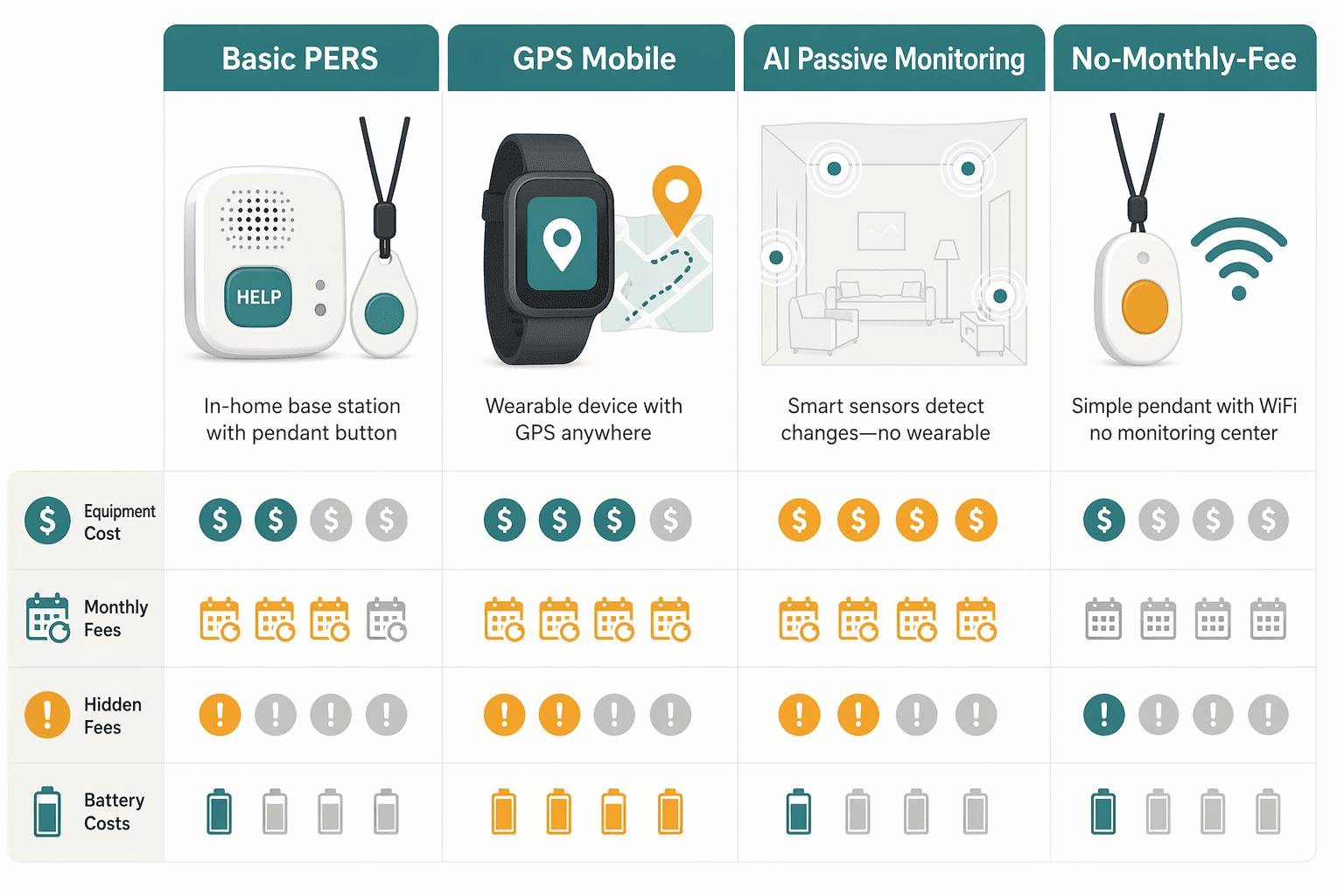
Each system category has a distinct cost profile. The right choice depends on your parent's mobility, living situation, and budget.
The Hidden Costs That Catch First-Time Buyers Off Guard
Even after reviewing the cost breakdown above, most first-time buyers underestimate three specific categories: cancellation penalties, restocking fees, and the cost of cellular service for mobile units. These are the fees that turn a $30-per-month decision into a $500 first-year surprise.
Cancellation Penalties: The Biggest Trap
Many providers require a one-year or multi-year contract. If you need to cancel early — because your parent moves to assisted living, passes away, or simply decides the system is not right — you may owe up to 75 percent of the remaining balance, according to NCOA. On a $40-per-month plan with 10 months left, that penalty could be $300. Always ask about the cancellation policy before signing up, and look for month-to-month plans if flexibility is important.
Restocking and Return Fees
If you decide to return the equipment within a trial period, some providers charge a restocking fee of $25 to $75, according to SeniorLiving.org. This fee is meant to cover the cost of inspecting, cleaning, and repackaging the device. It is rarely advertised and often buried in the terms and conditions.
Activation and Shipping Fees
Activation fees of $25 to $100 are common, according to NCOA. Shipping fees add another $10 to $20. While some providers waive these during promotions, you should budget for them unless the offer explicitly states otherwise.
The Cellular Data Plan Premium
Mobile GPS units require a cellular data plan to transmit location and alerts. This is why mobile systems cost $10 to $20 more per month than their in-home counterparts. Over five years, that premium adds $600 to $1,200. If your parent rarely leaves the house, a mobile system may be unnecessary expense.
Cancellation penalties: up to 75% of remaining balance (NCOA)
Restocking fees: $25 – $75 (SeniorLiving.org)
Activation fees: $25 – $100 (NCOA)
Shipping fees: $10 – $20
Cellular data premium: $10 – $20/mo extra for mobile systems
No-Monthly-Fee Systems: The Real Trade-Offs
No-monthly-fee systems are appealing on the surface: pay $60 to $200 upfront and never see another bill. According to SeniorSite, basic push-button devices start at around $60, while the Guardian Alert 911 costs $199. But the absence of a monthly fee comes with significant limitations that many buyers discover only after purchase.
No Professional Monitoring
The most important trade-off is the loss of a 24/7 call center. When your parent presses the button on a no-fee system, the alert goes directly to pre-programmed contacts — usually family members or neighbors — or to 911. There is no middle layer to assess the situation, call the right responder, or stay on the line until help arrives. For a senior who lives alone and has no nearby family, this can be a critical gap. SeniorSite notes that professional monitoring is essential for single seniors living alone, and that monitored systems typically cost $22 to $50 per month.
Limited Range
Range testing conducted by SeniorSite on no-monthly-fee systems found that the actual indoor range is typically only about 26 percent of the advertised distance. Walls, wireless interference, and metal structures all degrade the signal. A system advertised as having a 600-foot range may only work reliably within 150 feet indoors. If your parent's home has thick walls, a basement, or a large yard, the pendant may not work in the areas where falls are most likely to occur.
Battery Life Differences
In-home pendants on no-fee systems typically have a battery life of 5 to 7 years, according to SeniorSite. But mobile GPS units — even on no-fee systems — need charging every 24 to 72 hours, and GPS and fall detection features drain the battery faster, sometimes requiring daily charging. If your parent is not in the habit of charging devices, a mobile unit may spend more time dead than operational.
When No-Monthly-Fee Makes Sense
A no-fee system can be a reasonable choice if your parent lives with a family member who can respond to alerts, has a small home with good cellular signal (at least 2.5 bars, per SeniorSite), and is comfortable with the limited range. It is also a good backup or travel option. But for a senior living alone, the lack of professional monitoring and the unreliable indoor range make it a risky primary solution.
Insurance and Tax-Deduction Options That Lower Your Net Cost
Before you write off a more expensive system, check whether any of its cost can be offset by insurance coverage or tax-advantaged accounts. The landscape is shifting, and more options are becoming available.
Medicare Advantage and Long-Term Care Insurance
Original Medicare (Parts A and B) does not cover medical alert systems. However, some Medicare Advantage plans (Part C) and long-term care insurance policies may cover monitoring systems, according to both NCOA and FutureCare. Coverage is expanding, but it varies by plan and provider. You will need to call your parent's insurance company directly and ask whether monitoring devices are a covered benefit. For a deeper dive into this topic, see our guide on Does Medicare Cover Medical Alert Systems?.
HSA and FSA Eligibility
If your parent has a Health Savings Account (HSA) or Flexible Spending Account (FSA), they may be able to use pre-tax dollars to pay for eligible monitoring equipment and services. The IRS has not issued blanket guidance on medical alert systems, so you should check with the plan administrator to confirm eligibility. If approved, the tax savings effectively reduce the cost by 20 to 30 percent, depending on the tax bracket.
Medicare Advantage (Part C): Some plans cover monitoring — call the plan provider to verify.
Long-term care insurance: Policies may include monitoring as a covered benefit.
HSA/FSA: Pre-tax dollars may be used for eligible equipment and services.
Ways to Save: Annual Discounts, Bundles, and Promotions
The prices in the TCO table above are list prices. In practice, most providers offer discounts that can significantly reduce your actual cost. Here are the most common savings opportunities.
Annual Payment Discounts
Many providers offer a 10 to 20 percent discount if you pay annually or quarterly instead of monthly, according to NCOA. On a $40-per-month plan, paying annually could save you $48 to $96 per year. Over five years, that is $240 to $480 in savings.
Bundling and Add-On Discounts
If you need multiple systems — for example, one for your parent and one for an in-law, or a base unit plus a mobile unit — some providers offer bundle discounts. Adding fall detection at the time of purchase rather than later may also reduce the add-on fee. NCOA notes that bundle options can reduce costs.
Seasonal Promotions and Negotiation
Providers frequently run promotions that waive activation fees, offer free shipping, or discount the first three months. It is also worth asking whether the provider can match a competitor's price. The monitoring industry is competitive, and many companies would rather lower your rate than lose you to a rival.
Annual or quarterly payment: saves 10–20% (NCOA)
Bundle multiple systems or add-ons: reduces per-unit cost
Seasonal promotions: waived activation, free shipping, discounted first months
Negotiate: ask the provider to match a competitor's rate
Cost vs. Value: What Monitoring Buys You Compared to Assisted Living
It is easy to focus on the monthly cost of a monitoring system and forget what it is replacing. The alternative to aging in place with monitoring is often a move to assisted living, which costs $4,000 to $8,000 per month, according to FutureCare. Over five years, that is $240,000 to $480,000.
Five-year cost comparison: monitoring systems vs. assisted living. Even the most expensive monitoring option is a fraction of the cost of facility placement.
Option
Monthly Cost
5-Year Cost
Key Benefit
Basic In-Home PERS
$20 – $35
$600 – $2,400
Emergency alert at home; lowest cost
GPS + Fall Detection Mobile
$30 – $60
$1,800 – $4,800
Full mobility; automatic fall detection
AI-Powered Passive Monitoring
$79 – $199
$4,740 – $11,940
No wearable; tracks routines; clinical outcomes
Assisted Living Facility
$4,000 – $8,000
$240,000 – $480,000
24/7 on-site care; highest level of support
Monitoring does not replace the hands-on care that assisted living provides. But it can help delay or avoid facility placement by catching emergencies early, supporting independent routines, and giving family caregivers the confidence that their parent is safe. For a deeper look at who succeeds at aging in place and why, see our article on The Aging in Place Reality Check: What the 2026 Data Says About Who Actually Succeeds at Staying Home.
Choosing the Right System for Your Budget
With the full cost picture in view, here is a simple decision framework organized by budget tier. Use it as a starting point, then adjust based on your parent's specific health profile, living situation, and willingness to wear a device.
Budget-tier decision framework for choosing an elderly monitoring system based on five-year total cost of ownership.
Budget Tier
5-Year Budget
Best System Type
Key Consideration
Tight
Under $1,000
Basic in-home PERS (landline or cellular)
Limited to home; no fall detection unless budget allows add-on
Moderate
$1,000 – $3,000
GPS + fall detection mobile system
Full mobility; automatic fall detection; daily charging required
For individualized recommendations:An occupational therapist or your primary care provider can assess your specific situation and recommend the monitoring category and feature set that best fits the person's functional level, living environment, and caregiver availability. This explainer provides educational context, not a personalized recommendation.

Comments
Join the discussion with an anonymous comment.