
Caregiver decision guide
Elderly Monitoring Systems: Camera-Free vs. Camera-Based Options for Your Parent's Safety
Learn how camera-free passive monitoring can provide effective safety insights without the privacy concerns that lead many seniors to resist cameras, and understand the specific situations where camera-based systems add necessary value.
Ryan Herd told AARP about installing a camera in his father’s home, only to find that his father covered it with a dish towel. His father’s explanation was plain enough: “People don’t want anybody watching them. They don’t like that 1984 stuff.”[1]
That is where many families actually begin the search for elderly monitoring systems: not with a product comparison, but with a parent who has already made a boundary visible. The practical question is not whether adult children are allowed to worry. Of course they are. A fall, a hospital discharge, a new dementia symptom, or a long silence after dinner can rearrange a family’s nervous system overnight. The question is narrower and harder: can you know enough to act without making your parent feel watched in their own home?
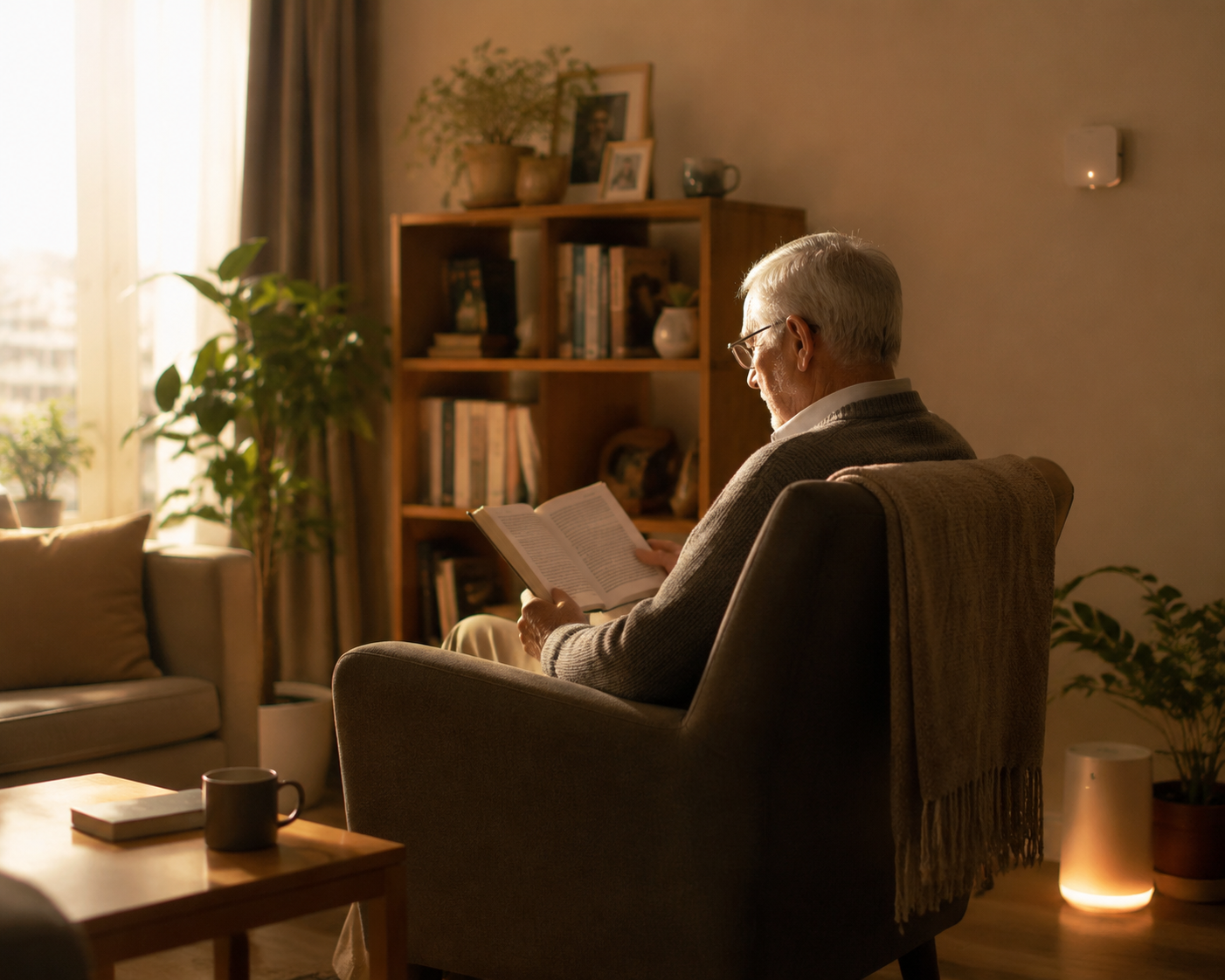
Most of the time, the answer is yes. Camera-free monitoring can often tell a caregiver what changed, when it changed, and whether someone needs to check in. It does that without sending a live view of the kitchen, bedroom hallway, or favorite chair. Cameras still have a place, but their place is smaller than the fear-driven shopping process often makes it seem.
What Camera-Free Systems Actually Know
A camera sees a scene. A camera-free system reads patterns. That distinction matters because the second approach can be less invasive while still producing information a family can use.
In-home monitoring without cameras may use passive infrared motion sensors, door or cabinet contact sensors, bed or chair pressure sensors, smart plugs, stove-use sensors, radar, WiFi signal analysis, smart carpets, or room-level activity mapping. No single device tells the whole story. Together, they can show whether someone got out of bed, entered the bathroom, opened the refrigerator, left through an exterior door, moved through the hallway at the usual time, or failed to start a normal part of the day.
That sounds modest until you have been the person wondering whether a parent is asleep, stuck on the floor, or simply ignoring the phone. A missed morning kitchen visit after years of 7 a.m. coffee is not a diagnosis, but it is a useful signal. A front door opening three times after midnight means something different from an afternoon trip to the mailbox. Long bathroom occupancy, an unusual lack of bedroom-to-bathroom movement, or repeated nighttime wandering can all give a caregiver a reason to call, visit, or escalate care.
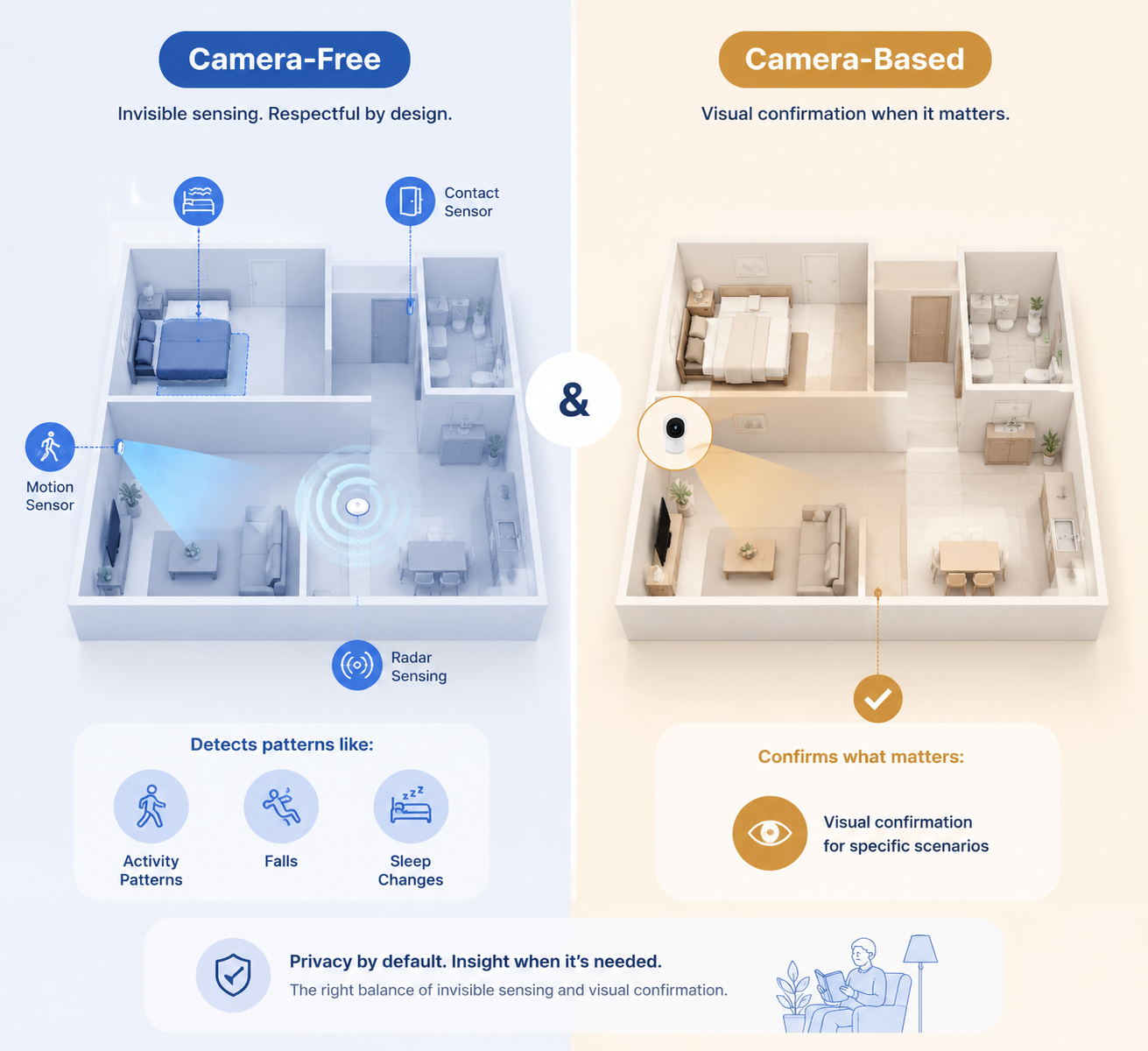
The best camera-free systems are not trying to replace a daughter’s judgment or a clinician’s assessment. They are trying to reduce the time between a meaningful change and a human response.
The Research Does Not Start With Cameras
A scoping review of in-home monitoring technology for aging in place looked at 30 studies published through June 2021. The most common technologies in those studies were not cameras. Passive infrared motion sensors appeared in 21 of the 30 studies, and contact sensors appeared in 19.[2]
That matters because it separates two ideas that get blurred in family conversations. Rejecting a camera does not mean rejecting monitoring. It may mean choosing the kind of monitoring that has been studied most often in aging-in-place settings: sensors that detect movement, openings, pressure, presence, and routine change.
The same review describes non-camera fall-detection approaches, including radar, WiFi signal analysis, and smart carpets, with reported accuracy in the 90% to 98% range across cited studies.[2] That does not mean every consumer device on a retail shelf will perform that well in every home. Furniture layout, walking pattern, pets, signal quality, and installation all matter. But it does answer the first anxious objection many families have: fall detection is not automatically dependent on video.
The review also includes studies that used sensor data for more than immediate emergencies. Heatmap activity trajectory analysis detected abnormal behaviors with up to 88% accuracy, and sensor-based approaches detected depression-related signals with up to 96% accuracy in reviewed studies.[2] Those numbers should be read carefully. They are research findings, not a promise that a home device can diagnose depression or explain why a parent’s routine changed. What they do show is that daily-life patterns can carry health information before anyone sees a dramatic crisis.
What an Alert Can Mean Without a Picture
A camera-free alert is usually strongest when it answers a specific question. Did Mom get out of bed? Did Dad open the front door after midnight? Has the bathroom been occupied far longer than usual? Was there movement after a possible fall? Has the normal kitchen pattern disappeared for two mornings?
Those are not abstract data points. They correspond to family actions. A caregiver may call first, ask a neighbor to knock, drive over, contact a sibling, or request a wellness check. The system does not need to show a face to change the next step.
| Caregiving Question | Camera-Free Signal That May Help | What It Can Support |
|---|---|---|
| Did they start the day normally? | Bedroom, hallway, bathroom, or kitchen activity compared with usual routine | A call or visit when expected activity is missing |
| Could there have been a fall? | Radar, WiFi-based sensing, smart carpet activity, pressure change, or lack of movement after motion | A faster check-in without using video as the default |
| Are they wandering at night? | Door contact sensors, hallway motion, bedroom exits, repeated room transitions | Nighttime alerts, environmental guidance, or a revised dementia safety plan |
| Is daily function changing? | Changes in movement, room use, appliance use, or time spent in usual locations | A conversation with family, clinicians, or care managers about decline |
This is also where privacy becomes practical rather than decorative. A parent who covers a camera may leave a wall sensor alone. A parent who refuses video in the bedroom hallway may accept a door sensor or bed-exit sensor if the family explains what it reports and what it does not report. Acceptance is not a soft issue. If a system gets unplugged, covered, ignored, or resented into disuse, it is not functioning as a safety system.
There is not strong peer-reviewed consumer adoption evidence directly comparing older adults’ acceptance of camera-based versus camera-free systems. The privacy argument here rests more on qualitative evidence, household experience, and the obvious meaning of a dish towel over a lens than on controlled trials. Families should be honest about that. They should also be honest that lived resistance is still real evidence when the goal is to keep a system working in a real home.
Nighttime Wandering Shows Why “No Camera” Does Not Mean “No Help”
Dementia-related nighttime wandering is one of the situations that can make families reach for cameras quickly. The risk is not theoretical: a person may leave the bedroom, become disoriented, open an exterior door, or fall while everyone else is asleep. It is also one of the situations where constant visual monitoring can feel especially harsh, because the person being watched may not fully understand the bargain being made.
The scoping review describes a 12-week pilot study using sensor-based smart lighting and speakers to guide nighttime wanderers with dementia. The intervention significantly reduced caregiver depression and anxiety.[2] That is a small but important kind of outcome. It is not just a device detecting motion; it is a home responding in a way that may prevent the caregiver from spending every night half-awake, listening for footsteps.
For families dealing with sundowning or repeated nighttime exits, a camera-free plan may include bedroom exit detection, hallway lighting, door alerts, familiar audio prompts, and a clear escalation rule for when someone must intervene. A broader nighttime safety plan still matters, especially when wandering has already become dangerous; families may need to think beyond devices and include locks, environmental changes, medication review, respite care, or professional supervision. A practical next step is a dedicated guide to building a nighttime safety plan when a parent wanders.
Where Cameras Earn Their Privacy Cost
There are situations where pattern data is not enough. Pretending otherwise only makes the camera-free argument weaker.
A camera can confirm what a sensor cannot: whether someone is on the floor or just sitting low in a chair, whether a walker is being used correctly, whether a home health aide arrived, whether an unfamiliar visitor is at the door, whether a parent looks short of breath during a check-in, or whether a post-hospital transfer from bed to chair is going badly. Video can also support two-way communication, which matters when a parent can respond to a familiar voice but may not reach a phone.
The sharper rule is not “never use cameras.” It is: do not install a camera unless the caregiving question genuinely requires visual confirmation.
Post-hospital recovery is a common example. If a parent has just returned home after surgery, a stroke, or a serious fall, the family may need temporary visual checks of transfers, gait, or use of assistive equipment. A sensor can report movement; it cannot show whether someone is bearing weight safely or abandoning the walker halfway across the room. In that case, a camera in a specific room for a defined recovery period may be easier to justify than whole-home video monitoring.
Advanced dementia can also change the calculation. If a parent repeatedly leaves the house at night, disables alerts, or cannot describe what happened after an incident, visual confirmation may become part of a larger safety plan. Even then, cameras should not become a quiet substitute for the level of care the person now needs. When technology starts acting as a patch for risks that require hands-on supervision, the family is really asking whether monitoring is enough or whether professional care is needed. That question deserves its own sober review, such as this guide to deciding between monitoring technology and professional care.
Visitor verification is another legitimate use. A doorbell camera, exterior camera, or camera aimed only at an entry area answers a different question from a living-room camera. It is less about observing the parent and more about knowing who is trying to enter the home.
Bounded Means Specific
If a family decides a camera is necessary, the boundaries should be concrete before anything is installed: which room, what question it answers, who can view it, whether it records or only streams, when it will be reviewed, and what condition would allow removal. “For safety” is too broad. “For two weeks after discharge, pointed at the living-room transfer area, viewable only by the two caregiving children, with no bedroom or bathroom coverage” is a real boundary.
Consent also needs more care than families sometimes give it. A parent who has capacity should be part of the decision, even if the conversation is uncomfortable. A parent with cognitive impairment may not be able to give the same kind of informed consent, but that does not erase dignity; it raises the standard for restraint. The family should still choose the least revealing tool that answers the immediate risk.
A Simple Decision Path
Before comparing brands, name the safety question. A vague fear produces an overbuilt system. A specific question produces a better match.
- If the question is whether daily routine is changing, start with camera-free motion, contact, pressure, or appliance-use monitoring.
- If the question is whether a fall may have occurred, consider passive fall detection such as radar, WiFi-based sensing, smart carpets, or other validated non-camera approaches before defaulting to video.
- If the question is nighttime wandering, start with door, bed-exit, hallway, lighting, and alert patterns, then add more direct supervision if risk remains high.
- If the question is whether a person, transfer, visitor, or visible condition must be confirmed, use a camera only where that visual answer is needed.
- If no device can answer the risk without constant watching, treat that as a care-level problem, not a shopping problem.
Families who are still sorting the technology categories may want a broader comparison of passive sensors, wearables, and cameras. The important point here is sequencing. Camera-free first is not a sentimental compromise. It is often the most workable first layer because it can detect meaningful change without turning the home into a viewing area.
The market is growing because families need help. One market report values the elderly monitors market at $4.66 billion in 2026 and projects it to reach $7.19 billion by 2030.[3] Availability is not the same as acceptance, though. A shelf full of devices does not solve the problem of a parent who feels watched, a caregiver who receives too many alerts, or siblings who have not agreed on who responds at 2 a.m.
The Conversation Is Part of the System
Monitoring fails when it is installed as a family verdict instead of negotiated as a household change. An older parent may hear “sensor” and imagine a loss of authority. An adult child may hear “privacy” and imagine the next fall going undiscovered. Both reactions can be reasonable at the same time.
The conversation should be specific enough to reduce fear on both sides: what will be monitored, what will not be monitored, who receives alerts, what counts as an emergency, and when the family will revisit the setup. A parent is more likely to accept a system that says “we’ll know if the front door opens at night” than one that feels like “we’ll know what you’re doing.” For a fuller script, use a guide on how to talk to an aging parent about elderly monitoring systems.
Resistance is not always stubbornness. Sometimes it is confusion, fear of losing independence, prior bad experiences with technology, or a correct objection to being treated as a problem to be managed. Those barriers are easier to address when the family understands why an older parent resists technology and what actually works.
Choose the Least Invasive Tool That Answers the Real Question
For most aging-in-place situations, camera-free passive monitoring is the better starting point. It can reveal routine changes, possible falls, nighttime activity, missed daily patterns, and health-related shifts while preserving more of the privacy that makes a home feel like home.
Cameras belong where the family truly needs visual confirmation: a defined post-hospital recovery period, a dangerous dementia-related pattern that cannot be managed by sensors alone, or a visitor-identification problem. Even then, the camera should be bounded by location, purpose, access, duration, and consent wherever possible.
The family rule is simple enough to survive the next stressful discharge meeting: choose the least invasive system that answers the specific safety question in front of you, then revisit the choice when your parent’s condition changes.
References
Questions to bring to a clinician or OT
This is not medical, legal, or a family's final decision — only a framework. Bring these questions to a clinician, occupational therapist, or your local Area Agency on Aging.
Find Local HelpRelated reading
Noticed something outdated or inaccurate on this page? Flag a correction. We review every report against CDC, NIA, and AARP HomeFit guidance before updating a page.